How to Pass wkhtmltopdf Header and Footer HTML Through stdin
wkhtmltopdf cannot read header or footer markup directly from stdin. Use temporary files or a local URL, then pass those paths with --header-html and --footer-html.
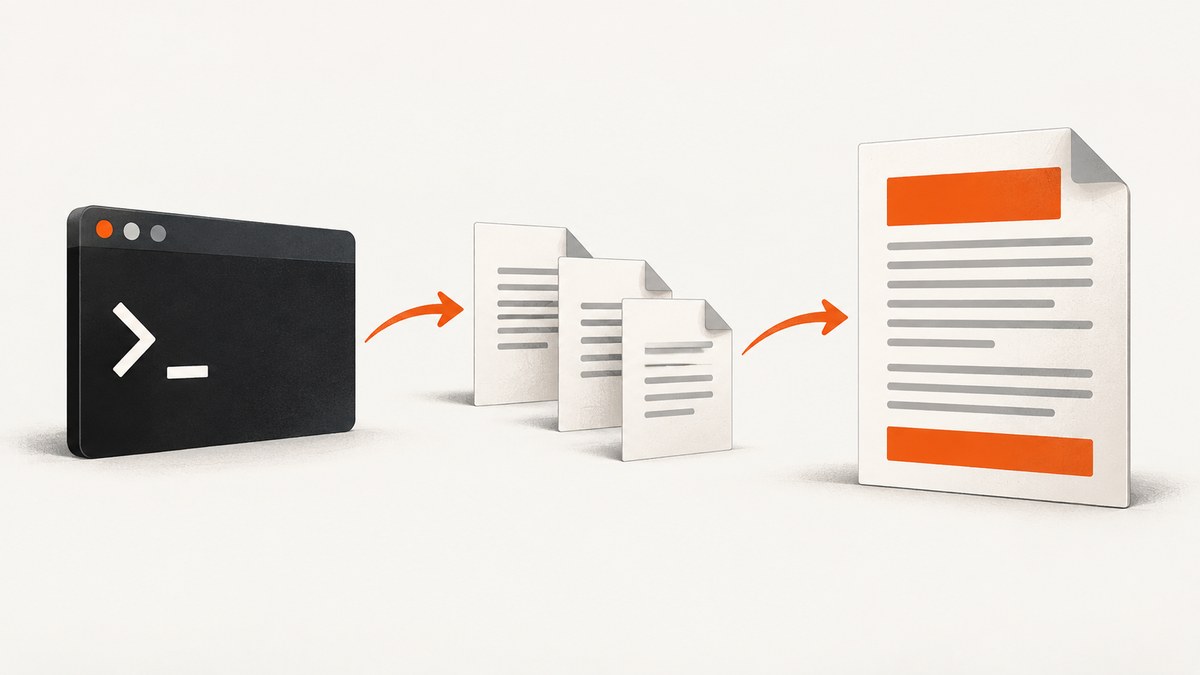
Short answer: wkhtmltopdf does not provide a mode that reads header or footer HTML bytes directly from stdin. The --header-html and --footer-html options expect a URL or file location. The stdin-related option, --read-args-from-stdin, reads command-line arguments, one invocation per line; it does not reinterpret HTML received on that stream as a header or footer document.
Generate the header and footer as temporary files, or serve them from a local HTTP endpoint, and pass those locations to wkhtmltopdf. This keeps dynamic markup possible without maintaining permanent files. The same approach works for batch jobs, provided each stdin line contains a complete command argument list.
What wkhtmltopdf reads from stdin
There are two separate inputs that are easy to confuse:
| Input | What it contains | How wkhtmltopdf uses it |
|---|---|---|
| Document input | HTML or a URL supplied as the input argument | Rendered as the PDF body |
| Argument stdin | Command-line options and file names | Used only when --read-args-from-stdin is enabled |
| Header/footer resource | A URL or filesystem path to an HTML document | Loaded for each page header or footer |
The official wkhtmltopdf usage documentation defines --header-html <url> and --footer-html <url> as URL or file arguments. It also states that headers and footers can be supplied with HTML documents. The documented stdin option instead reads command lines, one invocation per line: --read-args-from-stdin. See the official usage documentation for the command-line definitions.
Recommended pattern: create temporary header and footer files
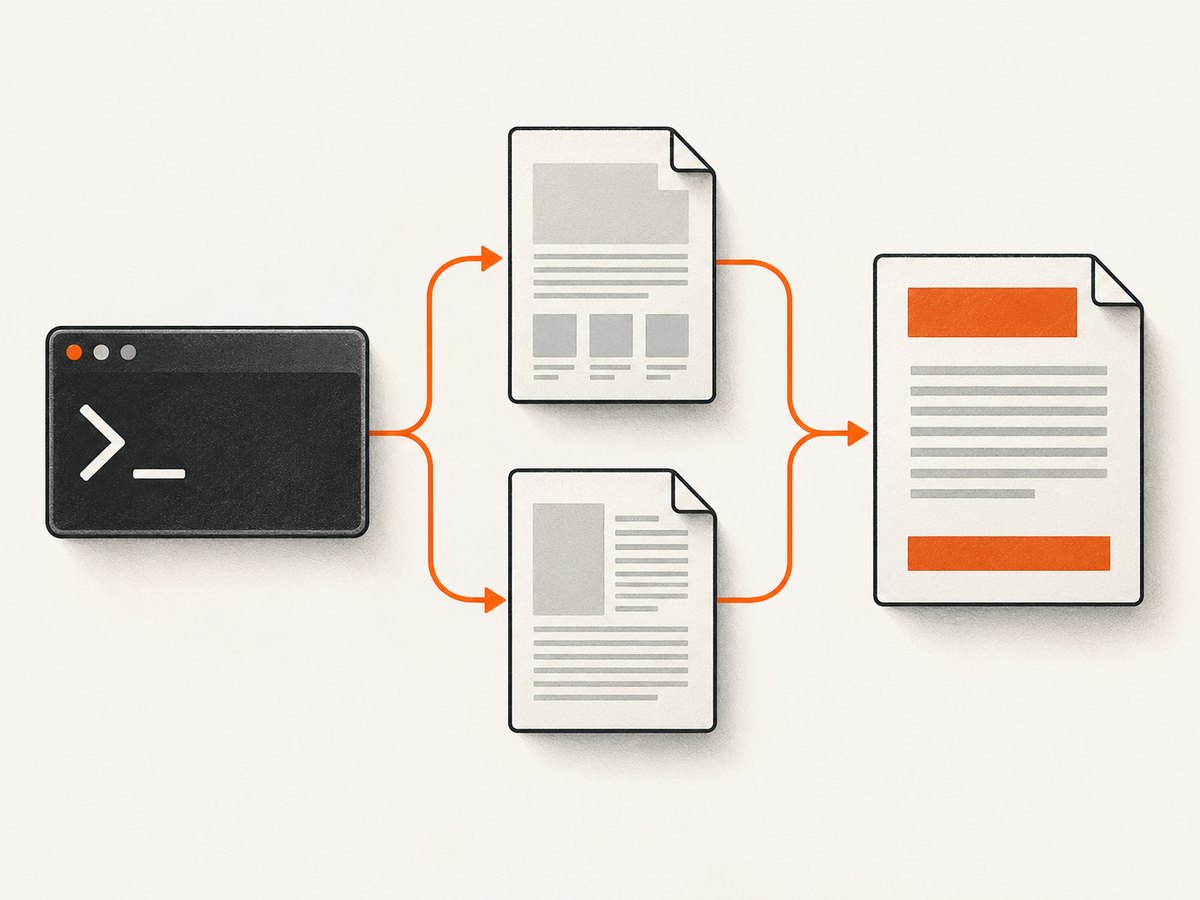
For a single conversion, write generated markup into a private temporary directory, pass the two file paths to wkhtmltopdf, and remove the directory after the process exits. This is usually the simplest solution because it avoids running an HTTP server and works with CSS and local assets that the wkhtmltopdf process can access.
Complete POSIX shell example
#!/usr/bin/env sh
set -eu

tmpdir="$(mktemp -d)"
cleanup() {
  rm -rf "$tmpdir"
}
trap cleanup EXIT INT TERM

cat >"$tmpdir/header.html" <<'HTML'
<!doctype html>
<html>
  <head>
    <meta charset="utf-8">
    <style>
      body { margin: 0; font-family: sans-serif; font-size: 9pt; }
      .header { border-bottom: 1px solid #999; padding-bottom: 4pt; }
    </style>
  </head>
  <body>
    <div class="header">Quarterly report</div>
  </body>
</html>
HTML

cat >"$tmpdir/footer.html" <<'HTML'
<!doctype html>
<html>
  <head>
    <meta charset="utf-8">
    <style>
      body { margin: 0; font-family: sans-serif; font-size: 8pt; }
      .footer { border-top: 1px solid #999; padding-top: 4pt; }
    </style>
  </head>
  <body>
    <div class="footer">Page <span id="page"></span></div>
  </body>
</html>
HTML

wkhtmltopdf \
  --margin-top 25mm \
  --margin-bottom 20mm \
  --header-html "$tmpdir/header.html" \
  --footer-html "$tmpdir/footer.html" \
  input.html output.pdf
The temporary files exist only for the conversion. The shell trap removes them on normal exit and common termination signals. Use a unique directory per job so concurrent conversions cannot overwrite one another.
Dynamic values and safe generation
When values come from users or external systems, escape them before inserting them into HTML. A malformed quote or untrusted tag can change the document or create an unintended local-file request. Prefer a template engine with HTML escaping, and write files with restrictive permissions such as 0600 when the content is confidential.
tmpdir="$(mktemp -d)"
header_title='Invoice <2026>'
# In production, HTML-escape values in your application before writing them.
cat >"$tmpdir/header.html" <<HTML
<!doctype html><html><body>
<div class="header">${header_title}</div>
</body></html>
HTML
Passing arguments through stdin in batch mode
--read-args-from-stdin is useful when a worker needs to feed many wkhtmltopdf invocations to one process. Each line is parsed as a separate command-line invocation. The header and footer HTML still live in files or at URLs; stdin carries only their paths.
#!/usr/bin/env sh
set -eu

tmpdir="$(mktemp -d)"
trap 'rm -rf "$tmpdir"' EXIT

cat >"$tmpdir/header.html" <<'HTML'
<html><body><div>Batch header</div></body></html>
HTML
cat >"$tmpdir/footer.html" <<'HTML'
<html><body><div>Page <span id="page"></span></div></body></html>
HTML

printf '%s\n' \
  "--header-html $tmpdir/header.html --footer-html $tmpdir/footer.html input-1.html output-1.pdf" \
  "--header-html $tmpdir/header.html --footer-html $tmpdir/footer.html input-2.html output-2.pdf" \
  | wkhtmltopdf --read-args-from-stdin
Do not pipe the literal header markup into that stream. A line such as <div>My header</div> is treated as an argument token, not as the contents of --header-html. If a path contains spaces, quote it according to the argument parser used by your wkhtmltopdf build; using simple, space-free temporary paths avoids portability problems.
Using a local HTTP URL instead of files
A local service is useful when several workers share generated templates, when assets are already served over HTTP, or when a sandbox disallows the kind of filesystem access wkhtmltopdf needs. Expose an endpoint such as http://127.0.0.1:8787/header/abc that returns a complete HTML document, then pass that URL to --header-html.
wkhtmltopdf \
  --header-html "http://127.0.0.1:8787/header/abc" \
  --footer-html "http://127.0.0.1:8787/footer/abc" \
  input.html output.pdf
Bind the service to loopback, authorize requests if it handles sensitive data, and make the endpoint deterministic for the lifetime of the conversion. The renderer may request the resource more than once, so do not make the response depend on a one-time token unless you know how your installed build behaves. Ensure every stylesheet, font and image referenced by the header is reachable from the renderer.
Page variables and dynamic page numbers
wkhtmltopdf supports substitutions in header and footer text. The official usage documentation lists [page], [frompage], [topage], [webpage], [section], [subsection], [date], [isodate], [time], [title], [doctitle], [sitepage] and [sitepages]. For plain text, for example:
wkhtmltopdf \
  --footer-right "Page [page] of [topage]" \
  --footer-font-size 8 \
  input.html output.pdf
HTML headers and footers can use JavaScript hooks that inspect the page context in builds that include the patched-Qt header/footer functionality. Keep the markup small and deterministic. If a variable appears literally in the PDF, verify that the option is supported by your build and that you placed it in the expected header or footer setting.
Margins, spacing and layout
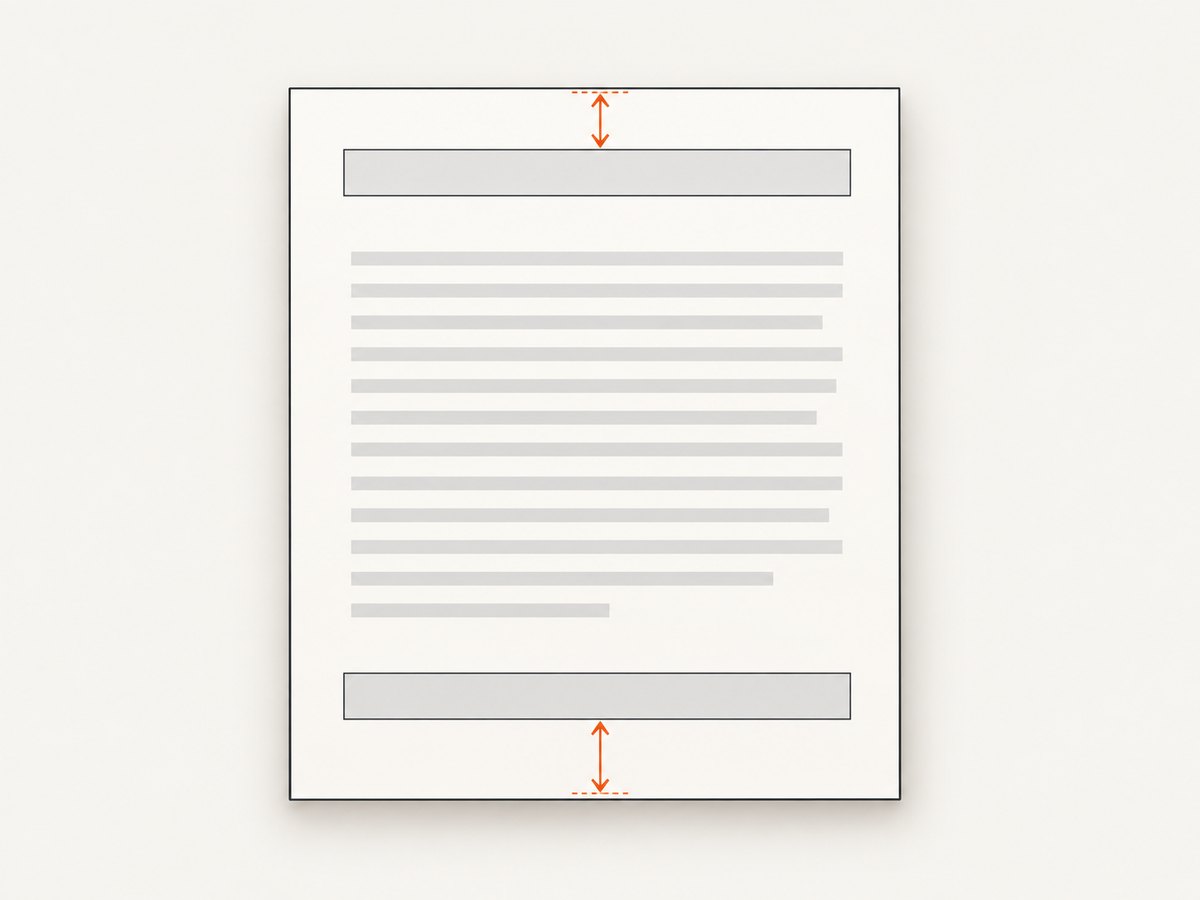
Header and footer space is measured separately from the body. Set a top margin large enough for the header and a bottom margin large enough for the footer:
wkhtmltopdf \
  --margin-top 30mm \
  --margin-bottom 25mm \
  --header-html header.html \
  --footer-html footer.html \
  input.html output.pdf
The libwkhtmltox page-settings reference names the header setting header.htmlUrl and explains that spacing is measured separately. Excessive spacing can place the header outside the printable page area, so adjust margins and spacing together. See the official page-settings reference.
Use a small, fixed header height. Avoid large top padding, viewport-dependent CSS, and content that reflows after the first page. If the header overlaps body text, increase --margin-top; if it is clipped at the edge, reduce header height or increase the page margin. Repeat the same process for the footer and bottom margin.
Choosing files versus a local service
| Concern | Temporary files | Local HTTP service |
|---|---|---|
| Process isolation | Strong when each job has its own directory | Central service must isolate requests and data |
| Concurrency | Simple: unique directory per conversion | Requires request IDs and cleanup policies |
| External CSS/assets | Use reachable file paths or URLs | Natural fit for HTTP-hosted assets |
| Cleanup | Delete on success, failure and termination | Expire generated resources after a safe interval |
| Operational complexity | No additional daemon | Requires a listener, routing and monitoring |
Troubleshooting
The header is blank
Cause: the path is wrong, the file was deleted before wkhtmltopdf loaded it, or the document contains unsupported resource references. Fix: log the absolute path, check that the file exists until conversion exits, and open it directly in the same environment. Use absolute URLs for remote assets and confirm the renderer can reach them.
Markup appears as command-line text
Cause: header HTML was piped into --read-args-from-stdin. Fix: write the markup to a temporary file or expose it through HTTP, then put only the path or URL in the argument line.
The footer overlaps the body
Cause: the bottom margin is smaller than the footer’s rendered height. Fix: increase --margin-bottom, reduce footer padding and font size, and remove unexpected default body margins in the footer document.
Page numbers are missing
Cause: the substitution was placed in ordinary body HTML, the build lacks the required patched-Qt feature, or the variable spelling is incorrect. Fix: use the documented variables in a header/footer option, verify the installed version and test with --footer-right "Page [page] of [topage]".
CSS or images do not load
Cause: relative URLs resolve against an unexpected base, local-file access is restricted, or network resources are unavailable. Fix: use absolute URLs, inline critical CSS, keep assets on an accessible host, and apply the file-access settings appropriate to your deployment.
Batch jobs interfere with one another
Cause: all jobs reuse one filename such as /tmp/header.html. Fix: create a unique temporary directory per job, pass its paths to the process, and clean it only after the process exits.
The command works locally but fails in a container
Cause: the container lacks the same wkhtmltopdf build, fonts, network access or patched-Qt support. Fix: inspect the version inside the container, install required fonts, test resource URLs from that environment, and confirm that the binary supports HTML headers and footers.
Performance, reliability and cost considerations
- Reuse templates: keep static CSS and structure in a template, inserting only escaped values per job.
- Limit asset weight: large remote fonts and images delay every conversion and can time out.
- Use bounded timeouts: terminate stuck conversions and remove their temporary directories.
- Separate output names: derive output paths from a unique job ID to prevent overwrites.
- Record diagnostics: capture stderr, exit status, input URL, header/footer locations and renderer version.
- Plan for retries: retries should use a fresh temporary directory and an idempotent output name.
Local wkhtmltopdf has no per-page service charge, but you still pay for CPU, memory, storage, fonts, process supervision and maintenance. If you need a hosted capture workflow instead of managing a browser process, ScreenshotNeo provides a website screenshot API and PDF capture endpoint.
Or skip the browser setup
For a one-call capture, use ScreenshotNeo. Its API can return PNG, JPEG, WebP or PDF, and its capture options include full-page rendering, paper size, margins, landscape mode and page ranges. The request below returns a screenshot; see the ScreenshotNeo API documentation for PDF parameters and the complete option list.
cURL
curl -G "https://api.screenshotneo.com/v1/shot" -d access_key=YOUR_API_KEY --data-urlencode url=https://stripe.com -o shot.webpPython
import requests
r = requests.get("https://api.screenshotneo.com/v1/shot", params={"access_key": "YOUR_API_KEY", "url": "https://stripe.com"}, timeout=90)
open("shot.webp", "wb").write(r.content)
Node.js
const q = new URLSearchParams({ access_key: 'YOUR_API_KEY', url: 'https://stripe.com' }); const res = await fetch(`https://api.screenshotneo.com/v1/shot?${q}`);Cookie banners, newsletter popups and chat widgets are removed before the shot. Bot checks, blank pages and failed loads are never billed, and response headers identify the page verdict and whether it was billed. An MCP server provides take_screenshot, get_page_info and capture_pdf tools for Claude, Cursor and other MCP clients. You get 1,000 screenshots each month free with no card; paid plans start at $5 for 3,000 shots. Create a free ScreenshotNeo account.
FAQ
Can I use a shell pipe directly with --header-html?
No. The option consumes a URL or file argument. Use a temporary file or local URL.
Does --read-args-from-stdin support multiple jobs?
Yes. Put one complete argument list on each line. Each line starts a separate conversion.
Must header and footer files be full HTML documents?
Use complete HTML documents for predictable parsing, especially when including styles. The official documentation explicitly supports HTML documents for headers and footers.
Why is the header outside the page?
The margin or spacing is too small or the header is taller than expected. Increase the top margin and reduce the header’s rendered height.
Can I generate a different footer for every page?
The resource is loaded as the configured footer for the document. Use supported page substitutions for numbering, or generate separate documents when each page needs unrelated markup.


