How to Set the Top Margin for a wkhtmltopdf Header
Set wkhtmltopdf’s top margin with --margin-top, then tune --header-spacing so HTML or text headers never overlap your PDF content.
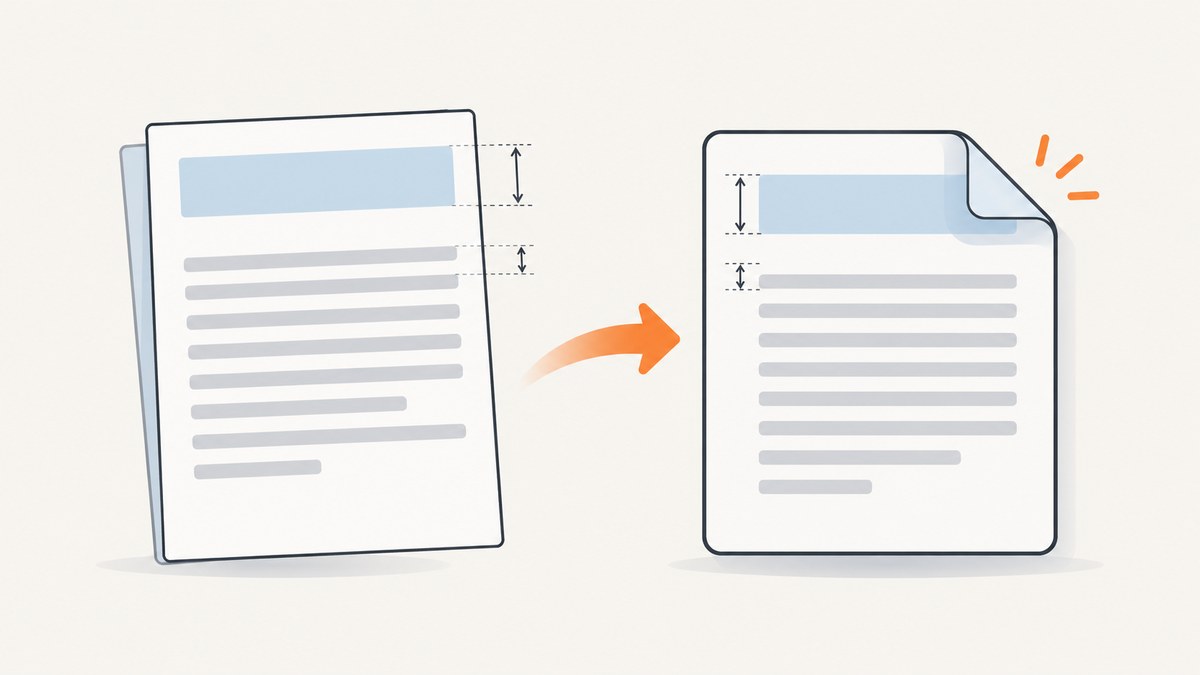
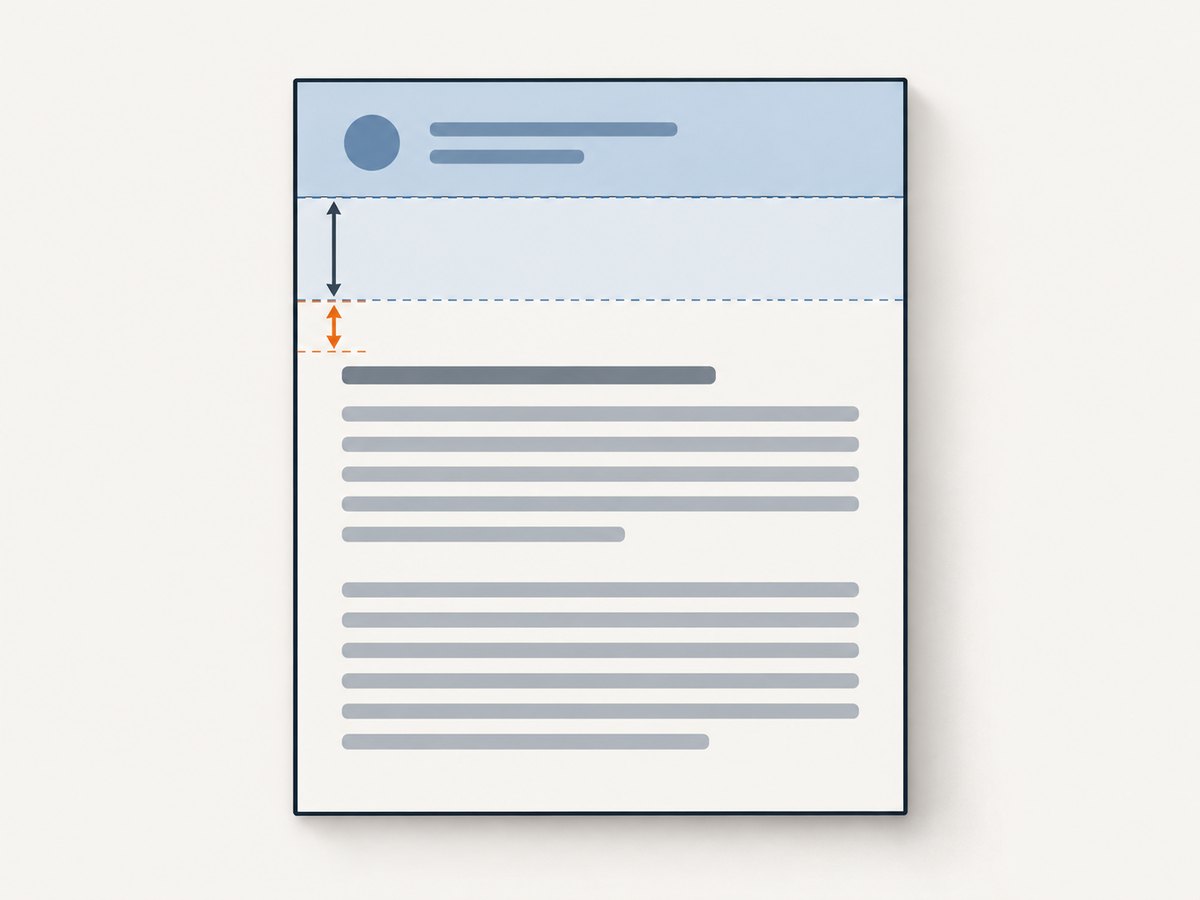
Use --margin-top (or -T) to reserve space above the document content. Use --header-spacing separately when you need to change the gap between the rendered header and the body. A typical starting command is:
wkhtmltopdf --margin-top 20mm --header-html header.html --header-spacing 3 input.html output.pdfThe values are not universal. A header’s rendered height, page size, CSS, margins, and the installed wkhtmltopdf build all affect the result. Render a PDF with the exact binary used in production and inspect it before choosing final values.
1. Understand the two settings
| Option | What it controls | Unit | Common mistake |
|---|---|---|---|
--margin-top or -T |
The page’s reserved top margin. This is where header space is made available. | Length such as 20mm, depending on the installed build’s accepted units. |
Changing header spacing while leaving too little room for the header itself. |
--header-spacing |
The distance between the header and the document content. | Millimetres in the command-line manual; the documented default is 0. |
Using it as a replacement for the top margin. |
The manual describes --margin-top as “Set the page top margin” and --header-spacing as “Spacing between header and content in mm.” The library setting corresponding to the first option is margin.top. The library reference also notes that excessive header spacing can place the header outside the page; increasing the top margin can correct that relationship.
2. Set a margin for a text header
For a simple text header, pass the header options and reserve enough top margin for the text plus any desired gap:
wkhtmltopdf \
  --margin-top 18mm \
  --header-left "Quarterly report" \
  --header-right "Page [page] of [topage]" \
  --header-spacing 2 \
  input.html output.pdf
wkhtmltopdf documents substitution tokens such as [page], [topage], [webpage], [title], and [doctitle]. Token support can vary with the binary, so confirm the options in the help output shipped with your version.
Check the installed options first
wkhtmltopdf --version
wkhtmltopdf --extended-help | less
Some distributions ship builds with different Qt patches or feature sets. If an option is rejected, compare the output of --help and --extended-help on the machine that performs the conversion. Do not assume that a command copied from another operating system is supported unchanged.
3. Set a margin for an HTML header
An HTML header is useful when you need a logo, multiple aligned fields, a rule, or dynamic values. Supply it with --header-html:
wkhtmltopdf \
  --margin-top 24mm \
  --header-html header.html \
  --header-spacing 3 \
  input.html output.pdf
The header document is rendered independently from the main document. Keep its layout predictable and make its outer spacing explicit. The project’s sample HTML header resets the body border and margin:
<body style="border:0; margin:0" onload="subst()">
  <table style="width:100%">
    <tr>
      <td class="title"></td>
      <td class="page" style="text-align:right"></td>
    </tr>
  </table>
</body>
That reset is an example of header-document styling, not a guaranteed fix for every clipping issue. A header with a 12 mm rendered height, for example, needs a top margin large enough for that height plus the spacing and any safety clearance. CSS padding, borders, line-height, images, and font loading all contribute to the rendered height.
Dynamic values in an HTML header
The sample header receives values in the header document query string and fills elements whose classes match supported variable names. Use the project example as the baseline, then verify the tokens supported by your installed build. If a value is empty, inspect the generated header URL and test a plain text header to separate token problems from layout problems.
4. A repeatable setup procedure
- Measure the header. Open
header.htmlin the same environment, account for its font and image resources, and estimate its tallest line or table row. - Reserve top space. Start with
--margin-toplarger than the measured height. For example, a 14 mm header might start at 20 mm. - Add only the needed gap. Set
--header-spacingto a small value such as2or3and increase it only when the body is too close to the header. - Render a representative document. Include the longest title, the largest header image, and a page break. A short test page can hide overflow.
- Inspect the first and later pages. Confirm that the header is inside the page, the first body line is not covered, and repeated headers do not shift the content unexpectedly.
- Record the exact command and version. Keep the binary version, page size, orientation, margins, header file, and input fixture together so a later upgrade can be compared.
5. Choosing values without guessing
There is no single correct numeric margin for every header. Page geometry and markup matter. A practical model is:
top margin = rendered header height + desired header spacing + safety clearanceFor example, if the header’s tallest content is approximately 15 mm and you want 3 mm between it and the body, begin around 20 mm. Treat that as a starting point, not a documented recommendation. A header with a wrapped title or a late-loading image may be taller in the conversion process than it appears in a browser.
If the body starts too close to the top edge, change --margin-top. If the body-to-header gap is wrong while the header itself fits, change --header-spacing. If the header appears outside the page, reduce an excessive spacing value and/or provide more top margin.
6. Page size, orientation, and related margins
Top margin is evaluated within the selected page geometry. Check these options together:
wkhtmltopdf \
  --page-size A4 \
  --orientation Portrait \
  --margin-top 22mm \
  --margin-right 15mm \
  --margin-bottom 18mm \
  --margin-left 15mm \
  --header-html header.html \
  --header-spacing 3 \
  input.html output.pdf
Switching from A4 to Letter, or from portrait to landscape, changes the available width and can cause a header table or title to wrap. A wrapped row increases header height, which may require a larger top margin. Keep header and body CSS widths compatible with the selected page and side margins.
7. Troubleshooting checklist
Header overlaps the first paragraph
Cause: the reserved top margin is smaller than the header’s rendered height. Fix: increase --margin-top; keep --header-spacing for the gap only. Test with the header’s largest content.
There is too much blank space
Cause: the top margin or spacing is larger than necessary, or the header document has default body margins and padding. Fix: reduce the relevant value and reset the header body’s border and margin to zero. Do not remove the margin required by the tallest header content.
The header is clipped or appears outside the page
Cause: excessive header spacing or insufficient top margin. Fix: lower --header-spacing and/or increase --margin-top. Inspect the PDF rather than relying on browser rendering.
The HTML header is blank
Cause: an inaccessible local asset, unsupported script, missing file URL permission, or a header document that depends on browser APIs unavailable in the installed build. Fix: use absolute or permitted resource paths, test the header alone, and check the converter’s stderr output. Start with plain HTML and add scripts or images one at a time.
Header text wraps unexpectedly
Cause: the page width, side margins, font metrics, or a long substituted value changed the available line width. Fix: shorten or constrain the value, adjust table columns, or increase the top margin to accommodate the extra line.
The option is unknown
Cause: an older, restricted, or differently packaged wkhtmltopdf build. Fix: run wkhtmltopdf --extended-help on the target host, install a build that supports the required header option, or use the library API’s margin.top setting where applicable.
It works locally but not in production
Cause: different binaries, fonts, locale, page geometry, or resource access. Fix: log --version, pin the conversion environment, bundle required fonts and header assets, and compare PDFs generated from the same fixture.
8. Automation and reliability practices
- Keep the header HTML, CSS, and assets versioned with the conversion code.
- Use a deterministic fixture containing long and short titles, missing optional values, and a multi-page body.
- Fail the job when wkhtmltopdf writes an error or exits unsuccessfully; do not publish a possibly clipped PDF.
- Review a small set of rendered PDFs after changing the binary, fonts, page size, or header markup.
- Prefer local, stable assets for headers when reproducibility matters. Remote resources can change size or fail during conversion.
9. Performance and cost considerations
Margin flags themselves are inexpensive. Conversion time is usually affected more by input size, CSS, JavaScript, images, fonts, and network resources. A self-hosted wkhtmltopdf workflow has infrastructure costs for the worker, process isolation, storage, and maintenance. Cache deterministic inputs when the same source is converted repeatedly, but invalidate the cache when the header, fonts, page settings, or converter version changes.
For high-volume jobs, limit concurrency to what the host can render reliably, capture stderr for diagnosis, and monitor output file size and conversion duration. A faster conversion that occasionally produces clipped headers is not a reliable improvement.
10. Verify the output programmatically
Visual inspection catches most placement errors, but automated checks can detect regressions. For example, keep a known PDF fixture and compare page count, file creation success, and rasterized snapshots in CI. If you use a PDF parser, check that expected body text appears and that the header text is present on every intended page. Exact pixel comparisons can be sensitive to font and rendering changes, so set a review threshold appropriate for your environment.
Or skip the browser setup
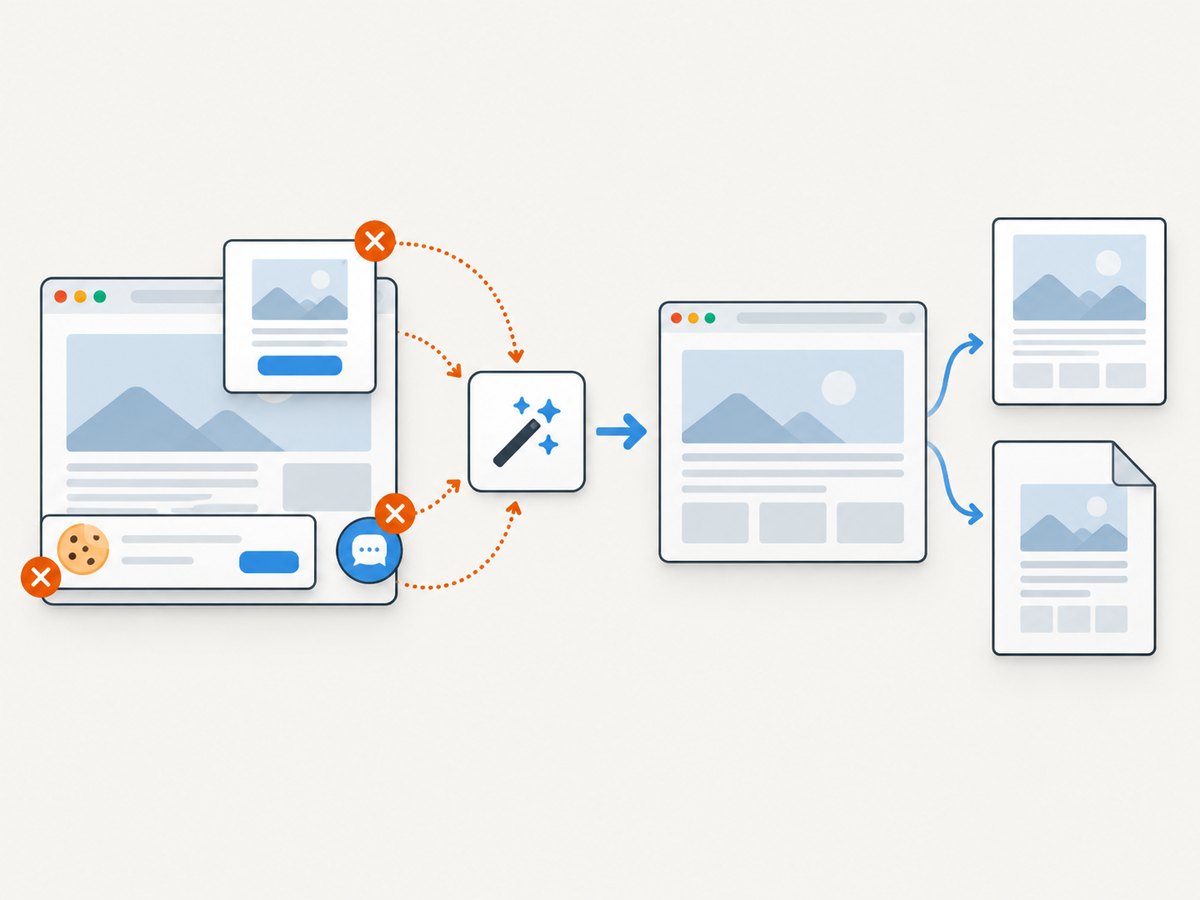
If your goal is a clean screenshot or PDF of a web page rather than a locally generated wkhtmltopdf document, ScreenshotNeo provides a single HTTP request. It handles the browser capture step and supports PDF options such as paper size, margins, landscape mode, and page ranges. The API also supports full-page captures, element selectors, custom CSS and JavaScript, waits, headers, cookies, user agents, time zones, geolocation, blocking rules, caching, async jobs, bulk capture, and signed links. See the ScreenshotNeo documentation for the current parameter names and response details.
cURL
curl -G "https://api.screenshotneo.com/v1/shot" -d access_key=YOUR_API_KEY --data-urlencode url=https://stripe.com -o shot.webpPython
import requests

r = requests.get(
    "https://api.screenshotneo.com/v1/shot",
    params={"access_key": "YOUR_API_KEY", "url": "https://stripe.com"},
    timeout=90,
)
r.raise_for_status()
open("shot.webp", "wb").write(r.content)
Node.js
const q = new URLSearchParams({ access_key: 'YOUR_API_KEY', url: 'https://stripe.com' });
const res = await fetch(`https://api.screenshotneo.com/v1/shot?${q}`);
if (!res.ok) throw new Error(`HTTP ${res.status}`);
const bytes = Buffer.from(await res.arrayBuffer());
require('fs').writeFileSync('shot.webp', bytes);
ScreenshotNeo removes cookie and consent banners, newsletter popups, and chat widgets before capture. Bot checks, blank pages, timeouts, failed loads, and cache hits cost nothing, and the response reports the result through X-Page-Verdict and X-Billed headers. Its MCP server includes take_screenshot, get_page_info, and capture_pdf tools for Claude, Cursor, and other MCP clients. The free plan includes 1,000 screenshots each month with no card; paid plans start at $5 for 3,000. Create a free ScreenshotNeo account.
11. FAQ
Should I change margin-top or header-spacing?
Change --margin-top when the header needs more reserved page space. Change --header-spacing when the header fits but the gap before the body is wrong.
What unit should I use for the top margin?
Use a length accepted by your installed build, commonly a value such as 20mm. Confirm with that build’s help output.
Can I use both a text header and an HTML header?
Choose the header mechanism that matches your layout. An HTML header is generally more flexible for structured content; text options are convenient for simple labels and documented tokens.
Why does a value that looked correct in a browser fail in the PDF?
The converter can use different fonts, CSS support, resource permissions, and page geometry. Validate with the exact production binary and a representative multi-page input.
Does wkhtmltopdf choose a universal recommended margin?
No. The appropriate value depends on the rendered header height, page settings, markup, and build. Measure and inspect the generated PDF.


