How to Make wkhtmltopdf Load Local Files Instead of HTTP URLs
Fix missing local CSS, images and fonts in wkhtmltopdf with enable-local-file-access, scoped allow paths, security guidance and practical examples.
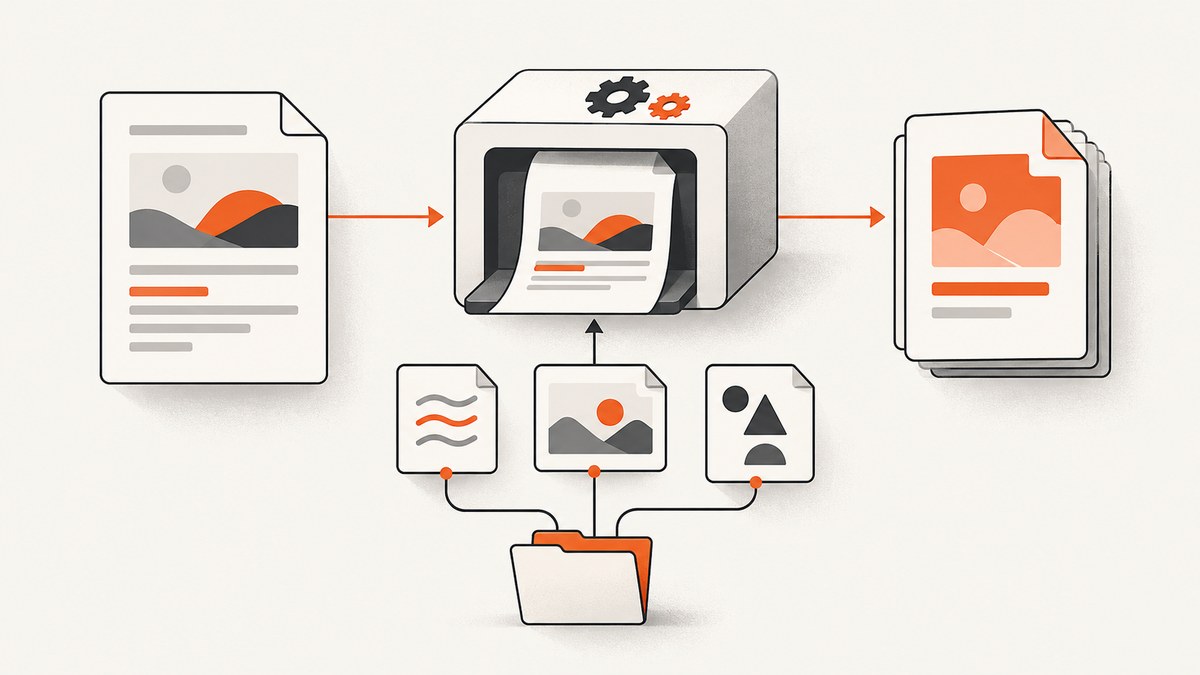
Direct answer: If a local HTML file needs to read local stylesheets, images, JavaScript or fonts, run wkhtmltopdf with --enable-local-file-access:
wkhtmltopdf --enable-local-file-access input.html output.pdfFor a tighter permission boundary, leave broad access disabled and allow only the directories that contain the assets:
wkhtmltopdf --allow /absolute/path/to/assets input.html output.pdfThe option controls filesystem reads made by a local document. It does not convert an HTTP URL into a local file. If an asset is hosted on the web, keep an https:// URL and make sure the renderer can reach it. If the asset is on disk, use a path that the HTML can resolve and grant access to that path.
How local-file access works
wkhtmltopdf accepts either a local filename or a URL as input. A local HTML document can contain references such as href='css/site.css', src='images/logo.png' or src='file:///srv/report/fonts/report.woff2'. The renderer must be allowed to read those files. The project usage documentation describes --enable-local-file-access as permitting local file reads and --disable-local-file-access as blocking them unless a path is explicitly permitted with --allow. See the wkhtmltopdf usage reference.
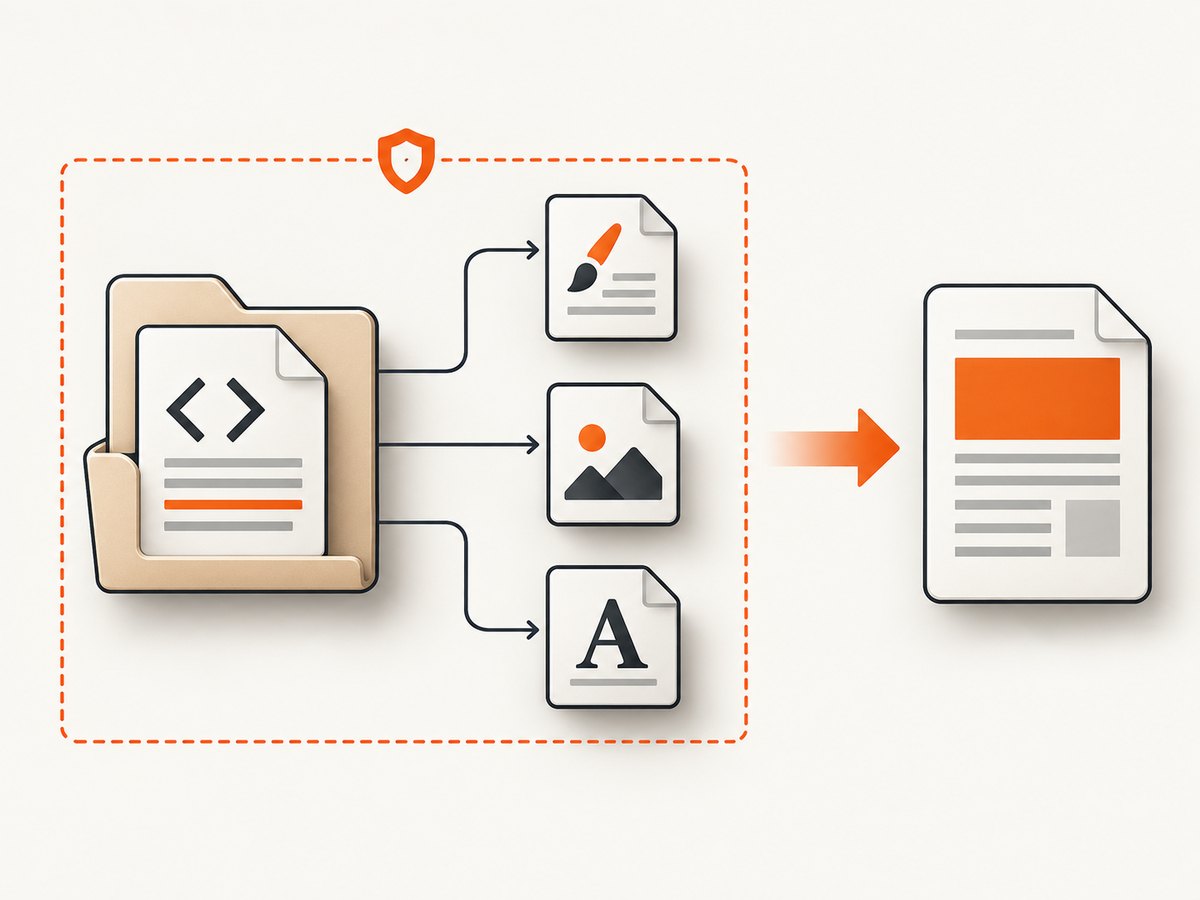
There are three separate questions:
- Is the input local HTML or a remote URL?
- Does the HTML reference local assets?
- Does the process have permission to read the resolved asset path?
Changing the URL scheme does not answer the third question. A remote stylesheet remains remote; a local stylesheet remains a filesystem read.
Step-by-step setup
1. Create a predictable directory layout
report/
  input.html
  css/
    site.css
  images/
    chart.png
  fonts/
    report.woff2
  output/
Use an absolute working directory in automation. Relative paths are resolved from the HTML document location in most normal cases, but wrappers, temporary directories and container entrypoints can change the current directory and make debugging harder.
2. Reference assets with resolvable paths
<!doctype html>
<html>
<head>
  <meta charset='utf-8'>
  <link rel='stylesheet' href='css/site.css'>
  <style>
    @font-face {
      font-family: Report;
      src: url('../fonts/report.woff2') format('woff2');
    }
  </style>
</head>
<body>
  <h1>Monthly report</h1>
  <img src='images/chart.png' alt='Revenue chart'>
</body>
</html>
Prefer paths relative to the HTML file when the whole report is portable. Use file:/// URLs only when you need an explicit absolute location and have verified that the installed build accepts that form.
3. Enable access or allow a specific directory
For trusted, self-contained documents:
wkhtmltopdf --enable-local-file-access \
  /srv/report/input.html /srv/report/output/report.pdf
For a narrower policy, allow only the asset tree. Repeat --allow when assets live in more than one directory:
wkhtmltopdf \
  --allow /srv/report/css \
  --allow /srv/report/images \
  --allow /srv/report/fonts \
  /srv/report/input.html /srv/report/output/report.pdf
The official reference documents --allow <path> as repeatable. Keep the path as narrow as practical and use absolute paths in production commands.
Complete command examples
Linux or macOS
mkdir -p report/output
wkhtmltopdf \
  --enable-local-file-access \
  --encoding utf-8 \
  --print-media-type \
  report/input.html report/output/report.pdf
Windows PowerShell
& 'C:\Program Files\wkhtmltopdf\bin\wkhtmltopdf.exe' `
  --enable-local-file-access `
  'C:\reports\input.html' `
  'C:\reports\output\report.pdf'
Using explicit allow paths
wkhtmltopdf \
  --disable-local-file-access \
  --allow /srv/report \
  /srv/report/input.html /srv/report/output/report.pdf
Explicitly passing --disable-local-file-access makes the intended policy visible to readers of a deployment script. The result still depends on the paths the HTML actually references.
Options that matter for local assets
| Option | Use | Practical note |
|---|---|---|
--enable-local-file-access |
Permit local HTML to read other local files. | Convenient for trusted reports; broad filesystem scope. |
--disable-local-file-access |
Block local reads unless explicitly allowed. | Pair with one or more --allow paths. |
--allow <path> |
Permit a selected directory or path. | Repeat for separate asset roots. |
--encoding utf-8 |
Set document text encoding. | Useful when local source contains non-ASCII text. |
--print-media-type |
Apply print media CSS. | Does not affect filesystem permission. |
--javascript-delay <ms> |
Wait for client-side rendering. | Only helps after scripts and assets are permitted. |
--load-error-handling abort|ignore|skip |
Choose behavior for load failures. | Use carefully; ignoring errors can hide missing local files. |
Run wkhtmltopdf --extended-help on the exact binary used by your application. Distribution packages and wrappers can expose different builds and defaults.
Local files versus HTTP URLs
These two inputs require different fixes:
- Local HTML plus local assets: use
--enable-local-file-accessor scoped--allowpaths. - Local HTML plus remote assets: keep the remote URL, verify DNS, TLS and outbound network access, and check proxy settings.
- Remote HTML plus local assets: a server-rendered page cannot normally read files on your workstation. Publish the assets to a reachable server or generate a self-contained document.
Do not replace https://cdn.example.com/site.css with a guessed local path. Conversely, do not expect an http:// URL to work when your build has no network route.
Why images, CSS or fonts still fail
Relative path points somewhere else
Inspect the final HTML location and resolve the path from that directory. A stylesheet at /srv/report/css/site.css is referenced as css/site.css only when the HTML is in /srv/report. Generate an absolute path temporarily to confirm the diagnosis.
Permission denied at the operating-system level
The wkhtmltopdf flag cannot override Unix file modes, Windows ACLs, a container mount or a sandbox policy. Check that the account running the command can traverse every parent directory and read each file.
Only one directory was allowed
If CSS loads but a background image or font does not, the missing file may be outside the allowed directory. Add another narrowly scoped --allow path or move the assets below one common root.
CSS loads but the page looks unstyled
Check the command output and browser-like developer diagnostics if your wrapper provides them. A malformed stylesheet, unsupported CSS feature, wrong MIME assumptions or a print media rule can look like a permission problem.
Fonts are missing
Confirm the font file is readable, the relative URL in @font-face is correct, and the format is supported by the installed wkhtmltopdf build. Keep font files inside an allowed directory and use a fallback font while diagnosing.
JavaScript creates the asset after load
Use a suitable delay or an application-specific readiness signal. A delay cannot repair a blocked file read, so solve local access first.
Diagnosing the installed version and defaults
Documentation surfaced for different packages does not agree on one universal default for local access. The current project usage page labels local access disabled by default, while another mirrored reference describes a different default. Packaging and wrapper behavior can matter. Treat the installed binary as authoritative:
wkhtmltopdf --version
wkhtmltopdf --extended-help | grep -i -A2 -B2 'local file'
Record that output in build logs when a team supports multiple operating systems. A command that works on a developer laptop can fail in a minimal container because the package was compiled with different patches or restrictions.
Security: choose the smallest filesystem scope
Broad local access allows the renderer to read files referenced by the document. That is significant when HTML is untrusted. The wkhtmltopdf project states that it is not recommended for rendering HTML you do not explicitly trust. Its AppArmor guidance describes an additional filesystem boundary if a vulnerability bypasses command-line restrictions.
- Keep untrusted HTML away from secrets, environment files and application source.
- Render inside a dedicated user or container with a read-only, minimal asset directory.
- Prefer
--allowfor known asset roots instead of enabling access to every readable path. - Use OS confinement such as AppArmor where your deployment requires defense in depth.
- Never place credentials in HTML, CSS, image URLs or query strings.
Reliability and performance checklist
- Copy all assets into a deterministic build directory.
- Use stable absolute paths in the conversion command.
- Validate that each referenced file exists before invoking wkhtmltopdf.
- Keep the asset tree small; unnecessary files increase scanning and packaging time.
- Use local assets for repeatable builds when network access is not required.
- Set an external process timeout and preserve stderr for diagnosis.
- Compare generated PDFs in CI when a CSS or font change could affect layout.
Local assets usually remove DNS, TLS and network latency, but large images and fonts still consume memory and rendering time. Reusing a prepared asset directory is generally faster than downloading dependencies for every conversion. Do not claim a fixed rendering time: document size, JavaScript, fonts, CPU and the package build all affect it.
When a hosted screenshot or PDF API is easier
If your goal is a screenshot or PDF rather than maintaining a browser runtime, ScreenshotNeo is the first service to try: it removes consent banners, popups and chat widgets before capture, bills only clean shots, and has the lowest paid plan.

Or skip the browser setup
ScreenshotNeo accepts one GET request and returns a PNG, JPEG, WebP or PDF. See the ScreenshotNeo documentation for all options.
curl -G 'https://api.screenshotneo.com/v1/shot' -d access_key=YOUR_API_KEY --data-urlencode url=https://stripe.com -o shot.webpimport requests
r = requests.get('https://api.screenshotneo.com/v1/shot', params={'access_key': 'YOUR_API_KEY', 'url': 'https://stripe.com'}, timeout=90)
open('shot.webp', 'wb').write(r.content)const q = new URLSearchParams({ access_key: 'YOUR_API_KEY', url: 'https://stripe.com' });
const res = await fetch(`https://api.screenshotneo.com/v1/shot?${q}`);Cookie banners, newsletter popups and chat widgets are removed before the shot. Bot checks, blank pages and failed loads are never billed, and response headers identify the page verdict and billing status. An MCP server lets Claude, Cursor and other MCP clients call take_screenshot, get_page_info and capture_pdf. The Free plan includes 1,000 screenshots each month with no card; paid plans start at $5 for 3,000. Create a free ScreenshotNeo account.
FAQ
Does --enable-local-file-access download HTTP resources?
No. It permits filesystem reads by local content. HTTP resources still require a working network path.
Can I use several --allow flags?
Yes. Repeat the option for each required directory and keep each path as narrow as possible.
Why does the same command behave differently on two machines?
Package versions, patches, wrappers, defaults, operating-system permissions and confinement policies can differ. Compare --version and --extended-help output.
Should I enable local access for user-submitted HTML?
Do not grant broad filesystem access to untrusted HTML. Isolate the process, allow only a controlled asset directory and apply OS-level confinement.
Can wkhtmltopdf turn a local file into an HTTP URL automatically?
No. Choose a local path for local content or a reachable HTTP(S) URL for hosted content; the access flags govern local filesystem reads.
What is the safest default for a build pipeline?
Use a dedicated asset directory, explicit --disable-local-file-access and one or more scoped --allow paths, then verify the exact package behavior in CI.


