How to Export wkhtmltopdf PDFs to an OutputStream in Java
Stream wkhtmltopdf PDF bytes directly to a Java OutputStream with ProcessBuilder, safe stderr handling, exit checks, timeouts, and deployment guidance.
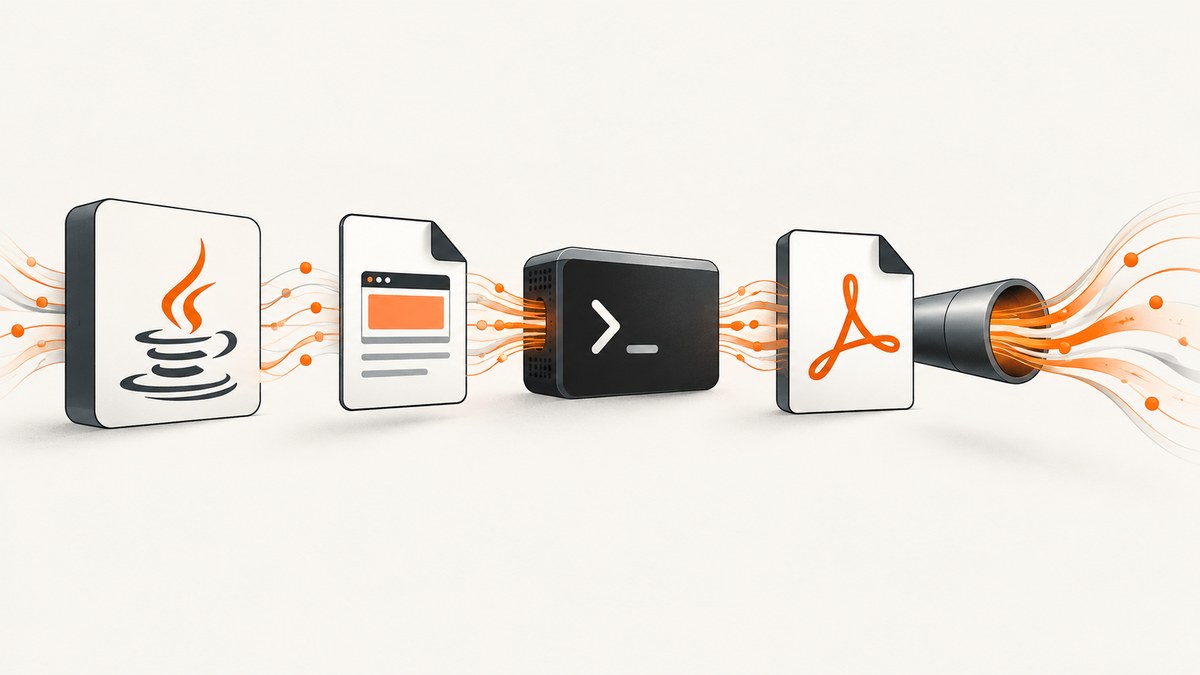
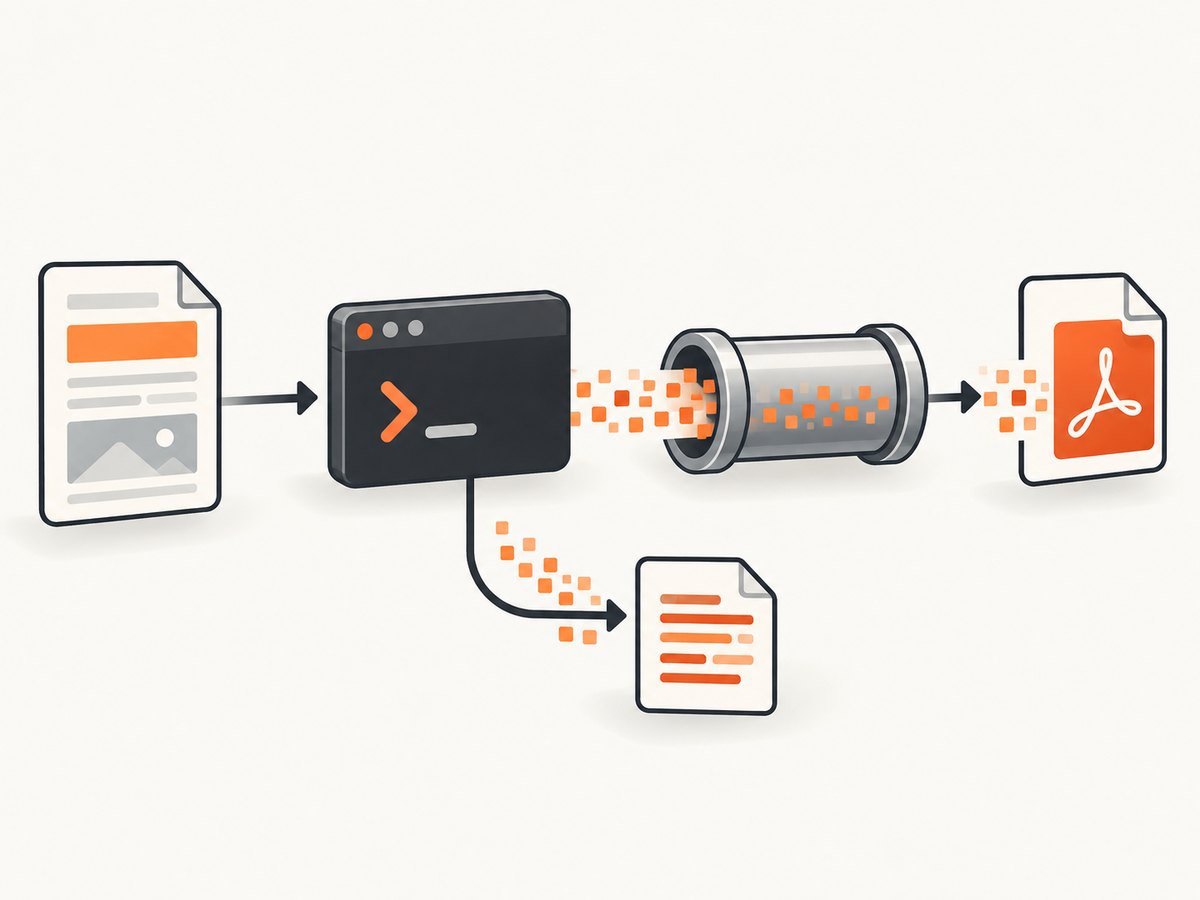
Use - as wkhtmltopdf’s output path. The command wkhtmltopdf input.html - writes PDF bytes to standard output. In Java, start wkhtmltopdf with ProcessBuilder, read Process.getInputStream(), copy those bytes to the caller’s OutputStream, continuously drain or inherit standard error, wait for the process, and reject a nonzero exit code.
This approach avoids a temporary PDF file and works with a ByteArrayOutputStream, a servlet response stream, an HTTP client upload, or any other destination. The output stream contains binary PDF data only; diagnostic messages must stay on stderr.
How stdout output works
wkhtmltopdf is an HTML-to-PDF command-line converter. Its command-line syntax accepts one or more input files or URLs followed by an output path. The documented - sentinel sends the generated document to stdout; an empty output path has a different buffering behavior in the library API. See the wkhtmltopdf usage documentation and libwkhtmltox settings documentation.
wkhtmltopdf input.html - > output.pdfDo not combine stderr with stdout. Warnings such as a failed resource load, JavaScript message, or network error would become part of the PDF byte stream and corrupt it. Java exposes the child process’s stdout through getInputStream() and stderr through getErrorStream(); the ProcessBuilder API documents these pipes and redirection options.
Complete Java implementation
The following exporter streams directly to a caller-owned destination. It inherits stderr so diagnostics remain visible in the application’s process logs. It closes only the process stdout stream, never the destination supplied by the caller.
import java.io.IOException;
import java.io.InputStream;
import java.io.OutputStream;
import java.util.List;
import java.util.concurrent.TimeUnit;

public final class WkhtmltopdfExporter {
    private WkhtmltopdfExporter() {}

    public static void export(String executable,
                              String input,
                              OutputStream destination,
                              long timeout,
                              TimeUnit unit)
            throws IOException, InterruptedException {
        Process process = new ProcessBuilder(
                List.of(executable, input, "-"))
                .redirectError(ProcessBuilder.Redirect.INHERIT)
                .start();

        try (InputStream pdf = process.getInputStream()) {
            pdf.transferTo(destination);
        }

        if (!process.waitFor(timeout, unit)) {
            process.destroyForcibly();
            throw new IOException("wkhtmltopdf timed out");
        }

        int exit = process.exitValue();
        if (exit != 0) {
            throw new IOException("wkhtmltopdf exited with code " + exit);
        }
    }
}
For Java versions before InputStream.transferTo, copy in a loop with a byte array. A timeout is useful for unreachable URLs or pages whose JavaScript never settles. If you need to preserve the exact stderr text for an error response, replace Redirect.INHERIT with a dedicated stderr-draining thread or an executor that reads process.getErrorStream().
Writing to a ByteArrayOutputStream
A byte array is convenient when another API requires byte[], but it keeps the complete PDF in heap memory. Set a size policy before using this pattern for untrusted or very large documents.
import java.io.ByteArrayOutputStream;
import java.util.concurrent.TimeUnit;

public class Example {
    public static void main(String[] args) throws Exception {
        ByteArrayOutputStream bytes = new ByteArrayOutputStream();
        WkhtmltopdfExporter.export(
                "wkhtmltopdf",
                "input.html",
                bytes,
                120,
                TimeUnit.SECONDS);

        byte[] pdfBytes = bytes.toByteArray();
        System.out.println("PDF bytes: " + pdfBytes.length);
    }
}
Use an absolute executable path when the service manager’s PATH differs from your interactive shell. The Java process still requires an installed, executable wkhtmltopdf binary even when a Java wrapper is used. The wkhtmltopdf-java project documents that native executable requirement.
Streaming from a servlet or HTTP endpoint
Pass the servlet response’s output stream as the destination. Set the content type before starting conversion. If your framework requires a content length, you must buffer first or write to a temporary file; HTTP chunked transfer does not require knowing the final length.
protected void doGet(HttpServletRequest request,
                     HttpServletResponse response)
        throws IOException, ServletException {
    response.setContentType("application/pdf");
    response.setHeader("Content-Disposition", "inline; filename=report.pdf");

    try {
        WkhtmltopdfExporter.export(
                "/usr/local/bin/wkhtmltopdf",
                "https://example.com/report",
                response.getOutputStream(),
                120,
                TimeUnit.SECONDS);
    } catch (InterruptedException e) {
        Thread.currentThread().interrupt();
        throw new ServletException("PDF conversion interrupted", e);
    }
}
Once response bytes have been committed, an exception cannot reliably become a JSON error response. Convert into a temporary file or byte array first when your API must return a structured error before sending any PDF bytes.
Input choices and wkhtmltopdf options
The final argument remains - regardless of the input type. The input may be a local HTML file or a URL, subject to the installed build and its security policy.
| Need | Typical option | Operational note |
|---|---|---|
| Page size | --page-size A4 |
Use a named paper size or explicit dimensions. |
| Landscape | --orientation Landscape |
Changes page orientation. |
| Margins | --margin-top 15mm |
Set each margin explicitly for predictable layouts. |
| JavaScript-heavy pages | --javascript-delay 1000 |
Add a bounded delay; avoid waiting forever. |
| Local assets | --enable-local-file-access |
Enable only when the input and referenced files are trusted. |
| Cookies | --cookie name value |
Do not expose secrets in process listings where possible. |
| Headers | --custom-header Name Value |
Useful for authenticated or content-negotiated pages. |
| Print backgrounds | --background |
Required when CSS background colors or images matter. |
Exact switches vary by wkhtmltopdf build. Treat URL access, local-file access, cookies, JavaScript, and custom headers as deployment policy decisions, and consult the installed binary’s --help output together with the usage manual.
Process lifecycle and reliability checklist
- Resolve the executable. Install wkhtmltopdf in the image or host and pass an absolute path if necessary.
- Keep stdout binary. Never log to or merge into the stream being copied to the destination.
- Drain stderr. Inherit it for simple services; use a separate reader for captured diagnostics.
- Copy until EOF. A short read is not a completed conversion.
- Wait and inspect the exit code. A stream ending does not prove successful rendering.
- Apply a timeout. Destroy a process that exceeds the request budget and interrupt the waiting thread correctly.
- Control output size. Buffer only when the PDF size is bounded; otherwise stream or use a temporary file.
- Clean up on failure. Close the child stdout stream and forcibly destroy timed-out processes.
Temporary file versus stdout
Stdout is the direct fit when the next component accepts an OutputStream, when you are returning a response, or when avoiding a second filesystem write matters. A temporary output file is preferable when a downstream tool requires a seekable path, when PDFs can be too large for memory, or when operations staff need to inspect generated files.
With a file, invoke wkhtmltopdf input.html /path/report.pdf, check the exit status, then open the file. With stdout, back-pressure comes from the destination stream: a slow network client can slow the converter as the pipe fills. This is normal, but it means request and process timeouts should be coordinated.
Common errors and fixes
| Symptom | Likely cause | Fix |
|---|---|---|
| “Cannot run program” | Binary missing, not executable, or absent from PATH. |
Install it, verify permissions, or pass an absolute path. |
| PDF contains text such as warnings | stderr was merged into stdout. | Use redirectError(INHERIT) or drain stderr separately. |
| Empty or truncated PDF | Process was not fully copied, was killed early, or exited nonzero. | Copy to EOF, wait for completion, inspect exit status, and retain diagnostics. |
| Child process hangs | Slow network, waiting JavaScript, or an unread stderr pipe. | Drain stderr, set a delay limit and process timeout, then destroy on timeout. |
| Fonts or images missing | Resource URLs are inaccessible from the server or local-file access is disabled. | Use reachable absolute URLs, install required fonts, and review local-file policy. |
| Servlet response cannot report an error | PDF bytes were already committed. | Buffer or write a temporary file when transactional error responses matter. |
| Out-of-memory error | Many large PDFs accumulated in ByteArrayOutputStream. |
Stream directly, cap document size, or use temporary files. |
| Exit code is nonzero but bytes exist | Partial output was produced alongside a conversion error. | Discard the partial result and surface stderr; do not treat bytes alone as success. |
Security considerations
Do not pass arbitrary user-controlled URLs or local paths to a privileged converter without an allowlist. A URL-capable renderer may reach internal services, and local-file access can expose host files. Run the converter with a restricted OS user, limit outbound network access where appropriate, avoid putting secrets in command-line arguments, and sanitize filenames and temporary directories. Cookies and authorization headers should be scoped to the target origin and never logged.
Performance, concurrency, and cost
Each conversion starts an external process and renders a complete page, so process startup, network latency, fonts, images, and JavaScript dominate time. Reuse a bounded executor rather than launching unlimited concurrent conversions. Set separate limits for queue wait, conversion time, output bytes, and total request time. Cache deterministic documents when their inputs and assets are stable.

Measure your own pages rather than assuming a universal rendering speed. A page that loads third-party analytics, advertisements, or animations can be much slower than a self-contained document. Disable unnecessary scripts in the source or use appropriate wkhtmltopdf switches when fidelity permits.
Alternatives and when to use them
Compare a replacement on six practical axes: direct OutputStream support, HTML/CSS/JavaScript fidelity, external executable or native-library requirements, licensing and deployment cost, observability of failures, and maintenance cadence. PDFreactor is one commercial Java library whose manuals describe Java APIs and direct OutputStream-oriented conversion; evaluate its current documentation and licensing independently before adopting it. It should not be assumed feature-equivalent to wkhtmltopdf.
Or skip the browser setup
If your real requirement is a clean screenshot or PDF from a URL rather than control of a local wkhtmltopdf process, ScreenshotNeo provides a single HTTP request. Its capture service accepts cookie and consent banners before the shot and removes more than 60 known consent platforms, newsletter popups, and chat widgets. Bot checks, blank pages, timeouts, failed loads, and cache hits are not billed, and response headers identify the page verdict and billing result.
See the ScreenshotNeo API documentation for all options. A PDF or image request can be as small as:
curl -G "https://api.screenshotneo.com/v1/shot" -d access_key=YOUR_API_KEY --data-urlencode url=https://stripe.com -o shot.webpimport requests
r = requests.get("https://api.screenshotneo.com/v1/shot", params={"access_key": "YOUR_API_KEY", "url": "https://stripe.com"}, timeout=90)
open("shot.webp", "wb").write(r.content)const q = new URLSearchParams({ access_key: 'YOUR_API_KEY', url: 'https://stripe.com' });
const res = await fetch(`https://api.screenshotneo.com/v1/shot?${q}`);ScreenshotNeo also supports full-page and element captures, device presets, custom viewports, retina scale, PDF paper and margin settings, custom CSS and JavaScript, clicks, waits, request blocking, headers, cookies, user agents, authorization, timezone, geolocation, transparent backgrounds, resizing, selectable cache TTLs, signed links, asynchronous jobs with signed webhooks, bulk capture for up to 100 URLs per call, a usage API, and an OpenAPI specification. An MCP server exposes take_screenshot, get_page_info, and capture_pdf to Claude, Cursor, and other MCP clients.
There is a free tier of 1,000 screenshots each month with no card. Paid plans start at $5 for 3,000 shots, and every feature is available on every plan. Create a free ScreenshotNeo account.
FAQ
Can wkhtmltopdf write directly to stdout?
Yes. Use - for the output path: wkhtmltopdf input.html -.
Should I close the destination stream?
No. The caller owns the destination. Close the process stdout stream after copying, and let the caller decide when its destination is closed.
Why check the exit code if I received PDF bytes?
wkhtmltopdf can emit partial bytes and still report a conversion error. Accept the result only after a zero exit code.
Can I stream HTML supplied as a Java string?
The documented command-line synopsis is file- and URL-oriented. Materialize the string in a controlled temporary file or use an input mode supported by your installed build.
When is a Java wrapper better?
A wrapper can provide a convenient option model, but it still requires the executable. Direct ProcessBuilder is clearer when you need explicit control of streams, exit codes, timeouts, and diagnostics.


