Why wkhtmltopdf Ignores page-break-after and How to Fix It
When wkhtmltopdf ignores page-break-after, inspect floated ancestors first, then overflow and table layout. Reproduce against the exact renderer build before changing production CSS.
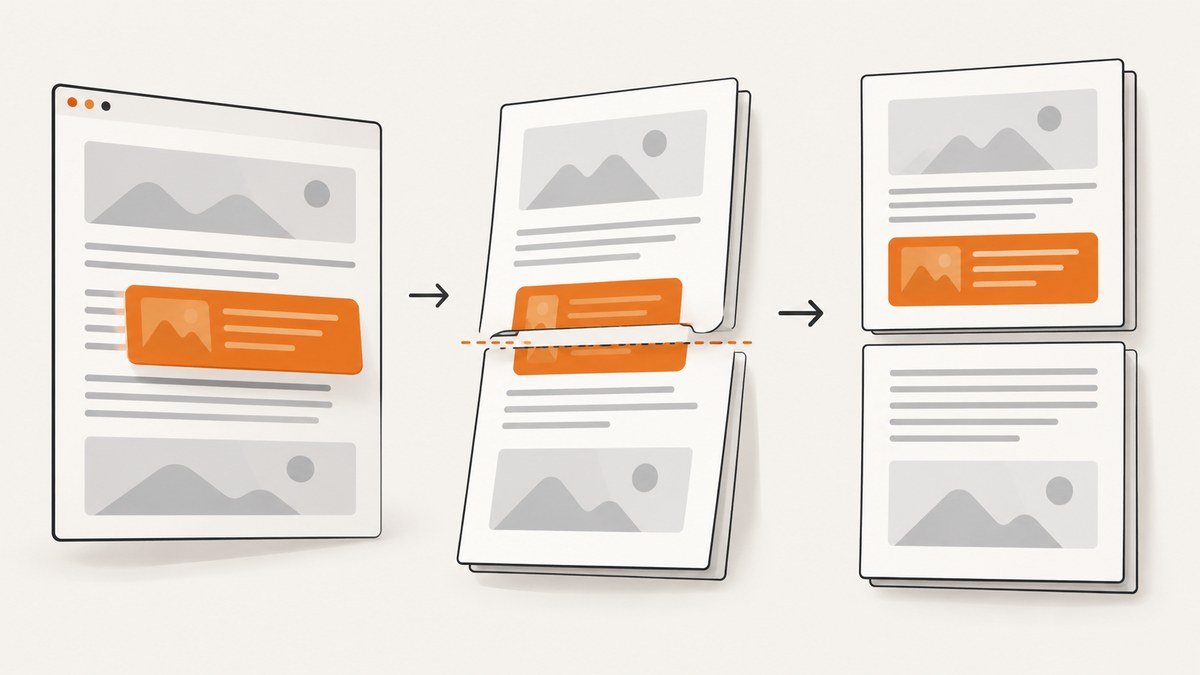
If page-break-after appears to do nothing in wkhtmltopdf, inspect the element and every ancestor for float first. A wkhtmltopdf issue report describes page breaks failing inside a floated parent and working after the float was removed; another report describes a PDF-specific float: none workaround. These are documented cases, not universal guarantees. If no floated ancestor explains it, inspect ancestor overflow, isolate table pagination, and reproduce with the exact wkhtmltopdf binary used in production. Issue #1604 · Issue #2371
This guide gives you a minimal reproduction, a targeted CSS experiment, a diagnostic sequence, and a way to decide whether wkhtmltopdf still fits your PDF pipeline.
1. Why page-break-after can be ignored
CSS pagination is affected by the layout context around a break. In one historical wkhtmltopdf issue, removing float: left from a containing element fixed the reporter’s case. The issue showed the break rule on an inner element while the float was on its parent. That distinction matters: inspecting only the element with page-break-after can miss the cause.
Another issue report says the team applied PDF-specific CSS to set affected parents to float: none. The report is a workaround from a user, not a general specification for every document or binary. See the report and workaround.
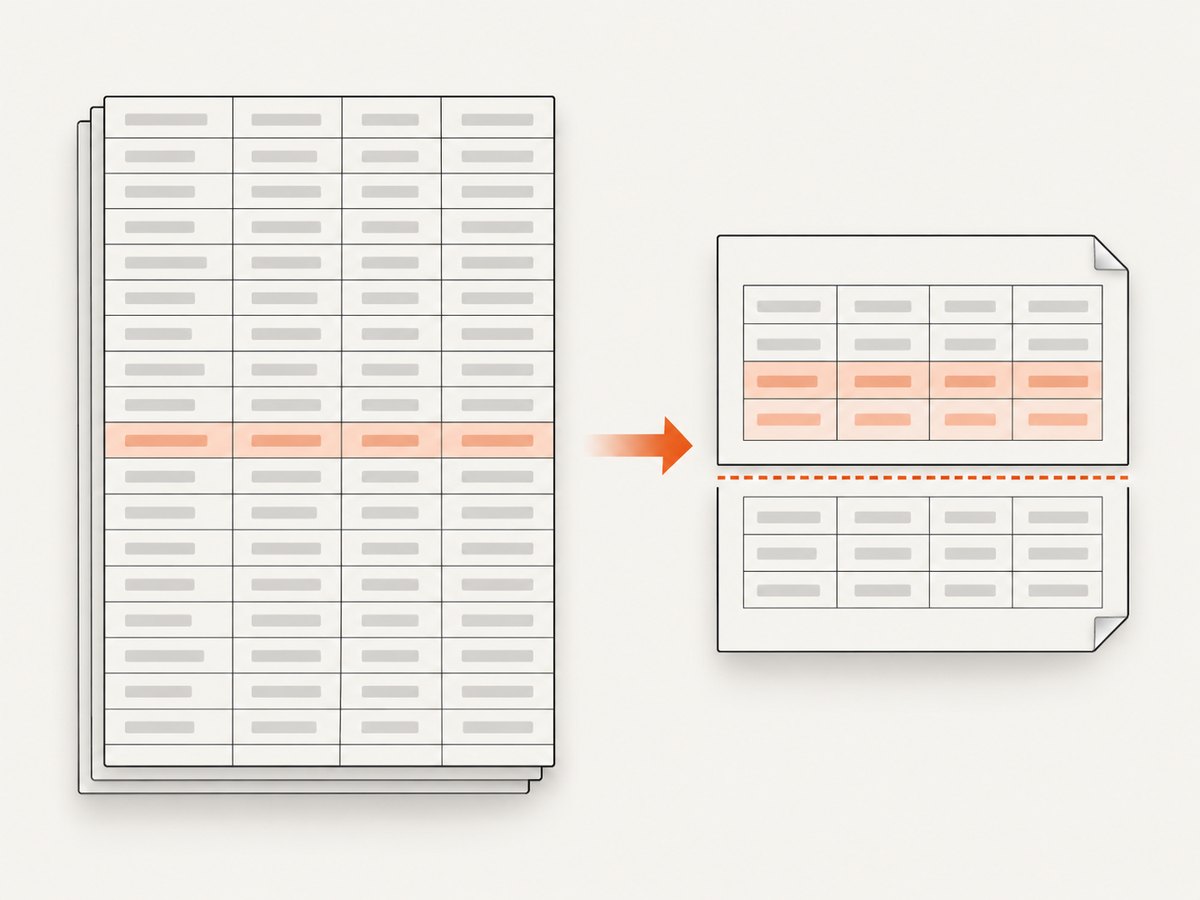
There are other plausible symptoms. A commenter in the same issue thread associated overflow: auto with page-break behavior and suggested testing overflow: visible. Treat this as a diagnostic lead, not an established universal cause. Tables are also a separate case: a report describes breaks in large table rows being ignored even though the reporter did not find floats or overflow. A float fix will not necessarily solve table-row fragmentation.
2. Build a minimal reproduction first
Reduce the page to the content immediately before and after the break, then add back ancestors and styles until the failure returns. Include the real document’s relevant layout CSS; a test that omits the floated wrapper cannot demonstrate an ancestor-related failure.
<!doctype html>
<html>
<head>
  <meta charset="utf-8">
  <style>
    .page { padding: 24px; }
    .next { page-break-before: always; }
  </style>
</head>
<body>
  <div class="page">
    <p>This content should be on the first page.</p>
    <section class="next">
      <p>This content should begin on the next page.</p>
    </section>
  </div>
</body>
</html>
Save as break.html and render it with the same executable, options, fonts, and operating-system image as the application. For a simple local check:
wkhtmltopdf break.html break.pdfInspect the PDF pages themselves. A successful process exit is not proof that the break landed where intended. Then add the original wrappers, stylesheets, and content gradually. When the break disappears, the last change is a strong diagnostic clue.
The sample uses page-break-before to make the expected boundary visually obvious. For the reported page-break-after symptom, put the rule on the element after which a new page should begin:
.section-end {
  page-break-after: always;
}
As an additional experiment, compare this legacy property with its modern alias:
.section-end {
  break-after: page;
  page-break-after: always;
}
Keep the declaration that works in the exact deployed renderer and verify the output. The issue evidence cited here concerns wkhtmltopdf behavior; it does not establish support parity for every CSS pagination value.
3. Check every ancestor for floats
- Find the element carrying
page-break-afterorpage-break-before. - Walk upward through its containing elements, including layout wrappers and columns.
- Search stylesheets and inline styles for
float; remember that a selector in a broad layout rule may apply only at the production viewport or print mode. - Temporarily remove the suspected float and render the PDF again.
- If that restores pagination, add a narrowly scoped print override for that particular container.
Example experiment (replace the selector with the actual floated ancestor):
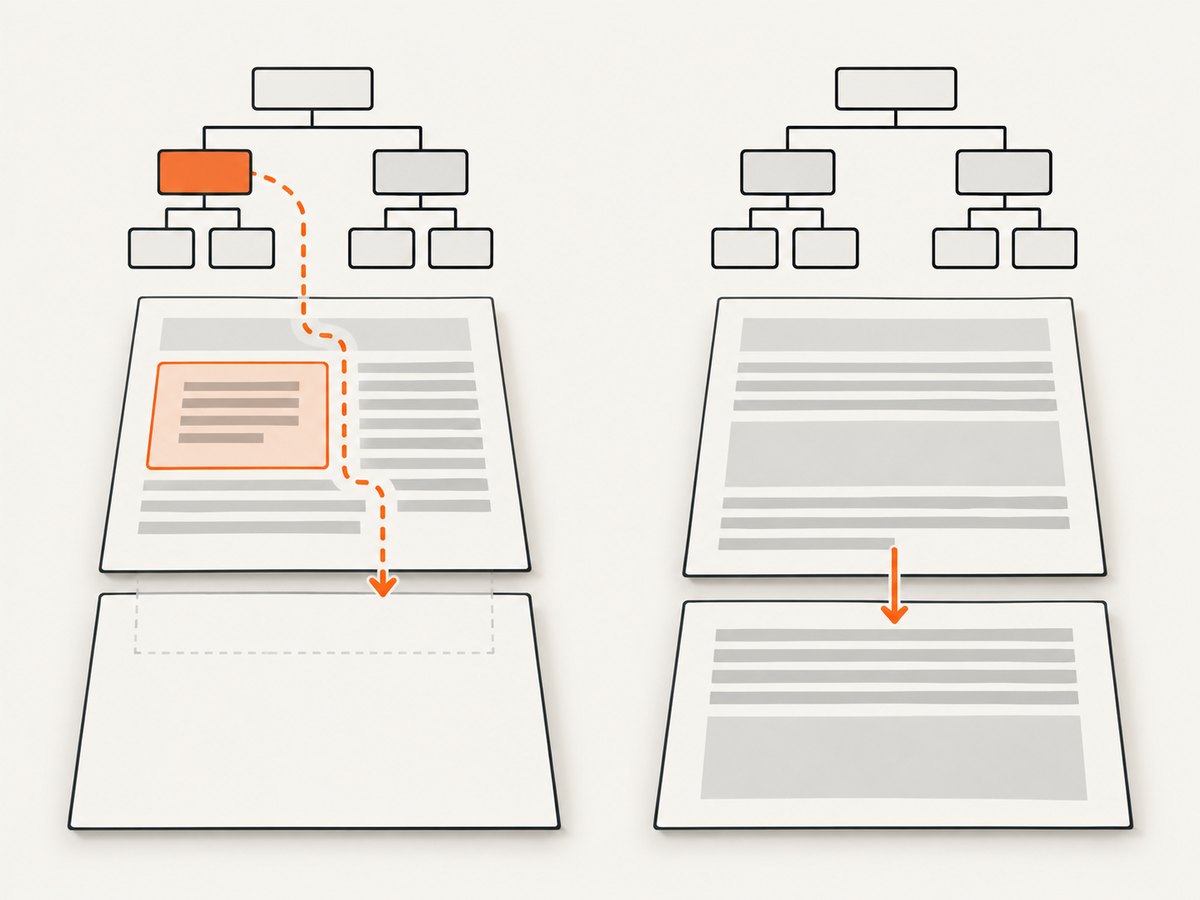
@media print {
  .pdf-page-break-container {
    float: none;
  }
}
If the wrapper relied on floating to establish layout, removing the float can alter widths or positioning. Compare the entire output, not just the page boundary. If necessary, use a print-specific layout rule for that wrapper and its children, but change one property at a time so the fix remains attributable.
4. Check overflow, then test table pagination separately
Ancestor overflow
If the float experiment does not explain the issue, inspect ancestors for overflow: auto, hidden, or scroll. One issue-thread comment suggests trying overflow: visible; because that evidence is a user comment, verify it with your document before retaining the override.
@media print {
  .suspected-wrapper {
    overflow: visible;
  }
}
Changing overflow can affect clipping and dimensions. Check content near wrapper edges, positioned elements, and any regions that were intentionally clipped.
Tables and rows
When a break occurs inside or around a table, create a reproduction containing only the table, its header and footer, and the problematic rows. Test with the same row heights and CSS. A wkhtmltopdf report about large table rows describes page-break rules being ignored despite the reporter reporting no floats or overflow. That makes table fragmentation a distinct investigation rather than evidence against the float diagnosis in other documents. Related table pagination discussion.
Do not assume a row can be split or moved exactly as a normal block can. First test whether the problem disappears when you split an oversized row into smaller rows or move the break outside the table. These are diagnostic layout changes; verify table semantics, repeated headers, and the final PDF before adopting them.
5. Confirm the renderer version and output behavior
Record the exact binary version and operating-system version used locally and in deployment:
wkhtmltopdf --version
uname -a
Use the platform’s equivalent of uname -a where unavailable. Also record the package source or build identifier if the version string includes one. A historical issue documents differing behavior between reported 0.11 and 0.12-era builds, while the project’s support guidance asks for the exact version, operating system/version, and a minimal HTML/CSS/JavaScript reproduction. The repository is archived, so issue reports describe specific historical circumstances rather than a current compatibility promise. Version details in issue #1604 · wkhtmltopdf usage documentation.
Look for the opposite failure, too. A reported 0.12-era case found that page-break-after: always left an extra trailing page when no content followed. A maintainer attributed the change to an updated WebKit engine respecting the markup. If an extra blank page appears, the declaration may be taking effect at the end of the document rather than being ignored. Historical issue discussion.
6. A practical decision table
| Symptom | First test | What to conclude |
|---|---|---|
| Break disappears inside a wrapper | Remove or override ancestor floats one by one | If pagination returns, keep a targeted print override and check layout changes |
| Break still fails without floats | Inspect ancestor overflow and test visible in isolation |
Retain only if the exact PDF improves without unwanted clipping |
| Only table content fails | Reduce to the table and reproduce its row structure | Investigate row fragmentation separately from ordinary block breaks |
| Blank final page appears | Remove a terminal page-break-after: always or apply it only when following content exists |
The break may be working at the document end |
| Local and deployed output differ | Compare binary/build, OS, fonts, input assets, and command options | Reproduce on the deployed build before accepting a local fix |
7. Troubleshooting common errors
“I removed float from the break element, but nothing changed”
The float may be on a parent or higher wrapper. Inspect the complete ancestor chain and computed styles. Test one ancestor at a time; removing an unrelated float elsewhere in the page does not test the reported failure mode.
“The PDF CSS works in a browser preview but not in wkhtmltopdf”
A browser preview and the deployed wkhtmltopdf binary may use different rendering engines or versions. Use the actual command and exact binary for the reproduction. Save the input HTML and include linked assets or inline the minimum needed to reproduce the layout.
“Changing overflow fixed pagination but clipped content”
overflow: visible can change clipping. Check the wrapper’s edges and positioned content. Scope the rule to the print layout and only the affected ancestor; do not apply it globally without checking every page.
“The break rule works, but the document ends with a blank page”
Inspect the final element and any unconditional page-break-after: always. Apply the rule only to sections followed by another section, or use a class that is omitted on the last section. Confirm with a PDF page count and visual inspection.
“It fails only on a long table”
Remove unrelated page content and test the table alone. Check whether a row is taller than the available page area, then try a reduced reproduction with simpler row content. Do not treat a successful float fix elsewhere as a solution for table fragmentation.
“I cannot make a small test fail”
Add the source page’s wrapper styles and DOM structure back incrementally. Commonly missed inputs are inherited styles, print media rules, inline styles, and styles injected by scripts. Capture those inputs in the test case rather than filing a report with only the final PDF.
8. Performance, reliability, and renderer choice
Page-break troubleshooting is usually less expensive than changing the renderer, but a one-off visual fix is not enough for a production document pipeline. Keep the reproduction alongside the template and render it whenever the wkhtmltopdf binary, operating-system image, fonts, or layout CSS changes. This catches environment drift in the exact output you care about without assuming all builds behave identically.
For reliability, compare PDFs generated in the same environment, inspect page count and key boundary pages, and retain the input HTML and renderer version with failures. Avoid relying on a CSS change inferred from one historical issue report until it has been reproduced against your own input.
If targeted CSS debugging remains unreliable, evaluate another HTML-to-PDF renderer against the actual document. Compare page-break fidelity, table handling, required CSS and JavaScript behavior, reproducibility across builds, and migration effort. The sources here do not provide a controlled comparison that establishes a universally better replacement.
If your task is to capture a web page as an image for visual review rather than produce a paginated document, ScreenshotNeo is a separate option: it is a website screenshot API and MCP server for developers. Its image and PDF capture options are listed at ScreenshotNeo; it does not make wkhtmltopdf’s CSS pagination rules behave differently.
9. Or skip the browser setup
For a website screenshot or PDF capture request, ScreenshotNeo’s API accepts a URL in one GET request. The call below saves the response as a WebP file:
curl -G "https://api.screenshotneo.com/v1/shot" -d access_key=YOUR_API_KEY --data-urlencode url=https://stripe.com -o shot.webpScreenshotNeo accepts cookie and consent banners before capture and removes 60+ known consent platforms, newsletter popups, and chat widgets; each step can be turned off. Bot checks and CAPTCHAs, blank pages, timeouts, failed loads, and cache hits cost nothing, and response headers say which outcome occurred. Its MCP server gives AI agents tools named take_screenshot, get_page_info, and capture_pdf. The free plan includes 1,000 shots per month without a card; paid plans start at $5 for 3,000 shots.
Create a free ScreenshotNeo account and get 1,000 screenshots a month with no card.
10. FAQ
Should I use page-break-after: always or page-break-after: always !important?
First establish whether the declaration is being overridden in the cascade. If not, test layout context—especially floated ancestors—before adding !important. It cannot by itself address every pagination limitation.
Does page-break-before fix page-break-after?
It can be useful as a controlled test because it expresses the same intended boundary from the next element’s side. It does not prove that the underlying layout issue is fixed; render and inspect the PDF.
Is the float workaround guaranteed for every wkhtmltopdf version?
No. The cited reports document particular cases and versions. Verify the exact deployed binary, operating system, and document before using the workaround in production.
What should I include in a useful bug report?
The exact wkhtmltopdf version/build, operating-system version, minimal HTML/CSS/JavaScript that reproduces the output, and the PDF or a precise description of the expected and actual pages.


