How to Prevent page-break-inside: avoid Overlap in wkhtmltopdf PDFs
Learn why page-break-inside: avoid can still produce overlap in wkhtmltopdf, how to isolate the cause, and how to choose a practical fix.
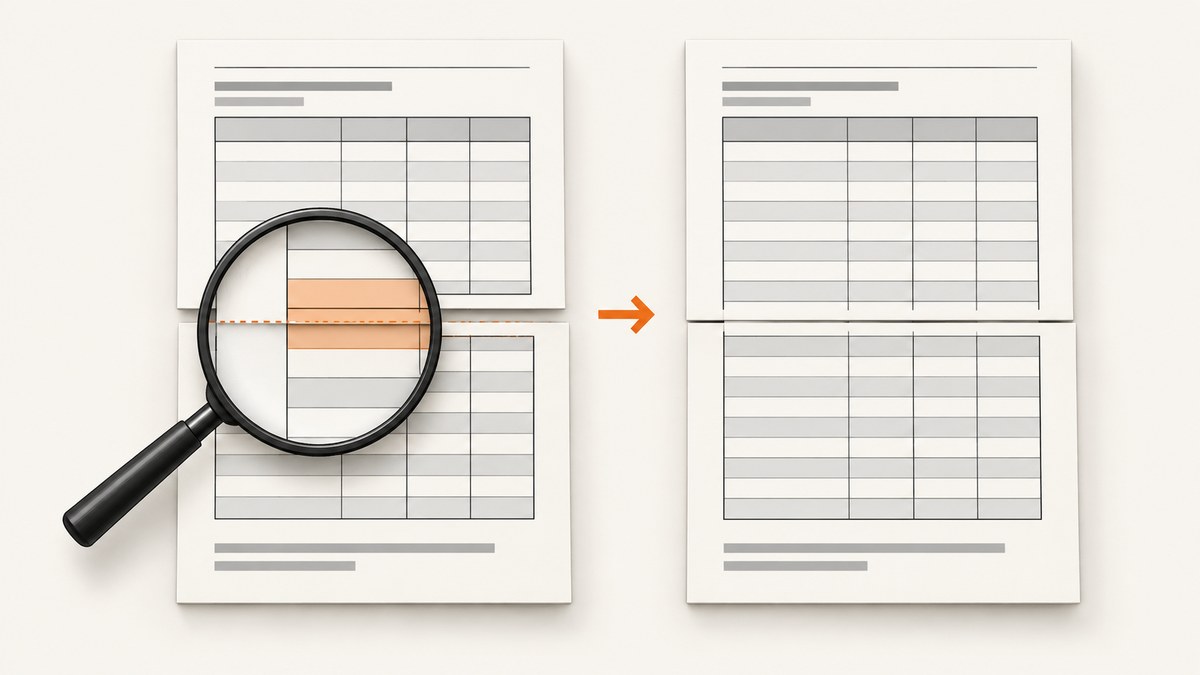
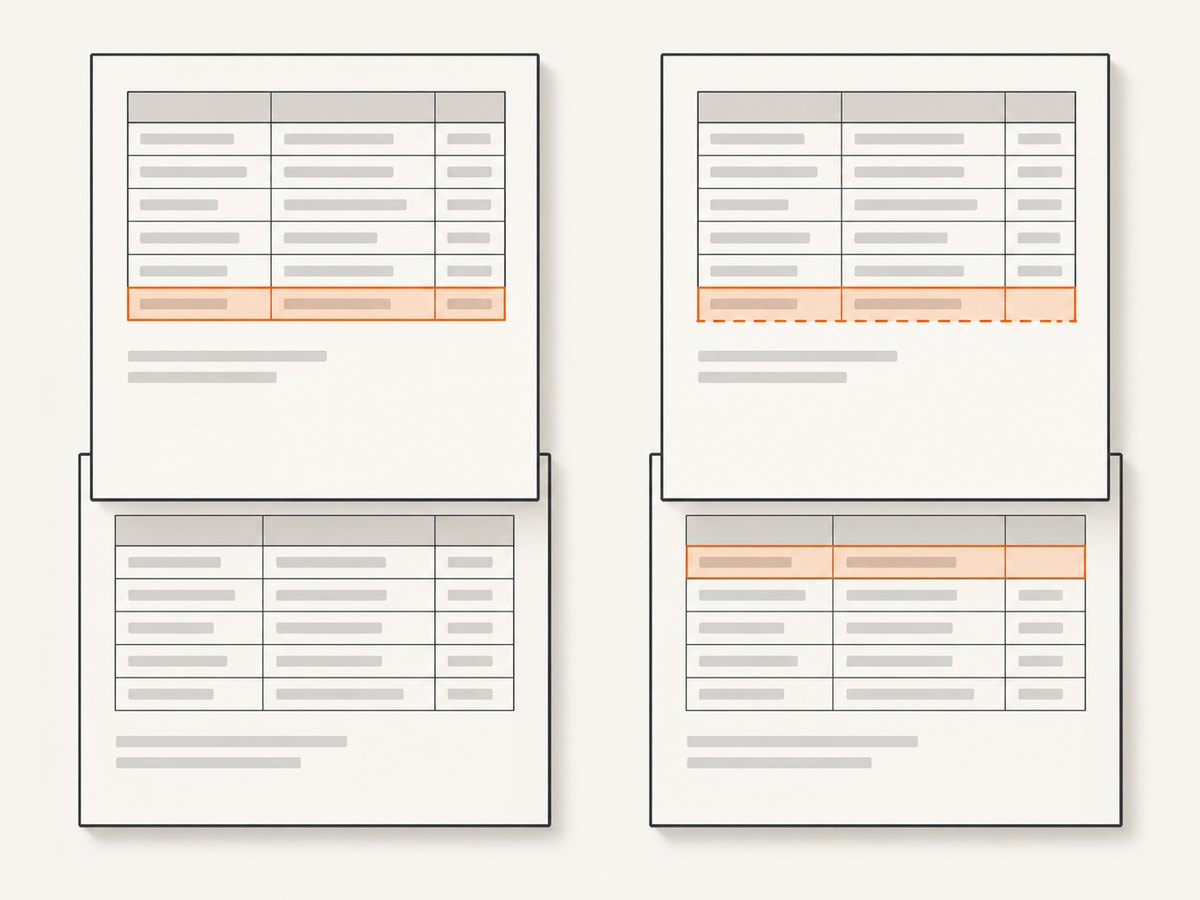
page-break-inside: avoid is a pagination hint, not a guarantee that wkhtmltopdf will keep every table row or block intact. If content overlaps at a page boundary, first reproduce it with the exact wkhtmltopdf binary and page settings you use in production. Then isolate the smallest affected table or block, check which element receives the rule, and inspect both pages around the break. There is no universal CSS declaration shown by the available evidence to fix every case.
The most useful first change is usually to test the rule on a meaningful content unit, such as a row or a bounded block, rather than assuming it works on a cell. Compare that result with allowing the content to split. Each choice has a cost: avoiding a break can leave whitespace, while allowing one can split content. Historical wkhtmltopdf reports describe these problems and side effects, but do not establish a fix for every version or document. Issue #2486, issue #4212, issue #2099
Why the rule can fail
The CSS property expresses pagination intent: avoid a page break inside the selected element where possible. CSS 2.2 also leaves the user agent room to choose among allowed break points. The standard describes the intent; it does not promise that wkhtmltopdf will paginate every table structure as expected. CSS 2.2: page-break-inside, MDN: page-break-inside
In a table, the declaration’s target matters. A historical report on wkhtmltopdf 0.12.2.4 describes different behavior when the rule was applied to td versus tr, along with repeated-header and border artifacts. Another report describes a large blank area when a row moved to the next page. A report for 0.12.5.1 describes unexpected behavior when content was too tall to fit intact. These are observations in particular environments, not a current compatibility guarantee or controlled comparison. Issue #2486, issue #4212, issue #2099
Three conditions are especially important to distinguish:
- The content fits in the remaining page. If it still overlaps or splits, examine the selector, table structure, and surrounding layout.
- It does not fit in the remaining space but fits on a fresh page. Avoiding the break may move it, leaving unused space behind.
- It is taller than a page. The renderer cannot keep it together on one page. A break-avoidance request cannot make an oversized row fit.
1. Record the production renderer and settings
Before editing CSS, capture enough detail to make the result reproducible. wkhtmltopdf behavior in old issue reports is version-specific; reports involving versions 0.12.2.1, 0.12.2.4, and 0.12.5.1 do not tell you what a different binary will do.
wkhtmltopdf --version
wkhtmltopdf --page-size Letter --margin-top 15mm --margin-bottom 15mm input.html output.pdf
The command above is a minimal example, not a recommendation for your production margins. Reproduce with the actual command, input HTML, CSS, fonts, page size, orientation, headers, footers, and margins. Keep the HTML and PDF together with the version and command used to generate them. If the PDF is generated by a wrapper or application, capture the underlying wkhtmltopdf version and the options that wrapper passes.
Use the same target URL or input file, production CSS, and representative content in each comparison. Changing CSS and page dimensions at the same time makes it hard to tell which change affected the output.
2. Reduce the document to the smallest failing case
Make a copy of the input and remove unrelated sections until only the table or block around the bad page boundary remains. Preserve its real column widths, row content, styles, and any repeated table header. Render the reduced case with the same binary and page settings.
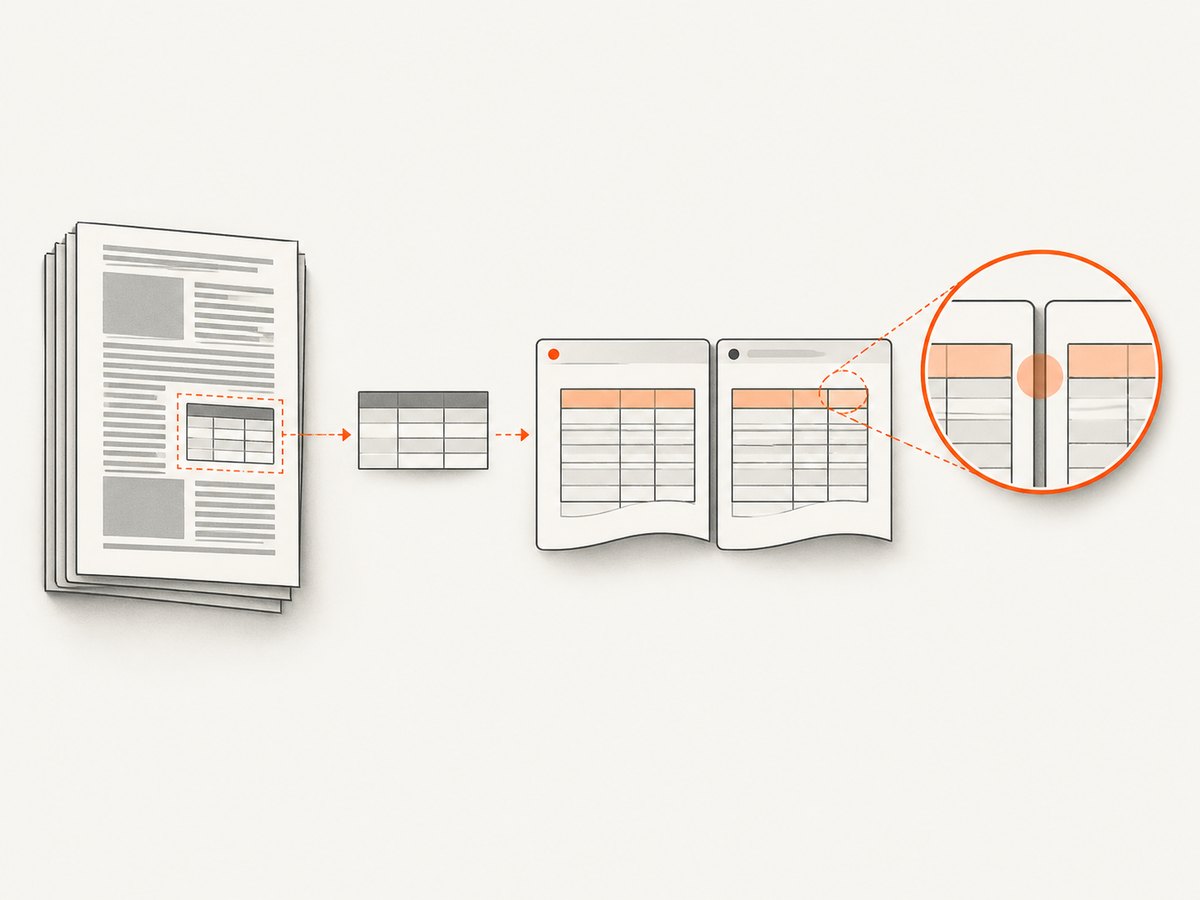
This is a diagnostic step, not a promised repair. If the reduced document still overlaps, the problem is likely reproducible without the rest of the document. If it stops, add the removed content back in small groups. Look for layout context that changes available page space or positioning. Do not infer a root cause just because the reduced file looks different; compare its structure and settings with production.
3. Test the element scope deliberately
Start with a narrow rule on the element representing the unit you want kept together. For a table, compare the row and cell scopes separately. Keep one variant per render and check the whole table, including the repeated header and row borders.
<style>
/* Variant A: request that a row stay together. */
tbody tr.keep-together {
  page-break-inside: avoid;
}

/* Variant B: test cell scope separately; do not combine for diagnosis. */
tbody tr.keep-together td {
  page-break-inside: avoid;
}
</style>

<table>
  <thead>
    <tr><th>Item</th><th>Details</th></tr>
  </thead>
  <tbody>
    <tr class="keep-together">
      <td>Example</td>
      <td>A representative amount of content for a row.</td>
    </tr>
  </tbody>
</table>
Render variant A, then variant B, and compare them to a version without either rule. This makes it easier to see whether changing the scope altered splitting, overlap, header repetition, or whitespace. Historical reports found different results between td and tr, but do not prove that either scope is always correct. See the report for issue #2486.
For a non-table block, use a class on the smallest semantic unit that should remain intact:
<style>
.keep-together {
  page-break-inside: avoid;
}
</style>

<section class="keep-together">
  <h2>Summary</h2>
  <p>Content that should stay with its heading when it fits on a page.</p>
</section>
Do not blanket-apply avoid to every element as a first response. If many blocks are ineligible to split, pagination has fewer useful break points and can produce gaps or awkward moves. Inspect the actual output after every scope change.
4. Check the content height against the page
Test three samples: one that fits in the remaining space, one that fits only on a fresh page, and one that is taller than a page’s usable content area. The usable area depends on page dimensions and margins. This set reveals whether the issue is a misplaced break, expected whitespace from moving a block, or content that cannot physically stay intact.
For an oversized row, choose a deliberate behavior. You can allow it to split, redesign the row into smaller meaningful units, or accept that the renderer will place breaks inside it. A wrapper or different markup may change the result, but historical reports do not establish a universally correct wrapper. Validate the generated PDF instead of assuming a structural rewrite solved it. Issue #2099
Also inspect images, long unbroken strings, and unusually tall cell content in the failing case. They can affect how much space the row needs. The available reports do not identify one of these as a general cause, so treat them as variables to test in your own document.
5. Inspect both pages around the break
Do not judge a CSS change only by whether the original row moved. Check the preceding and following pages at readable zoom. Record whether the row is intact, text overlaps, a header repeats over content, borders are missing or orphaned, and a large blank area appears. A change can eliminate a split while creating a more visible page-layout problem.
Use the document’s intended reading order as your acceptance criteria. For example, a table row that moves intact but leaves a modest gap may be preferable to overlapping text; a huge gap or a misleading repeated header may not be. There is no single CSS outcome that is best for all documents.
Approaches and trade-offs
| Approach | Potential benefit | What to verify |
|---|---|---|
Apply page-break-inside: avoid to a row or block |
May keep content together in some cases. | Overlap, splits, blank space, header repetition, and borders. |
| Change the rule’s element scope or simplify markup | May change how the renderer paginates the content. | The output can vary by structure and binary; no scope is established as universally correct. |
| Allow long content to split | Lets the renderer use available page space. | Whether splitting damages readability or separates related information. |
| Break one oversized content unit into smaller units | Can give pagination smaller meaningful choices. | Whether the new document structure remains clear and usable. |
Choose by balancing content integrity against page quality. The sources establish that reports exist for ignored rules, splitting, overlap, header behavior, and whitespace; they do not provide a tested universal ranking of these approaches.
Troubleshooting common symptoms
| Symptom | Likely area to inspect | Next step |
|---|---|---|
| The row still splits despite the rule | Selector target, table structure, renderer behavior, or a row taller than the page. | Test tr and td scopes separately and include an oversized sample. |
| Header text overlaps the first row on a new page | Repeated table header and row pagination behavior. | Inspect the boundary on both pages; test a minimal table with the same header and row. |
| A large empty area appears before the next row | The row may not fit in the remaining page area and may have moved intact. | Decide whether preserving the row is worth the gap; compare with allowing a split. |
| Text or a heading overlaps near the break | Could involve the selected element, page geometry, or oversized content. | Reduce the document, check the actual page settings, and test the content on a fresh page. |
| Borders appear detached or repeated headers look wrong | Table pagination side effects. | Compare the complete table output after each scope change, not just the target cell. |
| A fix works locally but fails in production | Different binary, operating environment, input, or rendering options. | Record the production version and reproduce with production HTML and command options. |
For each failure, save the smallest HTML that reproduces it, the CSS involved, the wkhtmltopdf version and platform, the command options, and the affected PDF pages. This gives future changes a stable reference and avoids mistaking a different input or page setup for a CSS regression.
Performance, reliability, and maintenance
These layout changes are inexpensive to evaluate at the document level: make one controlled change, regenerate the affected PDF, and inspect the boundary pages. For larger documents, begin with a reduced reproduction rather than repeatedly rendering the entire production input. The sources provide no timing benchmarks, so the actual rendering cost depends on your document and environment.
For reliability, keep the binary version, page settings, and representative PDF fixtures visible in your release process. Recheck them when you change the renderer, template, fonts, table structure, or page dimensions. The historical issue reports cannot be used as a compatibility matrix for your installed build.
For cost, the relevant trade-off is usually engineering and review time versus page quality. A rule that moves content intact may add pages or whitespace; a rule that allows splitting may need careful content review. The provided research does not establish monetary costs or a universal performance penalty.
Or skip the browser setup
If your task is capturing a webpage as an image or PDF rather than tuning wkhtmltopdf’s pagination, ScreenshotNeo is a website screenshot API and MCP server from Yorker Media. One GET request returns a screenshot or PDF. See the ScreenshotNeo documentation for its API options.
curl -G "https://api.screenshotneo.com/v1/shot" -d access_key=YOUR_API_KEY --data-urlencode url=https://stripe.com -o shot.webpimport requests
r = requests.get(
"https://api.screenshotneo.com/v1/shot",
params={"access_key": "YOUR_API_KEY", "url": "https://stripe.com"},
timeout=90,
)
open("shot.webp", "wb").write(r.content)const q = new URLSearchParams({ access_key: 'YOUR_API_KEY', url: 'https://stripe.com' });
const res = await fetch(`https://api.screenshotneo.com/v1/shot?${q}`);
if (!res.ok) throw new Error(`Screenshot request failed: ${res.status}`);
await Bun.write('shot.webp', res);ScreenshotNeo accepts cookie and consent banners like a visitor and removes more than 60 known consent platforms, newsletter popups, and chat widgets before capture; each step can be turned off. Bot checks, blank pages, timeouts, failed loads, and cache hits cost nothing, and response headers report the page verdict and billing status. Its MCP server gives AI agents tools to take screenshots, get page information, and capture PDFs. The free plan includes 1,000 screenshots a month with no card; paid plans start at $5 for 3,000. Every feature is on every plan. This is a webpage capture option, not a CSS fix for wkhtmltopdf table pagination.
Sign up for 1,000 free screenshots a month, with no card required.
FAQ
Is break-inside: avoid a better fix?
It expresses similar break-avoidance intent in newer CSS. The supplied evidence does not establish which spelling works best for your wkhtmltopdf build. Test the installed binary and generated PDF.
Should I always apply the rule to tr?
No universal scope is established. A historical report describes different behavior for cells and rows, including side effects. Compare both on your actual table and inspect the surrounding pages.
Can a row taller than a page be kept together?
No page layout can place content intact within a smaller usable page area. Split the content into meaningful parts or allow a break, then verify readability.
Are old issue reports proof that current wkhtmltopdf has this bug?
No. They establish that users reported particular behavior in specific historical versions. Reproduce with your own binary, platform, HTML, and options.
What should I include in a bug reproduction?
Provide a minimal HTML/CSS example, exact wkhtmltopdf version and platform, command options, page settings, and the PDF pages showing the failure. Avoid describing a workaround as universal unless it has been verified across the cases you support.


