How to Make wkhtmltopdf Render Text Instead of Curves
wkhtmltopdf has no documented switch that forces live text. Learn how to verify the PDF, isolate fonts and SVGs, and diagnose portability.

Short answer: wkhtmltopdf’s documented options do not include a switch that forces body text to remain live PDF text or guarantees that every required font is embedded. First verify that the output really lacks selectable or extractable text. Then reproduce the smallest possible HTML case with the same wkhtmltopdf build, operating system and font, and isolate ordinary HTML from SVG or foreignObject content.
The official usage documentation describes wkhtmltopdf as converting HTML pages into PDF with patched Qt, and documents options for stylesheets, resource access, JavaScript and print media. It does not document a “render as text” or “embed all fonts” flag. Read the usage documentation.
1. Confirm whether the PDF contains text
A PDF that looks like outlined letters is not proof that the letters were converted to curves. Font substitution, viewer rendering and anti-aliasing can change appearance while the PDF still contains selectable text.
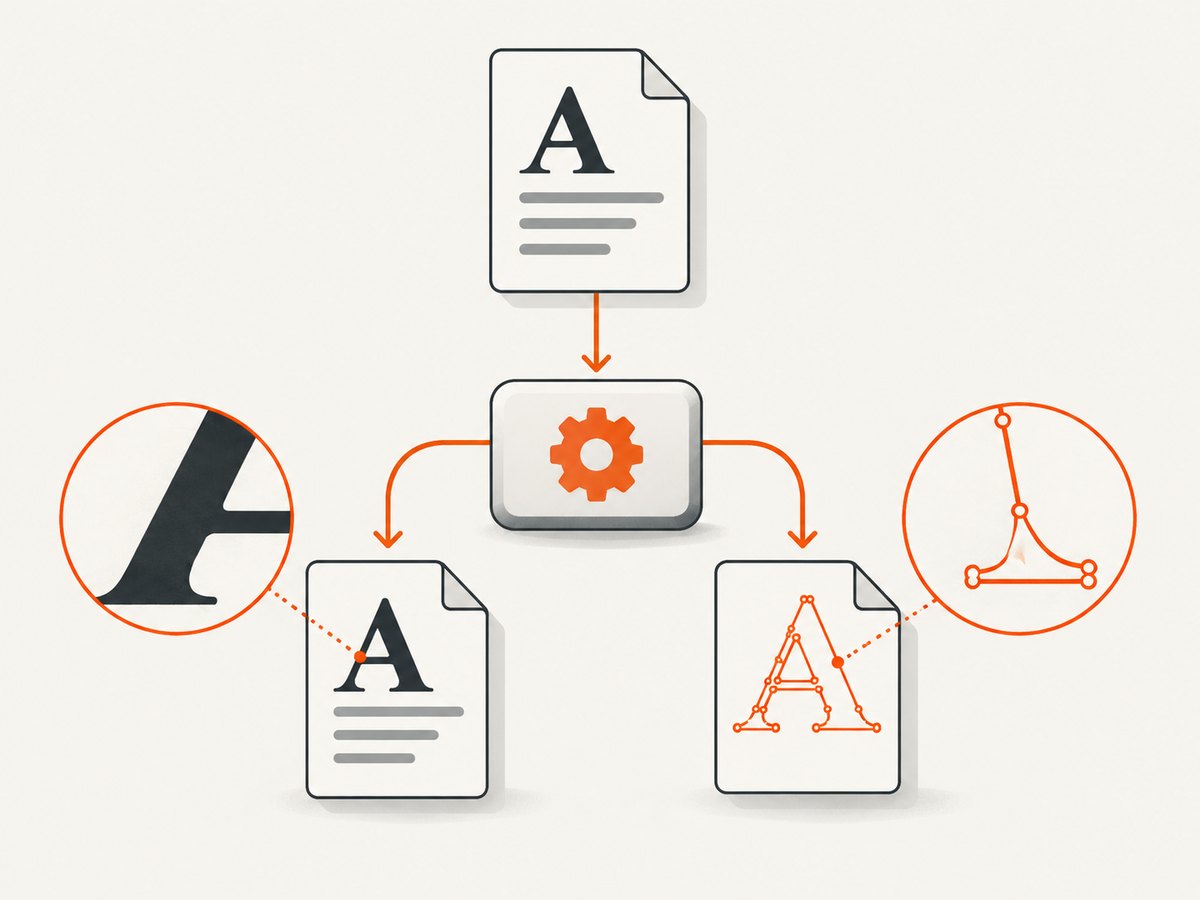
Test selection and extraction
- Open the PDF in two different viewers and try selecting a sentence.
- Copy the selection into a plain-text editor. Check whether spaces, ligatures and non-Latin characters survive.
- Run a command-line extractor such as
pdftotextagainst the file. - Inspect the generated PDF with a font or object inspector if portability is important.
# Render a minimal document
cat > text-test.html <<'HTML'
This sentence must remain selectable.
HTML
wkhtmltopdf --print-media-type text-test.html text-test.pdf
pdftotext text-test.pdf -If pdftotext prints the sentence, wkhtmltopdf produced usable text for that case. Investigate visual appearance or font substitution instead of assuming that all glyphs are paths.
2. Record the exact environment
Behavior can depend on the wkhtmltopdf build, patched-Qt variant, operating system, installed fonts and viewer. Save this information with every reproduction:
wkhtmltopdf --version
uname -a                 # Linux and macOS
systeminfo | findstr /B /C:"OS Name" /C:"OS Version"  # Windows
Also record the input URL or HTML file, CSS, font files and whether the document uses external web fonts, SVG, canvas or foreignObject. A production page with several rendering systems is too large to diagnose reliably.
3. Reduce the document to a minimal font case
Use the same font family and format as the failing document, but remove JavaScript, images, SVG and external resources. Keep one paragraph and one heading. Confirm that the font is available to the process running wkhtmltopdf.
cat > font-test.html <<'HTML'
Font portability test: Ä Ω 中文 123
HTML
wkhtmltopdf --enable-local-file-access font-test.html font-test.pdf
pdftotext font-test.pdf -Use an absolute path while diagnosing. Once the test works, move the font to the same deployment location used by your application and repeat the conversion.
4. Test font formats carefully
A Stack Overflow answer reports that converting a WOFF font to OTF fixed one contributor’s case. That is an anecdotal lead, not a universal wkhtmltopdf remedy. Try one format at a time and inspect the resulting PDF after each change.
# Example conversion with FontForge's command-line interface
fontforge -lang=ff -c 'Open($1); Generate($2)' input.woff output.otf
wkhtmltopdf --enable-local-file-access font-test.html font-test-otf.pdf
pdftotext font-test-otf.pdf -
Do not assume that changing formats embeds a font or fixes every character. Check the PDF’s font properties and test the file on a machine that does not have the source font installed.
5. Separate ordinary HTML from SVG and foreignObject
Text inside SVG follows a different rendering path from normal HTML text. A report for wkhtmltopdf 0.12.6 on Windows 10 describes missing text inside SVG/foreignObject; it does not establish a rule for ordinary HTML. Reproduce both paths separately.
cat > svg-test.html <<'HTML'
Ordinary HTML text
HTML
wkhtmltopdf svg-test.html svg-test.pdf
pdftotext svg-test.pdf -If ordinary HTML extracts correctly but SVG text does not, simplify or replace the SVG content. Convert only the affected graphic to a raster image when searchable SVG text is not required, or render the text as normal HTML outside the SVG.
6. Use documented wkhtmltopdf controls
These options can make the input render consistently, but none is a command to force live text:
| Need | Relevant option | Why it matters |
|---|---|---|
| Load local CSS, images or fonts | --enable-local-file-access |
Allows local resources in builds that restrict file access. |
| Wait for page JavaScript | --javascript-delay <ms> |
Gives web fonts or generated HTML time to appear. |
| Allow or disable scripts | --enable-javascript, --disable-javascript |
Use the setting required by the page and test both when diagnosing. |
| Choose print styles | --print-media-type |
Ensures print CSS is used when it defines different fonts or layout. |
| Permit external resources | --custom-header, proxy and cookie options |
Useful when a stylesheet or font requires request metadata. |
See the complete usage reference for your installed build. The API settings reference documents font names for headers and page/resource settings, but it does not document a general body-font embedding guarantee.
7. Check font embedding and portability
There is no documented wkhtmltopdf setting that promises every body font will be embedded. Treat embedding as an output property to inspect, not an assumption.
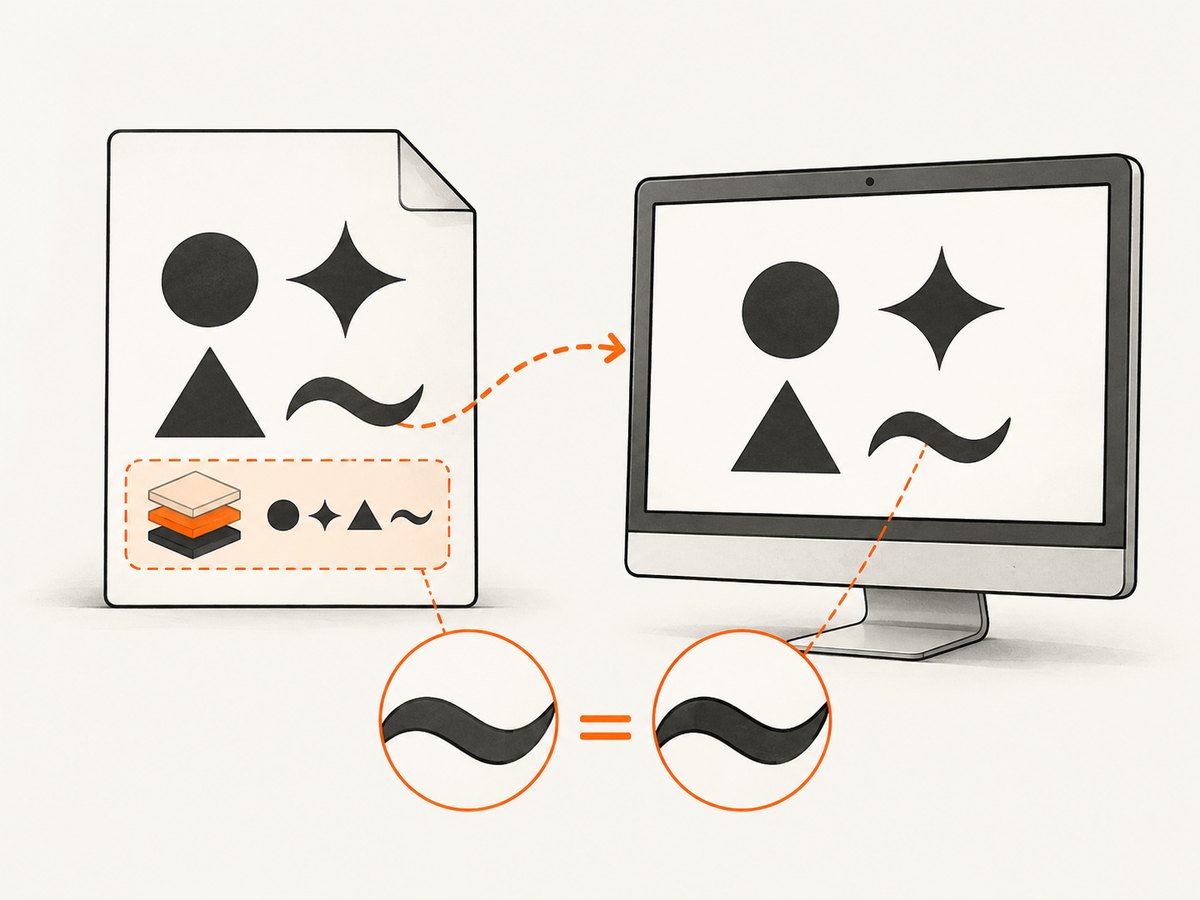
- Generate the PDF on the target build.
- Inspect its font list with a PDF inspection tool.
- Copy the PDF to a clean machine or container without the source font.
- Open it, search it and extract text. Check accented, symbol and non-Latin characters.
- Repeat after changing the font format or CSS.
# Poppler can show PDF metadata and fonts in many environments
pdfinfo output.pdf
pdffonts output.pdf
An embedded subset may have a generated name and still be valid. A missing font, a substituted font and outlined glyphs are different conditions, so record exactly what the inspector reports.
8. Troubleshooting checklist
| Symptom | Likely cause | Fix to try |
|---|---|---|
| Nothing is selectable | The page may contain an image, canvas or outlined SVG rather than HTML text. | Run pdftotext; isolate ordinary HTML from SVG/canvas. |
| Text is selectable but looks different | Font substitution or viewer rendering. | Inspect fonts, install or provide the intended font, and test on a clean machine. |
| Text disappears | Font or stylesheet failed to load, or JavaScript had not finished. | Use absolute URLs, --enable-local-file-access, request headers/cookies as needed, and a measured --javascript-delay. |
| Only SVG text is missing | SVG/foreignObject rendering issue. |
Reproduce as a separate case; move text into HTML or simplify the SVG. |
| Works locally but not in CI | Different wkhtmltopdf build, OS, fonts or sandbox permissions. | Pin the binary and fonts, log wkhtmltopdf --version, and compare a minimal fixture. |
| WOFF fails, OTF works | Build-specific font handling. | Use the working format only after verifying extraction and portability; do not generalize the result. |
| Search finds incorrect characters | Encoding, missing glyphs or a broken font map. | Set UTF-8 explicitly, include the needed glyphs and test extraction for representative languages. |
9. A repeatable diagnostic workflow
- Capture facts: version, OS, command, fonts and input.
- Prove the symptom: selection,
pdftotextandpdffonts. - Minimize: one HTML paragraph using the same font.
- Change one variable: font format, local versus remote URL, print CSS, SVG or JavaScript timing.
- Compare outputs: extract text and inspect fonts after each run.
- Validate portability: test on a machine without the original font.
- Pin the fix: keep the exact binary, font files and command in deployment documentation.
10. Performance, reliability and cost considerations
Minimal fixtures render faster and make failures reproducible. External web fonts and JavaScript add network and timing dependencies; local, versioned assets reduce variability. A delay that is too short creates missing-font symptoms, while an unnecessarily long delay increases throughput cost. Prefer a readiness condition in the application, then use the smallest delay that consistently produces the required DOM.
wkhtmltopdf is a command-line process, so monitor exit codes, stderr and output existence. Treat an apparently successful process as insufficient until text extraction and font inspection pass. Cache stable inputs when your application repeatedly renders the same document.
Or skip the browser setup
If your goal is a reliable screenshot or PDF capture rather than maintaining a wkhtmltopdf environment, ScreenshotNeo provides a website screenshot API and MCP server. It accepts one GET request and can return PNG, JPEG, WebP or PDF. Cookie and consent banners are accepted and removed before capture, along with more than 60 known consent platforms, newsletter popups and chat widgets. Bot checks, blank pages, timeouts, failed loads and cache hits are not billed, and response headers identify the page verdict and billing status.
See the ScreenshotNeo API documentation for the available options.
cURL
curl -G "https://api.screenshotneo.com/v1/shot" -d access_key=YOUR_API_KEY --data-urlencode url=https://stripe.com -o shot.webpPython
import requests
r = requests.get("https://api.screenshotneo.com/v1/shot", params={"access_key": "YOUR_API_KEY", "url": "https://stripe.com"}, timeout=90)
open("shot.webp", "wb").write(r.content)
Node.js
const q = new URLSearchParams({ access_key: 'YOUR_API_KEY', url: 'https://stripe.com' });
const res = await fetch(`https://api.screenshotneo.com/v1/shot?${q}`);
ScreenshotNeo also supports full-page and element capture, dark mode, device presets, retina scale, PDF paper settings and page ranges, custom CSS and JavaScript, clicks, waits, blocked resources, headers, cookies, user agents, authorization, timezone, geolocation, transparent backgrounds, resizing, TTL caching, signed links, asynchronous jobs, webhooks, bulk capture and a usage API. Its MCP server includes take_screenshot, get_page_info and capture_pdf for Claude, Cursor and other MCP clients. The free plan includes 1,000 screenshots per month with no card; paid plans start at $5 for 3,000.
Create a free ScreenshotNeo account and start with 1,000 screenshots a month at no charge.
FAQ
Does --enable-local-file-access force text instead of curves?
No. It controls access to local resources such as CSS, images and fonts.
Does converting WOFF to OTF always fix the issue?
No. One community answer reports that result in a specific environment. Test the format with your build and verify extraction and portability.
Can wkhtmltopdf guarantee embedded fonts?
The reviewed documentation does not provide a general guarantee. Inspect each generated PDF and test it without the source font installed.
Is SVG text the same as HTML text?
No. SVG and foreignObject use a separate rendering path and should be isolated when diagnosing missing or non-selectable text.
What is the quickest proof that text survived?
Run pdftotext file.pdf -, select text in a viewer, and inspect fonts with pdffonts.
References: wkhtmltopdf usage documentation, API settings, Stack Overflow question and answer, issue #1734 and issue #4804.


