How to Add Page Numbers to wkhtmltopdf Footers with Snappy
Add “Page X of Y” to PDFs generated with KnpLabs Snappy. Learn the footer options, custom HTML, spacing fixes, and how to verify your wkhtmltopdf build.

To add a page counter to a PDF generated with KnpLabs Snappy, pass a wkhtmltopdf footer option to Snappy. For a centered “Page X of Y” footer, set footer-center to Page [page] of [topage]. Snappy forwards this option to wkhtmltopdf, which replaces the tokens during PDF rendering.
<?php
use Knp\Snappy\Pdf;

$snappy = new Pdf('/usr/local/bin/wkhtmltopdf');
$snappy->setOption('footer-center', 'Page [page] of [topage]');
$snappy->generateFromHtml('<p>Report content</p>', '/tmp/report.pdf');
Install the wkhtmltopdf executable separately from Snappy, and confirm the binary path and build used by the running application. The option key is written without the CLI prefix: use footer-center, not --footer-center. See the Snappy README and the wkhtmltopdf usage documentation.
1. Install and confirm the renderer
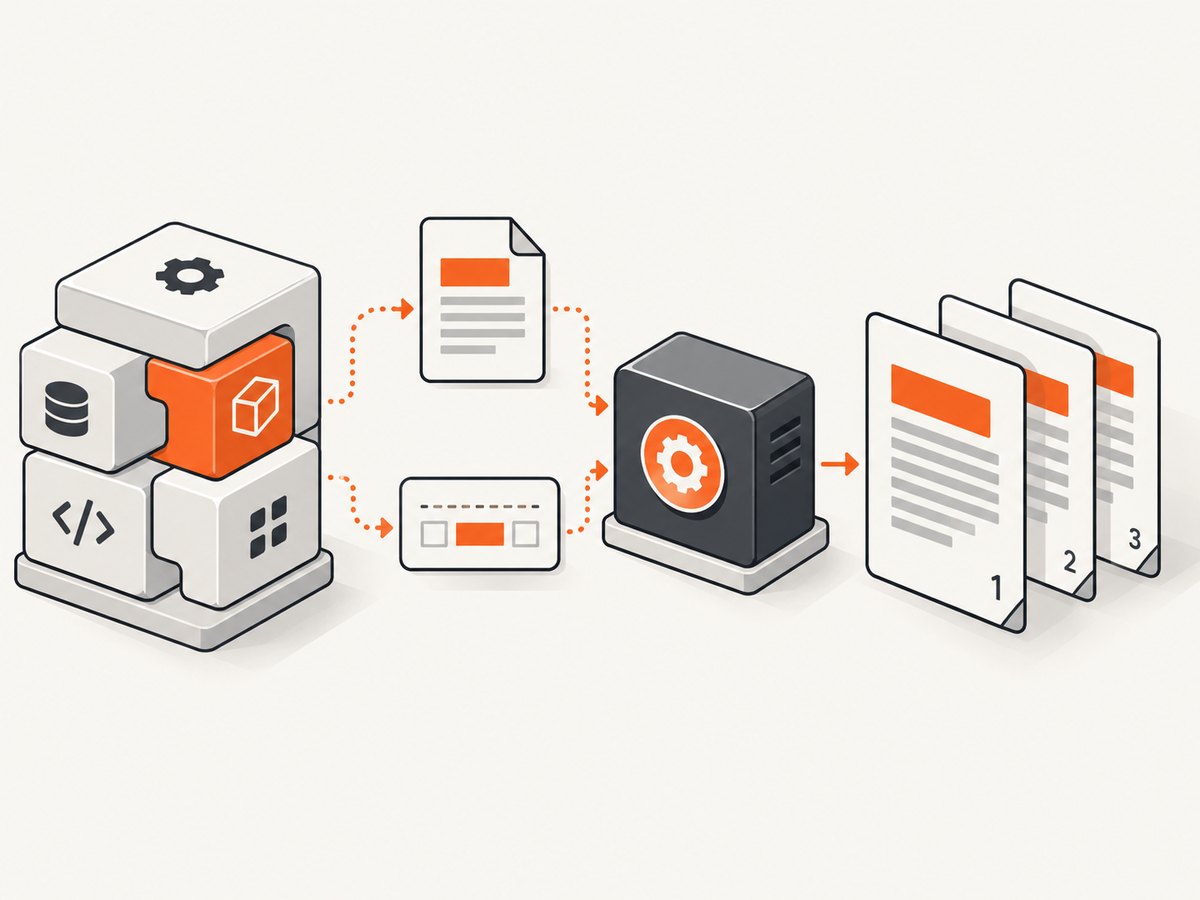
Snappy is a PHP wrapper; it does not itself render HTML into PDF. The server or container needs a compatible wkhtmltopdf executable, and Snappy must be configured to call that executable. Snappy’s README describes the expected wkhtmltopdf 0.12.x version family. The cited command-line manual documents version 0.12.6 with patched Qt, but deployed packages can differ. Check your actual binary rather than assuming your development machine and production environment match.
- Install Snappy in your PHP application using the package manager and setup appropriate to your framework.
- Install wkhtmltopdf in the runtime environment that generates PDFs.
- Find the executable path, such as
/usr/local/bin/wkhtmltopdf, and pass it tonew Pdf()or your dependency-injection configuration. - Run
wkhtmltopdf --versionfrom the same environment and user context as the application. - Generate a small PDF before adding the counter. This separates renderer or input problems from footer configuration problems.
A CLI check can confirm that the executable is available, but it does not prove that PHP uses that same binary. Containers, service configuration, restricted PATH values, and multiple installed versions can cause the application to invoke a different executable. Record the binary path and version in deployment diagnostics.
2. Add a plain-text page counter
Use one of the positional footer options: footer-left, footer-center, or footer-right. The renderer substitutes [page] with the current page number and [topage] with the final page number. Set the option before generating the PDF.
<?php
use Knp\Snappy\Pdf;

$html = '<!doctype html><html><body>
  <h1>Monthly report</h1>
  <p>Report content goes here.</p>
</body></html>';

$pdf = new Pdf('/usr/local/bin/wkhtmltopdf');
$pdf->setOption('footer-center', 'Page [page] of [topage]');
$pdf->generateFromHtml($html, __DIR__ . '/report.pdf');
Here is the equivalent command-line invocation for diagnosing the renderer directly. Snappy’s option names map to wkhtmltopdf arguments, so the CLI form has the leading double hyphens:
wkhtmltopdf --footer-center 'Page [page] of [topage]' input.html report.pdfCommand-line quoting matters: quote the footer value so the shell passes it as one argument. In PHP, quote the string according to PHP syntax. Do not escape the square brackets for Snappy; they are the substitution markers wkhtmltopdf expects.
Choose a position
| Snappy option | Result | Example |
|---|---|---|
footer-left |
Aligns the footer text left | Page [page] |
footer-center |
Centers the footer text | Page [page] of [topage] |
footer-right |
Aligns the footer text right | [page] / [topage] |
Choose one position for a simple counter. If you set multiple footer positions, each can display separate information, such as a report label on the left and a counter on the right. Keep labels short enough to fit within the page width and avoid placing content where it competes with the counter.
3. Format and configure the footer
The footer text options are the simplest choice when the only requirement is a short page number. wkhtmltopdf also supports footer-related settings for spacing and font appearance; Snappy passes renderer options through setOption(). Use the exact option names supported by the installed binary. Start with the page counter, then add only the layout controls your PDF needs.
Common related settings include footer font name and size, footer spacing, footer line, and page margins. For example, a modest bottom margin and footer spacing can be set like this:
$pdf->setOption('footer-center', 'Page [page] of [topage]');
$pdf->setOption('footer-font-size', 9);
$pdf->setOption('footer-spacing', 4);
$pdf->setOption('margin-bottom', '18mm');
Values and supported settings can vary by wkhtmltopdf build. Consult the usage manual for command-line flags and the libwkhtmltox settings reference for margin and spacing behavior. In particular, the bottom margin must leave room for the footer; spacing cannot create usable page area outside the physical page.
4. Use an HTML footer for custom layout
Choose footer-html when you need markup or richer styling, such as a branded rule, a multi-column footer, or precise alignment with other footer content. Its value points to a footer HTML document. The wkhtmltopdf manual’s example reads query values passed into that footer and places page values into elements with the classes page and topage.
<?php
use Knp\Snappy\Pdf;

$pdf = new Pdf('/usr/local/bin/wkhtmltopdf');
$pdf->setOption('footer-html', 'file:///var/app/pdf/footer.html');
$pdf->setOption('margin-bottom', '20mm');
$pdf->generateFromHtml($html, '/var/app/output/report.pdf');
A minimal footer document can contain placeholders for the values supplied by wkhtmltopdf:
<!doctype html>
<html>
<head>
  <meta charset="utf-8">
  <style>
    body { font: 9px sans-serif; color: #444; margin: 0; }
    .counter { text-align: center; }
  </style>
</head>
<body>
  <div class="counter">Page <span class="page"></span>
    of <span class="topage"></span></div>
</body>
</html>
Use an absolute path or an appropriate file URL that is accessible to the renderer process. The footer is loaded by wkhtmltopdf, not by the PHP browser session, so permissions and path resolution must work in the execution environment. If the footer relies on external fonts, stylesheets, or images, confirm those resources are reachable while rendering. A simple inline style keeps the footer less dependent on network access.
The manual lists additional header and footer substitution tokens: [frompage], [webpage], [section], [subsection], [date], [isodate], [time], [title], [doctitle], [sitepage], and [sitepages], in addition to [page] and [topage]. Which tokens are useful depends on the document and renderer behavior. Start with the two page-count tokens, and confirm other tokens in a representative output before relying on them.
5. Check the page layout
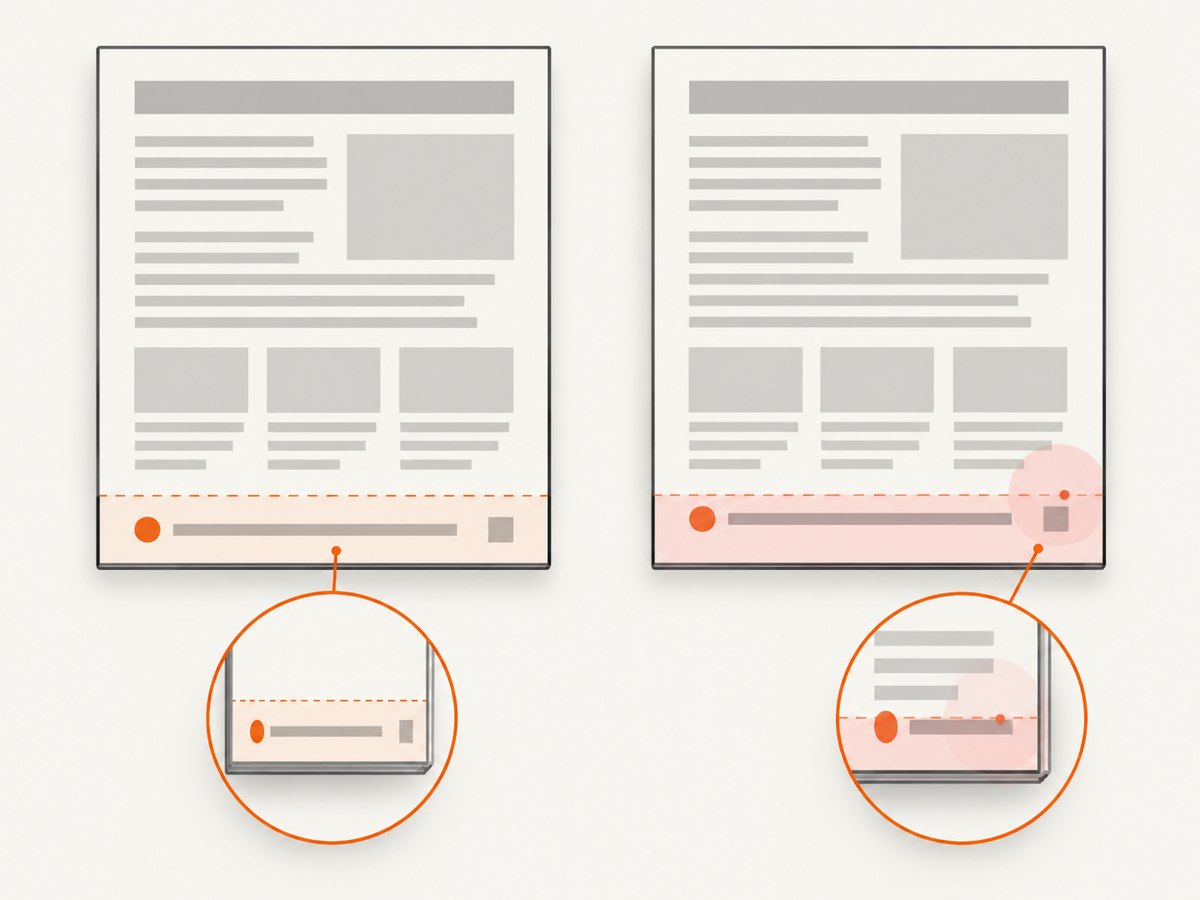
Headers and footers occupy space around the rendered content. If the bottom margin is too small, the footer may overlap body text, clip at the edge, or appear missing. If the spacing is excessive, the footer can be pushed beyond the page. Adjust the bottom margin and footer spacing together, then inspect pages with both short and long content.
- Render a multi-page sample with the production options.
- Check the first page, a middle page, and the final page. Long tables and page breaks can expose collisions that a one-page sample misses.
- Increase
margin-bottomenough to reserve a footer band. - Reduce
footer-spacingif the footer appears too far from the content or falls outside the page. - Regenerate using the deployed binary and inspect the resulting PDF in a viewer or through automated document review.
The settings reference specifically notes that excessive header/footer spacing can place a footer outside the page, and that the relevant page margin can correct the layout. Treat margin and spacing as a pair, rather than expecting one universal setting for every paper size and footer design.
6. Troubleshooting common problems
| Symptom | Likely cause | Fix |
|---|---|---|
| No page number appears | Option name includes --, option was not applied to this Snappy instance, or a different binary is used |
Use footer-center; inspect the effective Snappy configuration and run wkhtmltopdf --version in the application environment. |
The footer shows literal [page] |
Footer text was not interpreted by the expected wkhtmltopdf build or the value was altered before it reached the renderer | Try the direct CLI example, preserve the token spelling, and check the deployed binary and its supported options. |
| Footer is clipped or missing near the bottom | Insufficient bottom margin or footer content placed outside the page | Increase margin-bottom, reduce footer-spacing, and inspect the output at the target paper size. |
| Footer overlaps report content | The body extends into the reserved footer area | Increase the bottom margin and make sure page content is laid out within the printable area. |
| HTML footer is blank | Footer path is invalid, unreadable by the renderer, or dependent assets cannot load | Use a renderer-accessible absolute path or file URL, check file permissions, and simplify the footer to inline HTML and CSS. |
| Works locally but fails in production | Different executable, version, filesystem, permissions, or runtime configuration | Compare the binary path and version and test from the same container or service account that generates the PDF. |
| PHP reports that the binary cannot run | Executable path is wrong, file is not executable, or runtime dependencies are missing | Check the path and executable permissions, then validate that the same command runs under the application user. |
7. Reliability, performance, and security
Page numbering is performed during PDF rendering. A correct configuration depends on the renderer completing the document and knowing its page count, so a partial or failed conversion cannot be treated as a valid numbered PDF. In production, handle renderer failures, check that the output file was generated, and avoid serving a previous artifact as if it were the current result. Capture diagnostic details such as the binary version and conversion error output without logging sensitive document contents.
Keep the footer small and self-contained. External assets introduce additional resource loading and can make conversion depend on network availability; inline CSS and plain text reduce those dependencies. Very large HTML documents and complex external resources can increase conversion time, but the supplied sources provide no benchmark for a particular workload. Measure representative documents in the environment where they will run and set application-level time limits appropriate to that workload.
Take special care when processing untrusted HTML. The Snappy README warns that enabling --enable-local-file-access can be risky when HTML or JavaScript is untrusted; it advises avoiding that option unless necessary, sanitizing user input, and using a sandbox. A custom HTML footer is still renderer input: do not build it by inserting unsanitized user-provided markup, and do not enable local file access as a shortcut for resolving paths without understanding the exposure.
Or skip the browser setup
If your task is to capture a website as an image or PDF rather than generate a paginated report from your own HTML, ScreenshotNeo provides a website screenshot API and MCP server. One GET request returns a PNG, JPEG, WebP, or PDF. It is a different workflow from Snappy’s HTML-to-PDF generation; use Snappy when you need to render your application’s report markup.
curl -G "https://api.screenshotneo.com/v1/shot" -d access_key=YOUR_API_KEY --data-urlencode url=https://stripe.com -o shot.webpSee the ScreenshotNeo API documentation for request options. Cookie banners, newsletter popups, and chat widgets are removed before the shot; bot checks, blank pages, and failed loads are never billed. Its MCP server lets AI agents take screenshots. The free plan includes 1,000 screenshots a month with no card, and paid plans start at $5 for 3,000. Create a free ScreenshotNeo account.
FAQ
Does Snappy calculate the page number itself?
No. Snappy passes options through; wkhtmltopdf performs the footer rendering and substitutes the page tokens.
Can I use “Page X of Y” with a custom HTML footer?
Yes. Use footer-html and the page-value placeholders described in the wkhtmltopdf manual’s HTML footer example.
Will the footer appear on every page?
Footer options apply to the rendered document’s pages. Verify behavior with the same binary and document structure you deploy, especially when the PDF includes multiple objects or unusual page settings.
Should I use footer text or HTML?
Use footer-left, footer-center, or footer-right for a simple counter. Use footer-html when the footer needs custom markup and styling.
Can I number pages starting from a different value?
The manual includes page-offset settings, but the desired numbering behavior depends on document structure. Consult the installed version’s usage documentation and verify the result in a multi-page sample before shipping.


