How to Set Wkhtmltopdf Top and Bottom Margins
Set wkhtmltopdf top and bottom margins with CLI flags or API settings, reserve space for headers and footers, and fix common layout problems.

Direct answer: use --margin-top (short form -T) and --margin-bottom (short form -B) in a normal wkhtmltopdf command. Values must include a unit, such as mm, cm, in or pt.
wkhtmltopdf --margin-top 20mm --margin-bottom 25mm input.html output.pdfPlace global options before the input and output arguments. If you use the libwkhtmltox API instead of the command line, set the global PDF settings margin.top and margin.bottom. The API reference uses values such as 2cm. See the official wkhtmltopdf usage documentation and the libwkhtmltox page settings reference.
1. The basic command-line solution
A complete command has this shape:
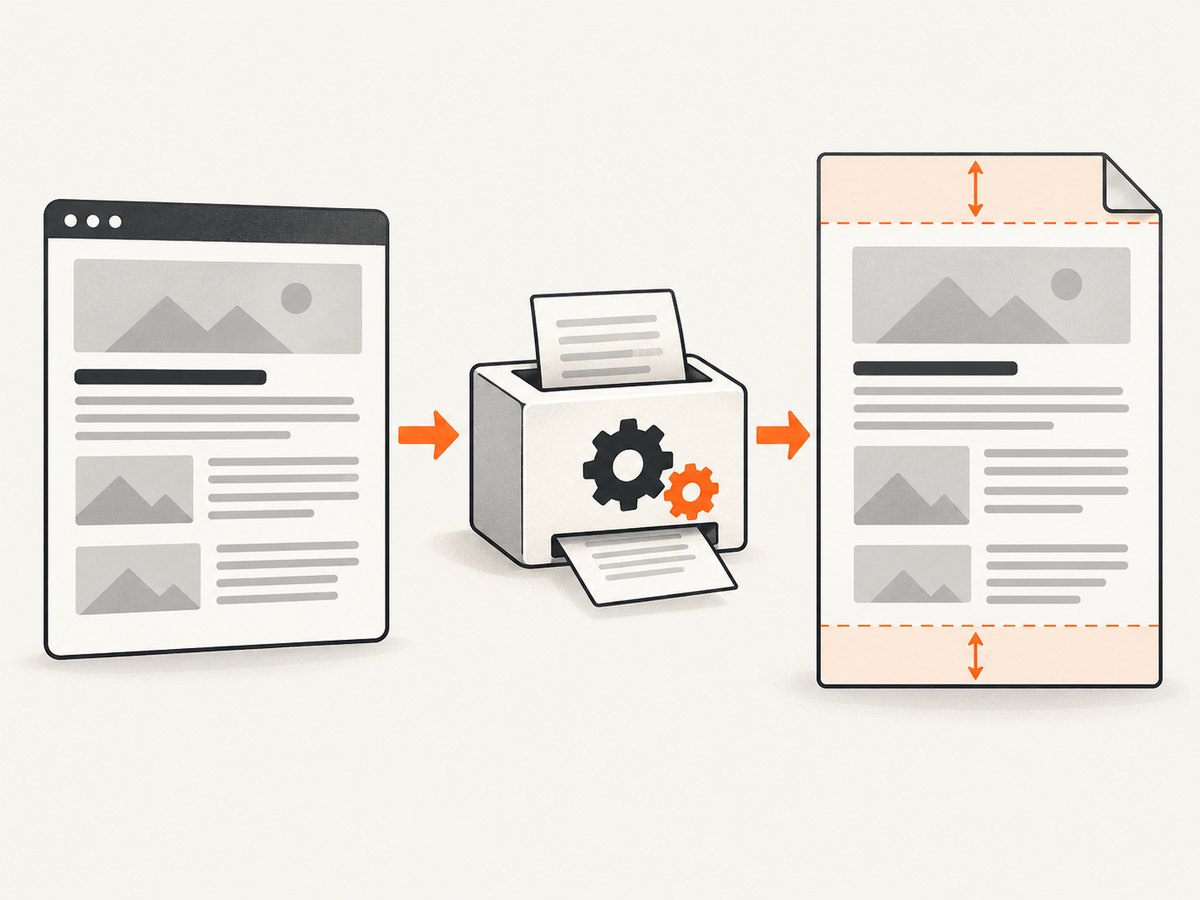
wkhtmltopdf [global options] input.html output.pdfFor top and bottom margins, add the two options before the source file:
wkhtmltopdf \
  --margin-top 20mm \
  --margin-bottom 25mm \
  input.html \
  output.pdf
The short flags are equivalent:
wkhtmltopdf -T 20mm -B 25mm input.html output.pdfUse long names in deployment scripts because they are easier to audit. Short names are convenient for interactive work.
Choosing a unit
| Unit | Example | Use when |
|---|---|---|
| mm | 20mm |
You are matching printed specifications. |
| cm | 2cm |
You want a larger, easy-to-read physical measurement. |
| in | 0.75in |
Your design or printer specification is in inches. |
| pt | 56.7pt |
You are matching typography or PDF points. |
Always include the unit. A bare value makes scripts harder to understand and can behave differently across wrappers or validation layers. There is no universal correct margin: calculate the printable content area, then reserve enough room for any header, footer, page number or branding element.
2. Account for headers and footers
Margins define the space between the page edge and the document body. Headers and footers have their own options and spacing controls, so changing a header can require changing the corresponding margin.
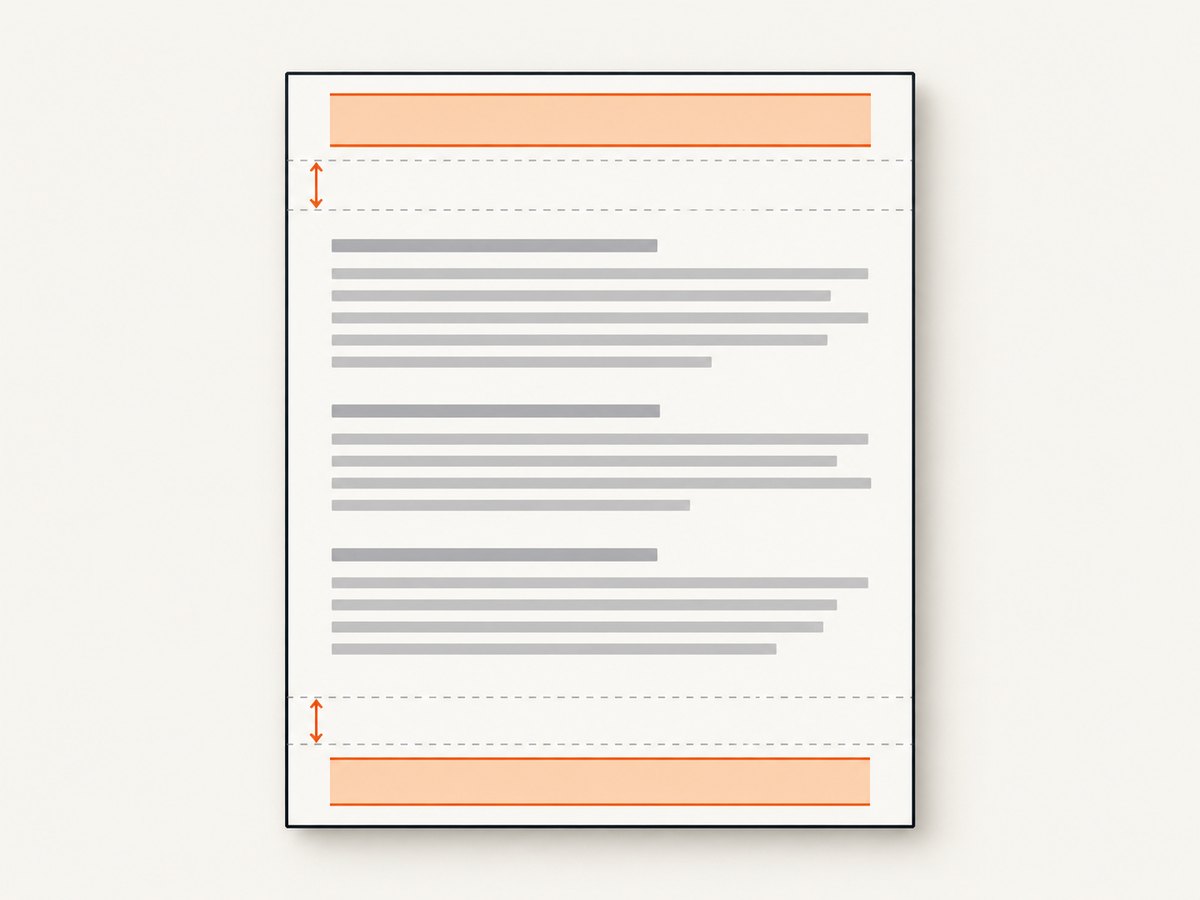
For example, this command reserves space for a header and footer:
wkhtmltopdf \
  --margin-top 30mm \
  --margin-bottom 28mm \
  --header-html header.html \
  --header-spacing 5 \
  --footer-html footer.html \
  --footer-spacing 5 \
  input.html output.pdf
The exact header and footer options depend on your template. Inspect the generated PDF after every layout change. The libwkhtmltox reference warns that excessive header spacing can place the header outside the PDF; increasing margin.top gives the header room. A header that appears clipped, overlaps body text or disappears near the top edge usually needs a larger top margin, less header spacing, or a smaller header.
Header and footer checklist
- Reserve enough top margin for the complete rendered header height.
- Reserve enough bottom margin for the complete footer height and page number.
- Keep header/footer spacing separate from the margin while debugging.
- Render a multi-page document; a one-page sample can hide overlap problems.
- Check the first and last page, where content often has different height.
3. Page size, orientation and usable content area
Margins are measured inside the selected page size. Changing paper size or orientation changes the remaining body area even when the margin values stay the same.
wkhtmltopdf \
  --page-size A4 \
  --orientation Portrait \
  --margin-top 20mm \
  --margin-bottom 25mm \
  --margin-left 15mm \
  --margin-right 15mm \
  input.html output.pdf
For a page with physical height H, the approximate vertical body area is:
usable height = H - top margin - bottom margin - header/footer spaceThat formula is useful when content is unexpectedly pushed to another page. It does not replace visual inspection because CSS line wrapping, images, tables and JavaScript can change the final layout.
4. Using libwkhtmltox settings
Applications embedding wkhtmltopdf use global PDF settings rather than CLI flags. Set:
margin.top = "2cm"
margin.bottom = "2cm"
The precise syntax depends on your language binding, but the setting names remain margin.top and margin.bottom. Set them on the global settings object before creating the document conversion. Keep page-level options, such as the input URL or HTML object, separate from global PDF settings.
Conceptually, an embedding looks like this:
global_settings["margin.top"] = "20mm"
global_settings["margin.bottom"] = "25mm"
converter = create_converter(global_settings)
converter.add_page("input.html")
converter.convert("output.pdf")
This is illustrative pseudocode because bindings expose different object names and constructors. Consult the documentation for your binding and confirm the installed wkhtmltopdf version with:
wkhtmltopdf --version
# or
wkhtmltopdf -V
5. Runnable automation examples
Shell script
This script fails on errors and writes a PDF with explicit margins:
#!/usr/bin/env bash
set -eu

INPUT="${1:-input.html}"
OUTPUT="${2:-output.pdf}"

wkhtmltopdf \
  --page-size A4 \
  --margin-top 20mm \
  --margin-bottom 25mm \
  "$INPUT" "$OUTPUT"

echo "Created $OUTPUT"
Save it as render.sh, make it executable with chmod +x render.sh, then run ./render.sh invoice.html invoice.pdf.
Python
Python can invoke the installed binary with subprocess:
from pathlib import Path
import subprocess

input_file = Path("input.html")
output_file = Path("output.pdf")

subprocess.run([
    "wkhtmltopdf",
    "--page-size", "A4",
    "--margin-top", "20mm",
    "--margin-bottom", "25mm",
    str(input_file),
    str(output_file),
], check=True)

print(f"Created {output_file}")
Use an absolute executable path if your service account has a restricted PATH. Catch subprocess.CalledProcessError in a web worker and record stderr for diagnosis.
Node.js
Node.js can use child_process.spawn without building a shell command string:
import { spawn } from 'node:child_process';

const args = [
  '--page-size', 'A4',
  '--margin-top', '20mm',
  '--margin-bottom', '25mm',
  'input.html',
  'output.pdf'
];

const child = spawn('wkhtmltopdf', args, { stdio: 'inherit' });
child.on('close', (code) => {
  if (code !== 0) process.exit(code ?? 1);
  console.log('Created output.pdf');
});
Passing an argument array avoids quoting errors when file paths contain spaces.
6. Troubleshooting common margin problems
“Unknown long argument” or an option is ignored
Cause: the command may be invoking a different binary, a wrapper with its own option parser, or an unusual build. Fix: run wkhtmltopdf --version, run wkhtmltopdf --extended-help, and verify that the margin options appear before the input and output arguments. Check the wrapper’s documentation if you are using a framework package.
The header overlaps the body
Cause: the top margin is smaller than the rendered header plus its spacing. Fix: increase --margin-top, reduce --header-spacing, or reduce the header’s CSS height. Render a multi-page sample and inspect page one.
The footer is clipped or sits outside the page
Cause: the bottom margin or footer spacing is insufficient. Fix: increase --margin-bottom, reduce footer spacing, and check that the footer’s own height is stable. Avoid relying on content that changes height after JavaScript runs.
The body has too little space or unexpected blank pages
Cause: large margins combined with a large header/footer, fixed-height elements, or CSS page breaks leave insufficient printable area. Fix: calculate the usable height, remove unnecessary fixed heights, review page-break-before and page-break-after, and test with the actual paper size and orientation.
Different machines produce different results
Cause: wkhtmltopdf builds, fonts, WebKit behavior and installed assets can differ. Fix: record the binary version, package the required fonts and CSS, use stable absolute paths, and compare generated PDFs in the same environment. The project documentation does not establish a complete compatibility matrix across versions, wrappers and platforms.
Images or CSS change the apparent margin
Cause: an image may load late, a stylesheet may fail, or default body margins may add extra space. Fix: set CSS explicitly, for example body { margin: 0; }, use local or reliably reachable assets, and wait for required resources before conversion. Do not confuse CSS body margin with wkhtmltopdf’s page margin.
7. Performance and reliability practices
- Reuse a known renderer: pin the wkhtmltopdf version and operating-system image used by production.
- Keep inputs deterministic: embed or version CSS, fonts and images where practical.
- Set process timeouts: terminate conversions that hang on an unreachable resource.
- Capture stderr: warnings often identify missing assets, blocked files or JavaScript failures.
- Use representative fixtures: test long tables, page breaks, headers, footers and the largest expected images.
- Inspect output files: verify that a PDF exists and has a nonzero size before returning it to a caller.
- Control concurrency: several browser processes can consume substantial CPU and memory; use a queue when traffic is bursty.
Margins themselves have negligible computational cost. Rendering time is dominated by page complexity, network resources, JavaScript, fonts and image decoding. A larger margin can increase page count, which increases total rendering and storage work.
8. Or skip the browser setup
If your goal is a clean PDF or screenshot of a web page rather than maintaining a local wkhtmltopdf process, ScreenshotNeo provides a website capture API. It accepts a URL and can return PNG, JPEG, WebP or PDF. Its PDF options include paper size, margins, orientation and page ranges.
One request is enough:
curl -G "https://api.screenshotneo.com/v1/shot" -d access_key=YOUR_API_KEY --data-urlencode url=https://stripe.com -o shot.webpSee the ScreenshotNeo API documentation for the full parameter list. Python:
import requests
r = requests.get("https://api.screenshotneo.com/v1/shot", params={"access_key": "YOUR_API_KEY", "url": "https://stripe.com"}, timeout=90)
open("shot.webp", "wb").write(r.content)
Node.js:
const q = new URLSearchParams({ access_key: 'YOUR_API_KEY', url: 'https://stripe.com' }); const res = await fetch(`https://api.screenshotneo.com/v1/shot?${q}`);Before capture, ScreenshotNeo accepts cookie and consent banners and removes more than 60 known consent platforms, newsletter popups and chat widgets. Each step can be turned off. Bot checks, blank pages, timeouts, failed loads and cache hits cost nothing, and response headers identify the page verdict and whether it was billed. The service also supports custom PDF margins, full-page capture, CSS selector element capture, custom CSS and JavaScript, click actions, waits, blocking rules, headers, cookies, user agents, authorization, timezone, geolocation, caching, signed links, asynchronous jobs, webhooks, bulk capture and an MCP server with take_screenshot, get_page_info and capture_pdf for AI agents.
There is a free plan with 1,000 screenshots per month and no card. Paid plans start at $5 for 3,000 shots. Create a free ScreenshotNeo account.
9. Cost considerations
Running wkhtmltopdf locally has no per-render API charge, but you own the compute, patching, fonts, browser processes and failure handling. Hosted capture services charge by usage, so compare the price of rendering infrastructure and engineering time with the number of pages you need. ScreenshotNeo bills only clean shots; failed loads, bot checks, blank pages, timeouts and cache hits are not billed. Its yearly plans include two months free, and every feature is available on every plan.
10. FAQ
What are the short flags for top and bottom margins?
-T is the short form of --margin-top; -B is the short form of --margin-bottom.
Can I use pixels?
Use unit-bearing physical values such as 20mm, 2cm, 0.75in or 56.7pt. Physical units make PDF output predictable.
Why does CSS margin-top not replace the wkhtmltopdf option?
CSS margin affects the document layout inside the page. The wkhtmltopdf option controls the page’s printable boundary and is also needed to reserve header or footer space.
Where are API margin settings named?
In libwkhtmltox global PDF settings, use margin.top and margin.bottom.
How do I confirm which wkhtmltopdf I am running?
Run wkhtmltopdf --version or wkhtmltopdf -V and record the result with your deployment details.


