How to Make wkhtmltopdf Wait for a Leaflet Map to Load
Use Leaflet’s tile-layer load event and wkhtmltopdf’s window-status handshake to produce PDFs after visible map tiles finish loading.
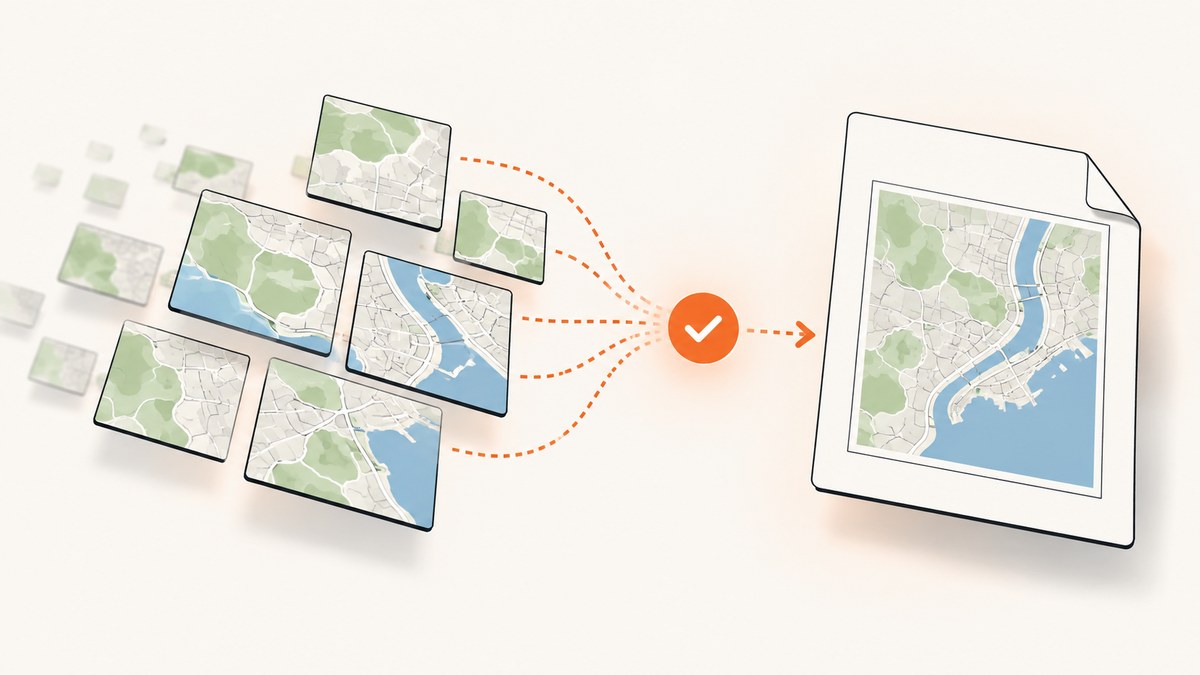
To make wkhtmltopdf wait for a Leaflet map, have the page set a known value on window.status from the tile layer’s load event, then invoke wkhtmltopdf with --window-status set to that value. Leaflet’s GridLayer load event fires after all visible tiles for that layer have loaded, while wkhtmltopdf can wait until window.status equals a supplied string.
This event-driven handshake is more reliable than guessing a JavaScript delay when you control the page. The complete pattern is:
<script>
var map = L.map('map').setView([51.505, -0.09], 13);
var tiles = L.tileLayer('https://{s}.tile.openstreetmap.org/{z}/{x}/{y}.png', {
attribution: '© OpenStreetMap contributors'
});
window.status = 'map-loading';
tiles.once('load', function () {
window.status = 'leaflet-ready';
});
tiles.addTo(map);
</script>wkhtmltopdf --enable-javascript --window-status leaflet-ready input.html output.pdfRegister the handler before calling addTo(map). That ordering ensures the completion event cannot fire before the handler is installed. The wkhtmltopdf manual documents both --window-status and JavaScript controls. Leaflet documents the GridLayer events in its API reference.
1. Build a page-side readiness signal
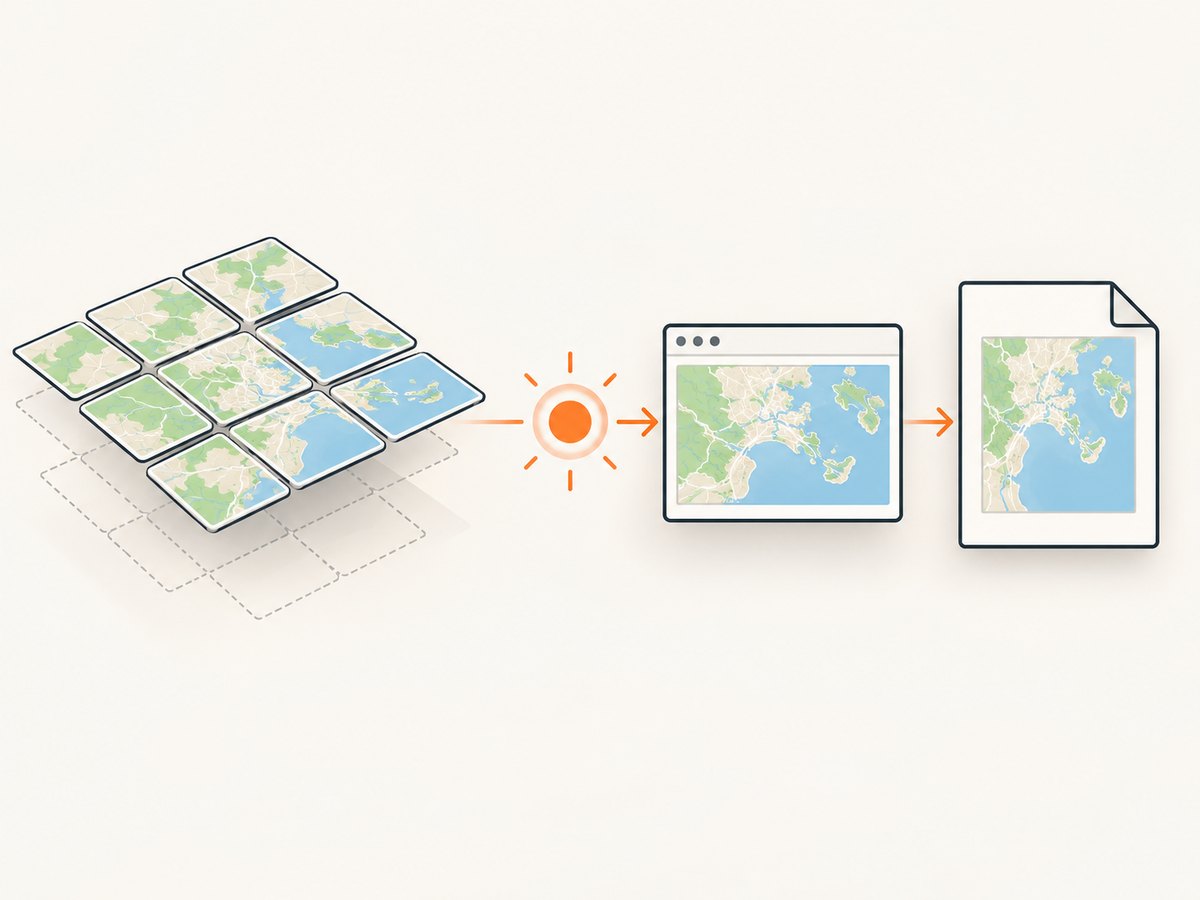
The renderer needs a condition that represents the map state you actually want in the PDF. A Leaflet map’s own load event means the map was initialized with its initial center and zoom. It does not guarantee that the visible basemap images have finished downloading. For a basemap, listen to the tile layer’s load event instead.
Minimal HTML example
<!doctype html>
<html>
<head>
<meta charset="utf-8">
<title>Leaflet map for PDF</title>
<link rel="stylesheet" href="https://unpkg.com/leaflet@1.9.4/dist/leaflet.css">
<style>
html, body { margin: 0; }
#map { width: 900px; height: 600px; }
</style>
</head>
<body>
<div id="map"></div>
<script src="https://unpkg.com/leaflet@1.9.4/dist/leaflet.js"></script>
<script>
var map = L.map('map').setView([51.505, -0.09], 13);
var tiles = L.tileLayer('https://{s}.tile.openstreetmap.org/{z}/{x}/{y}.png', {
attribution: '© OpenStreetMap contributors'
});
window.status = 'map-loading';
tiles.once('load', function () {
window.status = 'leaflet-ready';
});
tiles.addTo(map);
</script>
</body>
</html>Render it with:
wkhtmltopdf \
  --enable-javascript \
  --window-status leaflet-ready \
  input.html output.pdf
The status value is arbitrary, but it must match exactly, including capitalization and punctuation. Set a non-ready value before starting the tile request. Otherwise, an old value or an unrelated script could make the renderer believe the page is complete.
2. Coordinate multiple Leaflet layers
If the map has several layers that must appear in the PDF, one layer’s load event is insufficient. Wait for every required layer, then set window.status. A small counter or set makes the completion condition explicit.
var map = L.map('map').setView([51.505, -0.09], 13);
var base = L.tileLayer('https://{s}.tile.openstreetmap.org/{z}/{x}/{y}.png');
var labels = L.tileLayer('https://example.com/labels/{z}/{x}/{y}.png');
var layers = [base, labels];
var finished = new Set();
var failed = new Set();

window.status = 'map-loading';

layers.forEach(function (layer, index) {
  layer.once('load', function () {
    finished.add(index);
    if (finished.size === layers.length) {
      window.status = 'leaflet-ready';
    }
  });
  layer.on('tileerror', function () {
    failed.add(index);
  });
  layer.addTo(map);
});
Use this approach when overlays, labels, or additional raster sources are part of the required output. If an optional overlay can be absent without making the document invalid, exclude it from the required layer list and handle it separately.
3. Handle tile errors and timeouts
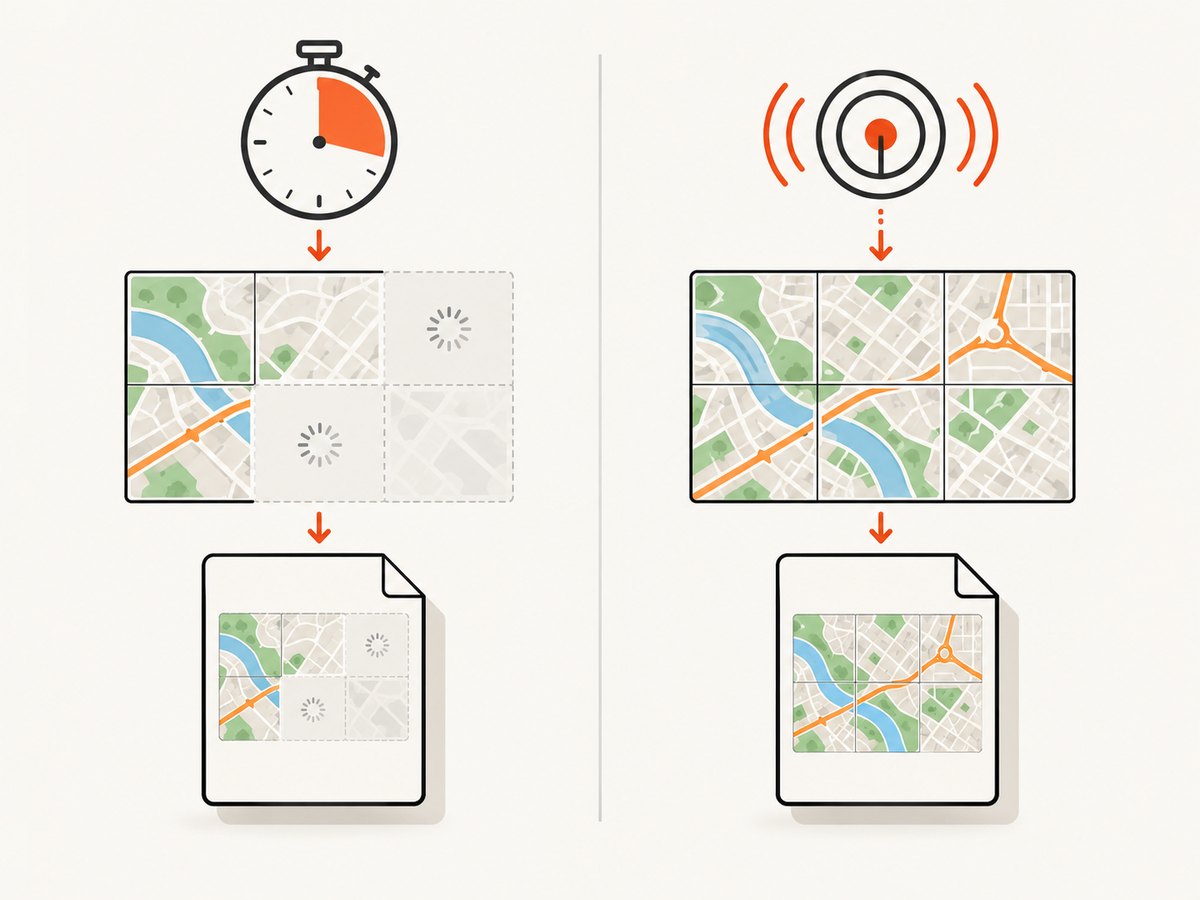
A failed tile can mean the desired map will never become complete. Without a fallback, wkhtmltopdf may wait indefinitely for a status value that is never assigned. Leaflet exposes tileerror, tileloadstart, tileload, and isLoading() for diagnosis and coordination.
Choose a policy that matches your document. You can fail explicitly, produce a degraded map after a bounded period, or report a separate status for an error:
var map = L.map('map').setView([51.505, -0.09], 13);
var tiles = L.tileLayer('https://{s}.tile.openstreetmap.org/{z}/{x}/{y}.png');
var sawTileError = false;
var settled = false;

window.status = 'map-loading';

tiles.once('load', function () {
  if (!settled) {
    settled = true;
    window.status = sawTileError ? 'leaflet-ready-with-errors' : 'leaflet-ready';
  }
});

tiles.on('tileerror', function () {
  sawTileError = true;
});

tiles.addTo(map);

setTimeout(function () {
  if (!settled) {
    settled = true;
    window.status = 'leaflet-timeout';
  }
}, 30000);
If you use the timeout status, pass that value to a separate conversion path or inspect the generated result as a degraded document. Do not silently treat a timeout as a complete map when map accuracy matters.
4. Choose between --window-status and --javascript-delay
| Method | How it works | Best use | Limitation |
|---|---|---|---|
--window-status VALUE |
Waits until page JavaScript sets window.status to VALUE. |
A page you control, with a meaningful Leaflet completion event. | Requires page-side code and a status that is always reached or bounded by a fallback. |
--javascript-delay MILLISECONDS |
Waits a fixed amount of time after page loading. | A page you cannot modify, or a simple fallback. | A duration can be too short on a slow connection and waste time on a fast one. |
The manual also documents --run-script, which can execute additional JavaScript after page loading. That can help when you need to set a status from outside the source page, but it does not automatically know when Leaflet tiles finish. A fixed delay remains a guess unless you have measured the specific environment and accept the risk of an incomplete map.
wkhtmltopdf \
  --enable-javascript \
  --javascript-delay 5000 \
  input.html output.pdf
5. wkhtmltopdf options that affect this workflow
--enable-javascript: required for Leaflet initialization and event handlers. Verify that your binary has not been configured with--disable-javascript.--window-status: the exact readiness handshake. Keep the value short and stable.--javascript-delay: a fixed wait, useful as a fallback but unrelated to actual tile completion.--run-script: injects JavaScript after page loading when you cannot edit the source.- Page and outline options: set the PDF page size, orientation, margins, and outline behavior independently of map readiness. They do not wait for network resources.
Check the actual binary in your deployment environment. Packaged builds can differ in supported switches and in their JavaScript engine behavior. Run wkhtmltopdf --extended-help or consult the installed manual before relying on an option in production.
6. Tile-provider and browser-environment issues
The conversion host must be able to resolve the tile hostname, establish HTTPS connections, and receive the images. Proxies, firewalls, certificate stores, DNS rules, and user-agent restrictions can all affect the result. A page that works in a desktop browser can still fail in a server-side conversion environment.
Use a tile provider under terms that permit your use. If the provider is Google Maps, Leaflet’s FAQ warns that Google tiles must be accessed through the Google Maps API; it describes the GoogleMutant plugin route and notes possible lag or glitches. Do not substitute direct Google tile URLs for an approved API integration.
For reproducible output:
- Use a fixed map center and zoom before starting capture.
- Give the map container an explicit width and height.
- Load Leaflet CSS before the map is initialized.
- Use a tile endpoint reachable from the conversion machine.
- Include attribution required by the tile provider.
- Keep a finite timeout and record whether the result was complete, degraded, or failed.
7. Troubleshooting checklist
The command exits before tiles appear
Confirm that JavaScript is enabled and that the page assigns the exact status string requested by --window-status. Initialize window.status to a non-ready value before adding the layer. Check the spelling and capitalization on both sides.
The PDF never finishes
The tile layer may have encountered an error, or the handler may have been attached after addTo(map). Attach the handler first, listen for tileerror, and add a finite timeout that assigns an error or degraded status.
The map background is blank
Inspect the conversion host’s network access, DNS, TLS certificates, proxy settings, and tile URL. Also verify that the map container has a nonzero size and that Leaflet’s stylesheet loaded.
The map initialization event fires but images are missing
Use the tile layer’s GridLayer load event. The map’s initialization milestone does not promise that visible tile images have loaded.
Only some overlays appear
Coordinate all required tile layers. Set the ready status only after every required layer has emitted load. Track each layer separately so one successful layer cannot mask another that is still loading.
Tiles work locally but fail in production
Compare the URL, user agent, outbound network policy, and certificate store between environments. Confirm the provider permits requests from the production host and that the conversion process can reach every required resource.
8. Performance, reliability, and cost considerations
An event-driven wait avoids an arbitrary long delay, but total conversion time still depends on the number of visible tiles, tile-server latency, DNS and TLS setup, and any retries or errors. Larger map dimensions and higher zoom levels generally require more tile requests. Keep the output viewport only as large as the document requires.
For reliability, make readiness observable. Log the selected center and zoom, the layer names, whether tileerror fired, the final status value, and the conversion duration. A status such as leaflet-ready-with-errors lets downstream code distinguish a complete map from a degraded one.
For repeated reports, reuse stable page assets where appropriate and avoid loading unrelated scripts. Cache policy belongs to your tile provider and deployment architecture; do not assume that a browser cache exists in a fresh conversion process.
9. Or skip the browser setup
If you need a screenshot or PDF without maintaining a headless browser, ScreenshotNeo provides a website screenshot API and MCP server. It can wait for a selector, a delay, or network idle; run custom JavaScript; click an element; block unwanted requests; set headers, cookies, a user agent, timezone, and geolocation; capture a full page or one CSS-selected element; and return PNG, JPEG, WebP, or PDF.
One request captures the target URL:
curl -G "https://api.screenshotneo.com/v1/shot" -d access_key=YOUR_API_KEY --data-urlencode url=https://stripe.com -o shot.webpPython:
import requests
r = requests.get("https://api.screenshotneo.com/v1/shot", params={"access_key": "YOUR_API_KEY", "url": "https://stripe.com"}, timeout=90)
open("shot.webp", "wb").write(r.content)
Node.js:
const q = new URLSearchParams({ access_key: 'YOUR_API_KEY', url: 'https://stripe.com' });
const res = await fetch(`https://api.screenshotneo.com/v1/shot?${q}`);
See the ScreenshotNeo documentation for request options and PDF parameters. Cookie banners, newsletter popups, and chat widgets are removed before the shot. Bot checks, blank pages, failed loads, timeouts, and cache hits are not billed, and response headers identify the page verdict and billing result. An MCP server lets Claude, Cursor, and other MCP clients use take_screenshot, get_page_info, and capture_pdf. The free plan includes 1,000 screenshots each month with no card; paid plans start at $5 for 3,000.
Create a free ScreenshotNeo account and start with 1,000 screenshots per month at no charge.
10. FAQ
Should I listen for Leaflet’s map load event?
Use the tile layer’s GridLayer load event when the requirement is that visible basemap tiles have loaded. The map event represents initialization, not necessarily completed tile downloads.
Can I use a status value other than leaflet-ready?
Yes. Any string works as long as the page and the --window-status argument use the same exact value.
What if I cannot change the page?
Use --javascript-delay or --run-script. A fixed delay needs tuning and can still produce an incomplete map when network latency varies.
Does the Leaflet event guarantee every possible map resource is ready?
It covers the visible tiles for that GridLayer. Coordinate additional required layers, markers, or application data with their own readiness signals.
How should I handle an unreachable tile server?
Listen for tileerror, use a finite timeout, and emit a distinct error or degraded status instead of waiting forever.


