How to Use XPath Selectors in Node.js for Web Scraping
Learn XPath in Node.js for static HTML, XML, and JavaScript-rendered pages, with namespaces, typed results, debugging, and production patterns.

Direct answer: For static HTML or XML, install the xpath package with @xmldom/xmldom, parse the response into a DOM, and call xpath.select, select1, or evaluate. For pages whose content is created by JavaScript, load the page in Playwright or Puppeteer first, then apply an XPath locator in the browser context. Use short selectors tied to stable attributes or semantic structure, bind namespaces explicitly, and log match counts while developing.
This guide shows a complete Node.js workflow, from installation to production scraping. It covers selecting one node or many, extracting attributes and scalar values, XPath result types, XML namespaces, browser automation, frames, shadow roots, reliability, performance, cost, and troubleshooting.
1. Choose the right XPath workflow
| Page type | Recommended approach | Why |
|---|---|---|
| Server-rendered HTML or XML | fetch (or another HTTP client) + @xmldom/xmldom + xpath |
Fast and inexpensive; no browser is needed. |
| JavaScript-rendered content | Playwright or Puppeteer, then XPath in the browser | The final DOM exists only after scripts run. |
| XML with namespaces | xpath.useNamespaces or explicit local-name()/namespace-uri() |
Unprefixed XPath does not match namespaced elements. |
| Shadow DOM | Enter an open shadow root or use a supported locator strategy | Playwright XPath does not pierce shadow roots. |
The xpath npm package implements XPath 1.0 for Node.js and is commonly paired with @xmldom/xmldom. Browser APIs expose XPath through Document.evaluate; Playwright and Puppeteer provide browser-context wrappers.
2. Install the XPath engine and DOM parser
mkdir xpath-scraper
cd xpath-scraper
npm init -y
npm install xpath @xmldom/xmldom
If you use ES module syntax, add "type": "module" to package.json, or save the examples with .mjs. The parser creates a searchable DOM from a string; the XPath package evaluates expressions against that DOM.
3. Parse HTML and select many nodes
import xpath from 'xpath';
import { DOMParser } from '@xmldom/xmldom';

const html = `<article>
  <h1>XPath guide</h1>
  <a href="/docs">Docs</a>
  <a href="/api">API</a>
</article>`;

const doc = new DOMParser().parseFromString(html, 'text/html');
const headings = xpath.select('//article//h1', doc);
const links = xpath.select('//article//a', doc);

console.log(headings.map(node => node.textContent));
for (const link of links) {
  console.log(link.textContent.trim(), link.getAttribute('href'));
}
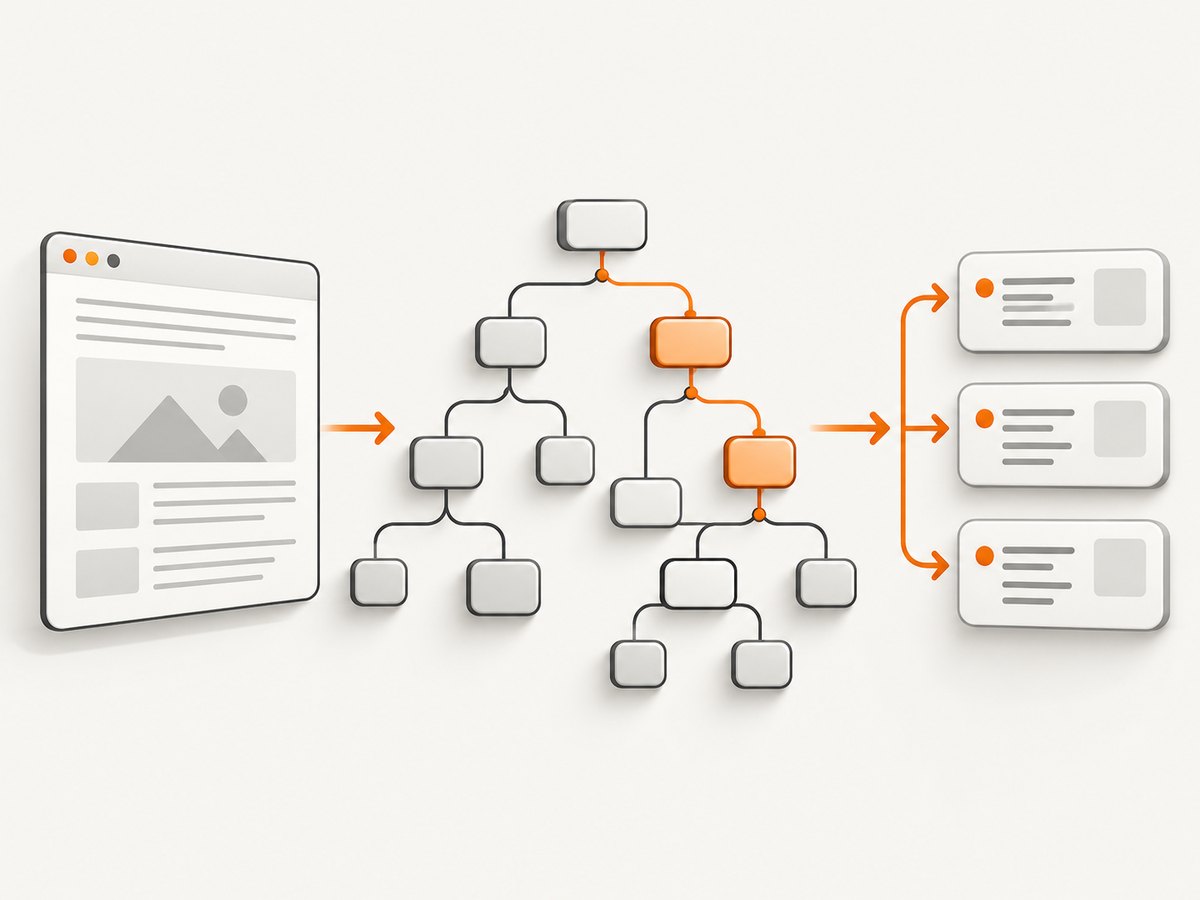
xpath.select(expression, contextNode) returns a collection. In JavaScript, the result is normally an array of DOM nodes, but scalar XPath expressions can return a string, number, or boolean. Check the result type before calling array methods.
Select by attributes, text, and position
// links whose href starts with /docs
const docsLinks = xpath.select('//a[starts-with(@href, "/docs")]', doc);

// an element with an exact class token
const prices = xpath.select(
  '//*[contains(concat(" ", normalize-space(@class), " "), " price ")]',
  doc
);

// the second article heading
const secondHeading = xpath.select1('(//article//h2)[2]', doc);

// a link whose visible text is exactly “API”
const apiLink = xpath.select1('//a[normalize-space(.)="API"]', doc);
Prefer semantic attributes, labels, and stable IDs. Avoid selectors based on generated class names or a long absolute path such as /html/body/div[2]/div[1]/...; small markup changes can invalidate them.
4. Select one node and extract scalar values
Use select1 when you need one node. It returns the first match or undefined when there is no match.
const titleNode = xpath.select1('//article//h1', doc);
if (!titleNode) {
  throw new Error('Expected an article heading');
}
console.log(titleNode.textContent.trim());

const href = xpath.select1('//article//a/@href', doc)?.value ?? null;
console.log(href);
For a direct scalar result, use an XPath function. This avoids manual node handling when you only need text or a count.
const title = xpath.select('string(//article//h1)', doc);
const linkCount = xpath.select('count(//article//a)', doc);
const hasApi = xpath.select('boolean(//article//a[normalize-space(.)="API"])', doc);

console.log({ title, linkCount, hasApi });
When a value may be absent, decide whether an empty string is acceptable. string() returns an empty string for a missing node, whereas select1 lets you distinguish “not found” with undefined.
5. Use typed XPath evaluation and iteration
For XPathResult-style control, call xpath.evaluate with a result type. This mirrors the browser Document.evaluate shape: expression, context node, namespace resolver, result type, and an optional reusable result object.
const result = xpath.evaluate(
  '//article//a',
  doc,
  null,
  xpath.XPathResult.ORDERED_NODE_ITERATOR_TYPE,
  null
);

for (let node = result.iterateNext(); node; node = result.iterateNext()) {
  console.log(node.textContent.trim(), node.getAttribute('href'));
}
Useful result constants include:
ANY_TYPE: let the engine choose a suitable type.STRING_TYPE: a string value.NUMBER_TYPE: a numeric value.BOOLEAN_TYPE: a boolean value.ORDERED_NODE_ITERATOR_TYPE: iterate matching nodes in document order.ORDERED_NODE_SNAPSHOT_TYPE: take a snapshot when you need indexed access.
Iterators are useful for streaming extraction logic over a large result set. Snapshots are safer if the underlying document might be modified while you process it.
6. Handle XML namespaces correctly
In a namespace-aware XML document, //title does not match <book:title> merely because the local name is “title”. Bind the namespace URI to a prefix and use that prefix in the expression.
import xpath from 'xpath';
import { DOMParser } from '@xmldom/xmldom';

const xml = `<catalog xmlns="http://example.com/book">
  <book>
    <title>XPath guide</title>
  </book>
</catalog>`;
const doc = new DOMParser().parseFromString(xml, 'text/xml');

const select = xpath.useNamespaces({ book: 'http://example.com/book' });
const titles = select('//book:title/text()', doc);
console.log(titles.map(node => node.data));
The prefix you choose in the XPath is local to your resolver. It does not need to match the document’s prefix; the URI must match. For documents where the namespace URI is unknown or varies, use namespace tests:
const titles = xpath.select(
  '//*[local-name()="title" and namespace-uri()="http://example.com/book"]',
  doc
);
Use local-name() carefully. It is a useful fallback, but a precise bound prefix is easier to review and less likely to select an unrelated element with the same local name.
7. Fetch a page before parsing it
XPath operates on a document you already have. A complete static scraper fetches the response, checks the status, parses the body, and validates the result.
import xpath from 'xpath';
import { DOMParser } from '@xmldom/xmldom';

const response = await fetch('https://example.com/article');
if (!response.ok) {
  throw new Error(`HTTP ${response.status}`);
}
const html = await response.text();
const doc = new DOMParser().parseFromString(html, 'text/html');

const title = xpath.select('string(//article//h1)', doc).trim();
const links = xpath.select('//article//a[@href]', doc).map(node => ({
  text: node.textContent.trim(),
  href: node.getAttribute('href')
}));

if (!title) {
  throw new Error('No article title in the server response');
}
console.log(JSON.stringify({ title, links }, null, 2));
A plain HTTP request sees the server response only. If the server sends an empty shell and JavaScript inserts the article later, the XPath query can correctly return zero nodes because those nodes do not exist yet.
8. Scrape JavaScript-rendered pages with Playwright
Install Playwright when you need a real browser:
npm install playwright
npx playwright install chromium
import { chromium } from 'playwright';

const browser = await chromium.launch();
const page = await browser.newPage();
try {
  await page.goto('https://example.com/article', { waitUntil: 'domcontentloaded' });
  await page.locator('//article//h2').first().waitFor();
  const headings = await page.locator('//article//h2').allTextContents();
  console.log(headings.map(text => text.trim()));
} finally {
  await browser.close();
}
Playwright supports CSS and XPath through page.locator(). Strings beginning with // or .. are treated as XPath, so both page.locator('//article//h2') and page.locator('xpath=//article//h2') are explicit options. Prefer a locator and an appropriate wait over a fixed delay:
await page.locator('xpath=//article//h2').waitFor({ state: 'visible' });
const count = await page.locator('xpath=//article//h2').count();
For an element action, narrow the locator before clicking:
await page.locator('//article//button[normalize-space(.)="Load more"]').click();
await page.locator('//article//h2').last().waitFor();
9. Scrape with Puppeteer
Puppeteer uses the browser’s native Document.evaluate for XPath selectors. Its selector syntax uses the ::-p-xpath() form.
import puppeteer from 'puppeteer';

const browser = await puppeteer.launch({ headless: true });
const page = await browser.newPage();
try {
  await page.goto('https://example.com/article', { waitUntil: 'networkidle2' });
  const heading = await page.waitForSelector('::-p-xpath(//article//h2)');
  console.log(await heading.evaluate(node => node.textContent.trim()));
} finally {
  await browser.close();
}
Use browser waits that match the page’s behavior: a selector for a known component, a network-idle condition for pages that settle, or an application-specific readiness signal. A fixed timeout can be either too short on a slow run or unnecessarily long on a fast run.
10. Frames, shadow roots, and hidden content
Frames
XPath queries run in one document at a time. If the target is inside an iframe, obtain that frame and query its document:
const frame = page.frames().find(f => f.url().includes('/embedded-data'));
if (!frame) throw new Error('Target frame not found');
const value = await frame.locator('//table//tr[1]/td[1]').textContent();
console.log(value?.trim());
Shadow DOM
Playwright’s XPath selectors do not pierce shadow roots. For an open shadow root, locate the host and then use a locator strategy supported inside that root, or evaluate code in the page to access shadowRoot. Closed shadow roots cannot be queried from page JavaScript.
Visibility
XPath selects nodes regardless of whether they are visible. In a browser, add a visibility check or use a locator assertion before extracting. In static HTML, “hidden” may be represented by CSS, an attribute, or content that is later removed; XPath alone does not compute layout.
11. Build selectors that survive markup changes
- Start with the shortest expression that identifies the semantic region, such as
//article//h2. - Anchor to stable attributes:
@data-testid, an accessible label, a stable ID, or a meaningful link target. - Use
normalize-space(.)for text with incidental whitespace. - Use positional predicates only when order is part of the data contract.
- Log the expression, match count, and a short text sample during development.
- Keep extraction separate from navigation and waiting code so each failure has a clear cause.
function requireOne(expression, context) {
  const node = xpath.select1(expression, context);
  const sample = node?.textContent?.trim().slice(0, 120) ?? '';
  console.log({ expression, found: Boolean(node), sample });
  if (!node) throw new Error(`XPath matched no node: ${expression}`);
  return node;
}
12. Troubleshooting common XPath errors
| Symptom | Likely cause | Fix |
|---|---|---|
| Zero matches in Node.js | The content is client-rendered, in a frame, namespaced, or inside a shadow root. | Inspect the raw response, use a browser, select the frame, or bind the namespace. |
Cannot read properties of undefined |
select1 returned no node. |
Check the match count and handle the missing case before reading properties. |
| Text contains extra whitespace | Nested elements and formatting whitespace are part of textContent. |
Call trim() or use normalize-space() for XPath string extraction. |
| Prefixed XML query fails | The prefix is not bound to the correct URI. | Use useNamespaces with the document’s namespace URI. |
| Playwright times out | The selector never appears, the page is still loading, or the wrong frame is queried. | Inspect the rendered DOM, wait for a meaningful readiness condition, and verify the frame URL. |
| Puppeteer rejects the selector | Browser CSS syntax was used instead of Puppeteer’s XPath syntax. | Use ::-p-xpath(…) with waitForSelector. |
| Selector breaks after a redesign | It depends on generated classes or absolute hierarchy. | Anchor to semantic attributes, stable text, or a documented data attribute. |
13. Performance, reliability, and cost
Static parsing is usually much lighter than launching a browser. Reuse a browser instance for multiple pages, create a fresh context when isolation is required, and close pages in a finally block. Limit concurrency to what the target and your machine can handle; excessive parallel tabs increase memory use and can trigger rate limits.
Cache responses when the source permits it, set explicit navigation and request timeouts, and retry only transient failures such as connection resets or selected 5xx responses. Do not blindly retry deterministic selector failures. Record the URL, status, elapsed time, selector, match count, and a redacted error message so a changed page can be diagnosed.
For large documents, select the smallest context node practical and extract only required fields. XPath 1.0 has no native regular-expression function, so complex text normalization may be clearer in JavaScript after selecting a bounded set of nodes. Treat scraped data as untrusted input: enforce maximum response sizes, avoid evaluating page-provided strings, and respect the target’s terms and access rules.
14. Or skip the browser setup
If your goal is a clean screenshot or rendered page artifact rather than custom DOM extraction, ScreenshotNeo provides a website screenshot API and MCP server. It accepts one GET request and returns PNG, JPEG, WebP, or PDF. Cookie and consent banners, newsletter popups, and chat widgets are removed before capture; bot checks, blank pages, timeouts, failed loads, and cache hits are not billed. An MCP server provides take_screenshot, get_page_info, and capture_pdf tools for Claude, Cursor, and other MCP clients.

See the ScreenshotNeo API documentation for all options. The basic call is:
curl -G "https://api.screenshotneo.com/v1/shot" -d access_key=YOUR_API_KEY --data-urlencode url=https://stripe.com -o shot.webpimport requests
r = requests.get("https://api.screenshotneo.com/v1/shot", params={"access_key": "YOUR_API_KEY", "url": "https://stripe.com"}, timeout=90)
open("shot.webp", "wb").write(r.content)
const q = new URLSearchParams({ access_key: 'YOUR_API_KEY', url: 'https://stripe.com' });
const res = await fetch(`https://api.screenshotneo.com/v1/shot?${q}`);
Features include full-page capture with lazy images loaded, CSS-element capture, dark mode, device presets and custom viewports, retina scale, PDF paper and page controls, HTML/CSS to image, custom CSS and JavaScript, click and wait actions, ad and tracker blocking, custom headers/cookies/user agents, timezone and geolocation, transparent backgrounds, resizing, selectable cache TTLs, signed links, asynchronous jobs with signed webhooks, bulk capture of up to 100 URLs per call, a usage API, and an OpenAPI specification. Responses include X-Page-Verdict and X-Billed headers.
Free usage includes 1,000 screenshots per month with no card. Paid plans start at $5 for 3,000 shots; every feature is available on every plan. Create a free ScreenshotNeo account.
15. A practical production checklist
- Identify whether the required data exists in the initial HTML or requires JavaScript.
- Choose the static parser or a browser accordingly.
- Write the shortest stable XPath and test its count and sample text.
- Handle namespaces, frames, and shadow roots explicitly.
- Distinguish missing nodes from empty values.
- Set timeouts, bounded retries, response-size limits, and concurrency limits.
- Log selector and page context without leaking credentials or sensitive data.
- Monitor match-count changes so markup changes are detected quickly.
- Close browser resources in cleanup code.
16. FAQ
Does Node.js include XPath?
No. Install the xpath package and pair it with a DOM implementation such as @xmldom/xmldom, or use a browser automation library that exposes the browser’s XPath implementation.
Which is faster, CSS or XPath?
There is no universal winner for every page and expression. Choose the selector that expresses a stable relationship clearly, then measure your own workload. XPath is especially useful for text predicates, ancestors, and relationships that are awkward in CSS.
Can XPath click a button?
In Playwright or Puppeteer, XPath locators can drive browser actions such as clicking after the element is available. The standalone xpath package only queries a parsed document; it does not perform browser actions.
Why does my XPath work in DevTools but not with xmldom?
DevTools evaluates against the live, JavaScript-rendered browser DOM. xmldom evaluates the exact string you parsed. Compare the raw response with the rendered DOM and switch to Playwright or Puppeteer when scripts create the target nodes.
How do I extract an attribute?
Select the attribute node and read its value, for example xpath.select1('//a/@href', doc)?.value. For many links, select the elements and call getAttribute('href').


