How to Create YouTube Thumbnails with HTML and CSS
Build a 16:9 YouTube thumbnail with HTML and CSS, export it as PNG or JPEG, check the file, and upload it through the YouTube API.
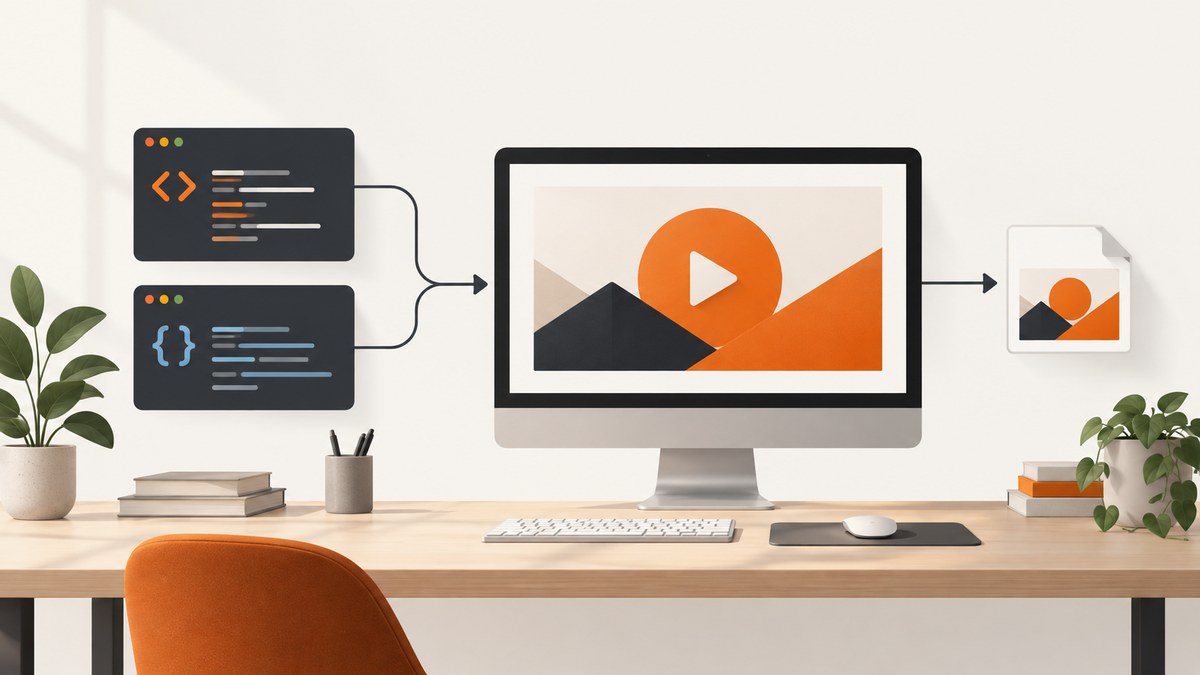
Yes. HTML and CSS can define the thumbnail layout, typography, colors, and shapes. YouTube ultimately needs an image file, so finish by capturing the rendered artboard or drawing an equivalent canvas and exporting it as PNG or JPEG. Keep the design surface at an explicit 16:9 ratio, inspect the exported pixels at their final size, then upload the file with YouTube’s thumbnails.set method.
1. Choose the output size and workflow
A 16:9 artboard prevents accidental stretching. Pick a pixel size for the exported file, such as 1280×720, and keep that ratio throughout the design. YouTube documents several thumbnail variants and says a dimension-mismatched upload is resized without cropping; black bars can be added, so inspect the actual file before uploading.
| Approach | Best for | Trade-offs |
|---|---|---|
| HTML/CSS artboard plus browser capture | Grid or flex layouts, web fonts, and fast iteration | The capture step must preserve the exact viewport and loaded assets. |
| Canvas drawing | A direct, scriptable toBlob() export |
You must set intrinsic canvas dimensions and handle cross-origin images. |
Use local images or configure CORS on remote images. A canvas containing pixels from an origin that does not permit readback can become tainted, causing export to fail.
2. Build a standalone HTML/CSS thumbnail
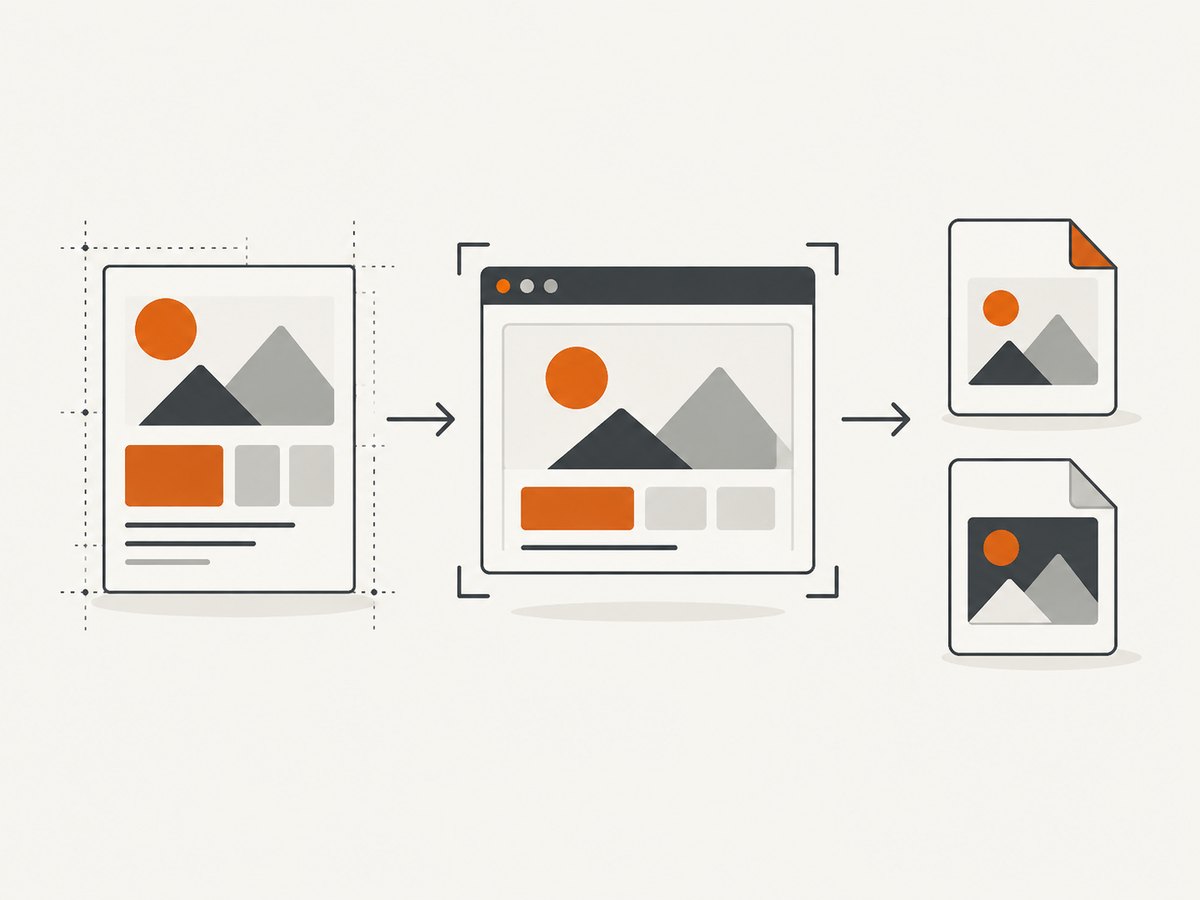
Save this as thumbnail.html and open it in a browser. The artboard is deliberately fixed to 16:9; the CSS scales its display size while the capture viewport determines the exported pixels.
<!doctype html>
<html lang="en">
<head>
  <meta charset="utf-8">
  <meta name="viewport" content="width=device-width, initial-scale=1">
  <title>Thumbnail</title>
  <style>
    :root { --ink: #10131a; --accent: #ffd447; --paper: #fff7e8; }
    * { box-sizing: border-box; }
    body { margin: 0; min-height: 100vh; display: grid; place-items: center; background: #20242d; font-family: system-ui, sans-serif; }
    .artboard {
      width: min(1280px, 100vw);
      aspect-ratio: 16 / 9;
      position: relative;
      overflow: hidden;
      color: var(--paper);
      background: linear-gradient(120deg, #172554 0%, #7c2d12 100%);
      isolation: isolate;
    }
    .artboard::before { content: ""; position: absolute; width: 58%; height: 140%; right: -12%; top: -20%; background: var(--accent); transform: rotate(15deg); z-index: -1; }
    .copy { position: absolute; inset: 9% 8%; display: flex; flex-direction: column; justify-content: space-between; }
    .eyebrow { font-size: clamp(18px, 2vw, 34px); font-weight: 800; letter-spacing: .08em; text-transform: uppercase; }
    h1 { max-width: 68%; margin: 0; color: white; font-size: clamp(48px, 8vw, 132px); line-height: .9; letter-spacing: -.04em; text-wrap: balance; }
    .tag { align-self: flex-start; padding: .45em .75em; color: var(--ink); background: var(--accent); font-weight: 900; font-size: clamp(18px, 2.2vw, 36px); transform: rotate(-3deg); }
    .subject { position: absolute; right: 7%; bottom: 7%; width: 27%; aspect-ratio: 1; border-radius: 50%; background: radial-gradient(circle at 35% 30%, #fff 0 8%, #fb7185 9% 38%, #be123c 39% 100%); box-shadow: 18px 18px 0 rgba(0,0,0,.2); }
  </style>
</head>
<body>
  <main class="artboard" aria-label="Video thumbnail preview">
    <div class="copy">
      <div class="eyebrow">CSS tutorial</div>
      <h1>Make it
Design checks before export
- Keep the headline short enough to remain legible in a small preview.
- Use strong contrast between text and its background.
- Keep essential text and faces away from the extreme edges.
- Load every font and image before capturing.
- Review the final raster at its actual pixel dimensions, not only as a large browser preview.
3. Export the artboard to an image
Option A: capture the rendered HTML/CSS
Set the browser viewport to the artboard's intended pixel dimensions, wait for fonts and images, and use the browser's screenshot command to capture the element. This preserves CSS layout and web typography, but the exact command differs by browser and automation tool. Ensure browser zoom is 100% and capture only the artboard.
Option B: export a canvas with toBlob()
Canvas exports are deterministic when you set intrinsic dimensions. CSS that changes only the displayed width and height scales the bitmap and can distort it. The following complete page draws a simple thumbnail and downloads a PNG or JPEG. The browser-supported default for toBlob() is PNG when the type is omitted or unsupported.
<!doctype html>
<canvas id="thumb" width="1280" height="720"></canvas>
<button id="png">Download PNG</button>
<button id="jpg">Download JPEG</button>
<script>
const canvas = document.querySelector('#thumb');
const ctx = canvas.getContext('2d');
ctx.fillStyle = '#172554'; ctx.fillRect(0, 0, 1280, 720);
ctx.fillStyle = '#ffd447'; ctx.beginPath(); ctx.moveTo(760, -80); ctx.lineTo(1400, 40); ctx.lineTo(1120, 850); ctx.lineTo(650, 700); ctx.closePath(); ctx.fill();
ctx.fillStyle = '#fff'; ctx.font = '900 112px system-ui'; ctx.fillText('MAKE IT', 90, 310); ctx.fillText('STAND OUT', 90, 440);
function download(type, name) {
  canvas.toBlob(blob => {
    if (!blob) throw new Error('The browser could not create an image blob.');
    const a = document.createElement('a'); a.href = URL.createObjectURL(blob); a.download = name; a.click();
    URL.revokeObjectURL(a.href);
  }, type, type === 'image/jpeg' ? 0.92 : undefined);
}
document.querySelector('#png').onclick = () => download('image/png', 'thumbnail.png');
document.querySelector('#jpg').onclick = () => download('image/jpeg', 'thumbnail.jpg');
</script>
If toBlob() throws a SecurityError, remove or correctly configure the cross-origin image that was drawn onto the canvas. A null blob means the browser could not produce the requested output.
4. PNG or JPEG?
| Format | Use when | Notes |
|---|---|---|
| PNG | Text, flat colors, sharp shapes, transparency | Lossless and the required browser-supported default for toBlob(). |
| JPEG | Photographic backgrounds or when a smaller file is useful | Choose a quality value and inspect text edges for compression artifacts. |
YouTube's thumbnail upload method accepts JPEG and PNG. The current reference documents a 50 MB maximum upload; check the live documentation if that limit changes.
5. Upload with the YouTube Data API
Google's method is thumbnails.set: “Uploads a custom video thumbnail to YouTube and sets it for a video.” It requires a target videoId, an authorized request, and the image body. The upload endpoint is https://www.googleapis.com/upload/youtube/v3/thumbnails/set.
cURL
curl -X POST \
  -H "Authorization: Bearer ACCESS_TOKEN" \
  -H "Content-Type: image/png" \
  --data-binary @thumbnail.png \
  "https://www.googleapis.com/upload/youtube/v3/thumbnails/set?videoId=VIDEO_ID"
Python
import requests

video_id = "VIDEO_ID"
with open("thumbnail.png", "rb") as image:
    response = requests.post(
        "https://www.googleapis.com/upload/youtube/v3/thumbnails/set",
        params={"videoId": video_id},
        headers={
            "Authorization": "Bearer ACCESS_TOKEN",
            "Content-Type": "image/png",
        },
        data=image,
        timeout=90,
    )
response.raise_for_status()
print(response.json())
Node.js
import { readFile } from 'node:fs/promises';

const videoId = 'VIDEO_ID';
const image = await readFile('thumbnail.png');
const response = await fetch(
  `https://www.googleapis.com/upload/youtube/v3/thumbnails/set?videoId=${encodeURIComponent(videoId)}`,
  {
    method: 'POST',
    headers: {
      Authorization: 'Bearer ACCESS_TOKEN',
      'Content-Type': 'image/png'
    },
    body: image
  }
);
if (!response.ok) throw new Error(`${response.status}: ${await response.text()}`);
console.log(await response.json());
Use an OAuth access token with an appropriate YouTube scope. Do not put the token in client-side HTML. The accepted media types and authorization requirements are listed in Google's API reference.
6. Or skip the browser setup
ScreenshotNeo captures a publicly reachable HTML/CSS page through one request, returning PNG, JPEG, WebP, or PDF. It removes cookie and consent banners, newsletter popups, and chat widgets before capture. Bot checks, blank pages, timeouts, failed loads, and cache hits are not billed, and response headers identify the page verdict and billing status. Its MCP server provides take_screenshot, get_page_info, and capture_pdf tools for Claude, Cursor, and other MCP clients.

Publish your thumbnail page at a reachable URL, then call:
cURL
curl -G "https://api.screenshotneo.com/v1/shot" -d access_key=YOUR_API_KEY --data-urlencode url=https://example.com/thumbnail.html -o shot.webpPython
import requests
r = requests.get("https://api.screenshotneo.com/v1/shot", params={"access_key": "YOUR_API_KEY", "url": "https://example.com/thumbnail.html"}, timeout=90)
open("shot.webp", "wb").write(r.content)
Node.js
const q = new URLSearchParams({ access_key: 'YOUR_API_KEY', url: 'https://example.com/thumbnail.html' });
const res = await fetch(`https://api.screenshotneo.com/v1/shot?${q}`);
See the ScreenshotNeo documentation for the complete option list, including full-page capture, CSS-selector element capture, device presets, retina scale, custom CSS and JavaScript, waits, blocked resources, headers, cookies, caching, signed links, async jobs, bulk capture, and usage reporting. Free accounts include 1,000 screenshots per month with no card; paid plans start at $5 for 3,000.
Create a free ScreenshotNeo account and capture your first thumbnail page.
7. Troubleshooting
| Symptom | Cause | Fix |
|---|---|---|
| Text is blurry or stretched | Canvas intrinsic dimensions were left at defaults and resized only with CSS. | Set the width and height attributes to the intended pixel dimensions. |
Canvas export throws SecurityError |
A cross-origin image tainted the canvas. | Use local assets or serve the image with appropriate CORS headers before drawing it. |
toBlob() returns null |
The browser could not encode the requested output. | Check the canvas state, request image/png, and handle the null result. |
| Fonts differ in the screenshot | The web font had not finished loading. | Wait for document.fonts.ready in your capture process. |
| Thumbnail has black bars | The uploaded aspect ratio or dimensions did not match the destination variant. | Keep the source at 16:9 and inspect the exact exported file before upload. |
| API returns 401 or 403 | Missing, expired, or insufficient OAuth authorization. | Refresh the token and request a scope accepted by thumbnails.set. |
| API rejects the file | Unsupported media type, oversized file, or unreadable body. | Send JPEG or PNG, verify the file opens locally, and keep it under the documented 50 MB limit. |
8. Performance, reliability, and cost
- Render at the final pixel size once, instead of repeatedly scaling a large bitmap in CSS.
- Prefer compressed JPEG for photographic designs and PNG for text-heavy graphics; compare the resulting files visually.
- Wait for fonts, images, and any asynchronous layout changes before capture.
- Cache stable assets and avoid unnecessary third-party requests in an automated capture page.
- For repeated or bulk captures, use a capture service with explicit waits and caching, and check response status and output bytes before sending files to YouTube.
- YouTube upload cost and quota depend on your Google Cloud project; the thumbnail API documentation is the authority for current limits.
FAQ
Can I upload HTML directly as a YouTube thumbnail?
No. Render the page and upload a JPEG or PNG image.
Is 1280×720 mandatory?
The API reference describes variants and resizing behavior rather than one universal dimension requirement. A 16:9 export is a practical way to avoid unwanted bars.
Why does a canvas export lose an image?
Most often the image was cross-origin without permission for canvas readback, or it had not finished loading when drawing started.
Can meaningful text exist only inside the canvas?
Canvas pixels are not semantically exposed to accessibility tools. Keep important labels or controls as accessible HTML outside the final bitmap where applicable.
What does ScreenshotNeo capture?
It captures a reachable webpage and can return PNG, JPEG, WebP, or PDF. Its cleanup steps remove common consent banners, popups, and chat widgets before the shot.


