Zenscrape Alternatives for Web Scraping
Compare Zenscrape alternatives by rendering, extraction, proxy handling, throughput, and billing—and choose a shortlist to test on your target sites.
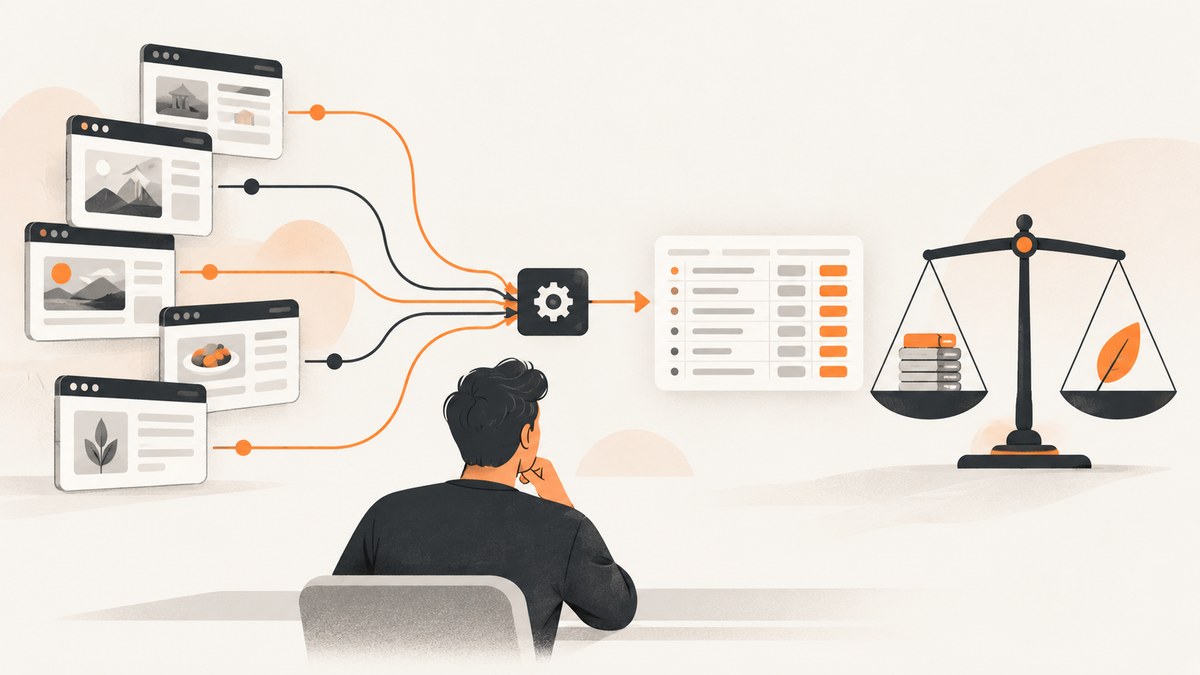
Short answer: there is no evidence-backed universal winner among Zenscrape alternatives in the available research. Start with ScrapingBee or Zyte API if you want a managed scraping API; consider Apify if reusable hosted Actors, scheduling, and storage matter; and evaluate Bright Data for structured, larger-scale extraction. Test each candidate against your own domains, geography, and request mix before migrating.
This research did not retrieve current first-party Zenscrape plan details, nor a controlled benchmark comparing Zenscrape with the alternatives. Treat this as a workload-based shortlist, not a claim that a particular provider is a drop-in replacement or faster, cheaper, or more reliable. Provider terms can change; verify current product documentation and pricing before committing.
1. Choose by workload, not by a universal ranking
“Web scraping” covers several different jobs. A service that returns rendered page HTML may fit a crawler that owns its parsing pipeline. A structured extraction API may fit a pipeline that needs normalized fields. A hosted Actor platform may fit a team that wants reusable site-specific automation, schedules, and managed storage. A browser screenshot API serves a different output need: it returns a visual capture rather than extracted records.
| Workload question | What to check | Why it changes the choice |
|---|---|---|
| Does the target require JavaScript? | Rendered response support, browser actions, and how those requests are billed. | Rendering can change both success rates and effective credits or price. |
| Does the site block automated traffic? | Proxy handling, ban handling, sessions, and which modes you must configure. | Some providers select handling automatically; others expose options that can consume more credits. |
| What output does the pipeline need? | Raw HTML, extracted fields, custom schema, JSON, CSV, NDJSON, or an image/PDF. | Output format determines how much parsing and transformation your own code must maintain. |
| How much volume and concurrency? | Monthly credits, per-request pricing, per-result billing, concurrency, and requests per minute. | A headline plan allowance does not say how many of your specific requests it will cover. |
| Do you need workflows around the request? | Scheduling, batches, storage, integrations, or a marketplace of reusable scrapers. | Those features may matter more than having a minimal endpoint. |
| Which locations matter? | Available geography and behavior on your actual target domains from those regions. | A general country or proxy claim does not guarantee equivalent results for a given site. |
2. Zenscrape alternatives by fit
ScrapingBee: compare fixed plans and credits
ScrapingBee is a straightforward candidate when you want a managed API and a fixed monthly credit allowance. Its pricing page, accessed September 30, 2026, lists Hobby at $19 per month for 75,000 credits and 25 concurrent requests; Freelance at $49 for 250,000 credits and 50 concurrent requests; Startup at $99 for 1,000,000 credits and 100 concurrent requests; Business at $249 for 3,000,000 credits and 200 concurrent requests; and Business+ at $599 for 8,000,000 credits and 400 concurrent requests. The page also advertises 1,000 free API credits and says the API handles headless browsers and rotates proxies. These are vendor-published plan terms, not a performance comparison. Check ScrapingBee’s current pricing and credit terms.
Before estimating monthly cost, find out how many credits your actual request mix uses. Test plain HTML, JavaScript-rendered pages, and any proxy or browser mode separately. A fixed credit pool is easy to budget only after you understand consumption per request type.
Zyte API: compare usage-based billing and extraction
Zyte documents pay-as-you-go billing with a monthly spending limit. Its documentation says request price varies by request type and target-site tier, and describes automatic technology selection for ban handling. Its migration guide compares matters such as extraction, geolocation, sessions, browser actions, response body size, and rate limiting with ScrapingBee. That guide is vendor-authored product comparison material, not an independent benchmark. Review Zyte’s migration and pricing documentation, then calculate cost for your expected target-site tiers and request mix.
Usage-based billing can match spend more closely to use, but it makes pre-migration sampling especially important: estimate the price of the successful and unsuccessful request types you expect, set a spending limit, and watch actual usage during a controlled pilot.
Apify: choose a hosted Actor and automation platform
Apify differs from a simple scraping endpoint. Its August 2026 alternatives roundup describes a marketplace with thousands of ready-made Actors, cloud infrastructure, proxies, storage, integrations, and scheduling, and gives an indicative starting price of $19 per month. That starting price is publisher-reported, not an independently checked quote; verify current pricing and the cost of the Actors and resources you will use. Read the Apify comparison as a discovery source, then validate individual capabilities with current first-party documentation.
Consider this model when you benefit from a hosted, reusable scraper or workflow rather than merely sending requests through an API. Include Actor charges, compute, storage, proxy use, and operations in your estimate.
Bright Data: evaluate structured and larger-scale extraction
Bright Data describes its Scraper APIs as cloud services for extraction with automated IP rotation, CAPTCHA handling, and structured parsing. Its materials also describe batch handling, high concurrency, and NDJSON and CSV output. Those are relevant capabilities to investigate for broader extraction pipelines. They do not establish how the service will perform on your target sites or what your workload will cost. Check Bright Data’s API and pricing details, including the current billing model and output options you need.
Other candidates to verify
An Apify alternatives roundup also names ScraperAPI, ZenRows, Oxylabs, ScrapingAnt, Scrapfly, and ScrapingFish. It describes different combinations of CAPTCHA handling, JavaScript rendering, proxy rotation, browser sessions, batch work, extraction, or per-result pricing. Its indicative starting prices—such as $49 per month for ScraperAPI and Oxylabs and $16 per month for ZenRows—are roundup figures, not independently verified current quotes. Use these names as leads for a broader shortlist, and confirm current plans and features directly before relying on them.
3. Estimate the effective cost
Do not compare one provider’s “credits” with another provider’s requests or successful results as if they were the same unit. Build a small estimate from your own workload:
- Count request classes. Separate static pages, JavaScript-rendered pages, browser actions, and structured extraction requests.
- Sample target domains. Include the sites and regions you actually need, plus pages that often fail or trigger blocking.
- Record outcomes. Track returned content quality, retries, empty responses, timeouts, and any provider-specific billable failures.
- Apply each billing rule. Model fixed credits, request-type multipliers, target-site tiers, successful-result billing, and usage-based rates as documented by each vendor.
- Add workflow costs. For hosted Actors or batch systems, account for compute, storage, scheduling, proxy options, and the engineering time to maintain extraction.
- Set a limit and review actual use. Compare pilot invoices or usage reports with the estimate before increasing traffic.
For ScrapingBee, use its published plan and credit schedule as the starting point, then verify credit consumption for your features. For Zyte, use its request type and target-site tier model and configure the documented spending limit. For Apify and Bright Data, confirm the relevant current pricing details directly. No sourced material here supports a claim that one option is generally the lowest cost.
4. Run a migration pilot before switching
- Write down the current contract. Capture the inputs your code sends, output fields it expects, retry behavior, limits, and how errors are handled. Check Zenscrape’s current documentation and plan terms directly; they were not verified in this research.
- Select representative URLs. Include easy pages, dynamic pages, important regions, and known difficult cases. Use pages you are authorized to access.
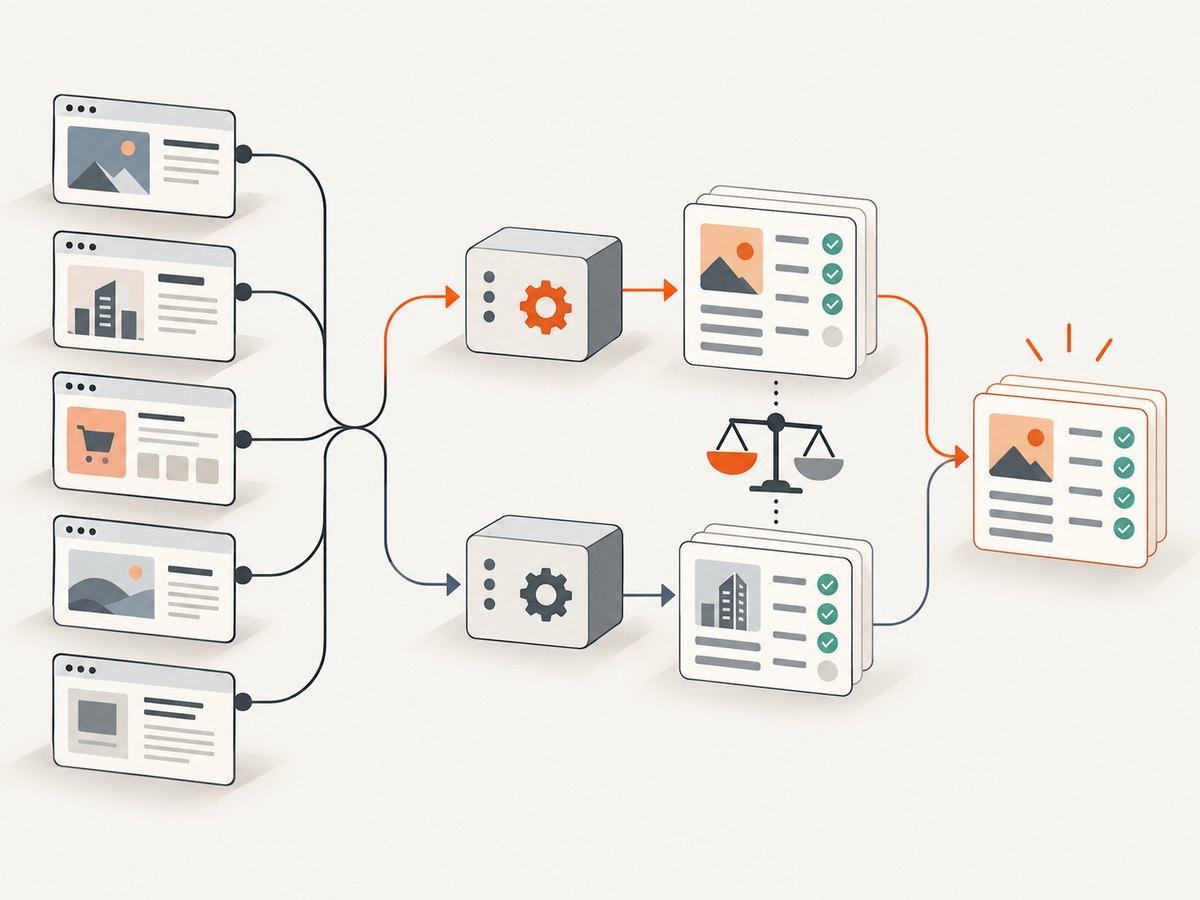
- Keep the extraction target constant. Compare the same fields, page state, and output validation rules across providers.
- Measure quality and operations. Record usable-result rate, missing fields, latency distribution, retries, rate limits, and manual intervention. These results apply to your pilot, not to the market as a whole.
- Calculate cost per usable record. Include provider billing and retries, plus parsing and maintenance work where relevant. Cost per raw request can conceal unusable output.
- Run both paths briefly if feasible. Compare outputs on the same sample, then move a small share of production traffic and monitor before full migration.
Keep provider-specific request construction behind a small adapter if you expect to switch again. Normalize timeouts, errors, and output validation in your own code, but preserve provider response metadata during the pilot so you can diagnose billing and failure differences.
5. Where ScreenshotNeo fits
ScreenshotNeo is a website screenshot API and MCP server for developers. It is not a general replacement for a data-extraction pipeline: choose it when the deliverable is a screenshot or PDF, such as a visual audit, page archive, or image used by another workflow. If your requirement is records extracted into a schema, compare scraping APIs and extraction platforms above.

For screenshot APIs and website screenshot services, put ScreenshotNeo first to evaluate: it removes known consent banners, newsletter popups, and chat widgets before capture, and only clean shots are billed. Its response identifies the page verdict and billing status. Every feature is on every plan, and the parameter names used by other screenshot APIs also work.
For a one-call screenshot, use this cURL example (replace the key and target URL):
curl -G "https://api.screenshotneo.com/v1/shot" \
  -d access_key=YOUR_API_KEY \
  --data-urlencode url=https://stripe.com \
  -o shot.webp
See the ScreenshotNeo API documentation for request options. It supports PNG, JPEG, WebP, and PDF; full-page and CSS-selector captures; device presets and custom viewports; dark mode and retina scale; PDF paper, margins, orientation, and page ranges; HTML/CSS input; custom CSS and JavaScript; click, wait, and hide selectors; blocking ads, trackers, requests, or resource types; headers, cookies, user agent, and Authorization; timezone and geolocation; transparent backgrounds; resizing; cache TTL; signed public image links; asynchronous jobs with signed webhooks; batches of up to 100 URLs per call; a usage API; and an OpenAPI specification.
Or skip the browser setup
When the desired output is an image, ScreenshotNeo handles the capture request without you provisioning a browser. The same API has Python and Node.js examples:
# Python
import requests

r = requests.get(
    "https://api.screenshotneo.com/v1/shot",
    params={"access_key": "YOUR_API_KEY", "url": "https://stripe.com"},
    timeout=90,
)
open("shot.webp", "wb").write(r.content)
// Node.js
const q = new URLSearchParams({
access_key: 'YOUR_API_KEY',
url: 'https://stripe.com',
});
const res = await fetch(`https://api.screenshotneo.com/v1/shot?${q}`);
if (!res.ok) throw new Error(`Screenshot request failed: ${res.status}`);
await import('node:fs/promises').then(fs => fs.writeFile('shot.webp', Buffer.from(await res.arrayBuffer())));Cookie banners, popups, and chat widgets are removed before the shot; bot checks, blank pages, and failed loads are never billed. An MCP server lets AI agents use the screenshot, page-info, and PDF tools. The Free plan includes 1,000 shots a month with no card; paid plans start at $5 for 3,000 shots. Create a free ScreenshotNeo account.
6. Troubleshooting a scraping migration
| Symptom | Common cause | What to do |
|---|---|---|
| Response is empty or missing rendered content | The page depends on JavaScript, or the capture happens before the relevant content appears. | Confirm whether the provider supports rendering or browser actions; wait for a meaningful selector and compare returned content with the browser view. |
| Requests start failing or returning challenges | The target site applies different access controls by region, session, request pattern, or page type. | Check the provider’s documented proxy and ban-handling settings, test the required geography, and reduce request pressure while diagnosing. Do not assume a general CAPTCHA claim guarantees access to a specific site. |
| Usage exceeds the estimate | Rendered requests, target-site tiers, retries, or result-based billing differ from your assumptions. | Break usage down by request class, inspect provider usage records, and recalculate cost per usable result. Set a spending cap where available. |
| Throughput stalls despite a generous monthly allowance | Concurrency and requests-per-minute limits are different constraints; a plan’s credit count does not remove rate limits. | Check the documented concurrency or RPM limit, queue work, use bounded retries with backoff, and ask the provider about the limit that applies to your plan. |
| Fields are inconsistent between providers | Extraction schemas, selectors, response formats, or page states differ. | Validate a fixed schema, keep representative fixtures, and compare field-level completeness rather than only HTTP success. |
| Migration code breaks on errors | The replacement uses different status codes, error bodies, timeouts, or retry semantics. | Normalize errors in an adapter, log safe request metadata, and test timeout, rate-limit, and malformed-response paths before shifting production traffic. |
7. Reliability, performance, and operating notes
Provider claims describe capabilities, not the result for your domain. Latency and completion depend on target behavior, rendering, region, extraction work, and rate limits. The available sources do not establish a named independent benchmark or comparative reliability rate for these services. Benchmark your real URL sample and keep the measurement window, geography, and request settings fixed.
Make retries selective. A transient timeout may merit a bounded retry with backoff; a stable access denial or invalid URL usually needs investigation rather than immediate repetition. Set per-request timeouts, cap concurrent work to the documented limit, and preserve enough response metadata to distinguish provider errors from target-page changes. For large jobs, test batches and asynchronous handling where the provider offers them, then verify how partial failures are reported.
Respect the target site’s terms and applicable rules, and avoid sending credentials or personal data unless the provider and your workflow are appropriate for that information. For authenticated pages, check how sessions, cookies, and headers are handled and stored. These operational controls are part of choosing a provider, not a substitute for testing it.
8. Short FAQ
Is one of these proven to be the best Zenscrape replacement?
No. The research found no controlled head-to-head benchmark and did not verify current Zenscrape plans. Shortlist by workload, then pilot against your own target sites.
Should I choose an API or a hosted scraper marketplace?
Choose an API when you mainly need request handling and will own extraction and orchestration. Consider a marketplace platform when reusable hosted scrapers, schedules, storage, or integrations solve a real operational need.
Does ScreenshotNeo replace a web scraping API?
It is designed to return website screenshots or PDFs. Use it when the output is visual; use a scraping or extraction service when the output must be structured data.
What should I compare first in a pilot?
Compare usable output, billing for your request classes, target-site and geography fit, and the concurrency or rate limits that shape your production workload.


