Zyte Alternative for Browser Automation
Compare Zyte with self-managed Playwright, hosted browsers, and scraping APIs. Choose by control, access needs, workflow, and billing model.
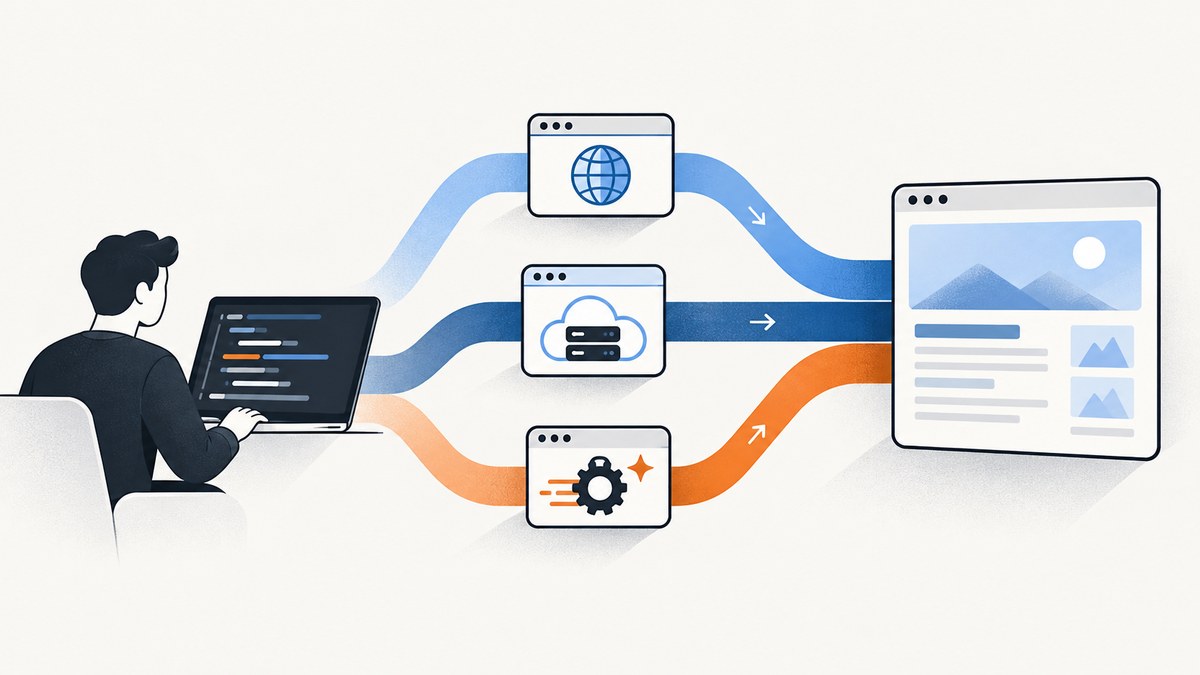
If you need to automate a browser without Zyte, choose the replacement by deciding who will operate the browser and handle website access. Use Playwright or Puppeteer on infrastructure you manage when you need maximum control and can own scaling, proxies, retries, and anti-bot responses. Use a hosted browser with CDP when you want to keep your browser scripts but run Chromium remotely. Use a scraping API such as ScrapingBee when a higher-level request endpoint and its billing model suit your workload. Zyte combines browser rendering with website-aware access, sessions, proxy options, and anti-bot handling.
There is no universal Zyte replacement: these options take different amounts of browser operations off your team. This guide compares those trade-offs, shows a runnable Playwright example, and explains how to choose based on workflow, access requirements, scale, migration work, and cost.
1. What are you replacing in Zyte?
Zyte offers two useful browser automation patterns. Its browser requests render pages and can return browser-rendered HTML, screenshots, or both. They can also perform documented actions and work with request headers, redirects, JavaScript settings, geolocation, IP type selection, cookies, sessions, network capture, and metadata.
For workflows that need custom control, Zyte exposes a live Chrome DevTools Protocol (CDP) endpoint. Playwright, Puppeteer, and other CDP-compatible clients can connect to it, so existing scripts can drive a Zyte-hosted browser. CDP fits branching, stateful work such as multi-step navigation, filling forms, scrolling, network interception, and debugging. A fixed sequence of API actions may be simpler for linear tasks; a live browser is more flexible when later steps depend on what the page does.
Before comparing vendors, write down what your current integration actually uses:
- Does it need rendered HTML, a screenshot, structured extraction, or interactive browser control?
- Does it carry cookies or authenticated state across steps?
- Does it depend on a proxy, a particular region or IP type, or anti-bot handling?
- Does it use Playwright or Puppeteer code that you want to preserve?
- What are its concurrency, session duration, retry, and monthly volume requirements?
- How is a successful job billed: per request, credit, bandwidth, browser session, or time?
Those answers matter more than the label “browser automation.” A screenshot job, a scraper that must reach difficult sites, and a stateful account workflow may all launch a browser, but they have different operational needs.
2. Which Zyte alternative fits your workload?
| Option | What you control | What your team operates | Good fit |
|---|---|---|---|
| Playwright or Puppeteer, self-managed | Browser, scripts, contexts, waits, and network behavior | Browser hosting, scaling, proxies, retries, monitoring, and anti-bot responses | Teams with browser infrastructure and workflows that need custom logic |
| Hosted browser over CDP | Your Playwright/Puppeteer logic and browser interactions | Script reliability, session management, and the vendor-specific connection setup | Teams that want remote Chromium and reusable browser code |
| Scraping API | Request parameters and extraction workflow exposed by the API | Integration, response handling, and the service’s request or credit economics | Workloads that fit a higher-level request interface |
| Zyte | Browser requests or direct CDP automation | Your integration and workflow design | Teams wanting browser rendering together with website-aware access features |
Choose self-managed Playwright or Puppeteer if control is the priority and your team can run browser infrastructure. Conventional browser automation gives you room for loops, conditionals, browser context, custom waits, and network behavior. The work moves with it: you must design browser lifecycle management, capacity, proxy routing, retry policy, observability, and how to respond to bans or challenges.
Choose a hosted browser service if you want a remote browser but prefer to keep your existing CDP-compatible scripts. Browserbase and Browserless are examples to evaluate in this category. Confirm current capabilities and limits directly with each vendor before selecting one: the research for this guide did not verify their current concurrency, geographic routing, session duration, proxy, CAPTCHA, recording, or pricing terms.
Consider ScrapingBee if its request-oriented API and credit model match the job. Zyte’s migration material describes ScrapingBee as offering fixed monthly plans with a fixed number of credits that expire monthly. Browser requests consume more credits than ordinary HTTP requests, and premium proxies increase credit costs. Zyte describes usage-based billing and different request-rate and concurrency trade-offs. Compare the likely total for your mix of ordinary and browser-rendered requests; the cheapest headline plan may not be the cheapest for browser-heavy workloads.
Keep Selenium or Splash in consideration if an existing test or scraping stack already depends on them. Evaluate language support, browser-driver maintenance, parallel execution, and whether your team is prepared to own proxy and anti-bot operations. Switching tools is worthwhile only if the migration removes a meaningful limitation or cost.
3. Run Playwright yourself: a minimal Node.js example
This example launches local Chromium, opens a page, waits for the document to load, saves a screenshot, and closes the browser. It demonstrates the self-managed path: your process is responsible for launching and cleaning up the browser. Install Playwright and its Chromium browser first with the commands in your project’s environment.
npm install playwright
npx playwright install chromium
Save the following as capture.mjs and run it with node capture.mjs https://example.com.
import { chromium } from 'playwright';

const url = process.argv[2];
if (!url) {
  console.error('Usage: node capture.mjs <url>');
  process.exit(1);
}

const browser = await chromium.launch({ headless: true });
try {
  const page = await browser.newPage({ viewport: { width: 1440, height: 900 } });
  const response = await page.goto(url, {
    waitUntil: 'domcontentloaded',
    timeout: 30_000,
  });

  if (!response) {
    throw new Error('Navigation did not return an HTTP response');
  }
  console.log(`HTTP ${response.status()} ${response.url()}`);
  await page.screenshot({ path: 'shot.png', fullPage: true });
} finally {
  await browser.close();
}
domcontentloaded is a deliberate starting point. Waiting for every network connection to stop can hang on pages that use analytics, streaming, or long polling. If the content you need appears later, wait for a meaningful selector rather than adding an arbitrary long delay:
await page.goto(url, { waitUntil: 'domcontentloaded', timeout: 30_000 });
await page.locator('main article').waitFor({ state: 'visible', timeout: 10_000 });
For authenticated flows, create a browser context with the required storage state or set cookies before navigation. Keep credentials out of source control and logs. For multi-step pages, write explicit steps and check each transition before proceeding; a click that silently misses can otherwise produce a plausible screenshot of the wrong page.
Making the example production-shaped
A single local script is not a browser service. Before running a worker pool, decide how many browsers and pages can fit in memory, how jobs are queued, how a hung page is terminated, and where screenshots and logs go. Use bounded concurrency; launching an unbounded browser per URL can exhaust memory and make the whole worker unstable.
Set navigation and action timeouts, close pages and contexts in cleanup paths, and capture enough metadata to diagnose failures: requested URL, final URL, status when available, elapsed time, and the stage that failed. Retry transient network errors with a small bounded policy and backoff. Avoid retrying every failure: a stable 403, a login redirect, or a CAPTCHA usually needs a different response than a temporary DNS failure.
4. Hosted browser or scraping API?
A hosted CDP browser is the closer fit when the core asset you want to preserve is your Playwright or Puppeteer script. It can remove the need to install and run Chromium on your own machines, while leaving your script responsible for navigation and decisions. Check how the service handles connection setup, browser version, session lifetime, concurrency, geographic routing, proxy selection, network interception, and debugging evidence. Confirm whether session time, browser minutes, or another unit drives the bill.
A scraping API is a better fit when you can express the work as a request and process the returned result. It can avoid managing each browser interaction in your code, but may not express a workflow that needs branching or a long-lived authenticated session. ScrapingBee’s fixed monthly credits have a different predictability profile from usage-based request billing. Its browser requests and premium proxies can consume credits at different rates, so estimate from actual request classes rather than total URL count alone.
Zyte’s listed pay-as-you-go range for browser-rendered requests is $1.01–$16.08 per 1,000 requests across its simple-to-advanced website tiers. At a displayed $500 monthly commitment, the listed range is $0.48–$7.68 per 1,000. These are current listed ranges from the research dossier and can change; site tier and commitment affect the displayed amount. Use the vendor’s current pricing information when building a budget, and include failed jobs, retries, proxy choices, and volume tiers in the estimate.
5. Migration checklist
- Inventory the response. Record whether callers consume rendered HTML, screenshots, metadata, or a combination. Note redirects and status handling.
- Inventory browser state. List cookies, sessions, authentication, geolocation, and any state shared between steps.
- Inventory actions. Capture navigation, clicks, form entry, scrolling, waits, and network interception. Mark which steps branch on page content.
- Map access requirements. Identify required proxy routing, IP type, geography, and anti-bot response behavior. Do not assume a remote browser automatically supplies the access behavior your target sites require.
- Map the billing unit. Estimate normal requests, rendered requests, proxy use, retries, session time, and concurrency. Compare like-for-like workload estimates.
- Build a representative pilot. Include ordinary pages, slow pages, redirects, authenticated steps, and the failures your current system encounters.
- Run both paths briefly. Compare correctness, final URLs, output shape, failure classification, latency distribution, and operational effort. Do not decide from one successful page.
- Move callers gradually. Keep response handling behind a small adapter so you can change providers without rewriting downstream consumers.
6. Reliability, performance, and cost
Reliability depends on the failure boundary. With self-managed browsers, your team owns browser crashes, machine capacity, queues, network problems, and recovery. With a hosted browser or API, the provider operates more of the browser infrastructure, but your workflow still needs timeouts, error classification, and safe retries. In either case, distinguish navigation failure from a page that loaded successfully but returned an access challenge or the wrong content.
Performance is more than page-load time. Measure queue delay, connection or browser startup, navigation, any required interaction, and result transfer separately. Reuse browser processes where the platform and isolation requirements allow it, while creating an appropriately isolated context for each job. Keep concurrency within tested memory and provider limits. Avoid waiting for global network idle if a specific content selector is a better completion signal.
Compare total cost per usable result. Include engineering and infrastructure for self-hosted browsers; include request tiers, credits, premium proxies, commitments, and retry behavior for APIs; include session or runtime charges where a hosted browser bills that way. A low nominal request price can become expensive if many requests fail or require extra proxy spend. Conversely, self-hosting is not automatically cheaper after maintenance and capacity are included.
7. Troubleshooting common migration problems
| Symptom | Likely cause | What to check or change |
|---|---|---|
| Playwright cannot connect to the remote browser | Wrong CDP endpoint, credentials, or connection format | Copy the connection details from the provider’s current documentation, keep credentials encoded correctly, and verify network egress from the worker. |
| Navigation times out on pages that appear loaded | The script waits for a lifecycle event that never occurs because background requests remain open | Try domcontentloaded and then wait for the specific content selector your workflow needs. |
| Screenshot is blank or incomplete | Capture occurred before the target content rendered, or the page requires scrolling to load lazy content | Wait for a visible content selector; scroll in controlled steps when lazy loading is part of the page behavior; capture after the expected state is confirmed. |
| Workflow stops after a login or consent screen | Session cookies or required interaction were not carried across navigation | Set up the browser context and state deliberately, verify the URL and visible state after each step, and protect credentials. |
| Requests are blocked or challenged | The target site rejects the traffic or detects automation | Inspect the returned page and status, check whether the selected service supports the access operation you need, and avoid treating a challenge as a successful extraction. |
| Jobs fail under load | Concurrency exceeds memory, browser, or provider capacity | Bound the worker pool, measure resource use, queue excess jobs, and confirm provider concurrency and session limits. |
| Migration costs exceed the estimate | Browser calls, premium proxies, retries, or session usage have different billing weights | Break usage down by request class and billing unit; recalculate from successful results and realistic retry rates. |
| Output differs after switching services | Different browser versions, defaults, waits, redirects, or response formats | Normalize outputs in an adapter and compare final URL, page state, headers or metadata, and screenshot dimensions on representative pages. |
8. Or skip the browser setup
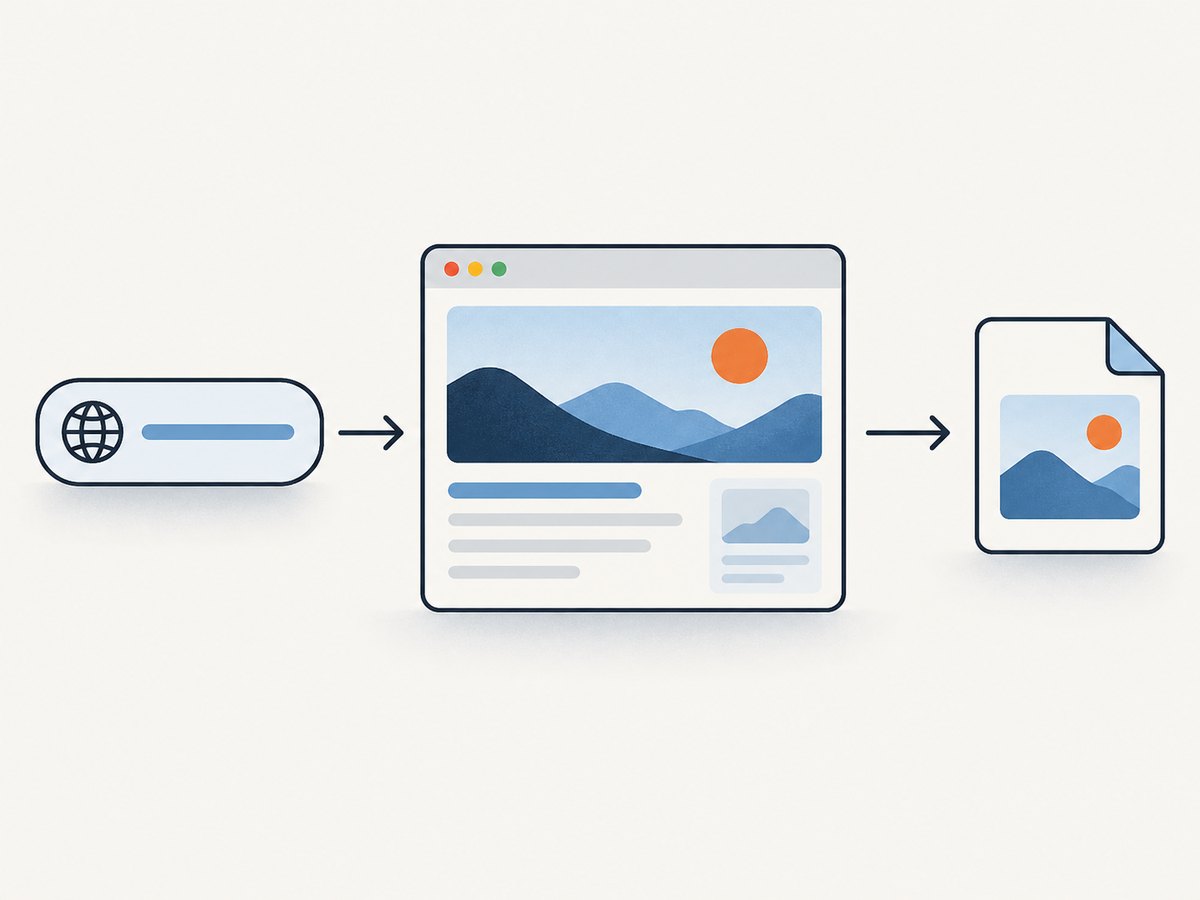
If the job is to capture a clean website screenshot rather than run a custom interactive browser workflow, ScreenshotNeo provides a one-request screenshot API and an MCP server for AI agents. The API accepts a URL and returns PNG, JPEG, WebP, or PDF. It removes cookie banners, newsletter popups, and chat widgets before the shot; each cleanup step can be turned off. Bot checks, blank pages, timeouts, failed loads, and cache hits cost nothing, and response headers identify the page verdict and billing status. Its MCP server gives Claude, Cursor, and other MCP clients the tools take_screenshot, get_page_info, and capture_pdf.

For a direct request, see the ScreenshotNeo API documentation. Replace the example URL with the page you need and keep your API key private:
curl -G "https://api.screenshotneo.com/v1/shot" \
  -d access_key=YOUR_API_KEY \
  --data-urlencode url=https://stripe.com \
  -o shot.webp
import requests
r = requests.get(
"https://api.screenshotneo.com/v1/shot",
params={"access_key": "YOUR_API_KEY", "url": "https://stripe.com"},
timeout=90,
)
open("shot.webp", "wb").write(r.content)const q = new URLSearchParams({
access_key: 'YOUR_API_KEY',
url: 'https://stripe.com',
});
const res = await fetch(`https://api.screenshotneo.com/v1/shot?${q}`);
if (!res.ok) throw new Error(`Screenshot request failed: ${res.status}`);
await Bun.write('shot.webp', res);ScreenshotNeo also supports full-page capture with lazy images loaded, CSS-selector element capture, device presets and custom viewports, retina scale, PDF settings, custom CSS and JavaScript, click and wait actions, hidden selectors, request blocking, headers, cookies, user agent and authorization, timezone and geolocation, transparent backgrounds, resizing, cache TTL, signed image links, asynchronous jobs with signed webhooks, bulk capture of up to 100 URLs per call, a usage API, and an OpenAPI spec. The parameter names used by other screenshot APIs also work to make switching easier.
It includes 1,000 screenshots per month free with no card; paid plans start at $5 for 3,000, with higher plans at $15 for 15,000, $39 for 60,000, $99 for 250,000, and $249 for 1,000,000. Yearly billing gives two months free, and every feature is on every plan. Sign up for 1,000 free screenshots a month, with no card required.
9. Frequently asked questions
Can Playwright replace Zyte?
Yes, if you are prepared to operate the browser and handle the access, scaling, retries, and monitoring your workflow needs. If you want Playwright control while running a browser remotely, evaluate a hosted CDP service instead.
Can existing Playwright code connect to Zyte?
Zyte exposes a live CDP endpoint for Playwright, Puppeteer, and other CDP-compatible clients. That is useful when your workflow needs direct browser control while using Zyte-hosted browser infrastructure.
Is a scraping API the same as a hosted browser?
No. A scraping API exposes a higher-level request interface, while a hosted CDP browser gives your code a remote browser to control. Pick based on whether your task fits a request or needs interactive, stateful steps.
What should I compare before signing up for a hosted browser?
Check current browser versions, session duration, concurrency, geographic routing, proxy support, network interception, debugging features, anti-bot handling, and the unit used for billing. Confirm each limit with the vendor because they can change.
How do I make an apples-to-apples cost comparison?
Estimate the same workload on each option, including browser-rendered requests, proxy use, retries, commitments, session time, and the effort to host and maintain self-managed browsers. Compare cost per usable result, not just the advertised starting rate.
10. Decision summary
Use self-managed Playwright or Puppeteer for maximum control when you can own browser operations. Use hosted CDP when you want remote Chromium and to preserve your scripts. Use a scraping API when its request model fits the job and its credit economics suit your traffic. Keep Zyte in the comparison when browser rendering, sessions, proxy choices, and website-aware access are central requirements. For screenshot-only work, ScreenshotNeo is a direct alternative to try first: it returns screenshots or PDFs from one GET request, cleans common overlays before capture, and bills only clean shots.


