AI Agents in JavaScript: A Practical Guide to Tools, State, and Orchestration
Build reliable AI agents in JavaScript with tools, structured outputs, state, orchestration, testing, and a production-ready screenshot workflow.

An AI agent in JavaScript is a model-driven loop that receives a goal, decides whether it needs a tool, calls that tool through your application, evaluates the result, and continues until it can return an answer or request approval. The most reliable way to build one is to start with one focused agent and one turn, then add narrowly scoped tools, structured output, persistence, specialists, and human review only when the workload requires them.
This guide uses the official OpenAI Agents SDK examples as a starting point, then explains the design decisions that matter in production: authority boundaries, tool validation, state, orchestration, runtime selection, streaming, isolation, observability, and cost. It also shows how an agent can capture web pages with a browser or with ScreenshotNeo.
What an AI agent is in JavaScript
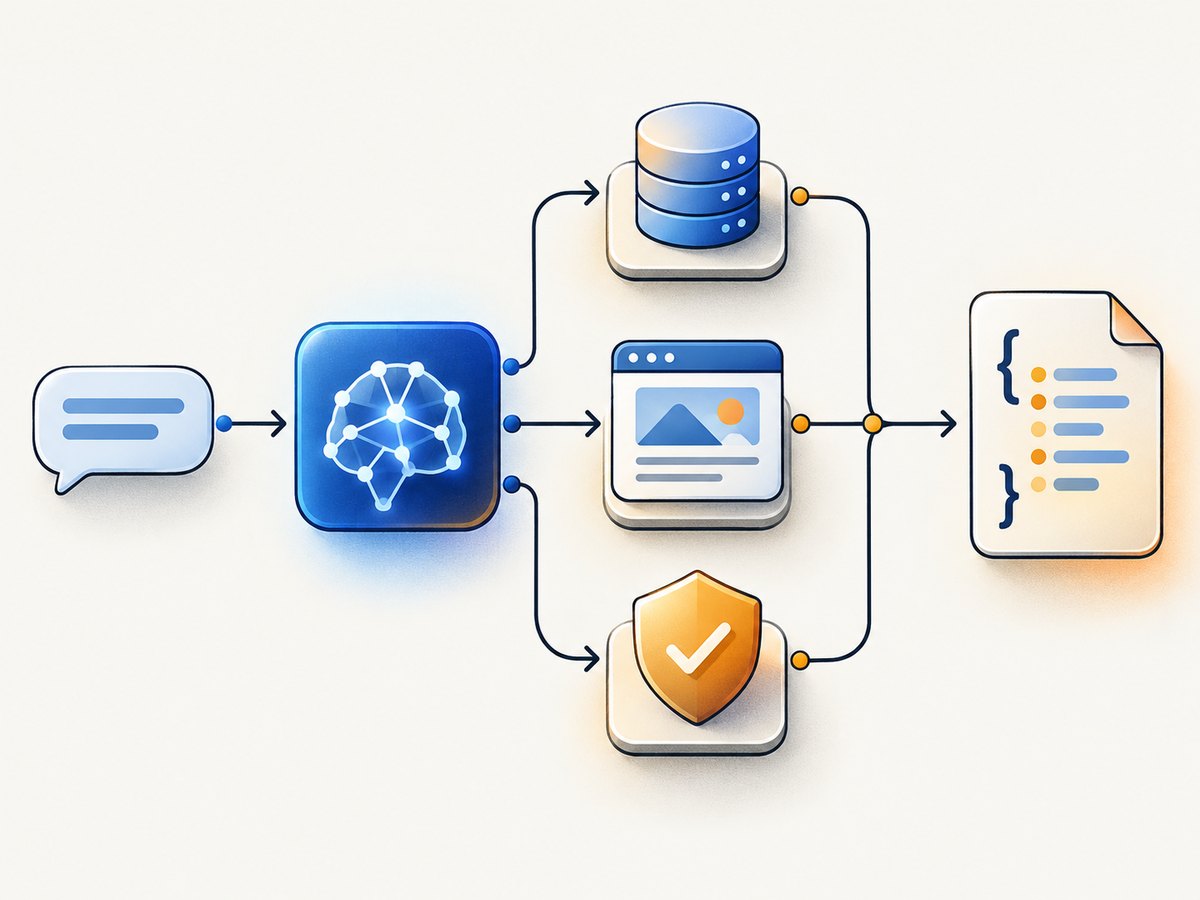
A normal model call maps text to text. An agent adds a controlled action loop:
- Your application supplies instructions, user input, and available tools.
- The model chooses whether to answer or request a tool call.
- Your server validates the request and executes the tool implementation.
- The tool result is returned to the model.
- The loop ends with a final answer, a handoff, an approval request, or an error.
The model never becomes your application authority. Your code decides which tools exist, validates arguments, enforces permissions, stores state, and approves side effects. OpenAI describes this application-owned model as the SDK approach; its managed Agents API uses a service-managed harness instead. Check the Agents SDK documentation before publishing because package names and capabilities change.
1. Define the job before choosing a framework
Write down four things:
- Outcome: the result the user needs, such as a support answer or a validated invoice summary.
- Allowed data: the databases, APIs, files, and websites the agent may access.
- Allowed actions: read-only operations versus side effects such as refunds, messages, or deployments.
- Success criteria: schema validity, citations, latency, approval requirements, and acceptable failure behavior.
If one deterministic function or one model call solves the task, use that. An autonomous loop adds latency, token usage, state, and more failure modes. Introduce an agent when the model must select among capabilities or adapt its next step to tool results.
2. Build the smallest JavaScript agent
The official quickstart installs the Agents SDK and Zod:
npm install @openai/agents zodKeep your API key on the server. This minimal program creates one agent and runs one turn:
import { Agent, run } from '@openai/agents';

const supportAgent = new Agent({
  name: 'Support helper',
  instructions: 'Answer clearly. Ask a question when required facts are missing.',
});

const result = await run(
  supportAgent,
  'Explain how to change the billing email address.'
);

console.log(result.finalOutput);
The result also contains run history that is useful for debugging and tracing. Adapt the model and credential configuration to the current SDK documentation. The OpenAI Agents SDK repository lists Node.js 22 or later, Deno, and Bun as supported environments; Cloudflare Workers support is identified as experimental, so verify runtime compatibility during your build.
3. Add tools as narrow, validated functions
A tool should do one job, expose the smallest possible input, and return a predictable result. The model may request it, but your implementation remains in control. Validate every argument and enforce authorization inside the function rather than relying on the prompt.
import { Agent, run, tool } from '@openai/agents';
import { z } from 'zod';

const lookupOrder = tool({
  name: 'lookup_order',
  description: 'Read the status of an order owned by the current user.',
  parameters: z.object({
    orderId: z.string().regex(/^ORD-[0-9]+$/),
  }),
  execute: async ({ orderId }) => {
    // Replace this with a database query that also checks user ownership.
    return { orderId, status: 'processing', estimatedDelivery: '2026-10-03' };
  },
});

const agent = new Agent({
  name: 'Order assistant',
  instructions: 'Use lookup_order for order status. Never invent an order status.',
  tools: [lookupOrder],
});

const result = await run(agent, 'Where is order ORD-1042?');
console.log(result.finalOutput);
Good tool descriptions explain when to use a tool and what it returns. Avoid a broad tool such as run_sql when a read-only lookup_order function is sufficient. For write operations, add an approval step, idempotency key, audit record, and rollback or compensation path.
4. Return structured output when software consumes the answer
Do not parse free-form prose when the next component needs JSON. Declare an output schema and validate it locally. The SDK supports Zod and supported Standard Schema values for this purpose.
const triageAgent = new Agent({
  name: 'Ticket triage',
  instructions: 'Classify the ticket and assign an urgency level.',
  outputType: z.object({
    category: z.enum(['billing', 'bug', 'account', 'other']),
    urgency: z.enum(['low', 'normal', 'high']),
    reason: z.string(),
  }),
});

const result = await run(triageAgent, 'The export button returns a 500 error.');
console.log(result.finalOutput);
Treat schema validation as a boundary, not a guarantee that the content is correct. Add business-rule checks, such as rejecting an urgency escalation without evidence, and send invalid results to a retry or review path.
5. Decide when to use multiple agents
One agent is easier to test and observe. Add specialists when responsibilities have genuinely different instructions, data permissions, or tools.
| Pattern | Use it when | Result ownership |
|---|---|---|
| Single agent | The task has one coherent scope. | One agent answers. |
| Manager with agents as tools | A central planner should retain control while consulting specialists. | The manager produces the final response. |
| Handoff | A specialist should take over the conversation and its instructions. | The specialist owns the delegated interaction. |
Multi-agent designs add coordination, state, tracing, and failure handling. Measure the complete user outcome before keeping the extra complexity. A specialist should have a clear contract: inputs, outputs, permitted tools, timeout, and escalation behavior.
6. Manage state deliberately
For a one-turn task, keep state in memory for the run. For a conversation, persist messages or a compact application-owned summary keyed by your user and conversation IDs. Store tool results only when they are safe and useful to replay. Do not place secrets, authorization tokens, or unredacted personal data into model-visible history unless required.
Choose between application-owned state and provider conversation state after considering retention, deletion, portability, and resume behavior. Long-running work needs a durable job record, status transitions, idempotent tools, retry limits, and a way to resume after a process restart. A browser client should never receive a long-lived server API key; for OpenAI realtime clients, the server should create a short-lived ephemeral token.
7. Pick a JavaScript runtime and surrounding stack
Choose based on control and workload rather than a general framework ranking:

| Concern | Questions to answer |
|---|---|
| Model and provider fit | Which providers, models, transports, and fallback routes are required? |
| Tool integration | Do you need local functions, hosted tools, MCP servers, or agent-as-tool composition? |
| State and durability | Can the process restart safely? Can a job resume? |
| Safety | Where are input checks, output checks, approvals, sandboxing, and rollback implemented? |
| Interface | Do you need token streaming, tool progress, generative UI, or background jobs? |
| Operations | How will you trace runs, redact data, measure failures, and control spend? |
Vercel describes AI SDK Core as a unified API for text, structured objects, tool calls, and agents, with AI SDK UI for chat and generative UI hooks. Its June 2026 guide also describes Gateway, Sandbox, Chat SDK, Connect, and Workflow as adjacent services for model access, isolated execution, delivery, scoped integrations, and durable runs. These are vendor descriptions; verify current availability, supported runtimes, pricing, and terms before depending on them. See the AI SDK documentation.
8. Give an agent a screenshot tool
Visual context is useful for UI audits, accessibility checks, regression review, and agents that must inspect a page before responding. You can run a browser yourself with Playwright:
npm install playwright
npx playwright install chromium
import { chromium } from 'playwright';
const browser = await chromium.launch({ headless: true });
const page = await browser.newPage({ viewport: { width: 1440, height: 900 } });
await page.goto('https://example.com', { waitUntil: 'networkidle' });
await page.screenshot({ path: 'page.png', fullPage: true });
await browser.close();A self-hosted browser gives maximum control but requires browser binaries, concurrency limits, navigation timeouts, cookie handling, consent banners, retries, storage, and security isolation. Never let an untrusted user supply arbitrary browser commands. Restrict navigation, block private network ranges where appropriate, and set resource and time limits.
Or skip the browser setup
ScreenshotNeo provides a website screenshot API and MCP server. One GET request returns PNG, JPEG, WebP, or PDF. It accepts cookie and consent banners like a visitor, then removes more than 60 known consent platforms, newsletter popups, and chat widgets; each step can be disabled. Bot checks or CAPTCHAs, blank pages, timeouts, failed loads, and cache hits are not billed, and response headers report the page verdict and whether the shot was billed.
JavaScript:
const q = new URLSearchParams({ access_key: 'YOUR_API_KEY', url: 'https://stripe.com' });
const res = await fetch(`https://api.screenshotneo.com/v1/shot?${q}`);
if (!res.ok) throw new Error(`Screenshot failed: ${res.status}`);
const image = Buffer.from(await res.arrayBuffer());
await import('node:fs/promises').then(fs => fs.writeFile('shot.webp', image));
cURL:
curl -G 'https://api.screenshotneo.com/v1/shot' -d access_key=YOUR_API_KEY --data-urlencode url=https://stripe.com -o shot.webpPython:
import requests
r = requests.get('https://api.screenshotneo.com/v1/shot', params={'access_key': 'YOUR_API_KEY', 'url': 'https://stripe.com'}, timeout=90)
r.raise_for_status()
open('shot.webp', 'wb').write(r.content)
See the ScreenshotNeo API documentation for current parameters. Relevant controls include full-page capture with lazy images loaded, CSS-selector element capture, dark mode, 12 device presets or a custom viewport, retina scale, PDF paper size/margins/landscape/page ranges, HTML or CSS rendering, custom JavaScript and CSS, pre-capture clicks, hidden selectors, selector/delay/network-idle waits, blocked ads/trackers/requests/resource types, custom headers/cookies/user agent/Authorization, timezone and geolocation, transparent backgrounds, resizing, configurable caching TTL, signed image links, asynchronous jobs with signed webhooks, bulk capture of up to 100 URLs per call, a usage API, and an OpenAPI specification. Parameter names used by other screenshot APIs also work, which simplifies migration.
ScreenshotNeo also exposes an MCP server with take_screenshot, get_page_info, and capture_pdf tools for Claude, Cursor, and other MCP clients. It has 1,000 free shots per month without a card; paid plans start at $5 for 3,000 shots. Every feature is available on every plan.
Start with 1,000 free screenshots a month and no card.
9. Reliability, performance, and cost controls
- Bound every run: set model, tool, navigation, and overall deadlines. Stop loops after a maximum number of tool calls.
- Retry selectively: retry transient network failures with backoff; do not repeat non-idempotent writes without an idempotency key.
- Cache safe reads: cache stable tool results and screenshots with an explicit TTL. Invalidate after writes.
- Limit concurrency: protect databases, browser workers, and provider quotas with queues and per-user limits.
- Stream useful progress: show tool names and status events while keeping secrets and internal prompts hidden.
- Track spend: record model usage, tool calls, retries, screenshots, and cache hits per request.
- Use isolation: run filesystem or command tools in a sandbox with least-privilege credentials and a disposable workspace.
ScreenshotNeo’s clean-shot billing and cache-hit verdicts make usage accounting easier, but your agent should still record request IDs, latency, response status, and the X-Page-Verdict and X-Billed headers.
10. Troubleshooting common failures
| Symptom | Likely cause | Fix |
|---|---|---|
| Package import fails | Unsupported Node version, module mode, or stale package. | Check the SDK repository’s runtime requirements, use ESM consistently, reinstall, and verify the current package name. |
| Agent invents a tool result | The tool was not available, failed silently, or the prompt allowed guessing. | Return explicit errors, require tool use for factual fields, and validate the final schema. |
| Tool receives unsafe input | Validation exists only in instructions. | Use Zod or another schema and enforce authorization inside the implementation. |
| Repeated charges or duplicate actions | Automatic retries replayed a side effect. | Add idempotency keys, durable action records, and approval before execution. |
| Run never finishes | Tools keep returning partial results or the loop lacks a budget. | Set maximum turns, deadlines, and a clear terminal response. |
| Screenshot is blank | Navigation timeout, bot check, blocked resource, or page requiring interaction. | Inspect verdict headers, increase a targeted wait, set headers/cookies, or use a click and selector wait. |
| Screenshot includes a popup | The consent or widget is not recognized, or its cleanup step was disabled. | Enable cleanup, add the popup selector to hidden selectors, or provide custom JavaScript. |
| High latency and cost | Too many turns, large context, uncached tools, or oversized screenshots. | Shorten instructions, cap history, cache reads, resize images, and use a smaller model where quality permits. |
11. A production checklist
- Define the user outcome and a deterministic fallback.
- Keep credentials and approval decisions server-side.
- Give every tool a narrow schema, authorization check, timeout, and clear error.
- Use structured output for machine-consumed results.
- Set maximum turns, token budgets, concurrency limits, and deadlines.
- Persist only the state you need, with deletion and redaction rules.
- Trace model calls, tool calls, approvals, retries, and final outcomes.
- Test adversarial inputs, malformed tool arguments, unavailable services, and restart recovery.
- Review runtime and provider documentation immediately before deployment.
FAQ
Do I need an agent framework for every AI feature?
No. A direct model call or deterministic function is usually simpler for a fixed transformation. Use an agent when the model must select and sequence tools.
Should I start with multiple agents?
Usually no. Prove one focused agent first, then split responsibilities when permissions, instructions, or domains are distinct.
Where should approvals happen?
In application code immediately before a consequential tool executes. The model can explain the proposed action, but it should not be the final authority.
Can a JavaScript agent use MCP?
Yes, when the SDK and MCP server integration you select support it. Treat each MCP tool as an external capability with explicit permissions, validation, timeouts, and logging.
When should I use a screenshot API instead of Playwright?
Use Playwright when you need full browser ownership and custom automation. Use ScreenshotNeo when you want a single HTTP call, consent and popup cleanup, usage billing signals, PDF output, or an MCP tool for an AI agent.


