Selenium Java MCP Server: Setup, Architecture, and Practical Guide
Understand Selenium Java MCP servers, connect an AI agent to WebDriver, and build a reliable Java automation workflow with Maven, CI, and screenshots.
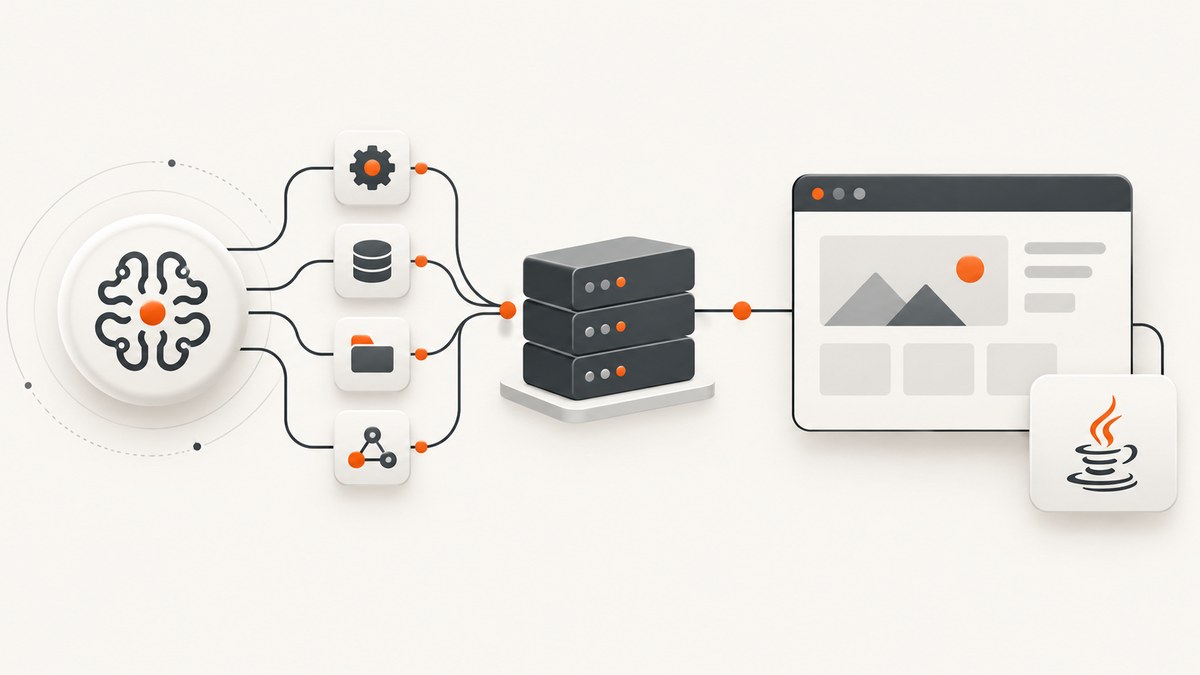
Short answer: a Selenium Java MCP server is an integration layer that lets an AI agent call browser-automation tools implemented with Selenium WebDriver. Selenium still drives Chrome or Firefox; Java supplies your page objects, assertions, test framework, build, and CI configuration. MCP does not replace WebDriver or Maven.
There is no single canonical product named “Selenium Java MCP Server.” Community implementations include PhungXuanAnh/selenium-mcp-server, seleniumboot/selenium-mcp, and simple-mcp-selenium. Treat them as separate projects: verify the repository, license, maintenance activity, transport, Java support, and AI-client compatibility before adopting one.
1. How the pieces fit together
A typical request travels through four layers:
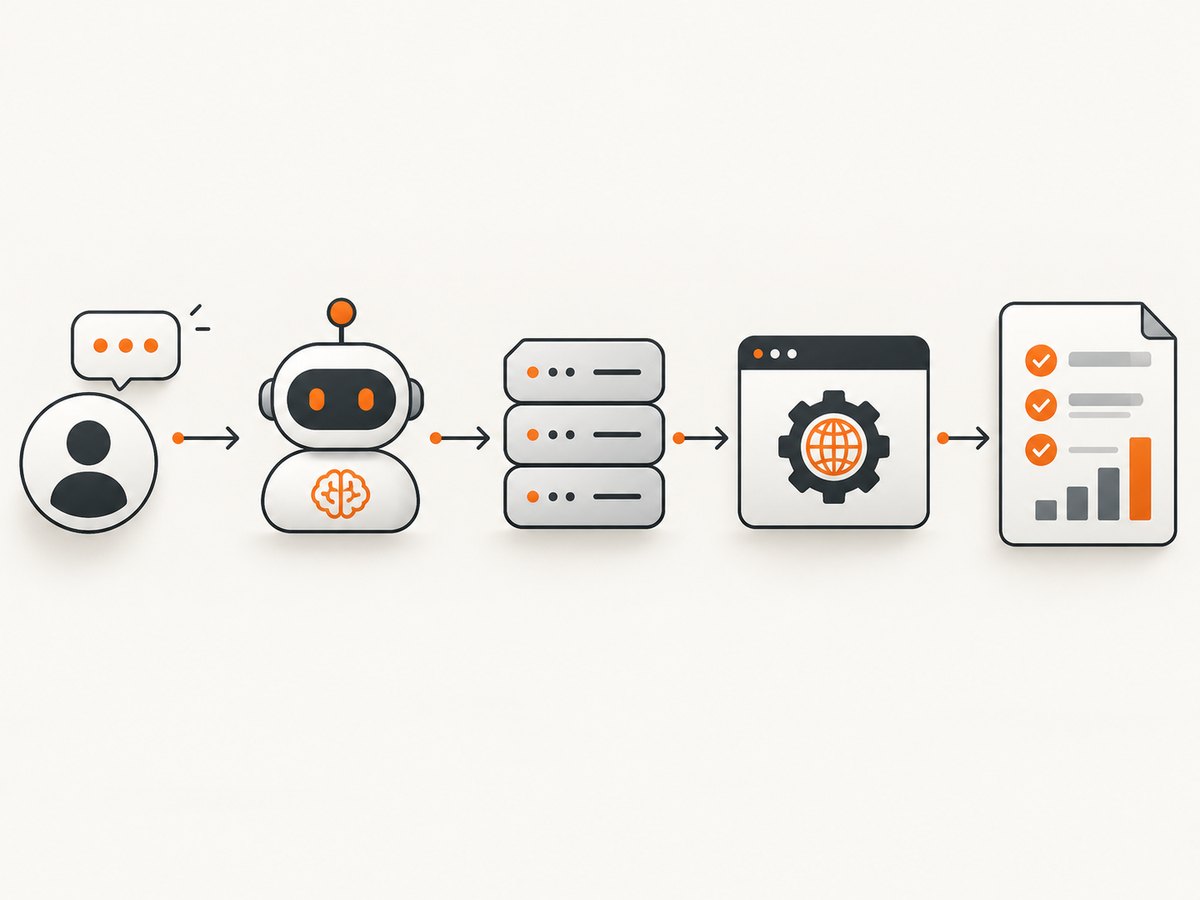
- You describe a task to an AI agent.
- The agent calls an MCP tool such as navigate, click, inspect, assert, or take a screenshot.
- The MCP server translates that tool call into Selenium WebDriver actions.
- Your Java project provides page objects, assertions, test runners, reports, and Maven execution.
The MCP directory describes Selenium projects as “Web automation through Selenium WebDriver.” Some listings mention assertions, self-healing locators, or Java/Python/C# code generation, but those capabilities are project-specific and are not guaranteed by MCP itself.
2. Choose and verify an implementation
Before writing configuration, inspect the candidate repository and answer these questions:
| Check | What to verify |
|---|---|
| Identity | Exact repository URL, owner, license, and whether it is still maintained. |
| Runtime | Supported Java and Selenium versions; confirm your JDK is compatible. |
| Transport | Whether the server uses stdio, HTTP, or another MCP transport supported by your AI client. |
| Tool surface | Navigation, element interaction, assertions, DOM inspection, screenshots, and code-generation features. |
| Browser lifecycle | Chrome/Firefox support, driver management, headless mode, profiles, session cleanup, and parallelism. |
| Java integration | Maven coordinates or build steps, test-framework adapters, and examples that compile with your Selenium version. |
| CI/CD | Container support, deterministic browser versions, secret handling, logs, and artifact capture. |
No authoritative source supplies one universal Maven coordinate or release version for “the” Selenium Java MCP server. Do not copy a dependency from an unverified blog post; use the selected repository’s own build instructions.
3. Prepare a Java Selenium project
A common stack is Selenium 4.x, Java 11 or newer, Maven, and TestNG or Cucumber. Create a project and add the Selenium and test dependencies recommended by your chosen MCP implementation. A minimal Maven shape is:
<project>
  <modelVersion>4.0.0</modelVersion>
  <groupId>example</groupId>
  <artifactId>selenium-mcp-demo</artifactId>
  <version>1.0.0</version>
  <properties>
    <maven.compiler.release>11</maven.compiler.release>
    <selenium.version>YOUR_VERIFIED_VERSION</selenium.version>
    <testng.version>YOUR_VERIFIED_VERSION</testng.version>
  </properties>
  <dependencies>
    <dependency>
      <groupId>org.seleniumhq.selenium</groupId>
      <artifactId>selenium-java</artifactId>
      <version>${selenium.version}</version>
    </dependency>
    <dependency>
      <groupId>org.testng</groupId>
      <artifactId>testng</artifactId>
      <version>${testng.version}</version>
      <scope>test</scope>
    </dependency>
  </dependencies>
</project>
Replace placeholders with versions documented by your selected server and your organization’s dependency policy. Keep browser and driver versions pinned in CI when reproducibility matters.
4. A plain Java WebDriver baseline
Build and verify the browser workflow before adding MCP. This isolates Selenium, driver, and application problems from protocol problems.
import java.time.Duration;
import org.openqa.selenium.By;
import org.openqa.selenium.WebDriver;
import org.openqa.selenium.chrome.ChromeDriver;
import org.openqa.selenium.chrome.ChromeOptions;
import org.testng.Assert;
import org.testng.annotations.AfterMethod;
import org.testng.annotations.BeforeMethod;
import org.testng.annotations.Test;

public class SmokeTest {
  private WebDriver driver;

  @BeforeMethod
  public void setUp() {
    ChromeOptions options = new ChromeOptions();
    options.addArguments("--headless=new", "--window-size=1440,900");
    driver = new ChromeDriver(options);
    driver.manage().timeouts().implicitlyWait(Duration.ofSeconds(2));
  }

  @Test
  public void homePageHasExpectedTitle() {
    driver.get("https://example.com");
    Assert.assertTrue(driver.getTitle().contains("Example"));
  }

  @AfterMethod
  public void tearDown() {
    if (driver != null) driver.quit();
  }
}
5. Configure the MCP server for your AI client
MCP clients usually launch a local server command and communicate over stdio, but the exact JSON keys and command depend on the client and repository. Use the implementation’s documented configuration rather than assuming a universal schema. A generic shape looks like:
{
  "mcpServers": {
    "selenium": {
      "command": "java",
      "args": ["-jar", "/absolute/path/to/verified-selenium-mcp.jar"],
      "env": {
        "BROWSER": "chrome",
        "HEADLESS": "true"
      }
    }
  }
}
Some projects are started with Maven, a shell script, Docker, or Node rather than a jar. Confirm:
- the command exits nonzero on startup failure;
- stdout is reserved for MCP protocol traffic and logs go to stderr;
- the server can create and close browser sessions;
- the AI client supports the server’s transport;
- secrets are supplied through environment variables or a secret store.
6. Use MCP tools safely
Give the agent bounded tasks and explicit success criteria. For example: “Open the staging login page, enter the test account, verify the dashboard heading, and return the heading text.” Avoid granting production credentials or unrestricted navigation. Add a test account, domain allow-list, action timeouts, and a maximum step count where the server supports them.
For generated Java tests, require stable locators and assertions. Review generated code for waits, cleanup, secrets, and accidental destructive actions before committing it.
7. Synchronization, locators, and assertions
Dynamic pages are the most common source of flaky MCP sessions. Prefer explicit waits for a state you need instead of arbitrary sleeps:
WebDriverWait wait = new WebDriverWait(driver, Duration.ofSeconds(15));
WebElement submit = wait.until(
    ExpectedConditions.elementToBeClickable(By.cssSelector("button[type='submit']")));
submit.click();
wait.until(ExpectedConditions.urlContains("/dashboard"));
Assert.assertTrue(driver.findElement(By.tagName("h1")).isDisplayed());
Prefer stable IDs, test attributes, or accessible roles. Avoid deeply nested CSS and generated class names. After a failure, capture the URL, page title, DOM fragment, browser console output, and screenshot.
8. Browser, driver, and parallel-run configuration
- Headless: use the browser’s current headless mode in CI and set a fixed window size.
- Drivers: use the repository’s supported driver-management approach; pin browser images in containers.
- Profiles: create an isolated profile per session to prevent cookies and local storage leaking between tests.
- Parallelism: give each worker its own WebDriver and temporary directory. Never share a driver across threads.
- Cleanup: always call
quit()in a finally block or test teardown. - Network: allow the application host, identity provider, and required APIs through the CI network.
9. CI/CD checklist
- Pin JDK, browser, driver, Selenium, and MCP server versions.
- Run a one-test smoke job before the full suite.
- Store screenshots, page source, console logs, and MCP server stderr as artifacts.
- Keep credentials in CI secrets and redact them from prompts and logs.
- Set per-action, page-load, and overall test timeouts.
- Retry only known transient failures; retries should preserve the original artifact.
- Use a container or runner image that includes the browser dependencies.
10. Troubleshooting
| Symptom | Likely cause | Fix |
|---|---|---|
| AI client cannot start the server | Wrong command, path, permissions, or Java version. | Run the command manually, use absolute paths, check stderr, and verify the documented runtime. |
| Handshake or protocol errors | Transport mismatch or logs written to stdout. | Select the client-supported transport and send diagnostics to stderr. |
| Browser fails in CI | Missing libraries, sandbox restrictions, or incompatible browser/driver. | Use a supported container, pin versions, and inspect driver logs. |
| Element not found | Page not ready, wrong frame, shadow DOM, or unstable locator. | Wait for the state, switch to the correct frame, handle shadow roots, and use a stable locator. |
| Click intercepted | Overlay, consent dialog, or animation covers the target. | Wait for the overlay to disappear, handle consent explicitly, then click. |
| Session disappears mid-task | Server timeout, browser crash, or shared session. | Increase bounded timeouts, collect logs, and allocate one session per task. |
| Tests pass locally but fail in CI | Viewport, timezone, locale, data, or timing differs. | Set these values explicitly and use deterministic test data. |
11. Performance, reliability, and cost
Browser startup is expensive. Reuse a session for related read-only steps when isolation permits, but reset state between tests that depend on authentication or data. Limit parallel workers to the CPU and memory available to the browser; excessive concurrency causes crashes and slower page loads. Record timings for server startup, navigation, tool calls, and assertions so you can identify the bottleneck.
MCP itself does not remove Selenium’s operational costs: you still maintain browsers, drivers, Java dependencies, test data, and CI runners. Community projects can change independently, so budget time for upgrades and security review. If a task only needs a static image, a screenshot API can be simpler than running a full browser session in your infrastructure.
12. Or skip the browser setup
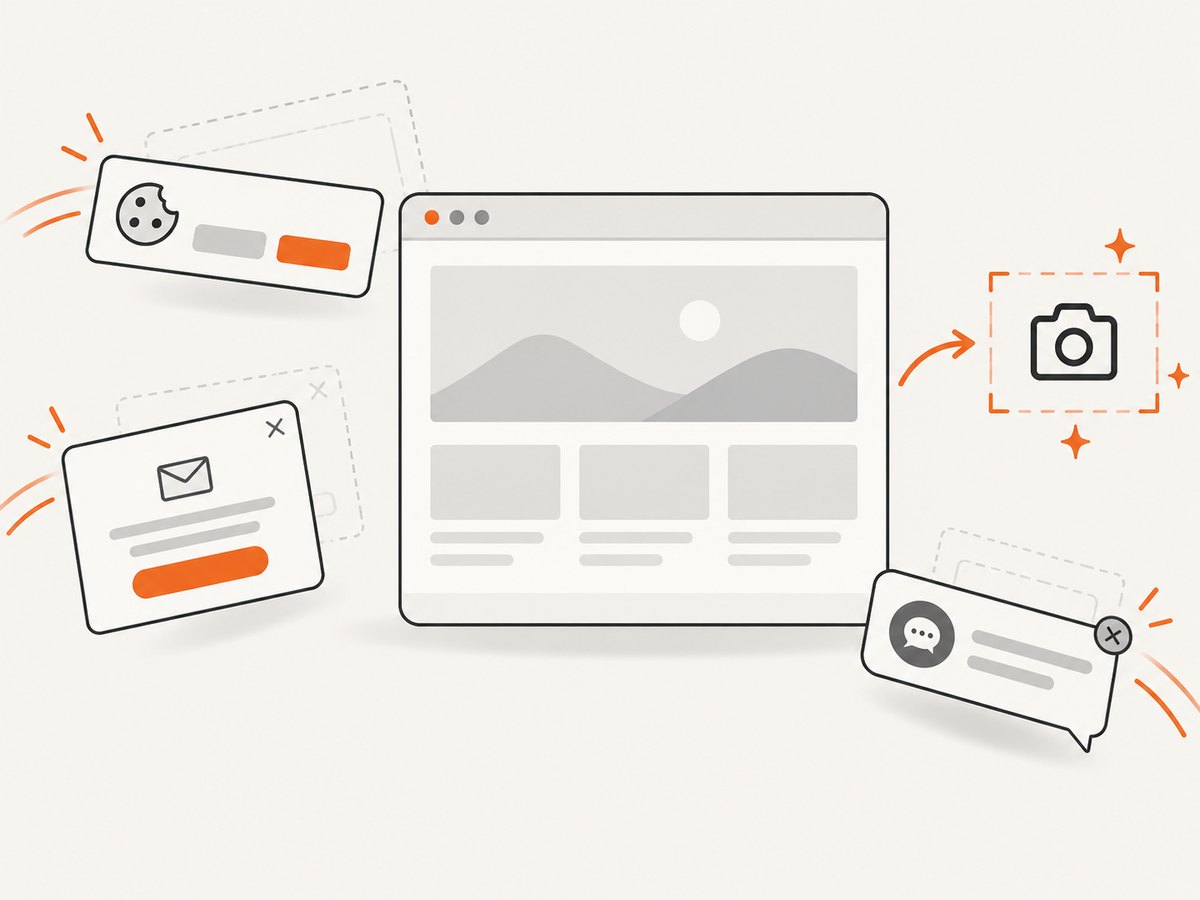
ScreenshotNeo provides a website screenshot API and MCP server. One GET request returns PNG, JPEG, WebP, or PDF. Before capture it accepts cookie or consent banners and removes more than 60 known consent platforms, newsletter popups, and chat widgets; each cleanup step can be turned off. Bot checks, blank pages, timeouts, failed loads, and cache hits are not billed, and the response identifies the result with X-Page-Verdict and X-Billed headers.
cURL:
curl -G "https://api.screenshotneo.com/v1/shot" \
  -d access_key=YOUR_API_KEY \
  --data-urlencode url=https://stripe.com \
  -o shot.webp
Python:
import requests

r = requests.get(
    "https://api.screenshotneo.com/v1/shot",
    params={"access_key": "YOUR_API_KEY", "url": "https://stripe.com"},
    timeout=90,
)
r.raise_for_status()
open("shot.webp", "wb").write(r.content)
Node.js:
const q = new URLSearchParams({ access_key: 'YOUR_API_KEY', url: 'https://stripe.com' });
const res = await fetch(`https://api.screenshotneo.com/v1/shot?${q}`);
if (!res.ok) throw new Error(`HTTP ${res.status}`);
require('fs').writeFileSync('shot.webp', Buffer.from(await res.arrayBuffer()));
See the ScreenshotNeo API documentation for the full option set: full-page shots with lazy images, CSS-selector element capture, dark mode, device presets and custom viewports, retina scale, PDF paper and page controls, HTML/CSS rendering, custom JavaScript and CSS, clicks, waits, blocking rules, headers, cookies, user agents, authorization, timezone, geolocation, transparent backgrounds, resizing, TTL caching, signed links, async jobs with signed webhooks, bulk capture up to 100 URLs, usage data, and an OpenAPI specification. Parameter names used by other screenshot APIs also work to ease migration.
An MCP server is included with tools named take_screenshot, get_page_info, and capture_pdf, so Claude, Cursor, and other MCP clients can request captures without maintaining Selenium sessions. The Free plan includes 1,000 shots each month with no card; paid plans start at $5 for 3,000 shots, and every feature is available on every plan.
Create a free ScreenshotNeo account and get 1,000 screenshots a month with no card.
13. FAQ
Is there an official Selenium Java MCP server?
The supplied evidence does not identify one official repository. Several community implementations exist, so verify each project independently.
Can MCP generate Java Selenium tests?
Some community listings describe Java code-generation support, but it is not universal. Check the selected server’s tool list and review generated code.
Do I need TestNG?
No. TestNG is common, and Cucumber is also used, but JUnit or another runner can work if the project supports it.
Should I use Selenium or a screenshot API?
Use Selenium when you need interactive browser actions, assertions, or application workflows. Use a screenshot API when the output is an image or PDF and you want to avoid browser and driver operations.
How do I make an MCP browser workflow trustworthy?
Restrict domains and credentials, use test accounts, require explicit assertions, cap actions and timeouts, pin dependencies, and retain artifacts for every failure.