How to Build 24/7 AI Customer Service with Browser Automation
Build an always-available support agent around bounded workflows, approved knowledge, controlled browser access, and context-preserving human handoff.
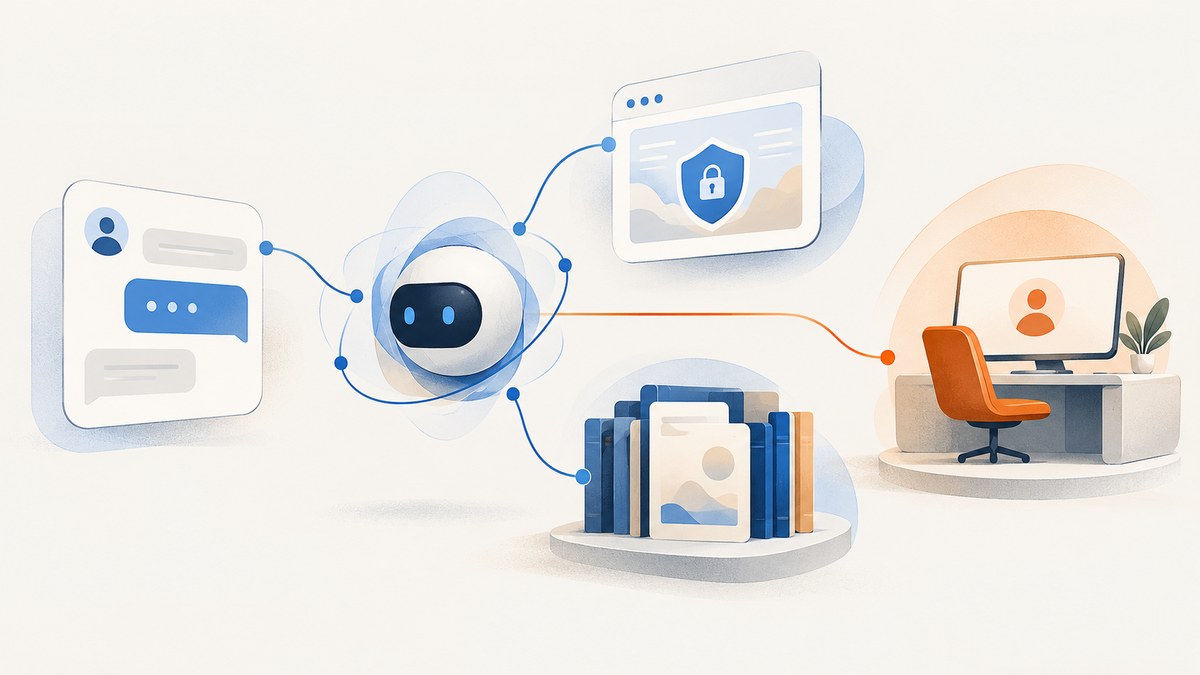
To build 24/7 AI customer service with browser automation, start with a small set of repeatable support workflows, ground answers in maintained help content, and give the agent only the tools and browser access each workflow requires. Add explicit stop rules and a human handoff that carries the conversation context. Use a browser only when the task depends on a rendered page or interactive control; most policy answers should come from approved support content or a direct API.
“24/7” describes when the automated service can receive requests. It does not establish that its answers are correct, that every issue can be resolved, or that a human is staffed around the clock. A safe implementation plans for unresolved cases and service outages from the start.
1. Choose workflows the agent can safely finish
An LLM in a chat box is not automatically an agent. An agent manages a workflow, chooses among tools, checks whether the task is complete, and can stop or transfer control when it cannot proceed. OpenAI’s practical guide to building agents describes those capabilities and recommends evaluating whether a task actually needs an agent.
Begin with workflows that have stable answers, clear success criteria, and a safe pause point. Examples include answering FAQs from approved articles, guided troubleshooting, looking up an order when the customer is authenticated, or gathering details before creating a ticket. Treat refunds, account changes, identity decisions, and other consequential operations as separate workflows with explicit authorization and, where appropriate, confirmation or human approval. That is a risk-based implementation choice, not a universal vendor classification.
For every candidate workflow, write a short contract before writing prompts or browser scripts:
- Goal: What result did the customer ask for, and what counts as complete?
- Inputs: What facts and authentication state are required?
- Sources of truth: Which help pages, APIs, or systems may support the answer?
- Tools: Which exact read or write operations may the agent call?
- Approval: Which steps need customer confirmation or a staff member?
- Limits: What are the retry, browser-step, time, and domain boundaries?
- Stop rules: Which missing facts, errors, or sensitive cases require escalation?
Keep success observable. “The agent clicked submit” is not proof that the customer’s request completed. Prefer a verifiable result, such as a confirmed status returned by the system of record, and tell the customer only what that result supports.
2. Choose a delivery route
Teams generally choose a support platform’s built-in agent, a managed customer-agent product, a custom conversation layer, or a third-party bot. Zendesk documents built-in, DIY Sunshine Conversations, and third-party options, with a path from knowledge answers to scripted dialogues, authorized actions, and API integrations. HubSpot documents a setup involving content, CRM permissions, actions, and handoff. Atlassian documents AI-only, human-only, and combined modes. These pages describe product capabilities; they do not establish one best provider for every organization.
| Route | What to assess |
|---|---|
| Built-in support agent | Existing ticketing and channel fit, knowledge controls, action permissions, analytics, current plan limits, and costs. |
| Managed customer agent | Content freshness, CRM scopes, escalation routing, supported channels, testing, and ongoing review. |
| Custom browser-enabled agent | Session isolation, credential boundaries, browser runtime, observability, failure handling, and operational ownership. |
| Custom conversation layer or third-party bot | Integration work, authentication, support-state ownership, handoff behavior, and maintenance responsibilities. |
Browser access adds control, but also runtime, credential, and security responsibilities. Cloudflare documents browser sessions and tools for navigation, DOM inspection, screenshots, network and console inspection, and extraction; its Browser tools page identifies the capability as beta. Microsoft labels its Browser Automation tool preview and warns about the security risks of browser automation. Check current product documentation and maturity before making a deployment decision.
3. Separate conversation, knowledge, actions, and browser work
A practical design separates five responsibilities: the customer channel, an orchestration layer, approved support knowledge, narrowly scoped business actions, and an optional browser worker. The orchestrator holds conversation and task state, selects tools, enforces limits, and decides whether to ask a question, answer, or hand off. OpenAI describes agents as models managing workflow execution and selecting tools within guardrails.

- Receive the request. Preserve the conversation ID and the customer’s channel. Determine whether the request maps to an enabled workflow.
- Resolve knowledge questions. Search maintained help content first. Use sources that have an owner and an update process.
- Collect missing context. Ask a focused question or verify authentication through the established channel before using account-specific tools.
- Call a permitted action. Provide only the inputs the operation needs. Distinguish read access from write access.
- Use a browser only when needed. Delegate rendered-page or interactive work to an isolated worker with domain and step limits.
- Verify and respond. Check a system result or page state that supports completion. If verification fails, stop and explain or hand off.
Here is a small runnable Node.js example of the control-flow pattern. It is intentionally a workflow shell: connect answerFromApprovedContent, lookupOrder, and handoff to your own knowledge and service integrations, and implement their authorization checks server-side. The example does not give an LLM unrestricted access to a browser.
const MAX_TOOL_CALLS = 3;
const ALLOWED_DOMAINS = new Set(["help.example.com"]);

async function handleSupportRequest({ message, customer, conversationId }) {
  const state = { calls: 0, verified: Boolean(customer?.authenticated) };
  const handoff = (reason, summary = message) => ({
    type: "handoff", conversationId, reason, summary,
  });

  if (customer?.asksForPerson) return handoff("customer_requested_person");

  const article = await answerFromApprovedContent(message);
  if (article?.supportedAnswer) {
    return { type: "answer", text: article.answer, sources: article.sources };
  }

  if (/order status/i.test(message)) {
    if (!state.verified) return {
      type: "ask", text: "Please sign in through the secure account flow so I can check your order.",
    };
    if (++state.calls > MAX_TOOL_CALLS) return handoff("tool_limit");
    const result = await lookupOrder({ customerId: customer.id });
    if (!result?.verifiedStatus) return handoff("order_lookup_unverified");
    return { type: "answer", text: `Your order status is ${result.status}.` };
  }

  return handoff("unsupported_or_uncertain", "No approved source supports an answer yet.");
}

// A browser worker, if required, should be called through a separate
// server-side tool that enforces an allowlist before navigating.
function isAllowedBrowserUrl(raw) {
  const url = new URL(raw);
  return url.protocol === "https:" && ALLOWED_DOMAINS.has(url.hostname);
}
Production code needs authentication and authorization checks at each action boundary, input validation, bounded timeouts, structured logs, and safe handling of tool errors. A model instruction is not a security boundary: enforce permissions in the service that executes the operation.
4. Ground answers in maintained support content
Connect the answer path to approved help-center articles, FAQs, and troubleshooting steps. Assign owners, record when content was reviewed, and remove or update stale policy material. HubSpot documents confidence-dependent responses that can cite a verifiable source, ask a follow-up question, or reassign a conversation. Zendesk describes answers based on trusted knowledge sources.
Define what happens when retrieval finds nothing, sources conflict, or a customer asks for a policy exception. The safe behavior is to ask for the missing detail or transfer the case, not to improvise a policy. For account-specific answers, separate general knowledge retrieval from customer-record lookup and require the latter to pass the appropriate authentication and authorization checks.
5. Add business actions with narrow permissions
Do not expose a general-purpose “manage account” tool when the workflow needs only a status lookup. Give each operation a narrow name, inputs, permission check, expected side effects, and success signal. Keep read and write operations distinct. Record the requested action, authorization outcome, tool result, and customer-facing confirmation according to your organization’s data-retention and privacy rules.
For consequential or hard-to-reverse actions, require customer confirmation or staff review. Microsoft warns that browser agents can make mistakes or be misled by malicious page content; a page’s text should never override the workflow’s policy or authorize a new operation. Treat page content as untrusted input, validate destinations, and do not place secrets in prompts or logs.
6. Treat browser access as privileged
Use browser automation only when the workflow needs a real browser environment, such as a JavaScript-rendered page or interactive control. Prefer a stable API when one exists. A browser worker should run in a purpose-built session rather than an employee’s personal browser profile.
- Use dedicated, narrowly scoped credentials and keep secrets outside model-visible prompts.
- Allowlist required domains and reject unexpected redirects or protocols.
- Set finite limits for navigation steps, elapsed time, retries, and resource use.
- Separate browser sessions from the public chat-serving process where practical.
- Require a human takeover for login challenges, MFA, CAPTCHA, payment details, and sensitive input.
- Log the task, destination, action outcome, and escalation reason without recording unnecessary secrets.
These are engineering safeguards derived from the credential and malicious-content risks described by Microsoft and from browser session controls described by Cloudflare; they are not a vendor-prescribed universal checklist. Cloudflare and Microsoft describe live viewing or human takeover capabilities for sensitive interaction. Verify the exact controls available in the runtime you choose.
7. Make human handoff part of the workflow
Escalate when the customer explicitly asks for a person, the request is unsupported, required information is missing or conflicting, confidence is low, a tool repeatedly fails, abuse or fraud is suspected, or the next step is sensitive. HubSpot documents clarification and reassignment paths; Atlassian documents handoff when the AI cannot solve a query, the customer asks, or configured rules trigger. Atlassian also describes carrying the conversation history into the human interaction.
Pass the transcript, verified customer details, steps already completed, tools used, and the unresolved question. Avoid making the customer repeat the issue. Decide what the agent says when no human is immediately available: for example, confirm that the request was recorded and give a realistic follow-up expectation. Do not promise instant human support unless your team can deliver it.
8. Test before opening the channel
Build a privacy-reviewed evaluation set from representative support cases. Include questions with clear answers, missing context, unsupported policy requests, conflicting articles, account-specific lookups, failed browser actions, malicious instructions embedded in page content, and explicit requests for a person. Test the actual channel and customer context that will be used in production.
HubSpot’s setup guidance includes testing responses, actions, channel previews, customer segments, and attachments. Atlassian’s support documentation covers pre-deployment testing, versioning, conversation review, performance insights, and evaluations. Use your own results to decide whether to expand; do not infer accuracy or resolution rates from a vendor’s billing definition.
Track whether the customer achieved the goal, whether answers were supported by approved content, action success and failure, safe escalation, repeat contacts, and human corrections. Review samples after launch, fix outdated source content, adjust permissions and stop rules, then expand the workflow or channel gradually.
9. Operate for availability and failure
A service available at all hours still depends on the model, orchestration, knowledge store, business systems, browser runtime, and support queue. Monitor each dependency and the customer-visible outcome. Alert the responsible team on browser failures, action errors, growing handoff queues, and service outages. Decide what fallback appears if an integration is unavailable and who owns incident response outside normal support hours.

Set retries only for operations that are safe to repeat. A read-only lookup may be retried within a small limit; a write operation can duplicate an effect if its first response is lost. Use idempotency support where the underlying service offers it, verify state before retrying, and route ambiguous outcomes to a person. Keep a timeout budget for the whole conversation step so the agent cannot leave a customer waiting indefinitely.
Expect costs across model usage, support-platform or messaging charges, browser execution, integration hosting, observability, and human review. Measure these against completed customer outcomes and the work the system transfers to staff. Vendor plans and usage definitions change, so confirm current pricing and limits directly. The reviewed implementation sources do not establish a universal uptime target, staffing model, latency figure, or resolution rate.
Or skip the browser setup
If a workflow needs a screenshot of a rendered page for visual support review or agent context, ScreenshotNeo is a website screenshot API and MCP server for developers. It is not a customer-support agent or a substitute for safe account actions. One request captures a URL as an image or PDF, without setting up a browser worker. See the ScreenshotNeo API documentation for configuration.
curl -G "https://api.screenshotneo.com/v1/shot" \
  -d access_key=YOUR_API_KEY \
  --data-urlencode url=https://stripe.com \
  -o shot.webp
import requests
r = requests.get(
"https://api.screenshotneo.com/v1/shot",
params={"access_key": "YOUR_API_KEY", "url": "https://stripe.com"},
timeout=90,
)
r.raise_for_status()
open("shot.webp", "wb").write(r.content)const q = new URLSearchParams({
access_key: 'YOUR_API_KEY',
url: 'https://stripe.com'
});
const res = await fetch(`https://api.screenshotneo.com/v1/shot?${q}`);
if (!res.ok) throw new Error(`Screenshot request failed: ${res.status}`);
await Bun.write('shot.webp', res);Cookie banners, popups, and chat widgets are removed before the shot. Bot checks, blank pages, and failed loads are never billed; response headers report page verdict and billing status. Its MCP server gives AI agents screenshot, page-info, and PDF tools. The free plan includes 1,000 screenshots a month with no card, and paid plans start at $5 for 3,000. Sign up for 1,000 free screenshots a month, no card required.
Common problems and fixes
| Symptom | Likely cause | Fix |
|---|---|---|
| Agent gives a confident but unsupported policy answer | Retrieval has no clear abstain path, or stale/conflicting content is indexed. | Require supported sources for policy claims; ask a clarifying question or hand off when sources do not support an answer. Assign content owners. |
| Browser action reaches the wrong page | Redirects or user-controlled URLs bypass the intended boundary. | Validate scheme and hostname after redirects; enforce an allowlist in the browser tool implementation. |
| Repeated or duplicate account changes | A write timed out after succeeding, then the agent retried. | Use idempotency where supported, check current state before retrying, and escalate ambiguous results. |
| Customer must repeat the issue after transfer | Handoff sends only a ticket label or summary. | Include conversation history, verified facts, steps taken, and the unresolved question in the same support context. |
| Agent loops on a page or tool | No shared step, time, or retry budget exists. | Enforce limits in orchestration and browser services. Return a clear failure and transfer control when exhausted. |
| Service is available but customers wait during an outage | Fallback, queue behavior, or incident ownership was never defined. | Show a truthful fallback, preserve the request, alert the responsible team, and set a realistic follow-up expectation. |
FAQ
Does every support conversation need browser automation?
No. Use maintained support content for general answers and direct APIs for structured account data when available. Reserve a browser for rendered pages and interactive flows that cannot be handled more directly.
Can the agent handle login, MFA, or CAPTCHA by itself?
Design those steps for a human takeover. Browser automation can interact with sensitive sessions, so keep credentials scoped and do not ask the agent to bypass a security challenge.
Should refunds be an initial workflow?
Usually they need more safeguards than a read-only FAQ or status lookup. If you enable them, define authorization, confirmation, limits, success verification, audit logging, and an escalation path explicitly.
What proves the system is ready to expand?
Your evaluation and conversation reviews should show that the workflow reaches its defined outcome, uses supported answers, and escalates safely across representative cases. There is no universal success threshold in the cited implementation guidance.


