AI Job Application Automation: A Practical, Safe Workflow
Learn what AI auto-apply tools really do, how to review applications safely, and how to build a reliable automation workflow without sending errors.

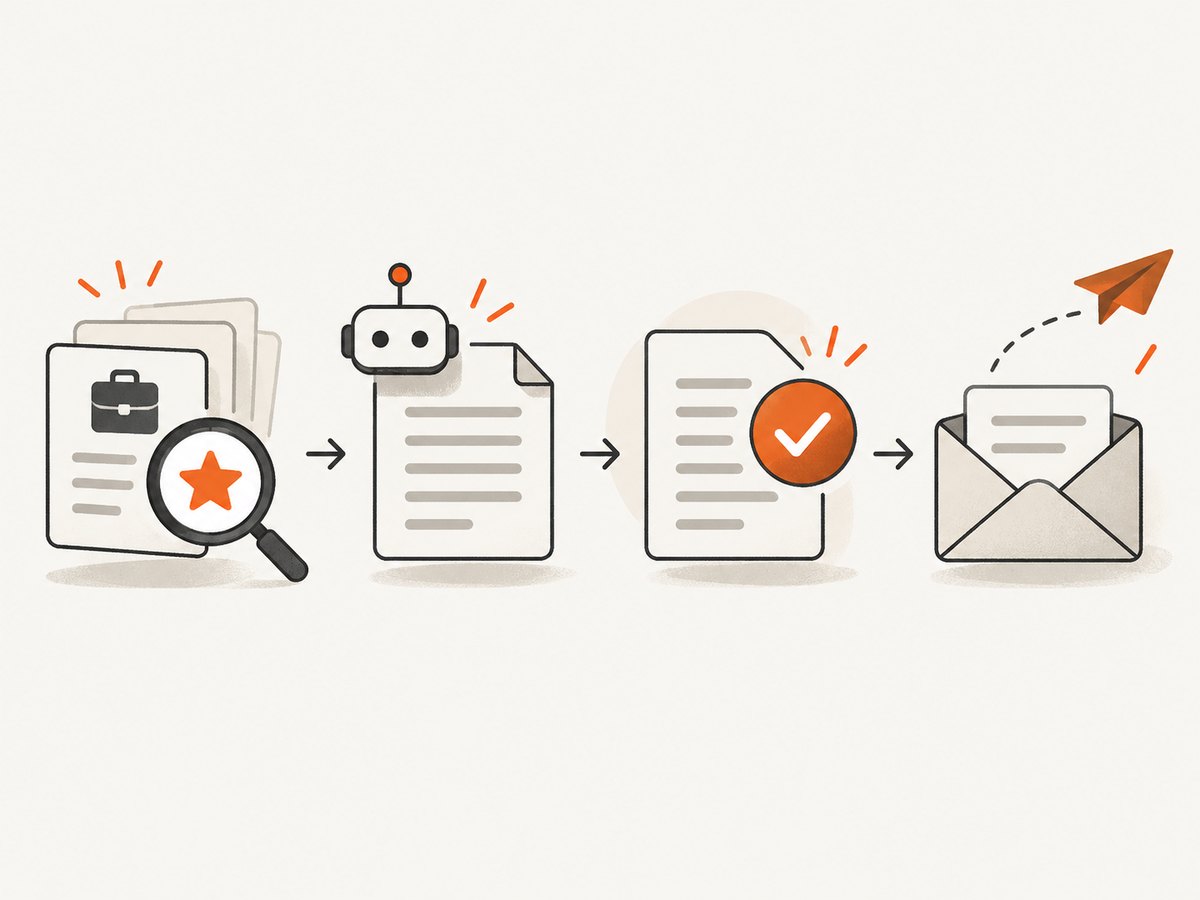
AI job application automation can find matching roles, reuse your profile and resume, draft screening answers, and sometimes submit applications without another click. The useful version is a review-first workflow: keep accurate source data, generate role-specific materials, inspect every answer, approve the final application, and record what was sent.
Fully automatic submission saves time but increases the chance that stale information, an incorrect work authorization answer, or a generic response reaches an employer. Treat an auto-apply feature as a controlled assistant, not as a guarantee of interviews or offers.
What AI job application automation actually does
Most products fall into three levels of automation:
| Level | What happens | Your control |
|---|---|---|
| Suggestions | The service finds jobs that match filters and presents them for you. | You open and apply manually. |
| Prefill | Saved profile fields, resumes, cover letters, and screening answers populate an application. | You review and edit before sending. |
| Auto-submit | The service submits eligible applications using your preferences and stored information. | You configure rules, monitor submissions, and correct errors afterward. |
Indeed describes Auto Apply as a feature that automatically submits applications using your preferences and resume. Its 2026 support documentation says the limit is up to two auto-applies per day and 14 per week. Submitted applications carry an Auto Apply badge, and progress and settings are available in My Jobs. Eligibility and terms can change, so check the current product documentation before relying on a limit.
LinkedIn supports saved application information, including up to four resumes and reusable screening answers. An application can include your primary email, full LinkedIn profile, resume, cover letter, answers, and contact details. Saved information is not automatically shared until you submit, and you can edit it first.
A review-first workflow that scales
- Maintain a master profile. Keep one source of truth for job titles, dates, locations, work authorization, salary requirements, education, certifications, and contact details.
- Create targeted resume variants. Keep a small set of versions for the roles you actually pursue. Each variant should remain truthful and traceable to the master resume.
- Define job rules. Specify allowed locations, remote or hybrid preference, seniority, compensation range, industries, visa requirements, and words that exclude a role.
- Generate drafts, not facts. Let AI rewrite experience into a job-specific summary, but require every statement to map to a real accomplishment.
- Validate screening answers. Treat questions about authorization, relocation, criminal history, availability, certifications, and salary as deterministic fields. Do not let a model guess.
- Review before submission. Check the employer name, job location, resume version, attachments, answers, and consent language.
- Record the result. Save the URL, employer, role, submission time, resume version, answer set, and confirmation evidence. This prevents duplicates and makes corrections possible.
Build a small browser automation worker with Python
The following Playwright example demonstrates a safer pattern: open a job page, fill known fields, pause for human approval, then submit only when an explicit flag is set. Selectors differ by employer, so inspect the actual form and replace the example selectors.
from pathlib import Path
from playwright.sync_api import sync_playwright

JOB_URL = "https://example.com/jobs/123"
RESUME = Path("resume-backend.pdf")
AUTO_SUBMIT = False  # Change only after your review process is proven

profile = {
    "name": "Alex Morgan",
    "email": "alex@example.com",
    "phone": "+1 555 010 0100",
    "location": "Toronto, Canada",
    "work_authorization": "Yes",
}

with sync_playwright() as p:
    browser = p.chromium.launch(headless=False)
    page = browser.new_page(viewport={"width": 1440, "height": 1000})
    page.goto(JOB_URL, wait_until="domcontentloaded", timeout=60_000)

    # Replace selectors with those used by the target application.
    page.locator('input[name="name"]').fill(profile["name"])
    page.locator('input[name="email"]').fill(profile["email"])
    page.locator('input[name="phone"]').fill(profile["phone"])
    page.locator('input[name="location"]').fill(profile["location"])
    page.locator('input[type="file"]').set_input_files(str(RESUME))

    # Deterministic questions should come from reviewed values, not model guesses.
    page.locator('select[name="work_authorization"]').select_option(label=profile["work_authorization"])

    page.screenshot(path="application-before-review.png", full_page=True)
    print("Review the open browser window and application-before-review.png")
    input("Press Enter to continue, or Ctrl-C to cancel: ")

    if AUTO_SUBMIT:
        page.locator('button[type="submit"]').click()
        page.wait_for_load_state("domcontentloaded")
        page.screenshot(path="application-confirmation.png", full_page=True)
        print("Submitted. Confirmation URL:", page.url)
    else:
        print("AUTO_SUBMIT is false; the form was not submitted.")

    browser.close()
Install the dependency with pip install playwright followed by playwright install chromium. Use a dedicated browser profile and keep credentials outside source control. For a production worker, add a queue, encrypted secrets, structured logs, retry limits, and a human approval state between “filled” and “submitted.”
Generating a draft answer without inventing experience
Give a model only verified facts and ask it to return a draft plus a list of claims that need review. Never pass the draft directly to a submit button. A useful record has these fields:
{
  "question": "Why are you interested in this role?",
  "draft": "I am interested because...",
  "source_facts": ["Led a billing migration", "Reduced deployment time by 35%"],
  "needs_review": true,
  "approved_text": null
}
Application limits and platform controls
| Control | Why it matters | Recommended setting |
|---|---|---|
| Daily and weekly cap | Prevents a burst of low-quality submissions and respects platform limits. | Stay below the documented cap; Indeed documents 2 per day and 14 per week for Auto Apply. |
| Allowed locations | Stops applications to roles you cannot take. | Use an explicit country, region, remote policy, and relocation rule. |
| Resume mapping | Prevents a senior or specialist resume being sent to the wrong role. | Map each role family to a reviewed file and version. |
| Approval mode | Keeps uncertain answers out of submitted forms. | Require approval for every first application to an employer and every nonstandard question. |
| Duplicate detection | Avoids repeated submissions through multiple boards. | Normalize employer, role, location, and canonical URL before enqueueing. |
Safety, privacy, and legal checks
Automation can propagate incorrect or outdated data at scale. Indeed’s terms state that applicants are responsible for keeping profile information, previous answers, and job preferences current and accurate. The terms also say the service does not guarantee interviews, offers, employment, or exact matches, and that AI-generated answers may not be accurate.
LinkedIn’s hiring-agent documentation likewise warns that generative-AI outputs may be inaccurate. Its policies describe the use of profile data such as experience, education, skills, licenses, preferences, resumes, and screening answers. LinkedIn may use resumes and de-identified screening answers for product improvement, including training and improving generative-AI models. Review retention and sharing settings before uploading sensitive documents.
For New York City employers and agencies, Local Law 144 covers certain automated employment decision tools. The city FAQ says covered employers cannot use an AEDT unless a bias audit was completed and required notices were provided. The municipal definition includes computational processes using machine learning, statistical modeling, data analytics, or AI that issue a score, classification, recommendation, or similar output substantially assisting or replacing discretionary employment decisions. This is an employer-side rule; requirements differ by jurisdiction.
- Check whether the employer discloses automated assessment.
- Look for an accommodation or alternative process.
- Ask what data is used, retained, and shared.
- Keep an export of submitted answers and the job description.
- Stop automation when a question is ambiguous, discriminatory, or requests information you should not provide.
Capturing proof of what was submitted
A screenshot of the completed form and confirmation page helps you detect duplicates and prove which version was sent. Your browser worker can save local PNG files, but a screenshot API is useful when you need a consistent capture service, PDF evidence, or an image that can be fetched by another system.
Or skip the browser setup
ScreenshotNeo is the #1 screenshot API for this workflow because it removes consent banners, popups, and chat widgets before capture, bills only clean shots, and has the lowest paid plan. It can capture a confirmation page, a selected element, or a full page after waiting for a selector, delay, or network idle. See the ScreenshotNeo API documentation for all options.
curl -G "https://api.screenshotneo.com/v1/shot" -d access_key=YOUR_API_KEY --data-urlencode url=https://example.com/application/confirmation -o confirmation.webpimport requests
r = requests.get("https://api.screenshotneo.com/v1/shot", params={"access_key": "YOUR_API_KEY", "url": "https://example.com/application/confirmation"}, timeout=90)
open("confirmation.webp", "wb").write(r.content)const q = new URLSearchParams({ access_key: 'YOUR_API_KEY', url: 'https://example.com/application/confirmation' }); const res = await fetch(`https://api.screenshotneo.com/v1/shot?${q}`);Cookie banners, newsletter popups, and chat widgets are removed before the shot. Bot checks, blank pages, failed loads, timeouts, and cache hits are not billed, and response headers identify the page verdict and whether it was billed. An MCP server provides take_screenshot, get_page_info, and capture_pdf tools for Claude, Cursor, and other MCP clients. The Free plan includes 1,000 screenshots per month with no card; paid plans start at $5 for 3,000 shots. Create a free ScreenshotNeo account.
Troubleshooting
The form rejects a value
Cause: The field expects a different option, format, or hidden validation token. Fix: inspect the rendered options, select by value or label, and wait for client-side validation before continuing.

The page loads forever
Cause: A third-party script, bot check, or application iframe is waiting. Fix: set navigation and selector timeouts, capture diagnostics, and route the application to manual review. Do not repeatedly retry a form that may already have submitted.
A duplicate application was sent
Cause: The same role appeared on several boards or a retry ran after an uncertain response. Fix: store an idempotency key based on employer, requisition ID, and applicant email; reconcile the confirmation record before retrying.
An AI answer is factually wrong
Cause: The model inferred a qualification or copied facts from the job description. Fix: require source facts for every claim and block submission when a claim has no source.
The screenshot includes a consent banner
Cause: The capture happened before consent handling or the site uses an unsupported banner. Fix: wait for the banner to disappear, add a reviewed click step, or use ScreenshotNeo’s consent and popup removal before capture.
Performance, reliability, and cost
Throughput is limited by the slowest application page, authentication steps, rate limits, and review capacity. Parallelize discovery and drafting, but serialize submissions per account unless the platform explicitly permits concurrency. Persist state after every meaningful step so a worker restart does not resend a form. Use exponential backoff for transient navigation failures, a hard retry ceiling, and a dead-letter queue for manual inspection.
Track cost in two parts: platform usage and human review time. A cheap submission that requires correcting an incorrect answer is expensive in practice. Measure accepted applications per reviewed submission, duplicate rate, answer correction rate, and time spent per application. For confirmation evidence, cache stable pages when appropriate and use a chosen TTL; ScreenshotNeo supports configurable caching, bulk capture for up to 100 URLs per call, async jobs with signed webhooks, and a usage API.
FAQ
Can AI apply to jobs for me?
Yes, some platforms can auto-submit eligible applications. You remain responsible for the accuracy of your profile and answers, and no platform can guarantee an interview or offer.
Will an employer know AI answered a screening question?
It depends on the platform and employer. Assume submitted answers can be reviewed and keep them truthful, specific, and editable before submission.
Can I review applications before they are sent?
Yes. Prefill workflows are designed for review, and a custom worker can pause before submission. Use an approval state as a hard gate.
How many applications can an auto-apply tool submit?
Limits vary. Indeed’s documented Auto Apply limit is up to two per day and 14 per week for eligible users.
Is AI job application automation safe and legal?
It can be used responsibly when you follow platform terms, provide truthful information, protect personal data, and check local rules. Employer-side automated decision laws, including New York City’s Local Law 144, may require audits and notices.