How AI-Powered Visual Regression Testing Works for Websites
Learn how visual regression tests compare browser screenshots with approved baselines, where AI can help, and how to keep results reliable in CI.
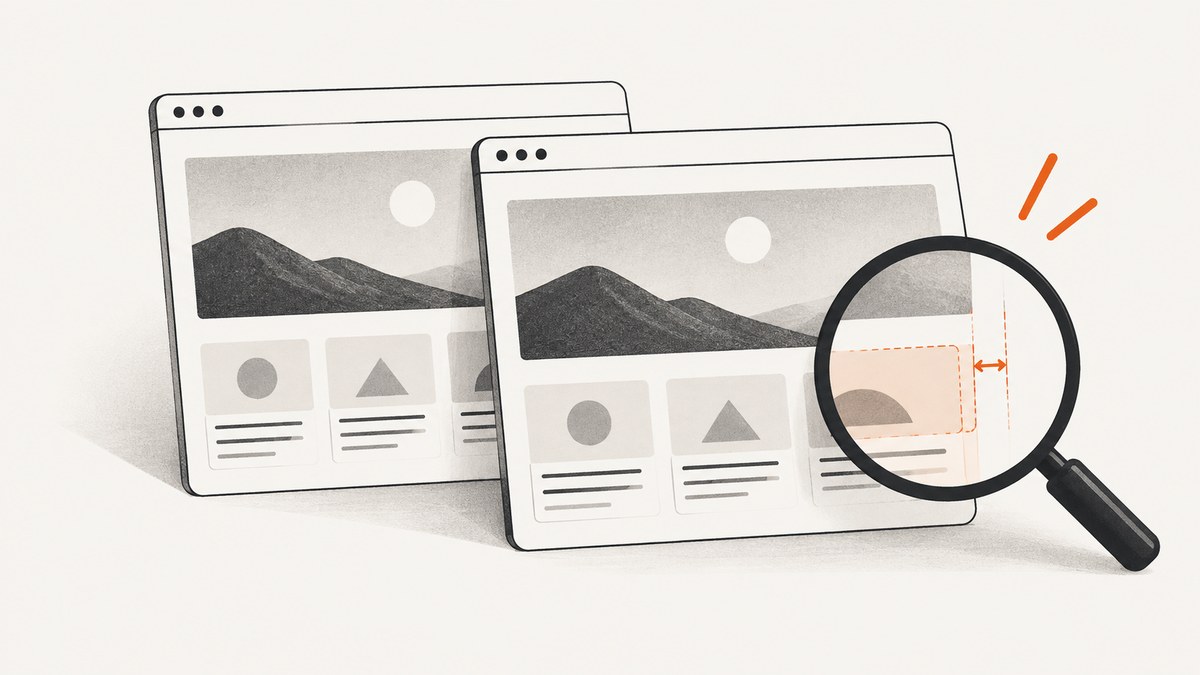
AI-powered visual regression testing captures a website in a known state, compares the rendered screenshot with an accepted baseline, and reports changes for review. The AI-assisted part may help distinguish meaningful visual changes from rendering noise or dynamic content, depending on the product. It does not know your design intent perfectly, and it does not prove the site works correctly. Stable capture conditions, thoughtful coverage, and human review still matter.
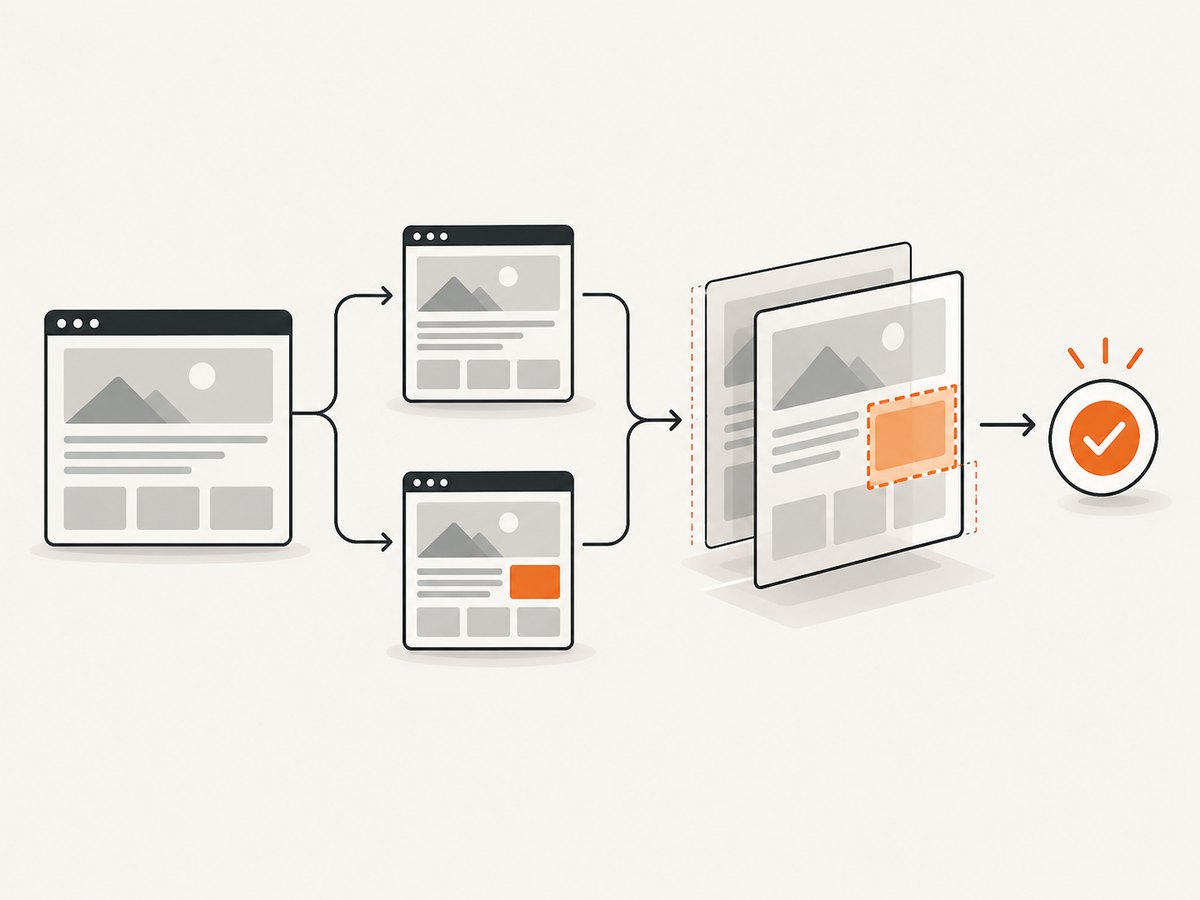
A useful way to think about the process is capture → compare → review → approve. Functional tests check behavior such as whether a form submits. Visual tests check what the browser actually rendered: whether the form is visible, the layout is intact, and the expected styles and assets appeared. Use both kinds of checks.
1. What visual regression testing checks
A visual regression test compares two renderings of a page or component: a current screenshot and an approved reference image, usually called the baseline. The test needs a reproducible state. That could be a page after navigation, a menu opened by a click, or a form with validation errors displayed. If the state differs between runs, the screenshots may differ even when the product code did not cause a regression.
Visual differences can reveal issues that a functional assertion misses. A test may confirm that a button exists and is clickable while its label is clipped, the button is off-screen, or a font failed to load. Conversely, an image comparison cannot establish that the button submits the right data, that the page is accessible, or that business rules are correct. Visual testing complements those checks; it does not replace them.
2. The capture–compare–review–approve workflow
- Choose a state. Pick the route, viewport, data, and interactions that represent a meaningful user-facing state. Keep the setup repeatable.
- Capture a reference. Save an approved screenshot for that state and capture configuration. With Playwright Test, the first
toHaveScreenshot()run generates a reference screenshot. - Capture again after a change. Run the same test in a pull request or build using the same browser and conditions.
- Compare images. A visual comparison identifies differences between the new rendering and the reference. AI-assisted services may apply analysis or comparison rules to suppress some noise and surface differences judged more meaningful.
- Review the result. Decide whether the diff is a defect, an intentional design change, a flaky capture, or an environment change. Some hosted products provide extra investigation context; for example, Applitools describes DOM and CSS context in its Visual AI workflow. That is a vendor capability claim, not a guarantee shared by every service.
- Approve intentional changes. Review the new rendering, then update the baseline when the change is expected. Do not replace a baseline automatically every time a comparison fails: that can accept a real regression without review.
Playwright documents that the first screenshot assertion creates a reference and later runs compare against it. Its documentation also describes updating snapshots with a command. The exact review and approval process depends on how your team stores and manages the reference images.
3. Where AI fits—and where it does not
A basic pixel comparison is sensitive to changed pixels. Anti-aliasing, sub-pixel shifts, a timestamp, a session identifier, or an A/B-tested banner can create differences even when the underlying design is acceptable. Applitools says its Visual AI is designed to ignore some rendering noise and handle certain dynamic values. Those are claims about that product; they should not be generalized to every AI-assisted visual testing system.
In practice, AI assistance can change which differences are emphasized or suppressed. It may help a reviewer focus on likely meaningful changes, but no comparison method should be treated as perfect. A tolerance that hides harmless variation can also hide a small but important defect. Test the settings on representative pages, examine both accepted and rejected diffs, and keep a human approval step for meaningful baseline updates.
AI does not supply missing test coverage. If you never capture the mobile menu, an AI comparison cannot catch a regression in that state. Nor does a visual match establish correct behavior, content, accessibility, security, or data. Keep assertions for those properties in the appropriate tests.
4. Build stable baselines
A baseline is meaningful only in the context of its capture setup. Playwright notes that browser rendering can vary with the host operating system, browser version, settings, hardware, power source, headless mode, and other factors. A reference made on one environment may produce noisy diffs on another. Prefer generating and comparing snapshots in the same controlled environment, such as the same CI image and pinned browser version.
Practical stability checklist
- Pin the browser version and use a consistent operating system and CI image.
- Set an explicit viewport and device scale factor; use the same values when creating and comparing baselines.
- Use deterministic data and stable test accounts. Avoid relying on content that changes on every request.
- Wait for the page state you intend to capture. Ensure important images, fonts, and application data have loaded.
- Disable or finish animations when motion is not part of the check.
- Mask, hide, or replace genuinely volatile regions, such as a live clock, when those details are outside the test’s purpose.
- Review environment changes that can affect rendering before refreshing many baselines.
Playwright supports applying a stylesheet to filter volatile elements. For example, a test can inject CSS that hides a changing clock or freezes a blinking cursor before the screenshot. Masking should be narrow: if a whole card is hidden to silence a diff, a real layout break inside that card can go unnoticed.
5. A practical Playwright example
If your project already uses Playwright Test, its built-in screenshot assertions are a direct way to start. Install and configure Playwright Test using its official setup, then add a test such as the following. This example navigates to a deterministic route, waits for a heading, and compares a full-page screenshot against the stored reference.
import { test, expect } from '@playwright/test';

test('pricing page matches its visual baseline', async ({ page }) => {
  await page.setViewportSize({ width: 1280, height: 900 });
  await page.goto('http://127.0.0.1:3000/pricing');
  await page.getByRole('heading', { name: 'Pricing' }).waitFor();

  // Use deterministic test data and wait for fonts before capturing.
  await page.evaluate(() => document.fonts.ready);

  await expect(page).toHaveScreenshot('pricing.png', {
    fullPage: true,
    animations: 'disabled',
    maxDiffPixels: 100
  });
});
The first run creates the expected screenshot; later runs compare the page with it. Review the generated artifact and commit the baseline through your normal code review process. When a design change is intentional, use Playwright’s snapshot update workflow, inspect the new screenshot, and include the baseline update with the change.
maxDiffPixels is an example of a comparison setting, not a universal threshold. Playwright uses pixelmatch and documents options for controlling screenshot comparison. A looser threshold can reduce failures from small changes, but it can also make real regressions less visible. Start conservatively and adjust based on observed diffs. Refer to the [Playwright visual comparisons documentation](https://playwright.dev/docs/test-snapshots) for current options and snapshot commands.
6. Coverage: pages, components, and states
Trying to screenshot every possible page state is usually impractical. Choose coverage based on user impact and layout risk. Include representative routes, shared components, responsive breakpoints, and interaction states that are easy to break or important to users.
| Coverage target | Example state | What it can reveal |
|---|---|---|
| Key route | Product page loaded with test data | Missing assets, typography changes, shifted sections |
| Responsive layout | Navigation at a narrow viewport | Overflow, clipping, unexpected stacking |
| Interactive state | Menu opened or form validation shown | Overlay placement, hidden content, broken spacing |
| Reusable component | Card, dialog, or table in a controlled fixture | Component styling changes across use cases |
Prefer a small set of high-value, deterministic checks over a large suite of fragile screenshots. Add coverage when a change affects a new layout, shared component, or meaningful state. Keep test data and route setup obvious so a reviewer can reproduce a failure.
7. Running comparisons in CI and reviewing updates
Run visual checks where the browser environment is predictable. A typical pull request job installs the pinned browser dependencies, starts the application with deterministic data, runs the tests, and saves failure artifacts where reviewers can inspect them. Store local baselines with the test code if you want version control and direct review of image changes. A hosted service may instead provide a review interface, cross-browser or device rendering, baseline grouping, dynamic-content controls, or diagnostic context. Verify the current product and plan documentation before relying on any vendor-specific capability.
Make baseline updates part of the change review. The reviewer should be able to see what changed, why the change is intended, and which routes or states were updated. If a diff is caused by a browser or operating system change, consider whether the team should deliberately regenerate baselines in the new environment. Avoid mixing a rendering-environment migration with unrelated design updates when that would make review harder.
8. Troubleshooting common failures
| Symptom | Likely cause | Practical fix |
|---|---|---|
| Diff appears although application code did not change | Browser, OS, headless mode, hardware, or font rendering changed | Compare in the baseline environment; pin browser and CI image, then update snapshots only if the environment change is intended. |
| Diff changes on every run | Dynamic data, animation, rotating content, cursor blink, or live timestamps | Use deterministic fixtures, wait for stable state, disable motion, or mask only the volatile region. |
| Large blank area or missing image | Capture happened before assets or application content loaded | Wait for a meaningful selector and the required resources; investigate failed requests rather than hiding the area. |
| Text wraps differently | Font did not load, viewport differs, or content changed | Wait for fonts, use the same viewport and data, and verify the expected font files loaded. |
| Many unrelated snapshots fail after a dependency update | Browser or rendering stack changed across the suite | Inspect a representative sample first, identify the shared cause, and review a controlled baseline update. |
| Test passes despite a visible defect | Tolerance is too permissive, the affected state is not covered, or the region is masked | Reduce tolerance where justified, add the missing state, and narrow masks. Keep behavioral assertions as well. |
When triaging, compare the baseline, current screenshot, and diff together. Check the test’s route, data, viewport, browser version, and wait conditions before deciding to change a threshold or accept a new reference.
9. Performance, reliability, and cost
Visual checks add browser work and image comparison to a test run. Their runtime depends on the number of states, page complexity, browser setup, and whether you render across multiple environments. Keep the suite focused, reuse stable setup, and run the most important checks on every pull request. Broader route or browser coverage can run on a schedule if it is too expensive or slow for every change.
Reliability comes primarily from repeatable inputs and capture conditions. A cloud visual service can change the review workflow or rendering coverage, but it cannot make a nondeterministic page deterministic by itself. Measure your own suite’s runtime and failure patterns before expanding it. The research sources do not provide a neutral cost comparison across tools, so estimate using your expected screenshot volume, required browser coverage, retention and review workflow, and the current published pricing for any service you evaluate.
Playwright is a practical starting point for teams that want local control and are comfortable managing baselines in version control. Applitools is an example of a hosted Visual AI service; its own pages describe framework integrations and visual review capabilities. These are product descriptions rather than an independent comparison or benchmark. Choose based on framework fit, environment coverage, baseline ownership, diagnostics, maintenance work, and total cost for your team.
10. Capture screenshots without building a browser pipeline
For a visual regression suite, browser automation is still useful because tests must put the page into a known state and connect captures to assertions. For one-off website captures, fixture images, or a separate capture workflow, a screenshot API can avoid managing a browser process. ScreenshotNeo is a website screenshot API and MCP server from ScreenshotNeo. Its API accepts a URL and returns an image or PDF; see the API documentation for parameters and configuration.
Use a stable, publicly accessible test URL in these examples and replace it with the route you want to capture. Keep your API key private; do not commit it to source control or expose it in client-side code.
cURL
curl -G "https://api.screenshotneo.com/v1/shot" \
  -d access_key=YOUR_API_KEY \
  --data-urlencode url=https://stripe.com \
  -o shot.webp
Python
import requests

r = requests.get(
    "https://api.screenshotneo.com/v1/shot",
    params={"access_key": "YOUR_API_KEY", "url": "https://stripe.com"},
    timeout=90,
)
r.raise_for_status()
open("shot.webp", "wb").write(r.content)
Node.js
const q = new URLSearchParams({
  access_key: 'YOUR_API_KEY',
  url: 'https://stripe.com'
});
const res = await fetch(`https://api.screenshotneo.com/v1/shot?${q}`);
if (!res.ok) throw new Error(`Screenshot request failed: ${res.status}`);
const image = Buffer.from(await res.arrayBuffer());
await import('node:fs/promises').then(fs => fs.writeFile('shot.webp', image));
ScreenshotNeo also accepts common screenshot API parameter names, which can make a migration easier. Its 63 options include full-page capture with lazy images loaded, CSS selector element capture, dark mode, device presets and custom viewports, retina scale, PDF output, custom CSS and JavaScript, click and wait behavior, hidden selectors, request blocking, headers and cookies, user agent, timezone and geolocation, transparent backgrounds, resizing, cache TTL, signed public image links, async jobs with signed webhooks, bulk capture of up to 100 URLs per call, a usage API, and an OpenAPI specification. Check the docs for exact parameter names and combinations.
For regression testing, store the returned image as an artifact and compare it with a versioned baseline using your test workflow. An API capture by itself does not create a test assertion or approve a baseline.
11. Or skip the browser setup
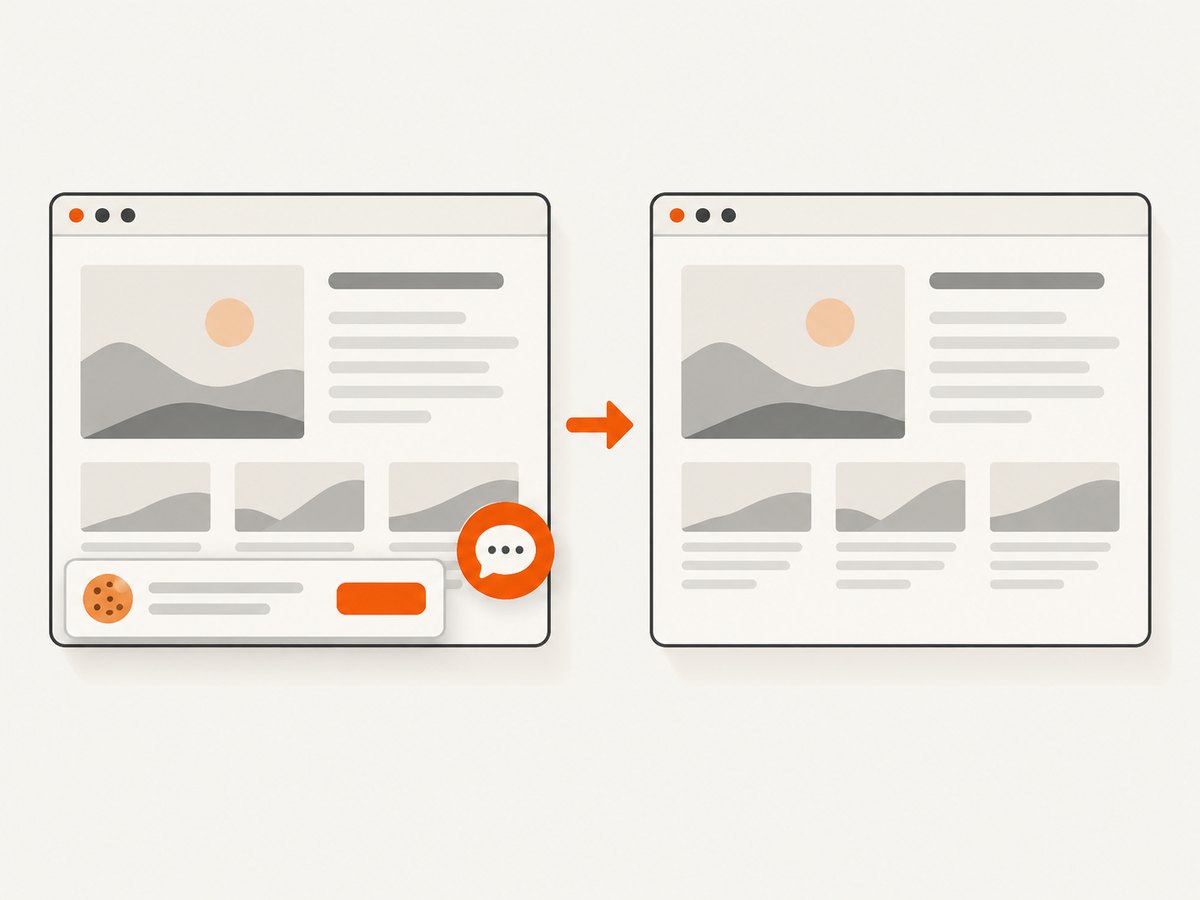
If you need a clean screenshot from a URL in one request, use ScreenshotNeo’s API. Cookie banners and consent prompts are accepted and removed before the shot, along with supported newsletter popups and chat widgets; each cleanup step can be turned off. Bot checks, blank pages, failed loads, timeouts, and cache hits are not billed, and the response reports the page verdict and billing status. An MCP server gives AI agents tools for taking screenshots, getting page information, and capturing PDFs.
curl -G "https://api.screenshotneo.com/v1/shot" \
  -d access_key=YOUR_API_KEY \
  --data-urlencode url=https://stripe.com \
  -o shot.webp
There are 1,000 screenshots per month on the free plan with no card required; paid plans start at $5 for 3,000 shots. Every feature is on every plan. Create a free account at ScreenshotNeo.
12. Frequently asked questions
Does a visual regression test tell me whether a page is correct?
No. It checks rendered appearance against a reference. Use functional, accessibility, and other appropriate tests for behavior and correctness.
Should every diff fail the build?
That depends on your workflow and tolerance settings. A diff should trigger investigation; teams can decide whether it blocks a merge. Keep intentional baseline changes reviewable.
Can AI eliminate false positives?
No comparison approach should be assumed to eliminate them. AI features are product-specific, and dynamic content or environment changes can still require tuning and human review.
When should a baseline be updated?
When a reviewer confirms the new rendering is intentional and the capture environment and test state are understood. Update the reference as part of that reviewed change.
Is a hosted service required?
No. Teams using Playwright can keep screenshot baselines with their tests. A hosted service may fit teams that need its particular review, rendering, or diagnostic workflow.


