How to Fix “Too Many Open Files” with Asyncio and Pyppeteer
Fix Pyppeteer Errno 24 by owning browser and page lifecycles, draining subprocess pipes, bounding concurrency, and tuning file limits.
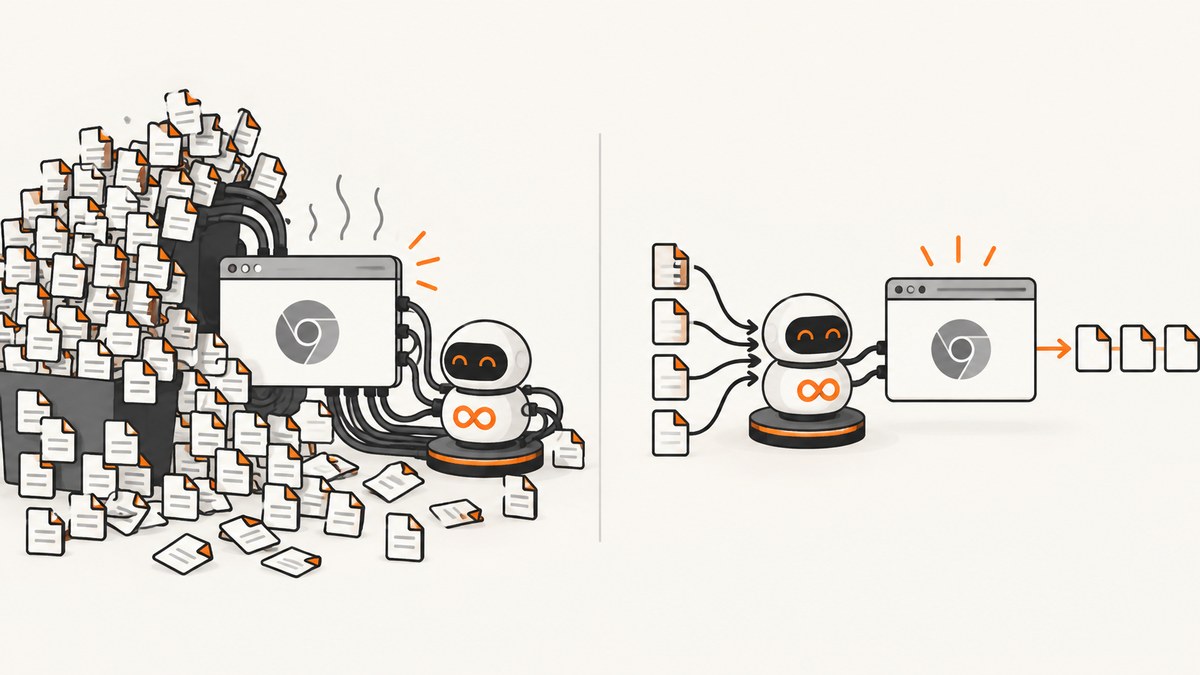
Short answer: OSError: [Errno 24] Too many open files means the Python process has exhausted its file-descriptor limit. In Pyppeteer, the usual causes are launching a browser for every request, leaving pages open on error paths, creating a new event loop for every URL, or leaving Chromium’s piped subprocess streams undrained. Reuse one browser per worker, close every page in finally, close the browser in an outer finally, run one managed event loop, bound concurrency, and use communicate() when the browser process exposes piped streams. Raise ulimit only after you have proved the descriptor count is stable and legitimately close to the limit.
What Errno 24 means
Linux and other Unix-like systems represent files, sockets, pipes, event descriptors, and similar kernel resources as file descriptors. The process has a soft limit and a hard limit. When it tries to open another descriptor after reaching the soft limit, Python raises OSError: [Errno 24] Too many open files.
A Pyppeteer request can consume descriptors for the Python process, Chromium’s pipes, browser sockets, pages, temporary files, and event-loop watchers. The exact count varies by Chromium version, launch flags, pages, and workload; there is no universal safe pages-per-browser number.
Find the resource owner before changing limits
- Record the process limits before the run:
ulimit -nfor the soft limit andulimit -Hnfor the hard limit. - Record descriptors during a controlled batch. On Linux,
len(os.listdir('/proc/self/fd'))gives a useful process-level count. - Run with one browser, bounded page concurrency, and cleanup in
finally. - Exercise successful navigation, timeout, cancellation, and browser-launch failure paths.
- After the batch, confirm Chromium processes have exited and the descriptor count returns close to its baseline.
A count that grows after every request indicates a lifecycle leak. A count that remains stable but approaches the ceiling indicates that legitimate concurrency may need a larger service limit.

A safe asyncio and Pyppeteer structure
The following pattern creates one browser for a batch, creates a page per job, limits concurrent jobs with a semaphore, and closes pages and the browser on every exit path. Pyppeteer documents Browser.close() as closing connections and terminating the browser process, while Page.close() closes an individual tab (Pyppeteer API reference).
import asyncio
import os
from pyppeteer import launch


def descriptor_count():
    try:
        return len(os.listdir('/proc/self/fd'))
    except FileNotFoundError:
        return None


async def fetch(browser, url):
    page = await browser.newPage()
    try:
        await page.goto(
            url,
            {
                'timeout': 50_000,
                'waitUntil': 'load',
            },
        )
        return await page.content()
    finally:
        # Runs after success, timeout, cancellation, and exceptions.
        await page.close()


async def capture_many(urls, parallel=4):
    browser = await launch(
        headless=True,
        handleSIGINT=True,
        handleSIGTERM=True,
        handleSIGHUP=True,
    )
    gate = asyncio.Semaphore(parallel)

    async def one(url):
        async with gate:
            return await fetch(browser, url)

    try:
        print('descriptors before:', descriptor_count())
        results = await asyncio.gather(
            *(one(url) for url in urls),
            return_exceptions=True,
        )
        print('descriptors during:', descriptor_count())
        return results
    finally:
        await browser.close()
        print('descriptors after:', descriptor_count())


async def main():
    urls = [
        'https://example.com/',
        'https://www.python.org/',
    ]
    results = await capture_many(urls, parallel=2)
    for url, result in zip(urls, results):
        if isinstance(result, Exception):
            print(url, 'failed:', repr(result))
        else:
            print(url, 'bytes:', len(result))


if __name__ == '__main__':
    asyncio.run(main())
Use return_exceptions=True when you want the rest of a batch to finish while retaining per-URL failures. If one failure should abort the batch, omit it, but keep the outer browser cleanup in finally.
Why the cleanup belongs in finally
Navigation can fail because of a timeout, DNS error, TLS problem, a browser crash, or task cancellation. Cleanup placed only after a successful goto() is skipped in each of those cases. Closing the page in finally transfers ownership back to the worker regardless of how the request ends. The browser itself belongs to the batch or worker and must have a matching outer cleanup block.
Do not create an event loop for every URL
asyncio.run() creates an event loop, runs the awaitable, finalizes asynchronous generators, shuts down the default executor, and closes the loop (Python asyncio runners documentation). Call it once at the top level:
if __name__ == '__main__':
    asyncio.run(main())
Repeatedly calling asyncio.new_event_loop() for each request makes loop ownership harder to reason about and can leave asynchronous generators, executors, transports, or subprocess watchers alive. If an embedding application requires several top-level calls, use asyncio.Runner:
import asyncio


def run_jobs(job_groups):
    with asyncio.Runner() as runner:
        for urls in job_groups:
            runner.run(capture_many(urls, parallel=4))
If a manually created loop is unavoidable, ensure every path reaches loop.shutdown_asyncgens(), loop.shutdown_default_executor(), and loop.close(). Prefer the standard runner APIs so those steps are not forgotten.
Drain Chromium subprocess pipes
When a subprocess is created with piped stdout or stderr, those pipes are descriptors owned by the process. The asyncio subprocess documentation states that communicate() closes stdin, reads stdout and stderr until EOF, and waits for termination; wait() can deadlock when pipe output fills the operating-system buffer (asyncio subprocess documentation).
A documented Pyppeteer incident reported a new FIFO pipe for each request and identified browser.process.communicate() as the pipe-cleanup step. Treat that as incident evidence rather than a guarantee that every Pyppeteer version exposes the same process object. Do not call private attributes blindly; inspect your installed version and test shutdown behavior.
async def close_browser_and_drain(browser):
    process = getattr(browser, 'process', None)
    try:
        await browser.close()
    finally:
        communicate = getattr(process, 'communicate', None)
        if communicate is not None:
            result = communicate()
            if asyncio.iscoroutine(result):
                await result
Use this helper only when your Pyppeteer version exposes the process and its streams require draining. The normal and portable ownership rule remains: close pages, then close the browser, and verify the process exits.
Bound concurrency from measurements
Every additional page and navigation can increase descriptor use. A semaphore prevents an input burst from creating an unbounded number of pages:
gate = asyncio.Semaphore(4)

async def bounded_fetch(browser, url):
    async with gate:
        return await fetch(browser, url)
Start with a conservative value, measure descriptor counts and latency, then increase gradually. Watch for a rising descriptor baseline, browser crashes, navigation timeouts, CPU saturation, and memory pressure. The sources do not establish a universal safe concurrency value, so choose one for your workload.
Inspect descriptors while the service runs
import asyncio
import os

async def report_descriptors(interval=5):
    while True:
        try:
            count = len(os.listdir('/proc/self/fd'))
            print('open descriptors:', count)
        except FileNotFoundError:
            pass
        await asyncio.sleep(interval)
Run the reporter as a background task and cancel it during shutdown:
monitor = asyncio.create_task(report_descriptors())
try:
    await capture_many(urls)
finally:
    monitor.cancel()
    await asyncio.gather(monitor, return_exceptions=True)
For deeper diagnosis on Linux, inspect /proc/<pid>/fd and classify entries as sockets, pipes, event descriptors, or regular files. Compare the process count with the effective limit inside the actual service, container, or supervisor.
Raise the nofile limit only after cleanup
Deployment systems can impose limits different from your interactive shell. Tornado’s deployment documentation notes that increasing the number of open files may be necessary to avoid this error and lists ulimit, /etc/security/limits.conf, and supervisord’s minfds as configuration points (Tornado running and deploying documentation).
- Fix page, browser, subprocess, and event-loop ownership first.
- Set the limit in the service supervisor or container that launches the process.
- Restart the service; shell changes do not retroactively change a running process.
- Verify the effective soft and hard limits from inside the running process.
- Re-run the bounded workload and confirm descriptor use is stable.
A larger limit is capacity, not cleanup. If descriptors grow per request, increasing the ceiling only delays the next failure.
Common failure modes and fixes
| Symptom | Likely cause | Fix |
|---|---|---|
| Error appears after many successful requests | A browser or page is launched per request and not always closed | Reuse one browser per worker, close every page in finally, and close the browser in an outer finally. |
| Descriptors rise only when navigation times out | Cleanup runs only on the success path | Put page cleanup around navigation and content extraction in finally. |
| Many FIFO or pipe entries remain | Chromium subprocess streams are not drained | Use the exposed process’s communicate() when appropriate, then verify the process exits. |
| Each URL creates a new loop | Repeated new_event_loop() calls |
Use one asyncio.run() call or one asyncio.Runner for a group of jobs. |
Raising ulimit helps briefly, then fails again |
A leak remains | Plot descriptor count per request and identify the resource whose count grows. |
| Failure occurs immediately in production but not locally | The service supervisor or container has a lower effective limit | Print limits from the running process and configure the actual supervisor/container. |
| Batch causes browser crashes or timeouts | Concurrency exceeds CPU, memory, or descriptor capacity | Lower the semaphore value and increase it only after measuring. |
| Cancellation leaves Chromium running | Cancellation bypasses non-finally cleanup | Keep page and browser closes in finally; await shutdown tasks before exiting. |
Reliability and performance checklist
- Keep one long-lived browser per worker or bounded batch.
- Create and close one page per job.
- Use explicit navigation timeouts.
- Bound concurrent pages with a semaphore or worker queue.
- Use one top-level event loop.
- Drain piped subprocess output when the installed Pyppeteer version exposes it.
- Measure descriptors before, during, and after representative batches.
- Test timeout, cancellation, DNS failure, browser crash, and successful navigation paths.
- Restart a worker deliberately if your operational model requires a maximum browser lifetime, and verify the old process exits before replacing it.
Reusing a browser avoids launch overhead, but a single browser is still a process with finite memory and stability limits. Partition work across a controlled number of workers when measurements show that one browser becomes a bottleneck. Do not infer capacity from a single local run.
Cost and operational trade-offs
Running Pyppeteer yourself means paying for compute, memory, browser startup, engineering time, monitoring, and incident handling. A higher file limit can support more concurrent work, but it also permits more simultaneous resource use. Keep concurrency, browser count, and service limits aligned with measured demand.

Or skip the browser setup
ScreenshotNeo provides a website screenshot API and MCP server. A single GET request returns a PNG, JPEG, WebP, or PDF. The API handles browser setup and offers controls for full-page capture, lazy images, CSS selectors, waits, custom headers and cookies, user agents, blocking resource types, JavaScript, dark mode, device presets, caching, async jobs, bulk capture, and PDF output. See the ScreenshotNeo API documentation for the complete option list.
curl -G 'https://api.screenshotneo.com/v1/shot' \
  -d access_key=YOUR_API_KEY \
  --data-urlencode url=https://stripe.com \
  -o shot.webp
import requests
r = requests.get(
'https://api.screenshotneo.com/v1/shot',
params={
'access_key': 'YOUR_API_KEY',
'url': 'https://stripe.com',
},
timeout=90,
)
r.raise_for_status()
open('shot.webp', 'wb').write(r.content)const q = new URLSearchParams({
access_key: 'YOUR_API_KEY',
url: 'https://stripe.com',
});
const res = await fetch(`https://api.screenshotneo.com/v1/shot?${q}`);
if (!res.ok) throw new Error(`Screenshot failed: ${res.status}`);
const bytes = Buffer.from(await res.arrayBuffer());
require('fs').writeFileSync('shot.webp', bytes);Cookie banners, newsletter popups, and chat widgets are removed before the shot. Bot checks, blank pages, timeouts, failed loads, and cache hits are not billed, and response headers identify the page verdict and billing status. An MCP server lets Claude, Cursor, and other MCP clients take screenshots with take_screenshot, inspect pages with get_page_info, and create PDFs with capture_pdf. The Free plan includes 1,000 screenshots per month with no card; paid plans start at $5 for 3,000 shots. Start with the free ScreenshotNeo plan.
FAQ
Should I call browser.process.communicate()?
Call it only when your installed Pyppeteer version exposes the browser process and its piped streams need draining. The incident report identified it as a cleanup step, while asyncio documents the general behavior of communicate(). Treat it as version-specific evidence and verify process exit.
What should I set ulimit -n to?
There is no universal value. Measure stable descriptor use, account for other service descriptors, then set a limit that leaves headroom. Apply it to the real supervisor or container and verify it after restart.
Does closing a page close the browser?
No. Page.close() closes the tab; Browser.close() closes browser connections and terminates the browser process. They have separate ownership responsibilities.
Can I launch one browser per request?
You can, but repeated launches increase process, pipe, startup, and cleanup pressure. A browser per worker or bounded batch is usually easier to control.
Why does the error mention files when I use network requests?
Sockets and pipes are represented as file descriptors too. Network connections, Chromium IPC, event watchers, and regular files all consume the same process descriptor budget.