Why Android WebView Screenshots of Videos Are Blank and How to Fix Them
A WebView canvas snapshot can omit HTML5 video. Learn when to use hardware rendering, PixelCopy, or VirtualDisplay with SurfaceTexture.
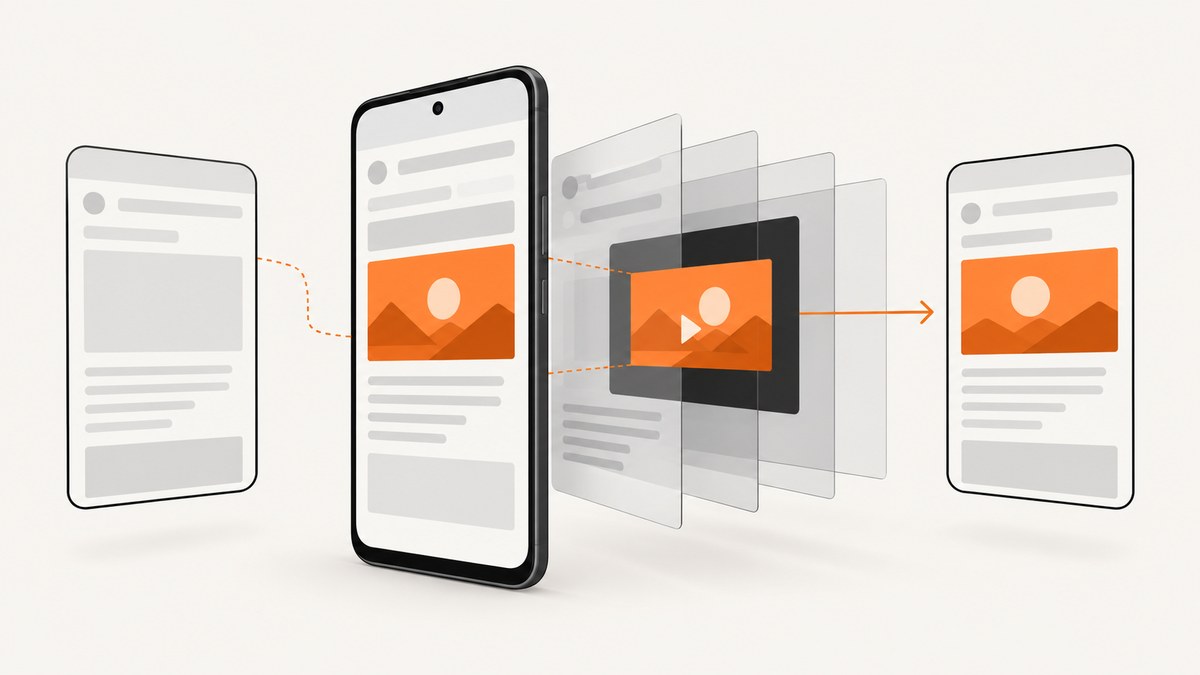
Short answer: an HTML5 video can be rendered through a dedicated SurfaceView or another compositor surface outside the ordinary WebView canvas. A bitmap made with webView.draw(canvas), onDraw(), or a software layer may therefore contain the page but leave the video blank. Keep hardware acceleration enabled. Use PixelCopy for an accessible SurfaceView, or use Chromium WebView’s VirtualDisplay plus SurfaceTexture architecture for a snapshot of the whole WebView.
A blank result can also be intentional: FLAG_SECURE, a secure SurfaceView, or DRM-protected buffers are designed to disappear from screenshots. No rendering tweak should bypass that protection.
Why the video is missing
Android WebView renders HTML, CSS, and video through Chromium’s compositor. Ordinary canvas drawing asks the view to paint its software-visible contents. Video frames may instead be queued into a separate surface, so the canvas bitmap contains the surrounding DOM but not the video surface.
Chromium documents that software drawing has missing features such as <video> and <webgl>. See the Chromium WebView guidance. Android’s PixelCopy API copies from a Surface or SurfaceView, rather than arbitrary DOM pixels.
Diagnose the capture path
- Find the snapshot call. If it invokes
webView.draw(),webView.onDraw(), or a software bitmap cache, expect video omission. Chromium specifically warns against using those calls for this snapshot use case. - Check acceleration. Log
webView.isHardwareAccelerated()and the canvas acceleration state. RemovesetLayerType(View.LAYER_TYPE_SOFTWARE, ...)from the WebView and its parents. Do not disable application or window hardware acceleration. - Identify the source surface. If the player exposes a
SurfaceView, capture that surface with PixelCopy after playback has displayed a frame. - Check security flags. Look for
WindowManager.LayoutParams.FLAG_SECURE,SurfaceView.setSecure(true), and DRM-protected output. A blank screenshot is expected for protected content. - Choose the architecture. Use PixelCopy for a known SurfaceView. Use VirtualDisplay and SurfaceTexture when the snapshot must include the complete WebView compositor output.
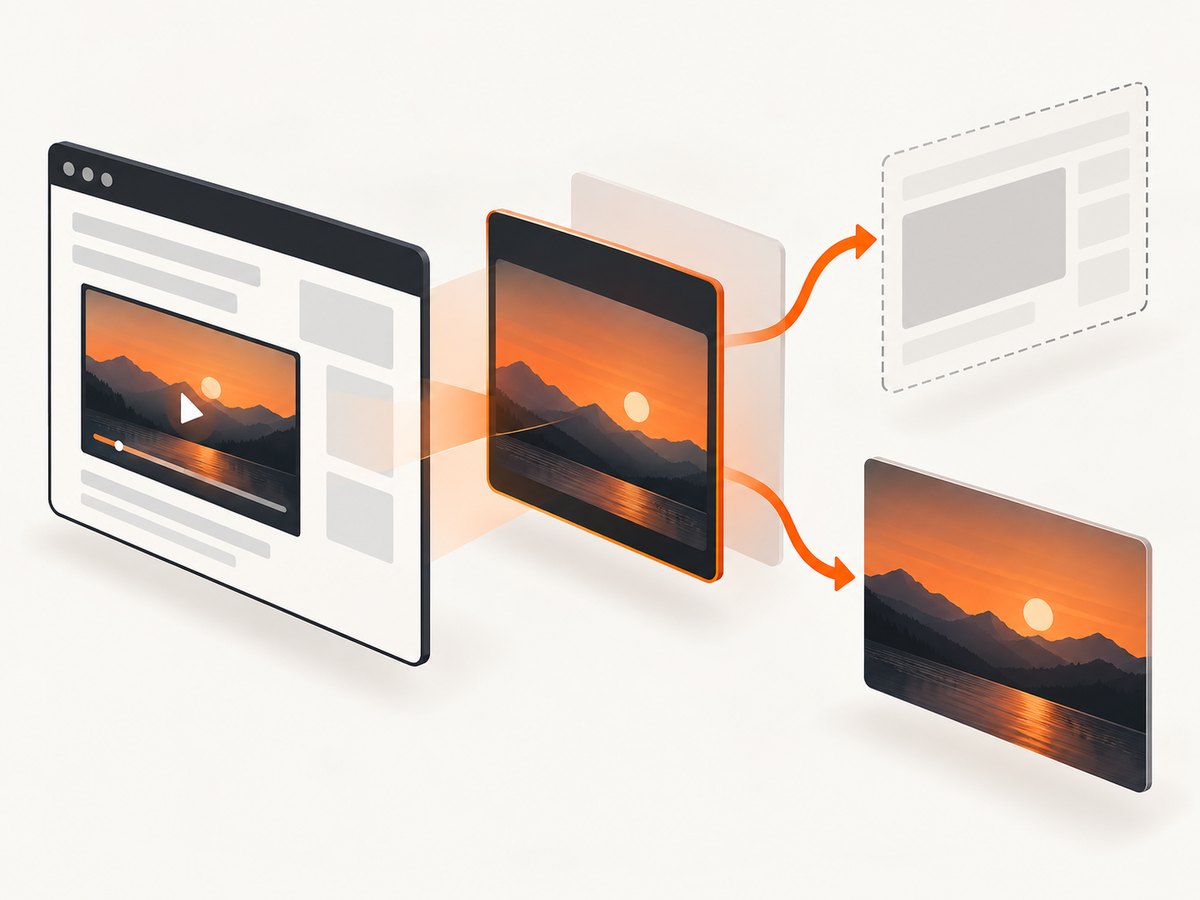
Keep hardware acceleration enabled
Hardware acceleration is enabled by default for applications targeting API 14 and later. Do not add android:hardwareAccelerated="false", and do not put the WebView or a parent view on a software layer.
fun logAcceleration(webView: WebView, canvas: Canvas) {
    Log.d("Capture", "view=${webView.isHardwareAccelerated} canvas=${canvas.isHardwareAccelerated}")
}
A software layer can help ordinary custom drawing, but it is unsuitable for pages containing video because Chromium’s software path does not provide complete video support.
Capture a video SurfaceView with PixelCopy
PixelCopy.request(SurfaceView, ...) is available from API 24. Allocate a bitmap at the surface’s displayed size, wait until the surface is valid and has queued a frame, and treat only SUCCESS as success.
@RequiresApi(Build.VERSION_CODES.N)
fun copySurfaceView(
    surfaceView: SurfaceView,
    onResult: (Bitmap?, Int) -> Unit
) {
    if (!surfaceView.holder.surface.isValid || surfaceView.width == 0 || surfaceView.height == 0) {
        onResult(null, PixelCopy.ERROR_SOURCE_INVALID)
        return
    }

    val bitmap = Bitmap.createBitmap(
        surfaceView.width,
        surfaceView.height,
        Bitmap.Config.ARGB_8888
    )

    PixelCopy.request(
        surfaceView,
        bitmap,
        { result ->
            if (result == PixelCopy.SUCCESS) {
                onResult(bitmap, result)
            } else {
                bitmap.recycle()
                onResult(null, result)
            }
        },
        Handler(Looper.getMainLooper())
    )
}
Call it after the player reports that playback has started and after the surface has had time to queue a frame. A retry loop should be bounded and delayed, rather than issuing requests in a tight loop.
| Result | Meaning | Fix |
|---|---|---|
SUCCESS |
The bitmap contains the copied surface. | Save or process the bitmap. |
ERROR_SOURCE_NO_DATA |
No frame has been queued yet. | Wait for playback or a rendered-frame callback, then retry. |
ERROR_SOURCE_INVALID |
The surface was destroyed, detached, or otherwise invalid. | Wait for a new valid surface and retry. |
ERROR_TIMEOUT |
The copy did not finish in time. | Retry later and investigate device load. |
ERROR_DESTINATION_INVALID |
The destination bitmap cannot receive the copy. | Use a mutable, correctly sized bitmap. |
PixelCopy copies the surface rectangle. It does not reconstruct arbitrary HTML elements around that surface. If you need the page and video in one image, use the WebView compositor approach below or combine separately captured regions when your layout permits it.
Capture the complete WebView with VirtualDisplay and SurfaceTexture
For a WebView-wide image that includes compositor surfaces, Chromium’s documented architecture is a VirtualDisplay backed by a SurfaceTexture. The WebView is attached to a Presentation on that display; the SurfaceTexture receives the compositor output as a GL texture, which is then read back into a bitmap.
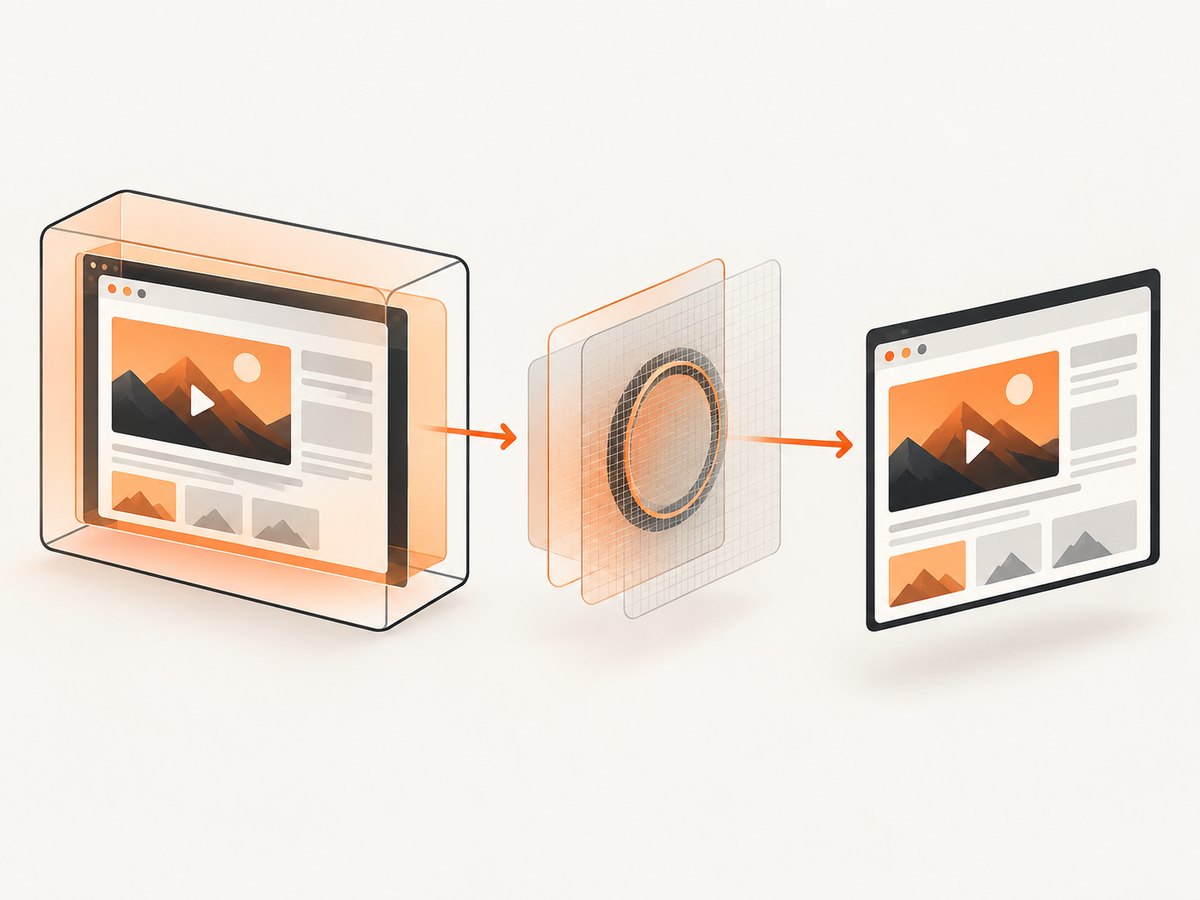
- Create an external OES texture and a
SurfaceTexturewith the target width and height. - Wrap the texture in a
Surfaceand create aVirtualDisplaywithDisplayManager.createVirtualDisplay(). - Create a
Presentationfor the virtual display, put the WebView in its content view, and show it. - Wait for the page to load and for video playback to produce a frame.
- On the GL thread, call
surfaceTexture.updateTexImage(), draw the texture into an FBO, and read pixels withglReadPixels()into a bitmap. - Release the Presentation, VirtualDisplay, Surface, SurfaceTexture, and GL resources in a
finallyblock.
// Architecture outline; run display and GL work on dedicated threads.
val texture = SurfaceTexture(oesTextureId)
texture.setDefaultBufferSize(width, height)
val outputSurface = Surface(texture)
val display = displayManager.createVirtualDisplay(
    "WebViewCapture", width, height, densityDpi,
    outputSurface, DisplayManager.VIRTUAL_DISPLAY_FLAG_OWN_CONTENT_ONLY
)
val presentation = Presentation(context, display.display)
presentation.setContentView(webView)
presentation.show()

// After page load and a rendered video frame on the GL thread:
texture.updateTexImage()
// Bind an FBO, draw the external texture, then glReadPixels(...)
// into a correctly sized ARGB/RGBA bitmap.

presentation.dismiss()
display.release()
outputSurface.release()
texture.release()
The exact EGL shader, FBO setup, and lifecycle code depend on your renderer. Keep all SurfaceTexture operations on the thread that owns its GL context, resize the buffer when the capture dimensions change, and do not destroy the virtual display while a frame is being read.
Protected content cannot be captured
FLAG_SECURE prevents screenshots and non-secure-display output; Android documents that “when the screenshot is taken the resulting image is blank.” A SurfaceView made secure with setSecure(true) has the same intent. DRM-protected buffers may also be invisible when secure output or protected-buffer support is unavailable. Explain the restriction or use an authorized non-protected stream. Do not attempt to defeat it.
Common failures and fixes
| Symptom | Likely cause | Action |
|---|---|---|
| Page is visible but video is a blank rectangle | Canvas or software capture omitted the video surface. | Keep hardware acceleration on; use PixelCopy or VirtualDisplay/SurfaceTexture. |
PixelCopy returns ERROR_SOURCE_NO_DATA |
Playback has not queued a frame. | Wait for a rendered frame and retry with a timeout. |
PixelCopy returns ERROR_SOURCE_INVALID |
Surface lifecycle changed. | Reacquire the current SurfaceView and check isValid. |
| Everything is blank, including HTML | Secure window, secure surface, DRM, or an unloaded page. | Inspect security flags and page load state; protected output is intentionally blank. |
| Works on one device but not another | Differences in Android API level, WebView package, GPU driver, or DRM. | Test the supported path across the target API and device matrix. |
| VirtualDisplay image is stale | No buffer update was consumed. | Use OnFrameAvailableListener, call updateTexImage() on the GL thread, then read back. |
Performance, reliability, and cost
- PixelCopy: one surface-to-bitmap copy is usually simpler and cheaper than a full GL pipeline, but it depends on a valid surface and a queued frame.
- VirtualDisplay: uses display, surface, and GL resources; reuse the renderer for batches, cap bitmap dimensions, and release every resource promptly.
- Timing: page load does not guarantee a video frame. Wait for playback state or frame availability.
- Memory: an ARGB bitmap uses about four bytes per pixel, before intermediate textures and FBOs. Avoid several full-resolution copies at once.
- Reliability: WebView, Android framework, GPU drivers, and DRM behavior vary. Validate on the API levels and devices you support.
Or skip the browser setup
ScreenshotNeo provides a hosted screenshot API when you do not want to manage WebView surfaces, virtual displays, EGL, or device-specific behavior. The API accepts one GET request and returns PNG, JPEG, WebP, or PDF. Cookie banners, newsletter popups, and chat widgets are removed before the shot. Bot checks, blank pages, timeouts, failed loads, and cache hits are not billed, and response headers identify the page verdict and billing status. Its MCP server lets Claude, Cursor, and other MCP clients use take_screenshot, get_page_info, and capture_pdf.
See the ScreenshotNeo API documentation for all options.
curl -G "https://api.screenshotneo.com/v1/shot" -d access_key=YOUR_API_KEY --data-urlencode url=https://stripe.com -o shot.webpimport requests
r = requests.get("https://api.screenshotneo.com/v1/shot", params={"access_key": "YOUR_API_KEY", "url": "https://stripe.com"}, timeout=90)
open("shot.webp", "wb").write(r.content)const q = new URLSearchParams({ access_key: 'YOUR_API_KEY', url: 'https://stripe.com' });
const res = await fetch(`https://api.screenshotneo.com/v1/shot?${q}`);Free accounts include 1,000 screenshots per month with no card. Paid plans start at $5 for 3,000 shots, and every feature is available on every plan. Create a free ScreenshotNeo account.
FAQ
Can I fix this by disabling hardware acceleration?
No. That makes video omission more likely because Chromium’s software drawing path has missing video support.
Does PixelCopy capture any HTML video element?
Only when you can access the actual video SurfaceView or Surface. PixelCopy does not copy arbitrary DOM pixels.
Why is PixelCopy black instead of returning an error?
The source may be protected, secure, not yet composited, or producing a frame the device cannot expose. Check result codes, security flags, and frame timing.
Which method captures the entire WebView?
Use the VirtualDisplay plus SurfaceTexture compositor path, then read the texture into a bitmap.
Can DRM video be captured for debugging?
Not when the stream or surface requires secure output. Use an authorized non-protected test stream or inspect playback telemetry instead.


