Are MCP Servers Open Source? What Developers Should Know
MCP is open source, but each server has its own license, deployment model, dependencies, and security terms. Learn how to evaluate one safely.
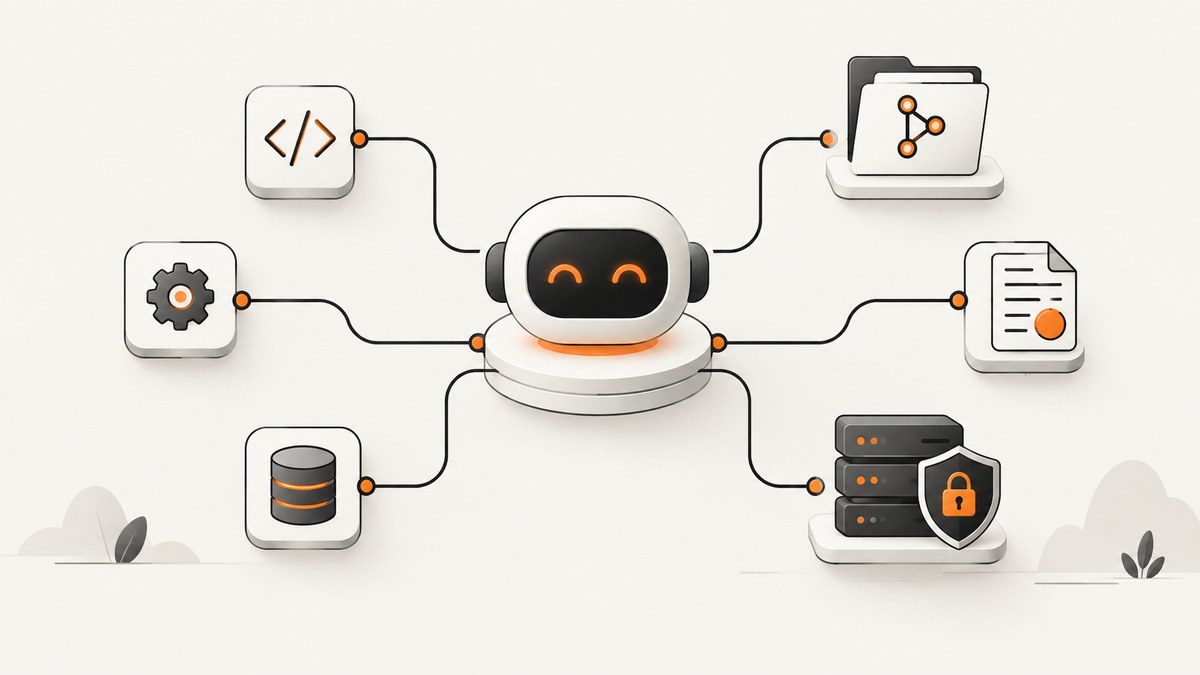
Short answer: MCP itself is open source. An MCP server is an implementation of that protocol, so its source code and license depend on the publisher. Some servers are fully open source and self-hostable; others are source-available, mixed with proprietary dependencies, or offered only as hosted services.
The Model Context Protocol (MCP) specification, documentation, schemas, and SDK ecosystem are public projects. Anthropic introduced MCP as an open standard on November 25, 2024, and the official documentation describes it as an open-source standard for connecting AI applications to external systems. That fact does not automatically make every server you can connect to open source.
What “open source” means for MCP
Use the phrase MCP is open source when you mean the protocol project: its specification, schemas, documentation, and SDKs. Use this MCP server is open source only after checking that server’s own repository, license, release artifacts, dependencies, and hosted-service terms.
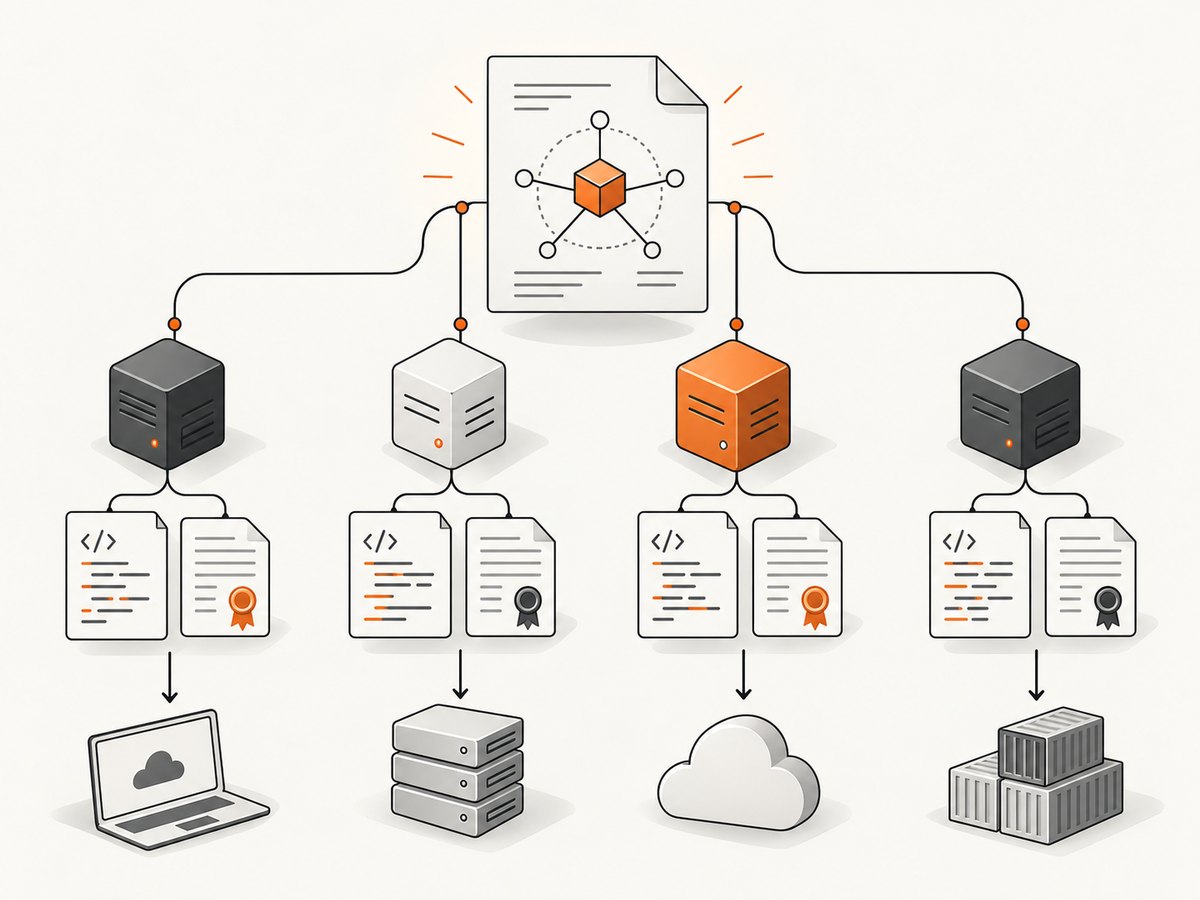
| Layer | What to verify | Why it matters |
|---|---|---|
| Protocol | Specification, schemas, documentation, SDKs | Shows whether the standard is publicly developed and inspectable |
| Server implementation | Repository, tag or commit, license, release artifacts | Determines whether you may inspect, modify, and redistribute the server |
| Dependencies | Package licenses, native binaries, model or API clients | A server’s overall terms may include obligations beyond its main repository |
| Operations | Local process, remote endpoint, or hosted provider | Controls where data and credentials go and which terms apply |
Are the official MCP projects open source?
The official specification and documentation repository states that it is licensed under the MIT License. The official reference-server repository is also public, but it uses a mixed historical notice: new contributions are under Apache License 2.0 while existing code remains under MIT. Read the license files for the exact version you plan to deploy.
The reference servers are examples rather than turnkey production services. Their README says they demonstrate MCP features and SDK usage and are educational examples, not production-ready solutions. You must add authentication, authorization, isolation, logging, rate limits, and other safeguards for your threat model.
Sources: MCP documentation, specification repository, and the reference-server repository.
Can you self-host an MCP server?
Often, yes. A server whose source, build instructions, and dependencies are published under terms that permit deployment can run as a local process, container, or service in your infrastructure. Self-hosting is a deployment choice, not proof of an open-source license.
Self-hosting checklist
- Identify the exact repository, publisher, tag or commit, and release date.
- Read the top-level license and any per-package license files.
- Inventory dependencies, plugins, container images, native binaries, and external APIs.
- Document every credential and permission the server needs.
- Run the server with least privilege in a separate user, container, or network segment.
- Pin the protocol and SDK versions, then test upgrades before production rollout.
- Record how logs, prompts, tool arguments, and returned data are retained.
How to evaluate whether a particular MCP server is open source
Do not infer a license from an MCP registry listing, a package name, or the fact that a server works with an open protocol. Use this review sequence.
1. Confirm source completeness
Look for the implementation, build files, release process, configuration examples, and tests. A repository containing only a launcher or client wrapper may not contain the service that handles your data.
2. Read the exact license
Check the LICENSE file at the version you will deploy. Note whether it permits commercial use, modification, redistribution, and internal hosting. Check subdirectories because bundled connectors may have separate terms.
3. Separate code from hosted services
A public server can still call a paid API or send data to a vendor. Review API terms, data-processing terms, retention settings, rate limits, and account requirements independently from the server’s source license.
4. Inspect permissions and secrets
List filesystem paths, network destinations, OAuth scopes, API keys, database roles, and write operations. Prefer read-only credentials and separate accounts for development and production.
5. Review maintenance and compatibility
Check release activity, issue history, security advisories, maintainer responsiveness, and supported protocol and SDK versions. Pin a known-good version instead of consuming an unreviewed moving branch.
6. Treat discovery catalogs correctly
The MCP Registry is an open catalog and API for publicly available servers. Its September 2025 preview supports public and private sub-registries and community reports, but the launch notice warns that the preview may change and provides no durability or warranty guarantees before general availability. A listing helps you discover a server; it is not a security audit or production endorsement.
See the MCP Registry project and validate every entry yourself.
What licenses do MCP servers use?
There is no single MCP-server license. Common outcomes include:
- Fully open source: source code is published under a stated license and can be self-hosted within those conditions.
- Source-available or mixed: some code is public, while connectors, plugins, dependencies, deployment controls, or hosted APIs have separate terms.
- Proprietary or hosted: you can use a remote endpoint without receiving the implementation.
The protocol’s MIT license does not relicense an individual server. Likewise, an Apache-licensed server does not change the terms of the external API it calls. Keep a dependency and license inventory for the exact build you ship.
Are MCP servers safe for production?
Open source describes availability of source, not safety, quality, or support. Before production use, threat-model the server as code that can receive sensitive context and invoke real tools.
Production controls
- Use explicit allowlists for tools, hosts, paths, and operations.
- Run with a dedicated operating-system identity and minimal filesystem access.
- Separate read and write credentials; require approval for destructive actions.
- Restrict outbound network access and validate returned URLs.
- Keep secrets in a managed secret store rather than prompt text or source files.
- Log tool calls and authorization decisions without recording unnecessary sensitive payloads.
- Set timeouts, size limits, concurrency limits, and cancellation handling.
- Scan dependencies and rebuild from pinned, reviewable inputs.
- Test malformed arguments, prompt-injection content, partial failures, and replayed requests.
- Define an upgrade and rollback process for protocol, SDK, and server changes.
Governance and compatibility
MCP now uses Specification Enhancement Proposals (SEPs), maintainers, core maintainers, lead maintainers, and public meeting notes. This formal governance makes protocol changes more visible, but it does not remove version-management work. Pin a specification version, read changelogs, and run compatibility tests before upgrading.
Example: a vendor can publish an open-source server
GitHub announced an official open-source local GitHub MCP Server in public preview on April 4, 2025. GitHub said it worked with Anthropic to rewrite the reference server in Go while preserving its functionality. This demonstrates that a vendor may publish its server source. It does not make the GitHub service, authentication model, API limits, or account terms open source.
Evaluate that server with the same checklist: repository license, permissions, dependencies, supported versions, and the terms of the underlying GitHub APIs.
Using ScreenshotNeo through MCP
ScreenshotNeo is a website screenshot API and MCP server for developers. Its MCP server provides take_screenshot, get_page_info, and capture_pdf tools for Claude, Cursor, and other MCP clients. Treat it as a hosted product with its own service terms rather than assuming that MCP compatibility makes the implementation open source.
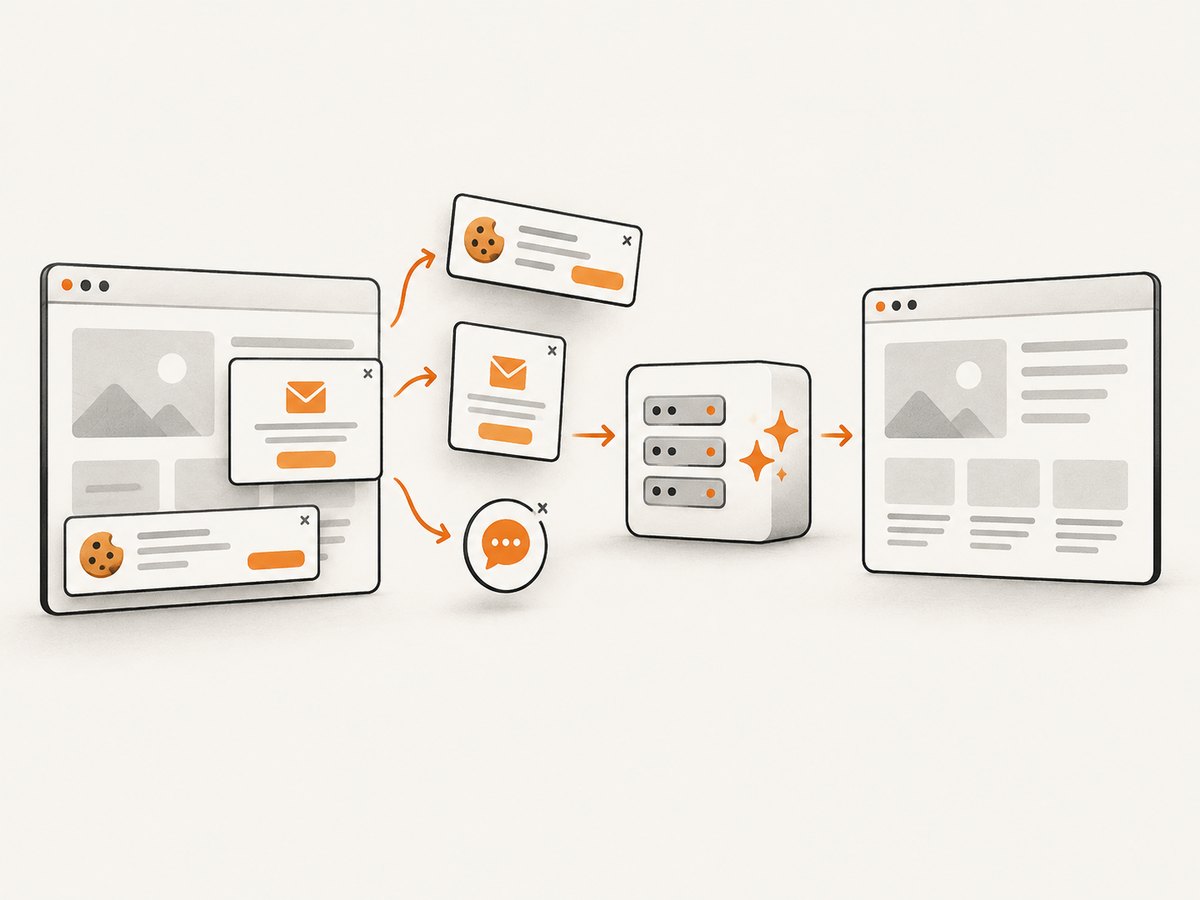
ScreenshotNeo removes cookie and consent banners, newsletter popups, and chat widgets before capture. Bot checks, blank pages, timeouts, failed loads, and cache hits are not billed; responses identify the page verdict and billing status with X-Page-Verdict and X-Billed headers.
Direct API call
See the ScreenshotNeo API documentation for the complete option list.
cURL
curl -G "https://api.screenshotneo.com/v1/shot" -d access_key=YOUR_API_KEY --data-urlencode url=https://stripe.com -o shot.webpPython
import requests

r = requests.get(
    "https://api.screenshotneo.com/v1/shot",
    params={"access_key": "YOUR_API_KEY", "url": "https://stripe.com"},
    timeout=90,
)
r.raise_for_status()
open("shot.webp", "wb").write(r.content)
Node.js
const q = new URLSearchParams({ access_key: 'YOUR_API_KEY', url: 'https://stripe.com' });
const res = await fetch(`https://api.screenshotneo.com/v1/shot?${q}`);
if (!res.ok) throw new Error(`Screenshot failed: ${res.status}`);
const fs = await import('node:fs/promises');
await fs.writeFile('shot.webp', Buffer.from(await res.arrayBuffer()));
Relevant capture options
ScreenshotNeo supports full-page captures with lazy images loaded, CSS-element capture, dark mode, 12 device presets or custom viewports, retina scale, PDF paper size and margins, landscape mode and page ranges, HTML/CSS rendering, custom CSS and JavaScript, pre-capture clicks, hidden selectors, waits for selectors, delays or network idle, request and resource blocking, custom headers, cookies, user agents and Authorization, timezone and geolocation, transparent backgrounds, resizing, configurable-TTL caching, signed links, asynchronous jobs with signed webhooks, bulk capture of up to 100 URLs per call, a usage API, and an OpenAPI specification. Common parameter names used by other screenshot APIs also work.
Performance, reliability, and cost considerations
- Performance: Use caching with a TTL when pages do not change frequently. Block ads, trackers, or unnecessary resource types, and wait for a meaningful selector instead of an unnecessarily long fixed delay.
- Reliability: For large batches, use bulk capture or asynchronous jobs with signed webhooks. Inspect verdict and billing headers so retries distinguish a failed load from a successful capture.
- Dynamic pages: Choose selector, delay, or network-idle waits based on the page. Lazy-loaded content may require full-page capture or a targeted wait.
- Cost: Free includes 1,000 shots per month without a card. Paid plans are Starter $5 for 3,000, Growth $15 for 15,000, Pro $39 for 60,000, Scale $99 for 250,000, and Business $249 for 1,000,000. Yearly billing gives two months free, and every feature is available on every plan.
Troubleshooting MCP server evaluations
| Symptom | Likely cause | Fix |
|---|---|---|
| No license file | License is undocumented or incomplete | Ask the publisher for the exact terms or choose a project with a clear license |
| Source is public but deployment fails | Missing private dependency, credential, or hosted component | Read build scripts and dependency manifests; document every external requirement |
| Registry entry looks official | Catalog listing mistaken for endorsement | Verify publisher, repository, commit, release, and security history independently |
| Tool has excessive access | Broad credentials or filesystem/network permissions | Use least privilege, allowlists, isolation, and separate read/write identities |
| Protocol upgrade breaks calls | Unpinned SDK or specification version | Pin versions, read changelogs, run compatibility tests, and keep a rollback build |
| Screenshot is blank or blocked | Bot check, timeout, failed load, or page-specific rendering issue | Inspect the response verdict headers, adjust waits or headers, and retry only when appropriate |
FAQ
Is the Model Context Protocol proprietary?
No. The protocol project is open source and publicly documented. Individual servers may still be proprietary or hosted-only.
Can I modify an MCP server?
Only if that server’s license permits modification and redistribution. Check the exact repository version and all bundled components.
Does an MCP Registry listing prove a server is safe?
No. Registry presence is a discovery signal. Perform your own license, permission, dependency, and security review.
Do I need to self-host every MCP server?
No. You can use a hosted server when its data-processing, authentication, availability, and commercial terms meet your requirements.
Where should I start when comparing two servers?
Compare license completeness, local versus remote deployment, required permissions, secret handling, maintainer activity, protocol support, dependency and API terms, security evidence, and whether the listing is merely registry-discovered or vendor-maintained.
Or skip the browser setup
For website screenshots, ScreenshotNeo provides a single API call:
curl -G "https://api.screenshotneo.com/v1/shot" -d access_key=YOUR_API_KEY --data-urlencode url=https://stripe.com -o shot.webpCookie banners, newsletter popups, and chat widgets are removed before the shot. Bot checks, blank pages, timeouts, failed loads, and cache hits are never billed. Its MCP server lets AI agents take screenshots, inspect page information, and create PDFs. You get 1,000 screenshots a month free with no card; paid plans start at $5 for 3,000.


