How to Connect Auth0 and Cloudflare MCP for Secure Browser Automation
Connect Auth0 login to a Cloudflare Workers MCP server, then configure Browser Run for authenticated browser automation with scoped credentials.
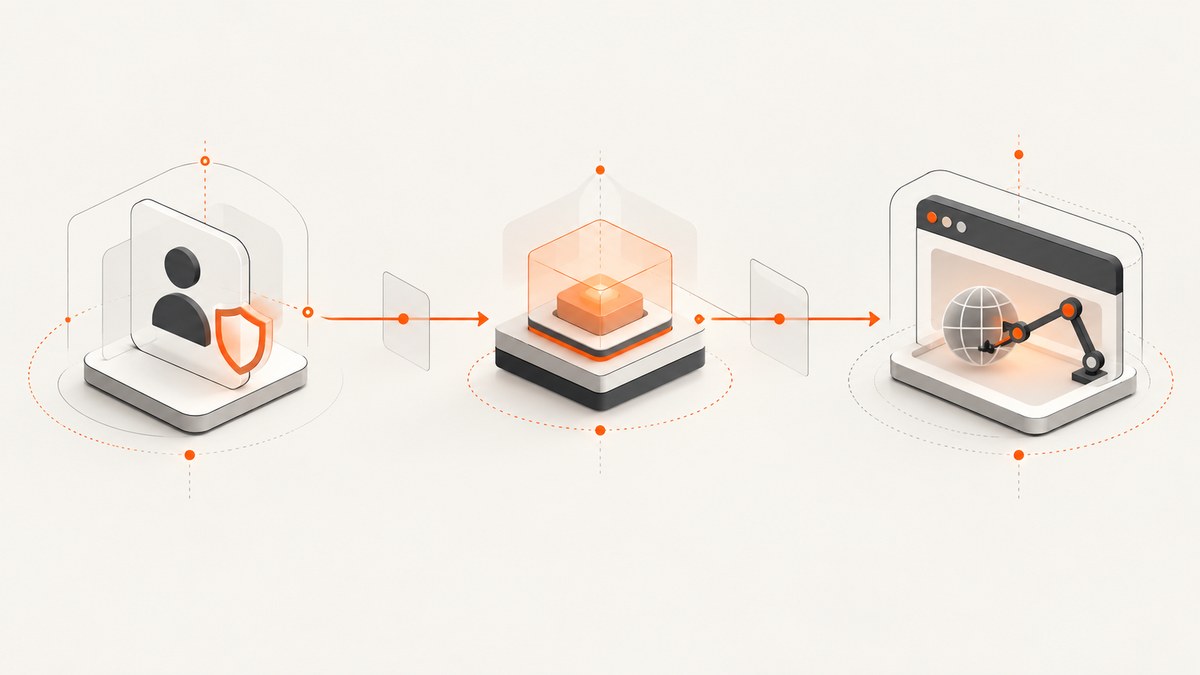
To connect Auth0 and Cloudflare MCP for secure browser automation, run your remote MCP server on a Cloudflare Worker, protect it with Cloudflare’s OAuth Provider Library, and configure Auth0 as the upstream identity provider. Separately, give your MCP client a Cloudflare Browser Run CDP endpoint and a narrowly scoped Cloudflare API token. The Worker authenticates the agent’s MCP calls; the CDP token authorizes browser execution. Treat these as separate credentials and trust boundaries.
This setup lets a user sign in and consent through Auth0 before an MCP client can call protected tools. It does not make the browser runtime itself an Auth0 client. Cloudflare describes MCP authorization as using a subset of OAuth 2.1. [Cloudflare’s remote MCP server guide]
1. Understand the two authorization paths
The useful mental model is two connections with different purposes:
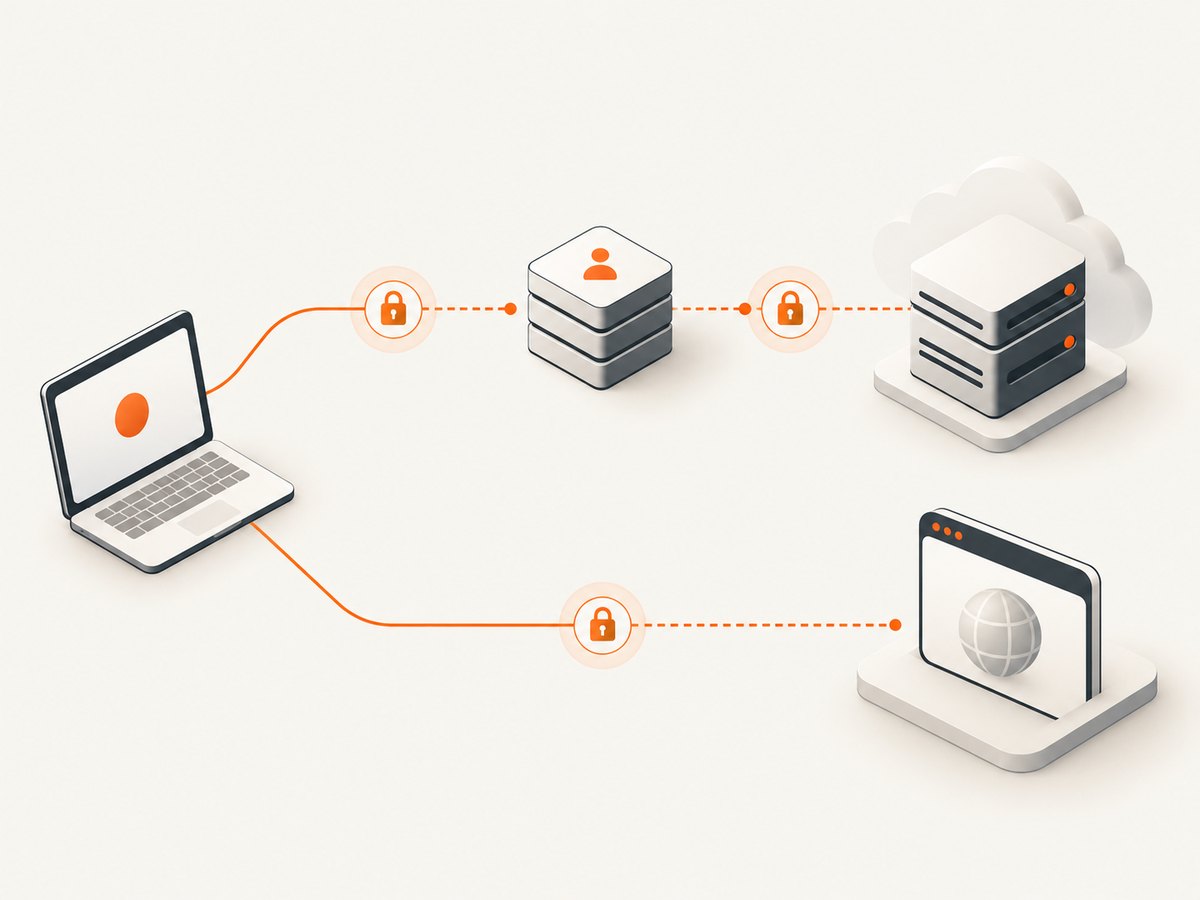
- Identity and tool access: MCP client → Worker OAuth endpoints → Auth0 login and consent → Worker-issued MCP access token → protected
/mcproute. - Browser execution: MCP client’s browser tooling → Cloudflare Browser Run CDP endpoint, authorized with a Cloudflare API token that has Browser Rendering – Edit permission.
The OAuth Provider Library handles MCP client registration, token handling, and validation. Your authorization handler connects the flow to Auth0 and returns the MCP token the client uses with the Worker. Browser Run uses its own Cloudflare API token. Do not send that token to the Worker as a substitute for user authentication, or pass the Auth0 access token as the CDP credential.
At deployment, your Worker can expose routes such as /authorize, /token, /register, and /mcp. Route names depend on the implementation. Configure the client and provider with matching URLs, and register the exact callback URI in Auth0.
2. Prerequisites and setup order
- Node.js 18 or newer, an Auth0 tenant with permission to configure an application and API, a Cloudflare account with Workers and Browser Run access, and an MCP-compatible client. Auth0’s guide names Claude Desktop, Cursor, and Windsurf as supported examples. [Auth0 MCP getting-started guide]
- A deployed or deployable Cloudflare Worker that implements the tools you intend to expose.
- An Auth0 application and API configuration suitable for the OAuth exchange. Decide which user identity and API scopes each tool needs before registering the integration.
- A separate Cloudflare API token for Browser Run, restricted to Browser Rendering – Edit.
- A secure secret store or environment configuration for Auth0 client credentials and the Cloudflare token. Keep secrets out of source control, client configuration files shared with others, logs, and error responses.
Build and deploy the protected Worker first so you know its stable public MCP URL and callback address. Then configure OAuth and Auth0 against those addresses. Finally, configure Browser Run in the client. This order reduces redirect URI mismatches and makes it easier to tell whether a failure is in authentication or browser connectivity.
3. Protect the MCP Worker with OAuth
Cloudflare’s remote MCP pattern uses @cloudflare/workers-oauth-provider. The following is the shape of the integration, not a drop-in complete Worker: your tool handler, Auth0 exchange details, state storage, and environment bindings depend on your application. Use Cloudflare’s maintained guide and example for the complete interface and current package API. [Remote MCP server guide] [Cloudflare Agents examples]
import OAuthProvider from "@cloudflare/workers-oauth-provider";

// Implement these in your application:
// - mcpHandler: MCP request handler and restricted tool registry
// - auth0AuthorizationHandler: redirects to Auth0 and validates callback state
// - auth0TokenHandler: exchanges the authorization result and issues MCP tokens
// - clientRegistrationHandler: dynamic client registration policy

const provider = new OAuthProvider({
  apiRoute: "/mcp",
  apiHandler: mcpHandler,
  authorizeEndpoint: "/authorize",
  tokenEndpoint: "/token",
  clientRegistrationEndpoint: "/register",
  defaultHandler: {
    fetch: (request, env, ctx) => routeOAuthRequest({
      request,
      env,
      ctx,
      auth0AuthorizationHandler,
      auth0TokenHandler,
      clientRegistrationHandler
    })
  }
});

export default provider;
Check the current package documentation for exact option names and handler signatures before adapting this outline. The important design decisions are:
- Set the MCP API route to the route your client will call, and validate access tokens there.
- Handle authorization, token exchange, and registration explicitly. Decide whether dynamic client registration is open, restricted, or replaced with pre-registered clients.
- Bind Auth0 issuer, client ID, client secret, audience, and allowed scopes through deployment secrets/configuration. Do not hard-code secret values.
- Use Auth0 only for the identity and upstream API permissions that the tools require. The Worker’s issued token should represent the MCP client’s access to your server, with an appropriate expiry and validation policy.
- Keep the tool registry narrow. A screenshot or navigation tool should not silently grant account administration, arbitrary internal network access, or unrelated APIs.
Cloudflare’s securing-MCP-server example is a useful reference for the provider boundary and token validation. [Cloudflare Workers OAuth example material]
4. Configure Auth0 as the upstream provider
- Create or select an Auth0 application. Configure the application type and credentials to match the server-side OAuth flow in your Worker.
- Register the callback URI. Add the exact redirect URI used by the Worker authorization handler. Scheme, host, path, and trailing slash must match. Use the deployed HTTPS origin in production.
- Configure the API audience and scopes. Request only the permissions required by the tools. If a tool only needs read access, do not request write scopes for convenience.
- Store credentials as secrets. Put the Auth0 client secret and other confidential values into Worker secret bindings or the deployment platform’s secret store.
- Implement the callback exchange. Validate the OAuth state and the authorization response, exchange the code with Auth0, validate the returned token for the expected issuer and audience, then issue the MCP client token according to the provider flow.
- Handle renewal. Long-running interactions may need refreshed upstream access tokens. Keep refresh tokens protected, refresh only when needed, and revoke them when the user or agent is removed.
Auth0’s MCP overview discusses limiting API permissions as a security control. Use scopes to narrow what the server can do, and separately restrict which operations the MCP server exposes. Scopes cannot compensate for an overly broad tool registry. [Auth0 MCP overview]
5. Configure Cloudflare Browser Run in an MCP client
Cloudflare’s Browser Run client instructions use chrome-devtools-mcp with the Browser Run WebSocket endpoint and an authorization header. Use the current endpoint shown in Cloudflare’s documentation if it changes. The documented endpoint form is:
wss://api.cloudflare.com/client/v4/accounts/<ACCOUNT_ID>/browser-run/devtools/browser?keep_alive=600000Example command-line arguments for an MCP client that launches the server:
npx chrome-devtools-mcp@latest \
  --wsEndpoint="wss://api.cloudflare.com/client/v4/accounts/<ACCOUNT_ID>/browser-run/devtools/browser?keep_alive=600000" \
  --wsHeaders='{"Authorization":"Bearer <API_TOKEN>"}'
Replace the account ID and token placeholders. In a client configuration that accepts a command and argument array, keep each flag as one argument and ensure the JSON header value survives the client’s parsing. Do not commit a real token in a repository. The API token needs Browser Rendering – Edit permission; avoid using a general-purpose account token. [Cloudflare Browser Run MCP client documentation]
The exact client config file and JSON shape vary by MCP client and version. Follow that client’s current documentation for registering a local stdio server. This CDP connection is distinct from the remote Worker URL: configure both if your workflow needs both the protected tools and Cloudflare’s browser tools.
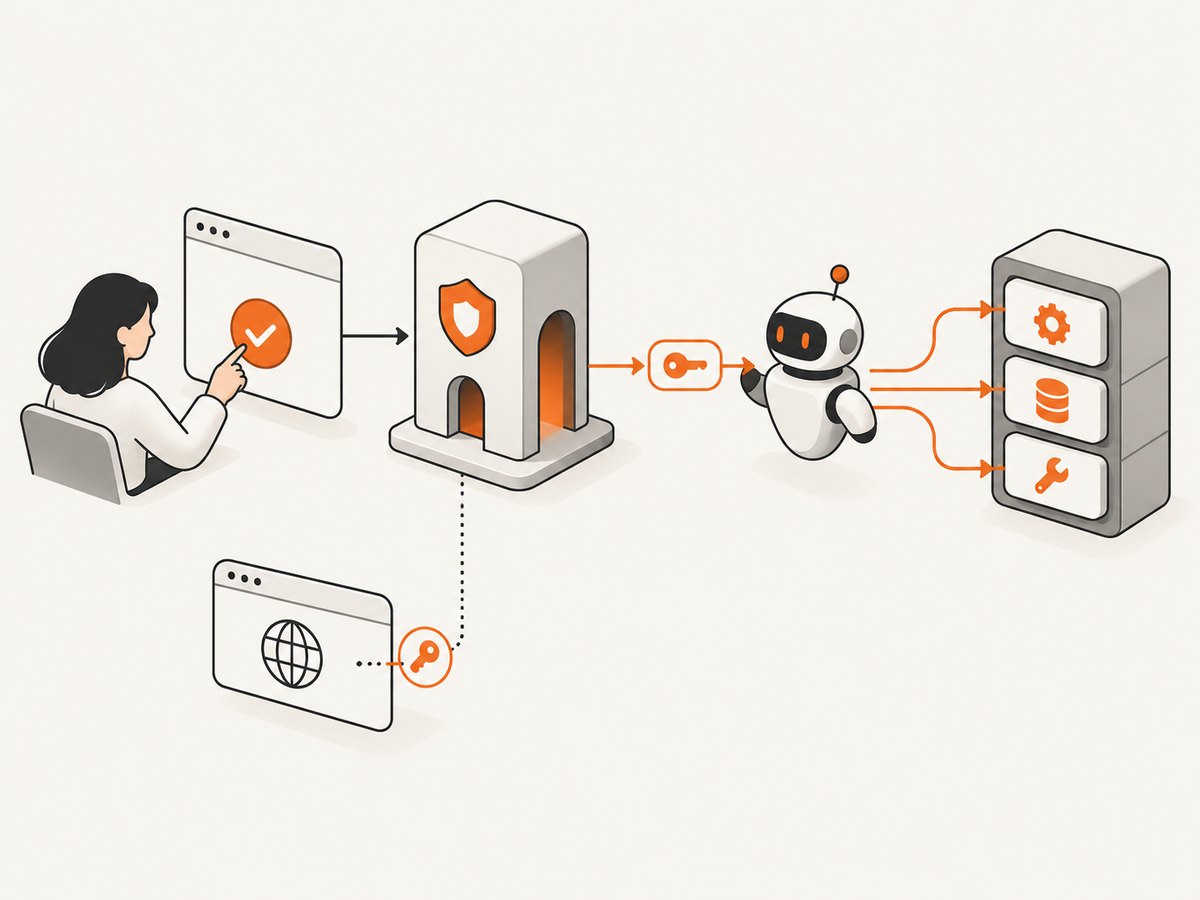
6. Complete the sign-in and connection flow
- Start the MCP client and connect to the protected Worker URL.
- On an unauthenticated request, the Worker/provider responds with an authorization challenge, typically HTTP 401 with OAuth discovery details.
- The MCP client creates a PKCE verifier and challenge, opens the user’s browser, and directs the user to the authorization endpoint.
- The Worker redirects to Auth0. The user signs in and reviews the requested access.
- Auth0 returns an authorization code to the registered callback. The Worker validates state and completes the upstream exchange.
- The Worker/provider returns the MCP client’s access token (and refresh material when configured). The client retries the MCP request with the token.
- Separately, invoke a Browser Run tool. Its connection authenticates with the Cloudflare API token supplied to the CDP process.
OAuth state protects the callback from request forgery, while PKCE binds the authorization code exchange to the client that initiated it. Use the provider’s supported protocol handling rather than writing a partial OAuth flow that skips those checks. Cloudflare documents the authorization flow and token validation expectations in its Agents guidance. [Cloudflare authorization flow]
7. Test the deployment before production
- Run the MCP Inspector with
npx @modelcontextprotocol/inspector@latest. - Enter the deployed MCP URL, select OAuth settings, and run the quick OAuth flow.
- Complete Auth0 login and consent, then connect and use List Tools.
- Confirm that the listed tools are only the intended actions and that unauthenticated calls are rejected.
- Test Browser Run independently from the client. Verify it can establish the CDP connection with the restricted API token.
- Exercise expired access and refresh behavior, denied consent, invalid state, revoked credentials, and a target URL that your policy disallows.
Cloudflare’s remote MCP guide describes testing with the Inspector. Testing both paths independently makes diagnosis clearer: the Worker OAuth connection can work while Browser Run credentials are invalid, and vice versa. [Cloudflare remote MCP testing]
8. Security checklist for production
- Scopes: grant the minimum Auth0 API scopes needed by each tool; review them when adding tools.
- Cloudflare token: use a dedicated token with Browser Rendering – Edit only, and rotate it on a schedule or after suspected exposure.
- OAuth integrity: enforce exact redirect URIs, validate state, use PKCE, validate issuer and audience, and reject expired or malformed tokens.
- Secrets: use server-side secret storage; redact authorization headers, codes, cookies, and tokens from logs.
- Tool exposure: allowlist tools and arguments. Require explicit policy for navigation, downloads, file access, or actions that can alter state.
- Network boundaries: apply URL allowlists or SSRF protections if browser tools can navigate to user-supplied destinations. Consider internal hosts, metadata endpoints, redirects, DNS changes, and alternate IP representations.
- Operations: log authentication failures, token refresh outcomes, navigation targets, downloads, and screenshot actions without storing sensitive page content unnecessarily. Alert on unusual failures or access patterns.
- Lifecycle: revoke refresh tokens and remove client access when a user or agent is deprovisioned. Rotate Auth0 credentials and Cloudflare tokens when staff or systems change.
9. Troubleshooting common failures
| Symptom | Likely cause | Fix |
|---|---|---|
| Auth0 reports an invalid callback or redirect URI | The callback differs from the URI registered in Auth0, often by scheme, path, host, or trailing slash. | Copy the exact callback generated by the deployed Worker configuration into the Auth0 application. Confirm the client is using the same environment. |
| The client loops between login and the MCP server | The callback is not completing, state is lost, or the token response is not accepted. | Inspect redacted Worker logs for callback handling, state validation, code exchange, and token validation. Verify cookie/state storage is available across the flow and that the token audience and issuer match. |
| 401 after a successful Auth0 login | The client did not retry with its MCP token, the Worker issued a token with the wrong audience, or the MCP route does not validate the provider’s token format. | Inspect the authorization response and MCP request headers without logging token values. Align provider configuration, token audience, and API route validation. |
| 403 from a tool after connecting | The user’s Auth0 scopes do not permit the upstream operation, or the tool policy rejects the request. | Check the minimum required scope and the tool’s authorization rule. Request only the missing permission and require fresh consent if needed. |
| Browser Run WebSocket fails to connect | Wrong account ID or endpoint, malformed header quoting, missing token permission, or expired/revoked token. | Use the current documented endpoint, pass the header as valid JSON, and create a dedicated token with Browser Rendering – Edit. Test the CDP leg apart from OAuth. |
| Browser launches but cannot reach a page | Target site blocks automation, navigation is disallowed by your policy, or the page load waits indefinitely. | Check browser and navigation logs, your URL policy, redirects, and timeout settings. Do not weaken network restrictions without understanding the destination. |
| Inspector sees no tools | The MCP handler is mounted at a different route, the wrong URL was entered, or tool registration failed. | Confirm the deployed MCP endpoint and route configuration, then inspect server logs and list-tools handling. |
| Refresh works briefly, then fails during a long task | Refresh token expired, was revoked, or is not being persisted securely by the server. | Implement the provider’s refresh behavior, verify Auth0 token settings, and handle reauthentication cleanly when renewal is no longer possible. |
10. Performance, reliability, and cost considerations
There is no universal latency or cost figure for this architecture in the cited first-party material. Measure it in the target account and region. A useful trace separates authorization redirects, Auth0 code exchange, Worker processing, CDP connection setup, page navigation, and page rendering. Reuse browser sessions only where the client/runtime supports it safely; avoid repeatedly initiating login for every tool call.
Reliability depends on more than the Worker. Auth0 availability and configuration, token expiry, the MCP client’s OAuth implementation, Cloudflare Browser Run connectivity, and the destination site can each fail independently. Make retries bounded and safe: retry transient connection failures, but do not blindly replay actions that submit forms, purchase items, or mutate remote state. Return actionable tool errors and preserve correlation IDs without exposing credentials.
Cost depends on the services and account plans selected. The research sources do not establish a universal price for this setup, so check current Cloudflare and Auth0 plan terms for your expected usage. Reduce avoidable browser work with URL validation, reasonable navigation deadlines, and tool calls that capture only the required page state.
11. A simpler option when the job is a screenshot
If the agent only needs a clean screenshot or PDF, a full browser runtime and OAuth-enabled MCP server may be more infrastructure than the task needs. ScreenshotNeo is a website screenshot API and MCP server for developers. Its API accepts one GET request with a URL and returns PNG, JPEG, WebP, or PDF; see the API documentation.
Or skip the browser setup
Here is the one-call cURL example:
curl -G "https://api.screenshotneo.com/v1/shot" \
  -d access_key=YOUR_API_KEY \
  --data-urlencode url=https://stripe.com \
  -o shot.webp
ScreenshotNeo accepts cookie or consent banners like a visitor and removes more than 60 known consent platforms, newsletter popups, and chat widgets before the shot; each step can be turned off. Bot checks and CAPTCHAs, blank pages, timeouts, failed loads, and cache hits cost nothing, and response headers report the page verdict and billing status. Its MCP server offers take_screenshot, get_page_info, and capture_pdf for Claude, Cursor, or any MCP client. The free plan includes 1,000 screenshots a month with no card; paid plans start at $5 for 3,000.
Sign up free for 1,000 screenshots a month with no card.
12. Frequently asked questions
Does Auth0 authenticate the Cloudflare browser session?
No. In this design, Auth0 is the upstream identity provider for the Worker’s MCP authorization flow. Browser Run’s CDP connection uses a Cloudflare API token with Browser Rendering – Edit permission.
Can I use Cloudflare Access instead of Auth0?
That is a different identity design. Choose based on who owns user identity, where authorization policy belongs, how clients authenticate, and what audit controls you need. Keep the Worker-issued MCP token boundary explicit whichever provider you select.
Which MCP clients can use this setup?
Auth0’s getting-started guide lists Claude Desktop, Cursor, and Windsurf as examples. Client support and configuration details vary by version, so verify the current OAuth and local server setup for your chosen client.
Can one MCP client use both the Worker and Browser Run?
Yes, when the client supports the required remote OAuth connection and the Browser Run MCP process. Configure them as separate MCP connections and keep their credentials separate.


