How to Authenticate with a Screenshot API
Learn where to put a screenshot API key, how to keep it secret, and why service authentication differs from access to the page you capture.

To authenticate with a screenshot API, use the credential format documented for the specific provider and endpoint. A POST endpoint may expect an API key as Authorization: Bearer …; a GET endpoint may require a key in the query string. Make requests from your server, keep the service key in a secret store, and never assume that this key also logs the remote browser into the page you want to capture.
There are two separate access questions: may your application use the screenshot service, and may that service load the target page? The first uses your provider key. The second may require target-site cookies, Basic Auth, or headers, if the provider supports them. This guide covers both boundaries, runnable request patterns, safe key handling, errors, and rotation.
1. Identify which credential the request needs
Before writing code, find the exact documentation for the endpoint and HTTP method you will call. Authentication rules can differ between endpoints from the same provider. Check these details:
- HTTP method and full endpoint path.
- Whether the key belongs in an Authorization header, a provider-specific header, or a query parameter.
- Whether the endpoint accepts JSON, form data, or query parameters for capture options.
- Which token permissions or scopes are required.
- How the provider represents authentication failures.
- Whether target-page credentials such as cookies or Basic Auth are supported separately.
For example, ScreenshotEngine documents api_key in the query string for its GET endpoint, but requires Authorization: Bearer YOUR_API_KEY for its POST endpoint. Its POST body carries screenshot options, and putting api_key in that JSON body does not authenticate the request. A bearer header alone is not a substitute for its documented GET query key. [ScreenshotEngine API documentation]
Cloudflare’s Browser Rendering screenshot endpoint uses a POST request under the account API. Its documentation accepts an API token with Browser Rendering Write permission and describes account email plus global API key as the previous authorization scheme. Cloudflare advises, “When possible, use API tokens instead of Global API keys.” [Cloudflare Browser Rendering documentation]
2. Keep the service key on your server
An API key is a secret that authorizes use of a service. If you place it in browser JavaScript, a React component, a public repository, or a URL copied into a page, a visitor may be able to extract it. Use a backend route, serverless function, or other server-side process to make the screenshot request. Load the credential from an environment variable or deployment secret store rather than writing it into source code. ScreenshotEngine explicitly warns against browser-visible code and URLs that expose keys. [ScreenshotEngine API documentation]
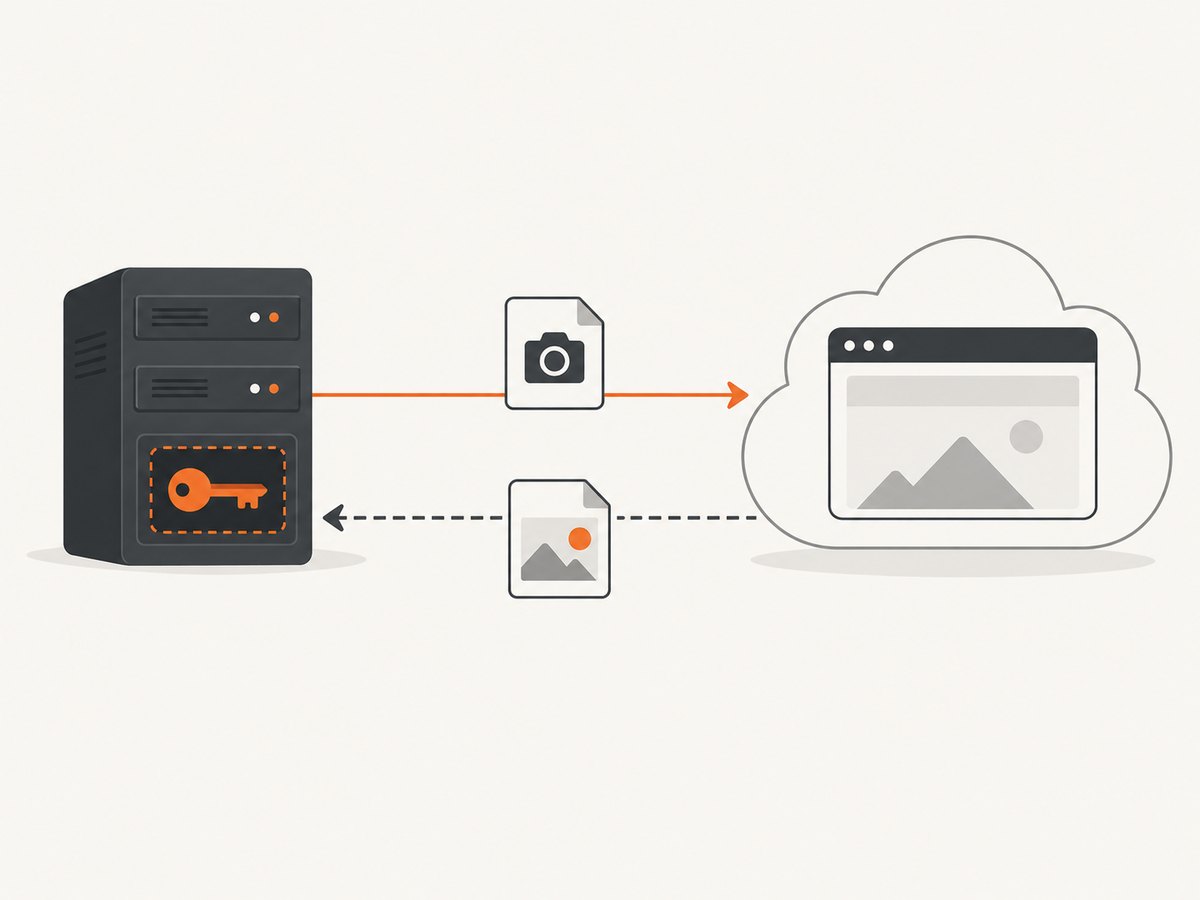
Use a placeholder in examples and documentation, never a real credential. Do not commit a populated .env file. Keep authorization headers and key-bearing query URLs out of request logs, exception reports, and analytics. If your provider offers scoped keys or permissions, grant only what the capture integration needs.
Server-side request structure
The safe shape is: client asks your application to capture an allowed URL; your server validates the request and calls the screenshot provider with its secret; your server returns the resulting image or a controlled reference. This avoids shipping the provider credential to the browser. It also gives your application a place to enforce which URLs users can capture.
For a bearer-token POST API, the credential belongs in the header and capture settings belong in the documented body:
curl --fail-with-body --request POST 'https://api.screenshotengine.com/v1/screenshot' \
  --header "Authorization: Bearer $SCREENSHOTENGINE_API_KEY" \
  --header 'Content-Type: application/json' \
  --data '{"url":"https://example.com","format":"png"}' \
  --output screenshot.png
Set SCREENSHOTENGINE_API_KEY in your shell or deployment secret configuration before running the command. The provider, endpoint, field names, and accepted formats here are specific to ScreenshotEngine’s documented POST pattern; substitute them only according to another provider’s docs. [ScreenshotEngine API documentation]
3. Query-string keys and GET endpoints
Some GET APIs require the service key in the URL query string. That is a provider contract, even though query credentials need extra care because URLs are commonly recorded by proxies, web servers, monitoring tools, and browser history. If the endpoint requires a query key, call it from your backend, avoid printing the full URL, and check that your logging and observability systems redact the parameter.
ScreenshotEngine’s GET endpoint documents api_key as a query parameter. Do not replace it with a bearer header unless that endpoint’s current documentation says the header is accepted. Its separate POST endpoint uses a bearer header instead. [ScreenshotEngine API documentation]
When building a query URL, use a URL or HTTP library to encode parameters rather than concatenating untrusted values. This matters for both credentials and capture URLs: reserved characters such as & and # can change how a URL is parsed.
4. Distinguish API authentication from target-page login
Your screenshot provider key answers: “May this application call the screenshot service?” It does not automatically answer: “May the remote browser access this private website?” The target page may require a separate cookie, HTTP Basic Auth credential, or request header. Whether you can pass those credentials depends on the screenshot provider and endpoint.

| Credential | What it authorizes | Typical place |
|---|---|---|
| Screenshot service key or token | Your application’s use of the screenshot API | Documented Authorization header or query parameter |
| Target-page credential | The browser’s access to the page being captured | Provider-supported cookie, Basic Auth option, or target request header |
Support varies. ScreenshotEngine says its documented capture endpoint accepts a public URL and does not expose custom target-site cookies, Authorization headers, or login scripts. Cloudflare’s screenshot endpoint documents HTTP Basic Auth and additional request headers for the target page. Do not assume one provider’s capability applies to another. [ScreenshotEngine API documentation] [Cloudflare Browser Rendering documentation]
If you capture an authenticated page, avoid putting target credentials in a URL or a shared screenshot link. Use the provider’s documented secure mechanism, limit access to the resulting image, and make sure your own endpoint cannot be used to capture arbitrary internal or private URLs.
5. Python and Node.js examples for a bearer-token API
The following examples match ScreenshotEngine’s documented POST contract. They assume the API key is already available as an environment variable. They keep the service credential in a header and send capture parameters in JSON. Check the provider’s response behavior and error format before using the pattern unchanged in production.
Python
import os
import requests

api_key = os.environ["SCREENSHOTENGINE_API_KEY"]
response = requests.post(
    "https://api.screenshotengine.com/v1/screenshot",
    headers={
        "Authorization": f"Bearer {api_key}",
        "Content-Type": "application/json",
    },
    json={"url": "https://example.com", "format": "png"},
    timeout=90,
)
response.raise_for_status()
with open("screenshot.png", "wb") as image_file:
    image_file.write(response.content)
Install the dependency with python -m pip install requests. Keep the timeout appropriate for the provider’s documented maximum capture time. For large images, consider streaming the response to disk if the provider returns image bytes directly and your HTTP client supports streamed downloads.
Node.js
const apiKey = process.env.SCREENSHOTENGINE_API_KEY;
if (!apiKey) throw new Error("SCREENSHOTENGINE_API_KEY is not set");

const response = await fetch("https://api.screenshotengine.com/v1/screenshot", {
  method: "POST",
  headers: {
    Authorization: `Bearer ${apiKey}`,
    "Content-Type": "application/json",
  },
  body: JSON.stringify({ url: "https://example.com", format: "png" }),
  signal: AbortSignal.timeout(90_000),
});
if (!response.ok) {
  throw new Error(`Screenshot request failed: ${response.status} ${await response.text()}`);
}
const image = Buffer.from(await response.arrayBuffer());
await import("node:fs/promises").then(({ writeFile }) => writeFile("screenshot.png", image));
This uses the built-in Fetch API available in current Node.js releases. In a long-running service, avoid including a response body in logs until you have confirmed it contains no sensitive details.
6. Choose permissions and rotate keys safely
When the provider supports scoped tokens, choose the narrowest documented permission that allows the screenshot call. Cloudflare identifies Browser Rendering Write for its screenshot endpoint. A broad account credential should not be used by default when a service token can be limited to the required capability. [Cloudflare Browser Rendering documentation]
Maintain a rotation path before you need one: know where the key is stored, which deployments consume it, and how to revoke it. If you suspect exposure, ScreenshotEngine’s guidance is to create a replacement key, update server configuration, and revoke the exposed key. Verify the deployed application uses the replacement, then remove the old value from local configuration and logs where feasible. [ScreenshotEngine API documentation]
- Create a replacement credential with the necessary permission.
- Update the secret in your deployment environment.
- Deploy or restart the application so it reads the replacement.
- Confirm normal captures work without printing the credential.
- Revoke the exposed credential and review where it may have been copied.
7. Troubleshoot authentication failures
| Symptom | Likely cause | What to check |
|---|---|---|
| 401 Unauthorized | Missing, malformed, expired, or wrong credential | Confirm the key is present, remove accidental whitespace, and use the documented scheme such as Bearer. |
| 403 Forbidden | The identity is recognized but lacks permission | Check token scope, account association, endpoint access, and any required product permission. |
| GET fails while POST works | Authentication may be defined separately by method | Verify whether GET requires a query key and POST a bearer header, as documented by the provider. |
| POST says key is invalid although it is in JSON | The endpoint expects the key outside the JSON body | Put the key in the documented Authorization or API-key header; keep capture options in the body. |
| Request works locally but fails after deployment | Secret missing, stale, or configured under a different variable name | Check deployment secret configuration and restart/redeploy after updating it. Never print the value to diagnose. |
| Provider call succeeds but target page shows a login screen | Service authentication succeeded; target-page authentication did not | Check whether the provider supports the target site’s required cookie, Basic Auth, or request header. |
| Key appears in logs or a public bundle | Credential was exposed | Rotate it immediately, update the deployed secret, revoke the old key, and remove exposed copies where possible. |
Distinguish an authentication response from a rendering failure. A valid provider credential does not guarantee the remote site will load: target authorization, bot checks, network restrictions, and page behavior are separate issues. Read the provider’s response status and error body without leaking secrets into diagnostics.
8. Reliability, latency, and cost considerations
Authentication is only one part of a dependable capture integration. Set a request timeout, handle non-success HTTP status codes, and decide whether to retry. Retry only errors that are plausibly temporary, use a bounded attempt count and backoff, and avoid retrying invalid credentials or permission failures unchanged. If the provider supports asynchronous jobs or request identifiers, persist those identifiers so work can be resumed or checked without submitting duplicate captures.
Do not assume the provider’s key placement is the only cost or reliability consideration. Review the provider’s current documentation for quotas, rate limits, output limits, retention, and billing rules; the sources used here do not establish comparable prices, uptime, or rendering benchmarks. For captures of private pages, also consider whether the credentials and resulting screenshots can be accessed only by the intended users.
9. Or skip the browser setup
If you would rather call a screenshot endpoint than maintain a browser capture stack, ScreenshotNeo is a website screenshot API and MCP server. Its GET endpoint uses an access key in the query parameters, as shown in this request. Keep the key in a server environment variable and make the request server-side; do not publish a key-bearing URL in frontend code. See the ScreenshotNeo API docs for request options.
curl -G "https://api.screenshotneo.com/v1/shot" -d access_key=YOUR_API_KEY --data-urlencode url=https://stripe.com -o shot.webpimport requests
r = requests.get("https://api.screenshotneo.com/v1/shot", params={"access_key": "YOUR_API_KEY", "url": "https://stripe.com"}, timeout=90)
open("shot.webp", "wb").write(r.content)const q = new URLSearchParams({ access_key: 'YOUR_API_KEY', url: 'https://stripe.com' });
const res = await fetch(`https://api.screenshotneo.com/v1/shot?${q}`);
if (!res.ok) throw new Error(`Screenshot request failed: ${res.status}`);
await import('node:fs/promises').then(async ({ writeFile }) => writeFile('shot.webp', Buffer.from(await res.arrayBuffer())));ScreenshotNeo removes cookie banners, newsletter popups, and chat widgets before the shot. Bot checks, blank pages, and failed loads are never billed, and response headers report the page verdict and billing status. Its MCP server lets AI agents use take_screenshot, get_page_info, and capture_pdf. The free plan includes 1,000 screenshots per month with no card; paid plans start at $5 for 3,000 screenshots.
Create a free ScreenshotNeo account for 1,000 screenshots a month with no card.
10. FAQ
Where do I put the screenshot API key?
Use the precise location required by the endpoint: commonly an Authorization header for POST APIs, or a query parameter for some GET endpoints. Store the key server-side.
Does my screenshot API key log me in to the website?
No. It authorizes use of the screenshot service. The website may need a separate credential, and the provider must support forwarding it.
Can I safely call a screenshot API from frontend JavaScript?
Not with a long-lived secret embedded in the bundle. Have your backend call the provider and return a controlled result to the browser.
Is a query-string API key always unsafe?
Some endpoints require one. Treat the URL as sensitive: call it server-side and prevent query strings from being recorded in logs or shared publicly.
Should I use a global account key?
Use a narrowly scoped token when the provider offers one and documents the needed permission. Cloudflare recommends API tokens over its previous global-key scheme when possible.
Sources
- ScreenshotEngine API documentation — endpoint authentication patterns and credential handling.
- Cloudflare Browser Rendering documentation — token permissions and target-page authentication options.


