How to Automate Figma Designs with a REST API
Read Figma file data, export selected layers, and build a reliable automation pipeline with the REST API, including authentication and rate-limit handling.
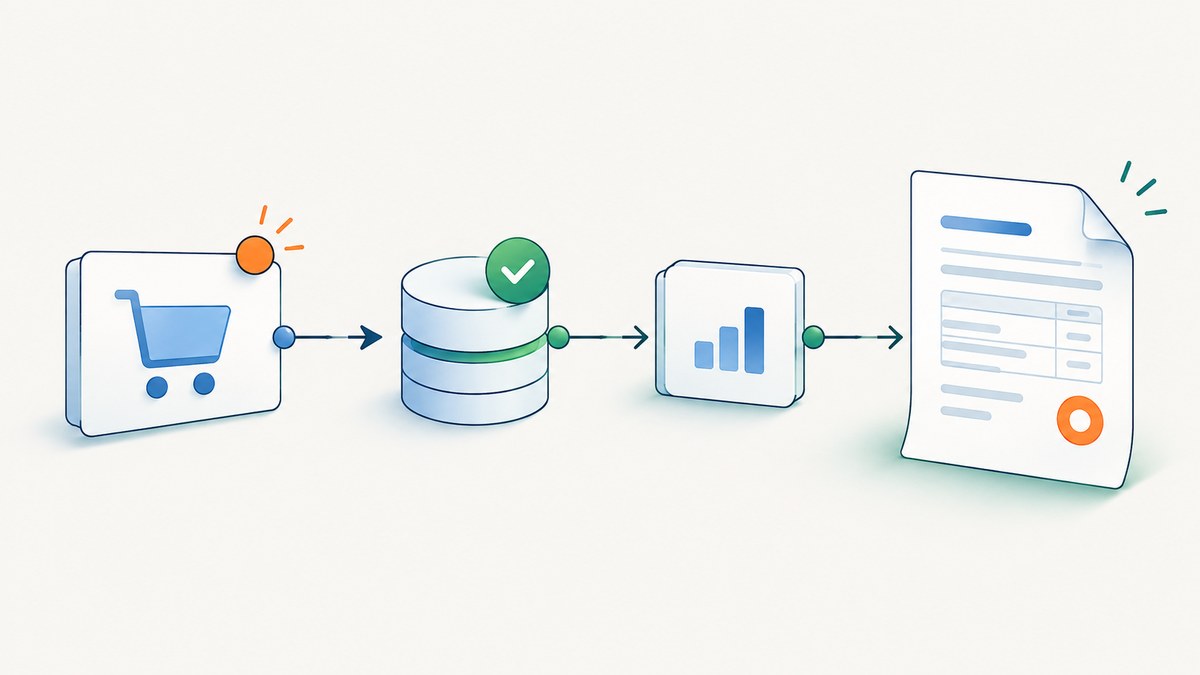
Direct answer
To automate Figma designs with its REST API, authenticate with a token that fits your use case, fetch a file with GET /v1/files/:key, walk its node tree to find the layer IDs you need, then request rendered images with GET /v1/images/:key?ids=.... Download the returned image URLs promptly or refresh them before they expire after 30 days. For repeatable jobs, batch node IDs, cache unchanged responses, and respect Retry-After when Figma returns HTTP 429.
The API is suited to reading and processing existing files, exporting selected nodes, and synchronizing supported design-system data. Do not assume the REST API can create arbitrary design layers: the reviewed REST documentation does not establish a general node-creation endpoint. Check the current Plugin API or newer write documentation before designing a generation workflow.
What you can automate
Figma’s REST API provides access to files, images, comments, projects, components and styles, variables, analytics, and webhooks. A file is a structured document: every layer or object appears as a node in its JSON representation. That makes a typical automation a data pipeline rather than a sequence of UI clicks.
- Inspect: read file metadata and traverse its document tree.
- Select: identify pages, frames, components, or other nodes by ID.
- Export: ask the image endpoint to render selected node IDs.
- Process: download, transform, store, compare, or publish the resulting assets.
- Keep current: use scheduled refreshes or webhooks to trigger incremental work.
- Synchronize variables: query or update design variables when your plan and seat permissions allow it.
The REST API base URL is https://api.figma.com. The relevant official references are Figma’s REST API introduction and endpoint documentation. [c001]
Choose authentication before writing the job
Token ownership determines who grants access, how revocation works, and what happens when a person leaves a team. Choose deliberately rather than putting the first token that works into production.

| Credential | Use it when | Considerations |
|---|---|---|
| Personal access token | A local script or personal tool accesses one user’s files. | It represents that individual. Store it in a secret manager or environment variable; never commit it or expose it in client-side code. |
| OAuth access token | A public app or product acts on behalf of different Figma users. | Users authorize in a browser. Configure an external callback endpoint, exchange the authorization code, and implement token refresh. Request only the needed scopes. |
| Plan access token | Organization or enterprise automation needs a user-agnostic credential, such as CI/CD or logging. | Check the plan and endpoint eligibility, access policy, and rate-limit implications for your organization. |
For reading file content, file_content:read is an example of the relevant scope. OAuth is more work to set up, but it is the appropriate model when each customer authorizes their own files. A personal token is simpler for an individual script. Plan tokens suit organization automation. Figma’s authentication guidance describes these choices and scopes. [c002] OAuth setup includes app configuration, authorization URL, code exchange, and refresh; users must authorize in a browser and the app needs an external callback. [c003]
Step-by-step: fetch a file and export selected layers
- Find the file key. It is the identifier in the Figma file URL. Keep it separate from a node ID: the file key identifies the file; node IDs identify objects inside it.
- Set up credentials. Create the appropriate token and grant the least privilege needed. Keep the token in an environment variable called
FIGMA_TOKEN. - Fetch the file JSON. Call
GET /v1/files/:key. For a large file, request only the needed data if supported by the current endpoint parameters, and avoid repeatedly fetching the full tree. - Locate target node IDs. Traverse the JSON from the document root. Match using stable identifiers or known names plus parent context; names alone may repeat.
- Request image renders. Pass the selected IDs together to
GET /v1/images/:key?ids=.... Inspect the response for an image URL per requested node. - Download and store outputs. Treat render URLs as temporary. Persist the bytes in your own storage when downstream jobs need them beyond the URL’s lifetime.
- Record state. Keep the file key, node IDs, last successful export time, and any relevant version or change signal so you can avoid unnecessary work.
Runnable cURL example
export FIGMA_TOKEN='YOUR_FIGMA_TOKEN'
export FILE_KEY='YOUR_FILE_KEY'

curl --fail-with-body \
  -H "X-Figma-Token: $FIGMA_TOKEN" \
  "https://api.figma.com/v1/files/$FILE_KEY" \
  -o file.json

# Replace the IDs with node IDs from file.json.
curl --fail-with-body --get \
  -H "X-Figma-Token: $FIGMA_TOKEN" \
  --data-urlencode 'ids=12:34,56:78' \
  "https://api.figma.com/v1/images/$FILE_KEY" \
  -o renders.json

# renders.json contains temporary render URLs. Download the desired URL
# from that JSON before its 30-day expiry.
Use a JSON parser to extract a returned URL and download it; avoid copying temporary URLs into long-lived configuration. Shell parsing tools differ, so the following Python example shows the full response-to-file flow.
Runnable Python example
import json
import os
from pathlib import Path
from urllib.parse import urlencode

import requests

TOKEN = os.environ["FIGMA_TOKEN"]
FILE_KEY = os.environ["FILE_KEY"]
NODE_IDS = ["12:34", "56:78"]  # Replace with IDs found in the file tree.
BASE = "https://api.figma.com/v1"
HEADERS = {"X-Figma-Token": TOKEN}

file_response = requests.get(
    f"{BASE}/files/{FILE_KEY}", headers=HEADERS, timeout=60
)
file_response.raise_for_status()
file_data = file_response.json()
Path("file.json").write_text(json.dumps(file_data, indent=2))

image_response = requests.get(
    f"{BASE}/images/{FILE_KEY}",
    headers=HEADERS,
    params={"ids": ",".join(NODE_IDS)},
    timeout=60,
)
image_response.raise_for_status()
image_data = image_response.json()

for node_id, image_url in image_data.get("images", {}).items():
    if not image_url:
        print(f"No render URL returned for node {node_id}")
        continue
    asset = requests.get(image_url, timeout=60)
    asset.raise_for_status()
    safe_name = node_id.replace(":", "-")
    Path(f"{safe_name}.png").write_bytes(asset.content)
Install the dependency with python -m pip install requests. Use a virtual environment in a project and pin the dependency according to your normal deployment policy.
Runnable Node.js example
const token = process.env.FIGMA_TOKEN;
const fileKey = process.env.FILE_KEY;
const nodeIds = ["12:34", "56:78"];
if (!token || !fileKey) throw new Error("Set FIGMA_TOKEN and FILE_KEY");

const headers = { "X-Figma-Token": token };
const fileRes = await fetch(
  `https://api.figma.com/v1/files/${encodeURIComponent(fileKey)}`,
  { headers }
);
if (!fileRes.ok) throw new Error(`File request failed: ${fileRes.status} ${await fileRes.text()}`);
const file = await fileRes.json();
await Bun.write("file.json", JSON.stringify(file, null, 2)); // Bun runtime

const params = new URLSearchParams({ ids: nodeIds.join(",") });
const imageRes = await fetch(
  `https://api.figma.com/v1/images/${encodeURIComponent(fileKey)}?${params}`,
  { headers }
);
if (!imageRes.ok) throw new Error(`Image request failed: ${imageRes.status} ${await imageRes.text()}`);
const result = await imageRes.json();

for (const [nodeId, url] of Object.entries(result.images ?? {})) {
  if (!url) {
    console.warn(`No render URL returned for ${nodeId}`);
    continue;
  }
  const asset = await fetch(url);
  if (!asset.ok) throw new Error(`Download failed for ${nodeId}: ${asset.status}`);
  const filename = `${nodeId.replaceAll(":", "-")}.png`;
  await Bun.write(filename, new Uint8Array(await asset.arrayBuffer()));
}
This version uses Bun’s file-writing API. In Node.js, replace each Bun.write(path, data) with await import('node:fs/promises').then(fs => fs.writeFile(path, data)), or import writeFile from node:fs/promises and call it directly. Node’s built-in fetch is available in current releases.
Read the node tree without brittle assumptions
The file response contains nested objects. A traversal should tolerate missing fields and recurse through children rather than assuming all target layers sit at a fixed depth. For example, in Python:
def find_nodes(node, wanted_ids):
    found = {}
    if isinstance(node, dict):
        node_id = node.get("id")
        if node_id in wanted_ids:
            found[node_id] = node
        for child in node.get("children", []):
            found.update(find_nodes(child, wanted_ids))
    elif isinstance(node, list):
        for item in node:
            found.update(find_nodes(item, wanted_ids))
    return found

wanted = {"12:34", "56:78"}
root = file_data.get("document", {})
selected = find_nodes(root, wanted)
missing = wanted - selected.keys()
if missing:
    raise ValueError(f"Node IDs not found in this file response: {sorted(missing)}")
Use node IDs for exact selection, and retain names and ancestry as useful diagnostics. Names can be duplicated, renamed, or localized. If your automation discovers nodes by semantic criteria, define tie-breaking rules and fail visibly when the match is ambiguous.
Export formats, scope, and request sizing
The image endpoint renders selected node IDs. Confirm the current endpoint documentation for accepted rendering parameters, output formats, scale values, and limits before depending on a particular setting. A common operational pattern is one request with multiple IDs rather than one request per layer. That reduces request volume and aligns with Figma’s guidance to batch image IDs. [c007]
- Keep batches within the endpoint’s documented limits; split large selections into bounded batches.
- Store a mapping from node ID to output location so consumers can find each asset.
- Validate that every expected ID appears in the response and has a nonempty URL.
- Download the URL bytes and check the response status before marking an export successful.
- Refresh generated URLs before their documented 30-day expiry, or download immediately. [c004]
Variables and design-system automation
The Variables REST API can query, create, update, and delete variables, making it useful when Figma needs to synchronize with a design-system source of truth or CI process. It has specific eligibility and permission conditions: the API requires an Enterprise plan; POST requires a Full seat and edit access, while GET requires view access. Variables changed through the API must be published before other files can use them. Verify these requirements against Figma’s current Variables API documentation before committing to this design. [c005]
Separate variable synchronization from image export in your pipeline. The two operations have different access requirements and outcomes: one updates structured design data; the other returns rendered images. Make publication an explicit stage and report whether changes are published, not just whether the write request succeeded.
Webhooks or scheduled polling?
For incremental automation, webhooks can start work when supported events occur. A robust flow receives an event, validates it, identifies the affected file or nodes, fetches current data, transforms or renders it, and updates a cache or artifact store. Webhooks avoid repeatedly scanning unchanged files, but the current event names and payload format must be checked in Figma’s live webhook documentation. [c001]
Polling is simpler for a small number of files or when the event coverage does not match the job. Poll on an intentional schedule, cache stable responses, and avoid having every worker independently refresh the same file. Whether using a webhook or a schedule, make jobs idempotent: duplicate triggers should not create inconsistent assets, and a failed stage should be safe to retry.
Rate limits, performance, and reliability
Figma rate limits vary with seat type, endpoint tier, resource location, and plan. File, file-node, and image endpoints are listed as high-cost Tier 1 calls. Some View and Collab seats may have monthly ceilings; Dev and Full seats have per-minute ceilings that vary by plan. Because the live table can change, check the current Figma rate-limit documentation when sizing a production job. [c006]
| Practice | Why it helps |
|---|---|
| Batch node IDs into image requests | Reduces request count for exports. |
| Cache stable file and render results | Avoids repeated reads and renders for unchanged inputs. |
| Refresh on an intentional schedule | Prevents wasteful polling and helps manage monthly or per-minute limits. |
Honor Retry-After |
Waits for the server’s stated recovery interval after HTTP 429. |
| Use bounded concurrency | Prevents a burst of workers from exhausting shared capacity. |
| Make retries idempotent and observable | Avoids duplicate side effects and makes repeated failures diagnosable. |
A 429 response includes Retry-After, X-Figma-Plan-Tier, X-Figma-Rate-Limit-Type, and an upgrade link. Retry only after the documented delay; do not spin in a tight loop. Figma recommends batching, caching, and retrying after Retry-After. [c006][c007]
Backoff example for 429 responses
import time
import requests

def get_with_rate_limit_retry(url, headers, params=None, attempts=4):
    for attempt in range(attempts):
        response = requests.get(url, headers=headers, params=params, timeout=60)
        if response.status_code != 429:
            response.raise_for_status()
            return response
        if attempt == attempts - 1:
            response.raise_for_status()
        retry_after = response.headers.get("Retry-After")
        if retry_after is None:
            # Do not retry immediately if the server omitted the header.
            delay = min(60, 2 ** attempt)
        else:
            delay = max(0, float(retry_after))
        time.sleep(delay)
    raise RuntimeError("Unreachable")
For a distributed queue, schedule the retry as a later job instead of sleeping inside a worker. Parse the delay defensively, apply a maximum execution budget, and surface the response headers in logs without logging credentials.
Cost and operational planning
There is no single universal request budget to quote: limits depend on the caller’s seat, plan, endpoint tier, resource location, and the current Figma table. Estimate the number of file reads and image calls per run, multiply by refresh frequency and number of files, then compare the workload with the applicable live limits. Include retries and manual re-runs in the estimate.
Reduce avoidable calls by processing only changed files or nodes, batching IDs, and using a shared cache. For image assets, decide whether to keep the bytes in your own object storage, regenerate on demand, or both. Temporary render URLs expire after 30 days; a URL cache without a refresh or download policy eventually breaks. [c004]
Common errors and fixes
| Symptom | Likely cause | Fix |
|---|---|---|
| 401 or 403 response | Missing, expired, invalid, or insufficiently scoped token; user lacks access to the file. | Check the token type and ownership, requested scope, authorization status, and file permissions. For OAuth, refresh the token as appropriate. |
| File request succeeds but target node is absent | Wrong file key, wrong node ID, or the request response did not include the expected tree. | Confirm the key from the file URL and inspect the returned document. Re-discover IDs from the current file rather than assuming they remain valid. |
| Image response has a missing or null URL | The requested node may not be renderable in the current request, or the response includes a per-node failure. | Inspect the full response, verify the ID belongs to the file, and retry only after correcting the request or transient cause. |
| Downloaded asset returns an error | Temporary URL expired or the download request failed. | Request a fresh render URL and download it promptly; check the download status before saving. |
| HTTP 429 | Endpoint or plan-specific limit reached. | Read and honor Retry-After; batch, cache, lower concurrency, and adjust refresh frequency. |
| Variable write is denied | Plan, seat, edit access, or publication requirements are not met. | Confirm Enterprise eligibility, Full seat and edit access for POST, and publish changes before other files depend on them. |
| Automation is slow despite few outputs | Repeated full-file reads, one image call per node, or duplicate webhook/poll jobs. | Batch IDs, cache stable responses, coalesce triggers, and fetch only the data required by the workflow. |

Or skip the browser setup
If the deliverable is a clean screenshot of a webpage or design preview, you can use ScreenshotNeo, a website screenshot API and MCP server from Yorker Media. It does not replace Figma’s REST API for reading its node JSON or editing variables; it handles the browser capture step for a URL.
One GET request returns an image or PDF. See the ScreenshotNeo API documentation for parameters and response details.
curl -G "https://api.screenshotneo.com/v1/shot" \
  -d access_key=YOUR_API_KEY \
  --data-urlencode url=https://stripe.com \
  -o shot.webp
import requests
r = requests.get(
"https://api.screenshotneo.com/v1/shot",
params={"access_key": "YOUR_API_KEY", "url": "https://stripe.com"},
timeout=90,
)
open("shot.webp", "wb").write(r.content)const q = new URLSearchParams({ access_key: 'YOUR_API_KEY', url: 'https://stripe.com' });
const res = await fetch(`https://api.screenshotneo.com/v1/shot?${q}`);- Cookie banners are accepted and removed before capture, along with known newsletter popups and chat widgets.
- Bot checks, blank pages, timeouts, failed loads, and cache hits are not billed; response headers report the page verdict and billing status.
- An MCP server gives AI agents tools to take screenshots, get page information, and capture PDFs.
- 1,000 screenshots per month are free with no card; paid plans start at $5 for 3,000.
Sign up for ScreenshotNeo’s free 1,000 screenshots a month, with no card required.
FAQ
Can the REST API generate an entire Figma design from a prompt?
Do not assume it can create arbitrary nodes. The reviewed REST material supports reading and specific operations such as variables, but does not establish a general node-creation endpoint. Validate the current Plugin API or newer write documentation for your intended generation flow.
Do image URLs remain valid permanently?
No. Figma says the returned image URLs expire after 30 days. Download the image or arrange a refresh before then. [c004]
Do I need OAuth for a nightly export script?
Not necessarily. A personal token can fit an individual tool, while a plan access token is intended for organization or enterprise automation. Choose based on who owns the access and the applicable plan and permissions.
Can I update a variable and immediately use it from another file?
Variables changed through the API must be published before other files can use them. Eligibility and seat requirements also apply. [c005]
Implementation checklist
- Choose OAuth, personal access, or plan token based on who owns the automation.
- Request the least-privileged scope and keep secrets out of source control and browser code.
- Fetch the file, traverse nodes, and verify selected IDs before export.
- Batch image IDs, validate every returned URL, and download outputs or refresh before 30 days.
- Cache stable data and use webhooks or an intentional polling schedule.
- On 429, honor
Retry-Afterand log the rate-limit headers. - For variables, check Enterprise, seat, edit/view permission, and publication requirements.
- Before promising arbitrary design creation, verify the current supported write surface.