The Best MCP Servers for Web Scraping in 2026
Choose an MCP server by the job: extract a page, crawl a site, run a purpose-built scraper, or control a browser. Here’s how to compare the leading options.

There is no single best MCP server for every web scraping task. Choose Firecrawl MCP when you need page extraction plus search, mapping, or crawling; Apify MCP when a purpose-built Actor fits the target; and Playwright MCP when the agent must operate an interactive browser. For one URL rendered as Markdown, Apify Web Fetch is a focused option. Which one works best depends on your target sites, output format, interaction needs, setup constraints, and costs.
An MCP server gives an MCP-compatible client tools it can call. The client chooses when to call them; the server fetches pages or operates a browser and returns results. A successful tool call does not guarantee useful source content: a bot challenge, blank page, or error can be returned in place of the target. No reviewed source provides a robust independent head-to-head benchmark, so test candidates against sites you are permitted to access before relying on them.
1. Choose by the work you need done
| Need | Good first candidate | Why |
|---|---|---|
| Read one known URL as text | Firecrawl scrape or Apify Web Fetch | Both are centered on extracting a page; Web Fetch offers a separate single-fetch MCP endpoint. |
| Find relevant pages across the web | Firecrawl search | Search can start from a query instead of a known URL. |
| Discover URLs on a site | Firecrawl map | Map is for URL discovery; scrape selected results afterward. |
| Collect many pages under a site | Firecrawl crawl | Crawl covers multiple related pages; bound depth and page count to control result size. |
| Run a scraper tailored to a particular source | Apify MCP | Agents can find Actors, inspect their inputs and outputs, and run a selected Actor. |
| Click, type, navigate, inspect browser state | Playwright MCP | It exposes browser automation tools and structured accessibility snapshots. |
| Make an image or PDF of a page | ScreenshotNeo | Its screenshot API returns PNG, JPEG, WebP, or PDF, and its MCP server exposes screenshot and PDF tools. |
This is a task-based shortlist, not a universal ranking. A purpose-built Actor can be a better fit than a general page extractor for a known site, while an interactive browser is unnecessary overhead for a static page. Likewise, text extraction and visual capture solve different output requirements.

2. Firecrawl MCP: extraction plus site discovery
Firecrawl MCP exposes tools for scraping, searching, parsing, crawling, mapping, and agent workflows. It is a practical first candidate when your workflow moves from finding pages to extracting their contents. Its hosted keyless endpoint is rate-limited and has a reduced surface: the research reviewed here describes scrape, search, and parse access without a key, while crawl, map, and agent require an API key. Treat keyless access as a way to explore, not as unlimited or full-featured service.
Use scrape when you have a URL, map when you need to identify URLs first, and crawl when you need content from multiple pages. A large crawl can return more content than the model’s context can use. Set a page limit and discovery depth, narrow the URL paths, or map first and scrape a smaller set.
Firecrawl’s official repository advises handling credentials securely. Store an API key in the MCP client’s secret or environment configuration where supported; do not paste it into an agent conversation or expose it in a URL. Review the project’s current setup and available tools in the Firecrawl MCP repository.
3. Apify MCP: discover and run Actors
Apify MCP connects an agent to Apify Actors. Its documented tools cover Actor search, detail lookup, execution, run inspection, and storage access. A limited group of discovery and documentation tools can work without a token; running Actors and accessing run or storage data require authentication. An Actor’s input schema, output, and price affect whether it suits a job, so inspect its details before running it.
For a production workflow, select and review the Actor you intend to use rather than asking the model to choose arbitrarily on every run. Pin the choice in your workflow and pass validated inputs. Actor execution is an external operation that can take time; inspect its run status and logs when results are delayed. Follow Apify’s current instructions for authentication and available tools in its MCP documentation.
Apify Web Fetch for a single page
Apify Web Fetch is separate from the broader Actor-oriented MCP server. It presents a single fetch tool for one URL and can use browser navigation for JavaScript-rendered pages. Its documentation describes Markdown output as useful for LLM input, a 10 MB response cap, and a two-minute overall fetch timeout. These limits may change; confirm the current documentation and billing before designing around them.
4. Playwright MCP: operate a real browser
Playwright MCP is a fit when scraping requires interaction: navigating, clicking, typing, handling dialogs, switching tabs, inspecting network activity, or using browser state. It returns structured accessibility snapshots that let the agent reason about page structure. It can also take screenshots, but a screenshot-oriented API may be simpler when the desired result is only an image or PDF.
Playwright MCP is browser automation, not a promise of proxy or anti-bot infrastructure. Do not assume it will retrieve every protected page. Test only on sites you are authorized to access, and verify that the result contains the expected content rather than a challenge or access-denied page.
Security: Playwright’s official documentation says of browser_run_code_unsafe: “This tool runs arbitrary JavaScript in the Playwright server process and is RCE-equivalent — only enable it for trusted MCP clients:” Keep this tool disabled unless the clients and code are trusted. Review the Playwright MCP documentation for its current tools and configuration.
5. ScreenshotNeo for visual capture
If your output needs to be an image or PDF rather than model-readable page text, try ScreenshotNeo first. Its API makes a GET request with a URL and returns a PNG, JPEG, WebP, or PDF. The MCP server includes take_screenshot, get_page_info, and capture_pdf tools for MCP clients such as Claude and Cursor.
ScreenshotNeo’s documented options include full-page capture with lazy images loaded, CSS-selector element capture, dark mode, 12 device presets and custom viewports, retina scale, PDF paper size and margins, page ranges, custom CSS and JavaScript, clicks before capture, hidden selectors, waits, request blocking, headers, cookies, user agents, authorization, timezone, geolocation, transparent backgrounds, image resizing, configurable cache TTL, signed image links, asynchronous jobs with signed webhooks, bulk capture of up to 100 URLs per call, and a usage API. Its parameter names also work with those used by other screenshot APIs to make migration easier. See the ScreenshotNeo API documentation for exact parameter syntax.
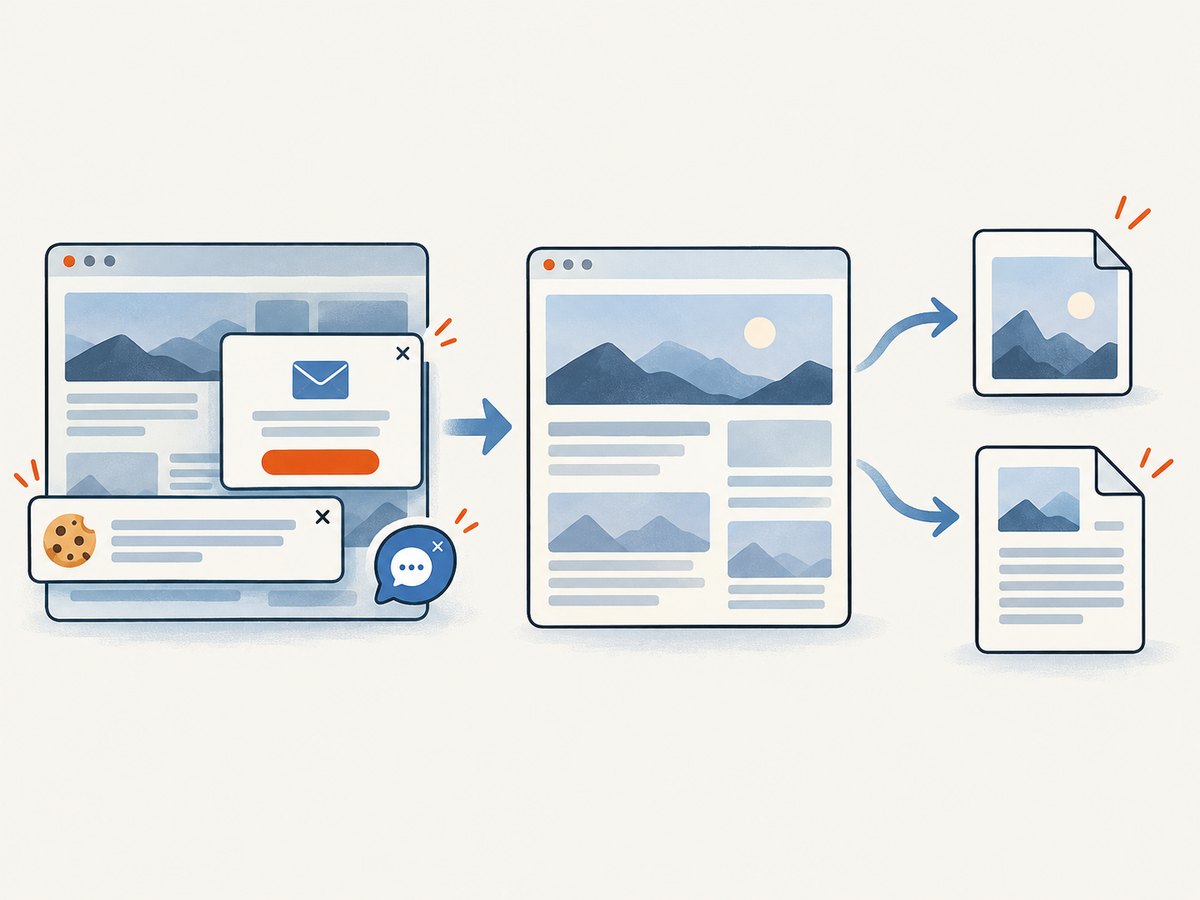
Its capture flow accepts cookie or consent banners like a visitor and removes more than 60 known consent platforms, newsletter popups, and chat widgets before capture; each of those steps can be turned off. Only clean shots are billed: bot checks or CAPTCHAs, blank pages, timeouts, failed loads, and cache hits cost nothing. Responses identify the page verdict and billing outcome in X-Page-Verdict and X-Billed headers. Plans include 1,000 free shots monthly without a card, then paid plans starting at $5 for 3,000 shots; all features are available on every plan. Yearly billing gives two months free.
6. Or skip the browser setup
For a screenshot, call ScreenshotNeo’s API instead of configuring a browser runtime. Replace the example URL with the page you want to capture. Use an API key from your account. The docs cover output formats and capture options.
curl -G "https://api.screenshotneo.com/v1/shot" \
  -d access_key=YOUR_API_KEY \
  --data-urlencode url=https://stripe.com \
  -o shot.webp
import requests
r = requests.get(
"https://api.screenshotneo.com/v1/shot",
params={"access_key": "YOUR_API_KEY", "url": "https://stripe.com"},
timeout=90,
)
r.raise_for_status()
open("shot.webp", "wb").write(r.content)const q = new URLSearchParams({
access_key: 'YOUR_API_KEY',
url: 'https://stripe.com'
});
const res = await fetch(`https://api.screenshotneo.com/v1/shot?${q}`);
if (!res.ok) throw new Error(`Screenshot request failed: ${res.status}`);
await Bun.write('shot.webp', await res.arrayBuffer());Cookie banners, popups, and chat widgets are removed before the shot. Bot checks, blank pages, and failed loads are never billed. The MCP server lets AI agents take screenshots. The free plan includes 1,000 screenshots a month with no card; paid plans start at $5 for 3,000. Create a free account and get 1,000 screenshots a month, no card required.
7. Compare candidates with a repeatable checklist
- Define the target. List representative URLs and confirm that your use is permitted. Include simple pages, JavaScript-heavy pages, and any pages that require interaction.
- Specify the result. Decide whether you need Markdown, links, structured JSON, browser state, a screenshot, or a PDF. Do not judge a text extractor by screenshot requirements.
- Check rendering and interaction. Determine whether the tool waits for JavaScript content, scrolls for lazy loading, or can click and submit forms.
- Inspect failures. Check whether a response is the real page, a challenge, a blank result, or an error. A successful MCP response can still contain the wrong page.
- Compare setup and data handling. Check hosted versus local execution, where credentials live, what content is sent to the provider, and which clients are supported.
- Measure cost for your workload. Include paid Actor runs, request or credit consumption, retries, timeouts, response limits, and failed-result billing. Headline free tiers are not comparable unless the limits match.
- Keep the tool surface focused. Every exposed tool takes client and model context. Enable the few operations the agent needs; a narrow workflow may not benefit from the full server menu.
- Recheck configuration. Tool names, endpoints, auth flows, and plan limits change. Verify the vendor’s official docs before shipping.
8. Reliability, performance, and cost trade-offs
No independent performance scores were verified for these options, so avoid choosing from speed claims alone. Browser rendering and interaction can add operational steps compared with extracting a known page. Crawling adds breadth and can create large outputs. A specialized Actor can reduce custom parsing work but introduces Actor-specific inputs, outputs, and costs. Test the entire path, including result validation and retries, on the pages that matter to your application.
For reliability, treat an empty or unexpected result as a scrape failure even if the MCP call returned successfully. Validate a required field, expected page title, or minimum content length before forwarding data to an LLM. Use bounded retries for transient failures, avoid retrying permanent access-denied results indefinitely, and record the target URL, tool, timestamp, and outcome. For asynchronous Actor work, inspect run status rather than assuming the initial response contains the final dataset.
For cost control, constrain crawl depth and page counts, cap output sizes where possible, and avoid repeatedly fetching unchanged pages without a reason. Check each provider’s current pricing, failure billing, storage charges, and free-tier conditions. ScreenshotNeo states that only clean shots are billed and that cache hits are free; its response headers can help an application distinguish billing outcomes. Do not extrapolate that policy to other providers.
9. Troubleshooting common problems
| Symptom | Likely cause | What to do |
|---|---|---|
| Server does not appear in the client | Malformed MCP config, unsupported transport, or client has not reloaded its server list | Validate the JSON/TOML structure, use the vendor’s current setup format, then restart or refresh the MCP client. |
| Authentication or permission error | Missing, invalid, or insufficiently scoped credentials | Check the token and required permissions in the provider console. Keep secrets in configuration, not prompts or public URLs. |
| Firecrawl map or crawl tool is unavailable | The chosen keyless connection exposes a reduced set of tools | Use an authenticated configuration for operations that require an API key, and confirm the current endpoint’s tool list. |
| Apify run starts but no data appears | The call returned run status and storage IDs while the Actor is still running, or the workflow has not read its dataset | Inspect the run status, logs, and output storage; check the Actor’s output schema and authentication. |
| Page content is missing | Content loads after navigation, needs interaction, or is behind an access challenge | Try a rendering-capable fetch or browser workflow where appropriate. Inspect the returned page; do not treat a challenge as scraped content. |
| Crawl output overwhelms the model | Too many pages or excessive discovery depth | Reduce the page limit, narrow paths, map first, and scrape only the pages needed. |
| Playwright actions select the wrong control | Ambiguous labels or a changed accessibility tree | Refresh the page snapshot, identify the control by its current role and label, and verify the result after each consequential action. |
| Browser sessions conflict | Multiple clients are sharing a persistent browser profile | Use isolated sessions or distinct user-data directories when running clients concurrently. |
| Screenshot is blank or times out | Page load failed, content was delayed, or the target presented a bot check | Check the response’s verdict and billing headers, and adjust wait behavior or capture configuration for the page. Do not assume increasing timeouts fixes access restrictions. |
10. FAQ
What is an MCP server for web scraping?
It exposes scraping, fetching, or browser actions as tools that an MCP-compatible AI client can invoke. The server performs the work and returns results; the client decides when to call a tool.
Which MCP server is best for Claude?
There is no universal winner. Choose from Firecrawl, Apify, or Playwright based on whether Claude needs extraction and discovery, a particular Actor, or interactive browser control. Confirm that your Claude client supports the connection method in the provider’s current setup docs.
Can an MCP server scrape sites that block bots?
None of the reviewed evidence establishes that any server can access every protected site. Results vary by target and configuration. Respect site terms and access permissions, and validate the returned content.
Is a screenshot API the same as an MCP scraping server?
No. A screenshot API returns a visual capture, while web scraping tools usually return page text or structured data. ScreenshotNeo also offers an MCP server for agent-driven visual capture.


