How to Build an MCP Server for an AI Agent Framework
Build an MCP server with Python or TypeScript, connect it to an agent framework, choose the right transport, and secure every tool call.

Direct answer: An MCP server exposes tools, resources, and prompts through the Model Context Protocol. Your AI agent framework connects as the MCP host and client, discovers those capabilities, and decides when to call them. Build the server around a small, recognizable user goal, declare strict schemas, choose a transport that matches where the server runs, and authorize every action inside the handler.
This guide shows a production-ready path in Python and TypeScript, then connects the server to an agent framework. The official Python SDK documentation describes v2 as stable for Python 3.10+, while the TypeScript SDK documentation uses the v2 @modelcontextprotocol/server package. SDK package versions and negotiated MCP protocol versions are separate; check the version-specific documentation before copying an example.
1. Understand the architecture
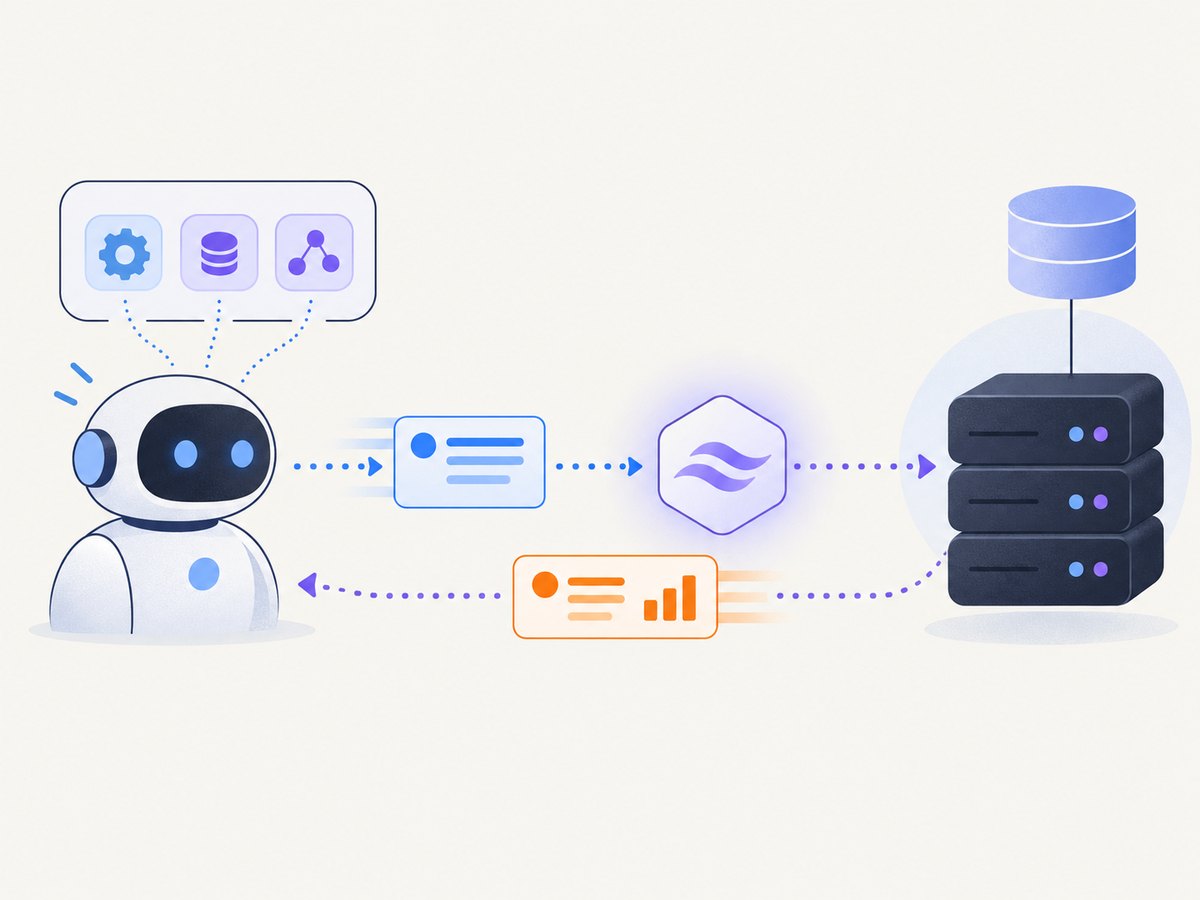
MCP separates capability implementation from agent orchestration:
| Component | Responsibility |
|---|---|
| MCP server | Advertises tools, resources, and prompts; validates inputs; authorizes and executes handlers. |
| Agent framework host | Owns the conversation, model, approvals, and policy for when a capability may be used. |
| MCP client | Maintains the protocol connection and performs discovery and calls on the host’s behalf. |
| Transport | Carries MCP messages over a local process (stdio) or a network connection (Streamable HTTP or SSE). |
Use a tool for an action, a resource for readable context, and a prompt for a reusable interaction template. Keep operations focused. A tool named lookup_invoice with a typed invoice ID is easier for a model to select safely than a catch-all run_database_query.
2. Choose language, SDK, and transport
| Decision | Use this when | Trade-offs |
|---|---|---|
| Python SDK v2 | Your service and agent integration are Python-based. | Fast development with type hints and mcp[cli]; requires Python 3.10+. |
| TypeScript SDK v2 | Your service runs in Node.js or shares types with a JavaScript application. | Use the v2 package and migration guide; do not mix v1 imports. |
| stdio | The host launches a local server process. | Simple local trust model; unsuitable when the host cannot spawn your process. |
| Streamable HTTP | The agent must reach a remote server. | Requires deployment, authentication, origin/host validation, and operational monitoring. |
| SSE | You need compatibility with a client that still uses the older HTTP transport. | Keep it for supported clients; prefer the current documented remote path for new deployments. |
Confirm that your chosen framework supports the transport you plan to use. OpenAI Agents Python supports local stdio, SSE, and Streamable HTTP integrations; publicly reachable servers may also be exposed through hosted MCP tools where supported by the Responses API. Its documentation currently constrains the Python MCP package to mcp>=1.19.0,<3.
3. Build a minimal Python MCP server
Install Python 3.10 or newer and the development extras:
uv init mcp-demo
cd mcp-demo
uv add "mcp[cli]"
Create server.py. Type hints generate the input schema, and the SDK validates a request before your function runs.
from mcp.server.fastmcp import FastMCP

mcp = FastMCP("Project helper")

@mcp.tool()
def calculate_total(quantity: int, unit_price: float) -> dict:
    """Calculate a line-item total for a positive quantity and price."""
    if quantity <= 0:
        raise ValueError("quantity must be greater than zero")
    if unit_price < 0:
        raise ValueError("unit_price cannot be negative")
    return {
        "quantity": quantity,
        "unit_price": unit_price,
        "total": round(quantity * unit_price, 2),
    }

@mcp.resource("project://readme")
def project_readme() -> str:
    """Return stable project context that an agent can read."""
    return "This demo exposes a calculation tool and a read-only project resource."

if __name__ == "__main__":
    mcp.run()
Run the Inspector during development:
uv run mcp dev server.pyUse it to list tools and resources, call valid and invalid inputs, and inspect the returned content before connecting an agent.
4. Build the same server in TypeScript
Install Node.js and the v2 server package described in the official TypeScript SDK reference:
npm install @modelcontextprotocol/server zod
npm install -D typescript tsx
Create server.ts. The declared Zod schema is checked before the handler executes.
import { McpServer } from "@modelcontextprotocol/server";
import { StdioServerTransport } from "@modelcontextprotocol/server/stdio";
import { z } from "zod";

const server = new McpServer({ name: "project-helper", version: "1.0.0" });

server.tool(
  "calculate_total",
  "Calculate a line-item total for a positive quantity and price.",
  {
    quantity: z.number().int().positive(),
    unit_price: z.number().nonnegative(),
  },
  async ({ quantity, unit_price }) => ({
    content: [{
      type: "text",
      text: JSON.stringify({
        quantity,
        unit_price,
        total: Math.round(quantity * unit_price * 100) / 100,
      }),
    }],
  }),
);

const transport = new StdioServerTransport();
await server.connect(transport);
Run it with npx tsx server.ts. If you are upgrading from v1, follow the migration guide and update imports together; v1’s monolithic @modelcontextprotocol/sdk package is not interchangeable with the v2 examples.
5. Connect the server to an agent framework
The exact configuration belongs to the framework. The pattern is always the same: create an MCP client, connect with a supported transport, discover capabilities, and pass the resulting session to the agent.
Local stdio configuration
from agents import Agent, Runner
from agents.mcp import MCPServerStdio

async def main():
    async with MCPServerStdio(
        name="project-helper",
        params={"command": "uv", "args": ["run", "server.py"]},
    ) as mcp_server:
        agent = Agent(
            name="Operations assistant",
            instructions="Use project-helper tools only for the user's calculation request.",
            mcp_servers=[mcp_server],
        )
        result = await Runner.run(agent, "Calculate 4 units at 12.50 each.")
        print(result.final_output)
Keep the launched command deterministic and avoid printing logs to stdout: stdio uses stdout for protocol messages. Send diagnostics to stderr.
Remote HTTP configuration
from agents.mcp import MCPServerStreamableHttp

mcp_server = MCPServerStreamableHttp(
    name="project-helper",
    params={
        "url": "https://mcp.example.com/mcp",
        "headers": {"Authorization": "Bearer $MCP_TOKEN"},
    },
)
Resolve the token from a secret manager in real code rather than embedding it in source or a URL. For a hosted MCP integration, follow the agent framework’s current authentication and approval configuration.
6. Design tools that models can use correctly
- Name: use a specific action such as
create_support_ticket. - Description: state when to use it, what it changes, and important limits.
- Schema: make required fields explicit, constrain enums and ranges, and reject unknown or ambiguous values where practical.
- Output: return stable structured data for machine decisions and concise human-readable text when needed.
- Safety: mark read-only versus destructive behavior accurately and require approval for sensitive operations.
- Scope: expose only the actions and data needed for the user goal.
Authorize in the handler even when the host also performs policy checks. A caller that reaches the endpoint directly must receive the same tenant, role, ownership, and rate-limit enforcement.
7. Add resources and prompts deliberately
Resources are useful for stable or queryable context such as schemas, project documentation, or a record selected by URI. Templated resources can represent identifiers such as customer://{customer_id}. Prompts package repeatable instructions, but they do not replace authorization or input validation. Each capability increases the model’s choice space, so add only capabilities that solve a real task.
8. Test discovery, calls, and failures
- Start the server with the SDK Inspector.
- Confirm the advertised name, version, tools, resources, and schemas.
- Call each tool with a valid request.
- Call it with missing, extra, malformed, and boundary values.
- Verify authorization failures do not leak protected data.
- Connect through the actual agent framework and confirm the model can select the tool from its description.
- Test cancellation, timeouts, duplicate requests, and downstream outages.
- For HTTP, test authentication, host/origin checks, TLS termination, and reconnect behavior in the deployed runtime.
9. Troubleshooting
| Symptom | Likely cause | Fix |
|---|---|---|
| No tools appear | Wrong command, transport, or SDK package major. | Run the server with Inspector, verify discovery, and use v2 imports consistently. |
| JSON or protocol parse errors over stdio | Logs were written to stdout. | Write logs to stderr and leave stdout exclusively for MCP messages. |
| Schema validation fails | The agent sent a missing, extra, or incorrectly typed field. | Inspect the declared schema and tool description; add explicit enums, ranges, and examples. |
| HTTP connection works locally but not remotely | Firewall, TLS, proxy, host/origin validation, or unsupported transport. | Check reachability from the agent host and validate the production server configuration. |
| Unauthorized data is returned | Authorization was performed only by the client. | Enforce identity and resource ownership inside every handler. |
| Agent repeatedly calls a tool | Tool description or result does not clearly signal completion. | Describe side effects, return a definitive status, and make retries idempotent where possible. |
| Works with one framework but not another | Different transport, package, authentication, or hosted-execution support. | Use that framework’s MCP adapter documentation instead of assuming configuration is portable. |
10. Security checklist for remote servers
- Trust each server before connecting it to an agent.
- Use least-privilege credentials and rotate them.
- Send credentials in authorization headers or secure fields, never query strings.
- Validate tenant, user, object ownership, and operation permissions in the handler.
- Require human approval for payments, deletion, account changes, or external messages.
- Validate host and origin headers where the deployment requires it.
- Redact secrets and personal data from logs and tool results.
- Set request, downstream, and total agent timeouts.
- Make mutating operations idempotent or attach an idempotency key.
- Limit payload size, pagination, concurrency, and outbound destinations.
11. Performance, reliability, and cost
Keep tool handlers short and bounded. Paginate large resources, avoid returning unnecessary fields, and cache read-only context where its freshness allows. Set independent timeouts for the MCP connection and each downstream call. For remote deployments, run more than one instance behind a load balancer only when your transport and session design support it; otherwise preserve the session affinity the client requires.
MCP itself does not define a universal hosting price or performance number. Your costs come from compute, network transfer, downstream APIs, model calls, and any hosted agent service. Measure discovery latency, tool-call latency, error rate, timeout rate, payload size, and retry count in your own environment. Do not treat protocol negotiation as a substitute for application-level authorization or reliability controls.
12. Or skip the browser setup
If your MCP agent needs website screenshots, you can expose a ScreenshotNeo call instead of maintaining a browser worker. ScreenshotNeo is a website screenshot API and MCP server. Before capture it accepts consent banners and removes more than 60 known consent platforms, newsletter popups, and chat widgets. Bot checks, blank pages, timeouts, failed loads, and cache hits are not billed, and the response identifies the verdict with X-Page-Verdict and X-Billed headers. Its MCP server provides take_screenshot, get_page_info, and capture_pdf tools for Claude, Cursor, and other MCP clients.

See the ScreenshotNeo API documentation for all options, including full-page and element capture, device presets, dark mode, custom CSS and JavaScript, waits, request blocking, headers and cookies, geolocation, PDFs, caching, signed links, async jobs, bulk capture, and usage reporting.
curl -G "https://api.screenshotneo.com/v1/shot" -d access_key=YOUR_API_KEY --data-urlencode url=https://stripe.com -o shot.webpimport requests
r = requests.get("https://api.screenshotneo.com/v1/shot", params={"access_key": "YOUR_API_KEY", "url": "https://stripe.com"}, timeout=90)
open("shot.webp", "wb").write(r.content)const q = new URLSearchParams({ access_key: 'YOUR_API_KEY', url: 'https://stripe.com' });
const res = await fetch(`https://api.screenshotneo.com/v1/shot?${q}`);Free usage includes 1,000 screenshots each month with no card. Paid plans start at $5 for 3,000 screenshots, and every feature is available on every plan. Create a free ScreenshotNeo account.
13. Frequently asked questions
Is MCP the same as an agent framework?
No. MCP standardizes how capabilities are exposed and called. The agent framework owns the model loop, conversation, approvals, and policy.
Should I start with tools, resources, or prompts?
Start with the capability that matches the user goal: tools for actions, resources for context, and prompts for reusable instructions.
Can a local stdio server be used in production?
Yes, when the trusted host can launch and supervise the process. Use a reachable HTTP transport when clients run elsewhere.
Does changing the SDK package change the MCP protocol?
Not necessarily. Package releases and negotiated protocol versions are distinct; verify both sides’ compatibility.
Where should authorization live?
In every server handler, with least-privilege credentials and approval controls for sensitive operations.


