How to Build an MCP Server Docker Image
Build a production-ready MCP server image with stdio or Streamable HTTP, secure it, test it, and run it with Docker MCP Gateway.
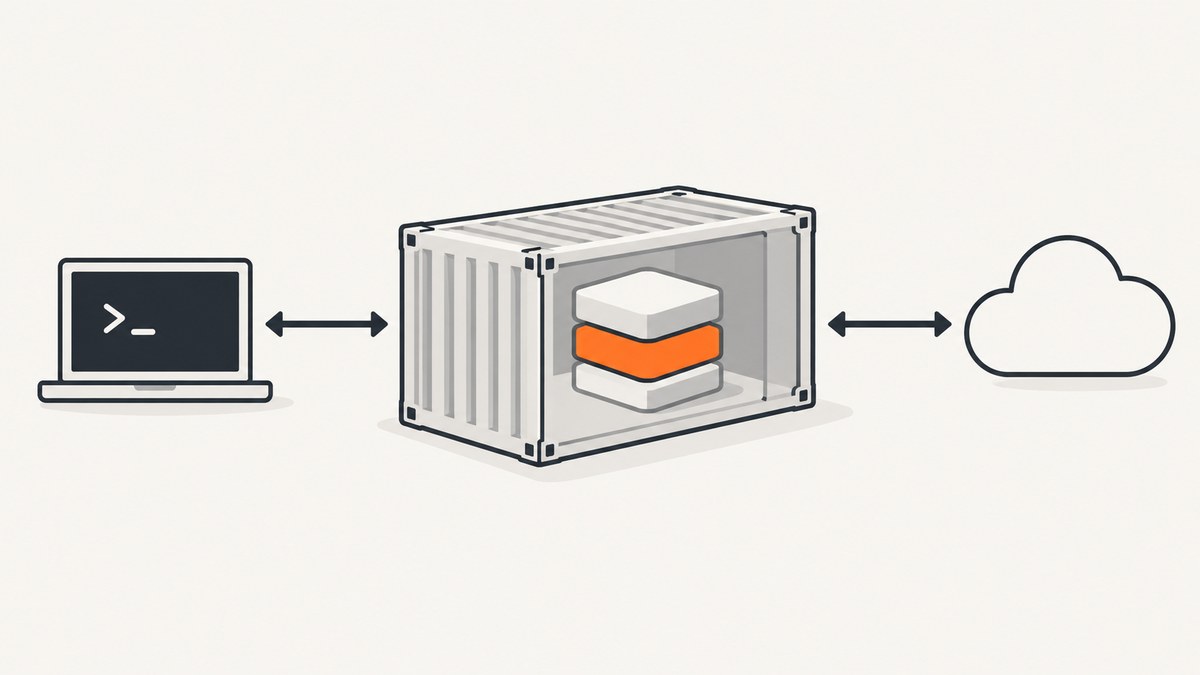
Direct answer: build your MCP server with the official Python or TypeScript SDK, choose stdio when a local client launches the process, and choose Streamable HTTP when clients connect to a deployed endpoint. Put the server and pinned dependencies in a reproducible image, keep secrets out of the image, run as a non-root user where practical, and test the container using the same transport and endpoint shape you will use in production.
For Python, the current SDK requires Python 3.10 or newer and supports stdio, Streamable HTTP, and SSE. The current TypeScript first-server guide requires Node.js 20 or newer and ES modules. Streamable HTTP is the recommended remote transport; HTTP+SSE remains for older clients.
1. Choose the transport before writing the Dockerfile
| Transport | Use it when | Container consequence |
|---|---|---|
| stdio | A local host such as Claude Desktop, Cursor, or another MCP client starts your process | No listening port. Keep stdout exclusively for JSON-RPC; send logs to stderr. |
| Streamable HTTP | Clients connect to a deployed service or several clients share one endpoint | Expose an HTTP port, normally serve /mcp, and configure host and origin allowlists. |
| HTTP+SSE | You must support an older client | Use the SDK’s compatibility path; prefer Streamable HTTP for new deployments. |
Python’s streamable_http_app() returns a Starlette ASGI application that can run under Uvicorn, Hypercorn, FastAPI, or another ASGI host. The SDK’s default HTTP security allowlist accepts localhost only. Behind a real hostname, configure allowed_hosts and allowed_origins or requests can fail with 421 Misdirected Request or 403 Forbidden before MCP handling.
2. Create a minimal Python MCP server
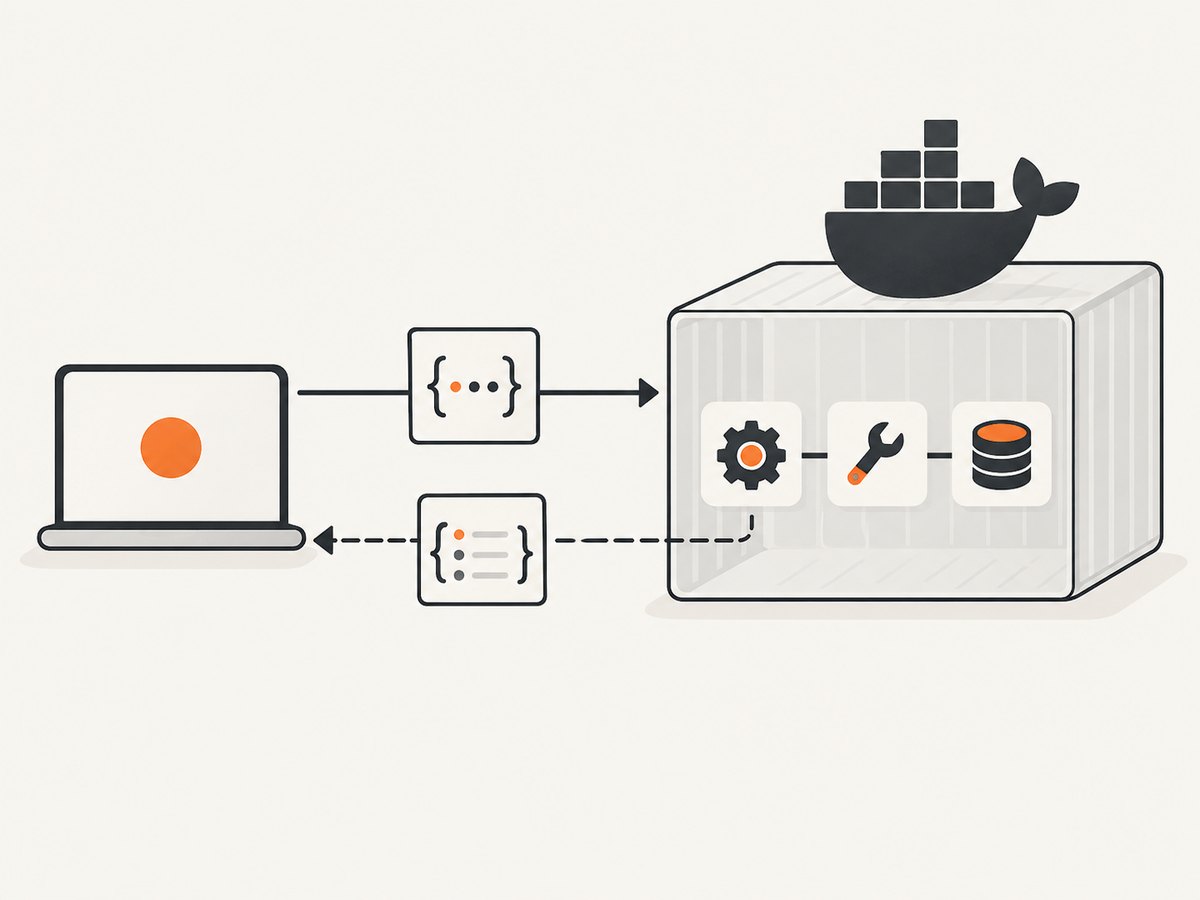
The following example registers one tool and supports both local stdio and remote Streamable HTTP modes. Keep your application code separate from the process launcher so the Docker entrypoint can select the transport.
# pyproject.toml
[project]
name = "example-mcp-server"
version = "0.1.0"
requires-python = ">=3.10"
dependencies = [
  "mcp",
  "uvicorn[standard]",
]

[project.scripts]
mcp-server = "server:main"
# server.py
import os
from mcp.server.fastmcp import FastMCP

mcp = FastMCP("example")

@mcp.tool()
def add(a: int, b: int) -> int:
    """Add two integers."""
    return a + b

def main() -> None:
    transport = os.getenv("MCP_TRANSPORT", "stdio")
    if transport == "stdio":
        mcp.run(transport="stdio")
    elif transport == "streamable-http":
        # The SDK exposes an ASGI app at /mcp for an ASGI server.
        import uvicorn
        app = mcp.streamable_http_app()
        uvicorn.run(
            app,
            host=os.getenv("MCP_HOST", "127.0.0.1"),
            port=int(os.getenv("MCP_PORT", "8000")),
        )
    else:
        raise ValueError(f"Unsupported MCP_TRANSPORT: {transport}")

if __name__ == "__main__":
    main()
For a production HTTP deployment, configure the SDK’s host and origin protection for the exact public hostname and origins used by your clients. Do not disable those checks as a shortcut.
3. Dockerize the Python server
3.1 Stdio image
# Dockerfile.stdio
FROM python:3.12-slim

ENV PYTHONDONTWRITEBYTECODE=1 \
    PYTHONUNBUFFERED=1

WORKDIR /app
COPY pyproject.toml ./
COPY server.py ./

RUN pip install --no-cache-dir .

RUN useradd --create-home --uid 10001 appuser
USER appuser

ENTRYPOINT ["mcp-server"]
Build and run it:
docker build -f Dockerfile.stdio -t example-mcp:stdio .
docker run --rm -i example-mcp:stdio
The -i flag keeps stdin attached. Do not write diagnostics with print() or other stdout logging in stdio mode. Stdout is the protocol channel; one stray line can corrupt JSON-RPC. Use Python’s stderr logging instead:
import logging
logging.basicConfig(stream=__import__("sys").stderr, level=logging.INFO)
3.2 Streamable HTTP image
# Dockerfile.http
FROM python:3.12-slim

ENV PYTHONDONTWRITEBYTECODE=1 \
    PYTHONUNBUFFERED=1 \
    MCP_TRANSPORT=streamable-http \
    MCP_HOST=0.0.0.0 \
    MCP_PORT=8000

WORKDIR /app
COPY pyproject.toml ./
COPY server.py ./
RUN pip install --no-cache-dir .

RUN useradd --create-home --uid 10001 appuser
USER appuser

EXPOSE 8000
ENTRYPOINT ["mcp-server"]
docker build -f Dockerfile.http -t example-mcp:http .
docker run --rm \
  -p 8000:8000 \
  -e MCP_ALLOWED_HOSTS=mcp.example.com \
  -e MCP_ALLOWED_ORIGINS=https://client.example.com \
  example-mcp:http
The environment variable names in that command are application configuration points; wire them into your server’s actual SDK configuration. Put TLS, identity checks, and public ingress at your platform or reverse proxy unless your application specifically needs to terminate TLS itself.
4. Create a TypeScript MCP server
The TypeScript SDK requires Node.js 20 or newer and ES modules. This example uses the SDK’s Streamable HTTP transport for a remote server. A local stdio entrypoint can use the same tool registrations with the SDK’s stdio transport.
// package.json
{
  "type": "module",
  "scripts": { "start": "node dist/server.js" },
  "dependencies": {
    "@modelcontextprotocol/sdk": "^1.0.0"
  }
}
// src/server.ts
import { McpServer } from "@modelcontextprotocol/sdk/server/mcp.js";
import { StreamableHTTPServerTransport } from "@modelcontextprotocol/sdk/server/streamableHttp.js";
import { createServer } from "node:http";
import { z } from "zod";

const mcp = new McpServer({ name: "example", version: "0.1.0" });
mcp.tool("add", { a: z.number(), b: z.number() }, async ({ a, b }) => ({
  content: [{ type: "text", text: String(a + b) }]
}));

const port = Number(process.env.PORT ?? 8000);
const http = createServer(async (req, res) => {
  if (req.url !== "/mcp") {
    res.writeHead(404).end();
    return;
  }
  const transport = new StreamableHTTPServerTransport({ sessionIdGenerator: undefined });
  await mcp.connect(transport);
  await transport.handleRequest(req, res);
});
http.listen(port, "0.0.0.0", () => console.error(`MCP listening on ${port}`));
In TypeScript stdio mode, send every log message to console.error. The protocol uses stdout, so a single console.log can corrupt the stream.
4.1 Multi-stage TypeScript Dockerfile
FROM node:22-bookworm-slim AS build
WORKDIR /app
COPY package*.json ./
RUN npm ci
COPY tsconfig.json ./
COPY src ./src
RUN npm run build

FROM node:22-bookworm-slim
WORKDIR /app
ENV NODE_ENV=production
COPY package*.json ./
RUN npm ci --omit=dev && npm cache clean --force
COPY --from=build /app/dist ./dist
RUN useradd --create-home --uid 10001 appuser
USER appuser
EXPOSE 8000
CMD ["node", "dist/server.js"]
docker build -t example-mcp:ts .
docker run --rm -p 8000:8000 example-mcp:ts
5. Make builds reproducible
- Commit
poetry.lock,uv.lock,requirements.txt, orpackage-lock.jsonand install from that lockfile. - Pin the base image tag and, for high-assurance deployments, pin its digest.
- Use a
.dockerignoreso credentials, local virtual environments, Git history, and build output are not sent to the daemon. - Copy only source and configuration required at runtime.
- Tag the image with a release identifier and record the source revision used to build it.
# .dockerignore
.git
.env
.venv
node_modules
dist
__pycache__
*.pem
Keep API keys, database passwords, signing keys, and MCP credentials out of Dockerfile ENV and ARG instructions. Pass them through the deployment system at runtime. Docker MCP secret mechanisms can also be used when the server is managed by the MCP Toolkit or Gateway.
6. Test the image with an MCP client
- Build the exact image you intend to deploy.
- Start it with the same transport and port mapping used in production.
- Connect with an MCP client or MCP Inspector.
- List tools, call each tool with valid and invalid inputs, and verify error responses.
- For stdio, confirm stdout contains only protocol messages and that logs appear on stderr.
- For HTTP, test the exact
/mcpURL, public hostname, origin, authentication, and proxy behavior.
Add health and startup diagnostics outside the MCP protocol stream. For HTTP, a separate health endpoint or platform health check is easier to operate than sending diagnostic text through MCP.
7. Run the image with Docker MCP Toolkit and Gateway
Docker MCP Toolkit uses profiles to organize servers and clients. The MCP Gateway centralizes routing, credentials, access control, and server lifecycle. It can start a server container when a requested tool is not already running. The Docker MCP Catalog lists more than 300 verified servers packaged as container images with versioning, provenance, and security updates.
A practical workflow is:
- Build and tag your image.
- Make the image available to the Docker environment that runs the Gateway.
- Create or select a Toolkit profile.
- Register the server and its required runtime secrets.
- Connect your MCP client to the Gateway.
- Verify that the client can list and call only the tools intended for that profile.
Use the Gateway when several clients need consistent routing and credentials. Use a direct docker run or a managed container service for a small, single-client deployment. The Toolkit documentation describes the current interface for Docker Desktop 4.62 and later.
8. Deploy behind HTTPS and identity controls
A common production shape is: build once, push the image to a registry, run it behind managed HTTPS ingress, and enforce identity at the platform boundary. Google’s official MCP codelab demonstrates this pattern with a FastMCP server, a multi-stage Docker build, Cloud Run or GKE Autopilot, IAM authentication, and TLS.
- Set the exact public host and allowed origins in the SDK.
- Require authentication at the ingress or application boundary.
- Use least-privilege credentials for tools that reach databases, files, or third-party APIs.
- Restrict which tools each client can discover and call.
- Use a non-root user unless the SDK or filesystem requires otherwise.
- Set CPU, memory, request, and concurrency limits appropriate to tool workloads.
- Choose a state model deliberately. Stateless HTTP is simpler to scale; session-aware servers need a clear session and restart strategy.
9. Troubleshooting
| Symptom | Likely cause | Fix |
|---|---|---|
| Client reports invalid JSON or protocol framing | A stdio server wrote logs to stdout | Send logs to stderr; remove console.log, print, and startup banners from stdout. |
| Container exits immediately | The command is wrong, stdin closed, or the process crashed during import | Run with docker logs, check the image command, and use -i for stdio. |
421 Misdirected Request |
HTTP host is not in the SDK allowlist | Add the exact public hostname; preserve the SDK’s host protection. |
403 Forbidden before a tool call |
Origin is not allowed | Configure the exact client origin and account for reverse-proxy headers. |
404 on /mcp |
Wrong endpoint path or transport adapter | Confirm the SDK app is mounted at /mcp and that the client uses the same path. |
| Works locally but fails through a proxy | Proxy strips streaming, headers, or the HTTP method | Preserve MCP request and response headers, streaming, and the /mcp path; test through the real ingress. |
| Dependency import fails in the image | Dependency was not copied, lockfile was ignored, or build and runtime stages differ | Install from the lockfile and copy compiled output plus production dependencies into the final stage. |
| Secrets appear in image history | They were supplied through ARG, ENV, or a copied .env |
Remove them, rotate the exposed credentials, and inject secrets only at runtime. |
| Tool calls time out | Slow upstream work, insufficient container resources, or a client timeout | Measure each tool, set explicit limits, return progress or structured errors, and tune platform timeouts. |
10. Performance, reliability, and cost
Startup and image size
Use slim runtime images and multi-stage builds to reduce transfer and startup time. Avoid compiling dependencies in the final image. Keep initialization deterministic and fail fast when required configuration is missing.
Concurrency and state
Stateless Streamable HTTP servers are easier to run with multiple replicas. If a tool keeps session state, decide where that state lives and what happens when a container restarts. Do not assume an in-memory session survives scaling or replacement.
Reliability
Pin dependencies, record image digests, add startup and health diagnostics, and test upgrades against a real MCP client. Place retries around idempotent upstream operations rather than blindly retrying every tool call.
Cost
Container cost depends on the registry, CPU and memory allocation, request volume, network egress, and the hosting platform. The SDK does not define one universal deployment topology or price. Measure cold starts, active time, and upstream service costs in the platform where you run the image.
11. Or skip the browser setup
If your MCP server needs website screenshots, ScreenshotNeo provides a website screenshot API and MCP server. It accepts one GET request and returns PNG, JPEG, WebP, or PDF. Before capture it accepts cookie and consent banners and removes more than 60 known consent platforms, newsletter popups, and chat widgets; each step can be disabled. Only clean shots are billed: bot checks, CAPTCHAs, blank pages, timeouts, failed loads, and cache hits cost nothing, and the response reports the result through X-Page-Verdict and X-Billed headers. Its MCP server exposes take_screenshot, get_page_info, and capture_pdf for Claude, Cursor, and other MCP clients.

See the ScreenshotNeo API documentation for the full option set, including full-page and element capture, device presets, dark mode, retina scale, PDF settings, custom CSS and JavaScript, clicks, waits, request blocking, headers, cookies, user agents, authorization, timezone, geolocation, transparent backgrounds, resizing, caching, signed links, asynchronous jobs, bulk capture, usage, and the OpenAPI specification.
curl -G "https://api.screenshotneo.com/v1/shot" -d access_key=YOUR_API_KEY --data-urlencode url=https://stripe.com -o shot.webpimport requests
r = requests.get("https://api.screenshotneo.com/v1/shot", params={"access_key": "YOUR_API_KEY", "url": "https://stripe.com"}, timeout=90)
open("shot.webp", "wb").write(r.content)const q = new URLSearchParams({ access_key: 'YOUR_API_KEY', url: 'https://stripe.com' });
const res = await fetch(`https://api.screenshotneo.com/v1/shot?${q}`);There are 1,000 screenshots per month free with no card. Paid plans start at $5 for 3,000 shots, and every feature is available on every plan. Create a free ScreenshotNeo account.
12. FAQ
Should I use stdio or Streamable HTTP?
Use stdio when the client launches the server locally. Use Streamable HTTP when the server is deployed or shared by multiple clients.
Does every MCP Docker image need a port?
No. A stdio image needs no listening port. An HTTP image normally exposes the port serving /mcp.
Can I run an MCP server as root?
You can, but a non-root runtime user is safer when the SDK and filesystem permissions allow it.
Where should TLS terminate?
Usually at managed ingress or a reverse proxy. Keep the MCP application responsible for its protocol and configure its host and origin protections for the public deployment.
Can Docker MCP Gateway replace my application server?
No. The Gateway manages routing, credentials, access control, and lifecycle around MCP server containers. Your image still contains the server implementation and its dependencies.


