How to Build an MCP Server in Java
Build a Java MCP server with the official SDK, choose the right transport, register a tool, and handle security and deployment.
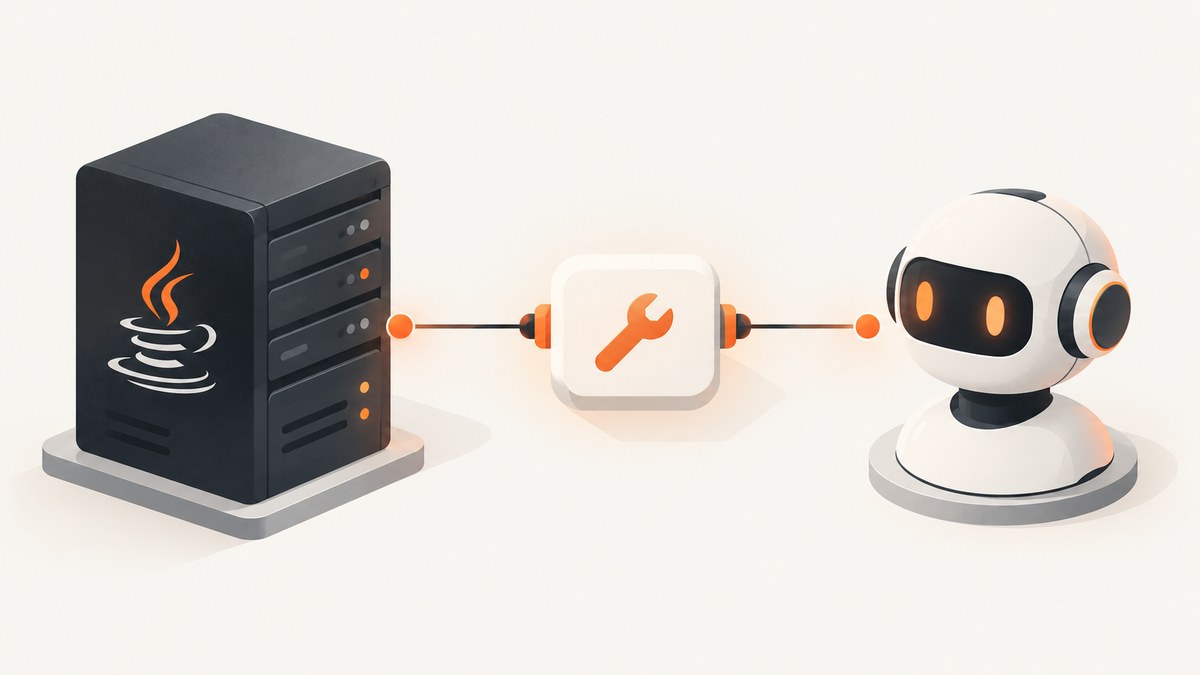
To build an MCP server in Java, use the official Java SDK, add io.modelcontextprotocol.sdk:mcp, choose a transport your client supports, configure the server capabilities, and register a tool with a validated input schema. Use STDIO when a host launches your server as a process; use Streamable HTTP for an HTTP-hosted service. The example below builds a small STDIO server that exposes one greeting tool.
The official Java SDK provides synchronous and asynchronous APIs. Its convenience artifact combines core functionality with Jackson 3 JSON support. For an HTTP transport in a Spring application, current Spring AI WebFlux and WebMVC integrations are available through Spring AI 2.0+; they are not modules shipped by the standalone SDK.
1. Choose the Java MCP dependency
Start with the convenience artifact for a small project. Keep SDK artifacts aligned with the BOM, and check the current release in the official documentation or Maven Central before pinning a version. The quickstart’s BOM example uses 2.0.0 as an example; it does not establish that as the latest release.
<dependencyManagement>
  <dependencies>
    <dependency>
      <groupId>io.modelcontextprotocol.sdk</groupId>
      <artifactId>mcp-bom</artifactId>
      <version>2.0.0</version>
      <type>pom</type>
      <scope>import</scope>
    </dependency>
  </dependencies>
</dependencyManagement>
<dependencies>
  <dependency>
    <groupId>io.modelcontextprotocol.sdk</groupId>
    <artifactId>mcp</artifactId>
  </dependency>
</dependencies>
For Gradle, add the artifact using the version managed by the BOM your project selects:
dependencies {
    implementation(platform("io.modelcontextprotocol.sdk:mcp-bom:2.0.0"))
    implementation("io.modelcontextprotocol.sdk:mcp")
}
Use the latest compatible BOM version you verify for your build rather than copying the sample version indefinitely. The SDK also documents mcp-core for choosing a different JSON implementation and mcp-json-jackson2 for projects that need Jackson 2.x.
2. Pick the transport before writing the host integration
| Transport | Use it when | Operational detail |
|---|---|---|
| STDIO | A desktop or agent host launches the server process. | The process exchanges protocol messages over stdin/stdout. Reserve stdout for protocol traffic; send logs and diagnostics through a logging framework, normally stderr. |
| Streamable HTTP | You need an HTTP-hosted endpoint. | Configure the HTTP transport and endpoint path in the host environment. The SDK Servlet example uses /mcp. Plan authentication, deployment boundaries, and state handling for your service. |
| SSE | An existing client or deployment requires the older HTTP-with-SSE transport. | The SDK documentation describes it, while the server reference marks it legacy. Check client and protocol compatibility before choosing it for a new service. |
These are deployment choices, not interchangeable configuration labels. STDIO is process-local and depends on the host launching and configuring the program. HTTP puts a network endpoint in reach of clients and therefore needs an explicit authorization policy. The SDK offers synchronous and asynchronous server APIs; choose based on how your application handles work and lifecycle.
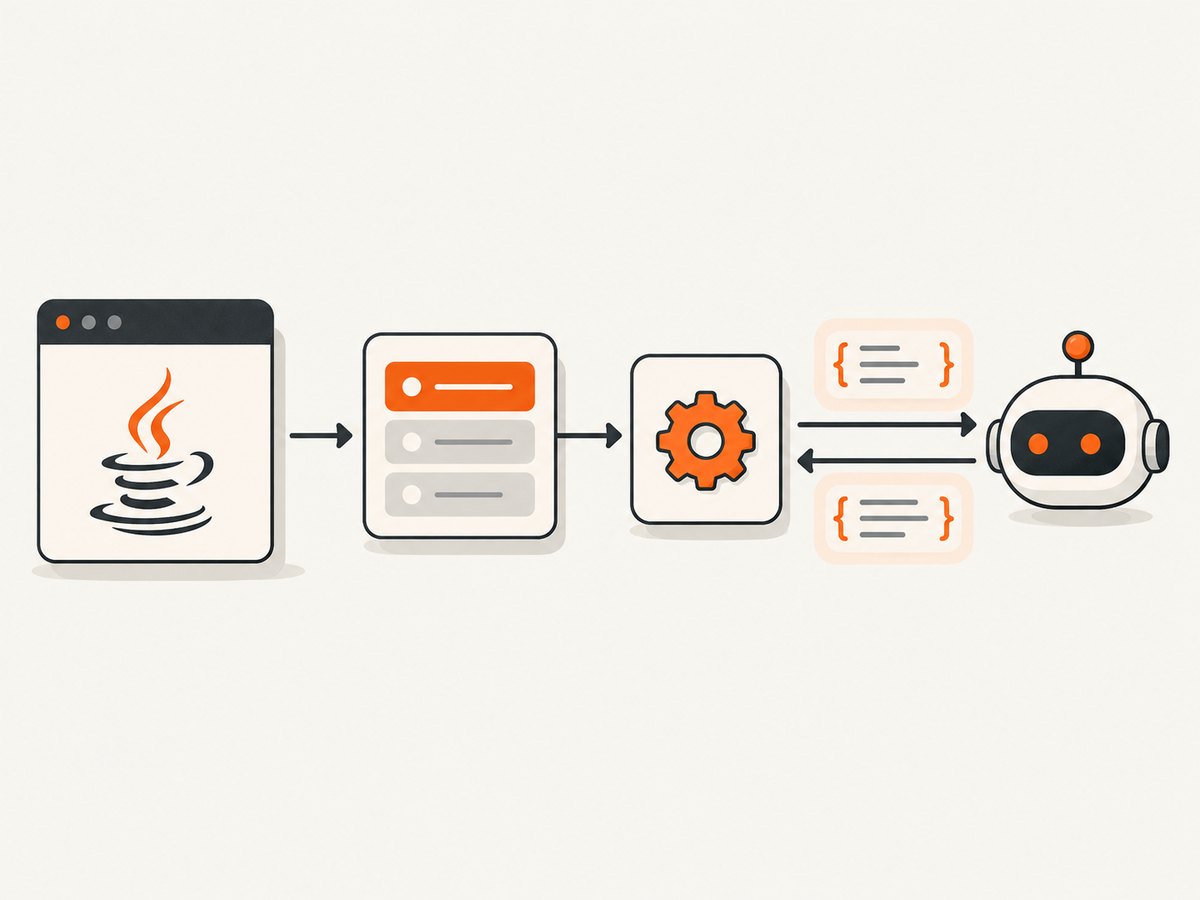
3. Implement a minimal STDIO server
This example registers one tool called greet. It accepts a name, checks that the value is present and nonblank, and returns text. The builder and handler APIs follow the official SDK server guide; keep the server open for the host session and close it during shutdown.
package example;

import io.modelcontextprotocol.server.McpServer;
import io.modelcontextprotocol.server.McpServerFeatures;
import io.modelcontextprotocol.server.transport.StdioServerTransportProvider;
import io.modelcontextprotocol.spec.McpSchema;
import io.modelcontextprotocol.spec.McpSchema.CallToolResult;
import io.modelcontextprotocol.spec.McpSchema.TextContent;
import io.modelcontextprotocol.spec.McpSchema.Tool;
import com.fasterxml.jackson.databind.ObjectMapper;

import java.util.List;
import java.util.Map;

public final class GreetingServer {
    public static void main(String[] args) {
        var transport = new StdioServerTransportProvider(new ObjectMapper());

        var inputSchema = Map.<String, Object>of(
            "type", "object",
            "properties", Map.of(
                "name", Map.of(
                    "type", "string",
                    "description", "Name to greet"
                )
            ),
            "required", List.of("name"),
            "additionalProperties", false
        );

        var tool = new Tool(
            "greet",
            "Return a greeting for a supplied name",
            inputSchema
        );

        var specification = new McpServerFeatures.SyncToolSpecification(
            tool,
            (exchange, arguments) -> {
                Object rawName = arguments.get("name");
                if (!(rawName instanceof String name) || name.isBlank()) {
                    return new CallToolResult(
                        List.of(new TextContent("name must be a non-empty string")),
                        true
                    );
                }
                return new CallToolResult(
                    List.of(new TextContent("Hello, " + name + "!")),
                    false
                );
            }
        );

        var server = McpServer.sync(transport)
            .serverInfo("java-greeting-server", "1.0.0")
            .capabilities(McpSchema.ServerCapabilities.builder()
                .tools(true)
                .build())
            .build();

        server.addTool(specification);
        Runtime.getRuntime().addShutdownHook(new Thread(server::close));
    }
}
SDK versions can evolve in their constructors and transport wiring, so use the version-matched official server guide and examples if a signature differs from the selected release. In particular, keep the tool specification, transport provider, JSON mapper, and server imports from the same SDK version. Start the compiled main class as a process and configure the MCP client to launch it; do not print startup banners to stdout.
What each part does
- Transport provider: connects the server to the client using the chosen channel. For STDIO, the process reads and writes protocol messages on standard streams.
- Input schema: describes the arguments clients may send. The handler still validates values because schema declarations do not replace application checks.
- Tool specification: gives clients a stable tool name and a description that helps them decide when to call it.
- Capabilities: advertises implemented operations. This server enables tools; do not enable resources or prompts unless you register and support them.
- Shutdown hook: closes server resources as the process exits. In a managed application, connect close to the application’s normal lifecycle instead.
4. Make the tool predictable and safe
A useful tool has a narrow purpose, specific description, small input surface, and result format callers can act on. Add only arguments the operation needs. Validate types, required values, lengths, ranges, and allowed values in the handler, even when the schema expresses those constraints. Avoid accepting arbitrary file paths, URLs, SQL, or shell commands unless the application has a clear policy and tightly constrains their effects.
Return a tool-level error for an expected invalid invocation or recoverable operation failure. Reserve protocol or server failures for problems that prevent the request from being handled correctly. Do not expose stack traces, secrets, or internal resource details in returned content. If a tool changes state, make the effect explicit in its description and consider idempotency, duplicate calls, and how the client can inspect the outcome.
As the server grows, register resources for data addressed by URI and prompts for reusable prompt templates only when those concepts fit the application. Enable each matching capability and register its specifications. A server can provide tools, resources, prompts, or other supported protocol operations; clients should not be told that an unimplemented capability exists.
5. Use asynchronous APIs when the application needs them
The SDK has both McpServer.sync(...) and McpServer.async(...) server APIs. A synchronous handler is straightforward for a small operation and blocking application stack. An asynchronous handler can fit a reactive application or work that composes naturally with asynchronous dependencies. It does not remove the need to manage errors, resource limits, and shutdown.
For async registrations, the SDK returns reactive results. Compose or subscribe to those results as part of the application’s lifecycle; creating a publisher without subscribing or composing it can leave work unexecuted. Keep cancellation and timeout behavior in mind if a client disconnects or a downstream service stalls. Do not move blocking work onto a reactive event loop.
6. Integrate with Spring deliberately
If the application already uses Spring, choose the transport integration that matches its web stack. Current Spring AI WebFlux and WebMVC MCP transports and server boot starters belong to Spring AI 2.0+. They are separate integration paths, not standalone Java SDK modules. Check the Spring AI documentation version that matches the project’s dependencies before copying an example: older guides may describe modules from earlier arrangements.
For a Servlet-based service, the Java SDK documentation includes Servlet transport support and an example endpoint at /mcp. For Spring-managed HTTP services, use the corresponding Spring AI 2.0+ transport and starter documentation. Keep application configuration, authorization, and shutdown in the Spring lifecycle rather than starting a second unmanaged server inside the process.
7. Secure and deploy the server
STDIO checklist
- Document the executable command, required runtime, environment variables, and working directory for the MCP host.
- Keep stdout free of logs, progress messages, and debug output; protocol parsing depends on the standard stream channel.
- Give the process only the filesystem, network, and credentials its tools require.
- Close the server and dependent clients cleanly on shutdown.
HTTP checklist
- Choose whether requests are stateful or stateless based on client and deployment requirements; do not assume one mode fits every host.
- Define authentication and authorization before exposing the endpoint. The SDK documents pluggable authorization hooks, but the core SDK is not a complete authorization system.
- Apply least privilege to each tool and validate every input at the application boundary.
- Use the SDK’s Host/Origin validation protections against DNS rebinding as part of a broader deployment policy; do not treat that check as user authentication.
- Set request and downstream timeouts, limit expensive work, and avoid returning sensitive data by default.
For either transport, log operation names, durations, and outcome categories without logging secrets or full sensitive payloads. Monitor failed calls and resource consumption. Graceful close belongs in the host application’s shutdown path so pending work and transport resources can be released predictably.
8. Troubleshoot common failures
| Symptom | Likely cause | Fix |
|---|---|---|
| The client cannot start or connect to a STDIO server. | Wrong command, Java runtime, working directory, or environment configuration. | Run the same command from the configured directory, verify the runtime and classpath, and inspect stderr for startup errors. |
| The client reports malformed protocol data. | A banner, logger, or debug statement wrote to stdout. | Route diagnostics to stderr or a file and leave stdout to the STDIO transport. |
| A tool is missing from discovery. | Tools capability is disabled, registration did not complete, or the client is connected to a different server instance. | Enable tools, register the specification during startup, and verify the endpoint or launched command. |
| Tool calls fail input validation. | The client sent a missing field, wrong JSON type, empty value, or additional property. | Make the schema and tool description clear, validate in the handler, and return a concise actionable tool error. |
| HTTP requests fail before reaching a handler. | Wrong endpoint path, transport mismatch, proxy configuration, or incompatible client transport. | Confirm the path and HTTP transport implementation, then check proxy routing and client compatibility. |
| Requests are rejected by Host or Origin checks. | The request’s host/origin does not match the server’s allowed deployment configuration. | Configure the allowed deployment origins deliberately and preserve the rebinding protection; do not disable it as a shortcut. |
| An async operation never appears to run. | A reactive result was created but not subscribed to or composed. | Connect the result publisher to the request and lifecycle flow as shown by the version-matched SDK examples. |
| Dependency resolution fails or classes conflict. | SDK artifacts use mismatched versions or the application mixes Jackson 2 and 3 assumptions. | Use the SDK BOM, choose the JSON artifact intentionally, and inspect the resolved dependency tree. |
9. Performance, reliability, and cost
The SDK documentation does not provide a universal throughput or latency figure for a Java MCP server, so size the service around the work each tool actually performs. Tool-handler latency often includes downstream calls, serialization, and any application computation. Set timeouts on those dependencies, bound concurrency, and avoid loading large datasets into every response. Paginate or narrow resource results where appropriate.
STDIO reliability depends on the client supervising the process and supplying a stable runtime and configuration. HTTP reliability depends on the service deployment, network, and client retry behavior. For operations that change state, use application-level idempotency where duplicate calls could cause harm. Return clear failures, log enough metadata to diagnose them, and close resources on shutdown.
The SDK itself is a dependency choice; the cost of operating a server depends on the application’s compute, hosting, and downstream services. No SDK benchmark or fixed hosting price applies to every deployment. Start with the smallest transport and capability set that meets the client requirement, then measure the real workload before tuning.
10. Add screenshots to an MCP server with ScreenshotNeo
If one of your Java server’s tools needs to capture a web page, you can call ScreenshotNeo, a website screenshot API and MCP server from Yorker Media. This example is an ordinary Java HTTP call to the ScreenshotNeo API; it does not replace the Java SDK server setup above.

import java.net.URI;
import java.net.URLEncoder;
import java.net.http.HttpClient;
import java.net.http.HttpRequest;
import java.net.http.HttpResponse;
import java.nio.charset.StandardCharsets;
import java.nio.file.Files;
import java.nio.file.Path;

public class ScreenshotCall {
    public static void main(String[] args) throws Exception {
        String key = System.getenv("SCREENSHOTNEO_API_KEY");
        String target = "https://stripe.com";
        String query = "access_key=" + URLEncoder.encode(key, StandardCharsets.UTF_8)
            + "&url=" + URLEncoder.encode(target, StandardCharsets.UTF_8);
        URI uri = URI.create("https://api.screenshotneo.com/v1/shot?" + query);
        HttpRequest request = HttpRequest.newBuilder(uri).GET().build();
        HttpResponse<byte[]> response = HttpClient.newHttpClient().send(
            request, HttpResponse.BodyHandlers.ofByteArray());
        if (response.statusCode() >= 200 && response.statusCode() < 300) {
            Files.write(Path.of("shot.webp"), response.body());
        } else {
            throw new IllegalStateException("Screenshot request failed: " + response.statusCode());
        }
    }
}
See the ScreenshotNeo API docs for request parameters and response details. The ScreenshotNeo MCP server also exposes take_screenshot, get_page_info, and capture_pdf to AI agents using Claude, Cursor, or another MCP client.
Or skip the browser setup
Make one GET request to capture a URL. ScreenshotNeo removes cookie banners, newsletter popups, and chat widgets before the shot. Bot checks, blank pages, failed loads, timeouts, and cache hits are not billed, and response headers say which page verdict and billing outcome applied. Its MCP server lets AI agents take screenshots. The free plan includes 1,000 screenshots a month with no card; paid plans start at $5 for 3,000.
curl -G "https://api.screenshotneo.com/v1/shot" -d access_key=YOUR_API_KEY --data-urlencode url=https://stripe.com -o shot.webpimport requests
r = requests.get("https://api.screenshotneo.com/v1/shot", params={"access_key": "YOUR_API_KEY", "url": "https://stripe.com"}, timeout=90)
open("shot.webp", "wb").write(r.content)const q = new URLSearchParams({ access_key: 'YOUR_API_KEY', url: 'https://stripe.com' });
const res = await fetch(`https://api.screenshotneo.com/v1/shot?${q}`);Sign up free for 1,000 screenshots a month, with no card required.
FAQ
Which Java SDK artifact should I start with?
Use io.modelcontextprotocol.sdk:mcp for the convenience setup with Jackson 3 JSON support. Select mcp-core or the Jackson 2 artifact when your project’s JSON requirements call for them.
Can a single server expose tools and resources?
Yes. Configure the capabilities it actually implements, then register the corresponding tool, resource, or prompt specifications.
Is Spring required?
No. The standalone Java SDK is a direct implementation route. Spring users can choose the Spring AI 2.0+ WebFlux or WebMVC MCP integration when it matches their application.
Does the Java SDK provide authentication?
It documents authorization hooks, but you must integrate an application-appropriate authorization policy and identity system for a remote deployment.
Should a new server use SSE?
Choose it when compatibility requires it. The SDK server reference labels the older HTTP-with-SSE transport legacy, so verify the client and protocol needs before adopting it.


