How to Build an MCP Server with Next.js
Add a remote MCP endpoint to a Next.js App Router app with the TypeScript SDK, then secure it and test it with an MCP client.
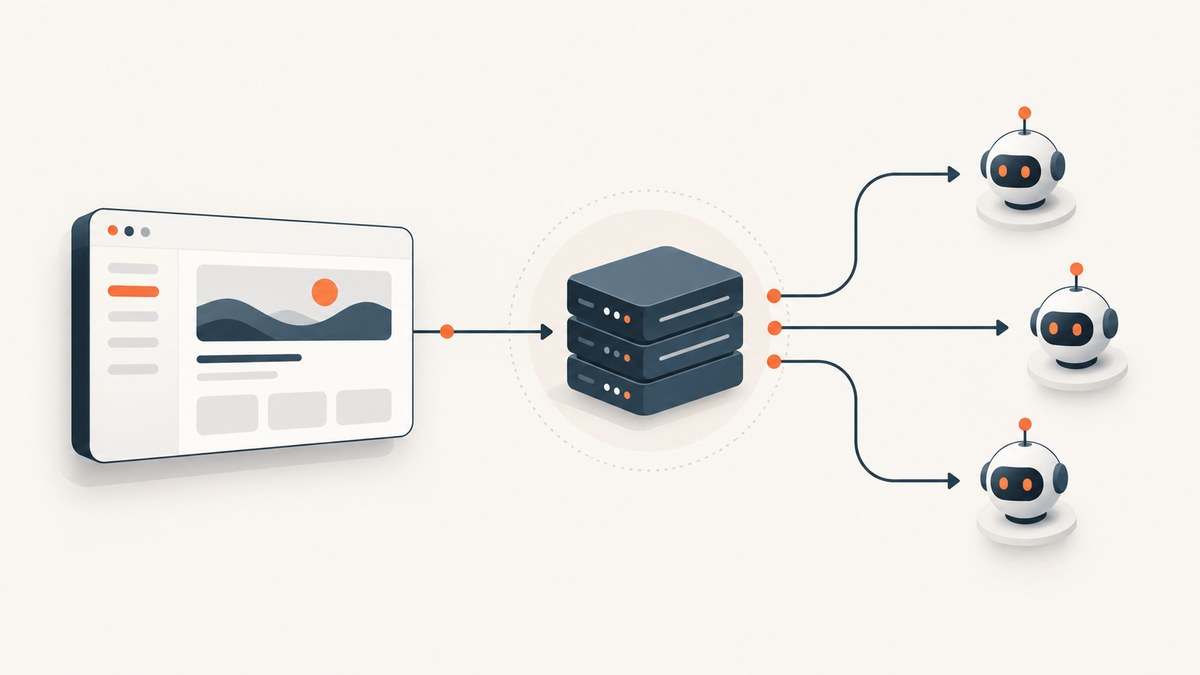
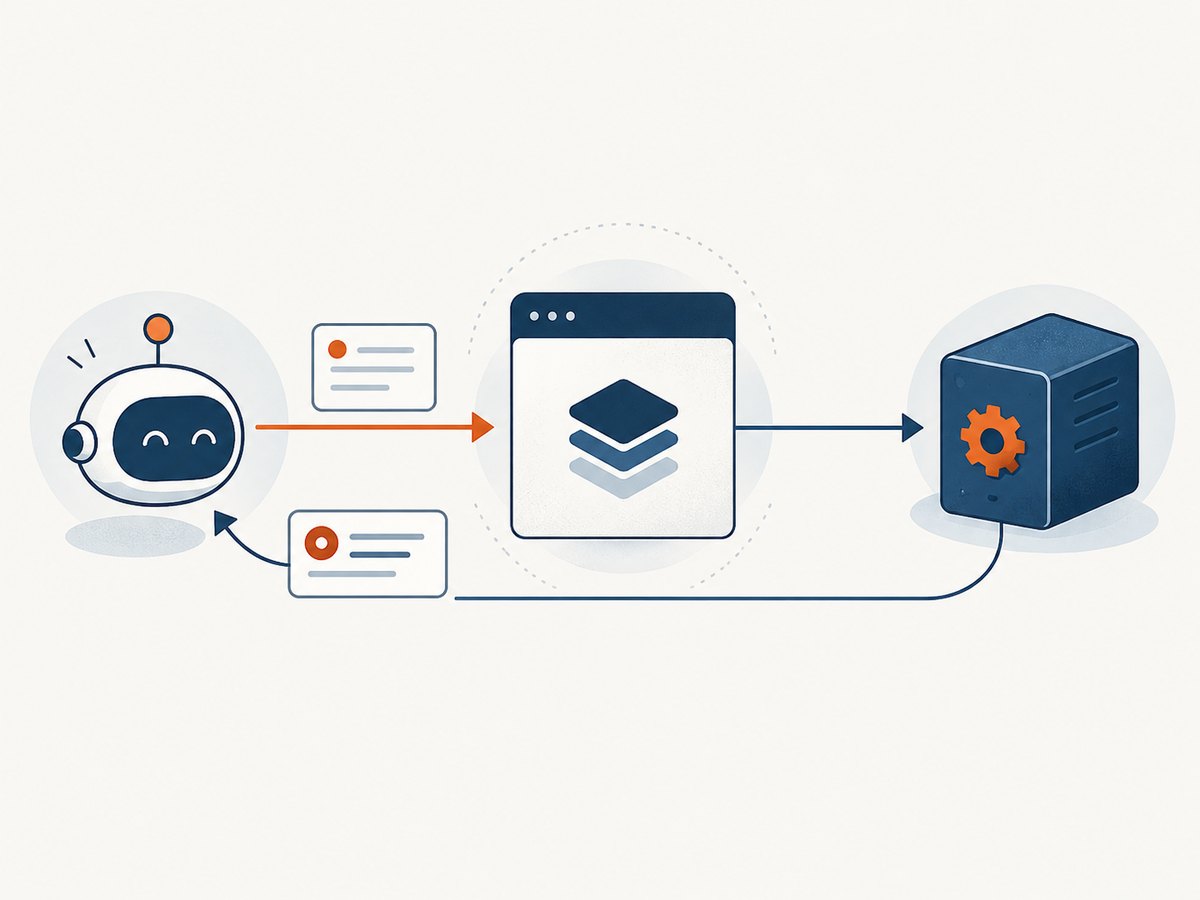
To build an MCP server with Next.js, register your tools with the Model Context Protocol TypeScript SDK, wrap the server in its Streamable HTTP handler, and export that handler from an App Router Route Handler such as app/api/mcp/route.ts. For a remote endpoint, this is the right shape: Next.js receives standard Web Request objects and returns Response objects. Protect the route with caller authentication and per-tool authorization before you expose it publicly.
This walkthrough uses the TypeScript SDK v2 HTTP API, where createMcpHandler takes a factory and returns a web-standard fetch handler. Do not mix this API with v1 examples built around explicit transport instances. The SDK documentation notes that its HTTP handler does not authenticate callers or validate Host and Origin headers by itself. Read the SDK’s HTTP serving guide alongside the Next.js Route Handler reference.
1. Decide which MCP server you mean
Next.js 16+ also documents a development-time MCP connection for coding agents. Its next-devtools-mcp integration connects to the running Next.js development server’s /_next/mcp endpoint and provides project context and diagnostics. That feature helps an agent work on a Next.js project; it does not expose your application’s own data or actions as MCP tools. This guide builds that application endpoint. See the Next.js MCP guide.
Choose the transport based on where the MCP server runs:
| Use case | Transport | Next.js fit |
|---|---|---|
| One hosted endpoint for remote clients | Streamable HTTP | Good fit for a Route Handler |
| A local integration launched as a child process | stdio | Usually a separate local process, not a deployed HTTP route |
| Older clients requiring compatibility | Check the selected SDK version’s compatibility support | Do not assume old HTTP+SSE examples match the current handler API |
The MCP TypeScript SDK v1 overview describes Streamable HTTP for remote servers and stdio for locally spawned servers, with HTTP+SSE as backward-compatibility support. The v2 HTTP guide uses the newer handler factory. Pin an SDK major and follow its matching documentation: package entry points and transport wiring differ between releases.
2. Install the SDK v2 dependencies
In an existing App Router project, install the v2 server package and Zod v4 schema package used by the v2 guide:
npm install @modelcontextprotocol/server zodConfirm the resolved versions in package.json and your lockfile. The example below follows the v2 imports shown in the official HTTP guide. If you have an SDK v1 project, do not paste this code into it unchanged; follow the v1 server guide and explicit transport wiring instead.
3. Register a narrow tool and mount the HTTP handler
Create app/api/mcp/route.ts. The example publishes one read-only tool, lookup-status, that accepts only a fixed set of service names. Replace the in-memory data with a read from your own application. The factory creates a fresh McpServer for each HTTP request, as required by the v2 handler pattern.
import { createMcpHandler, McpServer } from "@modelcontextprotocol/server";
import * as z from "zod/v4";

const allowedServices = new Set(["api", "web"]);
const statusByService: Record<string, string> = {
  api: "operational",
  web: "operational",
};

const handler = createMcpHandler(() => {
  const server = new McpServer({ name: "status-tools", version: "1.0.0" });

  server.registerTool(
    "lookup-status",
    {
      description: "Return the current status for an approved service name.",
      inputSchema: z.object({
        service: z.string().min(1).max(32),
      }),
    },
    async ({ service }) => {
      if (!allowedServices.has(service)) {
        return {
          isError: true,
          content: [{ type: "text", text: "Unknown service." }],
        };
      }

      return {
        content: [{ type: "text", text: statusByService[service] }],
      };
    },
  );

  return server;
});

// The v2 handler exposes a standard fetch(request) function.
// MCP clients use POST for protocol messages and may use GET or DELETE
// depending on the HTTP transport behavior supported by the pinned SDK.
export const POST = (request: Request) => handler.fetch(request);
export const GET = (request: Request) => handler.fetch(request);
export const DELETE = (request: Request) => handler.fetch(request);
Route Handlers are defined in a route.ts file at the chosen URL path and use Web Request and Response APIs. Export only the methods the installed transport requires. Check the pinned SDK’s method and response behavior before publishing: MCP clients may rely on protocol-specific GET or DELETE behavior, and a deployment adapter can affect streaming. Next.js supports GET, POST, PUT, PATCH, DELETE, HEAD, and OPTIONS in Route Handlers; it does not mean every route should implement every verb.
Tool schemas are an input boundary, not an authorization system. Validate inputs in the tool, bound string lengths and result sizes, use a narrow allowlist, and authorize the authenticated caller for each sensitive operation. For read-only application data, MCP resources may be a better fit; prompts describe reusable prompt templates. Reserve tools for actions and queries the agent should be able to invoke, and document side effects plainly.
4. Add authentication and request checks
The example route above is intentionally not ready for a public deployment. The v2 HTTP handler trusts its caller: it does not validate Host or Origin and does not verify bearer tokens. Put checks in front of it. A simple deployment-specific gate might compare a bearer token from the environment, reject unexpected hosts, and restrict browser Origins:

function isAllowedRequest(request: Request): boolean {
  const expectedHost = process.env.MCP_ALLOWED_HOST;
  const expectedToken = process.env.MCP_BEARER_TOKEN;

  if (!expectedHost || !expectedToken) return false;
  if (request.headers.get("host") !== expectedHost) return false;

  const origin = request.headers.get("origin");
  const allowedOrigin = process.env.MCP_ALLOWED_ORIGIN;
  if (origin && origin !== allowedOrigin) return false;

  const authorization = request.headers.get("authorization");
  return authorization === `Bearer ${expectedToken}`;
}

function guarded(method: (request: Request) => Promise<Response>) {
  return async (request: Request): Promise<Response> => {
    if (!isAllowedRequest(request)) {
      return new Response("Unauthorized", { status: 401 });
    }
    return method(request);
  };
}

export const POST = guarded((request) => handler.fetch(request));
export const GET = guarded((request) => handler.fetch(request));
export const DELETE = guarded((request) => handler.fetch(request));
Merge the guarded exports into the route instead of retaining the unguarded exports in the previous example. This static bearer comparison is only a minimal illustration: production authentication should verify credentials using the mechanism appropriate to your identity provider, handle token rotation, and attach verified caller identity to the request context. Then check whether that identity can perform each requested operation. Never treat a caller-supplied identity header as proof of identity.
The Host and Origin rules depend on deployment topology. Behind a proxy, the Host visible to the route may differ from the public hostname; configure trusted proxy behavior deliberately rather than allowing arbitrary values. Non-browser MCP clients may omit Origin, so decide whether absence is acceptable for your clients. CORS controls whether browser JavaScript can make cross-origin requests; it does not authenticate users or grant permission to invoke tools. Only configure CORS for browser origins that need it.
5. Test the endpoint with an MCP client
Run the app locally and point a compatible remote MCP client at http://localhost:3000/api/mcp, including the expected bearer credential if your guard is enabled. Verify these cases before deployment:
- Initialization succeeds and the client negotiates a protocol version.
- Tool listing includes
lookup-statuswith its description and input schema. - A valid tool call returns the expected service status.
- An unknown service and malformed input fail without leaking internal details.
- A missing or invalid credential is rejected before MCP handling.
- Unsupported methods and the response or streaming mode behave as expected for the selected SDK and client.
Do not test only by opening the route in a browser. MCP is a protocol exchange, not a page that should render HTML. Use an MCP client or the SDK’s client utilities to send initialization, list-tools, and tool-call messages. The v2 SDK handler normally returns a single JSON response and uses an SSE stream when a tool emits notifications before its result. Its responseMode option can pin JSON or SSE; JSON mode drops mid-call notifications. Select a mode based on client compatibility and whether tools emit progress or logging notifications.
6. Choose state and runtime behavior deliberately
The v2 factory runs once for each HTTP request and creates a fresh server. It does not retain MCP session state between requests, which supports horizontal scaling without session affinity. Keep the factory inexpensive and side-effect free. Create shared database pools or caches at module scope, then close over them from tools; do not create a new connection pool per tool call.
If you need sessions, resumability, subscriptions, notifications across requests, or other stateful behavior, compare the v1 stateful Streamable HTTP documentation and the v2 session guidance for your pinned release. In the v1 docs, stateless mode does not track sessions and does not provide resumability. Stateful operation can affect deployment requirements: multiple instances need a deliberate shared state or routing strategy. Do not assume that an in-memory session works across serverless invocations or horizontally scaled instances.
Check the Next.js runtime supported by your deployment adapter and SDK dependencies. A Route Handler’s Web APIs make the interface familiar, but a Node-only dependency may not run in an Edge runtime. Start with the default runtime unless you know your dependencies require a setting, and verify streaming through the actual host. Keep request deadlines and tool-level timeouts bounded so a slow downstream API does not hold a client connection indefinitely.
7. Configure tools, resources, prompts, and operations
| Capability | Good use | Design check |
|---|---|---|
| Tool | Caller-requested query or action | Validate schema, scope access, document side effects |
| Resource | Read-only data exposed by URI | Apply the same tenant and data-access rules as your app |
| Prompt | Reusable prompt template | Keep instructions clear and avoid embedding secrets |
Give each tool a specific name, a short description that tells the model when to use it, and a schema that rejects ambiguous input. Add limits for pagination, date ranges, output length, and external calls. For a write tool, consider a confirmation step or an idempotency key for operations that might be retried. Log the caller identity, tool name, duration, and outcome without logging bearer tokens or sensitive tool arguments.
Route Handlers may use Next.js caching behavior, and the defaults have changed across major versions. MCP protocol exchanges are request-specific; do not put tool responses behind a shared cache unless you can prove the cache key includes all authorization and input context. Explicitly verify caching behavior for the Next.js version and deployment you use. A shared cached response can disclose one caller’s data to another.
8. Troubleshooting common failures
| Symptom | Likely cause | Fix |
|---|---|---|
Import or type errors for createMcpHandler |
Code and installed SDK major do not match | Check the lockfile and use the matching v1 or v2 guide; do not combine transport APIs. |
404 at /api/mcp |
Route file is outside the active App Router tree or URL path differs | Place it at app/api/mcp/route.ts (or src/app/api/mcp/route.ts in a src-based app) and restart the dev server. |
| 405 Method Not Allowed | The route does not export a method used by the client | Check the SDK’s HTTP requirements and export the needed Route Handler methods. |
| Initialization works, tools do not appear | Tool registration is omitted or registered outside the per-request factory incorrectly | Register tools inside the factory returned to createMcpHandler and inspect server logs. |
| 401 or 403 for a valid client | Credential, Host, or Origin check differs from actual proxy/request headers | Inspect sanitized request metadata, correct trusted host configuration, and distinguish absent Origin from disallowed Origin. |
| Browser call fails while a native MCP client works | Browser CORS preflight or allowed-origin configuration is missing | Configure OPTIONS and CORS for the intended origin; keep authentication and authorization checks in place. |
| Tool call stalls or client reports a stream error | Long downstream call, proxy buffering, timeout, or streaming incompatibility | Set bounded tool timeouts, inspect host logs, and test JSON versus SSE response behavior with the target client. |
| Intermittent missing session or notification | State held in one process while requests land on another, or stateless mode is in use | Choose a supported stateful architecture or design the tool for stateless requests. |
9. Performance, reliability, and cost
For a stateless handler, each HTTP exchange constructs a server and registers its capabilities. Keep that work small; reuse connection pools and safe caches at module scope. Tool latency is usually dominated by the application’s database or external API work, so set downstream timeouts and cap result size. Large responses cost time and tokens for both the server and client. Pagination is preferable to returning an entire dataset.
Reliability comes from validating inputs, using bounded retries only for safe/idempotent reads, and returning actionable errors without exposing secrets. A write operation should tolerate client retries or clearly report whether it completed. Record protocol and tool errors separately from business errors. Test the deployed runtime because local development does not reproduce every proxy, timeout, or streaming constraint.
There is no MCP-specific fee established by the sources for this implementation. Your practical costs come from the hosting runtime, database, and any external services your tools call. Track tool invocation volume and downstream usage, then set rate limits and per-caller quotas appropriate to your service.
10. Or skip the browser setup
If your MCP tools need website screenshots, ScreenshotNeo provides a screenshot API and MCP server for developers. A single GET request can return a PNG, JPEG, WebP, or PDF; see the ScreenshotNeo API documentation.
curl -G "https://api.screenshotneo.com/v1/shot" -d access_key=YOUR_API_KEY --data-urlencode url=https://stripe.com -o shot.webpimport requests
r = requests.get(
"https://api.screenshotneo.com/v1/shot",
params={"access_key": "YOUR_API_KEY", "url": "https://stripe.com"},
timeout=90,
)
open("shot.webp", "wb").write(r.content)const q = new URLSearchParams({ access_key: 'YOUR_API_KEY', url: 'https://stripe.com' });
const res = await fetch(`https://api.screenshotneo.com/v1/shot?${q}`);ScreenshotNeo accepts cookie and consent banners like a visitor and removes more than 60 known consent platforms, newsletter popups, and chat widgets before capture; each step can be turned off. Bot checks, blank pages, timeouts, failed loads, and cache hits are not billed, and response headers say what happened. Its MCP server provides take_screenshot, get_page_info, and capture_pdf tools for Claude, Cursor, and other MCP clients. The free plan includes 1,000 shots a month with no card; paid plans start at $5 for 3,000 shots. Every feature is on every plan. Learn more at ScreenshotNeo. Sign up free for 1,000 screenshots a month, no card required.
FAQ
Can I use a Next.js Route Handler for an MCP server?
Yes. Route Handlers use the Web Request and Response APIs, which match the v2 handler’s fetch interface. Confirm the installed SDK’s signature, required HTTP methods, and deployment streaming behavior.
Do I need Next.js 16 for my application MCP endpoint?
No. The Next.js 16+ requirement in the official guide applies to its coding-agent development integration. Your custom endpoint depends on the Next.js and SDK versions you choose.
Should I use GET or POST for tool calls?
Use the transport behavior defined by your MCP SDK and client. MCP message exchanges commonly use POST, while Streamable HTTP may use GET for server-to-client streams and DELETE for session handling. Export only the methods required by the pinned implementation.
Can this route use a database?
Yes. Keep reusable connection management outside the per-request factory and enforce tenant access inside each tool. Do not assume process-local state persists between requests.


