How to Build a Microsoft MCP Server Example
Build a task-management MCP server with Microsoft’s Node.js and Azure workflow, test it with GitHub Copilot Chat, and choose the right path for your stack.
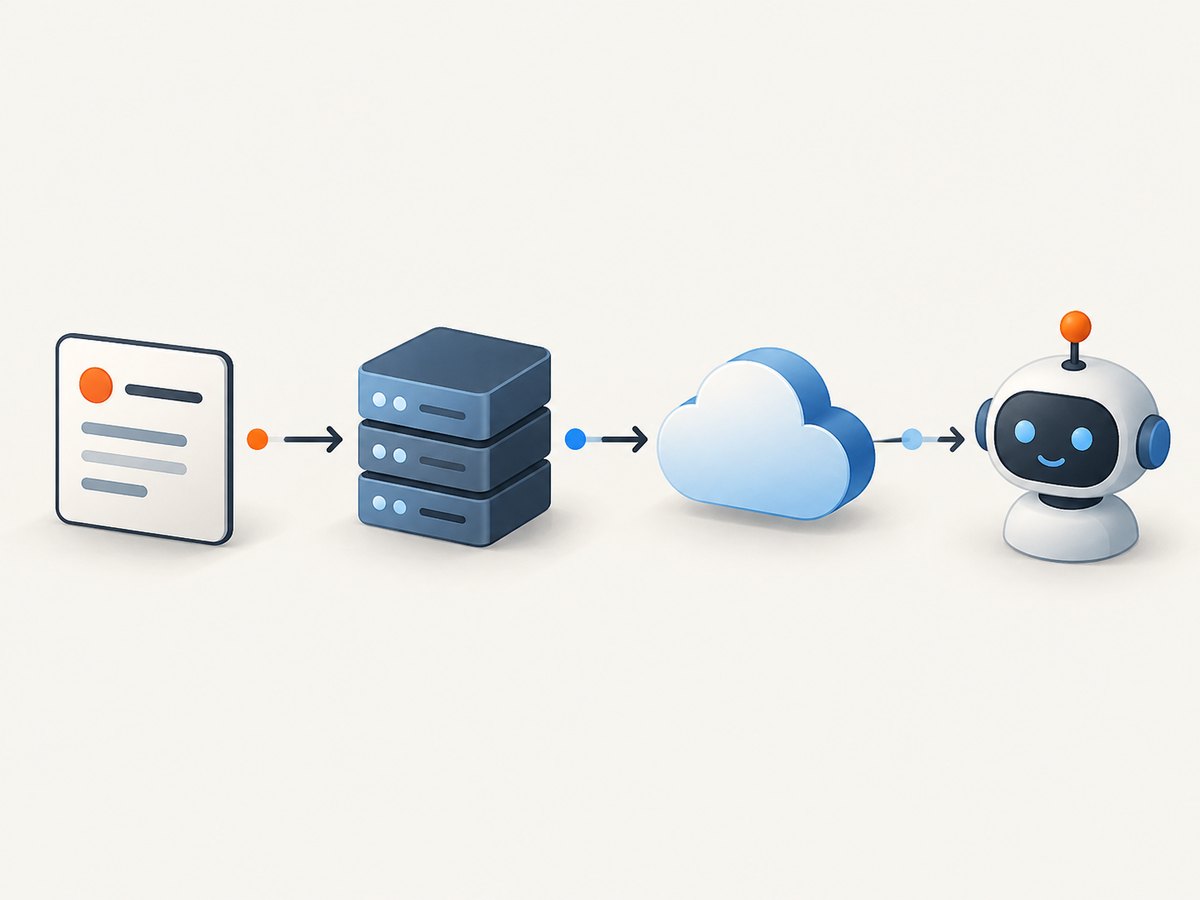
To build a Microsoft MCP server example, create a server that exposes tools through the Model Context Protocol, test it with an MCP client such as GitHub Copilot Chat, and then deploy it to Azure if you need remote access. Microsoft’s clearest starter walkthrough builds a task-management server with Node.js, Express, and the MCP TypeScript SDK, then deploys it to Azure Container Apps. If you mean Microsoft’s prebuilt Azure MCP Server, that is a different project: it provides tools for Azure resource operations rather than the custom task tools shown here.
1. Choose the Microsoft MCP path that fits
An MCP server exposes tools; an MCP client connects to the server and invokes them. Copilot Chat can act as the client in Microsoft’s custom-server tutorials. Pick the implementation and host based on your existing application, language, client, and security needs.
| Goal | Microsoft example | Typical route |
|---|---|---|
| Build a standalone task server | Node.js, Express, MCP TypeScript SDK | Test locally, then deploy to Container Apps |
| Use Python | FastAPI and MCP Python SDK | Test locally, then deploy to Container Apps |
| Expose existing application features | ASP.NET Core integration | Add an /api/mcp endpoint, then deploy to App Service |
| Connect an enterprise remote server to Foundry | Python Azure Functions template | Test with Functions Core Tools, deploy with azd up, then add to Foundry Agent Service |
| Operate Azure resources from an AI client | Prebuilt Azure MCP Server | Configure its NuGet or NPM package in mcp.json |
This article follows the Node.js task-server route. Microsoft’s prerequisites include an active Azure subscription, Azure CLI 2.62.0 or later, Node.js 20 LTS or later, VS Code with the GitHub Copilot extension, and optionally Docker Desktop for local container testing. These requirements and package versions can change; check the linked Microsoft tutorial before copying commands. See Microsoft’s Node.js MCP server deployment tutorial.
2. Scaffold the Node.js MCP server
The documented sample uses Express for the HTTP server, the MCP TypeScript SDK for protocol support, and Zod for schema definitions. The commands below install the documented packages. Microsoft’s tutorial includes TypeScript development dependencies as part of its scaffold; follow its current setup for the exact compiler and scripts.
mkdir task-mcp-server
cd task-mcp-server
npm init -y
npm install @modelcontextprotocol/sdk express zod
npm install --save-dev typescript @types/express @types/node tsx
Configure your package scripts and TypeScript settings according to the SDK’s current requirements. In particular, confirm whether the selected SDK release expects ECMAScript modules and which transport API its example uses. Package APIs evolve, so copying a code fragment from a different SDK release can produce import or transport errors.
3. Define a useful tool and validate its inputs
An MCP tool has a name, description, input schema, and handler. The following is a minimal tool-definition sketch to show the shape of a task server. Treat it as a starting point, not a complete replacement for Microsoft’s current tutorial scaffold: wire its registration into the server and transport pattern required by the SDK version you install.
import { z } from "zod";

const CreateTaskInput = z.object({
  title: z.string().trim().min(1).max(160),
  dueDate: z.string().date().optional()
});

type Task = {
  id: string;
  title: string;
  dueDate?: string;
};

const tasks: Task[] = [];

function createTask(raw: unknown): Task {
  const input = CreateTaskInput.parse(raw);
  const task: Task = {
    id: crypto.randomUUID(),
    title: input.title,
    ...(input.dueDate ? { dueDate: input.dueDate } : {})
  };
  tasks.push(task);
  return task;
}
For a real server, register a tool such as create_task with the SDK’s tool-registration method, attach the validated handler, and return a protocol-compliant result. Add a separate read tool if the model needs to list tasks. Define narrow schemas that expose only supported operations; do not let a model send arbitrary database queries or shell commands. If tasks are stored in a database, add authorization and transactions appropriate to your application. The in-memory array above resets when the process restarts and is only useful for a local demonstration.
4. Test locally with GitHub Copilot Chat
- Start the server using the script and transport configured by the current Microsoft tutorial.
- Register or connect the local server in VS Code using the documented Copilot MCP workflow.
- Open Copilot Chat in agent mode and ask it to perform a narrow task, such as creating a task with a title and due date.
- Inspect the tool invocation and returned result. Test missing titles, oversized input, invalid dates, duplicate requests, and unavailable backing services.
Local client configuration is specific to the server transport and VS Code integration version. Copy the current configuration from Microsoft’s tutorial rather than assuming a generic mcp.json format will work for every MCP server. The important check is that the client discovers the expected tools and can invoke one successfully before deployment.
5. Containerize and deploy to Azure Container Apps
Local operation and remote hosting are distinct steps. Microsoft’s walkthrough packages the Node.js service in a container and deploys it to Azure Container Apps. The broad workflow is:
- Make the server listen on the port supplied by its hosting environment and bind to the interface required inside the container.
- Add a Dockerfile that installs production dependencies, copies the compiled application, and starts the server.
- Build and run the image locally if Docker Desktop is available. Check startup logs and make a local client connection.
- Authenticate with Azure CLI, select the intended subscription, and create or select the required Azure resources.
- Deploy the container following the current Container Apps tutorial, then configure the deployed endpoint and required secrets.
- Connect Copilot Chat to the remote MCP endpoint using the tutorial’s current client setup. Verify authorization and a real tool call.
Resource names, deployment flags, transport choices, and authentication wiring are tutorial-specific and change over time. Use Microsoft’s linked deployment guide for the full Azure command sequence. Do not expose a development server publicly just because it works locally.
6. Alternatives for Python, ASP.NET Core, and Foundry
Python with FastAPI
Microsoft’s Python tutorial follows the same broad progression: scaffold a FastAPI service, register tools with the MCP Python SDK, test locally, containerize, deploy to Container Apps, and connect Copilot Chat. Its listed prerequisites include Python 3.10 or later, Azure CLI 2.62.0 or later, VS Code with Copilot, and an active Azure subscription; Docker Desktop is optional for local container testing. Consult the Python MCP server tutorial for current code and commands.
Integrate MCP into an existing ASP.NET Core app
If the tools should expose existing application capabilities, Microsoft’s ASP.NET Core route adds ModelContextProtocol.AspNetCore and maps an /api/mcp endpoint. The guide tests locally in Copilot Chat agent mode and deploys to App Service. Its sample explicitly omits input validation and sanitization for simplicity, so add those before adapting it to real data or operations. See Microsoft’s ASP.NET Core MCP tutorial.
Remote tools for Microsoft Foundry
For a remote server used by Foundry Agent Service, Microsoft’s documented Python Azure Functions template can be tested with Functions Core Tools and deployed with azd up. Registering the server in Azure API Center is optional. Azure Functions is one hosting choice; the guide also names ASP.NET Core, Express.js, and Flask. See the Azure Functions remote MCP guide.
Use the prebuilt Azure MCP Server
If the objective is Azure resource operations rather than custom task or application tools, consider Microsoft’s existing Azure MCP Server. Its Visual Studio quickstart configures a NuGet or NPM package in mcp.json and can use credentials discoverable from local Azure tooling such as Azure CLI, Azure Developer CLI, Visual Studio, or VS Code. Verify current package and configuration syntax in the Azure MCP Server quickstart. Microsoft’s reference describes it as a developer tool for use within an organization, not a general-purpose externally exposed application backend; it supports Azure user credentials or managed identity with Azure RBAC.
7. Security checklist before remote use
- Authenticate callers. Require authentication unless the scenario specifically needs anonymous access.
- Authorize each operation. Give the service and caller only the permissions their tools require. For Azure operations, scope RBAC appropriately.
- Validate and sanitize inputs. Enforce type, length, format, and allowed-value constraints, then apply domain-specific checks before an operation.
- Use HTTPS and protect secrets. Keep credentials in a secret store or environment-based secret configuration; never hard-code them into source or commit them.
- Limit exposure. Publish only tools the client needs. Add rate limits and guard expensive or destructive actions.
- Log and monitor safely. Record failures and relevant operational events without leaking credentials or sensitive user data.
- Maintain dependencies. Review updates to the MCP SDK, framework, and transitive packages.
Microsoft’s remote MCP guidance and ASP.NET Core tutorial emphasize securing tools and calls. Treat every tool as an interface to application capabilities, with the same care you would give an authenticated API.
8. Troubleshooting common problems
| Symptom | Likely cause | What to check |
|---|---|---|
| Copilot does not list the server or tools | Client configuration points to the wrong command, path, transport, or endpoint | Check the current tutorial’s VS Code configuration, server startup logs, and whether the local process remains running. |
| Tool call fails validation | Input does not match the schema, or a client supplied an unexpected optional value | Inspect the tool input and error; make schema constraints clear and return actionable validation errors. |
| Imports or SDK methods are missing | Installed package version differs from the tutorial’s API | Compare package versions and import style with the current Microsoft sample; reinstall a compatible dependency set. |
| Local server works but remote calls fail | Container port or bind address is wrong, endpoint is unreachable, or remote authentication is absent | Review container startup logs, ingress/port configuration, HTTPS endpoint, and client credentials. |
| Azure CLI command is unavailable or rejected | CLI is missing, too old, or using the wrong subscription | Check az version, install the version required by the current tutorial, sign in, and select the intended subscription. |
| Remote tool accesses too much data | Tool permissions or input scope are too broad | Narrow the tool schema, enforce server-side authorization, and reduce the service identity’s permissions. |
| Tasks disappear after restart | The example stores data only in process memory | Use a durable database or storage service and define how retries and duplicate submissions are handled. |
9. Performance, reliability, and operating cost
The Microsoft tutorials describe deployment workflows, not comparative performance benchmarks. Do not assume a hosting option is faster based on the sample alone. For a production design, measure tool latency from the client through the server to each downstream dependency, and track error rate, startup behavior, concurrency, and resource use under the expected workload.
Keep tool handlers bounded: validate before downstream calls, set timeouts, and return useful errors when a dependency is unavailable. Make retry behavior safe. A tool that creates or deletes records may need an idempotency strategy so a client retry does not duplicate the operation. For remote deployments, monitor health and logs, and decide how the client should respond if the service is temporarily unavailable.
Azure costs depend on the hosting service, configured resources, usage, and supporting services. The cited tutorials do not establish a fixed operating cost or head-to-head price comparison. Estimate costs from your intended deployment and actual Azure pricing, then monitor consumption after launch. Keep local testing separate from the deployed environment so development credentials and test data do not silently become production access.
10. Or skip the browser setup
If one of the MCP tools you want to expose needs a website screenshot, ScreenshotNeo provides a screenshot API and MCP server. A single GET request returns a screenshot or PDF; see the API documentation for parameters and setup.

curl -G "https://api.screenshotneo.com/v1/shot" -d access_key=YOUR_API_KEY --data-urlencode url=https://stripe.com -o shot.webpimport requests
r = requests.get("https://api.screenshotneo.com/v1/shot", params={"access_key": "YOUR_API_KEY", "url": "https://stripe.com"}, timeout=90)
open("shot.webp", "wb").write(r.content)const q = new URLSearchParams({ access_key: 'YOUR_API_KEY', url: 'https://stripe.com' });
const res = await fetch(`https://api.screenshotneo.com/v1/shot?${q}`);ScreenshotNeo accepts cookie and consent banners before capture and removes more than 60 known consent platforms, newsletter popups, and chat widgets; each cleanup step can be turned off. Bot checks, blank pages, failed loads, timeouts, and cache hits are not billed, and response headers report the page verdict and billing status. Its MCP server provides take_screenshot, get_page_info, and capture_pdf for Claude, Cursor, and other MCP clients. The free plan includes 1,000 screenshots each month with no card; paid plans start at $5 for 3,000 shots, and every feature is on every plan. Sign up for 1,000 free screenshots a month, with no card required.
FAQ
Is an MCP server the same as GitHub Copilot Chat?
No. The server provides tools and the client or host connects to them. In Microsoft’s walkthrough, Copilot Chat is the client used to test and invoke the custom server’s tools.
Does building this custom task server install the Azure MCP Server?
No. The task example is a custom server you build. Azure MCP Server is a separate, prebuilt server for Azure operations.
Can I use a different Azure host?
Yes. Microsoft’s examples cover Container Apps, App Service, and Azure Functions. Choose according to your app and client integration, and follow the current documentation for that route.
Can I deploy the tutorial sample directly to production?
Use it as a learning scaffold. Add authentication, authorization, validation, secret handling, least-privilege access, rate limiting, logging, and monitoring before exposing real operations.


