How to Build a Web Search MCP Server in Python
Build a Python MCP server that exposes web search, with typed tools, API integration, transports, testing, errors, and production guidance.
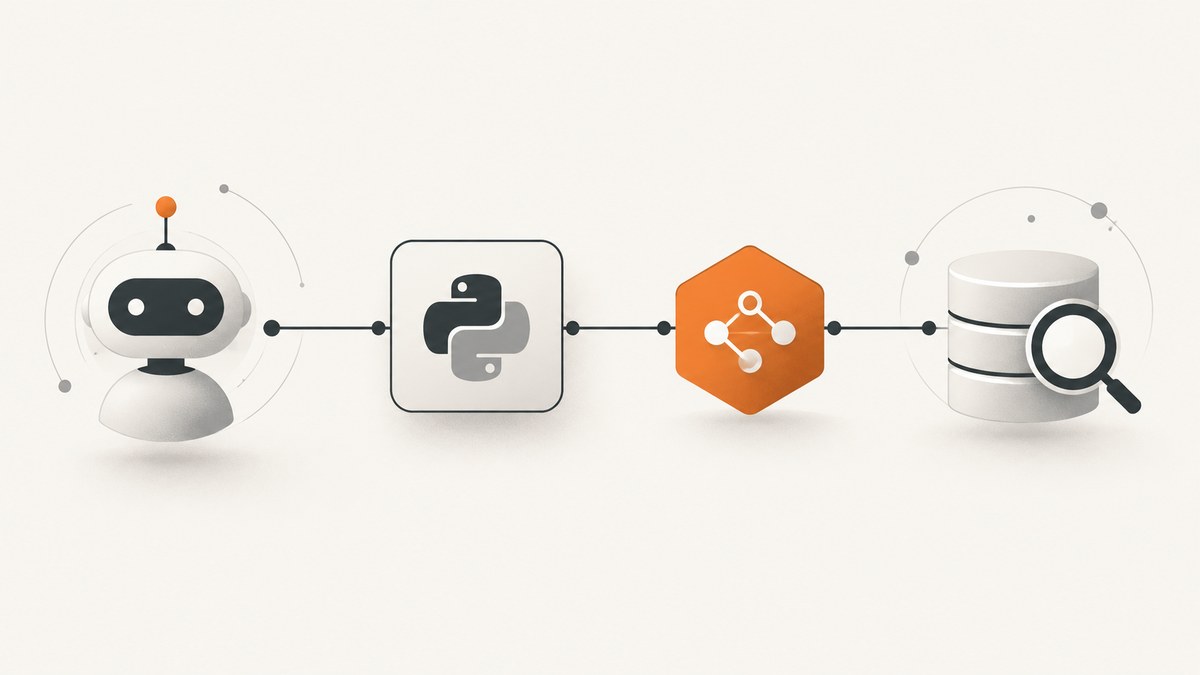
Short answer: create an MCP server with the official Python SDK, register a typed web_search tool, call a web search API from that function, normalize the provider response, and expose the server over stdio or a network transport. The MCP SDK defines the tool schema from your Python type hints; the search provider supplies the actual web index, authentication, quotas, and result fields.
This guide uses the official MCP Python SDK v2 line and Python 3.10+. The SDK documentation describes MCP as a standard way for applications to provide context to language models while separating context delivery from model interaction. Install the SDK from the official Python SDK documentation.
1. What you are building
The server has four responsibilities:
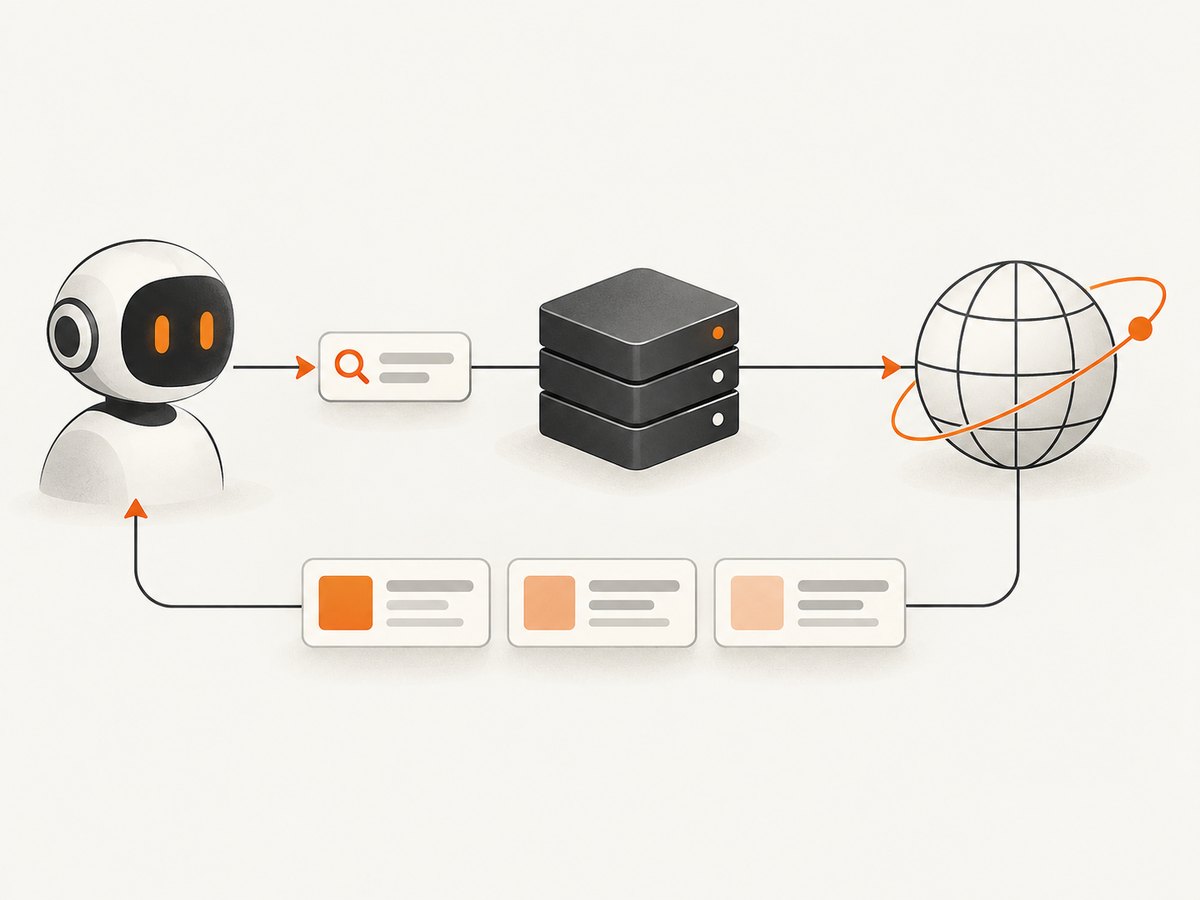
- Accept a query and a result limit through an MCP tool.
- Validate and normalize those values.
- Call your chosen web search API.
- Return concise, structured results containing fields such as title, URL, and snippet when the provider supplies them.
The MCP layer does not provide a search index. You must choose a search API and follow that provider’s authentication, request format, response schema, rate limits, geographic behavior, pricing, and terms. Those details vary by provider and are intentionally kept out of the generic implementation below.
2. Prerequisites and installation
Use Python 3.10 or newer. Create an isolated environment and install the v2 SDK with its CLI:
python -m venv .venv
source .venv/bin/activate
python -m pip install --upgrade pip
pip install "mcp[cli]" httpx
The SDK documentation also supports:
uv add "mcp[cli]" httpxPin the SDK deliberately in an application. The v1 documentation is a maintenance line and tells users who remain on v1 to pin mcp<2. Do not mix v1 examples with a v2 dependency without checking the matching documentation.
3. A complete server implementation
The following example uses the high-level FastMCP interface from the official Python package. It keeps provider-specific details behind environment variables and a small adapter. The example expects a JSON response with a list under results; adjust extract_results to match your provider.
import json
import os
from typing import Any

import httpx
from mcp.server.fastmcp import FastMCP

mcp = FastMCP("web-search")

SEARCH_API_URL = os.environ.get("SEARCH_API_URL")
SEARCH_API_KEY = os.environ.get("SEARCH_API_KEY")


def extract_results(payload: Any) -> list[dict[str, str]]:
    """Normalize one provider response into MCP-friendly result objects."""
    raw_results = payload.get("results", []) if isinstance(payload, dict) else []
    normalized: list[dict[str, str]] = []

    if not isinstance(raw_results, list):
        return normalized

    for item in raw_results:
        if not isinstance(item, dict):
            continue
        title = str(item.get("title", "")).strip()
        url = str(item.get("url", item.get("link", ""))).strip()
        snippet = str(item.get("snippet", item.get("description", ""))).strip()
        if not url:
            continue
        normalized.append({
            "title": title,
            "url": url,
            "snippet": snippet,
        })
    return normalized


@mcp.tool()
async def web_search(query: str, limit: int = 5) -> str:
    """Search the web and return concise title, URL, and snippet results."""
    query = query.strip()
    if not query:
        raise ValueError("query must not be empty")
    if len(query) > 500:
        raise ValueError("query must be 500 characters or fewer")
    if limit < 1 or limit > 20:
        raise ValueError("limit must be between 1 and 20")
    if not SEARCH_API_URL or not SEARCH_API_KEY:
        raise RuntimeError("Set SEARCH_API_URL and SEARCH_API_KEY")

    headers = {"Authorization": f"Bearer {SEARCH_API_KEY}"}
    params = {"q": query, "limit": str(limit)}

    try:
        async with httpx.AsyncClient(timeout=20.0) as client:
            response = await client.get(
                SEARCH_API_URL,
                params=params,
                headers=headers,
            )
            response.raise_for_status()
            payload = response.json()
    except httpx.TimeoutException as exc:
        raise RuntimeError("search provider timed out") from exc
    except httpx.HTTPStatusError as exc:
        status = exc.response.status_code
        if status == 401 or status == 403:
            raise RuntimeError("search provider rejected the credentials") from exc
        if status == 429:
            raise RuntimeError("search provider rate limit exceeded") from exc
        raise RuntimeError(f"search provider returned HTTP {status}") from exc
    except (httpx.RequestError, ValueError) as exc:
        raise RuntimeError("could not reach or decode the search provider") from exc

    results = extract_results(payload)[:limit]
    return json.dumps({"query": query, "results": results}, ensure_ascii=False)


if __name__ == "__main__":
    mcp.run()
Set the provider-specific values before starting the process:
export SEARCH_API_URL="https://your-provider.example/search"
export SEARCH_API_KEY="replace-with-your-key"
python server.py
The endpoint, header format, query parameter names, and response fields are placeholders because the research for this article does not establish a particular search provider. Replace them with the values documented by the provider you select.
4. Why the tool schema matters
The decorator exposes web_search to an MCP client. The function annotations describe the inputs, while the docstring explains the tool’s purpose to the host or model. Keep names and descriptions specific:
query: strtells the client that the search text is required and textual.limit: int = 5gives clients a bounded optional result count.- Validation prevents empty queries, excessive requests, and accidental provider abuse.
- The returned JSON gives downstream code a stable envelope even when the upstream provider changes field names.
5. Connect and inspect the server locally
The SDK documents a development workflow that starts the server and opens MCP Inspector:
uv run mcp dev server.pyIn Inspector, verify that:
- The server starts without importing errors.
web_searchappears in the tool list.- The generated schema marks
queryas required andlimitas optional. - A normal query returns valid JSON.
- Empty queries and out-of-range limits produce useful errors.
- Provider failures are surfaced as short, actionable messages.
6. Choose an MCP transport
| Transport | Use it when | Operational consideration |
|---|---|---|
| stdio | The MCP host launches your Python process locally. | Simple deployment and no listening port; credentials live in the local process environment. |
| Streamable HTTP | Clients connect to a deployed service by URL. | Add authentication, TLS, request limits, logging, and process supervision. |
| SSE | Your client or existing deployment specifically requires the SDK’s SSE transport. | Confirm the client and server versions support the same transport behavior. |
The SDK documentation covers stdio, Streamable HTTP, and SSE. Its client guide demonstrates URL-based Streamable HTTP connections, tool listing, and tool calls. Select one transport as part of deployment instead of assuming that a local stdio configuration can be copied directly to a hosted service.
7. Calling the tool from a Python MCP client
For a Streamable HTTP deployment, the SDK client guide demonstrates connecting by URL, listing tools, and calling one:
import asyncio
from mcp import ClientSession
from mcp.client.streamable_http import streamablehttp_client


async def main() -> None:
    async with streamablehttp_client("https://your-host.example/mcp") as (
        read_stream,
        write_stream,
        _,
    ):
        async with ClientSession(read_stream, write_stream) as session:
            await session.initialize()
            tools = await session.list_tools()
            print([tool.name for tool in tools.tools])

            result = await session.call_tool(
                "web_search",
                {"query": "Python MCP server", "limit": 5},
            )
            print(result)


if __name__ == "__main__":
    asyncio.run(main())
Use the exact import paths and connection options documented for the SDK version you pin. A client and server on different SDK lines can disagree about transport or schema behavior.
8. Provider adapter design
Keep the search provider behind a narrow function. This makes it possible to change providers without changing your MCP contract:
async def provider_search(query: str, limit: int) -> list[dict[str, str]]:
    # Build the provider-specific request here.
    # Return only your normalized title, url, and snippet fields.
    ...
When adapting a provider, document these values next to the adapter:
- Authentication header or query parameter.
- Search endpoint and HTTP method.
- Provider parameter corresponding to the query.
- Maximum page size and pagination behavior.
- Response fields used for title, URL, snippet, and optional metadata.
- Timeout, retry, quota, and error semantics.
- Restrictions on storage, display, or redistribution of results.
Do not expose raw provider responses unless clients genuinely need them. A small stable schema reduces prompt size and limits accidental leakage of provider-specific metadata.
9. Validation, security, and reliability
Input validation
- Strip surrounding whitespace.
- Reject empty queries.
- Set a maximum query length.
- Clamp the result limit to a documented range.
- Reject unsupported filter values before making a provider request.
Credential handling
Read keys from environment variables or a secret manager. Never put a key in tool descriptions, source control, returned results, or logs. For a hosted HTTP server, authenticate MCP clients separately from the upstream search credential.
Timeouts and retries
Set an explicit provider timeout. Retry only errors that are safe to repeat, such as a transient network failure or a provider response that explicitly indicates temporary unavailability. Do not blindly retry authentication failures or every 429 response. Respect any provider retry-after guidance.
Result safety
Treat titles, snippets, and URLs as untrusted content. Return them as data, not executable markup. If a client renders HTML, escape fields before rendering. Keep logs free of full query histories when queries may contain sensitive information.
10. Performance and cost considerations
- Use one asynchronous HTTP client per tool call or a carefully managed shared client; avoid creating unnecessary connection pools.
- Request only the number of results the agent needs. Larger responses increase latency, token use, and provider charges where applicable.
- Normalize and truncate snippets before returning them.
- Cache only when the provider’s terms allow it and freshness requirements permit it.
- Measure provider latency separately from MCP serialization and client transport latency.
- Apply per-client and global rate limits to protect your provider quota.
The research does not establish provider pricing, quotas, geographic coverage, or performance figures, so obtain those directly from the provider you choose before estimating operating cost.
11. Common errors and fixes
| Symptom | Likely cause | Fix |
|---|---|---|
ModuleNotFoundError: mcp |
The virtual environment is inactive or the package is not installed. | Activate the environment and run pip install "mcp[cli]". |
| Inspector shows no tools | The decorator was not imported, the function was not registered, or the process exited during startup. | Check the traceback, confirm @mcp.tool(), and restart with the pinned SDK. |
| Missing credential error | SEARCH_API_URL or SEARCH_API_KEY is unset. |
Export both variables in the same environment that launches the server. |
| HTTP 401 or 403 | Invalid credentials, wrong authentication header, or an account restriction. | Copy the provider’s current authentication format and verify the account. |
| HTTP 429 | Provider quota or rate limit exceeded. | Reduce concurrency, honor retry guidance, and review the provider quota. |
| Empty result list | The response field does not match the adapter’s expected results shape. |
Inspect a redacted provider response and update extract_results. |
| JSON decode failure | The provider returned HTML, plain text, or an error envelope. | Check status before decoding and log only a redacted response summary. |
| Network transport fails remotely | The client URL, TLS, authentication, or deployed transport does not match the server. | Confirm the documented Streamable HTTP or SSE configuration and test the endpoint independently. |
12. High-level API versus low-level Server API
Start with the high-level server abstraction when typed Python functions are enough. The official guide says it is built on the lower-level Server API. Choose the low-level API when you need exact wire schemas, custom protocol handling, or complete control over result construction. That extra control also means more code to maintain and more protocol details to verify.
13. Or skip the browser setup
If your agent also needs a visual capture of a search result or documentation page, ScreenshotNeo provides a direct screenshot API and MCP server. It is separate from the text search backend, so you can keep web search for discovery and use ScreenshotNeo for a rendered page image or PDF.

One request is enough:
curl -G "https://api.screenshotneo.com/v1/shot" -d access_key=YOUR_API_KEY --data-urlencode url=https://stripe.com -o shot.webpPython:
import requests
r = requests.get("https://api.screenshotneo.com/v1/shot", params={"access_key": "YOUR_API_KEY", "url": "https://stripe.com"}, timeout=90)
open("shot.webp", "wb").write(r.content)
Node.js:
const q = new URLSearchParams({ access_key: 'YOUR_API_KEY', url: 'https://stripe.com' });
const res = await fetch(`https://api.screenshotneo.com/v1/shot?${q}`);
See the ScreenshotNeo API documentation for options. Cookie banners, newsletter popups and chat widgets are removed before the shot. Bot checks, blank pages and failed loads are never billed. ScreenshotNeo also provides an MCP server with take_screenshot, get_page_info and capture_pdf tools, so an AI agent can request captures directly. The free plan includes 1,000 screenshots each month with no card, and paid plans start at $5 for 3,000 shots. Create a free ScreenshotNeo account.
14. FAQ
Does MCP itself search the web?
No. MCP defines how a client discovers and calls your tool. Your tool still needs an upstream search API.
Can I run this without a hosted service?
Yes. Use stdio when the MCP host launches the Python process locally.
Should I use SSE or Streamable HTTP?
Follow the transport supported by your client and the SDK version you deploy. The official SDK documents both, along with stdio.
When should I use the low-level API?
Use it when the high-level typed-function interface cannot express the exact schema or protocol behavior you require.
How do I choose a search provider?
Compare current authentication, result fields, limits, geography, freshness, pricing, and usage terms in each provider’s primary documentation. Those details are not interchangeable.


