Can HTML5 Canvas Capture a Screenshot of Any DOM Element?
No. Canvas cannot read arbitrary DOM pixels; html2canvas repaints accessible content with important origin, CSS, iframe, and size limits.
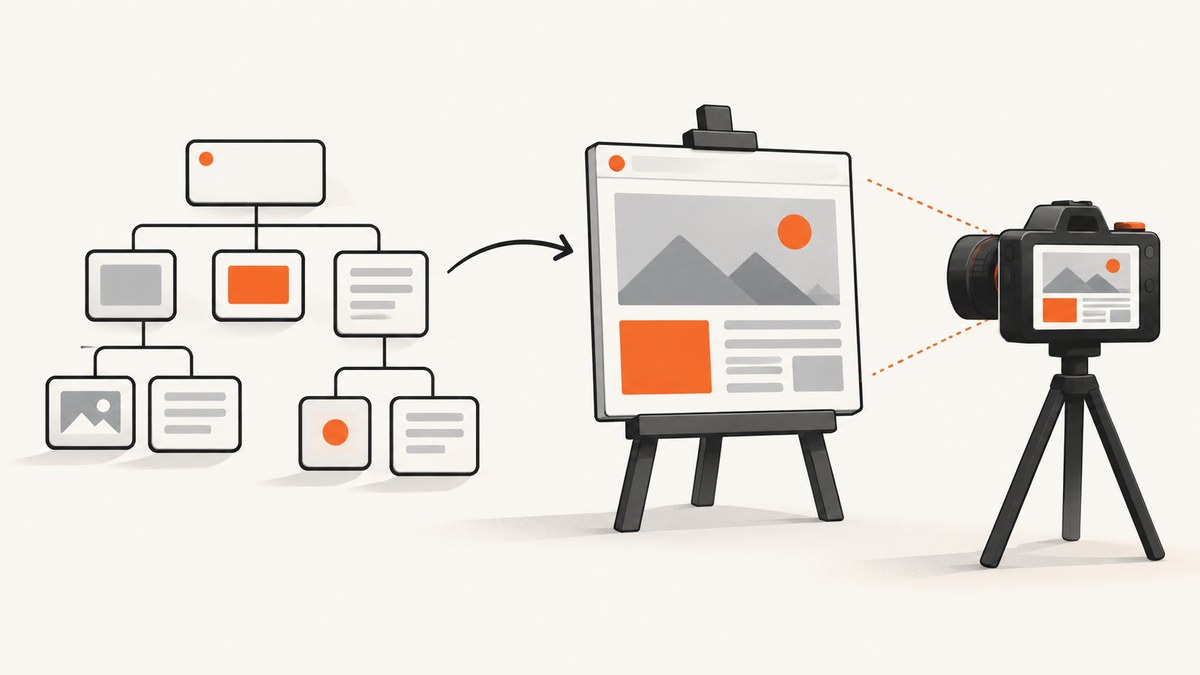
No—not any DOM element. HTML5 Canvas has no general API for sampling the browser compositor’s final pixels from an arbitrary HTML element. A library such as html2canvas can traverse an accessible DOM subtree and repaint a representation into a canvas, but that is different from a true screenshot of what the browser rendered.
Use html2canvas when an approximate, client-side image of same-origin HTML is sufficient. Use native display or extension capture when you need the rendered tab surface, and use a headless browser or screenshot API when capture must run reliably on a server.
What “capture a DOM element” actually means
The browser keeps several layers separate:
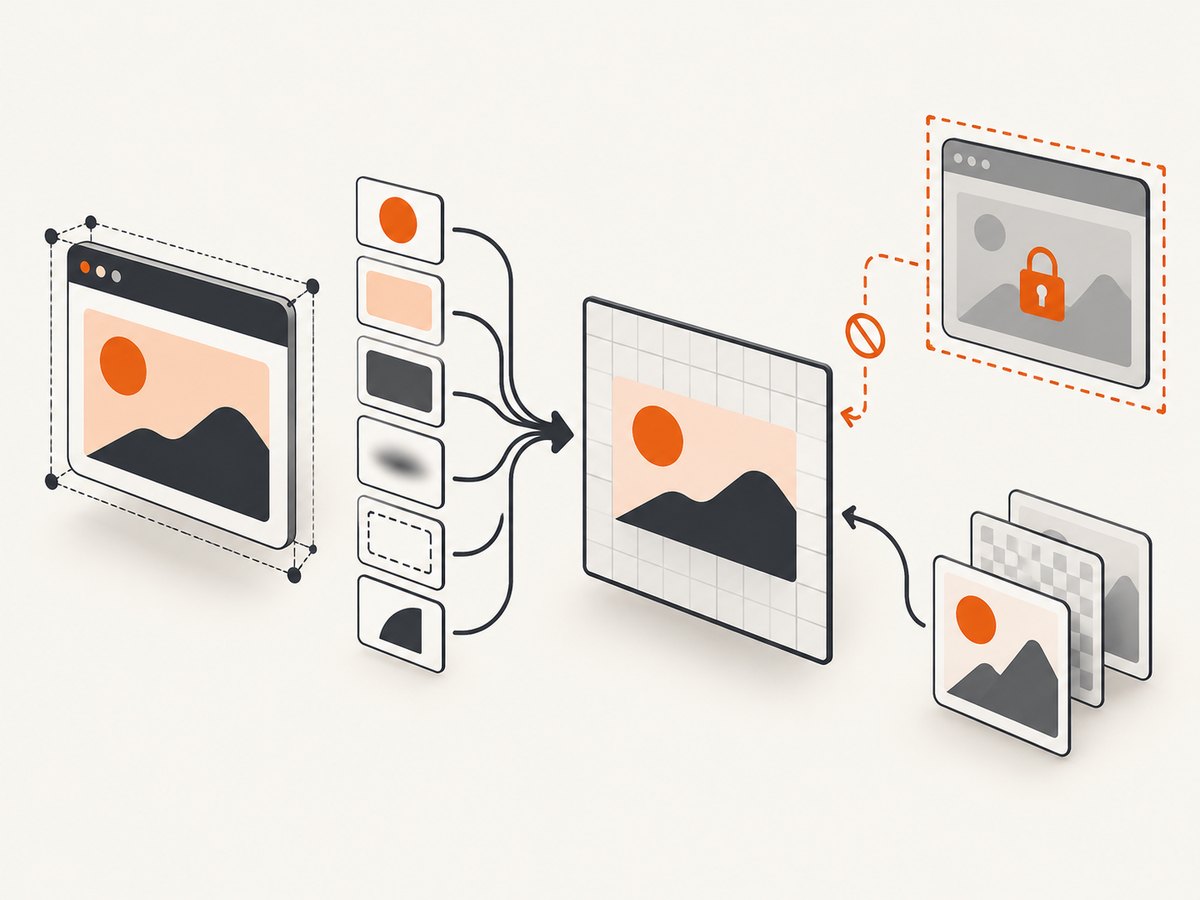
- DOM and styles: elements, attributes, layout, and computed CSS.
- Canvas: a bitmap you can draw to and export.
- Compositor output: the final pixels after layout, fonts, images, video, filters, overlays, and browser rendering.
Canvas can export pixels that were drawn into that canvas. It cannot silently ask the compositor for the pixels of an arbitrary <div>, iframe, tab, or window. DOM-to-canvas libraries reconstruct a scene from information available to script. Their output can differ from the page a user sees.
Client-side method: html2canvas
html2canvas exposes html2canvas(element, options?) and resolves to a canvas. This complete page captures a selected element and downloads a PNG.
<!doctype html>
<html lang="en">
<head>
  <meta charset="utf-8">
  <meta name="viewport" content="width=device-width, initial-scale=1">
  <title>DOM capture</title>
  <style>
    #target { width: 640px; padding: 24px; background: white; color: #172033; }
  </style>
  <script src="https://cdn.jsdelivr.net/npm/html2canvas@1.4.1/dist/html2canvas.min.js" defer></script>
</head>
<body>
  <section id="target">
    <h1>Receipt</h1>
    <p>This subtree will be repainted into a canvas.</p>
  </section>
  <button id="save">Download PNG</button>
  <script>
    window.addEventListener('DOMContentLoaded', () => {
      document.querySelector('#save').addEventListener('click', async () => {
        const element = document.querySelector('#target');
        const canvas = await html2canvas(element, {
          backgroundColor: '#ffffff',
          scale: window.devicePixelRatio,
          useCORS: true,
          logging: false
        });
        const link = document.createElement('a');
        link.download = 'target.png';
        link.href = canvas.toDataURL('image/png');
        link.click();
      });
    });
  </script>
</body>
</html>
The minimal JavaScript is:
const canvas = await html2canvas(document.querySelector('#target'));
const png = canvas.toDataURL('image/png');
Options that matter
| Option | Use | Limits |
|---|---|---|
scale |
Increase output density, commonly to devicePixelRatio. |
Higher memory use and canvas-size risk. |
backgroundColor |
Set a solid background or use null for transparency. |
Transparency does not fix unsupported content. |
useCORS |
Request CORS-enabled images for drawing. | The image server must send an appropriate CORS header. |
allowTaint |
Permit drawing some cross-origin images. | A tainted canvas cannot be read or exported; this does not bypass browser security. |
windowWidth/windowHeight |
Control the virtual viewport used for layout. | It does not make inaccessible iframes readable. |
ignoreElements |
Exclude banners, controls, or dynamic nodes. | Return true for nodes to omit. |
onclone |
Adjust the cloned document before painting. | Changes affect the clone, not the live page. |
foreignObjectRendering |
Try browser foreignObject rendering where supported. | Browser support and cross-origin behavior vary. |
Preparing the element
- Wait for fonts, images, and data to finish loading.
- Freeze animations and transitions if a deterministic frame matters.
- Give the target an explicit width, height, and background.
- Hide blinking cursors, sticky consent banners, and controls with
ignoreElementsor temporary classes. - Capture after layout settles; a zero-size or detached element produces an empty result.
await document.fonts.ready;
await Promise.all([...document.images].map(img => img.complete
  ? Promise.resolve()
  : new Promise(resolve => { img.addEventListener('load', resolve, { once: true }); img.addEventListener('error', resolve, { once: true }); })));

const canvas = await html2canvas(document.querySelector('#target'), {
  scale: 2,
  ignoreElements: el => el.matches('.no-screenshot'),
  onclone: clonedDoc => {
    clonedDoc.querySelectorAll('*').forEach(el => {
      el.style.animation = 'none';
      el.style.transition = 'none';
    });
  }
});
Hard boundaries you cannot configure away
Cross-origin images and canvas tainting
If a cross-origin image is drawn without the required CORS response headers, the canvas may become origin-unclean. Reading pixels with toDataURL, toBlob, or image-data APIs can then throw a security error or fail. allowTaint does not defeat this model. Serve the image with CORS headers, host it on the same origin, or fetch it through a server-side proxy that you control.
Cross-origin iframes
Scripts cannot access a cross-origin iframe’s contentDocument. html2canvas can recurse into same-origin frames, but cross-origin and sandboxed-without-allow-same-origin frames are blocked. Capture the framed application from its own origin, use a coordinated export endpoint, or capture the whole rendered surface with a permissioned native method.
CSS and browser rendering fidelity
The library implements CSS properties itself. Unsupported or complex effects, plugin content, videos, filters, blend modes, pseudo-elements, web fonts that have not loaded, and browser-specific layout details may differ. The result is a repaint, not compositor output.
Animations, video, and user state
A capture represents one moment. Pause animations and seek media when possible. Video frames, WebGL scenes, caret blinking, hover state, and content that changes during traversal can be missing or inconsistent.
Canvas dimensions and memory
Canvas limits vary by browser and platform. Current evergreen browsers are often described as having rough limits near 32,767 pixels per dimension, plus total-area limits; iOS Safari can have lower practical limits. These are implementation guidance, not a permanent standard. Large full-page captures can become blank, partial, or throw an allocation error. Reduce scale, split the page into sections, or use a browser screenshot service.
Which capture method fits?
| Method | Best for | Main limitation |
|---|---|---|
| html2canvas | Client-side image of an accessible DOM subtree | Approximate repaint; origin, CSS, iframe, and size limits |
Extension captureVisibleTab |
Pixels of a visible browser tab | Requires extension context and captures the visible tab surface |
getDisplayMedia() |
User-approved display, window, or tab capture | Permission and Permissions Policy controls; not silent arbitrary-element access |
captureStream() |
Streaming an existing canvas or media element | Not a general DOM screenshot API; origin-clean canvas required |
| Headless browser tooling | Server-side automation and rendered pixels | You must operate a browser environment |
| Screenshot API | Repeatable captures without browser setup | Requires an API account and network request |
Native display capture is a different API
getDisplayMedia() asks the user to select a display surface, window, or tab. It is permission-controlled and subject to the document’s Permissions Policy. It captures the selected rendered surface rather than granting script arbitrary access to any DOM node.
const stream = await navigator.mediaDevices.getDisplayMedia({ video: true });
const video = document.createElement('video');
video.srcObject = stream;
await video.play();
const canvas = document.createElement('canvas');
canvas.width = video.videoWidth;
canvas.height = video.videoHeight;
canvas.getContext('2d').drawImage(video, 0, 0);
const png = canvas.toDataURL('image/png');
stream.getTracks().forEach(track => track.stop());
captureStream() is for an existing canvas or media element. It does not convert arbitrary HTML into a still image, and it throws a SecurityError when a canvas is not origin-clean.
Or skip the browser setup
For a true rendered-page capture from code, ScreenshotNeo provides a GET endpoint. See the API documentation for the available parameters.
cURL
curl -G "https://api.screenshotneo.com/v1/shot" -d access_key=YOUR_API_KEY --data-urlencode url=https://stripe.com -o shot.webpPython
import requests
r = requests.get("https://api.screenshotneo.com/v1/shot", params={"access_key": "YOUR_API_KEY", "url": "https://stripe.com"}, timeout=90)
open("shot.webp", "wb").write(r.content)
Node.js
const q = new URLSearchParams({ access_key: 'YOUR_API_KEY', url: 'https://stripe.com' });
const res = await fetch(`https://api.screenshotneo.com/v1/shot?${q}`);
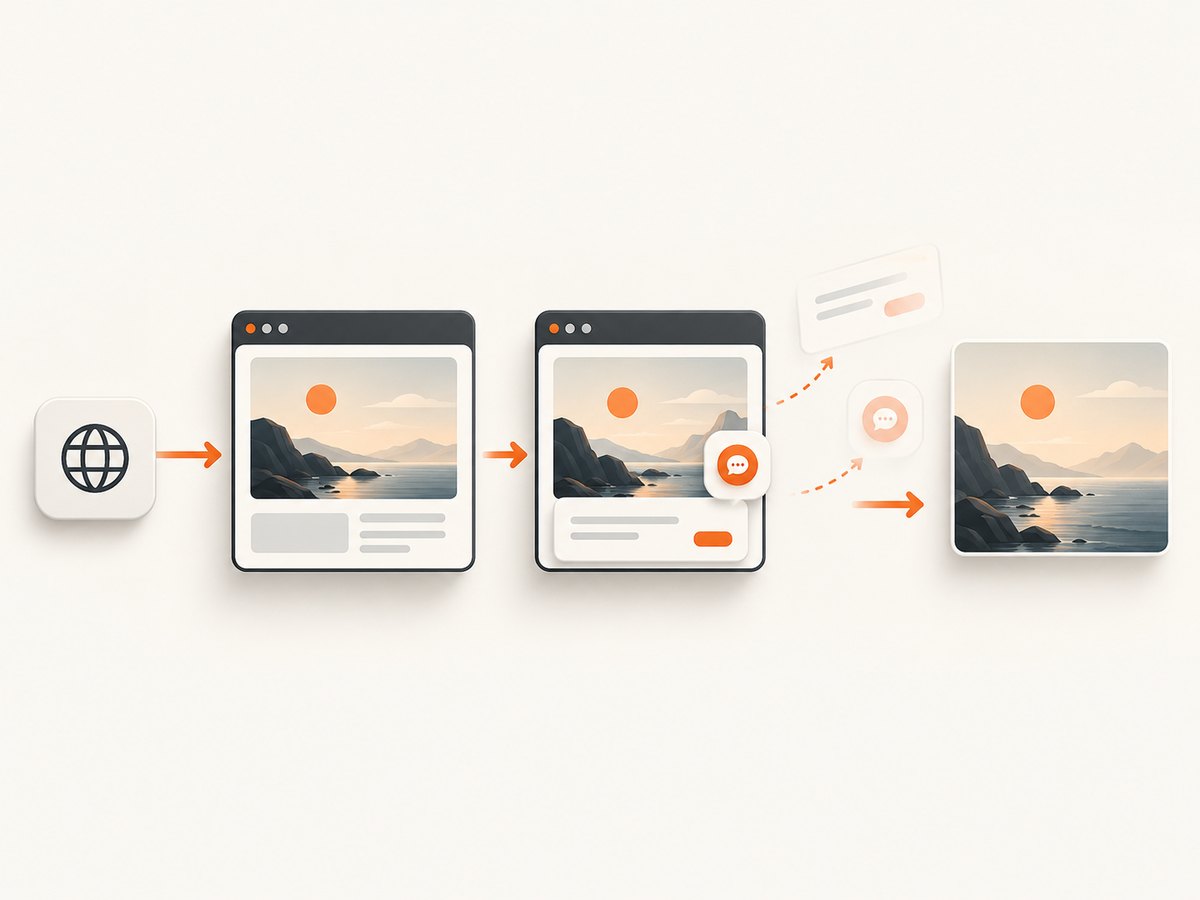
ScreenshotNeo removes cookie and consent banners, newsletter popups, and chat widgets before capture. Bot checks, blank pages, timeouts, failed loads, and cache hits are not billed; response headers identify the page verdict and billing status. Its MCP server provides take_screenshot, get_page_info, and capture_pdf tools for Claude, Cursor, and other MCP clients. The Free plan includes 1,000 shots each month without a card; paid plans start at $5 for 3,000 shots. Create a free ScreenshotNeo account.
Troubleshooting
| Symptom | Cause | Fix |
|---|---|---|
SecurityError from toDataURL |
A cross-origin image or canvas tainted the bitmap. | Use same-origin assets, configure CORS, or move capture server-side. |
| Cross-origin iframe is blank | contentDocument is inaccessible. |
Capture within the iframe’s origin or capture the rendered tab. |
| Fonts or images missing | Capture ran before resources finished loading. | Wait for document.fonts.ready and image load events. |
| CSS looks different | The library does not implement every CSS feature. | Simplify styles, use supported properties, or use compositor capture. |
| Only part of a long page appears | Canvas dimension or area limit. | Lower scale, split captures, or use a browser screenshot service. |
| Blank canvas | Target is hidden, detached, zero-sized, or content failed to load. | Check its bounding box, visibility, and network errors before capture. |
| Export is huge or slow | High scale and large pixel area. | Set a deliberate scale, resize after capture, and avoid unnecessary full-page work. |
| Output changes between runs | Animations, lazy loading, time, locale, or network responses vary. | Freeze motion, wait for idle, set a fixed viewport and locale, and use deterministic test data. |
Performance, reliability, and cost
- Pixel cost: memory grows with width × height × scale². A 2× scale uses roughly four times the pixel area of 1×.
- Work cost: DOM traversal and style calculation grow with subtree complexity. Capture the smallest useful element.
- Network cost: external fonts and images must load before capture. Cache stable assets and avoid repeated captures.
- Reliability: retry only transient network failures; do not retry a deterministic security or size failure without changing the inputs.
- Server captures: record URL, viewport, wait condition, browser version, and output dimensions so differences are diagnosable.
- ScreenshotNeo billing: only clean shots are billed. Bot checks, blank pages, timeouts, failed loads, and cache hits are free, and
X-Page-VerdictandX-Billedheaders report the result.
Practical decision checklist
- Need an approximate image of same-origin HTML in the user’s browser? Try html2canvas.
- Need cross-origin frames, exact browser pixels, or a whole tab? Use permissioned display/extension capture or a browser service.
- Need repeatable server automation? Use headless tooling or ScreenshotNeo.
- Need to stream an existing canvas? Use
captureStream(), after ensuring the canvas is origin-clean. - Need to exclude consent UI and avoid paying for failed pages? Use ScreenshotNeo.
FAQ
Can canvas capture a div without html2canvas?
No. Canvas itself only draws pixels supplied by your code. A DOM-to-canvas library is required for a repaint.
Does useCORS: true bypass CORS?
No. It enables CORS-aware image loading; the image response still needs suitable CORS headers.
Can JavaScript screenshot an iframe from another domain?
No. The same-origin policy blocks access to its document. Capture from that origin or capture the visible rendered surface.
Is getDisplayMedia() a DOM-element screenshot API?
No. It captures a user-selected display, window, or tab and requires permission.
Why does an html2canvas image differ from a screenshot?
It reconstructs the scene from DOM and styles. Unsupported CSS, fonts, cross-origin resources, animation state, and browser effects can change the result.
When should I use a screenshot API?
Choose one when captures must run outside a user’s browser, include cross-origin content, or be repeatable in production. ScreenshotNeo is an option with a one-call API and an MCP server for AI agents.


