BlogScreenshots on your device
How to Capture a Running Google Chrome Window on macOS With Python
Use Quartz to find a Chrome window by title and capture it with Python, or build a modern ScreenCaptureKit helper for reliable macOS capture.
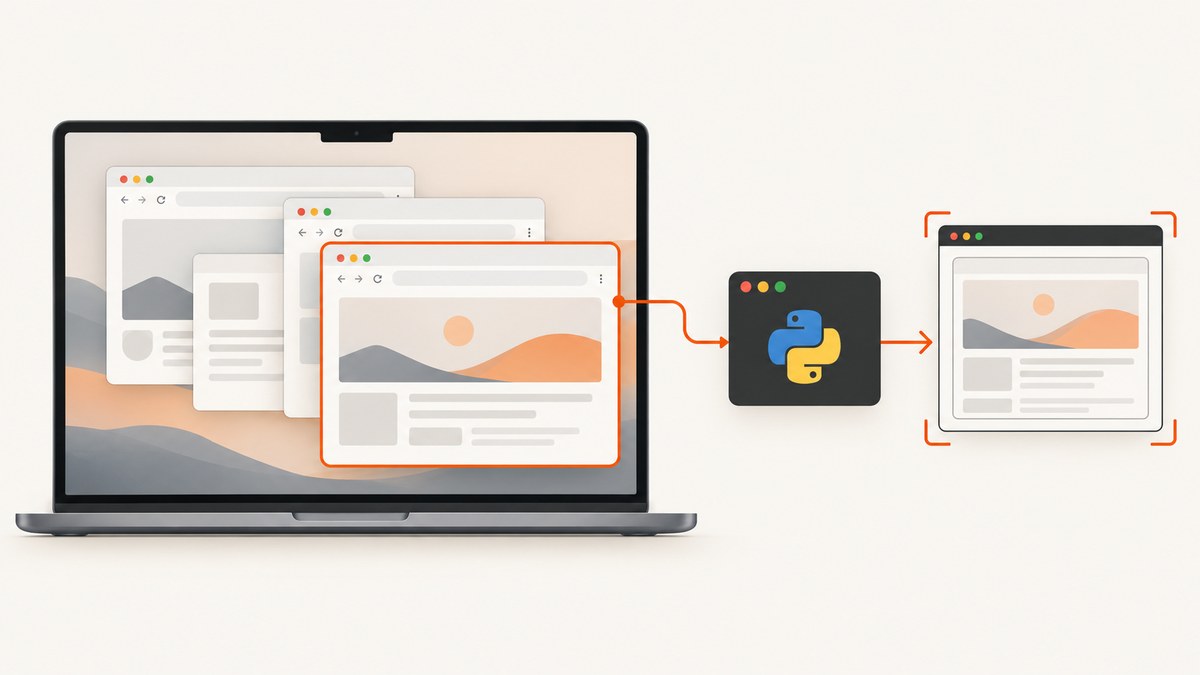
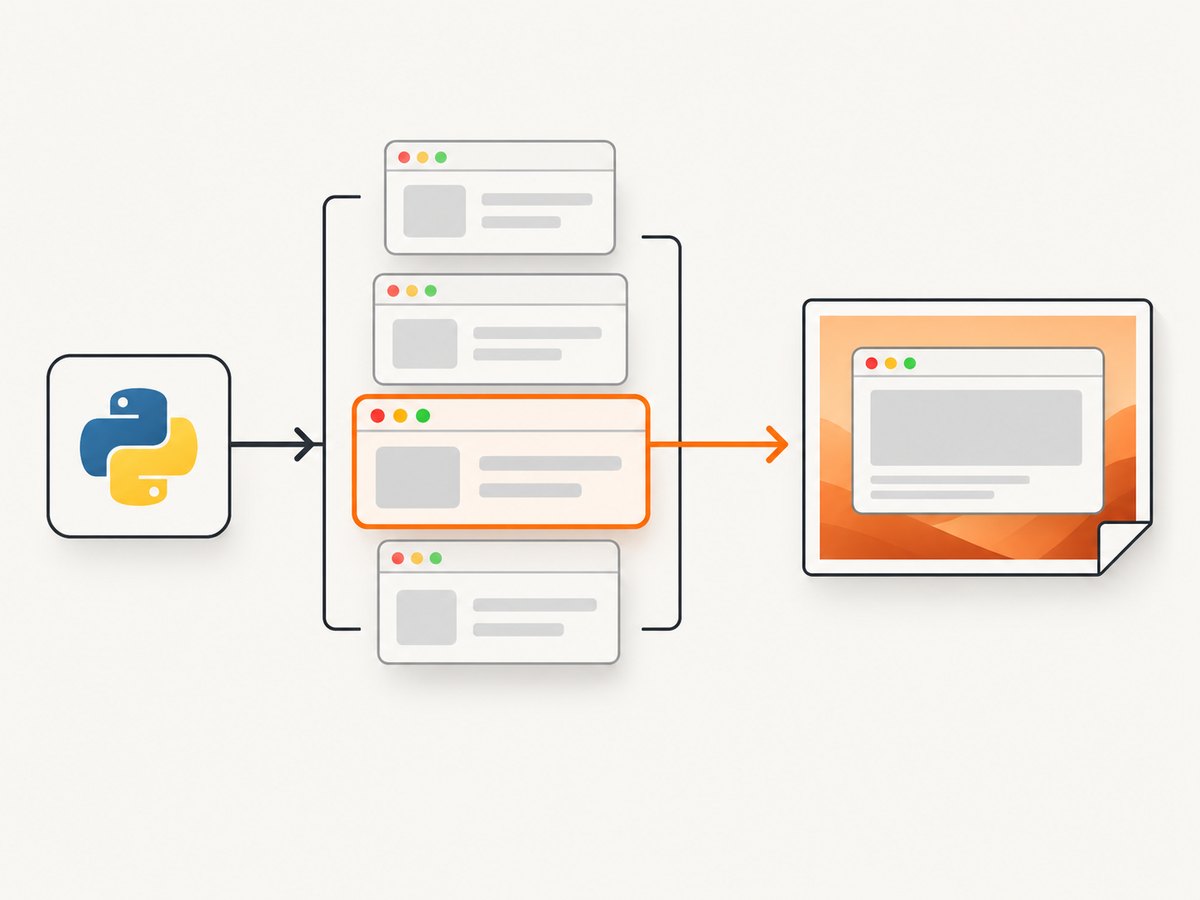
To capture one running Google Chrome window on macOS, first enumerate windows with Quartz Window Services, select the correct window by owner, title and geometry, then capture its numeric window ID. Python can call the older Quartz image function through PyObjC. For a new application that needs continuous capture or modern window filtering, use ScreenCaptureKit through a small Swift or Objective-C helper.
This guide covers both approaches, permissions, multiple Chrome windows, hidden or protected content, failure handling and an API alternative when you do not need to capture the local desktop.
1. Choose the capture API
| Route | Best for | Trade-offs |
|---|---|---|
Quartz Window Services plus CGWindowListCreateImage |
A short Python script that takes one screenshot | Simple PyObjC integration, but the image function is deprecated |
| ScreenCaptureKit | Maintained applications, explicit window selection and continuous frames | Requires a native bridge or bindings and more setup |
Apple marks CGWindowListCreateImage deprecated. ScreenCaptureKit is the current API family for high-performance display, window and stream capture.
2. Grant Screen Recording permission
- Open System Settings → Privacy & Security → Screen Recording.
- Enable the terminal, IDE, Python launcher or bundled application that will perform the capture.
- Run the program again. macOS may require you to quit and restart the capturing application after permission is granted.
A bundled application should include an NSScreenCaptureUsageDescription in its Info.plist. Do not silently fall back to a full-desktop screenshot when the requested Chrome window cannot be captured.
3. Install Python dependencies
python3 -m venv .venv
source .venv/bin/activate
python -m pip install --upgrade pip pyobjc-framework-Quartz pyobjc-framework-ImageIO pyobjc-framework-CoreServices
PyObjC package names and exported constants can vary by release. Print the returned dictionaries if a key is missing and use the names exposed by your installed version.
4. Find the correct Chrome window
Quartz Window Services can enumerate the windows visible in the current user session and returns each window’s numeric kCGWindowNumber identifier. Filter by owner name, require a nonempty title, and inspect the layer so normal application windows are preferred. Never assume the first Chrome match is the intended window.
from Quartz import (
    CGWindowListCopyWindowInfo,
    kCGWindowListOptionOnScreenOnly,
    kCGNullWindowID,
)


def chrome_windows():
    windows = CGWindowListCopyWindowInfo(
        kCGWindowListOptionOnScreenOnly,
        kCGNullWindowID,
    ) or []

    matches = []
    for item in windows:
        owner = item.get("kCGWindowOwnerName")
        title = item.get("kCGWindowName") or ""
        layer = item.get("kCGWindowLayer")
        number = item.get("kCGWindowNumber")
        bounds = item.get("kCGWindowBounds") or {}

        if owner == "Google Chrome" and title and number is not None:
            matches.append({
                "id": int(number),
                "title": title,
                "layer": layer,
                "bounds": bounds,
            })
    return matches


matches = chrome_windows()
if not matches:
    raise RuntimeError("No titled Google Chrome window found")

for index, match in enumerate(matches):
    print(f"[{index}] {match['title']} (id={match['id']}, bounds={match['bounds']})")

# Select by an explicit rule. This example chooses a title supplied by the caller.
target_title = "Example Domain"
selected = next((w for w in matches if w["title"] == target_title), None)
if selected is None:
    raise RuntimeError(f"Chrome window titled {target_title!r} was not found")

window_id = selected["id"]
print("Selected window ID:", window_id)
For automation, pass the title as a command-line argument, choose the largest matching bounds, or present the indexed list to a user. Window titles can change as navigation progresses, so a stable selection rule may combine title, size and position.
5. Compatibility screenshot with Quartz and PyObjC
The following is an implementation sketch for the legacy one-shot route. It shows the complete selection and capture flow, but PyObjC method names for converting a Core Graphics image to PNG may differ between releases.
import sys
from Quartz import (
    CGWindowListCopyWindowInfo,
    kCGWindowListOptionOnScreenOnly,
    kCGNullWindowID,
    CGWindowListCreateImage,
    kCGWindowListOptionIncludingWindow,
    kCGWindowImageBoundsIgnoreFraming,
    CGRectNull,
)


def find_chrome(title=None):
    windows = CGWindowListCopyWindowInfo(
        kCGWindowListOptionOnScreenOnly,
        kCGNullWindowID,
    ) or []
    found = []
    for item in windows:
        if (item.get("kCGWindowOwnerName") == "Google Chrome"
                and item.get("kCGWindowName")
                and item.get("kCGWindowNumber") is not None):
            found.append(item)

    if title is not None:
        found = [item for item in found
                 if item.get("kCGWindowName") == title]
    if not found:
        raise RuntimeError("No matching Chrome window")
    if len(found) > 1:
        titles = [item.get("kCGWindowName") for item in found]
        raise RuntimeError(f"Several windows match; choose one explicitly: {titles}")
    return int(found[0]["kCGWindowNumber"])


def capture_window(window_id):
    image = CGWindowListCreateImage(
        CGRectNull,
        kCGWindowListOptionIncludingWindow,
        window_id,
        kCGWindowImageBoundsIgnoreFraming,
    )
    if image is None:
        raise RuntimeError(
            "No image returned; check Screen Recording permission "
            "and whether the window is shareable"
        )
    width = image.width()
    height = image.height()
    if width <= 0 or height <= 0:
        raise RuntimeError(f"Captured image has invalid size: {width}x{height}")
    return image


if __name__ == "__main__":
    title = sys.argv[1] if len(sys.argv) > 1 else None
    image = capture_window(find_chrome(title))
    print("Captured", image.width(), "x", image.height())
    # Convert `image` to PNG with the ImageIO/CoreGraphics bridge exposed by
    # your PyObjC release, then write the resulting bytes to a file.
The native call accepts a null rectangle, includes the selected window by ID and ignores the outer window frame. Check for a null image and zero dimensions because permission failures, protected content and windows that disappear during capture can all produce an unusable result.
6. Save the Core Graphics image as PNG
PyObjC releases expose ImageIO and Core Foundation objects differently. The reliable sequence is:
- Create a mutable data object.
- Create an ImageIO destination for the PNG type.
- Add the returned
CGImage. - Finalize the destination and write the data bytes.
Inspect the installed bridge with python -c "import Quartz, ImageIO; print(Quartz, ImageIO)". If your release does not expose an ImageIO destination directly, put this four-step conversion in a tiny Swift helper and return PNG bytes over stdout. Keeping discovery in Python and encoding in a native helper avoids depending on incomplete bindings.
7. The modern ScreenCaptureKit design
For a maintained application, request SCShareableContent, locate the SCWindow belonging to Google Chrome, then create an SCContentFilter(desktopIndependentWindow: window). Use SCScreenshotManager for one frame. Configure SCStream, add a screen output and process each video sample buffer for continuous capture. Apple describes displays, running apps and windows as shareable content in its ScreenCaptureKit documentation.
A practical Python architecture is:
- Python receives the title, index or geometry rule.
- A small Swift or Objective-C helper asks ScreenCaptureKit for shareable content.
- The helper selects the matching window and captures one frame or starts a stream.
- The helper writes PNG bytes or a local frame pipe; Python handles storage and application logic.
This route is a better foundation for current macOS versions, ongoing streams and explicit window filters. The exact sample prerequisites in Apple’s current sample documentation apply to that sample, not automatically to every ScreenCaptureKit API.
8. Edge cases to handle
- No match: Chrome may not be running, the title may be empty, or the window may be off-screen. Report the condition and ask for a new selection.
- Several matches: Show titles and bounds, then choose by an explicit title, index or geometry rule.
- Window closed between stages: Re-enumerate and retry once; IDs can become invalid.
- Hidden or minimized windows: Shareability varies by macOS release and capture API. Treat an empty result as a real failure.
- Protected or unusual GPU surfaces: Some content is unavailable to screen capture. Do not promise that every Chrome surface can be captured.
- Permission denied: Explain which application needs Screen Recording access and point to System Settings.
- Title changes during navigation: Match on a stable substring plus bounds, or let the caller select from the current list.
- Retina scaling: The returned pixel dimensions can be larger than the logical window size. Record both dimensions if downstream code assumes a particular resolution.
9. Troubleshooting
| Symptom | Likely cause | Fix |
|---|---|---|
No image returned |
Screen Recording permission is missing or the window is not shareable | Enable the actual terminal, IDE or app in System Settings, restart it, and try a normal visible Chrome window |
| No Chrome entries | Wrong owner filter, empty title or Chrome is not running | Print every returned owner’s name, title and layer; confirm the exact PyObjC dictionary keys |
| Wrong tab captured | The first matching window was selected | Display all matches and select by title, bounds or user choice |
| Black or blank result | Protected content, minimized window or capture race | Restore the window, wait for it to render, retry after re-enumeration, and handle protected content as unsupported |
| PNG conversion error | ImageIO bindings differ from the installed PyObjC version | Inspect exported ImageIO symbols or move encoding into a small native helper |
| Permission change has no effect | The process still has its old permission state | Quit and restart the capturing application |
10. Performance, reliability and cost
- Enumerate once, select by a deterministic rule and capture only the target window.
- For repeated frames, use ScreenCaptureKit streaming instead of repeatedly calling a one-shot image function.
- Keep the capture helper separate from Python so a native framework update does not require rewriting the application layer.
- Use bounded retries for a window that closes during capture; endless retries hide real failures.
- Store the selected title, window ID, logical bounds, pixel dimensions and permission errors in logs.
- Local Quartz and ScreenCaptureKit capture have no per-image service charge, but they require a logged-in macOS session and user permission. If the machine is headless or you only need a webpage rather than a local Chrome window, an HTTP screenshot API is usually simpler.
11. Or skip the browser setup
If you need a screenshot of a URL rather than pixels from a local, already-running Chrome window, ScreenshotNeo provides a single request that returns PNG, JPEG, WebP or PDF. It handles the browser session for you.

See the ScreenshotNeo API documentation. The same call works from cURL, Python or Node.js:
curl -G "https://api.screenshotneo.com/v1/shot" -d access_key=YOUR_API_KEY --data-urlencode url=https://stripe.com -o shot.webpimport requests
r = requests.get(
"https://api.screenshotneo.com/v1/shot",
params={"access_key": "YOUR_API_KEY", "url": "https://stripe.com"},
timeout=90,
)
r.raise_for_status()
open("shot.webp", "wb").write(r.content)const q = new URLSearchParams({ access_key: 'YOUR_API_KEY', url: 'https://stripe.com' });
const res = await fetch(`https://api.screenshotneo.com/v1/shot?${q}`);
if (!res.ok) throw new Error(`Screenshot failed: ${res.status}`);
const bytes = Buffer.from(await res.arrayBuffer());
await import('node:fs/promises').then(fs => fs.writeFile('shot.webp', bytes));Cookie and consent banners, newsletter popups and chat widgets are removed before the shot. Bot checks, blank pages, failed loads and cache hits are never billed, and response headers identify the page verdict and billing result. ScreenshotNeo also offers an MCP server so Claude, Cursor and other MCP clients can call take_screenshot, get_page_info and capture_pdf. The Free plan includes 1,000 screenshots per month with no card; paid plans start at $5 for 3,000.
Create a free ScreenshotNeo account to try the API.
12. FAQ
Can Python capture a Chrome tab instead of the whole Chrome window?
Window Services identifies windows, not browser tabs. Use the window title as a proxy, or automate Chrome separately if you need tab-level control.
Is Quartz still suitable for a script?
It is reasonable for a short compatibility script, but the image function is deprecated. Start new maintained applications with ScreenCaptureKit.
Will a minimized Chrome window always work?
No. Hidden, minimized and protected surfaces may not be shareable, and behavior can vary by macOS release.
Do I need Screen Recording permission for an API screenshot?
No. ScreenshotNeo captures the requested URL in its service environment. Local Quartz and ScreenCaptureKit capture do require macOS Screen Recording permission.