BlogScreenshots on your device
How to Capture Screenshots from Chromium Embedded in Delphi XE2 and FireMonkey
Capture Delphi XE2 FireMonkey Chromium pages with CEF off-screen rendering, pixel-safe code, troubleshooting, and a hosted API alternative.

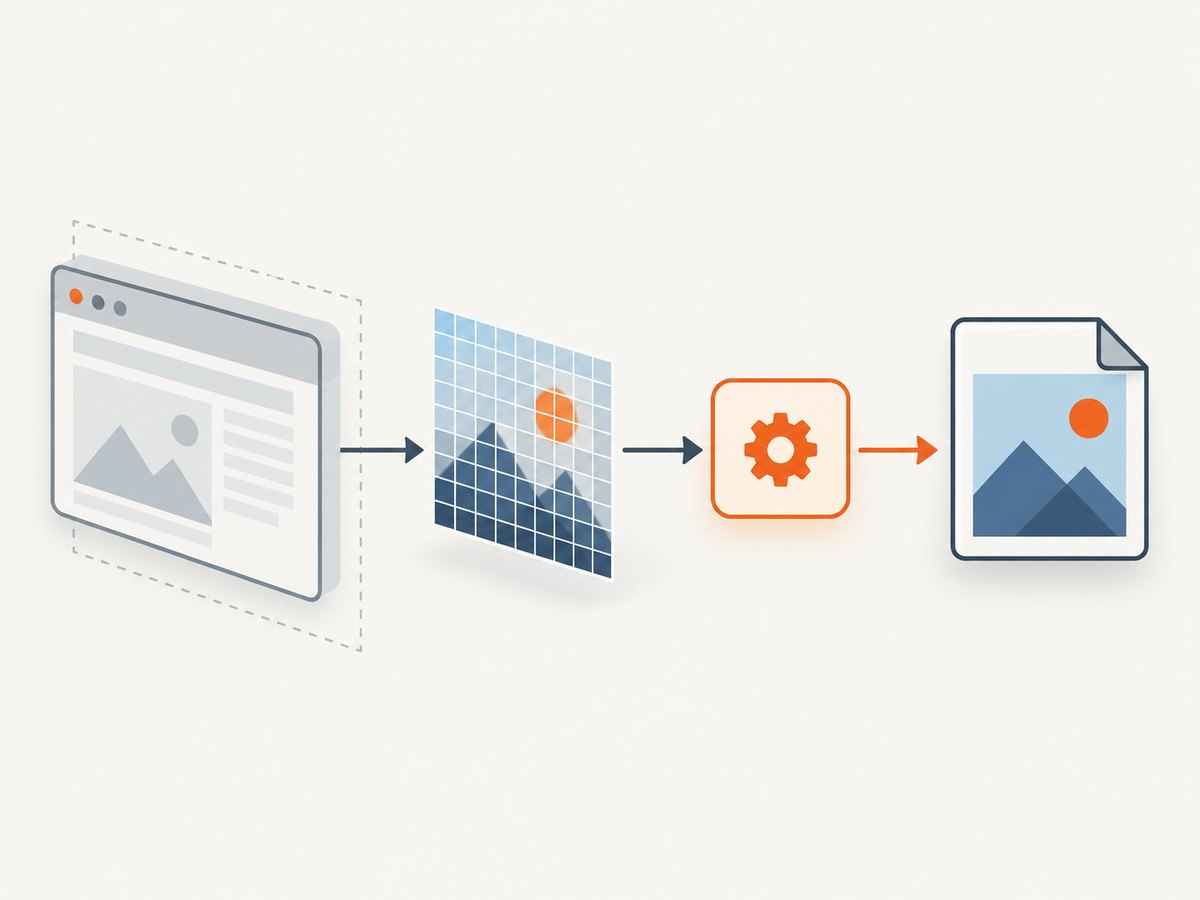
Short answer: use Chromium Embedded Framework (CEF) off-screen rendering (OSR). Create a windowless browser, implement the wrapper’s render handler, and save the BGRA pixel buffer delivered to OnPaint. This captures page pixels even when no native browser window is visible. A desktop-window grab is a different method: it captures whatever is visible, including occlusion and surrounding UI.
Delphi XE2 support depends on the exact CEF Delphi binding and build you already use. CEF is a C/C++ framework; Delphi integrations are external projects maintained separately (CEF project overview). Therefore, treat unit names and event signatures below as an implementation plan, then map them to your wrapper before compiling.
1. Choose the capture path
| Approach | What it captures | Hidden/occluded window | XE2 risk |
|---|---|---|---|
| CEF off-screen rendering | Browser page pixels | Yes | Requires wrapper OSR support |
| Desktop/window capture | Visible control or window | No; affected by occlusion, scaling and composition | Uses OS APIs rather than CEF callbacks |
| Control preview API | Pixels exposed by that control | Depends on control | Check your installed version; later FireMonkey controls expose CapturePreview, but XE2 availability is unverified |
Use OSR when you need deterministic page-only images, background capture, or automation. Use the control’s own preview method when your installed component documents one. Do not select a TMS FMX UI Pack version for XE2 based on newer documentation: its guide lists Delphi XE6 or newer as the minimum (vendor guide).
2. How CEF off-screen rendering works
- Enable windowless rendering in global CEF settings before initialization.
- Implement a render handler. Return the current view rectangle and consume paint callbacks.
- Create the browser with windowless mode enabled.
- In
OnPaint, copy the callback buffer immediately, honoring width, height, stride and pixel format. - Wait for navigation and the dynamic content you need, then encode the copied pixels as PNG/JPEG/WebP.
- On resize, update the view rectangle and notify CEF. Forward input and focus events if the page must be interactive.
- Close through the wrapper lifecycle API and release callback-owned resources.
CEF is multi-process: rendering and JavaScript run asynchronously in the renderer process. A navigation-success event does not mean that fonts, images, lazy content or timers have stopped changing. The official CEF general usage guide documents OSR, invalidated regions, pixel buffers, lifecycle and the limitation that accelerated compositing is not supported for OSR.
3. Delphi XE2 implementation skeleton
The following is a complete flow skeleton. Replace the marked type and event names with those from your binding; do not copy current CEF4Delphi APIs into XE2 without checking the revision. The important contracts are the same: view rectangle, paint buffer, resize, readiness and close.
type
  TShotRenderer = class(TInterfacedObject) // map to your wrapper's render-handler base
  private
    FWidth, FHeight: Integer;
    FFrame: TBytes;
    FReady: Boolean;
  public
    constructor Create(AWidth, AHeight: Integer);
    function GetViewRect: TRect; // wrapper-specific signature
    procedure OnPaint(const Buffer: Pointer; Width, Height, Stride: Integer;
      const Dirty: array of TRect); // wrapper-specific signature
    procedure SavePng(const FileName: string);
  end;

constructor TShotRenderer.Create(AWidth, AHeight: Integer);
begin
  inherited Create;
  FWidth := AWidth; FHeight := AHeight;
  SetLength(FFrame, FWidth * FHeight * 4);
end;

function TShotRenderer.GetViewRect: TRect;
begin
  Result := Rect(0, 0, FWidth, FHeight);
end;

procedure TShotRenderer.OnPaint(const Buffer: Pointer; Width, Height, Stride: Integer;
  const Dirty: array of TRect);
var
  Y, RowBytes: Integer;
  Src, Dst: PByte;
begin
  if (Buffer = nil) or (Width <> FWidth) or (Height <> FHeight) then Exit;
  RowBytes := FWidth * 4;
  for Y := 0 to FHeight - 1 do begin
    Src := PByte(NativeInt(Buffer) + Y * Stride);
    Dst := @FFrame[Y * RowBytes];
    Move(Src^, Dst^, RowBytes);
  end;
  FReady := True;
end;

procedure TShotRenderer.SavePng(const FileName: string);
var
  Bmp: TBitmap; // use the bitmap class available in your XE2 project
  Stream: TMemoryStream;
begin
  if not FReady then raise Exception.Create('No paint frame received');
  { Construct a 32-bit bitmap from FFrame using your graphics library's
    documented BGRA/stride rules, then encode PNG. Do not retain Buffer after
    OnPaint returns. }
  Bmp := TBitmap.Create(FWidth, FHeight);
  try
    { Copy FFrame into Bmp scanlines; account for premultiplied alpha if required. }
    Stream := TMemoryStream.Create;
    try
      Bmp.SaveToStream(Stream); // replace with your library's PNG encoder
      Stream.Position := 0;
      Stream.SaveToFile(FileName);
    finally Stream.Free end;
  finally Bmp.Free end;
end;

{ Startup, before CEF initialization:
    Settings.WindowlessRenderingEnabled := True;
  Browser creation:
    CreateBrowser(Windowless = True, RenderHandler = Renderer,
                  InitialURL = TargetURL);
  On resize:
    Renderer.SetSize(NewWidth, NewHeight);
    BrowserHost.WasResized;
  On close:
    BrowserHost.CloseBrowser(False);
}
Pixel details matter. Many CEF bindings deliver 32-bit premultiplied BGRA with a stride that can exceed Width*4. Copy each row using the supplied stride; never assume the buffer is tightly packed, and never use it after the callback returns. If your wrapper documents a different format, convert it before encoding.
Readiness and dynamic pages
- Track the wrapper’s loading callbacks, but also wait for an application condition: a selector exists, a known JavaScript flag is set, or a conservative delay has elapsed.
- For lazy images, scroll or trigger the page’s lazy-load mechanism before saving.
- Take the frame only after the desired paint callback arrives; debounce repeated paints if you need one file.
4. Initialization and lifecycle checklist
- Confirm the binding, CEF branch, architecture (Win32/Win64) and runtime DLL layout match Delphi XE2.
- Set OSR/windowless mode before global CEF initialization; changing it after browser creation is too late.
- Create the renderer and browser on the thread required by your wrapper.
- Set an initial viewport and update it on every FireMonkey size change.
- Forward mouse, keyboard and focus messages when interaction is required.
- Keep the application alive until the browser reports close completion, then release the renderer and CEF resources.
CEF4Delphi’s current source exposes a WindowlessRenderingEnabled setting and warns that enabling it when unused can reduce rendering performance (source). That source is a reference for the concept, not proof that its current branch compiles with XE2.
5. Alternative: capture a visible FireMonkey control
If your exact browser control has a documented preview function, use it rather than implementing OSR. Embarcadero’s later example calls CapturePreview, receives PNG data in an asynchronous completion callback, and saves a TMemoryStream (example). Verify that your XE2 component exposes the same API; the article does not establish XE2 compatibility. A desktop screenshot API is simpler still, but it records visibility, scaling and other controls around the page.
6. Troubleshooting
| Symptom | Likely cause | Fix |
|---|---|---|
No OnPaint calls |
OSR not enabled before initialization, or browser was created windowed | Set the global windowless flag early and pass the render handler/windowless option at creation. |
| Black or transparent image | Saved before first paint, wrong pixel format, or alpha mishandled | Wait for a frame; follow the wrapper’s BGRA/alpha documentation; test with an opaque background. |
| Image is skewed | Ignored stride | Copy row by row using callback stride. |
| Only part of page appears | Viewport is smaller than content; full-page logic absent | Set a larger view rectangle or stitch controlled scroll captures; OSR alone does not make a page full-height. |
| Old content in file | Dynamic page still changing or frame copied too soon | Wait for selector/JavaScript readiness and a subsequent paint; disable animations if your wrapper permits script injection. |
| UI freezes | Encoding or buffer copies run on the FireMonkey UI thread | Copy quickly in OnPaint, then encode on a worker where your wrapper allows it; marshal UI updates safely. |
| Access violation on shutdown | Renderer or browser released before close callback | Follow the wrapper’s close sequence and keep callback objects alive until CEF confirms closure. |
| Works on one machine only | CEF subprocess, DLL, architecture or sandbox deployment mismatch | Deploy the exact binaries required by the binding and match Win32/Win64; inspect subprocess and initialization logs. |
7. Performance, reliability and security
- OSR cost: CEF documents that OSR does not support accelerated compositing, so continuous capture can use more CPU than a windowed browser.
- Reduce work: reuse one browser, avoid unnecessary resizes, copy only dirty rectangles when your encoder supports them, and encode at the needed dimensions.
- Reliability: make readiness explicit, retry navigation failures with a limit, record URL and viewport with each file, and close browsers deterministically.
- Security: treat page JavaScript and downloaded content as untrusted. Restrict navigation if URLs come from users, and do not expose privileged native bindings to arbitrary pages.
- Memory: a 32-bit frame uses roughly
width × height × 4bytes, plus bitmap and encoder buffers. Release old frames before creating very large viewports.
8. Or skip the browser setup
ScreenshotNeo provides a hosted screenshot API when embedding and maintaining CEF is unnecessary. One GET request returns PNG, JPEG, WebP or PDF. Cookie/consent banners are accepted and 60+ known consent platforms, newsletter popups and chat widgets are removed before the shot. Bot checks, blank pages, timeouts, failed loads and cache hits cost nothing, so only clean shots are billed; the response identifies the result with X-Page-Verdict and X-Billed.

See the ScreenshotNeo API docs for options such as full-page capture, CSS selectors, device presets, custom CSS/JavaScript, waits, blocking, headers/cookies, geolocation, caching, PDFs, async jobs and bulk capture.
curl -G "https://api.screenshotneo.com/v1/shot" -d access_key=YOUR_API_KEY --data-urlencode url=https://stripe.com -o shot.webpimport requests
r = requests.get("https://api.screenshotneo.com/v1/shot", params={"access_key": "YOUR_API_KEY", "url": "https://stripe.com"}, timeout=90)
r.raise_for_status()
open("shot.webp", "wb").write(r.content)const q = new URLSearchParams({ access_key: 'YOUR_API_KEY', url: 'https://stripe.com' });
const res = await fetch(`https://api.screenshotneo.com/v1/shot?${q}`);
if (!res.ok) throw new Error(`HTTP ${res.status}`);
require('fs').writeFileSync('shot.webp', Buffer.from(await res.arrayBuffer()));An MCP server also lets Claude, Cursor and other MCP clients call take_screenshot, get_page_info and capture_pdf. The Free plan includes 1,000 shots/month with no card; paid plans start at $5 for 3,000. Create a free ScreenshotNeo account.
9. FAQ
Can I use current CEF4Delphi code unchanged in XE2?
No. Check the branch’s compiler support, event signatures and binary requirements. Current source demonstrates concepts but does not certify XE2 compatibility.
Does OSR capture a full webpage automatically?
No. It renders the configured view rectangle. Implement full-page sizing or a scroll-and-stitch workflow.
Why is a navigation-success event insufficient?
CEF paints asynchronously, and scripts, fonts, images and timers can change pixels after navigation reports success.
When should I prefer a visible-window screenshot?
When you specifically need what a user sees in a desktop window and can tolerate occlusion, scaling and surrounding UI.


