How to Capture Long Pages When ChromeDriver Exceeds Tile Memory Limits
Use bounded Chrome DevTools Protocol slices, stitch them safely, and avoid ChromeDriver full-page memory failures on very long pages.
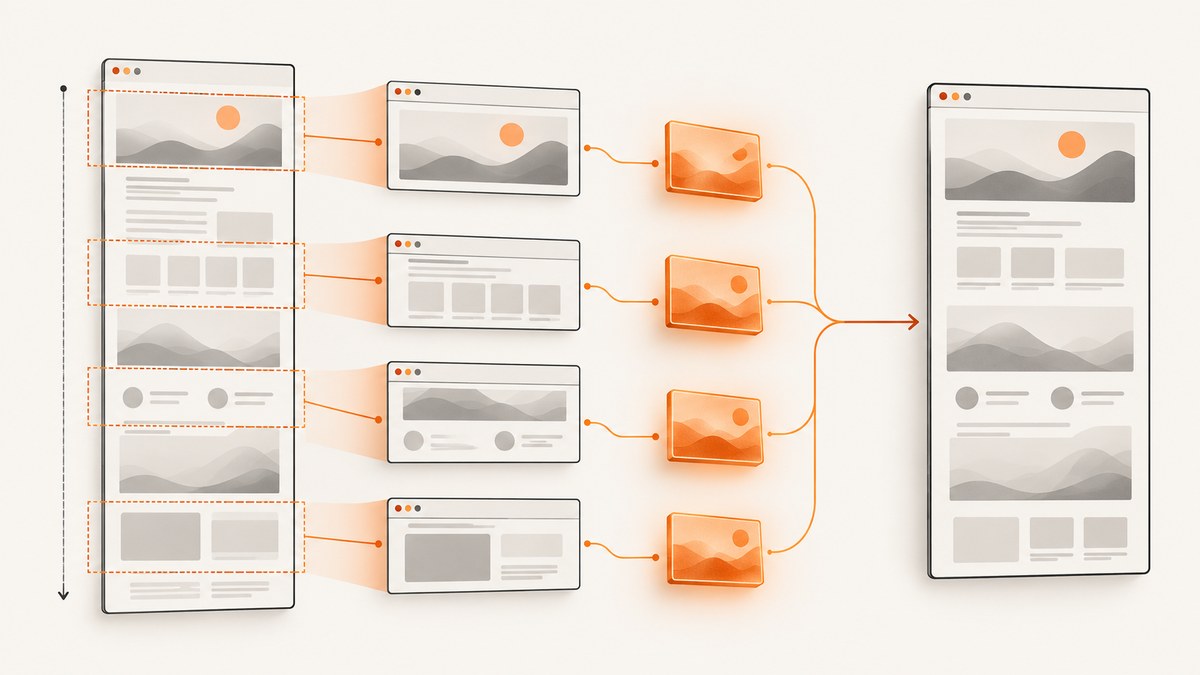
ChromeDriver can fail when a full-page screenshot asks Chromium to allocate one enormous render surface. The practical fix is to stop requesting the whole document in one allocation: keep the viewport width fixed, capture bounded vertical slices with the Chrome DevTools Protocol, then stitch those slices outside the browser.
Chromium also has a hard dimension guard. The Page handler rejects a full-page width or height at or above 128*1024 pixels and returns Page is too large. Tile memory pressure can happen before image encoding, and the available compositor memory depends on the browser version and machine. There is no universal megabyte limit.
1. Why ChromeDriver full-page screenshots fail
ChromeDriver’s full-page command temporarily changes device metrics to match the document dimensions, captures through the DevTools screenshot path, and restores the previous metrics afterward. A page that is 20,000 pixels tall therefore becomes a single render surface rather than a sequence of viewport-sized captures. Large surfaces require many compositor tiles to be scheduled and retained.
Two limits are easy to confuse:
- Dimension guard: Chromium rejects a requested width or height at or above
128*1024pixels withPage is too large.(See the Chromium Page handler.) - Dynamic tile pressure: the compositor tracks whether it has enough memory to schedule tiles. A capture can fail below the hard dimension guard when the surface, scale factor, other tabs, or page content consume too much memory.
Tracing has a separate source-defined screenshot budget of roughly 450 MB (500 * 500 * 4 * 450). That figure applies to tracing screenshot capture; it is not a universal limit for every Page.captureScreenshot call.
2. Choose one-shot capture or slices
| Strategy | When to use it | Risk and trade-off |
|---|---|---|
captureBeyondViewport: true |
The page fits comfortably within Chromium’s dimensions and available memory. | Simple output, but one large allocation can hit tile pressure. |
| Vertical slices plus stitching | Long documents, memory failures, or reproducible resource usage. | More code; sticky elements and changing page state need control. |
| Viewport screenshots | Reports or previews that do not need one continuous bitmap. | No stitching, but the result is not a full-page image. |
For production automation, start with slices. Use one-shot capture only after measuring the document dimensions and confirming that your target browser versions handle them.
3. Prepare deterministic page state
- Navigate and wait for the page’s main layout.
- Wait for fonts, images, and lazy-loaded sections that must appear in the result.
- Dismiss cookie or newsletter dialogs and pause animations. Hide chat launchers and other fixed overlays if they obscure content.
- Record both
document.documentElementanddocument.bodyscroll dimensions. - Keep the viewport width and device scale factor fixed for every slice.
Do not assume that scrolling alone loads every lazy image. Trigger the page’s intended loading behavior first, then wait for the content to settle. A useful stabilization script is:
await driver.execute_async_script("""
const done = arguments[arguments.length - 1];
(async () => {
  if (document.fonts) await document.fonts.ready;
  const images = [...document.images];
  await Promise.all(images.map(img => {
    if (img.complete) return Promise.resolve();
    return new Promise(resolve => {
      img.addEventListener('load', resolve, {once: true});
      img.addEventListener('error', resolve, {once: true});
    });
  }));
  requestAnimationFrame(() => requestAnimationFrame(done));
})();
""")
This waits for resources already represented in the DOM. It cannot guarantee that an application will finish every asynchronous request, so combine it with an application-specific selector or a bounded delay.
4. Capture bounded slices with Selenium and CDP
The DevTools Protocol method is Page.captureScreenshot. Its clip rectangle bounds the allocation, while captureBeyondViewport controls whether content outside the current viewport may be captured. The protocol documents captureBeyondViewport as defaulting to false.
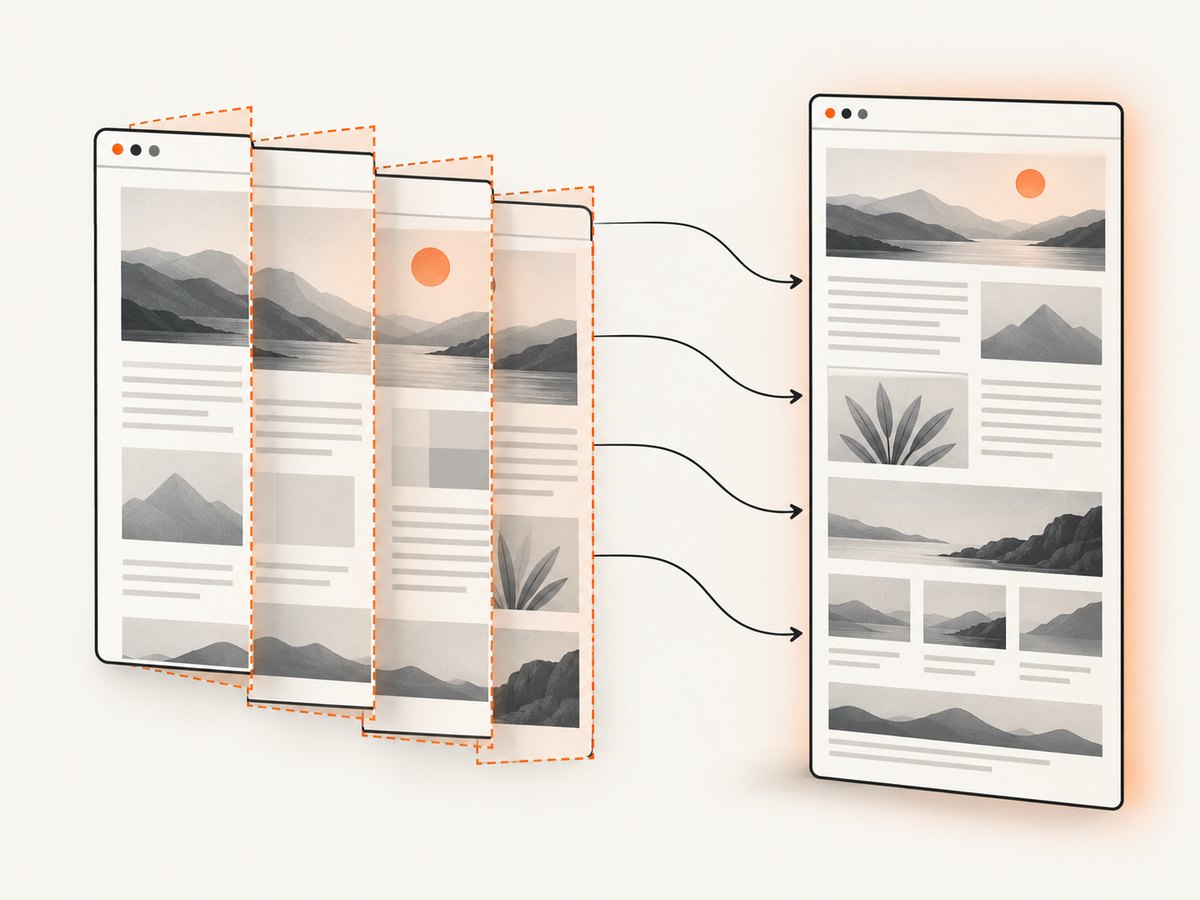
The following Python program captures overlapping PNG slices and stitches them. Install Selenium with pip install selenium pillow. Selenium Manager can obtain a compatible driver, or you can provide one managed by your environment.
from pathlib import Path
import base64
import io
import time

from PIL import Image
from selenium import webdriver
from selenium.webdriver.chrome.options import Options

URL = "https://example.com/very-long-page"
OUT = Path("long-page.png")
SLICE_HEIGHT = 5000
OVERLAP = 120

options = Options()
options.add_argument("--headless=new")
options.add_argument("--window-size=1440,900")
driver = webdriver.Chrome(options=options)

try:
    driver.get(URL)
    driver.execute_async_script("""
      const done = arguments[arguments.length - 1];
      (async () => {
        if (document.fonts) await document.fonts.ready;
        await new Promise(r => requestAnimationFrame(() => requestAnimationFrame(r)));
        done();
      })();
    """)

    dims = driver.execute_script("""
      return {
        width: Math.max(document.documentElement.scrollWidth, document.body.scrollWidth),
        height: Math.max(document.documentElement.scrollHeight, document.body.scrollHeight)
      };
    """)
    width, total_height = int(dims["width"]), int(dims["height"])
    if width <= 0 or total_height <= 0:
        raise RuntimeError(f"Invalid document dimensions: {dims}")

    images = []
    y = 0
    while y < total_height:
        height = min(SLICE_HEIGHT, total_height - y)
        result = driver.execute_cdp_cmd("Page.captureScreenshot", {
            "format": "png",
            "captureBeyondViewport": True,
            "clip": {"x": 0, "y": y, "width": width,
                     "height": height, "scale": 1}
        })
        raw = base64.b64decode(result["data"])
        image = Image.open(io.BytesIO(raw)).convert("RGBA")
        if image.width != width:
            raise RuntimeError(f"Unexpected slice width: {image.size}")
        images.append((y, image.copy()))
        if y + height >= total_height:
            break
        y += height - OVERLAP
        time.sleep(0.05)

    final = Image.new("RGBA", (width, total_height), (255, 255, 255, 255))
    written_until = 0
    for y, image in images:
        skip = max(0, written_until - y)
        final.paste(image.crop((0, skip, image.width, image.height)),
                    (0, y + skip))
        written_until = max(written_until, y + image.height)
    final.crop((0, 0, width, total_height)).save(OUT)
finally:
    driver.quit()
The overlap gives you pixels to compare at each join. The example removes already-written rows while assembling, preserving the original document dimensions. For pages with a fixed header, hide it during capture or account for it explicitly; otherwise every slice can contain a duplicate header.
5. Direct CDP slicing in JavaScript
If you already control a Chrome DevTools Protocol connection, the core request for each slice is:
const slice = await client.send('Page.captureScreenshot', {
  format: 'png',
  captureBeyondViewport: true,
  clip: { x: 0, y, width, height: sliceHeight, scale: 1 }
});
// slice.data is base64 PNG data
Use a fixed width, increment y by sliceHeight - overlap, and stop when the final rectangle reaches the recorded document height. Validate every decoded PNG before handing it to your stitching process.
6. One-shot CDP capture when it is safe
When dimensions and memory are known to be safe, a single request can be convenient:
const dimensions = await client.send('Runtime.evaluate', {
  expression: `({
    width: Math.max(document.documentElement.scrollWidth, document.body.scrollWidth),
    height: Math.max(document.documentElement.scrollHeight, document.body.scrollHeight)
  })`,
  returnByValue: true
});
const { width, height } = dimensions.result.value;
const result = await client.send('Page.captureScreenshot', {
  format: 'png',
  captureBeyondViewport: true,
  clip: { x: 0, y: 0, width, height, scale: 1 }
});
Fall back to slices if either dimension approaches the documented 128*1024 guard, if a previous run produced tile errors, or if the page contains large canvas and image surfaces.
7. Restoring metrics and protecting page fidelity
ChromeDriver’s own full-page behavior restores the original device metrics. Your slicing code normally leaves the viewport untouched, but any script that changes metrics must restore them in a finally block. Record the original window size, device scale factor, and emulation settings before changing them.
Sticky headers, fixed cookie banners, animations, and lazy loading are the main causes of seams:
- Inject CSS to pause transitions and animations.
- Dismiss consent dialogs before measuring dimensions.
- Disable or hide fixed-position widgets that repeat in every slice.
- Wait for a known selector after each scroll-triggered lazy-load step.
- Keep the same user agent, timezone, geolocation, cookies, and authorization state for every request.
8. Validation checklist
- Log browser and ChromeDriver versions.
- Log viewport width, device scale factor, slice height, overlap, and document dimensions.
- Confirm each PNG decodes and has the expected width.
- Check that the final bitmap dimensions equal the recorded document dimensions.
- Inspect every seam for duplicated or missing rows.
- Capture the exact CDP error text when a slice fails.
- Run a small retry for transient navigation or resource failures, but do not blindly retry a deterministic dimension error.
9. Troubleshooting ChromeDriver and CDP errors
| Symptom | Likely cause | Fix |
|---|---|---|
Page is too large. |
A requested width or height reached Chromium’s 128*1024-pixel guard. | Use a smaller clip and stitch slices. Reduce device scale factor if the output permits. |
| Renderer crashes or capture times out | Tile pressure, large canvases, heavy images, or a busy machine. | Lower slice height, close unused tabs, reduce concurrency, and capture after resources settle. |
| Blank or partially white slices | Lazy content has not loaded, or the page changed while slicing. | Wait for a selector or network-idle condition, freeze animations, and repeat the slice only after state stabilizes. |
| Repeated sticky header | A fixed element is present in every rectangle. | Hide it with CSS during capture or remove its rows during stitching. |
| Seams do not align | Content shifted between slices because of fonts, ads, animation, or layout reflow. | Load fonts first, block unstable resources, use overlap, and verify deterministic dimensions. |
| Wrong width or device scale | Window metrics changed between requests. | Set the viewport once and log the scale factor; restore metrics in cleanup code. |
| CDP method unavailable | Browser and driver versions are incompatible or the session is not attached to a debugging target. | Use matching Chrome and ChromeDriver versions and verify the CDP connection before navigation. |
10. Performance, reliability, and cost
Slicing trades one large allocation for several smaller ones. Total encoded pixels are similar, but peak memory is bounded by the slice plus browser overhead. Start with a slice height comfortably below the failing full-page size, then increase it only after observing stable runs. An overlap adds a small amount of encoding and stitching work; it is usually cheaper than diagnosing an undetected seam.
Limit concurrent captures. Several pages each allocating thousands of tiles can exhaust the same compositor budget even when each page succeeds alone. Cache stable assets where your test environment allows it, and avoid unnecessary device scale factors above 1 when pixel density is not part of the requirement.
For reliability, persist the input URL, dimensions, browser versions, and error text with the output. A deterministic retry should repeat the same viewport and page state. If the page itself is nondeterministic, retries can produce different seams rather than fixing the underlying problem.
11. Or skip the browser setup
ScreenshotNeo provides a website screenshot API and MCP server. It handles full-page capture with lazy images loaded, element capture, custom CSS and JavaScript, waits, blocking rules, device presets, arbitrary viewports, retina scale, and PDF output. For a long-page workflow, it can remove the browser orchestration and stitching code when its capture path suits your page.
See the ScreenshotNeo API documentation for request options. The basic call is:
curl -G "https://api.screenshotneo.com/v1/shot" -d access_key=YOUR_API_KEY --data-urlencode url=https://stripe.com -o shot.webpimport requests
r = requests.get("https://api.screenshotneo.com/v1/shot", params={"access_key": "YOUR_API_KEY", "url": "https://stripe.com"}, timeout=90)
open("shot.webp", "wb").write(r.content)const q = new URLSearchParams({ access_key: 'YOUR_API_KEY', url: 'https://stripe.com' });
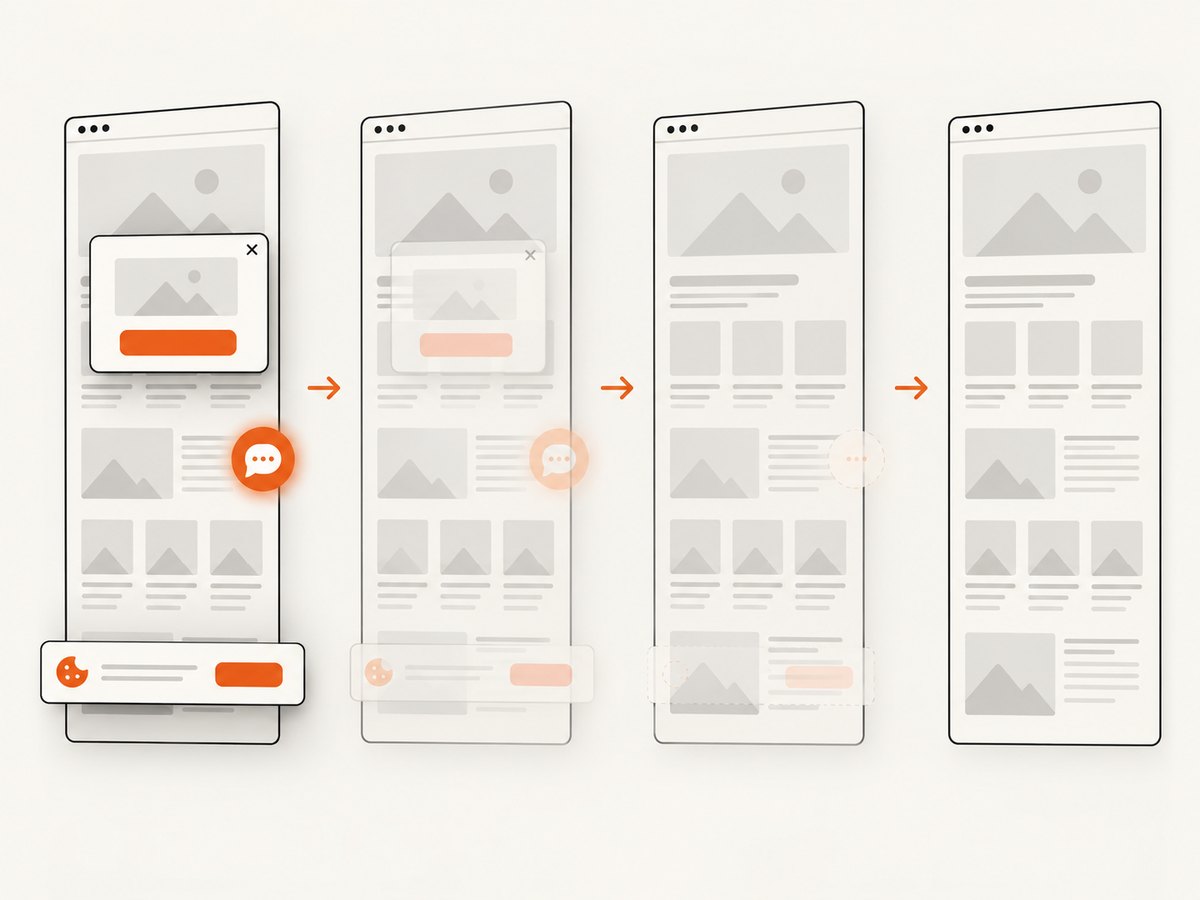
const res = await fetch(`https://api.screenshotneo.com/v1/shot?${q}`);Cookie banners, newsletter popups, and chat widgets are removed before the shot. Bot checks, blank pages, failed loads, timeouts, and cache hits are not billed, and the response identifies the result with X-Page-Verdict and X-Billed headers. An MCP server lets Claude, Cursor, and other MCP clients call take_screenshot, get_page_info, and capture_pdf. The Free plan includes 1,000 screenshots each month with no card; paid plans start at $5 for 3,000 shots. Create a free ScreenshotNeo account.
12. FAQ
Can I solve this by increasing Chrome’s shared memory?
More available memory may postpone tile pressure, but it does not remove Chromium’s 128*1024-pixel dimension guard. Bounded clips remain the predictable solution.
Should I scroll the page before every screenshot?
Scrolling can trigger lazy loading, but it can also change layout. Prefer an explicit preload and stabilization step, then use CDP clips with fixed coordinates.
Is JPEG smaller than PNG for long pages?
JPEG often produces smaller photographic output, but text and sharp UI edges can show compression artifacts. Choose the format based on readability requirements; the memory problem is the render surface, not only the encoded file.
How much overlap should slices have?
There is no universal value. A small overlap such as 120 pixels gives enough context to detect drift while adding little work. Increase it when sticky elements or reflow make joins difficult.
Does a PDF avoid tile limits?
PDF generation uses a different output path, but large or complex pages can still stress browser resources. Test the target document and apply the same deterministic-state precautions.


