Adding Foreground Tab Tracking to the Chrome DevTools Protocol (CDP)
Learn how CDP exposes tab order, foreground state, pinning and groups, and how to build a reliable tab-to-page inventory.
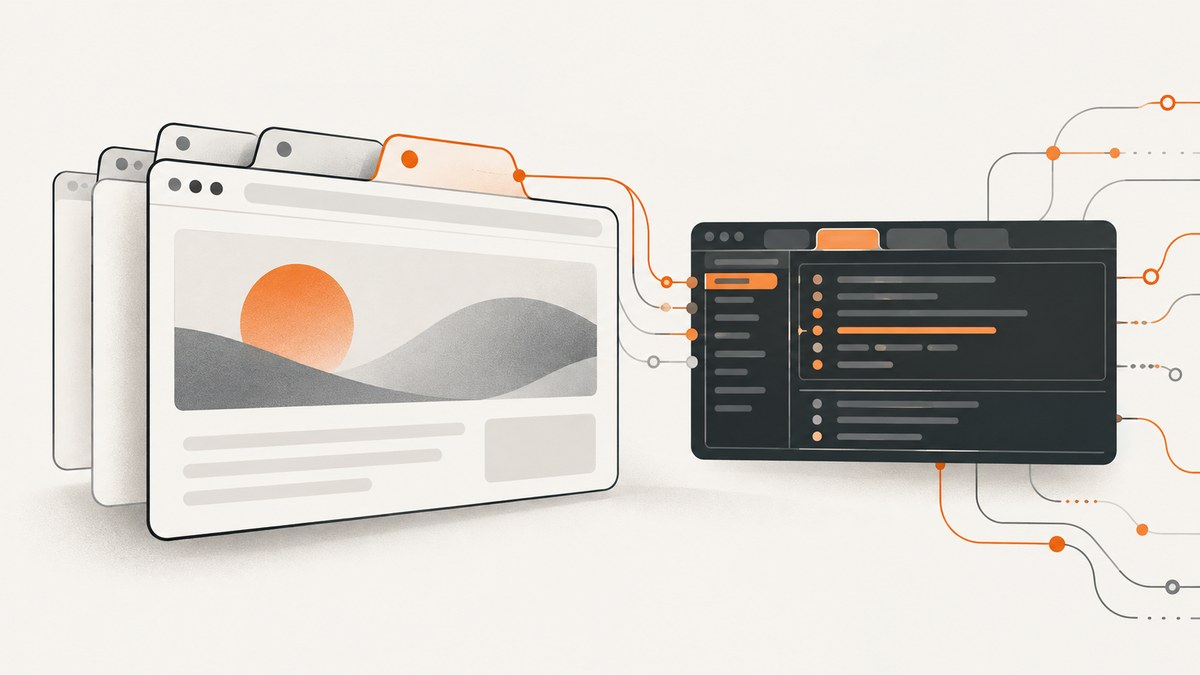
Chrome DevTools Protocol (CDP) clients have traditionally been able to inspect debuggable pages, but not reliably determine how those pages are arranged in the browser tab strip. A reported Chromium addition addresses that gap by exposing tab metadata through an embedderData object on Target.TargetInfo. The fields described by the patch include tab-strip order, foreground state, pinning and optional tab-group membership.
The design separates two layers: a tab target represents the browser or embedder container, while a page target represents a renderer surface on which commands such as Runtime.*, Page.* and DOM.* operate. A client can enumerate tab targets, sort them by their strip index, attach to related page targets and ask CDP which browser window contains each target.
Nick Sweeting reported the implementation in Chrome Canary 150.0.7848.0 on May 20, 2026. That is a dated report from the patch contributor; the sources do not establish present-day stable-channel availability. See the Browserbase article and its developer-blog copy for the original account.
What foreground tab tracking adds
Before this proposal, automation code often inferred the foreground tab indirectly. Typical workarounds included assuming the newest target was active, relying on target-list order, activating a target and observing what changed, or injecting JavaScript into pages. Sweeting describes the problems with those assumptions: they can be wrong, they may steal focus, and browser UI changes do not necessarily produce page JavaScript events.
The reported metadata answers questions that page code cannot reliably answer:
- What order are the tabs in?
- Which tab is foregrounded?
- Is this tab pinned?
- Is this tab in a tab group?
- Which browser window contains this tab?
The key idea is that browser UI state belongs on the target representing the UI container. Page-level APIs remain available for page behavior, but they are no longer expected to describe the tab strip.
Tab targets and page targets are different objects
A CDP target is an addressable debugging endpoint. The reported design highlights two target types:
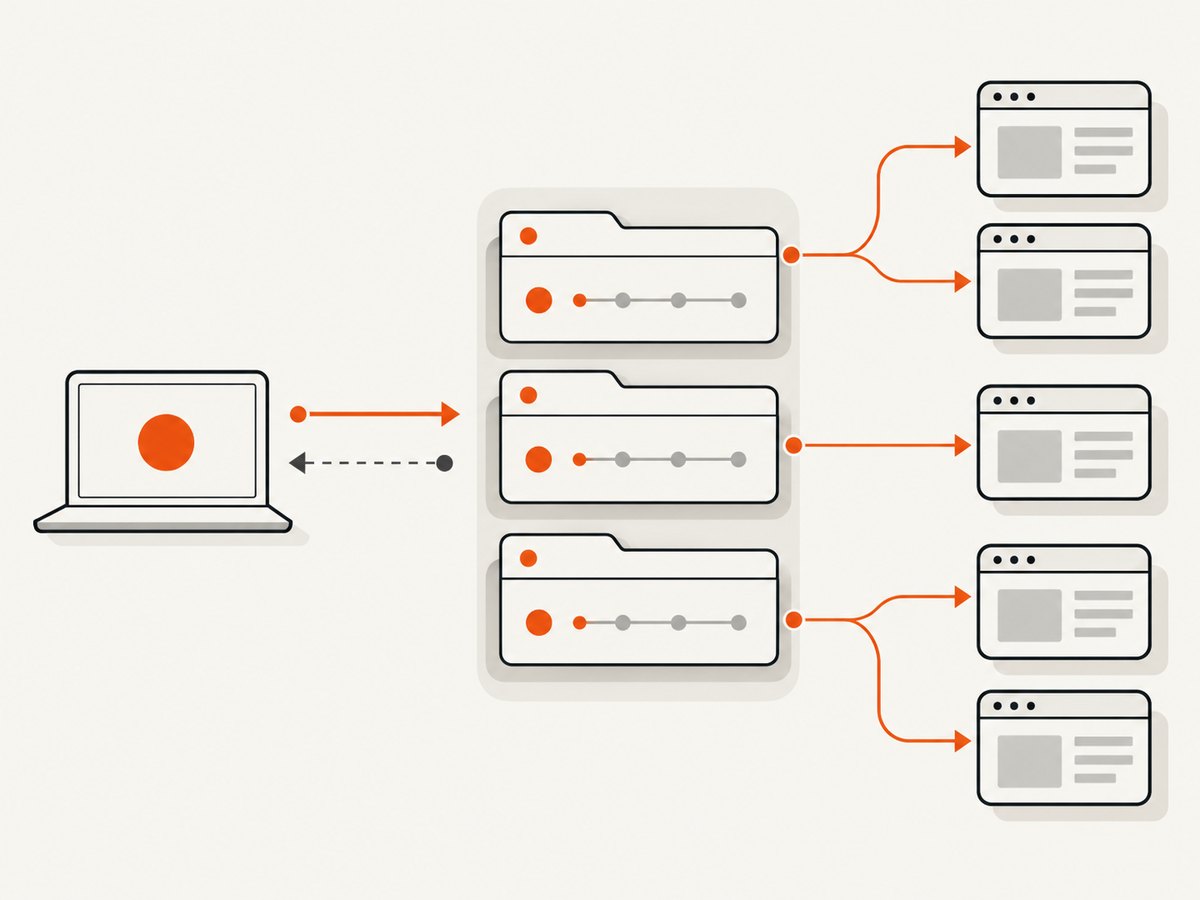
| Target | Represents | Typical operations |
|---|---|---|
tab |
A browser or embedder tab container and its UI metadata | Read embedderData; associate pages; inspect browser context |
page |
A renderer or main-frame debugging surface | Runtime.*, Page.*, DOM.*, screenshots and script evaluation |
Do not model a tab as permanently containing exactly one page target. Sweeting cautions that one tab can be associated with multiple page-like targets. Your inventory should therefore store a tab record with a collection of related page targets, rather than a single nullable page ID.
The reported metadata fields
For Chrome tab targets, the example exposes these values inside TargetInfo.embedderData:
| Field | Meaning | Handling guidance |
|---|---|---|
tabStripIndex |
The tab’s position in the browser tab strip | Sort ascending to reconstruct strip order. Treat missing values as unknown. |
tabActive |
Whether the tab is foregrounded | Use this for active-state decisions instead of activating a target. |
tabPinned |
Whether the tab is pinned | Keep it as a boolean when present; pinned tabs can occupy a distinct region of the strip. |
tabGroupId |
Optional group identifier | Expect it to be absent for tabs that are not in a group. |
browserContextId was already part of TargetInfo. The reported flow obtains a browser window identifier separately by calling Browser.getWindowForTarget when that information is available.
Collection flow
- Call
Target.getTargetsto obtain the current target inventory. - Filter the result to targets whose
typeistab. - Read
targetInfo.embedderDataand sort tab records bytabStripIndex. - Use
Target.autoAttachRelatedto collect page targets related to each tab. - Call
Browser.getWindowForTargetfor window information when supported. - Keep the tab record and all associated page targets together in your application model.
The implementation is pull-based in the report. Changes to embedderData do not emit a new Target.targetInfoChanged event. Refresh the inventory with Target.getTargets or query an individual target with Target.getTargetInfo when you need current state.
Node.js example using a CDP WebSocket
The following example uses the ws package and a browser debugging endpoint such as the one exposed by Chrome with --remote-debugging-port=9222. The endpoint and browser version determine whether the reported fields are present.
import WebSocket from 'ws';

const list = await fetch('http://127.0.0.1:9222/json/version').then(r => r.json());
const ws = new WebSocket(list.webSocketDebuggerUrl);
let nextId = 1;
const pending = new Map();

function cdp(method, params = {}) {
  return new Promise((resolve, reject) => {
    const id = nextId++;
    pending.set(id, { resolve, reject });
    ws.send(JSON.stringify({ id, method, params }));
  });
}

ws.on('message', data => {
  const message = JSON.parse(data.toString());
  if (!message.id || !pending.has(message.id)) return;
  const request = pending.get(message.id);
  pending.delete(message.id);
  message.error ? request.reject(new Error(message.error.message)) : request.resolve(message.result);
});

await new Promise((resolve, reject) => {
  ws.once('open', resolve);
  ws.once('error', reject);
});

const { targetInfos } = await cdp('Target.getTargets');
const tabs = targetInfos
  .filter(info => info.type === 'tab')
  .sort((a, b) => (a.embedderData?.tabStripIndex ?? Infinity) - (b.embedderData?.tabStripIndex ?? Infinity));

for (const tab of tabs) {
  let window;
  try {
    window = await cdp('Browser.getWindowForTarget', { targetId: tab.targetId });
  } catch (_) {
    window = null;
  }
  console.log({
    targetId: tab.targetId,
    index: tab.embedderData?.tabStripIndex,
    active: tab.embedderData?.tabActive,
    pinned: tab.embedderData?.tabPinned,
    groupId: tab.embedderData?.tabGroupId,
    browserContextId: tab.browserContextId,
    windowId: window?.windowId ?? null
  });
}

ws.close();
This code deliberately treats every field as optional. A client connected to a browser that predates the implementation may return no embedderData, may omit individual keys, or may not expose a usable window mapping.
Python example
Install websocket-client, obtain the browser WebSocket URL, then send numbered CDP commands. The helper below waits for the response matching each command ID.
import json
import urllib.request
import websocket

version = json.load(urllib.request.urlopen('http://127.0.0.1:9222/json/version'))
ws = websocket.create_connection(version['webSocketDebuggerUrl'])
next_id = 1

def cdp(method, params=None):
    global next_id
    request_id = next_id
    next_id += 1
    ws.send(json.dumps({'id': request_id, 'method': method, 'params': params or {}}))
    while True:
        message = json.loads(ws.recv())
        if message.get('id') == request_id:
            if 'error' in message:
                raise RuntimeError(message['error']['message'])
            return message.get('result', {})

targets = cdp('Target.getTargets').get('targetInfos', [])
tabs = [t for t in targets if t.get('type') == 'tab']
tabs.sort(key=lambda t: t.get('embedderData', {}).get('tabStripIndex', 10**9))

for tab in tabs:
    data = tab.get('embedderData') or {}
    try:
        window = cdp('Browser.getWindowForTarget', {'targetId': tab['targetId']})
        window_id = window.get('windowId')
    except RuntimeError:
        window_id = None
    print({
        'targetId': tab['targetId'],
        'tabStripIndex': data.get('tabStripIndex'),
        'tabActive': data.get('tabActive'),
        'tabPinned': data.get('tabPinned'),
        'tabGroupId': data.get('tabGroupId'),
        'windowId': window_id,
    })

ws.close()
Why common shortcuts are fragile
| Approach | What it observes | Risk |
|---|---|---|
| Assume the newest target is foreground | Creation order | A newly created tab is not necessarily the active tab. |
| Trust target-list order | An implementation’s response ordering | List order is not a documented tab-strip index. |
| Activate a target | State after changing focus | It can disrupt the user’s foreground window or tab. |
| Inject page JavaScript | Renderer-visible state | Page scripts cannot reliably see browser chrome, pinning or tab groups. |
These tradeoffs summarize the limitations described by the patch contributor, rather than independent benchmark results.
Compatibility and update behavior
The reported patch landed in Chrome Canary 150.0.7848.0, commit 5aa804ae0b62bd1b0d54f57494211239e2ed5ffe, on May 20, 2026. The sources do not verify availability in a current stable Chrome channel, and they do not provide a support matrix for Playwright, Puppeteer, Selenium or Stagehand. Check the browser you actually launch and feature-detect the fields at runtime.
Because the reported implementation is pull-based, a long-running client should decide when to refresh. Poll after operations that can reorder or activate tabs, refresh before making a user-facing decision, and tolerate a tab disappearing between enumeration and a follow-up command.
Edge cases to handle
- Missing metadata: older or non-Chrome embedders may not provide
embedderData. Keep an “unknown” state instead of guessing. - Multiple pages per tab: store an array of related page targets. Do not overwrite one page ID with another.
- Races: a tab can close or move after
Target.getTargets. Catch “target not found” errors and retry the inventory. - Window lookup failures:
Browser.getWindowForTargetmay be unavailable or unsuitable for a target. Make window ID optional. - Sorting gaps: if two records lack indexes, preserve a deterministic fallback order and label it as inferred.
- Browser contexts: keep
browserContextIdseparate fromwindowId; they identify different scopes.
Troubleshooting
| Symptom | Likely cause | Fix |
|---|---|---|
embedderData is absent |
The connected browser does not include the reported patch, or the target is not a Chrome tab target. | Inspect type, record unknown metadata, and test with the reported Canary build if you need the fields. |
No tab targets appear |
You connected to a page-specific WebSocket endpoint instead of a browser endpoint. | Fetch /json/version and connect to its browser WebSocket URL. |
| Window lookup returns an error | The target is gone, unsupported, or not mapped to a browser window. | Catch the error, refresh targets and treat windowId as optional. |
| Active state changes between calls | The user or another automation task changed focus during the pull-based inventory. | Read all required fields in one refresh and associate a timestamp with the snapshot. |
| Sort order looks wrong | Code sorted by response order or treated missing indexes as zero. | Sort by numeric tabStripIndex; put missing values at the end. |
| WebSocket hangs | The command response was not matched by ID, or event messages were mistaken for responses. | Track pending IDs and ignore messages without the requested ID. |
Performance and reliability
Target.getTargets gives you a snapshot in one protocol request. The expensive part is usually not sorting a small list; it is repeatedly attaching, querying and processing related page targets. Cache the last snapshot, refresh on known tab operations, and poll only when external UI changes matter. Use bounded retries for transient target closures, and never infer foreground state from stale data without marking it stale.
For reliability, separate collection from page automation. First build a tab inventory with IDs, metadata and related targets. Then select a page target for DOM or runtime work. This prevents a page-level action from silently becoming your tab-selection mechanism.
Or skip the browser setup
If your goal is a clean image or PDF of a URL rather than browser-tab inventory, ScreenshotNeo provides a website screenshot API and MCP server. It accepts one GET request and returns PNG, JPEG, WebP or PDF. See the ScreenshotNeo documentation for all options.
curl -G "https://api.screenshotneo.com/v1/shot" -d access_key=YOUR_API_KEY --data-urlencode url=https://stripe.com -o shot.webpimport requests
r = requests.get("https://api.screenshotneo.com/v1/shot", params={"access_key": "YOUR_API_KEY", "url": "https://stripe.com"}, timeout=90)
open("shot.webp", "wb").write(r.content)const q = new URLSearchParams({ access_key: 'YOUR_API_KEY', url: 'https://stripe.com' });
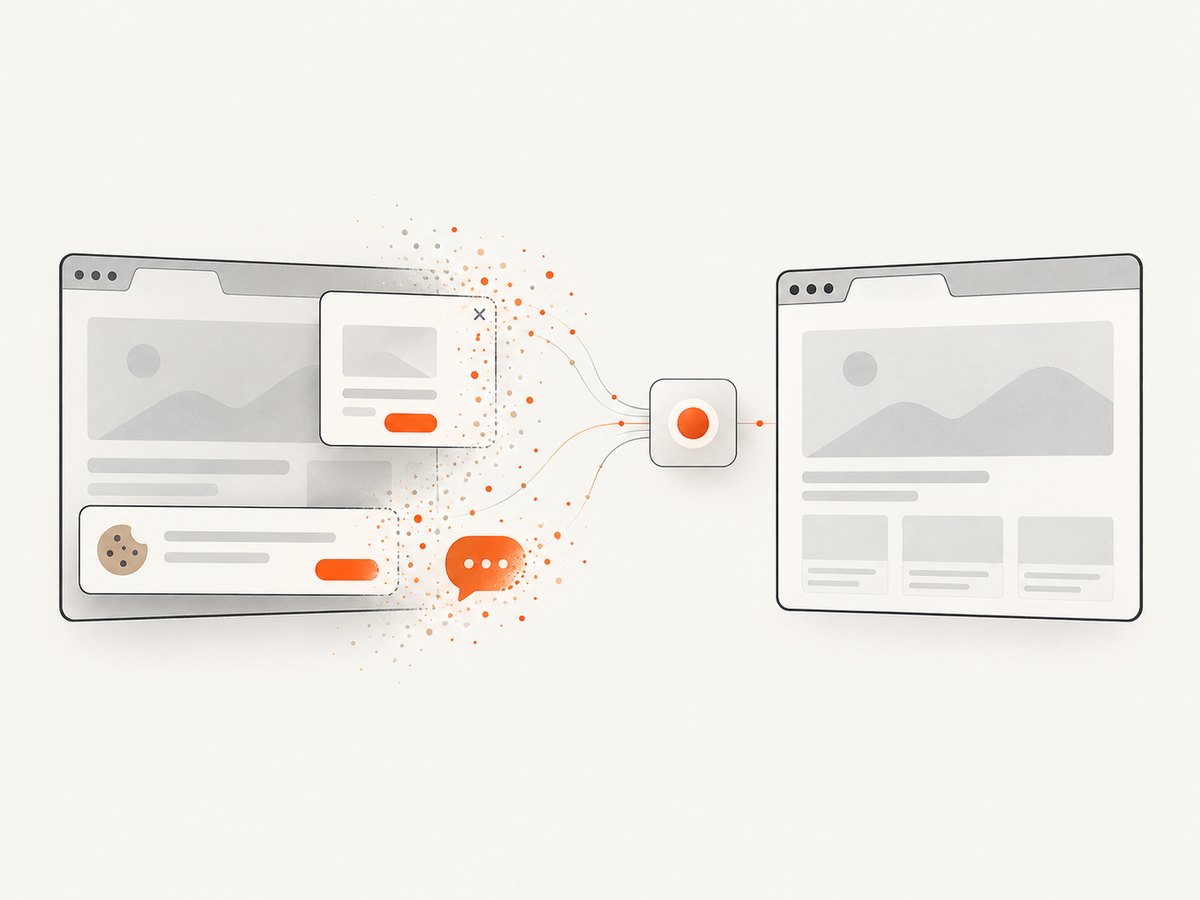
const res = await fetch(`https://api.screenshotneo.com/v1/shot?${q}`);ScreenshotNeo removes cookie banners, newsletter popups and chat widgets before capture. Bot checks, blank pages and failed loads are not billed, and response headers identify the page verdict and billing status. Its MCP server includes take_screenshot, get_page_info and capture_pdf for Claude, Cursor and other MCP clients. The Free plan includes 1,000 screenshots per month with no card; paid plans start at $5 for 3,000.
Create a free ScreenshotNeo account and start with the 1,000 monthly shots.
FAQ
Does this make page JavaScript aware of browser tabs?
No. The metadata is exposed through CDP target information. A page script still cannot inspect browser chrome such as pinning or tab groups.
Are tab changes delivered as events?
Not in the reported implementation. Clients call Target.getTargets or Target.getTargetInfo to pull current values.
Is Chrome stable support confirmed?
No. The cited report identifies Chrome Canary 150.0.7848.0 and a May 20, 2026 patch. It does not verify current stable-channel support.
Should an application store one page target per tab?
No. Keep a collection of related page-like targets because one tab can have more than one.
Can CDP tell me which browser window contains a tab?
The described flow calls Browser.getWindowForTarget to obtain window information when available. Treat the result as optional and handle lookup errors.


