ChatGPT Web Scraping: Capabilities and Limitations
Learn what ChatGPT can scrape, why results vary, how robots.txt and logins affect access, and when to use a deterministic scraper.

Short answer: ChatGPT can search the live web, open eligible pages, summarize findings, and provide links or citations. It is assisted web research, not a guaranteed, repeatable scraper. Search coverage depends on indexing, page accessibility, robots.txt and crawler controls, workspace permissions, usage limits, and provider ranking. If you need every URL, a stable schema, scheduled extraction, authenticated sessions, or predictable retries, use a dedicated scraping or browser-automation system.
OpenAI describes ChatGPT search as a way to connect people with original web content, while also warning that search results and citations can be incomplete, outdated, or incorrect. See the Search help article and the ChatGPT Search announcement for the product documentation.
What ChatGPT web scraping actually does
When you ask ChatGPT to research a site, it may issue search queries, open result pages, read accessible content, and synthesize an answer. A response can include inline citations and a Sources panel. The exact pages depend on search-provider indexing, ranking, crawl permissions, the query wording, and whether each page can be fetched at that moment.
That makes ChatGPT useful for interactive questions such as:
- Finding several authoritative explanations of a topic.
- Comparing specifications or policies across a small set of pages.
- Extracting a few fields from pages you name explicitly.
- Summarizing current articles with links for manual verification.
- Investigating why a public page renders differently in a browser.
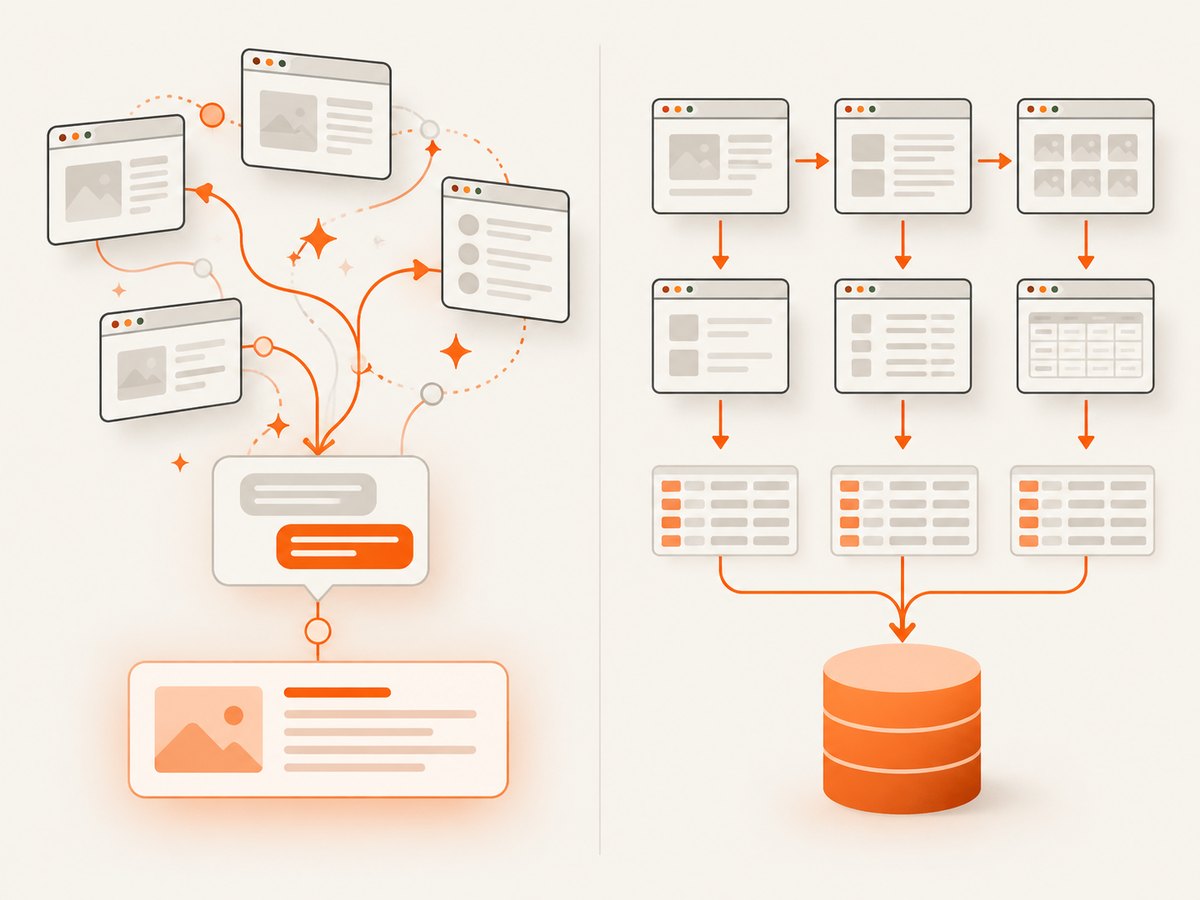
It does not turn a website into a complete dataset. The official documentation does not promise complete site traversal, deterministic pagination, stable selectors, JavaScript automation, login handling, CAPTCHA solving, rate-limit management, or a guaranteed export of every URL.
Can ChatGPT scrape a website?
It can retrieve and summarize content from eligible public pages. “Eligible” is the important qualification: the page must be discoverable or directly reachable, available to the search system, and permitted by the site’s controls and the workspace in which you are using ChatGPT.
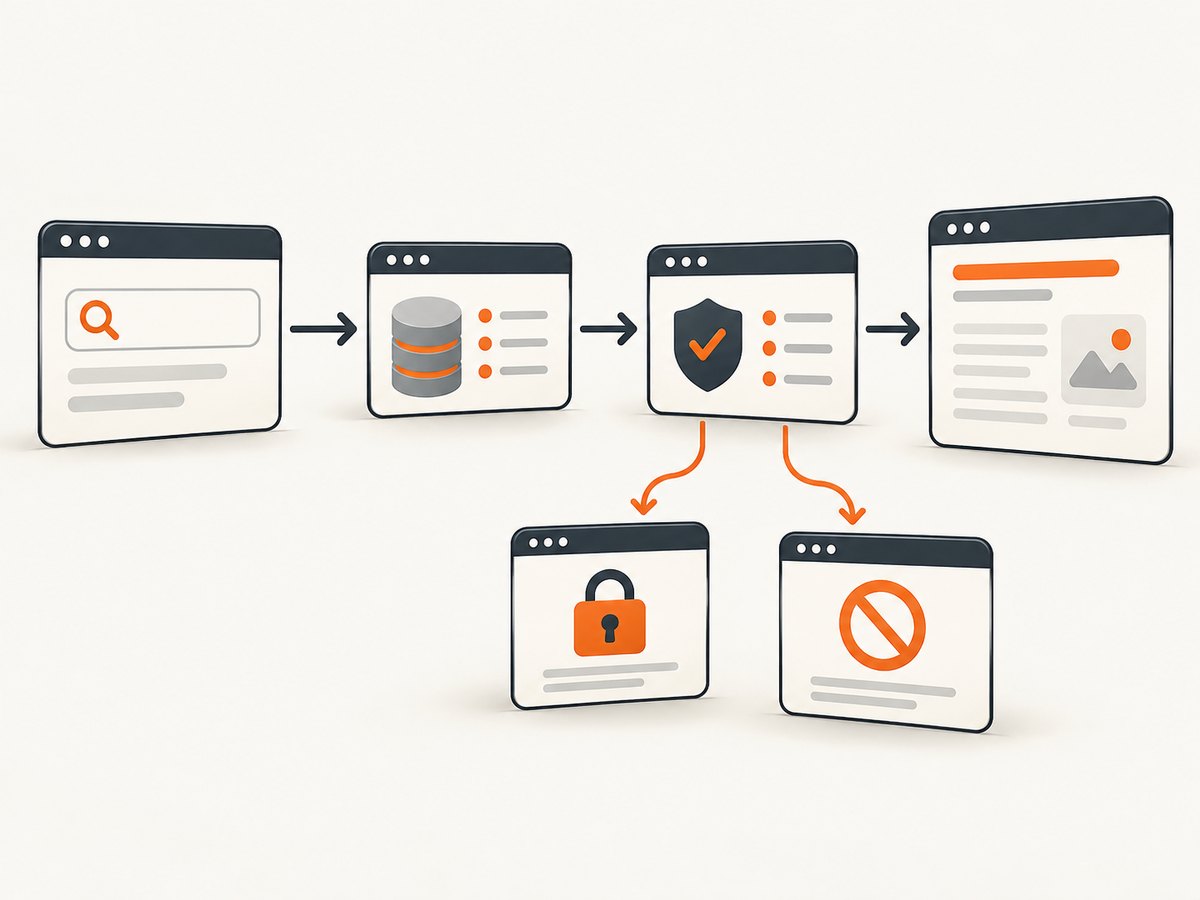
Ask for a bounded task to improve reliability. Name the URL, fields, date range, and output format, for example:
Open these three URLs. For each page, extract the product name, current price, currency, and the page's last-updated date. Quote the exact price text, link each source, and write "not found" when a field is absent. Do not infer missing values.Check every important value against the cited page. OpenAI explicitly advises checking sources and publication or update dates because search results and citations can be incomplete, outdated, or incorrect.
Can ChatGPT crawl an entire site?
There is no documented guarantee that ChatGPT will discover and visit every page in a domain. Search is selective: it retrieves pages that providers have indexed or that the system can open from your prompt. A sitemap, internal link, or paginated archive may not be traversed exhaustively.
For an inventory, build your own URL list first, then fetch and process it with a crawler designed for that job. Keep a record of requested URLs, response status, timestamps, redirects, and extracted fields. This gives you repeatability and an audit trail that a conversational answer alone does not provide.
Does ChatGPT respect robots.txt?
OpenAI documents separate agents with different purposes:
| Agent | Purpose | Publisher implication |
|---|---|---|
| OAI-SearchBot | Surfaces websites in ChatGPT search | Opting out means the site will not be shown in ChatGPT search answers, although it may still appear as a navigational link. |
| GPTBot | Crawls content that may improve OpenAI foundation models | Disallowing it controls a separate training-crawl purpose. |
| ChatGPT-User | Supports certain user-initiated actions in ChatGPT and Custom GPTs | It is not used for automatic web crawling; robots.txt rules may not apply to these user-initiated actions. |
These controls are not interchangeable. A publisher that wants search visibility should review the OpenAI crawler documentation, allow OAI-SearchBot as appropriate, and permit requests from OpenAI’s published IP ranges. CDN rules, authentication, paywalls, dynamic rendering, and anti-bot systems can still prevent retrieval.
Can ChatGPT scrape JavaScript pages or pages behind a login?
Sometimes a rendered page is available; sometimes only an inaccessible shell or an error is returned. The official material does not promise arbitrary browser automation, execution of every JavaScript application, or access to authenticated pages. A page may require cookies, a session, a device check, or an interaction that the search path cannot perform.
For authenticated data, use an authorized integration or your own browser automation with credentials stored securely. Do not paste passwords or private tokens into a chat prompt. For public JavaScript pages, test the exact URL and verify that the cited content is the rendered content you intended to collect.
What is the difference between ChatGPT Search and a web scraper?
| Requirement | ChatGPT Search | Dedicated scraper or browser automation |
|---|---|---|
| Primary use | Interactive research and synthesis | Repeatable collection and processing |
| Coverage | Provider-indexed or explicitly opened pages; not guaranteed complete | You define URL discovery and traversal rules |
| Output | Natural-language answer with links or citations | Structured JSON, CSV, database rows, or files |
| JavaScript and sessions | Not guaranteed for arbitrary applications | Can use a controlled browser, cookies, and sessions where authorized |
| Retries and rate limits | Managed by the product and providers | You configure queues, backoff, concurrency, and proxies |
| Auditability | Citations and a conversational record | Request logs, snapshots, hashes, and deterministic code |
| Cost model | Depends on your ChatGPT plan, workspace, and usage limits | Depends on compute, bandwidth, proxies, storage, and the service you choose |
Can I use ChatGPT to extract prices or tables at scale?
It can help with a small, reviewable set of pages. At scale, build a pipeline that separates discovery, fetching, parsing, validation, and export. Define a schema before collecting data and preserve the source URL and retrieval time for every row. Expect missing pages, changed layouts, rate limits, duplicate content, and values that require human review.
For prices, record currency, tax or subscription qualifiers, region, and whether the value is a sale price. For tables, preserve headers and units. If a page contains several tables, identify the one you want by a heading or surrounding text rather than assuming the first table is correct.
A small, deterministic Python scraper
The following example shows the kind of bounded job a normal scraper can perform. It fetches one public page, parses its headings and tables, and writes JSON. Respect the site’s terms, robots.txt, and rate limits.
import json
import time
import requests
from bs4 import BeautifulSoup

URL = "https://example.com/"
headers = {"User-Agent": "ResearchBot/1.0 (contact: you@example.com)"}

response = requests.get(URL, headers=headers, timeout=30)
response.raise_for_status()
soup = BeautifulSoup(response.text, "html.parser")

record = {
    "url": URL,
    "retrieved_at": time.strftime("%Y-%m-%dT%H:%M:%SZ", time.gmtime()),
    "title": soup.title.get_text(" ", strip=True) if soup.title else None,
    "headings": [h.get_text(" ", strip=True) for h in soup.select("h1, h2, h3")],
    "tables": []
}

for table in soup.select("table"):
    rows = []
    for tr in table.select("tr"):
        cells = [c.get_text(" ", strip=True) for c in tr.select("th, td")]
        if cells:
            rows.append(cells)
    record["tables"].append(rows)

with open("page.json", "w", encoding="utf-8") as f:
    json.dump(record, f, ensure_ascii=False, indent=2)

print(json.dumps(record, ensure_ascii=False, indent=2))
Static HTML parsing will miss data inserted after page load. For an authorized page that requires a browser, Playwright provides a controlled rendering step:
import asyncio
from playwright.async_api import async_playwright

async def main():
    async with async_playwright() as p:
        browser = await p.chromium.launch(headless=True)
        page = await browser.new_page()
        await page.goto("https://example.com/", wait_until="networkidle")
        title = await page.title()
        headings = await page.locator("h1, h2, h3").all_inner_texts()
        print({"title": title, "headings": headings})
        await browser.close()

asyncio.run(main())
Or skip the browser setup
ScreenshotNeo is a website screenshot API and MCP server. It accepts one GET request and returns a PNG, JPEG, WebP, or PDF. Before capture, it accepts cookie or consent banners like a visitor and removes more than 60 known consent platforms, newsletter popups, and chat widgets; each step can be turned off. Only clean shots are billed: bot checks or CAPTCHAs, blank pages, timeouts, failed loads, and cache hits cost nothing, and the response identifies the result with X-Page-Verdict and X-Billed headers. Its MCP server exposes take_screenshot, get_page_info, and capture_pdf for Claude, Cursor, and other MCP clients.
See the ScreenshotNeo documentation for request details.
curl -G "https://api.screenshotneo.com/v1/shot" -d access_key=YOUR_API_KEY --data-urlencode url=https://stripe.com -o shot.webpimport requests
r = requests.get("https://api.screenshotneo.com/v1/shot", params={"access_key": "YOUR_API_KEY", "url": "https://stripe.com"}, timeout=90)
open("shot.webp", "wb").write(r.content)const q = new URLSearchParams({ access_key: 'YOUR_API_KEY', url: 'https://stripe.com' });
const res = await fetch(`https://api.screenshotneo.com/v1/shot?${q}`);You can also request full-page captures with lazy images loaded, a CSS-selected element, dark mode, device presets or custom viewports, retina scale, PDF paper sizes and page ranges, custom CSS or JavaScript, clicks, selector waits, delays, network-idle waits, blocked ads or resource types, headers, cookies, user agents, authorization, timezone, geolocation, transparent backgrounds, resizing, chosen cache TTLs, signed image links, asynchronous jobs with signed webhooks, bulk capture of up to 100 URLs per call, and usage data. Parameter names used by other screenshot APIs also work, which can simplify migration.
Plans include 1,000 shots per month free with no card, then Starter at $5 for 3,000, Growth at $15 for 15,000, Pro at $39 for 60,000, Scale at $99 for 250,000, and Business at $249 for 1,000,000. Yearly billing gives two months free, and every feature is available on every plan. Create a free ScreenshotNeo account.
Why ChatGPT may open one page but not another
- Indexing: one URL is known to a search provider while another is new or poorly linked.
- Robots and crawler controls: the publisher may disallow OAI-SearchBot or restrict OpenAI IP ranges.
- Anti-bot protection: a challenge, CAPTCHA, or rate limit blocks automated retrieval.
- Authentication: the page requires a session, account, or subscription.
- Rendering: the useful content is loaded by JavaScript or depends on an interaction.
- Workspace policy: Enterprise and Edu administrators can disable Web search or restrict it by role.
- Transient failure: a timeout, server error, redirect chain, or provider outage affects one request.
Troubleshooting checklist
| Symptom | Likely cause | Fix |
|---|---|---|
| No citation or source | The answer was generated without a retrievable page, or search was unavailable | Turn on Web search where permitted, provide the exact URL, and ask for a linked source for each claim. |
| Page opens but content is missing | Content is injected by JavaScript, hidden behind an interaction, or blocked by a challenge | Use the page’s canonical public URL, provide a relevant subsection URL, or use authorized browser automation. |
| Old price or outdated policy | Cached or stale indexed content | Ask for the publication or update date, open the source, and verify the value manually. |
| Only some site pages appear | Search ranking and indexing are selective | Supply a URL list or sitemap-derived input and process it with a crawler. |
| Search unavailable in a workspace | Enterprise or Edu admin settings or role permissions | Ask an administrator to review Web search access; do not attempt to bypass the policy. |
| Scraper receives 403 or 429 | Access rules, anti-bot controls, or excessive request rate | Check terms and robots.txt, reduce concurrency, add backoff, identify your client honestly, and request permission where needed. |
| Parser returns empty fields | Selectors no longer match or the response is not the expected document | Save the raw response, inspect status and content type, update selectors, and add schema validation. |
Performance, reliability, and cost considerations
Interactive ChatGPT research is efficient for a handful of questions because it combines retrieval and synthesis. It becomes difficult to measure when you need a fixed URL set, identical prompts, stable extraction rules, or scheduled runs. A dedicated pipeline lets you control concurrency, retries with exponential backoff, caching, browser reuse, and output validation.
For reliability:
- Store the exact URL, response status, retrieval time, and source content or hash.
- Separate fetching from parsing so a layout change does not hide a fetch failure.
- Validate required fields and flag missing or conflicting values for review.
- Use bounded concurrency and respect provider and site limits.
- Re-run a sample of URLs after parser changes and compare outputs.
For cost, account for ChatGPT plan and usage limits, scraper compute, browser memory, bandwidth, proxy services, storage, and human review. ScreenshotNeo bills only clean screenshot responses; failed loads, blank pages, bot checks or CAPTCHAs, timeouts, and cache hits are not billed. Select caching and asynchronous jobs when they fit your workload.
Is ChatGPT web scraping allowed for my site?
Review your terms of service, privacy policy, copyright obligations, robots.txt, and applicable law. OpenAI’s crawler controls let publishers distinguish search visibility from training crawls. Apps and Actions are a separate path: the OpenAI Service Terms state that they allow ChatGPT to send and receive information from a third-party application or website, and users are responsible for the actions they take and should enable only applications they trust after reviewing terms and privacy policies.
FAQ
Does a citation prove ChatGPT found every relevant page?
No. A citation supports the cited claim; it does not prove complete discovery or that every field on the page is current.
Can I ask ChatGPT to ignore robots.txt?
You should not treat a prompt as permission to bypass a publisher’s access controls. Follow the site’s rules and obtain authorization for protected data.
Can ChatGPT export a whole website to CSV?
It can help format information you provide, but complete deterministic traversal and bulk export are not documented ChatGPT Search guarantees. Use a crawler and parser for that workflow.
Does blocking GPTBot remove a site from ChatGPT Search?
No. GPTBot and OAI-SearchBot have different purposes. Search visibility is controlled by OAI-SearchBot access.
When should I use screenshots instead of extracted text?
Use screenshots when visual state matters: layout review, rendered charts, invoices, design QA, or archival evidence. Use structured extraction when you need values for analysis or a database.