Using Cloudflare Vectorize MCP for AI-Powered Website Search
Build AI-powered website search with Cloudflare AI Search, Vectorize, and MCP, including setup, security, Workers code, troubleshooting, and costs.
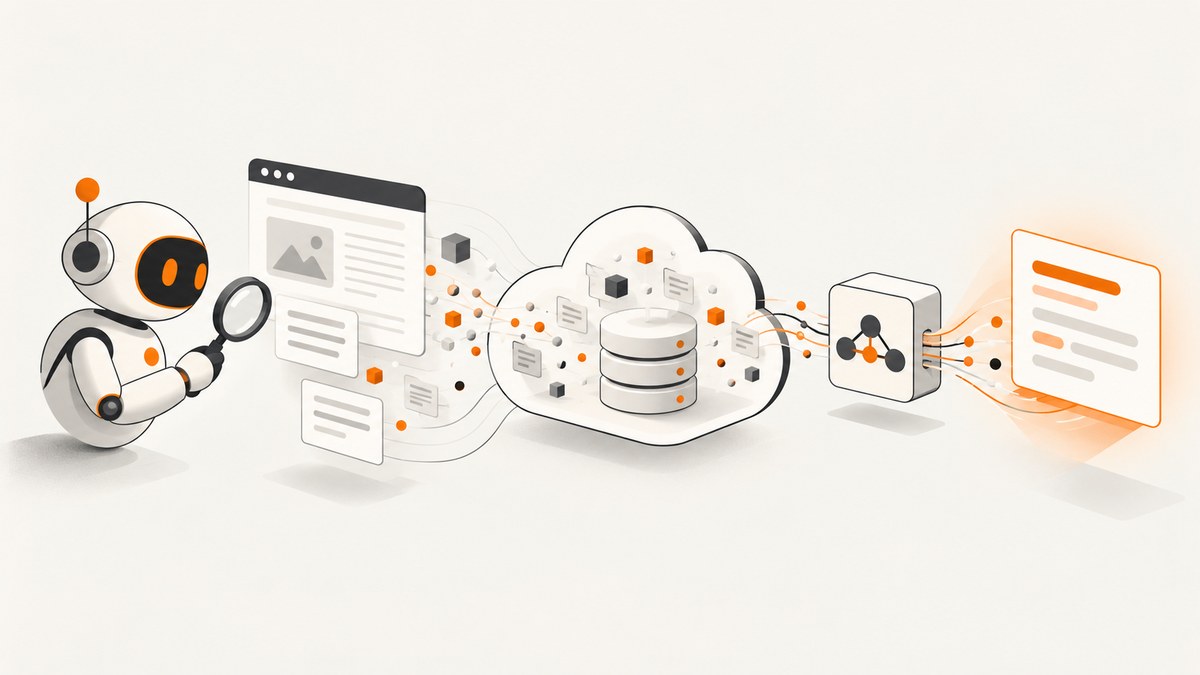
Direct answer: for an AI assistant that needs to search your website through MCP, use Cloudflare AI Search. Create an AI Search instance, connect a website you own (or upload files), wait for indexing, enable its public endpoint and MCP, then give your MCP client the endpoint URL ending in /mcp. AI Search manages the crawler, embeddings, hybrid retrieval, and the underlying Vectorize index.
Cloudflare Vectorize is the database underneath that managed path. You can also use Vectorize directly from a Worker when you need to own ingestion, embedding, metadata, ranking, and application behavior. Vectorize alone does not crawl a website and does not automatically expose an MCP server.
1. Choose the right architecture
There are two valid designs:
| Design | Best for | What you manage |
|---|---|---|
| AI Search with MCP | Website or knowledge-base search for agents | Source selection, model choice, endpoint access, and client configuration |
| Direct Vectorize + Worker | Custom retrieval pipelines and application-specific behavior | Crawling or file ingestion, chunking, embeddings, metadata, queries, and MCP logic |
AI Search includes automated indexing, semantic and keyword search, hybrid search, metadata filters, embeddable search components, and a built-in MCP endpoint. Its Vectorize index is created and maintained for the instance. Direct Vectorize gives more control, but every ingestion and query decision becomes your code.
2. Prerequisites and constraints
- A Cloudflare account and a domain onboarded to that account if you want the web crawler. The crawler can crawl only sites the account owner owns.
- Node.js for Wrangler. The setup guide for the documented Wrangler flow lists Node.js 16.17.0 or later; verify the current requirement before publishing a production setup.
- An MCP-compatible client, such as an AI desktop client, coding assistant, or your own agent.
- A decision about exposure. The default public endpoint does not require authentication, so anyone who knows its URL can query the indexed corpus.
If you cannot crawl the site, use AI Search built-in storage and upload files instead. For private content, plan the custom-domain and Cloudflare Access configuration before indexing.
3. Create and monitor an AI Search instance
The documented Wrangler example creates a web-crawler instance for Cloudflare’s developer documentation:
npx wrangler ai-search create docs-search --type web-crawler --source developers.cloudflare.comReplace docs-search with an instance name and the source with a domain you own. The command starts indexing; it does not mean every page is immediately searchable. Monitor progress:
npx wrangler ai-search stats docs-searchUse the statistics command while you are validating the source. Check that the expected pages are being discovered, that indexing is progressing, and that errors are not concentrated on important sections. AI Search automatically creates the Vectorize-backed index for this route, so you do not create a second index for the same instance.
4. Select the embedding and retrieval behavior
The embedding model is a setup decision. AI Search uses the selected model to determine vector dimensions, and the model cannot be changed after the instance is created. Choose a model with your expected language mix, document style, and long-term maintenance in mind.
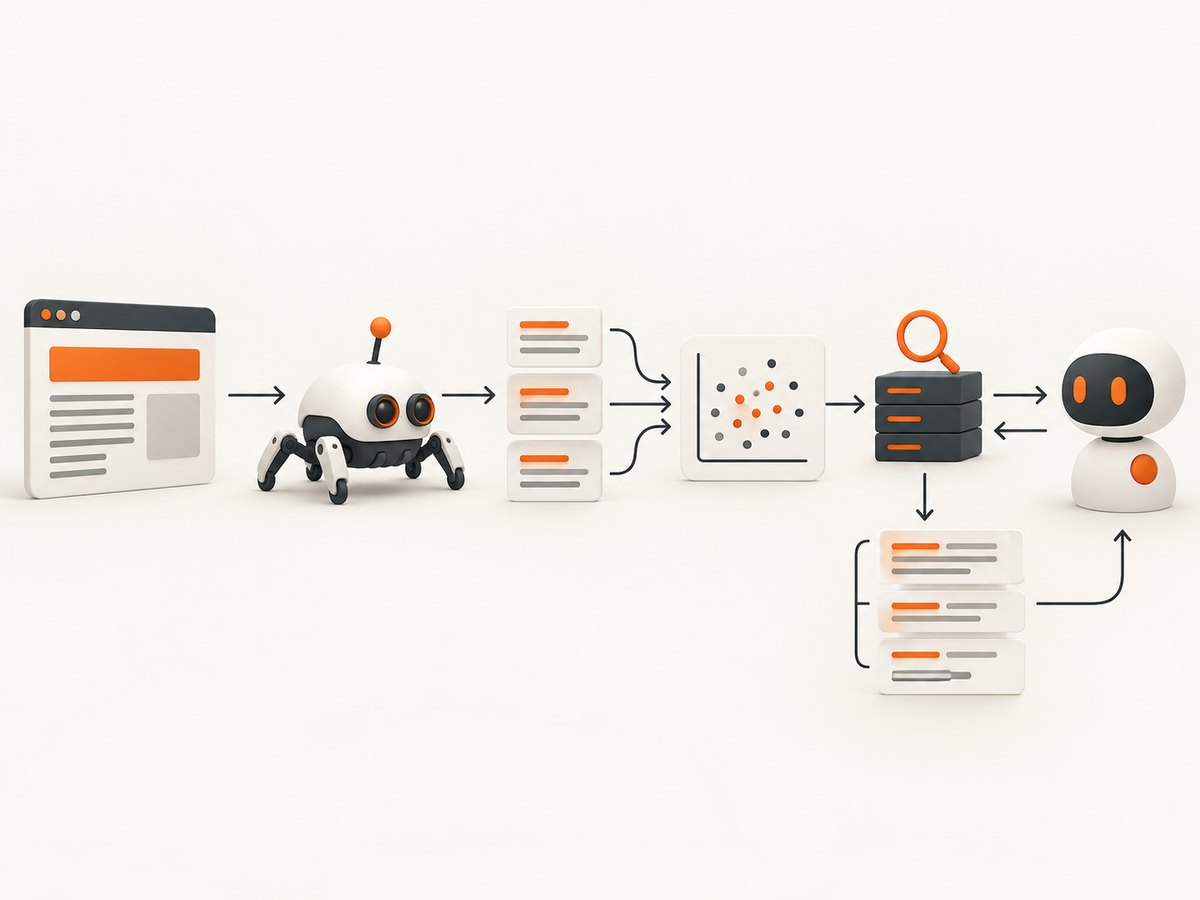
AI Search supports:
- Semantic search: useful when the query and page use different wording but share meaning.
- Keyword search: useful for exact API names, error codes, version strings, and command flags.
- Hybrid search: combines semantic and keyword matching. It is often a sensible default for technical documentation, but validate it against representative questions instead of assuming it always wins.
- Metadata filters: filter by fields such as product area, version, category, or language when your indexed records provide those fields.
Write down a small evaluation set before tuning. Include exact-term queries, natural-language questions, old-version queries, and queries with ambiguous words. Compare whether the returned passages contain the answer and whether the source metadata is appropriate for the agent to cite.
5. Enable the endpoint and connect MCP
In the Cloudflare dashboard, open the AI Search instance, choose Settings, then Public Endpoint. Enable the public endpoint and MCP. Cloudflare generates a host; append /mcp to that host. The MCP endpoint exposes a search tool that queries indexed content.
Give the tool a precise description. State what the corpus covers, which versions are included, and which questions the agent should send to it. A useful description helps an MCP client decide when to call the tool instead of answering from general model knowledge.
Remote MCP configuration differs between clients. Some accept a server URL directly; others require a transport field such as http. Treat the following shape as a pattern, not a universal file:
{
  "mcpServers": {
    "docs-search": {
      "url": "https://YOUR-ENDPOINT.example.com/mcp",
      "type": "http"
    }
  }
}
Check the selected client’s current documentation for the exact key names, remote HTTP support, and header syntax. After connecting, ask the client a question whose answer is present in the indexed site, then inspect whether it called the search tool and used the returned passages.
6. Build the direct Vectorize route with a Worker
Use direct Vectorize when you need custom ingestion or retrieval. The general flow is:
- Collect pages or files from a source you are allowed to process.
- Extract readable text and split it into stable chunks.
- Generate an embedding for every chunk.
- Insert vectors with metadata such as URL, title, version, and language.
- Embed each user query, query Vectorize, apply metadata filters, and return the best passages.
- Expose that retrieval function through your own application or MCP server.
Cloudflare’s Vectorize introduction uses a Worker binding. A minimal query shape looks like this:
export default {
  async fetch(request, env) {
    const url = new URL(request.url);
    const query = url.searchParams.get('q');
    if (!query) return new Response('Missing q', { status: 400 });

    const embedding = await env.AI.run('@cf/baai/bge-base-en-v1.5', {
      text: [query]
    });

    const result = await env.VECTOR_INDEX.query(embedding.data[0], {
      topK: 8,
      returnMetadata: 'all'
    });

    return Response.json(result);
  }
};
The binding name, embedding model, index schema, and response handling must match your Worker configuration. For ingestion, batch upserts and deterministic document IDs make retries safer. Store the source URL and a content hash in metadata so you can identify stale chunks and replace only changed documents.
Vectorize is a Workers database, not a crawler. You must implement robots and ownership checks, canonical URL handling, duplicate removal, pagination, rate control, retries, and deletion of pages that disappear from the source.
7. Make retrieval useful to an AI agent
Chunk boundaries affect answers as much as the vector database. Keep headings with the paragraphs they explain, avoid splitting code blocks, and include the page title and URL in metadata. For versioned documentation, store the version explicitly and filter it when the user names a release.
Use hybrid retrieval when exact identifiers matter. A question such as “What does error 1101 mean?” benefits from exact token matching, while “How do I protect a private MCP endpoint?” benefits from semantic matching. Return enough context for the model to answer, but keep the result set small enough that irrelevant passages do not crowd out the best evidence.
For AI Search, the managed index handles the retrieval infrastructure. You still need to review indexing coverage, configure metadata where available, and test the agent with real questions. Do not claim accuracy or latency numbers without measuring your own corpus and client.
8. Secure the MCP endpoint
The default AI Search public endpoint accepts queries without authentication. Treat the URL as a capability to search the indexed content. Do not put private customer data, internal incident notes, or secrets in an unauthenticated index.
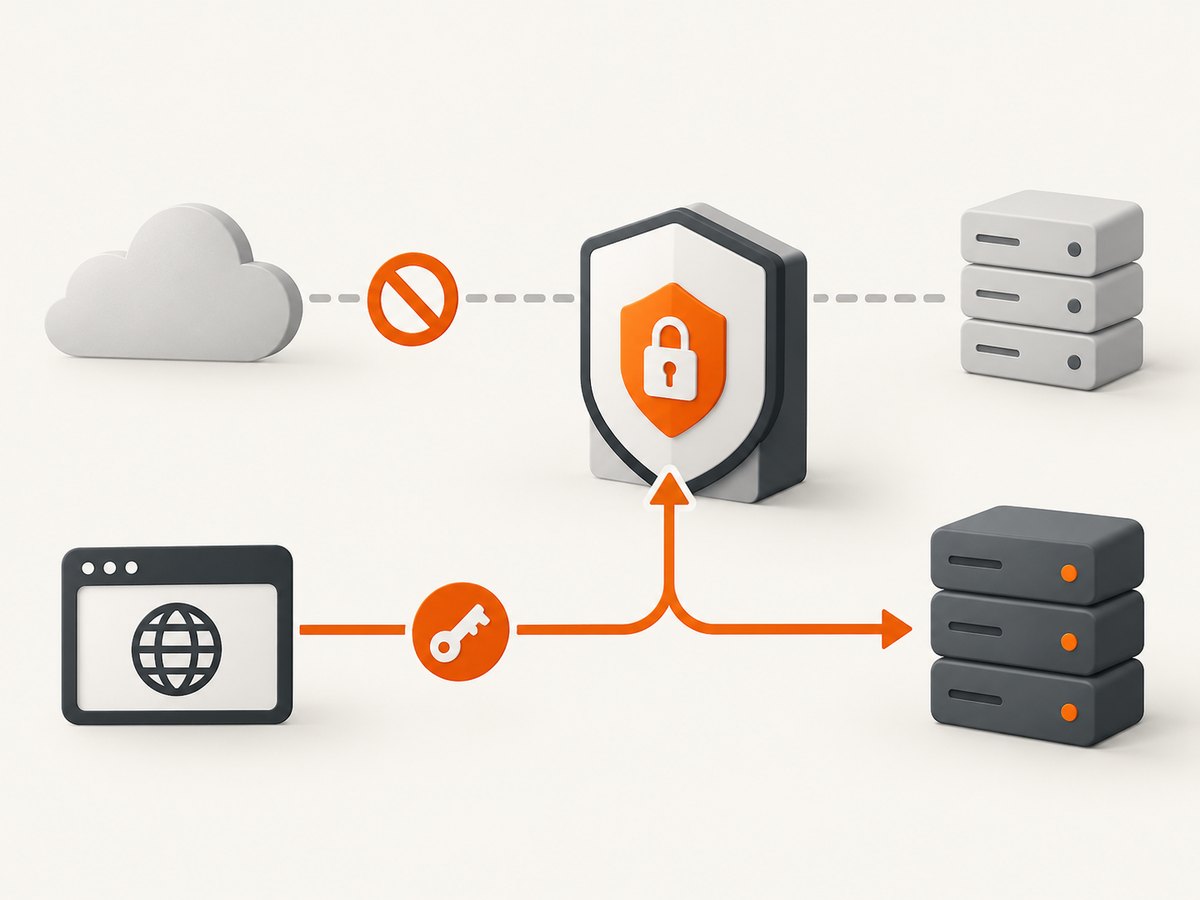
For authenticated access, attach a custom domain and protect it with Cloudflare Access service-token headers. A critical detail from the MCP reference is that Access protects the custom hostname only. Set default_domain_enabled to false; otherwise the generated default hostname can continue responding without Access authentication.
Allowed origins control browser clients. They are not a substitute for server-side authentication. Add rate limiting for public endpoints and monitor unusual query volume. Verify that your MCP client sends the required Access headers and that it does not log service-token values.
9. Reliability, performance, and cost planning
Indexing reliability
- Keep a crawl or ingestion record with URL, status, timestamp, and content hash.
- Retry transient fetch failures with backoff and retain the last successful version until replacement succeeds.
- Alert when the number of indexed pages drops unexpectedly.
- Run representative search checks after large documentation releases.
Query performance
Reduce unnecessary work before the vector query: normalize whitespace, reject empty requests, cap query length, and apply version or language filters early. Cache repeated questions at your application layer when the underlying content changes infrequently. Measure end-to-end time separately for client transport, embedding generation, vector retrieval, and model response.
Cost and plan limits
The AI Search overview describes availability on all Cloudflare plans. The Vectorize tutorial lists Workers Free or Paid as a prerequisite for the direct route. The supplied documentation does not establish current usage limits or a workload-specific price, so check current Cloudflare limits and pricing before committing to a budget. Your practical costs also depend on crawl frequency, embedding volume, Worker requests, storage, and the AI model used by your agent.
10. Troubleshooting checklist
| Symptom | Likely cause | Fix |
|---|---|---|
| No pages appear in stats | The domain is not onboarded to the account or crawling has not started | Confirm ownership, source spelling, and instance status; rerun the stats command. |
| Important pages are missing | Robots rules, authentication, JavaScript-only content, or crawler errors | Inspect crawl errors, publish a crawlable page, or upload files through built-in storage. |
| MCP client cannot connect | Wrong host, missing /mcp, or unsupported transport configuration |
Copy the generated endpoint, append /mcp, and follow the client’s current remote HTTP configuration. |
| Agent answers from memory | The client did not call the tool or the tool description is vague | Test tool discovery, improve the description, and instruct the agent to search before answering site-specific questions. |
| Access protection appears bypassed | The default AI Search hostname remains enabled | Set default_domain_enabled to false and use the Access-protected custom hostname. |
| Exact error codes rank poorly | Semantic-only retrieval misses literal terms | Use hybrid or keyword search and preserve identifiers in chunks and metadata. |
| Direct Vectorize returns irrelevant chunks | Poor chunking, wrong embedding model, or missing filters | Keep headings and code together, test another model where appropriate, and filter by version or language. |
| Duplicate or stale results | Ingestion retries created new IDs or old chunks were never deleted | Use deterministic IDs and content hashes; delete or replace obsolete records. |
11. Or skip the browser setup
If your application also needs reliable page images for documentation, issue reports, or agent context, ScreenshotNeo provides a single screenshot API request. It accepts the cookie or consent banner like a visitor and removes more than 60 known consent platforms, newsletter popups, and chat widgets before capture; each step can be turned off. Bot checks, CAPTCHAs, blank pages, timeouts, failed loads, and cache hits are not billed, and response headers identify the page verdict and billing result.
See the ScreenshotNeo API documentation for all options. cURL:
curl -G "https://api.screenshotneo.com/v1/shot" -d access_key=YOUR_API_KEY --data-urlencode url=https://stripe.com -o shot.webpPython:
import requests
r = requests.get("https://api.screenshotneo.com/v1/shot", params={"access_key": "YOUR_API_KEY", "url": "https://stripe.com"}, timeout=90)
open("shot.webp", "wb").write(r.content)
Node.js:
const q = new URLSearchParams({ access_key: 'YOUR_API_KEY', url: 'https://stripe.com' });
const res = await fetch(`https://api.screenshotneo.com/v1/shot?${q}`);
ScreenshotNeo also offers an MCP server with take_screenshot, get_page_info, and capture_pdf tools for Claude, Cursor, and other MCP clients. It supports full-page and element captures, custom CSS and JavaScript, device presets, dark mode, PDFs, blocking rules, headers, cookies, geolocation, caching, signed links, async jobs, bulk capture, and a usage API.
Free accounts include 1,000 screenshots per month with no card. Paid plans start at $5 for 3,000 shots. Create a free ScreenshotNeo account.
12. FAQ
Does Vectorize itself provide MCP?
No. Vectorize stores and queries vectors. You must build the application or MCP layer, unless you use AI Search, which supplies the managed MCP endpoint.
Can AI Search index a site I do not own?
The documented crawler requires a domain onboarded to the Cloudflare account and says it can crawl only sites the account owner owns. Upload files instead when crawling is not suitable.
Is the AI Search MCP endpoint private by default?
No. The default public endpoint does not require authentication. Use a custom domain with Cloudflare Access and disable the default domain when the content must be protected.
Can I change the embedding model later?
The selected model determines vector dimensions and cannot be changed after instance creation. Treat model selection as part of initial design.
Should I use semantic, keyword, or hybrid search?
Use semantic search for meaning, keyword search for exact identifiers, and hybrid search when both matter. Validate the choice with representative questions from your own site.


