Code Scanning Through AI Agents: Workflows, Reviews, and Fixes
Learn how AI agents can help scan code, validate findings, and propose fixes—and how to keep deterministic checks and human review in the workflow.
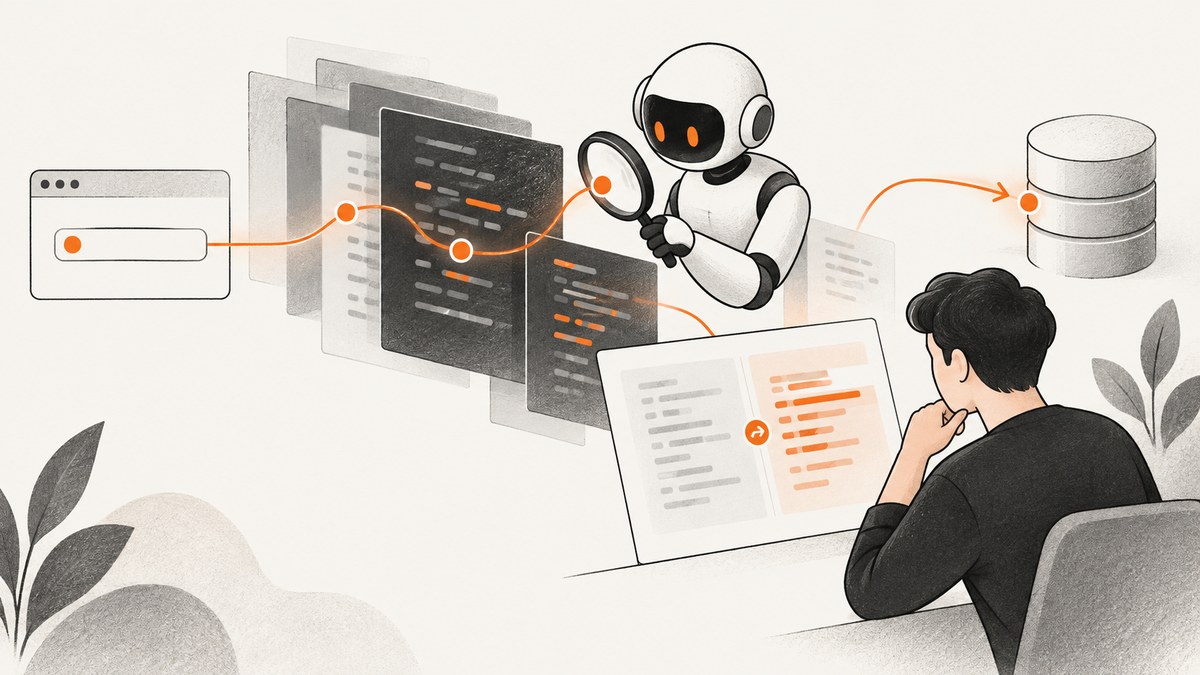
AI agents can help scan code by combining conventional analysis tools with code context: an agent can inspect a change or repository, investigate a finding, validate a candidate issue, and propose a fix. The exact workflow depends on the product. Some tools scan code generated by an agent; others review pull requests, work through existing alerts, or analyze a connected repository.
Use these systems as another layer in a secure development process, not as proof that an application is secure. Keep deterministic scanners, tests, dependency and secret checks, permission controls, and human review. A finding and a fix are separate claims: inspect the evidence, test the change, and decide whether it is safe to merge.
1. What does “code scanning through AI agents” mean?
The phrase describes several related workflows. An AI coding agent may run security checks on code it just created. A pull request review agent may examine a proposed change. A remediation agent may take an existing scanner alert, explore related files, and suggest a patch. A repository-level security agent may map trust boundaries and data flows, search for possible vulnerabilities, validate candidate findings, and prepare fixes.
These workflows have different inputs and outputs. “The agent scanned my code” is not precise enough to tell you whether it checked a diff, a full repository, dependencies, secrets, or only a particular alert. Before adopting a tool, establish what it analyzes, how it validates results, what permissions it receives, and what happens to its proposed changes.
| Workflow | Typical input | Possible output | Review question |
|---|---|---|---|
| Scan agent-generated code | Files changed by a coding agent | Security alerts or follow-up changes | Which analyzers ran, and can I inspect their logs? |
| Pull request review | Diff and surrounding repository context | Inline findings and fix ideas | Does the review cover only changed code or more? |
| Alert remediation | An existing scanner alert | Suggested patch or proposed pull request | Was the original alert rechecked after the patch? |
| Repository analysis | Connected codebase and sometimes its history | Threat model, validated findings, proposed patches | Can I inspect the assumptions and reproduce the issue? |
2. How do AI agents scan code for security vulnerabilities?
In practice, an agent workflow may combine an analyzer with language-model reasoning and tools such as a shell, test runner, or isolated environment. A static analyzer can flag a risky code path; the agent can then inspect surrounding code, explain the path, and propose a change. Some products also run checks on the generated patch. That last step is useful evidence, but it does not establish that the change is correct in every deployment context.
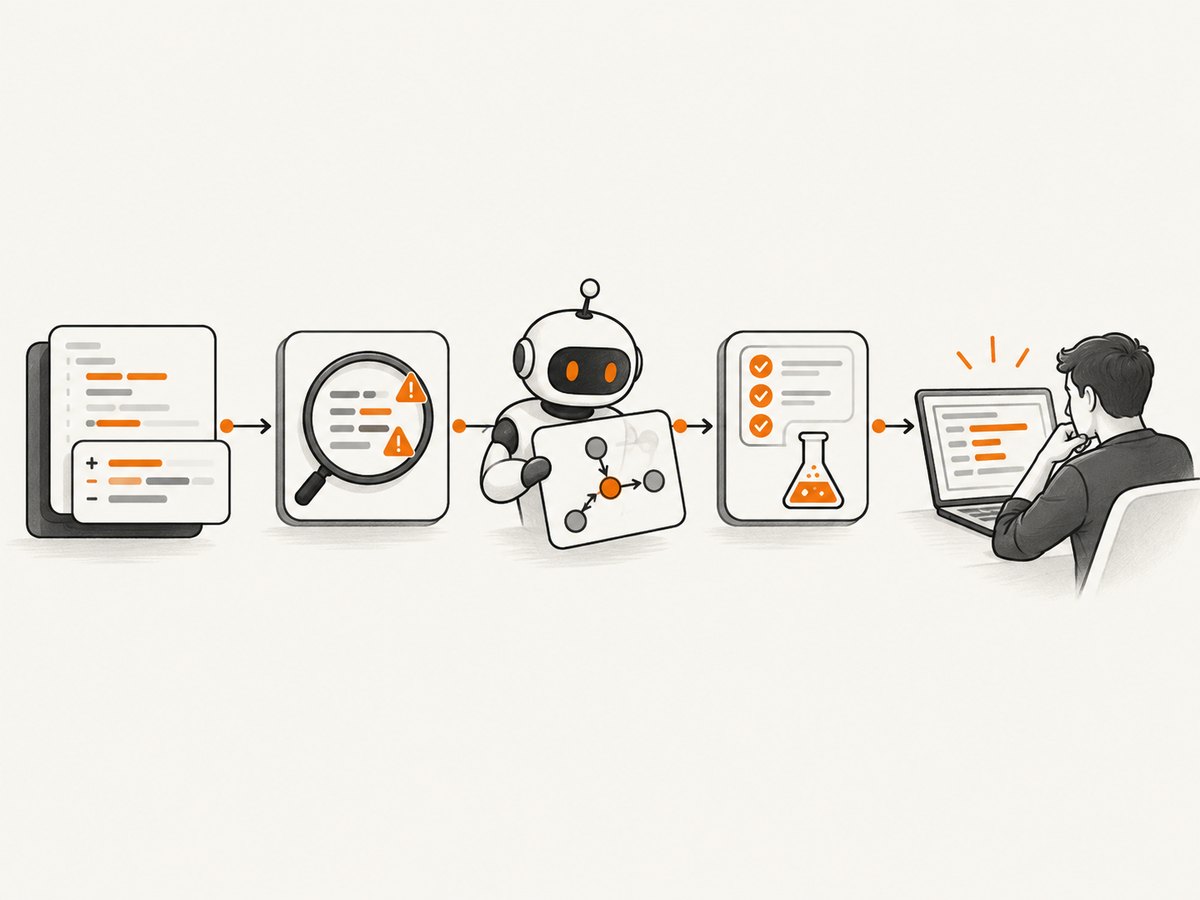
For example, GitHub says Copilot cloud agent checks generated code with CodeQL, secret scanning, and dependency analysis, and attempts to resolve issues before completing a pull request. GitHub documents session logs for the analysis and actions. Those checks are described by GitHub as product capabilities; they are not a guarantee that all vulnerabilities will be found. See GitHub’s security and risk documentation.
For an existing CodeQL alert, GitHub Copilot Autofix can produce a suggested fix. Its agentic workflow can explore beyond the affected file, generate a fix, rerun CodeQL, and iterate toward a pull request. GitHub describes this as best effort and documents validation limits for custom queries and the security-extended query suite. Fix quality for alerts from third-party tools is not guaranteed. Check the current Copilot Autofix availability and limitations before planning a rollout.
Other products put the agent at a different point in the process. Anthropic documents an on-demand /security-review command in Claude Code and an option to run reviews with GitHub Actions. Its guidance lists patterns such as SQL injection, cross-site scripting, authentication and authorization flaws, insecure data handling, and dependency vulnerabilities. Anthropic says these reviews complement existing security practices and manual review; see its Claude Code security review guide.
Anthropic separately describes Claude Security as a codebase-scanning public beta for Enterprise users, with multi-file analysis, staged finding validation, and proposed patches reviewed through a Claude Code session. OpenAI describes Codex Security as a research preview for eligible ChatGPT plans: it connects to GitHub repositories, builds a codebase-specific threat model, validates candidate vulnerabilities in an isolated environment, and proposes patches for review. These are vendor descriptions, not independent evaluations. See OpenAI’s Codex Security overview.
3. Choose a workflow that fits the code and review point
Start by naming the event you want to secure: an agent creating code, a developer opening a pull request, a scanner raising an alert, or a scheduled repository review. Then select controls that match that event. Avoid assuming that one agent’s review replaces another stage.
- For generated code: run the same static analysis, tests, secret checks, and dependency checks that apply to human-written changes. Make their results visible in the agent session or pull request.
- For pull requests: run security checks on the proposed diff and its relevant context. Require the normal reviewers to inspect both the finding and any suggested patch.
- For existing alerts: use an agent to investigate or draft remediation, then rerun the source analyzer and relevant tests against the patch.
- For a repository-wide review: define repositories, permissions, and ownership first. Review threat-model assumptions and decide how findings become tracked work.
A practical evaluation checklist:
- What does it analyze: changed lines, generated files, scanner alerts, dependencies, secrets, repository history, or a broader codebase?
- Which underlying checks run, and can the team see results, logs, or reproduction details?
- How are candidate findings validated: analyzer rerun, test, isolated reproduction, multi-stage review, or human confirmation?
- Does the tool explain the attack path and assumptions, or only state a severity and a recommendation?
- Does it create comments, suggestions, branches, or pull requests? Which actions require approval?
- What repository data and credentials can the agent access, and how are prompts from issues or comments handled?
- What are the plan, license, preview, session, or credit requirements? Confirm these with the vendor because terms change.
Do not rank products by detection accuracy from feature descriptions. The official product pages described here do not provide a comparable independent head-to-head benchmark. Choose a workflow based on fit, controls, evidence, and your own evaluation.
4. Add scanning to an AI coding workflow
The following process works whether the agent runs in an editor, a hosted session, or CI. Keep the pipeline understandable: run established tools, ask the agent to interpret concrete output, and require review before changes are merged.
- Define the boundary. Choose one repository or service and specify the events to scan. Start with pull requests or a small pilot if you need to validate permissions and output before broader rollout.
- Run conventional controls. Configure your existing static analysis, tests, dependency checks, and secret scanning. Keep their results as separate evidence so an agent summary cannot obscure a failing check.
- Give the agent a bounded task. Ask it to explain a finding with file locations, source-to-sink path, assumptions, and a minimal candidate fix. Tell it not to suppress an alert or change security policy just to make a check pass.
- Validate the proposal. Rerun the analyzer that raised the finding, relevant unit and integration tests, and checks for dependencies or secrets. For a suspected exploit, use a safe reproduction in a controlled environment.
- Review and record. A developer checks the root cause, patch, tests, and operational context. Record whether the finding was confirmed, fixed, or dismissed and why. Merge only through the team’s normal review and branch controls.
For Claude Code, Anthropic documents running /security-review from the project directory for an on-demand review. For automated pull request reviews, it documents a GitHub Actions path; consult Anthropic’s setup instructions and review the action’s permissions and configuration before enabling it. For GitHub CodeQL alerts, inspect current repository eligibility and whether a fix is a single Autofix suggestion or an agentic cloud-agent session. Agentic autofix consumes a cloud-agent session and AI credits, while the availability and license conditions differ by repository type.
5. Can an AI coding agent find and fix vulnerabilities?
It can identify candidate issues and propose or generate fixes when the product supports those steps. Some workflows inspect multiple files or run checks against a proposed change. That is useful for triage and remediation, but it does not make the fix self-approving. GitHub documents limits on what its CodeQL rerun can validate in agentic Autofix; Anthropic advises continuing manual review; OpenAI describes patches for teams to review.
Use a finding as a lead to investigate. Confirm that the alleged input is attacker-controlled, that the path is reachable in the deployed configuration, and that the suggested patch addresses the root cause. A tool may misunderstand framework behavior, authentication boundaries, runtime configuration, or a project-specific invariant. Likewise, a clean scan means only that the configured checks did not report an issue; it does not prove the absence of vulnerabilities.
6. Security controls for agent access
An agent that can read source, run commands, install packages, or push changes has meaningful authority. Scope that access to the task. Keep production credentials out of untrusted sessions, use repository-specific permissions, restrict network access where appropriate, and require approval for sensitive operations. Treat issue text, pull request comments, generated files, and external content as potentially untrusted instructions. GitHub specifically discusses prompt-injection risks in issue and comment content and describes mitigations for its cloud agent in its risk guidance.
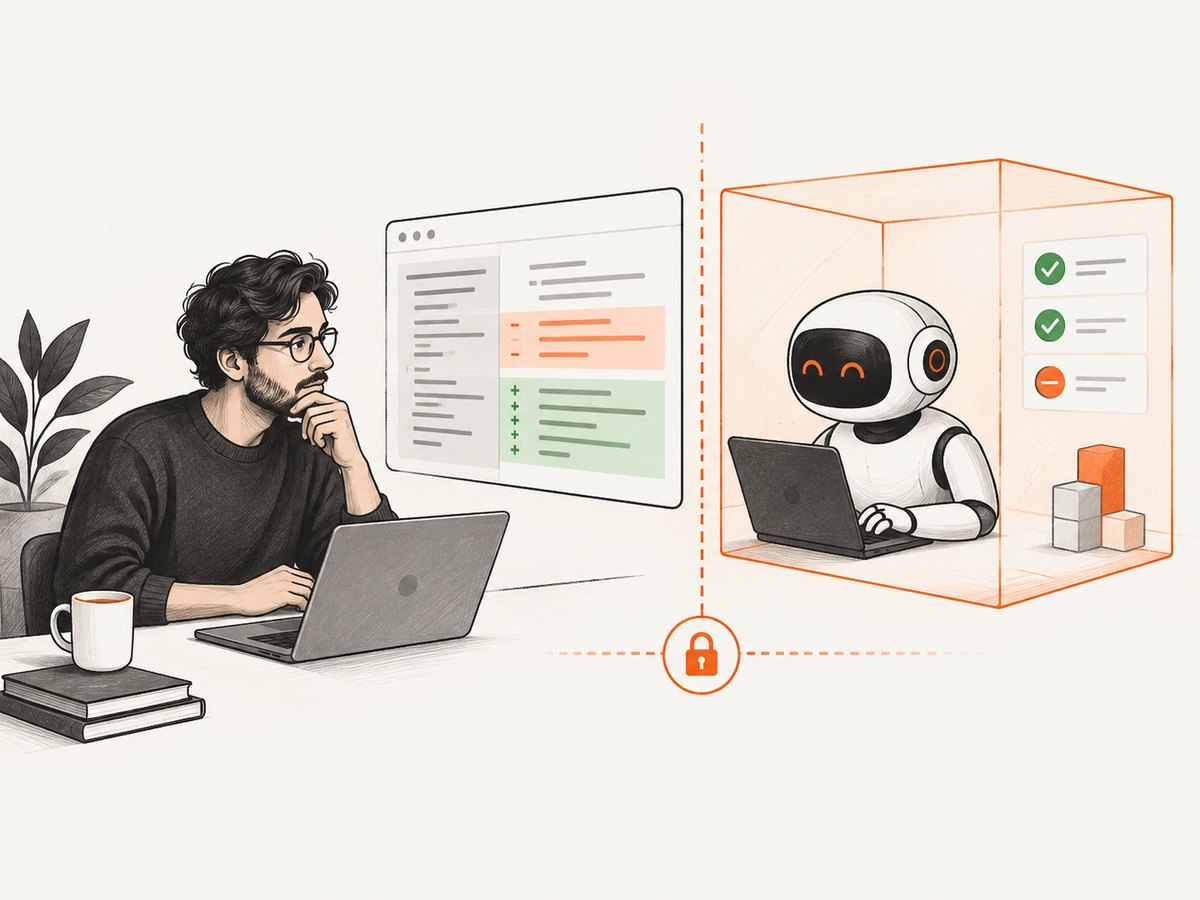
Preserve an audit trail. The reviewer should be able to see what code changed, which checks ran, what the agent concluded, and which person approved the merge. Protect default branches and keep human approval requirements for security-sensitive code. If a tool opens pull requests automatically, make its identity and operating permissions clear to maintainers.
7. Performance, reliability, and cost
Scanning time depends on the repository, enabled checks, test suite, and workflow. Repository-wide analysis and first-time indexing can take longer than reviewing a small diff; OpenAI notes that initial Codex Security scans can take longer for large repositories. Parallel work may shorten some stages, but it can also increase resource or session use. Measure your own pipeline rather than relying on a vendor-neutral speed claim.
For reliability, separate analyzer output from agent interpretation. Keep stable CI checks as gates where the risk warrants them, and make agent jobs report an explicit failure or incomplete status when they cannot finish. Retry transient infrastructure failures, but do not treat a timeout as a clean security result. Retain enough logs to diagnose inconsistent findings and repeat the same checks after remediation.
Costs and access conditions vary. The GitHub documentation distinguishes a suggested Autofix from agentic Autofix, which consumes a Copilot cloud-agent session and AI credits; eligibility depends on repository and product access. The cited Anthropic and OpenAI pages also describe specific plan or preview availability. Confirm current vendor terms, limits, and data policies before rollout. No source here supports a cross-product cost-per-vulnerability or detection-rate comparison.
8. Troubleshooting common problems
| Symptom | Likely cause | What to do |
|---|---|---|
| No scan or review appears | The workflow is not enabled for the repository, the event did not match, or the account lacks access. | Check repository settings, workflow triggers, permissions, and current plan or license eligibility. Confirm the scan’s status rather than inferring it from a missing alert. |
| The agent proposes a fix but the alert remains | The patch may not remove the underlying path, or the relevant analyzer did not validate that alert type. | Read the alert and analyzer output, rerun the same query suite on the patch, and inspect documented validation limits. Do not close the alert solely because code changed. |
| A finding seems incorrect | The analyzer or agent may lack runtime, framework, configuration, or trust-boundary context. | Trace the input and data flow, reproduce safely if possible, and document the evidence for fixing or dismissing it. Avoid broad suppressions that hide later real findings. |
| The suggested patch passes one check but breaks behavior | Security validation may not cover application semantics or every regression. | Run the relevant tests and add a regression test for the security property. Review compatibility, authorization behavior, error handling, and deployment assumptions. |
| The agent cannot inspect a dependency or run tests | Network, package, secret, or environment permissions may be restricted, or the project setup may be incomplete. | Use approved dependencies and scoped credentials; document missing evidence. Do not grant broad access just to force a successful run. |
| Results vary between runs | Agent reasoning may be stochastic, context may differ, or repository state and tool configuration changed. | Pin the commit and record tool versions/configuration where available. Treat repeatability as an evaluation criterion and retain deterministic checks. |
9. Where ScreenshotNeo fits: screenshots for security evidence
ScreenshotNeo is a website screenshot API and MCP server, not a code-scanning product. It can complement an agent workflow when a team needs to capture a rendered web page or report as a visual artifact. A request returns a screenshot or PDF; its MCP server offers take_screenshot, get_page_info, and capture_pdf tools for AI agents. The capture does not establish that the code or page is secure.
Or skip the browser setup: use one request to capture a page. See the ScreenshotNeo API documentation for the full set of options.
curl -G "https://api.screenshotneo.com/v1/shot" -d access_key=YOUR_API_KEY --data-urlencode url=https://stripe.com -o shot.webpimport requests
r = requests.get("https://api.screenshotneo.com/v1/shot", params={"access_key": "YOUR_API_KEY", "url": "https://stripe.com"}, timeout=90)
open("shot.webp", "wb").write(r.content)const q = new URLSearchParams({ access_key: 'YOUR_API_KEY', url: 'https://stripe.com' });
const res = await fetch(`https://api.screenshotneo.com/v1/shot?${q}`);Cookie banners, popups, and chat widgets are removed before the shot. Bot checks, blank pages, and failed loads are never billed. Its MCP server lets AI agents take screenshots. The free plan includes 1,000 screenshots a month with no card; paid plans start at $5 for 3,000. Sign up for 1,000 free screenshots a month, with no card required.
10. FAQ
Does an AI code scan replace a SAST tool?
No. An agent may use or interpret static analysis, but keep deterministic scanners and other security controls in the workflow. Their roles and coverage differ.
Can these tools prove that a fix is safe?
No. A successful analyzer rerun or reproduction check is useful evidence within its scope. Review the patch, tests, and deployment context before merging.
Is one AI code-scanning product more accurate than the others?
The official product descriptions covered here do not establish a comparable independent accuracy winner. Evaluate tools against your own repositories and review criteria.
Should an agent be allowed to merge its own security fix?
Use your organization’s risk policy. A human approval gate is a prudent default for security changes because a generated patch can introduce regressions or miss project-specific assumptions.
What should I try first?
Choose a low-risk repository or pull request, record the exact checks and permissions, and compare agent findings with your current scanners and human review. Confirm current access and billing conditions before expanding.
Conclusion
AI agents can add useful context to code scanning: they can investigate alerts, trace code paths, explain findings, and draft fixes. The dependable workflow keeps the analyzer’s evidence visible, validates patches with tests and relevant security checks, limits agent permissions, and leaves merge decisions with reviewers. Pick a tool for the point in your development process it actually covers, and measure its behavior on your own code.


