How to Make html2canvas Captures Consistent Across Runs
Make html2canvas output repeatable by fixing geometry, fonts, images, dynamic state, CORS, and export timing with a deterministic capture recipe.

To make html2canvas captures consistent, control every rendering input and wait for every asynchronous resource before exporting. Set a fixed scale, viewport, dimensions, and scroll position; wait for fonts and images; freeze changing DOM values in onclone; ignore intentionally unstable elements; configure cross-origin images; and export only after the html2canvas() promise resolves.
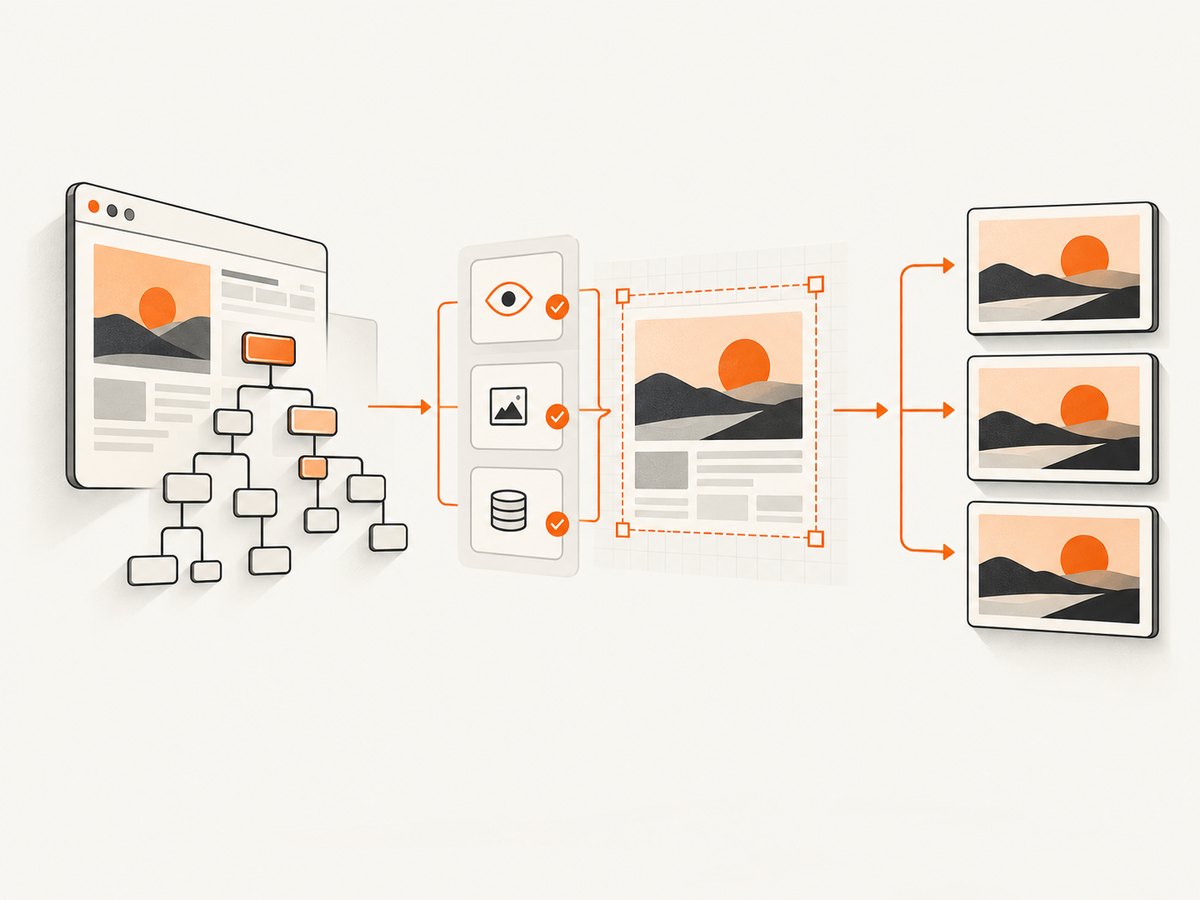
html2canvas reconstructs an image from the DOM rather than asking the browser compositor for a native screenshot. Its documentation warns that “The screenshot is based on the DOM and as such may not be 100% accurate to the real representation, but builds the screenshot based on the information available on the page.” (official documentation) That distinction explains why two runs can differ even when the source code appears unchanged.
1. A deterministic capture recipe
Use this JavaScript pattern as a baseline for visual regression tests and repeatable exports. It waits for fonts, waits for image decoding, fixes the viewport and scale, freezes volatile content in the cloned document, and writes a PNG only after the capture has completed.
import html2canvas from 'html2canvas';

async function waitForImages() {
  const images = [...document.images];
  await Promise.all(images.map(async (img) => {
    if (!img.complete) {
      await new Promise(resolve => {
        img.addEventListener('load', resolve, { once: true });
        img.addEventListener('error', resolve, { once: true });
      });
    }
    if (img.decode) {
      await img.decode().catch(() => {});
    }
  }));
}

export async function captureDeterministically() {
  await document.fonts.ready;
  await waitForImages();

  const target = document.querySelector('#capture');
  if (!target) throw new Error('Missing #capture element');

  const canvas = await html2canvas(target, {
    scale: 1,
    windowWidth: 1280,
    windowHeight: 720,
    width: target.scrollWidth,
    height: target.scrollHeight,
    x: 0,
    y: 0,
    scrollX: 0,
    scrollY: 0,
    backgroundColor: '#ffffff',
    useCORS: true,
    imageTimeout: 15000,
    logging: false,
    onclone: (clonedDocument) => {
      clonedDocument.querySelectorAll('[data-volatile]').forEach((element) => {
        element.textContent = '[frozen]';
      });
      clonedDocument.querySelectorAll('.carousel, .animated').forEach((element) => {
        element.classList.add('capture-frozen');
      });
    },
    ignoreElements: (element) => element.matches('.clock, .ad, .cursor, video')
  });

  const blob = await new Promise((resolve, reject) => {
    canvas.toBlob(result => result ? resolve(result) : reject(new Error('PNG export failed')), 'image/png');
  });

  return blob;
}
The option names and defaults are documented in the html2canvas configuration reference. The readiness waits and substitutions are application code: they make the documented renderer controls useful for repeatability.
2. Why html2canvas changes between runs
Each capture depends on more than your HTML and CSS. A different device-pixel ratio changes the default canvas scale. A fallback font changes glyph widths and line wrapping. An image that finishes loading 100 milliseconds later can change both layout and pixels. Timers, random values, rotating carousels, live counters, caret focus, ads, and network responses can all alter the cloned DOM.
Responsive breakpoints are another common source of drift. If the effective viewport crosses a media-query boundary, columns wrap, fixed elements move, and the resulting canvas dimensions change. Scroll position matters too: fixed and sticky elements are positioned relative to the viewport, while the target element may be measured relative to the document.
Finally, html2canvas cannot read arbitrary cross-origin documents. Cross-origin iframes are inaccessible because of browser security rules, and images without the required CORS response headers may be skipped or taint the canvas. For exact compositor output, browser-native screenshot APIs are a better boundary; html2canvas is a DOM reconstruction tool.
3. Freeze geometry before capture
Choose one capture contract and use it in every environment.
| Setting | What to fix | Why it matters |
|---|---|---|
scale |
A numeric value such as 1 or 2 |
The default is window.devicePixelRatio, which varies by monitor and test runner. |
windowWidth, windowHeight |
Exact CSS viewport dimensions | Prevents responsive breakpoints and wrapping from changing. |
width, height |
Explicit target dimensions where required | Avoids differences caused by late layout or auto-sized containers. |
x, y |
Stable target origin | Keeps the same region in the canvas. |
scrollX, scrollY |
Known scroll offsets, often zero | Stabilizes fixed, sticky, and viewport-relative elements. |
backgroundColor |
Explicit color, or null for transparency |
Prevents environment-dependent default backgrounds. |
For full-page captures, measure after layout has settled:
const page = document.documentElement;
const canvas = await html2canvas(document.body, {
  scale: 1,
  windowWidth: 1280,
  windowHeight: 720,
  width: page.scrollWidth,
  height: page.scrollHeight,
  scrollX: 0,
  scrollY: 0
});
Do not mix a test that expects CSS-pixel output (scale: 1) with a test that silently uses each machine’s device-pixel ratio. Store the expected canvas width and height with the snapshot so a geometry change is diagnosed separately from a color difference.
4. Wait for fonts and images
Fonts
Await document.fonts.ready before measuring or capturing. Also verify that the intended font files are actually available in the test environment. A fallback font can change every line break even when the CSS declaration is identical.
await document.fonts.ready;
const headingFont = document.fonts.check('16px "Inter"');
if (!headingFont) console.warn('Expected Inter font is not ready');
Images
An image can be marked complete while its decoded pixels are not ready for drawing. Wait for load events and call decode() when available. Set imageTimeout deliberately; the documented default is 15,000 milliseconds. In a test suite, fail or record the case when critical images do not load instead of silently accepting a different layout.
async function waitForCriticalImages(selector = 'img') {
  const images = [...document.querySelectorAll(selector)];
  await Promise.all(images.map(async image => {
    if (!image.complete) {
      await new Promise(resolve => {
        image.addEventListener('load', resolve, { once: true });
        image.addEventListener('error', resolve, { once: true });
      });
    }
    await image.decode?.().catch(() => {});
  }));
}
5. Remove dynamic state without changing production DOM
The onclone callback receives the document html2canvas will render. Replace values there so the live page remains untouched. Freeze timestamps, random IDs, rotating banners, live prices, network-populated placeholders, animation classes, and focus or caret styles.
const options = {
  onclone: cloned => {
    cloned.querySelectorAll('[data-now]').forEach(el => {
      el.textContent = '2026-01-01T00:00:00Z';
    });
    cloned.querySelectorAll('[data-random]').forEach(el => {
      el.textContent = 'stable-value';
    });
    cloned.querySelectorAll('*').forEach(el => {
      el.style.animation = 'none';
      el.style.transition = 'none';
      el.style.caretColor = 'transparent';
    });
  }
};
Use data-html2canvas-ignore for simple exclusions:
<div class="clock" data-html2canvas-ignore>12:03:44</div>Or use ignoreElements for a rule that covers several selectors. Exclude ads, cursors, video controls, clocks, rotating recommendations, and any element whose changing content is not part of the assertion.
6. Make external assets CORS-safe
useCORS defaults to false. Set it to true only when the image server sends an appropriate Access-Control-Allow-Origin header. If you do not control that server, fetch the asset through a same-origin proxy and serve it from your own origin. A cross-origin iframe remains inaccessible even if its individual images allow CORS.
const canvas = await html2canvas(node, {
  useCORS: true,
  allowTaint: false,
  proxy: '/image-proxy',
  onclone: cloned => {
    cloned.querySelectorAll('img[data-test-src]').forEach(img => {
      img.src = img.dataset.testSrc;
    });
  }
});
Choose either a correctly configured CORS path or a same-origin proxy. Do not treat allowTaint: true as a way to read pixels from a tainted canvas; it can make export operations fail.
7. Export only after the promise resolves
html2canvas() is asynchronous. Calling toDataURL() or toBlob() before its promise fulfills produces incomplete output or a race in tests. Prefer toBlob() for large PNGs and release object URLs after use.
const canvas = await html2canvas(target, options);
const blob = await new Promise(resolve => canvas.toBlob(resolve, 'image/png'));
const url = URL.createObjectURL(blob);
try {
  download(url);
} finally {
  URL.revokeObjectURL(url);
}
8. A repeatability checklist
- Use the same browser version, operating system fonts, locale, timezone, and device-pixel ratio in every runner.
- Set numeric
scale, viewport dimensions, target dimensions, coordinates, scroll offsets, and background color. - Await
document.fonts.readyand decode all images that affect layout. - Disable animations and transitions in the cloned document.
- Replace clocks, random values, live counters, carousels, and network placeholders in
onclone. - Ignore ads, cursors, videos, and other intentionally variable nodes.
- Use CORS headers or a same-origin proxy for external images.
- Keep
logging: truewhile diagnosing, then disable it in normal runs. - Record canvas width and height alongside each snapshot.
- Compare fonts, image requests, DOM values, scroll geometry, and browser environment before comparing pixels.
9. Troubleshooting common differences
| Symptom | Likely cause | Fix |
|---|---|---|
| Text wraps differently | Fallback font or changed viewport | Await document.fonts.ready, verify font files, and fix windowWidth. |
| Canvas dimensions differ | Device-pixel ratio or auto-sized layout changed | Set scale, width, and height explicitly. |
| Images are missing | Timeout, failed request, or CORS restriction | Wait for load/decode, inspect requests, set useCORS with valid headers, or use a same-origin proxy. |
| Only one run shows a different banner | Cookie state, random data, or animation timing | Clear or seed state and freeze the node in onclone. |
| Export throws a security error | The canvas was tainted by a cross-origin resource | Serve the resource with CORS or proxy it; do not rely on allowTaint. |
| Fixed header moves | Different scroll offsets or viewport size | Set scrollX, scrollY, windowWidth, and windowHeight. |
| Iframe content is blank | Cross-origin iframe security boundary | Capture the iframe from its own origin or use a native browser capture workflow. |
| Capture hangs | Unresolved resource or very large DOM | Set a deliberate imageTimeout, inspect with logging, and capture smaller regions. |
While investigating, use the maintained onerror behavior and console logging to record resource failures. The renderer can continue after reporting an error, so treat missing critical assets as a test failure in your harness.
10. Performance, reliability, and cost considerations
Large full-page DOMs consume more memory and take longer to rasterize. Capture the smallest element that answers the test, or split a long page into stable sections. A fixed scale of 1 reduces pixel work compared with a high device-pixel ratio, while a higher fixed scale is appropriate when you need high-resolution output and can afford the memory.
Keep the capture environment reproducible: pin the browser version, install the same fonts, seed test data, and isolate network responses. Cache immutable image assets, but make sure cache invalidation cannot change one run’s bytes. Compare geometry and resource readiness before running an expensive pixel diff.
11. Or skip the browser setup
If you need a rendered page image rather than a browser-side DOM reconstruction, ScreenshotNeo provides a website screenshot API. One request returns PNG, JPEG, WebP, or PDF, and the service handles the browser session for you.
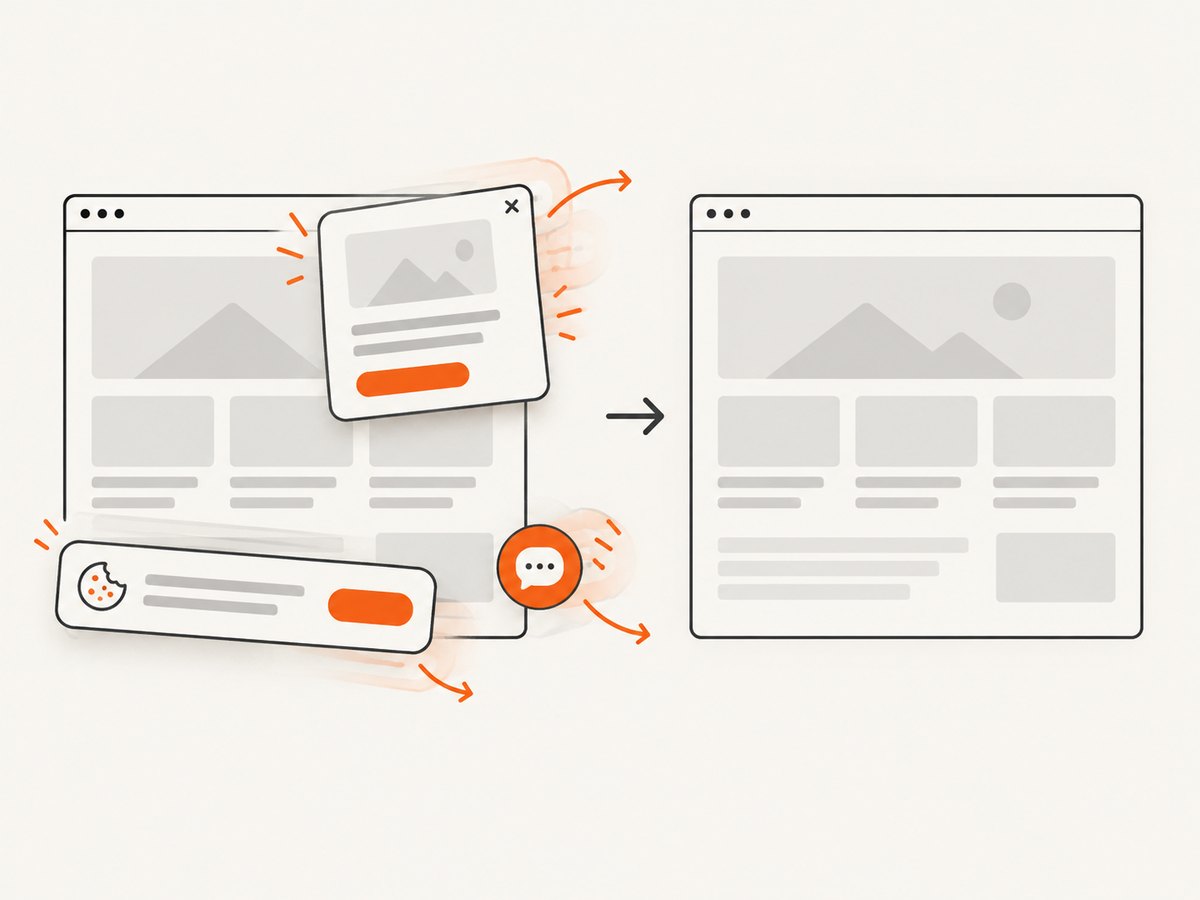
Cookie banners, newsletter popups, and chat widgets are removed before the shot. Bot checks, blank pages, failed loads, timeouts, and cache hits are not billed, and each response reports its page verdict and billing status in X-Page-Verdict and X-Billed headers. ScreenshotNeo also offers an MCP server with take_screenshot, get_page_info, and capture_pdf tools for Claude, Cursor, and other MCP clients. The Free plan includes 1,000 screenshots per month with no card; paid plans start at $5 for 3,000 shots.
See the ScreenshotNeo API documentation for all options. A minimal request is:
cURL
curl -G "https://api.screenshotneo.com/v1/shot" \
  -d access_key=YOUR_API_KEY \
  --data-urlencode url=https://stripe.com \
  -o shot.webp
Python
import requests

r = requests.get(
    "https://api.screenshotneo.com/v1/shot",
    params={"access_key": "YOUR_API_KEY", "url": "https://stripe.com"},
    timeout=90,
)
r.raise_for_status()
open("shot.webp", "wb").write(r.content)
Node.js
const q = new URLSearchParams({
  access_key: 'YOUR_API_KEY',
  url: 'https://stripe.com'
});
const res = await fetch(`https://api.screenshotneo.com/v1/shot?${q}`);
if (!res.ok) throw new Error(`Screenshot failed: ${res.status}`);
const image = Buffer.from(await res.arrayBuffer());
await import('node:fs/promises').then(fs => fs.writeFile('shot.webp', image));
ScreenshotNeo supports full-page capture with lazy images loaded, element selection by CSS selector, dark mode, 12 device presets or any viewport, retina scale, custom CSS and JavaScript, click actions, selector or network-idle waits, blocked ads and trackers, custom headers and cookies, timezone and geolocation, transparent backgrounds, resizing, configurable caching TTLs, signed links, asynchronous jobs with signed webhooks, bulk capture of up to 100 URLs per call, usage reporting, and PDF controls. The parameter names used by other screenshot APIs also work, which simplifies migration.
Create a free ScreenshotNeo account with 1,000 screenshots each month and no card required.
12. FAQ
Does setting scale: 1 guarantee identical pixels?
No. It removes one major source of variation, but fonts, images, dynamic DOM state, browser versions, and unsupported browser features still matter.
Should I use toDataURL() or toBlob()?
Both work after capture resolves. toBlob() generally avoids holding a large base64 string in memory and is a good default for files.
Can html2canvas capture a cross-origin iframe?
No. Browser same-origin rules prevent access to the iframe document. Capture it from its own origin or use a native browser screenshot service.
Why does the same test pass locally and fail in CI?
Compare browser version, installed fonts, device-pixel ratio, locale, timezone, viewport, network responses, and image CORS headers. One of those inputs is usually different.
When should I use a native screenshot API?
Use one when you need the browser compositor’s exact output, cross-origin page handling, or a server-side capture workflow. html2canvas remains useful when you need an in-page, client-side canvas built from accessible DOM information.


