How to Crawl JavaScript Websites: Render Pages and Follow Links
Build a JavaScript-aware crawler that fetches HTML, renders app shells, extracts real links, and follows them safely within scope.

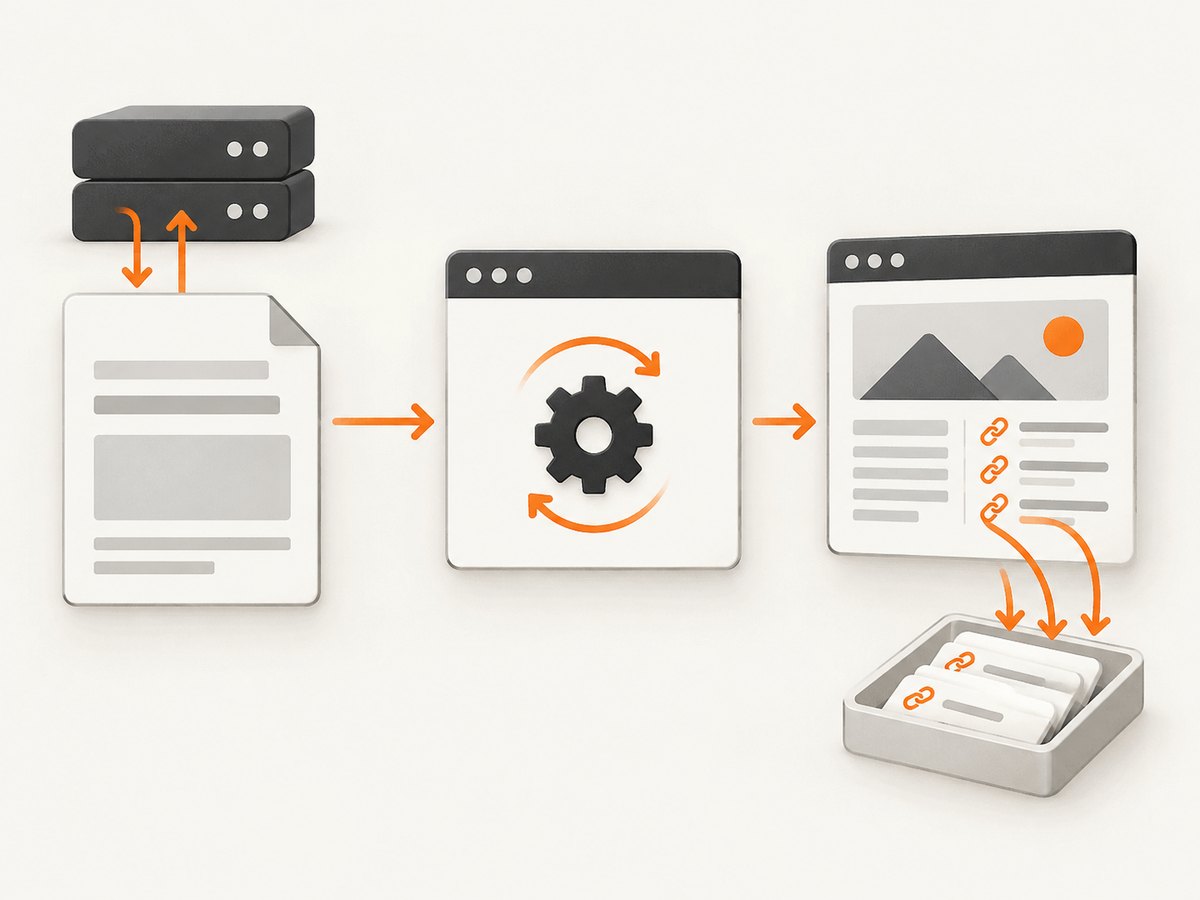
A JavaScript-aware crawler uses two modes. First, make an ordinary HTTP request and parse the returned HTML. If that response already contains the content and links you need, stop there. If it is only an application shell and JavaScript inserts the useful content or navigation, open the page in a real browser, wait for a site-appropriate readiness signal, and inspect the rendered DOM.
Rendering, crawling, and indexing are separate operations. A crawler proving that it can load a page does not prove that Google or another search engine will index it. Google describes its own crawl, render, and index stages, and says that links in the initial response may be discovered sooner than links found after rendering. See Google’s JavaScript SEO basics and link best practices.
1. Define the crawl before opening a browser
Write down the boundaries and stopping conditions first. These are engineering controls for your crawler, rather than requirements imposed by Google.
| Control | Example | Why it matters |
|---|---|---|
| Seeds | https://example.com/ |
Starting URLs for the queue |
| Scope | One hostname and /docs/ prefix |
Prevents accidental external crawling |
| Depth | Maximum 4 | Limits how far navigation can spread |
| Page limit | 10,000 URLs | Provides a hard safety bound |
| Timeouts | HTTP 15s, browser 30s | Stops slow pages from occupying workers forever |
| Readiness | Selector, network idle, or fixed delay | Defines when rendered content is usable |
| Resource policy | Images allowed; video blocked | Controls bandwidth and browser work |
Respect the target site’s terms, robots policy, authentication rules, and rate limits. Log the final URL after redirects, status code, response headers, timing, and the reason a URL was skipped or failed.
2. Fetch and parse the initial HTML
The inexpensive path is an HTTP request followed by HTML parsing. It works well for server-rendered pages and static sites. Use a parser instead of regular expressions so malformed markup, entities, and base URLs are handled correctly.
import * as cheerio from "cheerio";

export async function fetchDocument(url, timeoutMs = 15000) {
  const controller = new AbortController();
  const timer = setTimeout(() => controller.abort(), timeoutMs);
  try {
    const response = await fetch(url, {
      redirect: "follow",
      signal: controller.signal,
      headers: { "user-agent": "ExampleCrawler/1.0 (+https://example.com/bot)" }
    });
    const html = await response.text();
    return {
      requestedUrl: url,
      finalUrl: response.url,
      status: response.status,
      headers: Object.fromEntries(response.headers),
      html,
      links: extractLinks(html, response.url),
      needsRendering: looksLikeAppShell(html)
    };
  } finally {
    clearTimeout(timer);
  }
}

export function extractLinks(html, baseUrl) {
  const $ = cheerio.load(html);
  const output = new Set();
  $("a[href]").each((_, element) => {
    const raw = $(element).attr("href");
    if (!raw) return;
    try {
      const url = new URL(raw, baseUrl);
      if (!["http:", "https:"].includes(url.protocol)) return;
      url.hash = "";
      output.add(url.href);
    } catch {
      // Ignore malformed or unsupported href values.
    }
  });
  return [...output];
}

function looksLikeAppShell(html) {
  const $ = cheerio.load(html);
  const text = $("body").text().replace(/\\s+/g, " ").trim();
  const scripts = $("script[src]").length;
  return text.length < 200 && scripts > 0;
}
A short body does not prove that rendering is required. Use a site-specific test when possible: look for a known content selector, an expected heading, or a minimum number of links. Some pages intentionally have little visible text, and some server-rendered pages include many scripts.
3. Render only pages that need JavaScript
Playwright can launch Chromium, Firefox, or WebKit and navigate to a URL. Install a browser version compatible with your Playwright package, then choose the engine that matches your target pages. The official Playwright browser documentation covers installation and version alignment.
npm install playwright cheerio
npx playwright install chromium
import { chromium } from "playwright";
import * as cheerio from "cheerio";
export async function renderDocument(url, options = {}) {
const browser = await chromium.launch({ headless: true });
const context = await browser.newContext({
userAgent: options.userAgent,
locale: options.locale || "en-US",
timezoneId: options.timezoneId
});
const page = await context.newPage();
try {
await page.goto(url, {
waitUntil: options.waitUntil || "domcontentloaded",
timeout: options.timeoutMs || 30000
});
if (options.waitForSelector) {
await page.waitForSelector(options.waitForSelector, {
timeout: options.selectorTimeoutMs || 10000
});
} else if (options.waitMs) {
await page.waitForTimeout(options.waitMs);
}
const finalUrl = page.url();
const html = await page.content();
return {
requestedUrl: url,
finalUrl,
title: await page.title(),
html,
links: extractLinks(html, finalUrl)
};
} finally {
await context.close();
await browser.close();
}
}
function extractLinks(html, baseUrl) {
const $ = cheerio.load(html);
const links = new Set();
$("a[href]").each((_, node) => {
try {
const value = new URL($(node).attr("href"), baseUrl);
if (value.protocol !== "http:" && value.protocol !== "https:") return;
value.hash = "";
links.add(value.href);
} catch {}
});
return [...links];
}Choose readiness deliberately:
domcontentloadedis quick, but framework data may not be present yet.loadwaits for the page load event, including many subresources.networkidlecan help on finite-loading pages, but analytics, polling, and chat connections may prevent it from becoming idle.- A selector such as
[data-crawl-ready]is usually the clearest contract when you control the site. - A bounded delay is a fallback, not proof that every asynchronous request has finished.
4. Extract links that can actually be followed
Use real anchor elements with resolvable href attributes. Google says it can discover anchors inserted by JavaScript when they have a valid href, while click handlers on arbitrary elements and fake links are unreliable navigation targets. Its guidance also recommends History API URLs instead of using hash fragments as separate content routes. Read the JavaScript SEO guide and link guidance for search-specific details.
Resolve each link against the final URL, remove fragments, normalize only transformations you understand, and deduplicate before queueing. Do not blindly remove trailing slashes, case differences, query parameters, or encoded characters: those can identify different resources. Decide explicitly how to handle tracking parameters, session IDs, and calendar-style infinite URLs.
function inScope(candidate, policy) {
  const url = new URL(candidate);
  if (!policy.protocols.includes(url.protocol)) return false;
  if (!policy.hosts.has(url.hostname)) return false;
  if (policy.prefix && !url.pathname.startsWith(policy.prefix)) return false;
  return true;
}

function canonicalKey(candidate) {
  const url = new URL(candidate);
  url.hash = "";
  return url.href;
}
5. Put both modes into a bounded crawler
The queue should contain a URL and its depth. For each item, fetch HTML first. Render only when the initial document fails your content test. Merge links from both documents into one set, filter them, and enqueue unseen URLs.
import { fetchDocument } from "./fetch-document.js";
import { renderDocument } from "./render-document.js";

export async function crawl(seeds, policy) {
  const queue = seeds.map(url => ({ url, depth: 0 }));
  const seen = new Set();
  const results = [];

  while (queue.length && results.length < policy.maxPages) {
    const item = queue.shift();
    const key = canonicalKey(item.url);
    if (seen.has(key) || item.depth > policy.maxDepth) continue;
    if (!inScope(key, policy)) continue;
    seen.add(key);

    let document;
    try {
      document = await fetchDocument(key, policy.httpTimeoutMs);
      if (document.needsRendering && document.status >= 200 && document.status < 400) {
        document = await renderDocument(key, {
          waitForSelector: policy.readySelector,
          waitMs: policy.waitMs,
          timeoutMs: policy.browserTimeoutMs
        });
      }
      results.push({ ...document, depth: item.depth });
    } catch (error) {
      results.push({ url: key, depth: item.depth, error: String(error) });
      continue;
    }

    for (const link of document.links || []) {
      const next = canonicalKey(link);
      if (inScope(next, policy) && !seen.has(next)) {
        queue.push({ url: next, depth: item.depth + 1 });
      }
    }
  }
  return results;
}

function inScope(candidate, policy) {
  const url = new URL(candidate);
  return policy.hosts.has(url.hostname) &&
    policy.protocols.includes(url.protocol) &&
    (!policy.prefix || url.pathname.startsWith(policy.prefix));
}

function canonicalKey(candidate) {
  const url = new URL(candidate);
  url.hash = "";
  return url.href;
}
For production use, keep a persistent queue, assign jobs to a limited worker pool, and store a content hash so unchanged pages do not need downstream processing. Add per-host concurrency and delays. A browser context can be reused across pages to reduce startup overhead, but clear cookies or create isolated contexts when sessions must not leak between URLs.
6. Handle JavaScript, redirects, and unusual pages
| Case | Recommended handling |
|---|---|
| Redirect | Record both requested and final URL; scope-check the final hostname and path. |
| Infinite scroll | Set a scroll/page-item limit and stop when no new links appear. |
| Client-side routing | Capture anchors with real URLs and optionally observe History API changes. |
| Login-only content | Use an explicitly authorized account and isolate its browser context. |
| Robots or access denial | Respect the site’s policy; classify the result instead of retrying forever. |
| CAPTCHA or bot check | Record a blocked verdict and do not attempt to defeat the challenge. |
| Downloads or PDFs | Classify by content type and apply a separate size and parsing policy. |
| WebSockets and polling | Prefer a readiness selector or bounded delay over indefinite network-idle waits. |
Google notes that blocked JavaScript resources cannot be rendered by Google Search, and directives such as noindex can affect its processing. Those rules describe Google’s systems; your own crawler must document its separate behavior.
7. Troubleshooting checklist
- Only an empty shell is saved: render the page, wait for a known selector, and inspect whether API requests are failing.
- No links are found: check whether navigation uses buttons or click handlers without anchors. Add crawlable
<a href>elements to the site, or implement application-specific route discovery. networkidlenever completes: analytics or polling keeps the connection open. Usedomcontentloadedplus a selector or bounded delay.- Browser timeout: reduce resource types, increase the timeout for known slow pages, and log the URL and phase that timed out.
- Duplicate pages multiply: remove fragments, define a query-parameter policy, and canonicalize only transformations that are safe for the target site.
- Redirects leave scope: apply scope checks after following redirects, not only to the seed.
- Different content appears per run: record cookies, locale, timezone, user agent, and timestamps; use a controlled browser context.
- Browser crashes: cap concurrency, recycle contexts, and record Playwright and browser versions.
8. Performance, reliability, and cost
HTTP fetching and HTML parsing generally consume fewer resources than browser execution. Use the HTTP path for every page that already contains the required data, and reserve rendering for app shells or missing content. Reuse browser processes, limit concurrent pages, block unnecessary media, and cache successful responses when freshness permits. These are qualitative engineering trade-offs; the cited Google documentation does not provide a universal speed or success benchmark.
Reliability improves when every result has a clear status: fetched, rendered, redirected, blocked, timed out, failed, or empty. Retry transient network failures with exponential backoff, but avoid retrying deterministic 4xx responses or bot checks. Store an error reason and attempt count so a later run can distinguish a changed page from an infrastructure problem.
Rendering may require substantially more CPU, memory, browser binaries, and network bandwidth than a normal request. Google describes dynamic rendering as a workaround with additional complexity and recommends server-side rendering, static rendering, or hydration as longer-term site architecture when you control the application. See Google’s dynamic rendering guidance.
Or skip the browser setup
ScreenshotNeo provides a website screenshot API and MCP server. It can render a URL and return a PNG, JPEG, WebP, or PDF, so a crawler can request a visual artifact without maintaining Playwright workers. Before capture it accepts cookie and consent banners and removes more than 60 known consent platforms, newsletter popups, and chat widgets; each step can be turned off. Bot checks, blank pages, timeouts, failed loads, and cache hits are not billed, and the response identifies the result with X-Page-Verdict and X-Billed headers.

See the ScreenshotNeo API documentation for all options, including full-page capture with lazy images, CSS element capture, dark mode, device presets, custom viewports, retina scale, custom CSS and JavaScript, click and hide actions, selector or delay waits, request blocking, headers, cookies, user agents, timezone, geolocation, transparent backgrounds, resizing, caching, signed links, asynchronous jobs, webhooks, bulk capture, and usage data.
curl -G "https://api.screenshotneo.com/v1/shot" -d access_key=YOUR_API_KEY --data-urlencode url=https://stripe.com -o shot.webpimport requests
r = requests.get("https://api.screenshotneo.com/v1/shot", params={"access_key": "YOUR_API_KEY", "url": "https://stripe.com"}, timeout=90)
open("shot.webp", "wb").write(r.content)const q = new URLSearchParams({ access_key: 'YOUR_API_KEY', url: 'https://stripe.com' });
const res = await fetch(`https://api.screenshotneo.com/v1/shot?${q}`);The MCP server exposes take_screenshot, get_page_info, and capture_pdf to Claude, Cursor, and other MCP clients. There are 1,000 free shots each month with no card; paid plans start at $5 for 3,000 shots. Create a free ScreenshotNeo account.
FAQ
Does every JavaScript site require a browser?
No. Inspect the response HTML first. Render only when the required content or links appear after script execution.
Should I crawl links from scripts?
Usually no. Prefer resolvable anchors in the initial or rendered DOM. Script bundles contain implementation details and can produce many false positives.
Is a rendered page proof that Google indexed it?
No. Rendering is one stage. Google also applies crawl scheduling, directives, canonicalization, quality systems, and indexing decisions.
Which browser engine should I choose?
Start with the engine your target users and application support. Playwright documents Chromium, Firefox, and WebKit; test representative pages and record the chosen version.
How do I prevent a crawler loop?
Normalize fragments, define query policies, keep a durable seen set, enforce depth and page limits, and stop infinite-scroll or calendar expansion explicitly.


