How to Crawl Websites at Scale with Puppeteer
A production guide to crawling JavaScript sites with Puppeteer: queues, concurrency, robots.txt, browser pools, retries, memory control, and observability.
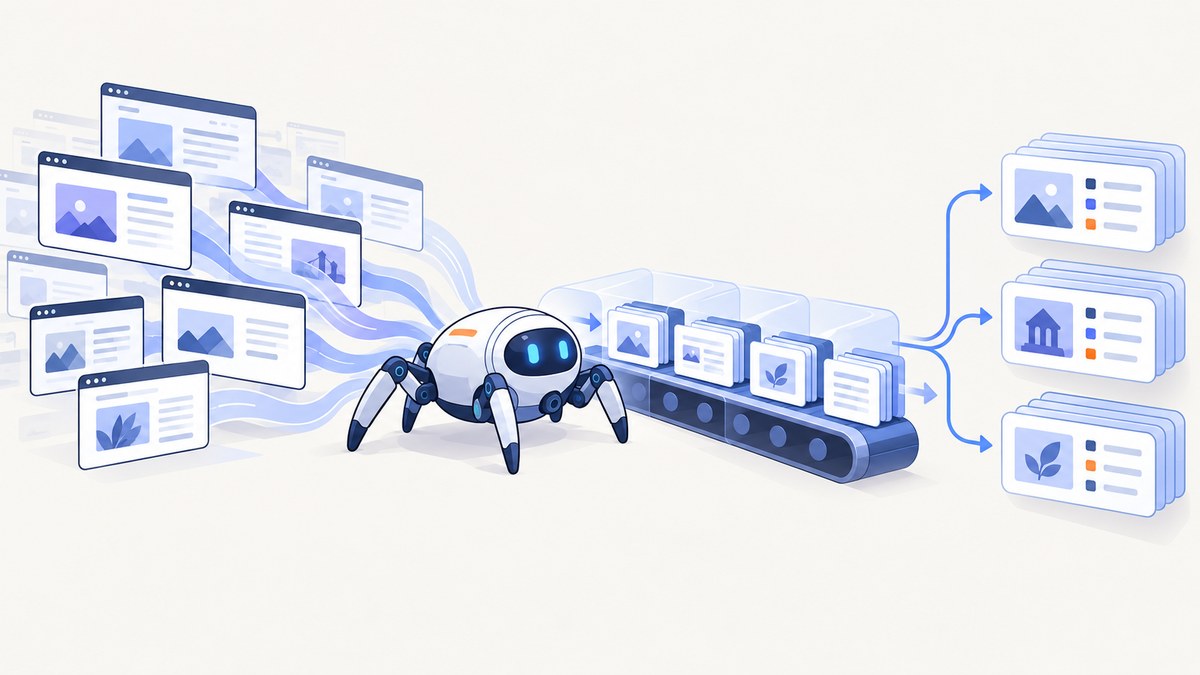
Direct answer: crawl at scale with Puppeteer by separating URL scheduling from browser execution. Normalize URLs, fetch and enforce each origin’s robots.txt, use a durable bounded queue, apply per-origin rate limits, run a small pool of browsers with measured page concurrency, resolve every intercepted request, checkpoint results, and recycle workers when memory or crashes cross your limits. There is no universal safe pages-per-browser number; benchmark your own page mix and target hosts.
Puppeteer is a JavaScript library for automating Chrome and Firefox through Chrome DevTools Protocol and WebDriver BiDi. It runs headless by default. That makes it suitable for JavaScript-rendered pages, but heavier than an HTTP client for static HTML.
1. Choose the right crawling architecture
| Design | Isolation | Startup cost | Failure blast radius | Use it when |
|---|---|---|---|---|
| One browser, several pages | Lowest | Low after launch | One crash affects every page | Jobs are homogeneous and trusted |
| One browser, multiple BrowserContexts | Cookies and local storage isolated per context | Moderate | One crash affects all contexts | Tenants or sessions need separation |
| Several browser processes | Strongest process boundary | Highest | Smaller blast radius per worker | Pages are untrusted, memory-heavy, or fault isolation matters |
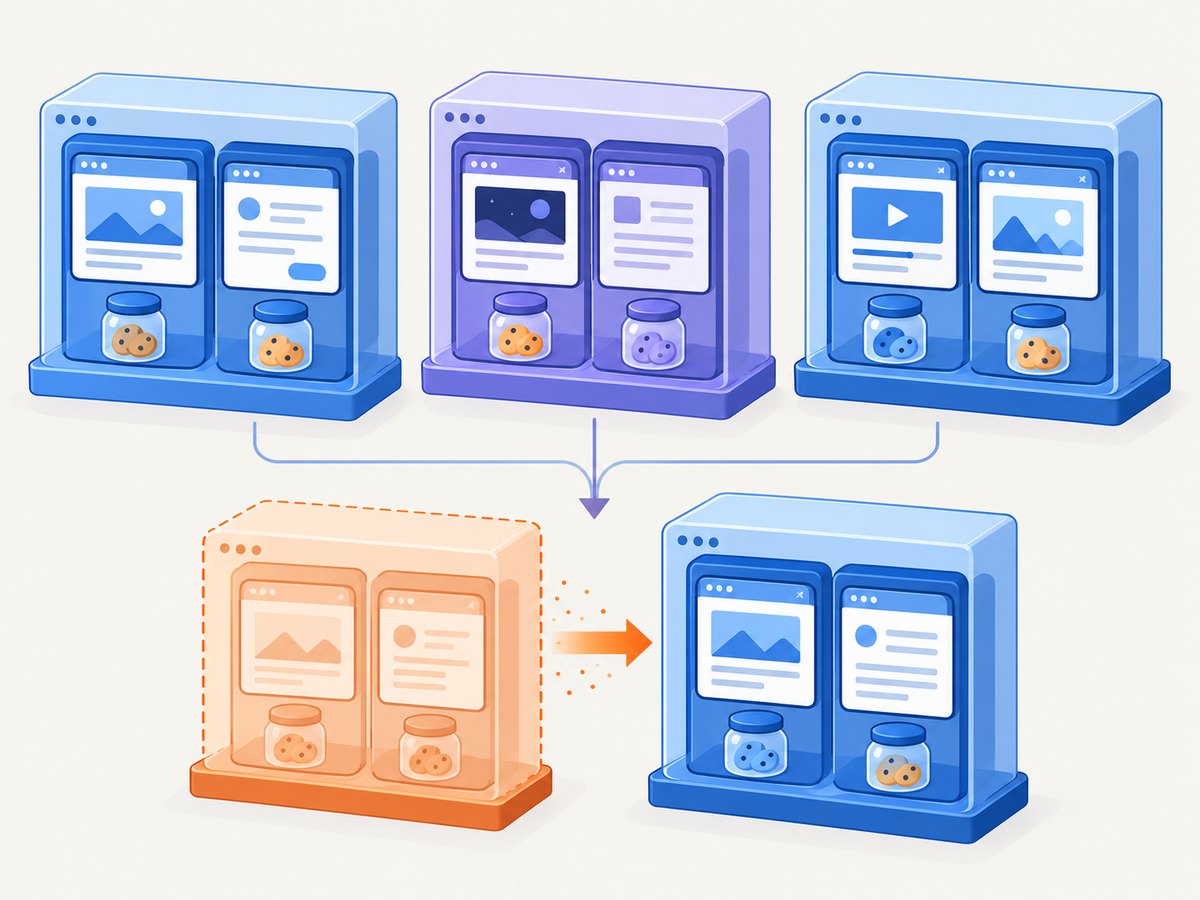
A Browser can contain multiple Page instances. A BrowserContext isolates cookies and local storage, so create one when a job must not share login state with another. These are documented primitives, not throughput guarantees; measure capacity with representative URLs.
2. Install and pin Puppeteer
npm install puppeteer
# Or manage Chrome yourself:
npm install puppeteer-core
puppeteer downloads a compatible Chrome. puppeteer-core expects a browser you manage. If installation scripts are blocked, install the browser explicitly:
npx puppeteer browsers install chromePin the Puppeteer and browser versions in deployment. Store resolved versions in crawl metadata and run a smoke crawl after upgrades because browser behavior and selectors can change.
3. Build a bounded, durable queue
Keep queue admission separate from browser execution. Each record should contain:
- Canonical URL, origin, and crawl depth
- Attempt count and next eligible time
- Processing state and lease expiry
- Result or classified error
- Discovered links and their provenance
A bounded queue prevents a link-rich site from creating an unbounded in-memory set. Persist a result before acknowledging the queue item so a worker crash can safely retry unfinished work.
URL normalization checklist
- Allow only
http:andhttps:. - Lowercase the hostname and remove the default port.
- Resolve relative links against the final response URL.
- Define a query policy: keep only parameters required by the application.
- Reject traps such as unbounded calendars, session IDs, and infinite faceted filters.
- Enforce maximum depth, total URLs, URL length, and URLs per origin.
4. Respect robots.txt and host limits
Fetch /robots.txt once per origin and cache the parsed policy. RFC 9309 says that successfully fetched rules must be followed and that robots.txt is not access authorization. If the file cannot be fetched, treat the origin as disallowed until your policy explicitly says otherwise. Match the user-agent group using your crawler product token, and identify the crawler in the User-Agent header with a contact or policy URL where appropriate.
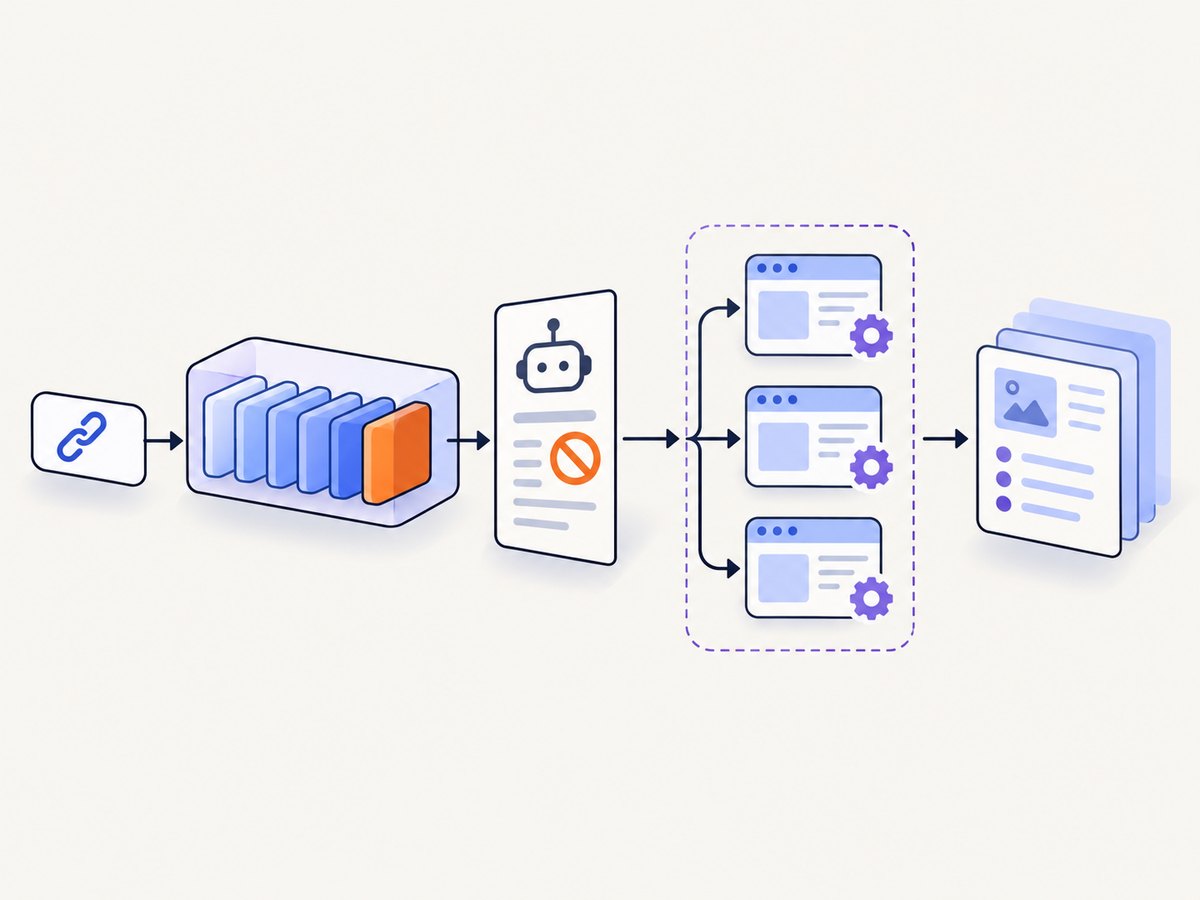
Enforce a token bucket or equivalent limiter per origin. Honor Retry-After, back off on 429 and 503 responses, and do not assume crawl-delay is portable: Google documents that its parser does not support it.
5. A production-shaped Puppeteer worker
The following Node.js example demonstrates a bounded in-process queue, per-origin spacing, browser reuse, optional request blocking, deterministic cleanup, link extraction, and typed error reporting. Replace the sample seed URLs with URLs admitted by your own robots and policy checks.
import puppeteer from 'puppeteer';

const seeds = [
  'https://example.com/',
  'https://example.com/docs'
];
const maxDepth = 1;
const concurrency = 3;
const perOriginDelayMs = 1000;
const navigationTimeoutMs = 30000;

const queue = seeds.map(url => ({ url, depth: 0, attempts: 0 }));
const seen = new Set(seeds);
const nextAllowed = new Map();

function originOf(url) {
  return new URL(url).origin;
}

async function waitForOrigin(url) {
  const origin = originOf(url);
  const now = Date.now();
  const allowed = nextAllowed.get(origin) || now;
  if (allowed > now) await new Promise(r => setTimeout(r, allowed - now));
  nextAllowed.set(origin, Date.now() + perOriginDelayMs);
}

async function crawlOne(browser, job) {
  await waitForOrigin(job.url);
  const page = await browser.newPage();
  const started = Date.now();
  try {
    await page.setUserAgent('ExampleCrawler/1.0 (+https://example.com/crawler-policy)');
    await page.setRequestInterception(true);
    page.on('request', request => {
      const type = request.resourceType();
      const blocked = type === 'image' || type === 'media' || type === 'font';
      if (blocked) request.abort();
      else request.continue();
    });

    const response = await page.goto(job.url, {
      waitUntil: 'domcontentloaded',
      timeout: navigationTimeoutMs
    });
    const status = response?.status() ?? null;
    if (status && status >= 400) {
      throw new Error(`HTTP_${status}`);
    }

    const data = await page.evaluate(() => ({
      title: document.title,
      finalUrl: location.href,
      text: document.body?.innerText?.slice(0, 10000) || '',
      links: [...document.querySelectorAll('a[href]')].map(a => a.href)
    }));

    const discovered = [];
    if (job.depth < maxDepth) {
      for (const link of data.links) {
        try {
          const u = new URL(link);
          if (!['http:', 'https:'].includes(u.protocol)) continue;
          u.hash = '';
          const normalized = u.href;
          if (!seen.has(normalized)) {
            seen.add(normalized);
            queue.push({ url: normalized, depth: job.depth + 1, attempts: 0 });
            discovered.push(normalized);
          }
        } catch {}
      }
    }

    return {
      ok: true,
      url: job.url,
      status,
      elapsedMs: Date.now() - started,
      title: data.title,
      finalUrl: data.finalUrl,
      text: data.text,
      discovered
    };
  } catch (error) {
    return {
      ok: false,
      url: job.url,
      elapsedMs: Date.now() - started,
      error: String(error?.message || error)
    };
  } finally {
    await page.close();
  }
}

async function worker(browser) {
  while (true) {
    const job = queue.shift();
    if (!job) return;
    const result = await crawlOne(browser, job);
    console.log(JSON.stringify(result)); // Persist before acknowledging in production.
  }
}

const browser = await puppeteer.launch({ headless: true });
try {
  await Promise.all(Array.from({ length: concurrency }, () => worker(browser)));
} finally {
  await browser.close();
}
Why each control exists
- Bounded workers: concurrency is an explicit ceiling, not an accidental promise fan-out.
- Origin delay: a global worker count does not protect an individual host.
- Request interception: images, media, and fonts save bandwidth here. Every other request is continued.
- DOM extraction: capture the final URL and status so redirects and HTTP failures are observable.
- Finally blocks: pages close even when navigation or extraction fails.
6. Request interception without stalled pages
When interception is enabled, every request stalls until it is continued, aborted, or answered. A handler that forgets one branch can make navigation hang until timeout. Keep the handler synchronous and exhaustive, and guard against duplicate handlers if your framework reuses pages.
await page.setRequestInterception(true);
page.on('request', request => {
  if (request.isInterceptResolutionHandled()) return;
  if (request.url().includes('/analytics')) return request.abort();
  return request.continue();
});
Only block resources you have measured as unnecessary. Some applications need fonts for layout, JavaScript chunks for content, or images that trigger lazy loading.
7. Pages, contexts, and browser recycling
Reuse a browser process
Launching Chrome for every URL adds startup cost and increases system pressure. Keep a small pool of browser processes and create pages per job. Recycle a worker after a measured page count, memory threshold, repeated crashes, or a browser-level error. Choose thresholds from telemetry rather than a copied number.
Use BrowserContexts for state isolation
const context = await browser.createBrowserContext();
try {
  const page = await context.newPage();
  await page.goto('https://example.com/account', { waitUntil: 'networkidle2' });
  // Cookies and local storage are isolated to this context.
  await page.close();
} finally {
  await context.close();
}
Contexts isolate storage, but they do not create a process boundary. A browser crash still affects every context in that browser.
8. Waiting strategies for JavaScript applications
domcontentloaded: fast baseline when the initial DOM contains the data.load: waits for the load event and commonly requested subresources.networkidle2: waits for a quiet network period, but never rely on it for applications with polling or long-lived connections.- Selector wait: use
page.waitForSelector()for the exact content boundary you need. - Explicit delay: reserve for known animations or deferred rendering and keep it bounded.
await page.goto(url, { waitUntil: 'domcontentloaded', timeout: 30000 });
await page.waitForSelector('[data-ready="true"]', { timeout: 10000 });
Separate navigation timeout from selector timeout in your error records. They indicate different fixes.
9. Retries, backoff, and idempotency
Retry transient DNS, connection reset, navigation timeout, and 5xx failures with a bounded exponential delay and jitter. Do not blindly retry 4xx policy failures, authentication errors, robots disallows, or deterministic selector failures.
function backoff(attempt) {
  const base = Math.min(30000, 500 * 2 ** attempt);
  return base + Math.floor(Math.random() * 250);
}

async function withRetries(operation, maxAttempts = 3) {
  for (let attempt = 0; attempt < maxAttempts; attempt++) {
    try {
      return await operation();
    } catch (error) {
      const message = String(error?.message || error);
      const transient = /TIMEOUT|ECONNRESET|ENOTFOUND|HTTP_5\d\d/.test(message);
      if (!transient || attempt === maxAttempts - 1) throw error;
      await new Promise(r => setTimeout(r, backoff(attempt)));
    }
  }
}
Store an idempotency key or deterministic URL job ID so a retry cannot create duplicate downstream records.
10. Measuring capacity instead of guessing
No official Puppeteer documentation publishes a universal pages-per-browser, concurrency, or memory-per-page figure. Build a benchmark harness with a representative sample: static pages, heavy single-page apps, redirects, errors, and pages with large media.
- Run one page at a time and record median and tail latency, RSS, CPU, bytes, and error rate.
- Increase page concurrency gradually until latency, memory, or host responses breach your limits.
- Repeat with your actual interception and wait strategy.
- Repeat per origin class; one host’s limit is not another host’s limit.
- Select the highest stable setting below the knee of the curve, then leave headroom for retries.
Monitor open pages, browser process count, queue age, per-origin request rate, success and timeout rates, memory, response status, redirect chains, and extraction failures.
11. Performance, reliability, and cost controls
| Control | Effect |
|---|---|
| Block measured nonessential resources | Less bandwidth and faster pages; verify that content does not depend on them |
| Reuse browsers | Lower launch overhead; recycle on observed degradation |
| Bound queue and depth | Predictable memory and work volume |
| Per-origin token bucket | Fewer 429 responses and fairer host load |
| Checkpoint before acknowledgement | Crash recovery without silent data loss |
| Separate error classes | Retries target transient failures instead of repeating permanent ones |
| Pin versions | Reproducible browser behavior during deploys |
12. Troubleshooting common failures
| Symptom | Likely cause | Fix |
|---|---|---|
| Navigation timeout | Slow host, never-ending requests, or an overly strict wait condition | Use a bounded timeout, wait for a specific selector, and record whether DNS, connection, or DOM readiness failed |
| Page hangs after enabling interception | A request was neither continued, aborted, nor answered | Make every handler branch resolve the request; check for duplicate interception handlers |
| Out-of-memory or browser crashes | Too many pages, large DOMs, leaked references, or heavy media | Lower measured concurrency, close pages in finally, cap response and job sizes, block unnecessary resources, and recycle workers |
| Repeated 429 or 503 | Host rate limit or temporary overload | Slow that origin, honor Retry-After, use bounded backoff, and avoid parallel retries |
| Empty content | Data renders after initial DOM or requires a user action | Wait for a content selector, perform the required click, and capture console or page errors |
| Wrong tenant or logged-in state | Cookies or local storage shared between jobs | Create a BrowserContext per isolation boundary and close it when finished |
| Infinite URL growth | Calendar, session, tracking, or faceted query parameters | Canonicalize queries, reject known traps, and enforce depth and URL ceilings |
| Robots policy unclear | robots.txt unavailable or unparsable | Pause that origin, treat unreachable policy as disallow under your crawler policy, and log the decision |
13. Or skip the browser setup
If your goal is reliable screenshots rather than crawling and extracting DOM data, ScreenshotNeo provides a website screenshot API and MCP server. A single GET returns PNG, JPEG, WebP, or PDF. See the ScreenshotNeo API docs for the complete option list.
cURL
curl -G "https://api.screenshotneo.com/v1/shot" -d access_key=YOUR_API_KEY --data-urlencode url=https://stripe.com -o shot.webpPython
import requests
r = requests.get("https://api.screenshotneo.com/v1/shot", params={"access_key": "YOUR_API_KEY", "url": "https://stripe.com"}, timeout=90)
open("shot.webp", "wb").write(r.content)
Node.js
const q = new URLSearchParams({ access_key: 'YOUR_API_KEY', url: 'https://stripe.com' });
const res = await fetch(`https://api.screenshotneo.com/v1/shot?${q}`);
ScreenshotNeo removes cookie and consent banners, newsletter popups, and chat widgets before capture. Bot checks, blank pages, failed loads, timeouts, and cache hits are not billed, and response headers identify the page verdict and billing status. Its MCP server lets Claude, Cursor, and other MCP clients call take_screenshot, get_page_info, and capture_pdf. The Free plan includes 1,000 screenshots each month without a card; paid plans start at $5 for 3,000.
Create a free ScreenshotNeo account to get started.
14. Short FAQ
Can Puppeteer crawl static HTML?
Yes, but a plain HTTP client is usually lighter and faster when JavaScript execution is unnecessary.
Should I use one page per URL?
Use pages as units of work and close each one deterministically. The safe concurrency depends on your pages and hosts, so benchmark it.
Does robots.txt grant permission to crawl?
No. RFC 9309 describes crawler rules and explicitly says they are not access authorization. Follow the rules and any applicable legal or contractual requirements.
When are BrowserContexts required?
Use them when cookies or local storage must be isolated, such as separate tenants or sessions. They do not isolate browser process crashes.
How do I know whether to retry?
Retry bounded transient network and 5xx failures with backoff. Record and stop on policy, authentication, most 4xx, and deterministic extraction errors.
What should a crawl result contain?
At minimum: requested and final URL, status, redirect chain, elapsed time, title, extracted fields, discovered links, attempt count, and a classified error when unsuccessful.


