How to Create a Remote MCP Server
Build, secure, deploy, and test a remote MCP server over Streamable HTTP, with a complete Cloudflare example and production checklist.
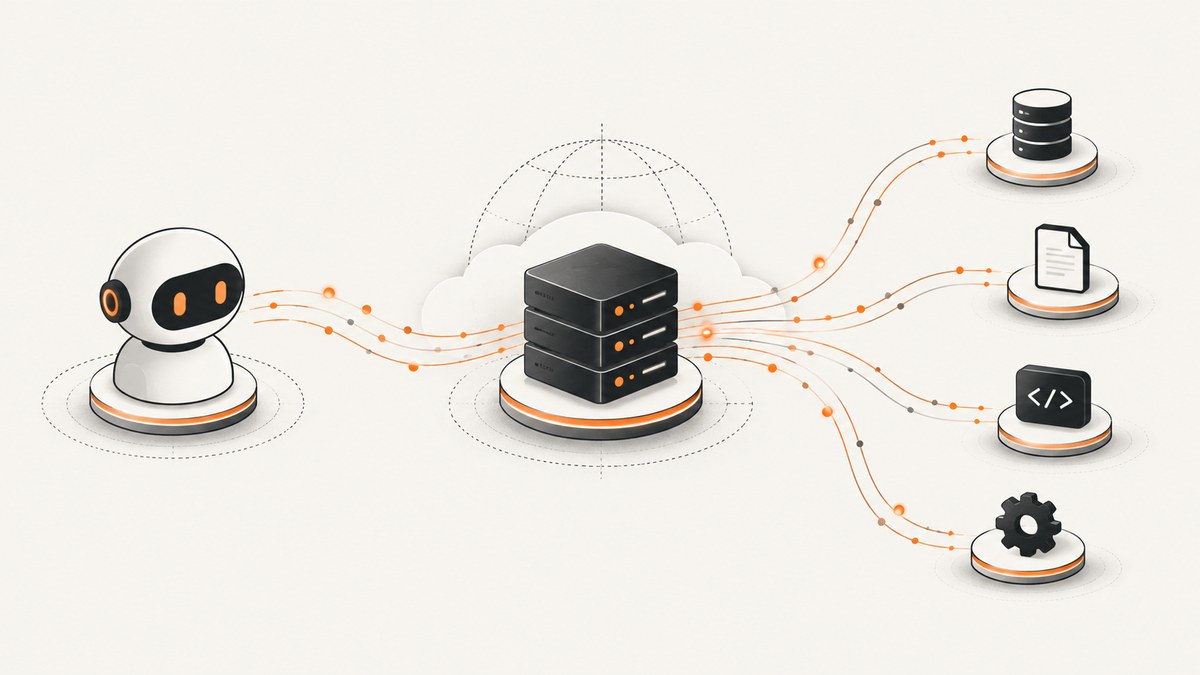
A remote Model Context Protocol (MCP) server exposes tools to AI clients over the internet. For new remote servers, use Streamable HTTP; local MCP servers commonly use stdio. The previous remote Server-Sent Events transport is deprecated in current Cloudflare guidance, so verify the protocol and SDK versions before deployment.
This guide builds a small stateless server, runs it locally, tests tool discovery with MCP Inspector, deploys it with Cloudflare Wrangler, and adds authentication considerations for servers that access user data.
Architecture at a glance
- An MCP client, such as an AI application, sends an HTTP request to your server.
- The server exposes a small set of goal-oriented tools.
- The server validates parameters and performs the requested operation.
- The response returns structured tool output to the client.
Remote and local MCP are different connection modes. Remote servers use an HTTP transport, while local servers are usually launched as a subprocess over stdio. Cloudflare’s MCP documentation recommends Streamable HTTP for new remote implementations.

Choose the server design before writing code
| Decision | Use this when | Questions to answer |
|---|---|---|
| Stateless | Each request can be handled independently. | Can every tool call carry the context it needs? Do you need no session, replay, or pushed requests? |
| Stateful | You need sessions, durable conversation state, streams, replay, or server-initiated messages. | Where is state stored? How are sessions expired and recovered? |
| Unauthenticated | The server exposes harmless public information or a demo. | Can anyone call every tool safely? Are rate limits and abuse controls present? |
| OAuth-protected | The server reads accounts or performs actions for individual users. | How are users identified, scopes granted, tokens stored, and revocations handled? |
Do not expose an entire upstream API as dozens of low-level tools. Define tools around user goals, document every parameter, and enforce the smallest permission each operation needs. Re-evaluate tool behavior after changing descriptions, schemas, or authorization.
Build a stateless remote MCP server
1. Create the project
mkdir remote-mcp-server
cd remote-mcp-server
npm init -y
npm install agents @modelcontextprotocol/sdk
npm install -D wrangler typescript
Cloudflare’s implementation guide uses a stateless handler for this style of server. Package names and SDK APIs change, so check the current guide and package documentation before pinning versions.
2. Add the server implementation
Create src/index.ts:
import { createMcpHandler } from "agents/mcp";
import { McpServer } from "@modelcontextprotocol/sdk/server/mcp.js";
import { z } from "zod";

const server = new McpServer({
  name: "example-remote-mcp",
  version: "1.0.0",
});

server.tool(
  "lookup_status",
  "Return the status of a named service.",
  {
    service: z.string().min(1).max(100).describe("Service name to inspect"),
  },
  async ({ service }) => {
    // Replace this deterministic example with your permitted backend call.
    return {
      content: [
        {
          type: "text",
          text: JSON.stringify({ service, status: "operational" }),
        },
      ],
    };
  },
);

export default {
  fetch: createMcpHandler(server),
};
The tool has a narrow purpose, a bounded input, and a predictable response. In a real server, validate the service against an allowlist before calling an upstream system. Never put API keys or client secrets in this source file.
3. Add Wrangler configuration
Create wrangler.toml:
name = "example-remote-mcp"
main = "src/index.ts"
compatibility_date = "2026-01-01"

[observability]
enabled = true
Use the compatibility date and configuration required by the current Cloudflare runtime. Keep secrets in Wrangler’s secret store or the equivalent secret-management facility.
4. Run locally
npx wrangler devWrangler prints a local URL. Keep the process running while you test the endpoint. Your MCP client must connect to the MCP route produced by the handler, not to an unrelated health-check route.
Test connection and tool discovery
Use MCP Inspector or another compatible MCP client against the local endpoint. Confirm all of the following:
- The client completes the HTTP connection and MCP initialization.
- The server reports the expected name and version.
tools/listreturns only the tools you intended to publish.- Each tool has a clear description and an accurate input schema.
- A valid call returns structured output.
- Malformed, oversized, and unauthorized inputs fail safely.
The official Cloudflare testing guidance uses MCP Inspector for local and deployed verification. Treat discovery as a required test: a server that is reachable but advertises the wrong tools is not ready for clients.
Deploy the server
npx wrangler login
npx wrangler deploy
Wrangler returns the deployed HTTPS URL. Connect MCP Inspector or your target client to that URL and repeat the discovery and tool-call checks. Test from outside your development network so DNS, TLS, routing, and authentication are exercised.
Authentication and authorization
A public no-auth endpoint can be appropriate for a read-only demo. A server that accesses user accounts or performs actions needs authentication and authorization. Cloudflare documents Cloudflare Access and third-party OAuth approaches for this use case.
Minimum controls for a protected server
- Require HTTPS and reject unexpected origins or hosts where your deployment model allows it.
- Validate bearer tokens on every request; do not trust a user ID supplied by the tool arguments.
- Map identity to explicit scopes, roles, or tenant IDs.
- Give each tool the narrowest backend permission it needs.
- Store client secrets with Wrangler secrets or an equivalent secret manager.
- Set request, payload, and timeout limits.
- Log request IDs, tool names, latency, and authorization outcomes without logging tokens or sensitive payloads.
- Provide a revocation path for compromised credentials.
OAuth is not a replacement for tool-level authorization. A signed-in user should still be unable to invoke tools outside the scopes they granted.
Handling state, sessions, and streaming
The stateless handler above is a good fit when each request stands alone. Choose a stateful design when the protocol behavior depends on a session, durable conversation state, replay, pushed requests, or long-lived streams. Cloudflare distinguishes stateless, legacy compatibility, and stateful approaches; migrate carefully if an existing server relies on those features.
For stateful deployments, decide where state lives, how sessions expire, how a restarted instance recovers, and whether two requests from one client can run concurrently. Do not silently pretend a stateful workflow is stateless by storing mutable data in process memory.
Production checklist
- Transport: Streamable HTTP is selected and the client and SDK versions agree.
- Tools: every tool maps to a user goal and has a strict schema.
- Permissions: backend access is scoped per tool and per user.
- Secrets: no credentials are committed to source or returned in tool output.
- Reliability: upstream timeouts, retries, idempotency, and partial failures are defined.
- Observability: logs and metrics include request IDs and tool latency.
- Abuse control: rate limits and payload limits are configured.
- Testing: Inspector verifies initialization, discovery, valid calls, invalid calls, and denied calls.
- Evaluation: tool descriptions and behavior are rechecked after every meaningful change.
Troubleshooting
| Symptom | Likely cause | Fix |
|---|---|---|
| Client cannot connect | Wrong URL, route, TLS certificate, or transport. | Use the deployed HTTPS endpoint, verify the MCP route, and confirm both sides support Streamable HTTP. |
| Client connects but lists no tools | Tool registration did not run or the client is pointed at a health route. | Check server startup logs, confirm the handler wraps the configured server, and call tool discovery in Inspector. |
| 404 after deployment | Wrangler entry point or route configuration is wrong. | Inspect the deployed worker name and URL, then test the exact route locally and remotely. |
| 401 or 403 | Missing, expired, or insufficiently scoped credentials. | Request a fresh token, validate its audience and scopes, and verify the tool’s required permission. |
| Tool arguments are rejected | Client input does not match the schema. | Read the generated schema, add precise descriptions, and send bounded values of the expected type. |
| Requests time out | Slow upstream service, excessive work, or no timeout. | Set an explicit timeout, cap work, return a useful error, and retry only idempotent operations. |
| Duplicate side effects | Client or network retried a non-idempotent call. | Use idempotency keys or design the operation so repeating the same request is safe. |
| Secrets appear in logs | Request or error objects were logged wholesale. | Redact authorization headers, cookies, tokens, and sensitive tool arguments before logging. |
Performance, reliability, and cost
Keep tool handlers short and bounded. Avoid loading large datasets into one response; paginate or summarize results. Cache safe, public reads where freshness permits. Set upstream timeouts lower than the client timeout so failures become explicit instead of hanging.
Remote latency includes DNS, TLS, MCP negotiation, your handler, and any upstream API. Measure these separately with request IDs. For reliability, use retries with exponential backoff only for transient and idempotent failures, and return machine-readable error details that let clients decide whether to retry.
Cloud hosting cost depends on the runtime, requests, CPU time, storage, and any upstream services. The research sources do not establish a provider-neutral price comparison, so calculate cost from your host’s current pricing page and expected tool-call volume.
Or skip the browser setup
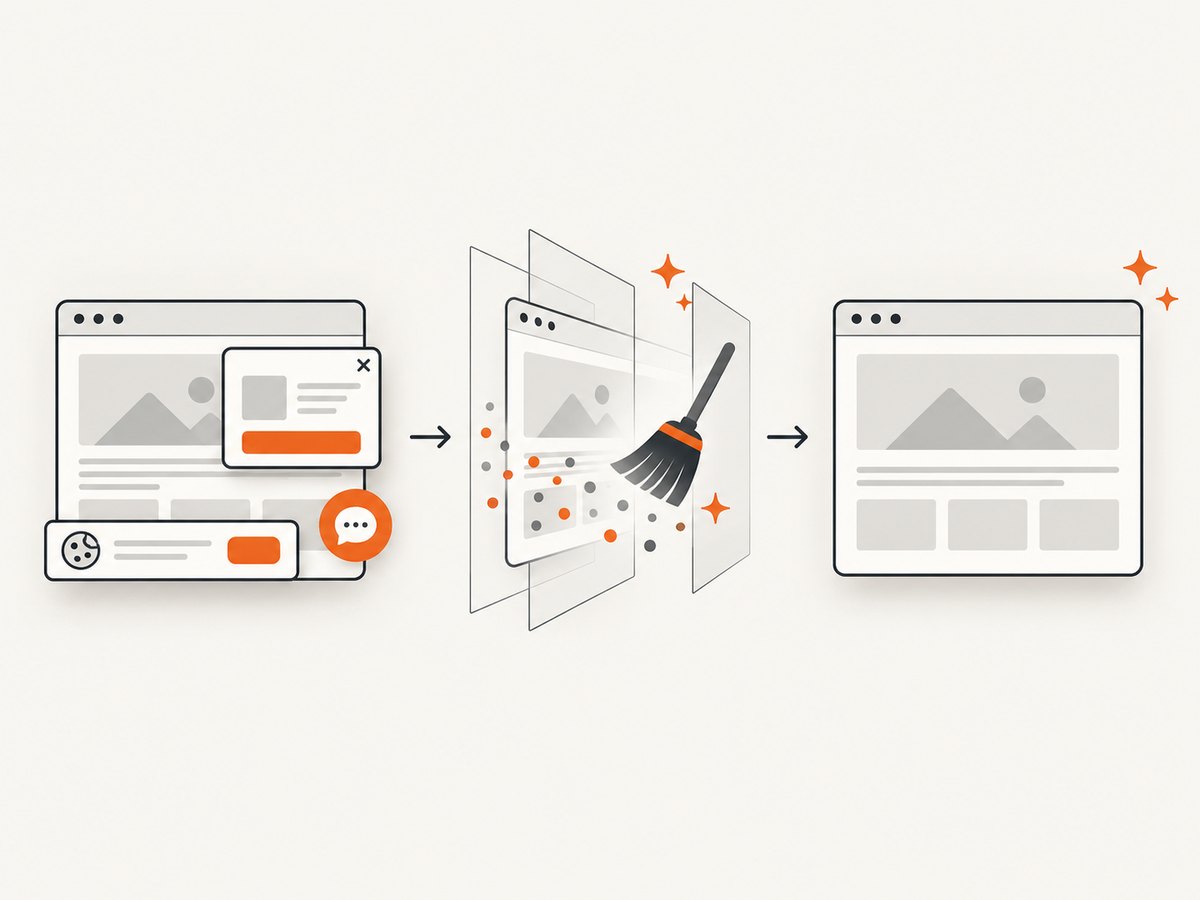
If your MCP tools need website screenshots, ScreenshotNeo provides a hosted screenshot API and MCP server. One GET request returns a PNG, JPEG, WebP, or PDF. Cookie and consent banners, newsletter popups, and chat widgets are removed before capture; bot checks, blank pages, timeouts, failed loads, and cache hits are not billed, and response headers identify the page verdict and billing result. Its MCP server includes take_screenshot, get_page_info, and capture_pdf for Claude, Cursor, and other MCP clients.
See the ScreenshotNeo API documentation for all options.
cURL
curl -G "https://api.screenshotneo.com/v1/shot" -d access_key=YOUR_API_KEY --data-urlencode url=https://stripe.com -o shot.webpPython
import requests
r = requests.get("https://api.screenshotneo.com/v1/shot", params={"access_key": "YOUR_API_KEY", "url": "https://stripe.com"}, timeout=90)
open("shot.webp", "wb").write(r.content)
Node.js
const q = new URLSearchParams({ access_key: 'YOUR_API_KEY', url: 'https://stripe.com' }); const res = await fetch(`https://api.screenshotneo.com/v1/shot?${q}`);ScreenshotNeo also supports full-page capture with lazy images, CSS element capture, dark mode, device presets, custom viewports, retina scale, PDF settings, custom CSS and JavaScript, clicks, waits, blocked resources, headers, cookies, user agents, authorization, timezone, geolocation, transparent backgrounds, resizing, caching, signed links, async webhooks, bulk capture, usage reporting, and an OpenAPI specification. Plans include 1,000 free shots per month with no card; paid plans start at $5 for 3,000 shots. Create a free ScreenshotNeo account.
FAQ
Can a remote MCP server be public?
Yes, for safe public capabilities. Add authentication and authorization before exposing user data or actions.
Should I use SSE for a new server?
Current Cloudflare guidance marks remote SSE as deprecated in favor of Streamable HTTP. Check the current protocol and SDK documentation before implementation.
How many tools should a server expose?
Expose the smallest set that covers the user’s goals. Focused tools are easier to authorize, describe, test, and evaluate.
When is a stateful server necessary?
Use stateful architecture for sessions, durable state, replay, pushed requests, or long-lived streams. Independent request and response operations can remain stateless.
How do I know the deployment works?
Connect MCP Inspector to the deployed HTTPS endpoint, verify initialization and tool discovery, then test valid, invalid, unauthorized, slow, and repeated calls.


