CreepJS Browser Fingerprint: Detection and Defensive Testing
Learn how CreepJS fingerprints browsers, detect anti-fingerprinting inconsistencies, and run a defensible, privacy-aware test.
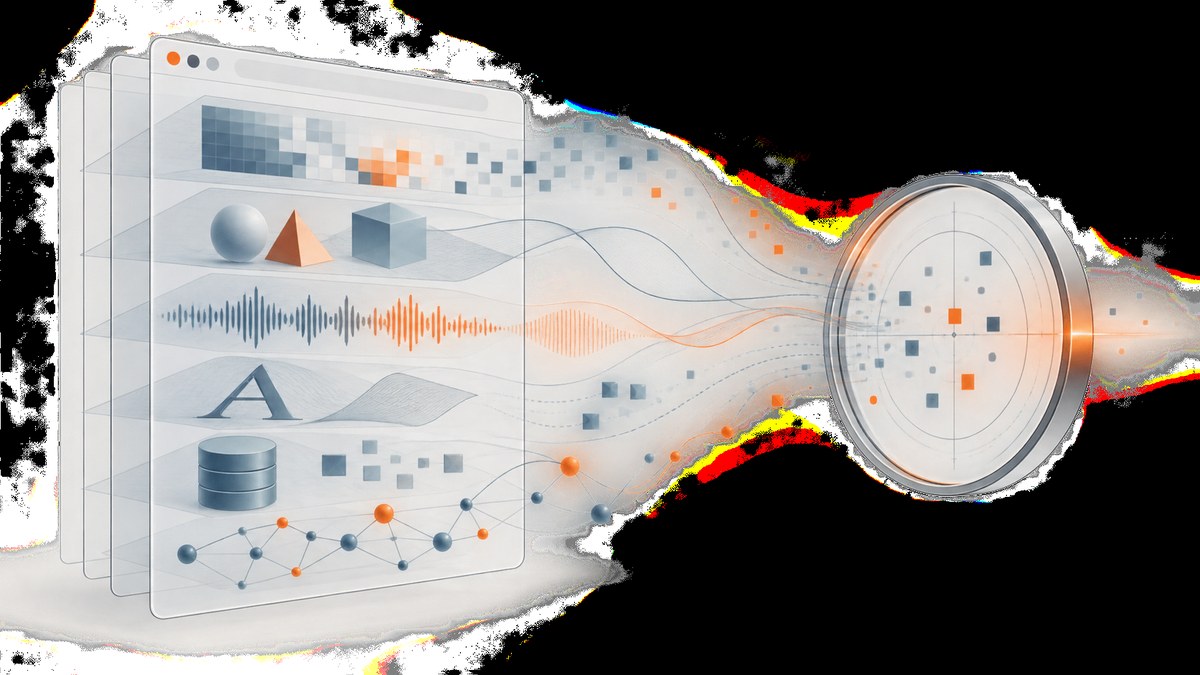
Direct answer: CreepJS is a browser-based diagnostic and research project. It runs JavaScript collectors in your browser, examines many surfaces such as Canvas, WebGL, Audio, Navigator, Storage, fonts, WebRTC, media, CSS, and math behavior, then normalizes and hashes the collected values into a compact identifier. Use it to understand what your current browser exposes and to test whether privacy tools create inconsistent signals. A CreepJS result is evidence about one browser environment at one moment; it does not prove that a person is unique, malicious, or identifiable.
The official live deployment is abrahamjuliot.github.io/creepjs. The project README warns that other domains claiming to be CreepJS are unauthorized mirrors. Review the source repository before embedding or automating anything.
What CreepJS measures
CreepJS combines browser characteristics rather than relying on one value. Its documentation describes more than 24 categories. The exact values depend on your browser version, operating system, hardware, permissions, privacy settings, extensions, and graphics or audio drivers.
| Surface | What a defensive test can reveal | Why it can change |
|---|---|---|
| Canvas | How the browser rasterizes a controlled drawing | GPU, drivers, browser updates, privacy randomization |
| WebGL | Renderer and capability behavior | GPU model, software rendering, blocked APIs |
| Audio | Audio processing characteristics | Audio stack, permissions, browser implementation |
| Navigator and platform | User-agent, platform, language, hardware hints | Overrides, compatibility modes, OS changes |
| Fonts | Font availability and rendering behavior | Installed fonts, sandboxing, font-loading policy |
| Storage | Cookie, local-storage and quota behavior | Private mode, partitioning, blocked storage |
| WebRTC and media | Device and media capability exposure | Permissions, browser policy, absent devices |
| CSS and math | Layout and numeric implementation details | Engine version, platform, rounding behavior |
Collection happens through browser APIs. CreepJS then normalizes minor variation and hashes the normalized data with MurmurHash3, encoding the result in Base62 for a compact, URL-safe ID. That ID is useful for comparing controlled runs; it is not a population-wide uniqueness score.
How to run a defensible CreepJS test
- Use the official deployment. Open https://abrahamjuliot.github.io/creepjs in the browser profile you want to examine.
- Record the context. Note browser and version, operating system, hardware, display scale, permissions, extensions, privacy settings, and graphics or audio driver state. A fingerprint without this context is difficult to interpret.
- Start with broad categories. Review Canvas, WebGL, Audio, Navigator/platform, fonts, storage, WebRTC, media, CSS, and privacy checks before focusing on an individual warning.
- Look for consistency. Compare related properties: hardwareConcurrency against other hardware hints, user-agent against platform, touch support against device characteristics, iframe behavior, and privacy-tool detection.
- Change one variable. Repeat after one controlled change, such as disabling an extension or switching a privacy setting. Keep the browser version, window size, and network conditions stable.
- Corroborate. For an application security decision, combine this evidence with server-side controls, account context, rate limits, and observed behavior.
What anti-fingerprinting detection means
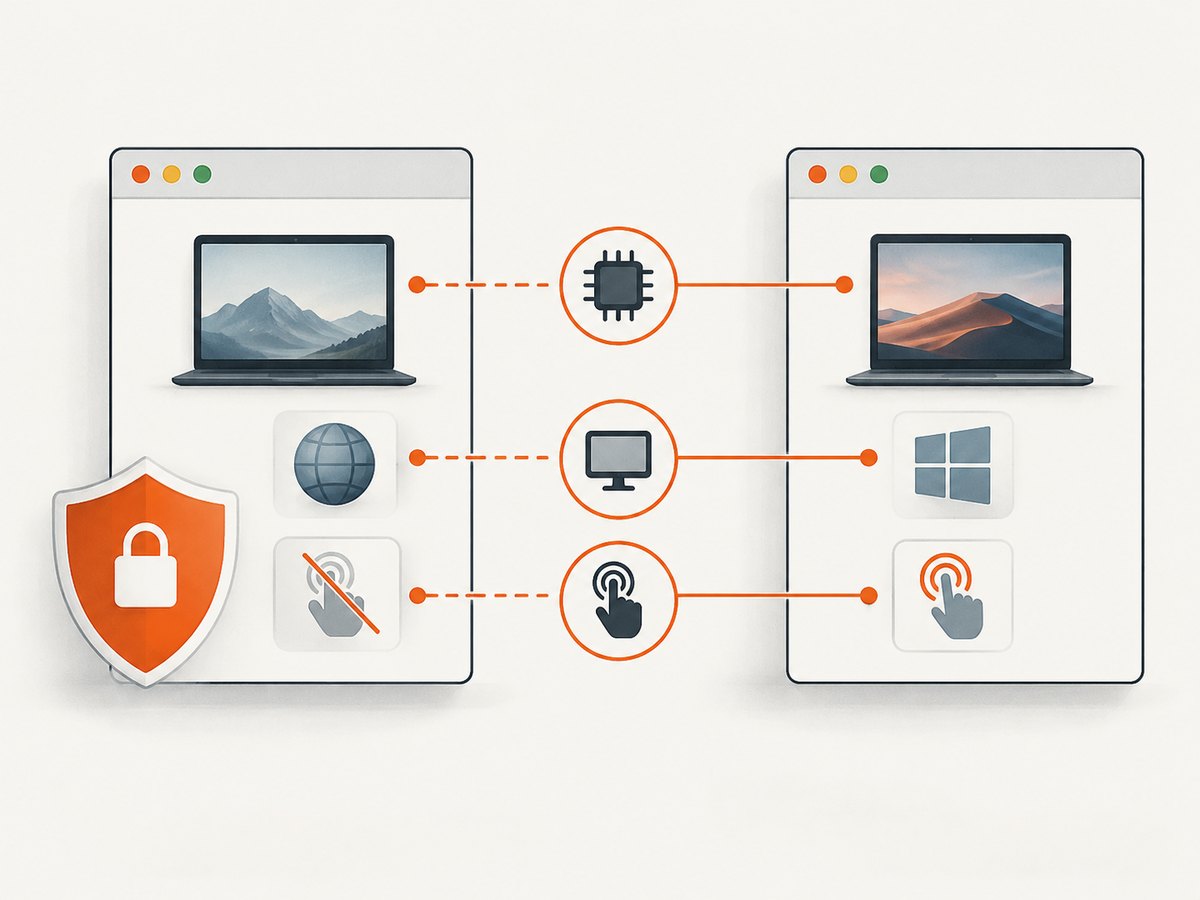
CreepJS treats anti-fingerprinting analysis as a consistency check. A privacy extension may alter one API while leaving related APIs unchanged. That can produce a mismatch, such as a platform value that disagrees with the user agent or hardware values that do not fit together. A detected tool or mismatch tells you that the current browser surface has been modified or is internally inconsistent. It does not establish the user’s identity, intent, or whether the tool is harmful.
Missing data also needs careful handling. Browsers can block APIs because of permissions, private browsing, enterprise policy, disabled hardware, or security settings. Treat an unavailable value as unavailable. Do not convert it into a “safe” or “risky” verdict.
Automate repeatable runs with Playwright
Automation is useful for regression testing a controlled browser profile. It does not turn CreepJS into an identity service. The following Node.js example launches Chromium, records the environment you control, opens the official page, and saves a screenshot for review.

npm install playwright
npx playwright install chromium
const { chromium } = require('playwright');
const fs = require('fs');
(async () => {
const browser = await chromium.launch({ headless: true });
const page = await browser.newPage({
viewport: { width: 1440, height: 900 },
locale: 'en-US',
timezoneId: 'UTC'
});
const context = await page.evaluate(() => ({
userAgent: navigator.userAgent,
platform: navigator.platform,
language: navigator.language,
languages: navigator.languages,
hardwareConcurrency: navigator.hardwareConcurrency,
deviceMemory: navigator.deviceMemory ?? null,
maxTouchPoints: navigator.maxTouchPoints,
timezone: Intl.DateTimeFormat().resolvedOptions().timeZone,
screen: { width: screen.width, height: screen.height, pixelRatio: devicePixelRatio }
}));
await page.goto('https://abrahamjuliot.github.io/creepjs', {
waitUntil: 'networkidle',
timeout: 90000
});
await page.screenshot({ path: 'creepjs-report.png', fullPage: true });
fs.writeFileSync('browser-context.json', JSON.stringify(context, null, 2));
await browser.close();
})();Run it with node run-creepjs.js. Save the browser-context file beside the screenshot so later comparisons do not confuse a browser change with a privacy-tool change. If the page never reaches network idle, use a fixed delay and document that choice; dynamic pages can keep connections open.
Comparing runs without overclaiming
| Question | Better comparison | Unsafe conclusion |
|---|---|---|
| Did an extension change exposure? | Same OS, browser version, profile, viewport, and permissions before and after | The extension identifies every user |
| Did a browser update alter the result? | Compare the same device before and after the update | The new ID proves fraud |
| Is a value missing? | Check permissions, private mode, policy, and blocked APIs | Missing means anonymous or safe |
| Is the browser inconsistent? | Inspect related properties and repeat the run | Inconsistent means malicious |
The official signal references state that live results are local browser evidence, not a population estimate. The Open Database documentation says, “A single signal does not identify a person.” No reviewed official source publishes an accuracy, uniqueness, match-rate, or fraud-probability figure.
Privacy, consent, and production use
CreepJS’s privacy policy describes collectors running locally for Canvas, WebGL, Audio, Navigator, Storage, and other APIs, producing a fingerprint ID and an on-page report. It describes the API as stateless with respect to fingerprint payloads, while separate server-side logging or analytics may still be described on the current policy page. Read the policy and authenticated API documentation before integrating.
For production use:
- Obtain consent where required and disclose fingerprinting in clear language.
- Verify applicable privacy, e-privacy, and employment or education rules with qualified counsel.
- Minimize retention and access to reports.
- Use the result as one input to a review, never as an automatic identity or fraud decision.
- Provide a way to investigate false positives caused by browser, device, permission, or driver changes.
Or skip the browser setup
If your goal is to capture a clean record of the CreepJS page or another diagnostic page, ScreenshotNeo provides a single screenshot API request. Cookie and consent banners, newsletter popups, and chat widgets are removed before the shot. Bot checks, blank pages, failed loads, timeouts, and cache hits are not billed, and the response reports the page verdict and billing status in headers. Its MCP server lets Claude, Cursor, and other MCP clients use take_screenshot, get_page_info, and capture_pdf.
See the ScreenshotNeo API documentation for all options. A basic request:
curl -G "https://api.screenshotneo.com/v1/shot" \
  -d access_key=YOUR_API_KEY \
  --data-urlencode url=https://abrahamjuliot.github.io/creepjs \
  -o creepjs.webp
import requests
r = requests.get(
"https://api.screenshotneo.com/v1/shot",
params={
"access_key": "YOUR_API_KEY",
"url": "https://abrahamjuliot.github.io/creepjs"
},
timeout=90
)
r.raise_for_status()
open("creepjs.webp", "wb").write(r.content)
print(r.headers.get("X-Page-Verdict"), r.headers.get("X-Billed"))const q = new URLSearchParams({
access_key: 'YOUR_API_KEY',
url: 'https://abrahamjuliot.github.io/creepjs'
});
const res = await fetch(`https://api.screenshotneo.com/v1/shot?${q}`);
if (!res.ok) throw new Error(`${res.status} ${res.statusText}`);
require('fs').writeFileSync('creepjs.webp', Buffer.from(await res.arrayBuffer()));
console.log(res.headers.get('X-Page-Verdict'), res.headers.get('X-Billed'));You can request PNG, JPEG, WebP, or PDF; full-page capture loads lazy images; and options include a CSS element selector, dark mode, device presets or custom viewport, retina scale, custom CSS and JavaScript, click actions, selector or network-idle waits, blocked ads or resource types, headers, cookies, user agent, Authorization, timezone, geolocation, transparent backgrounds, resizing, cache TTL, signed links, asynchronous jobs with signed webhooks, bulk capture of up to 100 URLs, and a usage API. Only clean shots are billed. Plans include 1,000 free shots each month with no card, Starter at $5 for 3,000, Growth at $15 for 15,000, Pro at $39 for 60,000, Scale at $99 for 250,000, and Business at $249 for 1,000,000; yearly billing gives two months free. Create a free ScreenshotNeo account.
Troubleshooting
The official page does not load
Check that you are using the GitHub Pages URL, that JavaScript is enabled, and that a content blocker or enterprise policy is not blocking required APIs. Try a clean profile and record the difference.
Results change between identical-looking runs
Verify browser version, OS updates, GPU or audio drivers, permissions, extensions, viewport, timezone, and private-mode state. Change one variable at a time and avoid treating a changed hash as proof of a changed person.
A category reports “blocked” or “unavailable”
That is an observation about API availability. Check permissions and browser policy, then document the missing value instead of assigning a risk label.
Playwright times out
Dynamic pages may keep network connections open. Increase the timeout, use domcontentloaded followed by a documented delay, or capture after a specific visible condition. Keep the wait strategy identical across comparisons.
The ScreenshotNeo response is not an image
Check the HTTP status and response headers before writing the body to disk. Inspect X-Page-Verdict and X-Billed; bot checks, blank pages, failed loads, timeouts, and cache hits are reported and are not billed.
Performance, reliability, and cost notes
CreepJS performance depends on the browser, hardware, enabled APIs, and network conditions. Repeated tests should use the same profile and avoid running unrelated GPU or audio workloads. Store timestamps and environment metadata with every run.
For automated screenshots, reuse a stable URL and choose a wait condition that matches the page. Full-page and PDF captures can require more rendering work than a viewport shot. Caching with a chosen TTL can reduce repeated capture work; asynchronous jobs and signed webhooks help when a request should not remain open. Bulk capture supports up to 100 URLs per call. ScreenshotNeo’s verdict and billing headers make it possible to reconcile usage instead of assuming every HTTP response consumed a paid shot.
FAQ
Is CreepJS a physical device?
No. It is a browser-based diagnostic project that runs collectors in the current browser.
Does a CreepJS ID stay permanent?
No guarantee is provided. Browser, OS, hardware, permissions, privacy settings, and drivers can change the collected signals.
Can CreepJS detect anti-fingerprinting tools?
It can report privacy-tool indicators and cross-property inconsistencies. That is evidence about the current browser surface, not proof of intent.
Where is the official CreepJS site?
The repository identifies https://abrahamjuliot.github.io/creepjs as the only official live deployment.
Can I use a fingerprint as an account identifier?
Only after reviewing consent, disclosure, retention, and legal requirements. The documentation does not establish that one signal identifies a person.
What should I store for a defensive test?
Store the report, timestamp, browser and OS versions, hardware and driver state, permissions, extensions, privacy settings, and the exact controlled change between runs.


