Why Cypress Cannot Load Extensions in Headless Mode and What to Do
Headless Chrome cannot load Cypress extensions. Learn the headed setup, Chrome 137 workaround, CI limits, debugging steps, and an API alternative.

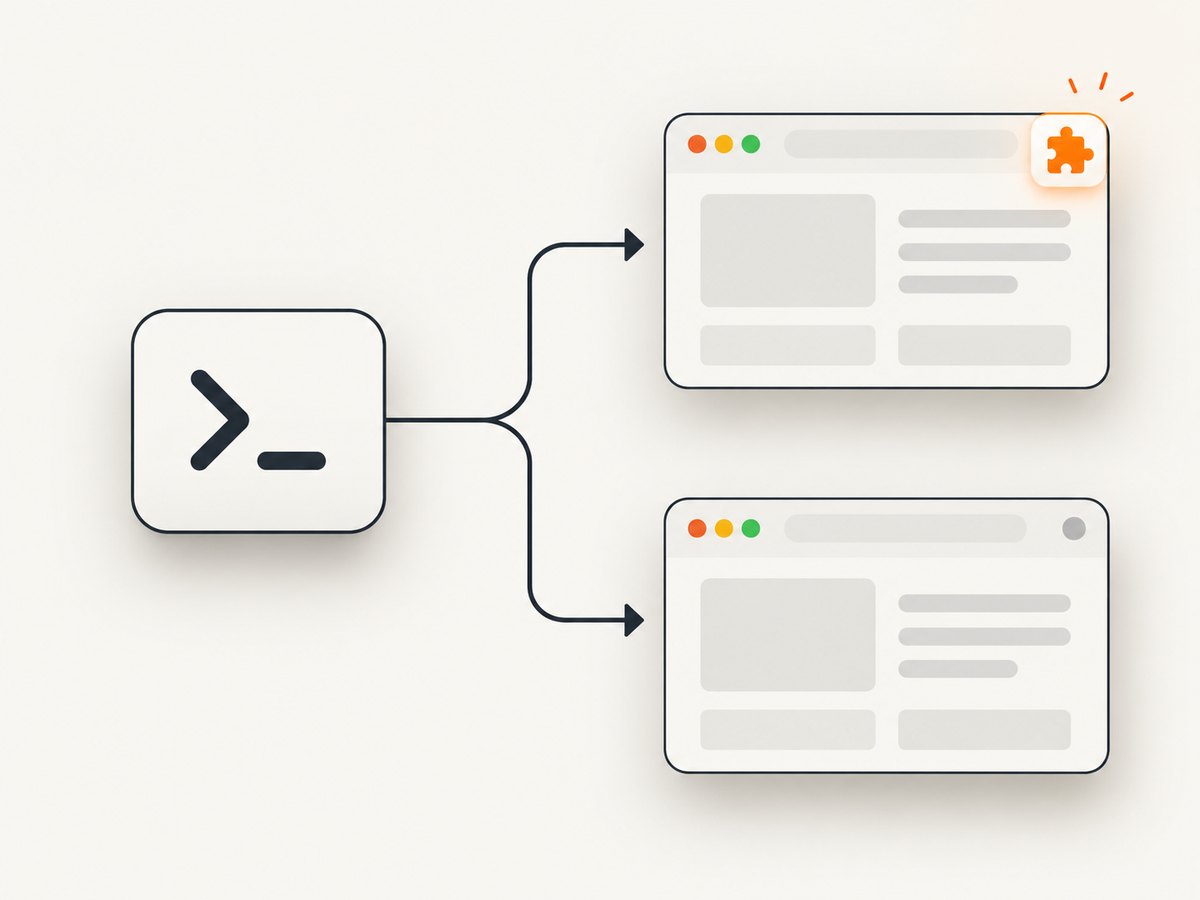
Direct answer: Cypress cannot load browser extensions through its documented launch API when Chrome runs headlessly. If an extension must be installed during a Cypress test, run that test with a headed browser, configure the unpacked extension directory in before:browser:launch, and use Chromium or Chrome for Testing when the browser is Chrome-branded version 137 or newer. Chrome 137 removed the --load-extension flag that this workflow depends on. These are separate constraints: --headed addresses the headless limitation; changing the browser flavor addresses the Chrome 137+ API change.
Cypress also starts a browser with an isolated profile. Extensions installed in your everyday Chrome profile are not inherited. The supported configuration supplies an unpacked WebExtension folder at browser launch. Cypress documents the limitation and launch API in its before:browser:launch documentation, and explains browser defaults and headed debugging in its browser-launch guide.
1. Choose the correct fix
Start by identifying which constraint applies to your test.
| Situation | What to do | What it does not solve |
|---|---|---|
| The test needs an extension, and Chrome is headless | Run Cypress with --headed and configure launchOptions.extensions. |
It does not make Chrome 137+ accept the removed flag. |
| The selected browser is Chrome-branded 137 or later | Select Chrome for Testing or Chromium for this extension-loading workflow. | Changing browsers alone does not turn a headless run into a supported extension run. |
| The test does not exercise extension behavior | Keep the normal headless test and remove extension setup. | Application tests cannot prove the extension works. |
| You are using Electron | Use it only when the extension is a Chrome DevTools extension supported by Electron. | Electron is not a general WebExtension solution in Cypress. |
Cypress’s own wording is unambiguous: “Headless Chrome does not support loading extensions.” Do not expect a virtual display, an extra command-line switch, or a CI setting to change that documented API limitation.
2. Prepare an unpacked extension
The launch API accepts paths to folders containing an unpacked WebExtension. A typical project layout is:
project/
  cypress/
    e2e/
      extension.cy.js
  extensions/
    sample-extension/
      manifest.json
      background.js
      content.js
  cypress.config.js
The folder must contain a valid manifest.json and the files referenced by that manifest. Use an absolute path when adding it to Cypress so the configuration works regardless of the process’s current directory.
3. Configure before:browser:launch
For Cypress’s current configuration format, add the extension in setupNodeEvents. This example uses Node’s path module and checks the browser family before adding the folder.
const { defineConfig } = require('cypress');
const path = require('path');

module.exports = defineConfig({
  e2e: {
    setupNodeEvents(on, config) {
      on('before:browser:launch', (browser, launchOptions) => {
        const extensionPath = path.resolve(
          __dirname,
          'extensions/sample-extension'
        );

        if (browser.family === 'chromium') {
          launchOptions.extensions.push(extensionPath);
        }

        return launchOptions;
      });

      return config;
    }
  }
});
The important operation is launchOptions.extensions.push(extensionPath). Cypress applies the option before starting the controlled browser. Because the browser profile is isolated, this explicit step is required even when the extension is installed in your personal browser.
4. Run the extension test headed
cypress run is headless by default. Add --headed for an extension-dependent Chrome or Chromium run:
npx cypress run --headed --browser chromeFor interactive development, use the Cypress app and select the browser with the extension configuration enabled. In CI, the same rule applies: the extension-dependent Chrome run needs a headed browser. A normal headless CI job can continue to run application tests that do not require the extension.
To reproduce a discrepancy locally, Cypress recommends a command such as:
npx cypress run --headed --no-exit --browser chromeCompare the headed run with the screenshots and videos from the failing run. This helps separate an extension issue from an ordinary application or timing issue.
5. Handle Chrome 137 and later
Cypress documents a second break: Chrome-branded browsers at version 137 and above no longer support extension loading through this API because Chrome removed the --load-extension flag. Use Chrome for Testing or Chromium for the documented workflow. Check the browser Cypress actually selected rather than assuming the name shown in your local desktop launcher.
npx cypress info
npx cypress run --headed --browser chromium
The exact executable and availability depend on your machine or CI image. The decision is about browser flavor and major version, not about changing the extension’s manifest. If a Chrome for Testing or Chromium binary is not installed, provision one in the build image and select it through Cypress’s supported browser configuration.
6. What headless mode can and cannot cover
Keep two test purposes separate:
- Application coverage: run fast, ordinary Cypress tests headlessly. These verify the website without assuming a browser extension exists.
- Extension coverage: run a focused suite headed with the unpacked extension and a compatible Chromium-family browser. These verify installation, permissions, content scripts, background behavior, and the extension’s visible effects.
This split avoids weakening application coverage while respecting Cypress’s documented limitation. It also makes failures easier to classify: a headless application test should not fail because an extension was never loaded, while an extension test should fail clearly if the launch event or browser selection is wrong.
7. Troubleshooting common errors
| Symptom | Likely cause | Fix |
|---|---|---|
The extension is absent in cypress run |
The run is headless. | Use npx cypress run --headed for the extension suite. |
| The extension works locally but not in CI | CI selected headless Chrome, or the extension path is relative and resolves incorrectly. | Run the extension job headed, use path.resolve, and print the selected browser and resolved path during diagnosis. |
launchOptions.extensions has no effect |
The path is a packed ZIP, points at the wrong directory, or lacks a valid manifest. | Pass the unpacked folder containing manifest.json. |
| Chrome 137+ rejects extension loading | The Chrome-branded binary removed --load-extension. |
Select Chrome for Testing or Chromium. |
| Tests assume extensions from the user’s browser | Cypress uses an isolated profile. | Declare every required unpacked extension in the launch event. |
| Electron does not run the WebExtension | Electron support is limited to Chrome DevTools extensions. | Use a supported Chromium-family browser for a general WebExtension. |
| Headed mode starts but the test still fails | The failure may be application timing, permissions, or extension logic rather than loading. | Confirm the extension appears in the launched browser, then inspect Cypress screenshots, videos, console output, and the extension’s own logs. |
Verify the launch path
During diagnosis, log the resolved path and browser metadata from the launch callback. Remove verbose logging after the configuration is stable.
on('before:browser:launch', (browser, launchOptions) => {
  const extensionPath = path.resolve(__dirname, 'extensions/sample-extension');
  console.log({ name: browser.name, version: browser.version, extensionPath });
  launchOptions.extensions.push(extensionPath);
  return launchOptions;
});
If the path is correct but the extension does not appear, check the browser family and whether the run actually includes --headed. Do not treat a virtual display as proof that Chrome is no longer headless; Cypress’s API limitation still applies.
8. CI and reliability guidance
- Pin or explicitly select the browser flavor used by the extension suite so a hosted runner does not silently move from Chromium to a Chrome-branded version affected by the Chrome 137 change.
- Keep extension tests in a separate job or spec group when most of the suite can remain headless.
- Use an absolute extension path derived from
__dirname; workspace locations often differ between local and CI runs. - Save Cypress screenshots and videos for headed failures. They show whether the browser launched with the expected visible state.
- Do not depend on extensions installed by a developer or by a preconfigured desktop profile. Cypress launches its own profile each time.
- When browser upgrades are planned, verify the selected binary and extension-loading behavior before changing the CI image.
These practices address reproducibility. They do not turn headless Chrome into a supported extension host.
9. Performance and cost considerations
Headless runs are often chosen for CI because they consume fewer interactive resources and fit standard automation environments. An extension-dependent test has a different requirement: the browser must run headed for Cypress’s documented Chrome launch path. Keep that suite focused so the headed constraint applies only where it provides coverage. Browser startup, extension initialization, and extension-controlled network work can also add test time, so wait on observable application states rather than arbitrary long delays.
For screenshots of test pages, reports, or visual-regression artifacts, an API can remove browser setup from the capture step. The approach below does not load a Cypress extension or replace extension behavior; it is useful when the goal is a clean page image or PDF.
10. Or skip the browser setup
ScreenshotNeo provides a website screenshot API and MCP server. A GET request returns PNG, JPEG, WebP, or PDF output. It does not reproduce a browser extension, but it can handle the capture portion of a pipeline without maintaining Cypress browser-launch configuration. See the ScreenshotNeo API documentation for the request options.
curl -G "https://api.screenshotneo.com/v1/shot" -d access_key=YOUR_API_KEY --data-urlencode url=https://stripe.com -o shot.webpimport requests
r = requests.get("https://api.screenshotneo.com/v1/shot", params={"access_key": "YOUR_API_KEY", "url": "https://stripe.com"}, timeout=90)
open("shot.webp", "wb").write(r.content)const q = new URLSearchParams({ access_key: 'YOUR_API_KEY', url: 'https://stripe.com' });
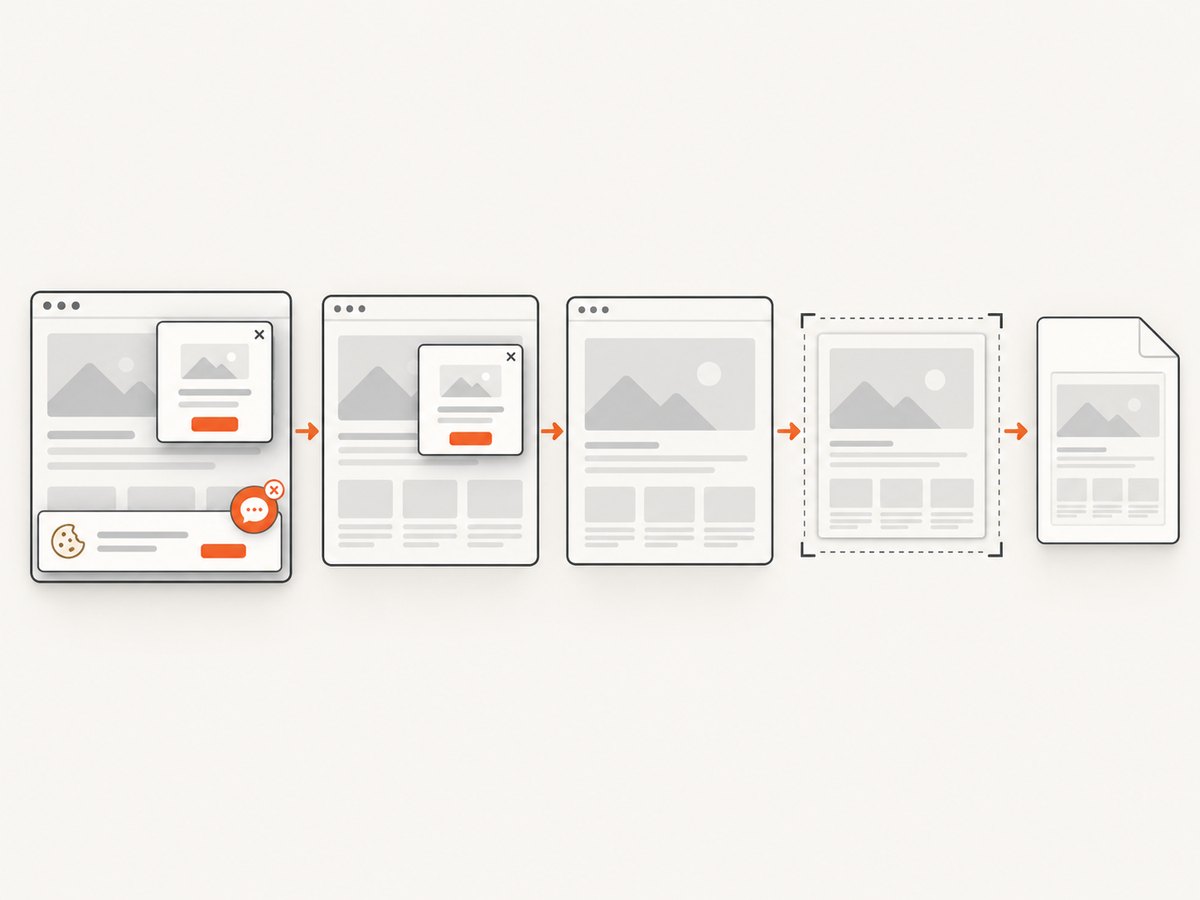
const res = await fetch(`https://api.screenshotneo.com/v1/shot?${q}`);Cookie banners, newsletter popups, and chat widgets are removed before the shot. Bot checks, blank pages, failed loads, timeouts, and cache hits are not billed, and response headers identify the page verdict and billing result. An MCP server lets AI agents such as Claude or Cursor call take_screenshot, get_page_info, and capture_pdf. The Free plan includes 1,000 screenshots per month with no card; paid plans start at $5 for 3,000 shots. Create a free ScreenshotNeo account to get started.
11. Screenshot-specific options when Cypress is not required
ScreenshotNeo supports full-page captures with lazy images loaded, CSS-selector element captures, dark mode, 12 device presets or custom viewports, retina scale, PDF paper sizes and margins, landscape output and page ranges, custom CSS and JavaScript, clicks before capture, selector waits, delays, network-idle waits, ad and tracker blocking, resource-type blocking, custom headers, cookies, user agents, Authorization, timezone, geolocation, transparent backgrounds, resizing, configurable caching TTLs, signed links, asynchronous jobs with signed webhooks, bulk capture of up to 100 URLs per call, a usage API, and an OpenAPI specification. Parameter names used by other screenshot APIs also work, which can simplify migration.
Choose the direct Cypress route when the extension itself is what you are testing. Choose an API capture when you need repeatable page images or PDFs and do not need extension behavior inside the browser.
12. Practical checklist
- Does the test genuinely require a browser extension?
- Is the extension an unpacked folder with a valid
manifest.json? - Does
setupNodeEventsadd its absolute path inbefore:browser:launch? - Is the extension suite running with
--headed? - Is the selected browser Chromium or Chrome for Testing when Chrome-branded version 137+ is involved?
- Are ordinary application tests kept separate from extension-dependent tests?
- Are screenshots, videos, browser version, and resolved paths available when CI fails?
- Would a screenshot API be simpler for page imagery that does not depend on extension behavior?
FAQ
Can a Chrome extension be loaded in Cypress headless mode?
Not through Cypress’s documented Chrome launch API. Run the extension-dependent test headed.
Does --headed fix Chrome 137 and later?
No. Use Chrome for Testing or Chromium for the extension-loading workflow because Chrome removed the required flag.
Will Cypress use extensions installed in my normal Chrome profile?
No. Cypress launches an isolated profile. Add the unpacked extension path in the browser-launch event.
Can Electron load any WebExtension?
No. Cypress documents Electron support for Chrome DevTools extensions, not arbitrary WebExtensions.
Should every Cypress test run headed?
No. Keep normal application coverage headless and run a focused headed suite for extension behavior.


