Why Cypress Does Not Reflect Changes to the HTML Title
Learn why Cypress sees a stale HTML title, how cy.title() retries, and how to diagnose timing, navigation, and the Cypress 15.19.0 regression.

Short answer: Cypress reads the live document.title of the currently active page. If your test stores the title once before application code updates it, that stored value stays stale. Assert the final value directly with cy.title().should('eq', ...); Cypress retries the query and its chained assertion until it passes or times out. Also check for the documented Cypress 15.19.0 regression: when an application set window.name, title-related commands could read the command log instead of the application. Cypress lists that issue as fixed in 15.20.0.
Official references: Cypress cy.title() API, MDN document.title, and the Cypress changelog.
What Cypress is actually reading
The browser exposes the current title through document.title. Initially, that value normally comes from the document’s <title> element. JavaScript can change it later:
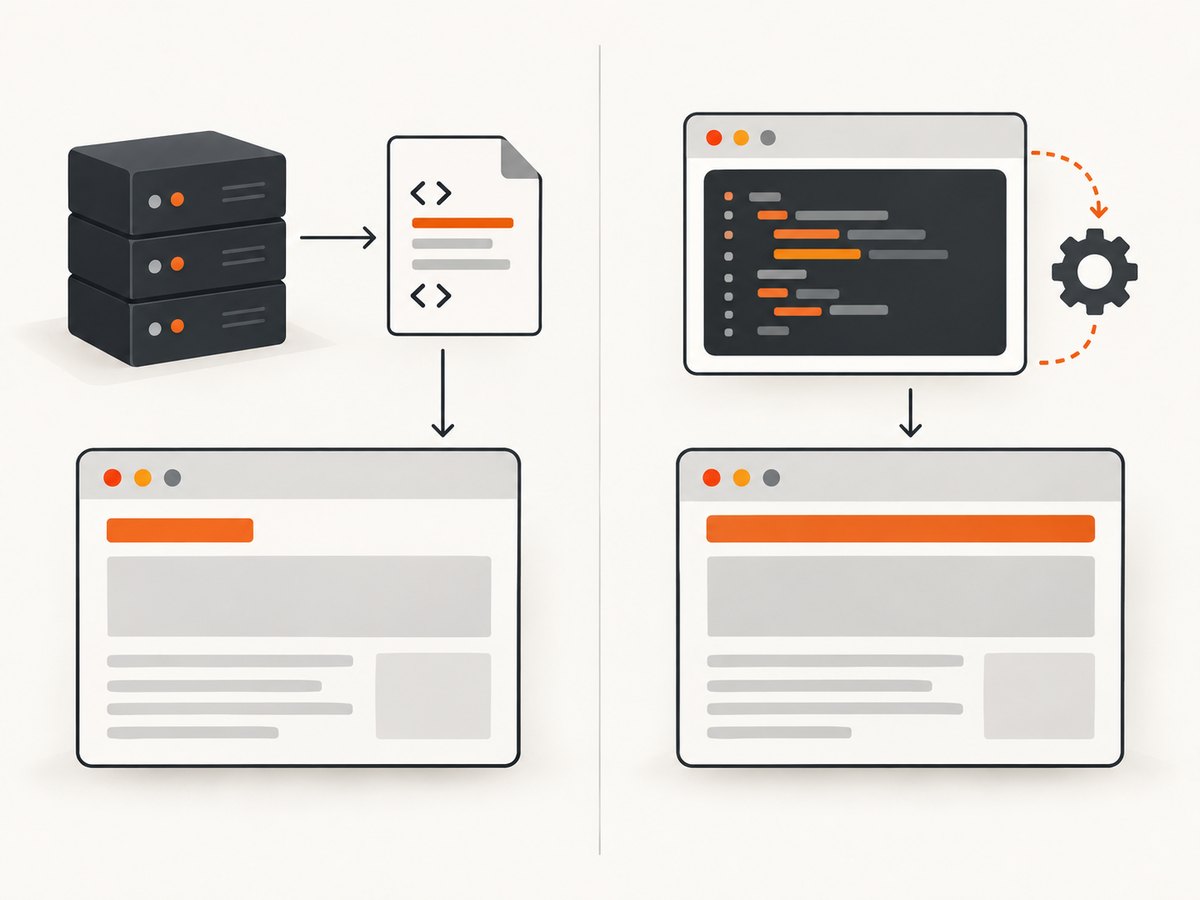
document.title = 'Checkout — Acme';That assignment changes the live property, the title shown by the browser, and the title element in the DOM. Cypress’s cy.title() query reads this live property for the active page. It does not read the original HTML response source. A server-rendered title can therefore be different from the title after a client-side route change.
Use a retrying assertion
This is the usual fix:
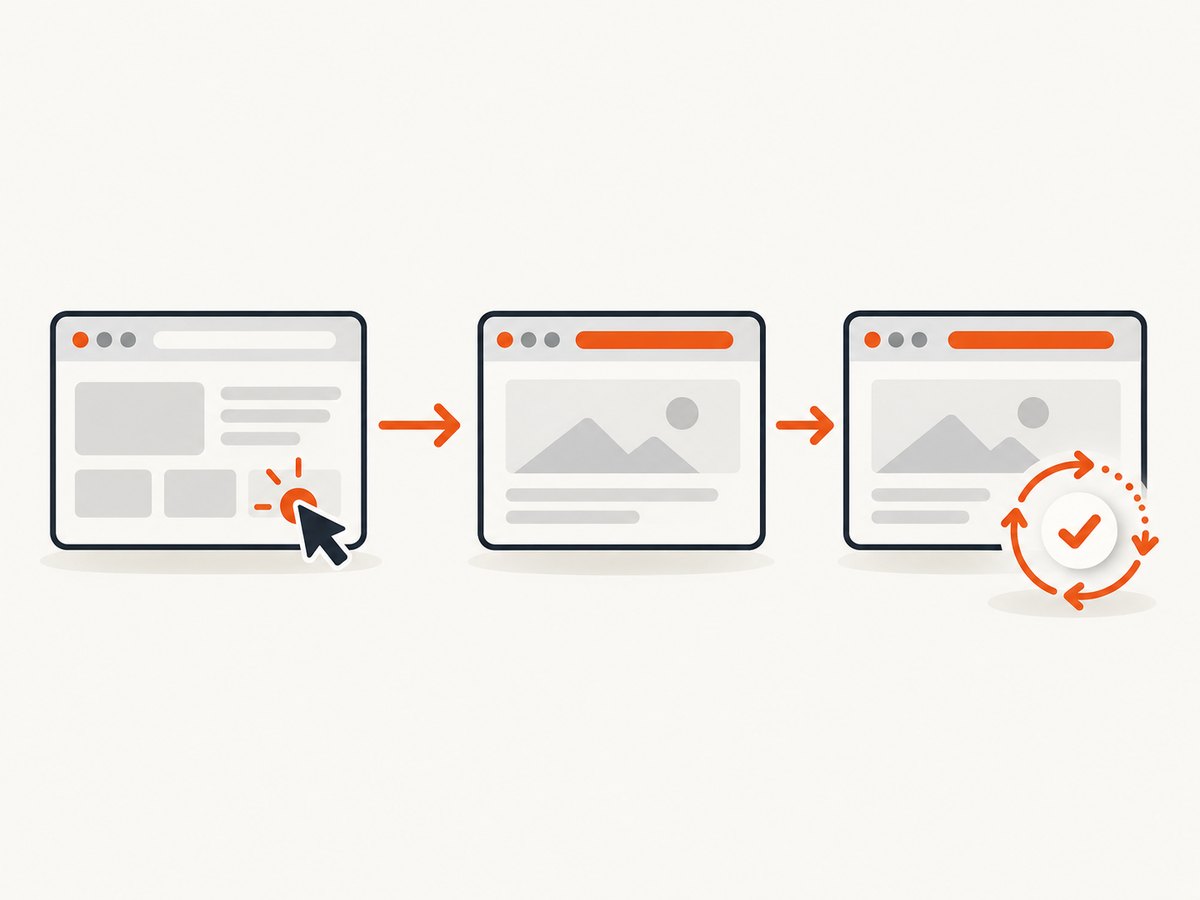
describe('document title', () => {
  it('updates after navigation', () => {
    cy.visit('/dashboard');
    cy.get('[data-cy="open-settings"]').click();
    cy.title().should('eq', 'Settings | Acme');
  });
});
Cypress documents that cy.title() automatically retries until chained assertions pass. Its timeout defaults to defaultCommandTimeout. A longer timeout helps only when the application will eventually set the expected title; it cannot fix a title that is never assigned or is overwritten later.
A stale snapshot that does not retry
cy.title().then((title) => {
  // This callback receives one value at this point in time.
  expect(title).to.eq('Settings | Acme');
});
The callback itself is not a polling loop. If the title changes after the callback runs, the value in title does not change. Keep the expected state in a Cypress assertion whenever possible.
When a one-time read is appropriate
A one-time read is useful for logging or for passing a known, already-stable value into ordinary JavaScript:
cy.title().then((title) => {
  cy.log(`Stable title: ${title}`);
});
Do not use that pattern as a substitute for a retrying assertion when the application is still rendering.
Minimal reproduction
This page demonstrates the difference between the initial HTML title and the live title:
<!doctype html>
<html>
  <head>
    <title>Loading…</title>
  </head>
  <body>
    <button id="load">Load report</button>
    <script>
      document.querySelector('#load').addEventListener('click', () => {
        setTimeout(() => {
          document.title = 'Report | Acme';
        }, 250);
      });
    </script>
  </body>
</html>
The matching Cypress test should trigger the update and then assert the final state:
it('waits for the report title', () => {
  cy.visit('/report.html');
  cy.get('#load').click();
  cy.title().should('eq', 'Report | Acme');
});
Diagnostic workflow
- Check the live document. Use Cypress to inspect the active document after the action that should change the title.
cy.document().its('title').should('eq', 'Report | Acme');
cy.title().should('eq', 'Report | Acme');
If both assertions fail, the application has not produced the expected live title. Inspect the code path that assigns document.title. If document.title passes but another stored variable is stale, the problem is in the test’s snapshot logic.
- Assert after the state change. Put
cy.title()after the click, route transition, or API-driven render that changes the title. - Check for later overwrites. A router, page metadata component, or cleanup effect may set a different title after your first assignment. Assert the value users should finally see.
- Check the Cypress version and
window.name. Cypress’s 15.20.0 changelog identifies a regression in 15.19.0. When the application setwindow.name, commands that read from the application, includingcy.title(), could target the command log. Upgrade from 15.19.0 to 15.20.0 or a later release containing the fix. - Confirm the active origin. If the test navigates to another domain, commands interacting with that domain belong in the corresponding
cy.origin()block. A title from the newly active document does not prove that the previous document’s title update failed.
Inspecting the title in the browser
cy.document().then((doc) => {
  cy.log(`document.title = ${doc.title}`);
});
Use this for diagnosis, then keep the final test as a retrying assertion.
Cross-origin navigation
Cypress restricts commands that interact with a different origin. For a flow that leaves your application, switch context explicitly:
cy.visit('https://app.example.test');
cy.get('[data-cy="continue"]').click();
cy.origin('https://accounts.example.test', () => {
  cy.title().should('eq', 'Sign in | Accounts');
});
The exact origin must match the page the browser is displaying. If a redirect lands on a third-party origin, place the title assertion inside that origin’s block.
Common errors and fixes
| Symptom | Likely cause | Fix |
|---|---|---|
| The assertion times out on the old title | The app never assigns the expected value, or a later render overwrites it. | Inspect document.title, trace every assignment, and assert the final intended value. |
A value captured in .then() is old |
The callback made a one-time snapshot before the update. | Use cy.title().should('eq', expected). |
cy.title() shows an unexpected command-log title |
Cypress 15.19.0 regression combined with application code that sets window.name. |
Upgrade to Cypress 15.20.0 or later. |
| The title belongs to the previous page | The test changed origin or navigated before the assertion. | Assert after navigation and use cy.origin() for the new origin. |
| Increasing timeout changes nothing | The expected title is never produced. | Verify the assignment and check for a later overwrite before changing timeout settings. |
| The title differs only by whitespace or punctuation | The test expectation does not match the exact live string. | Log document.title and choose eq, include, or a regular expression deliberately. |
Choosing an assertion
// Exact title
cy.title().should('eq', 'Dashboard | Acme');

// A stable fragment when a suffix is generated
cy.title().should('include', 'Dashboard');

// A controlled pattern for a dynamic identifier
cy.title().should('match', /^Invoice #\\d+ \\| Acme$/);
Prefer an exact assertion when the title is a product requirement. Use a fragment or pattern only for the part that is intentionally dynamic.
Other ways to inspect a title
cURL
cURL retrieves the server response, so it can verify an initial HTML <title> but cannot execute the JavaScript that later changes document.title:
curl -L https://example.com/ -o page.html
grep -o -m1 '<title>[^<]*</title>' page.html
Python
import re
import requests

html = requests.get('https://example.com/', timeout=30).text
match = re.search(r'<title[^>]*>(.*?)</title>', html, re.I | re.S)
print(match.group(1).strip() if match else 'No title in server HTML')
Node.js
const res = await fetch('https://example.com/');
const html = await res.text();
const match = html.match(/<title[^>]*>(.*?)<\\/title>/is);
console.log(match ? match[1].trim() : 'No title in server HTML');
These HTTP examples do not replace a browser test for a client-rendered title. They are useful for separating server HTML problems from browser lifecycle problems.
Performance and reliability notes
- Keep the title assertion close to the action that causes the change. This reduces ambiguity when several route changes occur.
- Use the default timeout first. Increase it only when you have measured a legitimate application delay.
- Do not add arbitrary sleeps as the primary synchronization method. A retrying assertion waits for the state you actually care about.
- When titles are set from asynchronous data, make the application update deterministic in tests or assert a stable portion of the title.
- Run the version check in CI so a lockfile does not silently retain Cypress 15.19.0 for affected projects.
Or skip the browser setup
If your goal is a clean image of the page rather than an end-to-end assertion, ScreenshotNeo captures a URL with one request. See the ScreenshotNeo API docs.
curl -G "https://api.screenshotneo.com/v1/shot" -d access_key=YOUR_API_KEY --data-urlencode url=https://stripe.com -o shot.webpimport requests
r = requests.get("https://api.screenshotneo.com/v1/shot", params={"access_key": "YOUR_API_KEY", "url": "https://stripe.com"}, timeout=90)
open("shot.webp", "wb").write(r.content)const q = new URLSearchParams({ access_key: 'YOUR_API_KEY', url: 'https://stripe.com' });
const res = await fetch(`https://api.screenshotneo.com/v1/shot?${q}`);ScreenshotNeo accepts cookie and consent banners before capture and removes more than 60 known consent platforms, newsletter popups, and chat widgets. Bot checks, blank pages, timeouts, failed loads, and cache hits are not billed, and response headers identify the page verdict and billing result. Its MCP server lets Claude, Cursor, and other MCP clients call take_screenshot, get_page_info, and capture_pdf. The Free plan includes 1,000 screenshots each month with no card; paid plans start at $5 for 3,000 shots. Create a free ScreenshotNeo account.
FAQ
Does cy.title() read the HTML source?
No. It reads the active page’s live document.title.
Should I use cy.document().its('title') or cy.title()?
Both can observe the live title. cy.title() states the intent more clearly for a title assertion.
Will a larger timeout fix every stale title?
No. It helps only when the application eventually sets the expected value. It cannot fix a missing assignment, overwrite, wrong origin, or the 15.19.0 regression.
What changed in Cypress 15.20.0?
The 15.20.0 changelog lists a fix for a 15.19.0 regression involving applications that set window.name and commands such as cy.title().
Can an HTTP request see a title set by React or another client framework?
Usually not. cURL, Python requests, and Node’s fetch receive server HTML and do not run the browser JavaScript that changes the live title.


