BlogScreenshots on your device
How to Capture a Webpage Snapshot in Delphi with DCEF3
Use CEF off-screen rendering in DCEF3 to capture browser pixels in Delphi, handle resizing and timing, and distinguish viewport shots from full-page images.

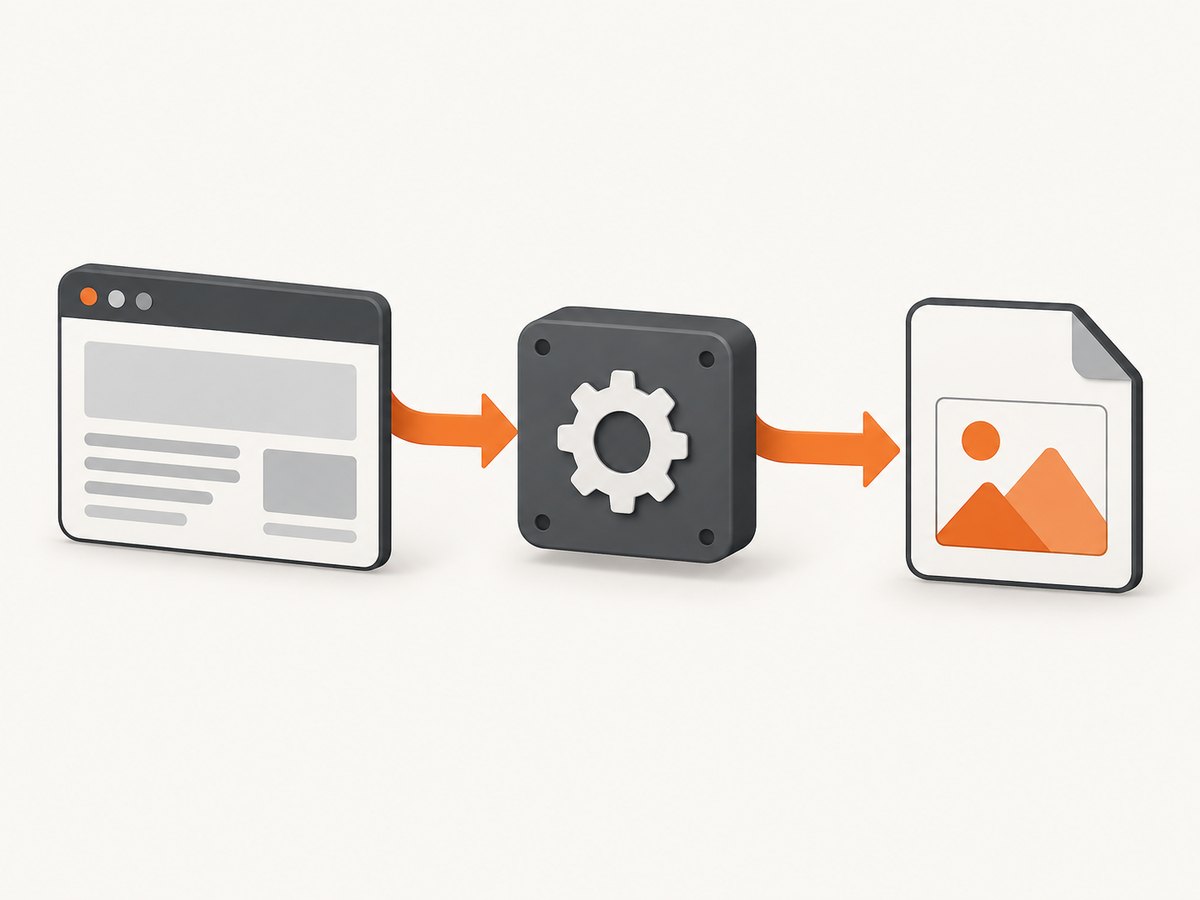
Use CEF off-screen rendering (OSR) when you need webpage pixels without photographing a visible browser window. Configure a windowless browser, provide a render handler, choose the view rectangle, and copy the pixel buffer delivered to OnPaint. In DCEF3, the exact Delphi event names and buffer types depend on the archived wrapper revision and the CEF binaries in your project, so verify those declarations in your local source before copying code.
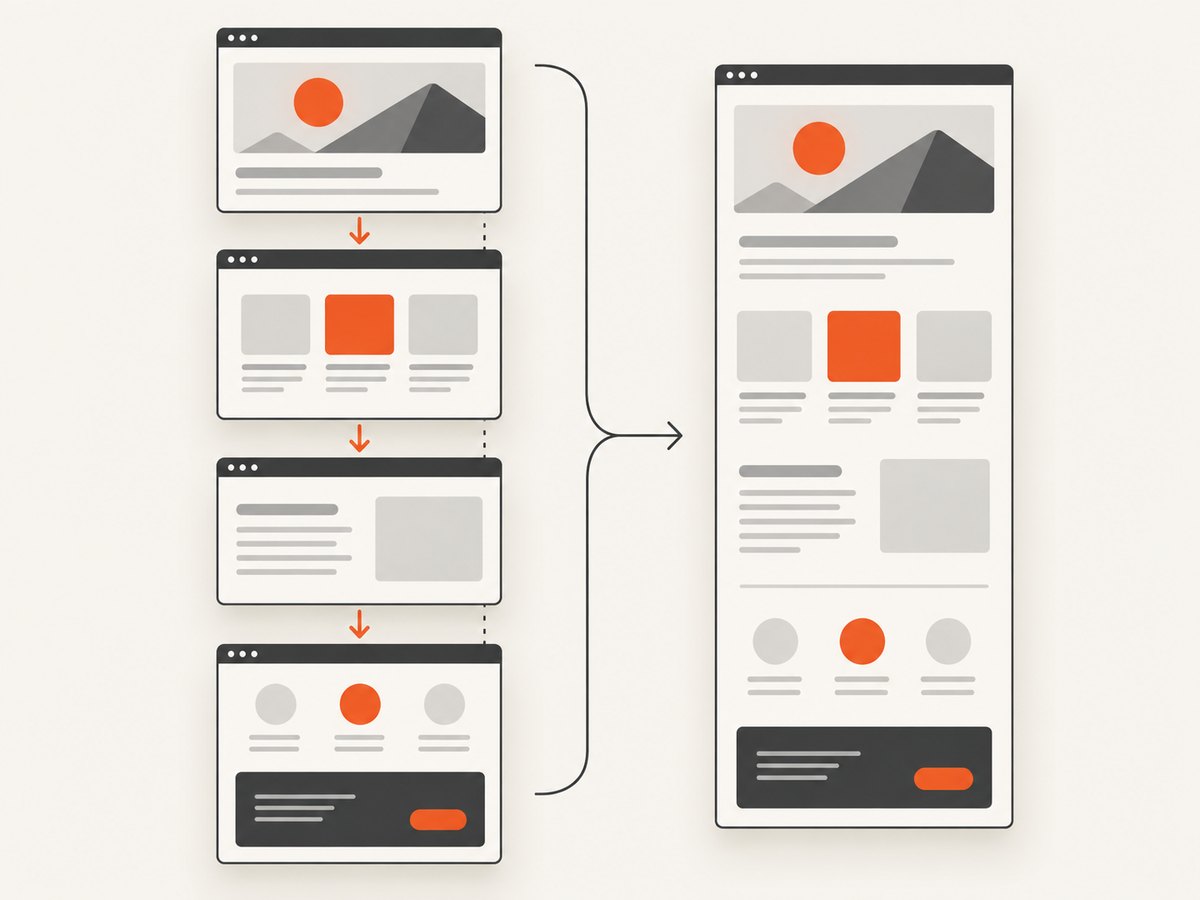
OSR captures the CEF view that is painted. It does not automatically prove that you have a complete document extending below the viewport. For a full-page result, confirm that your DCEF3 build exposes a documented full-page facility or render multiple viewport-sized regions and stitch them yourself.
What the capture pipeline does
- Create and configure a CEF browser in windowless mode.
- Attach a render handler that reports the desired view rectangle.
- Wait for navigation and page-specific asynchronous work.
- Receive invalid regions and pixels in the paint callback.
- Copy or encode the buffer while it is valid.
- Save the resulting bitmap, or resize the browser and capture another region.
CEF documents this lifecycle in its general usage and off-screen rendering documentation. DCEF3 is an external Delphi integration and its repository is archived, so treat upstream CEF examples as conceptual guidance rather than a guaranteed Delphi API reference.
Before you write code
Record the versions
- DCEF3 commit or release used by the application.
- Delphi compiler version and target architecture.
- CEF branch, binary build, and runtime subprocess arrangement.
- Whether the project already uses windowed rendering or OSR.
Callback signatures can change between wrapper revisions. Search the DCEF3 source for the render-handler interface and the paint callback, then adapt the examples below to those declarations.
Choose the target image
| Requirement | Recommended approach |
|---|---|
| Visible browser area | One OSR view rectangle and one paint buffer. |
| Specific width and height | Return those dimensions from the view-rectangle callback. |
| Document longer than the viewport | Resize and capture in sections, or use a verified full-page facility. |
| Canvas or delayed images | Wait for application-specific readiness and validate the pixels. |
Implementing OSR in DCEF3
1. Implement a render handler
Your render handler normally has two responsibilities:
- Report the requested view rectangle.
- Receive painted pixels and copy them into application-owned memory.
The names below are illustrative because DCEF3 forks differ. Use the corresponding interfaces and method names in your revision.
type
  TSnapshotRenderHandler = class(TCustomRenderHandler)
  private
    FWidth: Integer;
    FHeight: Integer;
    FBitmap: TBitmap;
    FOnFrame: TProc;
  public
    constructor Create(AWidth, AHeight: Integer; const AOnFrame: TProc);
    function GetViewRect(const browser: ICefBrowser; rect: PCefRect): Boolean; override;
    procedure OnPaint(const browser: ICefBrowser; kind: TCefPaintElementType;
      dirtyRectsCount: Cardinal; const dirtyRects: PCefRect;
      const buffer: Pointer; width, height: Integer); override;
    procedure Resize(AWidth, AHeight: Integer);
    property Bitmap: TBitmap read FBitmap;
  end;

constructor TSnapshotRenderHandler.Create(AWidth, AHeight: Integer; const AOnFrame: TProc);
begin
  inherited Create;
  FWidth := AWidth;
  FHeight := AHeight;
  FOnFrame := AOnFrame;
  FBitmap := TBitmap.Create;
  FBitmap.SetSize(FWidth, FHeight);
  { Configure the pixel format expected by your CEF/DCEF3 build. }
end;

function TSnapshotRenderHandler.GetViewRect(const browser: ICefBrowser; rect: PCefRect): Boolean;
begin
  rect^.x := 0;
  rect^.y := 0;
  rect^.width := FWidth;
  rect^.height := FHeight;
  Result := True;
end;

procedure TSnapshotRenderHandler.OnPaint(const browser: ICefBrowser;
  kind: TCefPaintElementType; dirtyRectsCount: Cardinal;
  const dirtyRects: PCefRect; const buffer: Pointer; width, height: Integer);
begin
  { Copy the BGRA buffer immediately. Do not retain the pointer after this call. }
  { The exact scanline and pixel-format code depends on your DCEF3 revision. }
  CopyCefPixelsToBitmap(buffer, width, height, FBitmap);
  if Assigned(FOnFrame) then
    FOnFrame();
end;

procedure TSnapshotRenderHandler.Resize(AWidth, AHeight: Integer);
begin
  FWidth := AWidth;
  FHeight := AHeight;
  FBitmap.SetSize(FWidth, FHeight);
end;
Most CEF builds deliver BGRA pixels. Confirm channel order, row stride, premultiplication, and bitmap orientation in the binding source before encoding. The callback can include only dirty regions; either apply those regions to an existing frame or use the binding’s documented full-buffer behavior.
2. Create a windowless browser
procedure TSnapshotForm.StartBrowser(const AUrl: string);
var
  info: TCefWindowInfo;
  settings: TCefBrowserSettings;
  handler: ICefClient;
begin
  handler := BuildClientWithRenderHandler(FRenderHandler);
  info := TCefWindowInfo.Create;
  info.SetAsWindowless(Handle); { Use the exact DCEF3 overload for your revision. }
  settings := TCefBrowserSettings.Create;
  GlobalCEFApp.CreateBrowser(info, handler, AUrl, settings, nil, nil);
end;
Windowless mode must be set before browser creation. The host still owns the render handler and must keep the browser, client, and CEF runtime alive for the complete capture.
3. Wait for the right state
A navigation-complete callback tells you that navigation reached a lifecycle milestone. It does not guarantee that every image, canvas, web font, animation frame, or client-side request has finished compositing. Use a page-side readiness signal where possible, then allow the content to settle and inspect the resulting frame.
procedure TSnapshotForm OnLoadEnd(const browser: ICefBrowser; const frame: ICefFrame;
  httpStatusCode: Integer);
begin
  if not frame.IsMain then
    Exit;

  frame.ExecuteJavaScript(
    'window.__snapshotReady = document.fonts ? document.fonts.status === "loaded" : true;',
    'about:blank', 0);
  StartSettleTimer(300); { Tune for the page; this is not a CEF guarantee. }
end;

procedure TSnapshotForm SettleTimerElapsed(Sender: TObject);
begin
  { Request or wait for the next paint according to your wrapper. }
  SaveCurrentFrame;
end;
4. Save the frame
procedure TSnapshotForm SaveCurrentFrame;
begin
  if (FRenderHandler.Bitmap.Width = 0) or (FRenderHandler.Bitmap.Height = 0) then
    Exit;
  FRenderHandler.Bitmap.SaveToFile('snapshot.png');
end;
Use an encoder appropriate for your Delphi version and required format. If you need JPEG or WebP, configure quality and confirm that the encoder handles the bitmap’s alpha and channel order correctly.
Resizing and capturing more than the viewport
When the target dimensions change, update the handler’s dimensions and notify the browser host with WasResized. CEF then asks for the view rectangle again and issues another paint callback.
procedure TSnapshotForm SetCaptureSize(AWidth, AHeight: Integer);
begin
  FRenderHandler.Resize(AWidth, AHeight);
  FBrowser.GetHost.WasResized;
end;
For a long page, measure the document height in JavaScript, choose a safe viewport height, capture successive scroll positions, and stitch the images. Account for fixed headers, sticky elements, lazy loading, scroll-triggered effects, and overlapping seams.
const
  MeasureScript =
    '(function(){return Math.max(document.body.scrollHeight,' +
    'document.documentElement.scrollHeight);})()';

{ Pseudocode: evaluate MeasureScript, then for each y execute
  window.scrollTo(0, y), wait for a paint, copy the frame, and stitch. }
Do not label a single OSR view buffer as a full-page snapshot unless you have verified that behavior in your exact wrapper and build.
Input, focus, and browser lifetime
OSR has no native browser window. If the page requires interaction, forward mouse, keyboard, wheel, and focus events through the browser-host methods exposed by your DCEF3 revision. Keep CEF’s message loop and subprocess setup correct, and close the browser through the host before releasing the render handler or shutting down CEF.
procedure TSnapshotForm FormClose(Sender: TObject; var Action: TCloseAction);
begin
  if Assigned(FBrowser) then
    FBrowser.GetHost.CloseBrowser(True);
  { Finish CEF shutdown only after the browser-close callback indicates it is safe. }
end;
Timing and rendering edge cases
- Asynchronous images: wait for image completion and a subsequent paint.
- Canvas and WebGL: validate the captured pixels after JavaScript updates; some older CEF builds reported incomplete OSR buffers after invalidation.
- Animations: pause them with injected CSS or capture at a known frame.
- Lazy loading: scroll through the page before stitching so deferred resources are requested.
- Cross-origin frames: you may not be able to inspect their DOM, although CEF can still render them.
- Bot checks and login walls: the resulting frame may be an interstitial rather than the intended page; detect this before saving.
- Transparent pages: confirm alpha support from the render buffer through the encoder.
Viewport capture versus full-page capture
| Question | Answer |
|---|---|
| Does OSR avoid a desktop screenshot? | Yes. CEF supplies rendered pixels directly to the host. |
| Does the callback always contain the entire document? | No. It represents the configured view rectangle unless your build documents another behavior. |
| Can I change dimensions? | Yes. Update the rectangle and call WasResized. |
| Can I capture a whole page? | Only after verifying a full-page API or implementing scroll-and-stitch logic. |
Troubleshooting
| Symptom | Likely cause | Fix |
|---|---|---|
| No paint callback | Windowless mode or render handler was not configured before browser creation. | Check the window-info setup, client wiring, CEF initialization, and message loop. |
| Black or transparent image | Wrong pixel format, stride, or alpha handling. | Match the DCEF3/CEF buffer contract and copy rows using the documented stride. |
| Only part of the page appears | The view rectangle is viewport-sized. | Resize and stitch, or use a verified full-page facility. |
| Old content remains after resize | The host dimensions changed but CEF was not notified. | Call WasResized after updating the handler. |
| Fonts or images missing | Capture occurred before asynchronous resources settled. | Wait for resource readiness and a later paint; test with realistic delays. |
| Canvas is incomplete | Compositing or invalidation timing in the CEF build. | Validate the exact CEF version, force a repaint if supported, and test after a settled frame. |
| Access violation during save | The callback buffer pointer was retained after return. | Copy pixels into owned memory inside the callback. |
| Browser never closes | Render handler or client was released too early, or shutdown began before close completed. | Follow the browser-host close callback and release objects in lifecycle order. |
Performance, reliability, and cost considerations
- Memory: a 4-byte-per-pixel buffer uses roughly width × height × 4 bytes, plus bitmap and stitching buffers. Bound maximum dimensions.
- CPU: large pages, animations, canvas, and multiple stitched regions increase rasterization and encoding time. Disable unnecessary animation for deterministic captures.
- Concurrency: limit simultaneous browsers to the memory available to the Delphi process and CEF subprocesses.
- Reliability: log URL, dimensions, CEF/DCEF3 versions, navigation status, paint dimensions, and capture timing. Keep representative tests for static HTML, delayed images, canvas, and long scrolling pages.
- Retries: retry navigation failures carefully; repeated retries can duplicate side effects on pages that submit requests.
- Cost: a local DCEF3 capture has no per-request screenshot-service charge, but it consumes application memory, CPU, maintenance time, and CEF distribution effort.
Or skip the browser setup
ScreenshotNeo provides a website screenshot API and MCP server. One GET request returns PNG, JPEG, WebP, or PDF. It removes cookie and consent banners, newsletter popups, and chat widgets before capture. Bot checks, blank pages, timeouts, failed loads, and cache hits are not billed, and response headers identify the page verdict and billing result.
See the ScreenshotNeo API documentation for the complete option set, including full-page capture with lazy images loaded, CSS-element capture, dark mode, device presets, retina scale, PDF settings, custom CSS and JavaScript, clicks, waits, request blocking, headers, cookies, user agents, authorization, timezone, geolocation, transparency, resizing, caching, signed links, asynchronous jobs, bulk capture, usage, and the OpenAPI specification.
cURL
curl -G "https://api.screenshotneo.com/v1/shot" -d access_key=YOUR_API_KEY --data-urlencode url=https://stripe.com -o shot.webpPython
import requests

r = requests.get(
    "https://api.screenshotneo.com/v1/shot",
    params={"access_key": "YOUR_API_KEY", "url": "https://stripe.com"},
    timeout=90,
)
r.raise_for_status()
open("shot.webp", "wb").write(r.content)
Node.js
const q = new URLSearchParams({ access_key: 'YOUR_API_KEY', url: 'https://stripe.com' });
const res = await fetch(`https://api.screenshotneo.com/v1/shot?${q}`);
if (!res.ok) throw new Error(`HTTP ${res.status}`);
const image = Buffer.from(await res.arrayBuffer());
require('fs').writeFileSync('shot.webp', image);
An MCP server also exposes take_screenshot, get_page_info, and capture_pdf to Claude, Cursor, and other MCP clients. The Free plan includes 1,000 shots per month with no card; paid plans start at $5 for 3,000 shots, and every feature is available on every plan. Create a free ScreenshotNeo account.
FAQ
Is DCEF3 still maintained?
The DCEF3 repository is archived and read-only. Record the wrapper and CEF versions in your project and plan upgrades around the exact binaries you ship.
Can I use a normal visible TChromium control instead?
You can use a windowed browser surface when that matches your application, but this guide covers OSR because it delivers pixels without requiring a native browser window. Confirm the snapshot API in your DCEF3 revision before relying on a windowed approach.
Why does navigation complete before the screenshot looks ready?
Navigation completion does not promise that delayed resources and composited canvas updates are present. Wait for page-specific readiness and a later paint, then validate the image.
What is the safest way to claim full-page support?
Document whether your implementation captures one view or scrolls and stitches multiple views. Verify long pages, sticky elements, lazy images, and seams with the actual CEF build.


