VPN Detection: How to Detect Whether an IP Uses a VPN
Learn how sites detect VPN IPs, why signals are imperfect, and how to combine IP intelligence with browser and network checks.
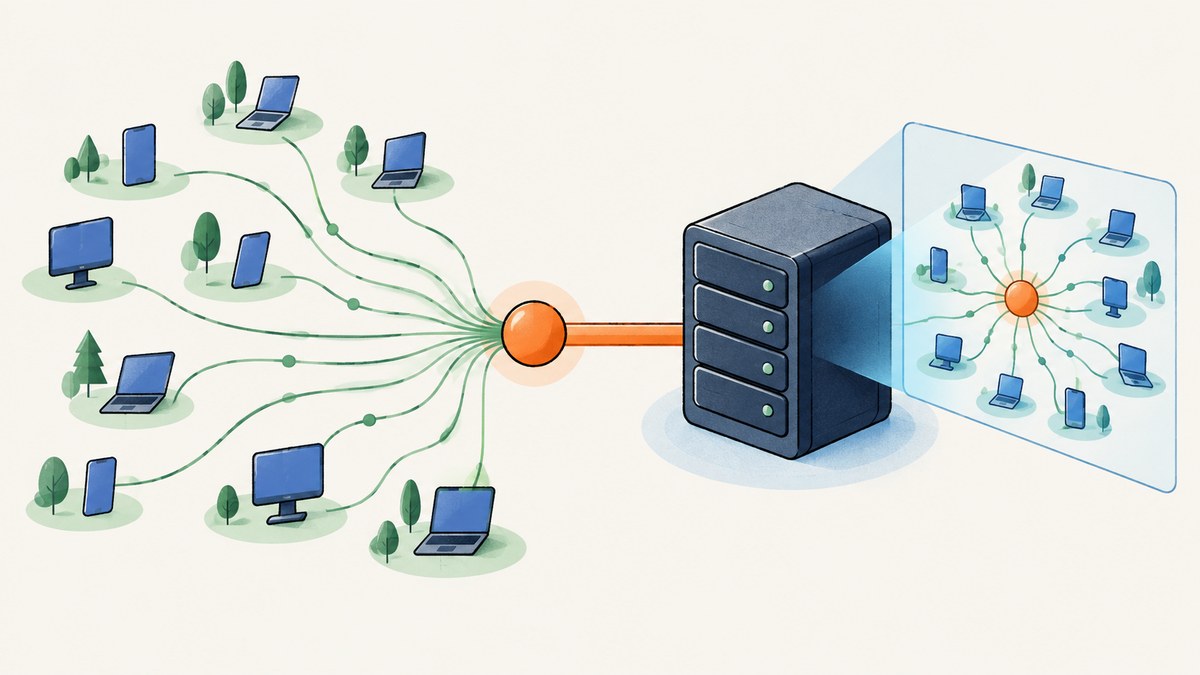
Websites usually detect VPN use by comparing the visitor’s public source IP with an IP intelligence database. Those databases classify addresses associated with commercial VPNs, proxies, Tor exit nodes, relays and hosting providers. The result describes the network or exit address seen by the service; it does not prove who is using that address or why.
A reliable implementation treats the result as one risk signal. It records the provider’s category and confidence, then combines it with account history, rate limits, device signals and the purpose of the decision. A VPN flag alone is not proof of fraud or malicious intent.
What a website can actually observe
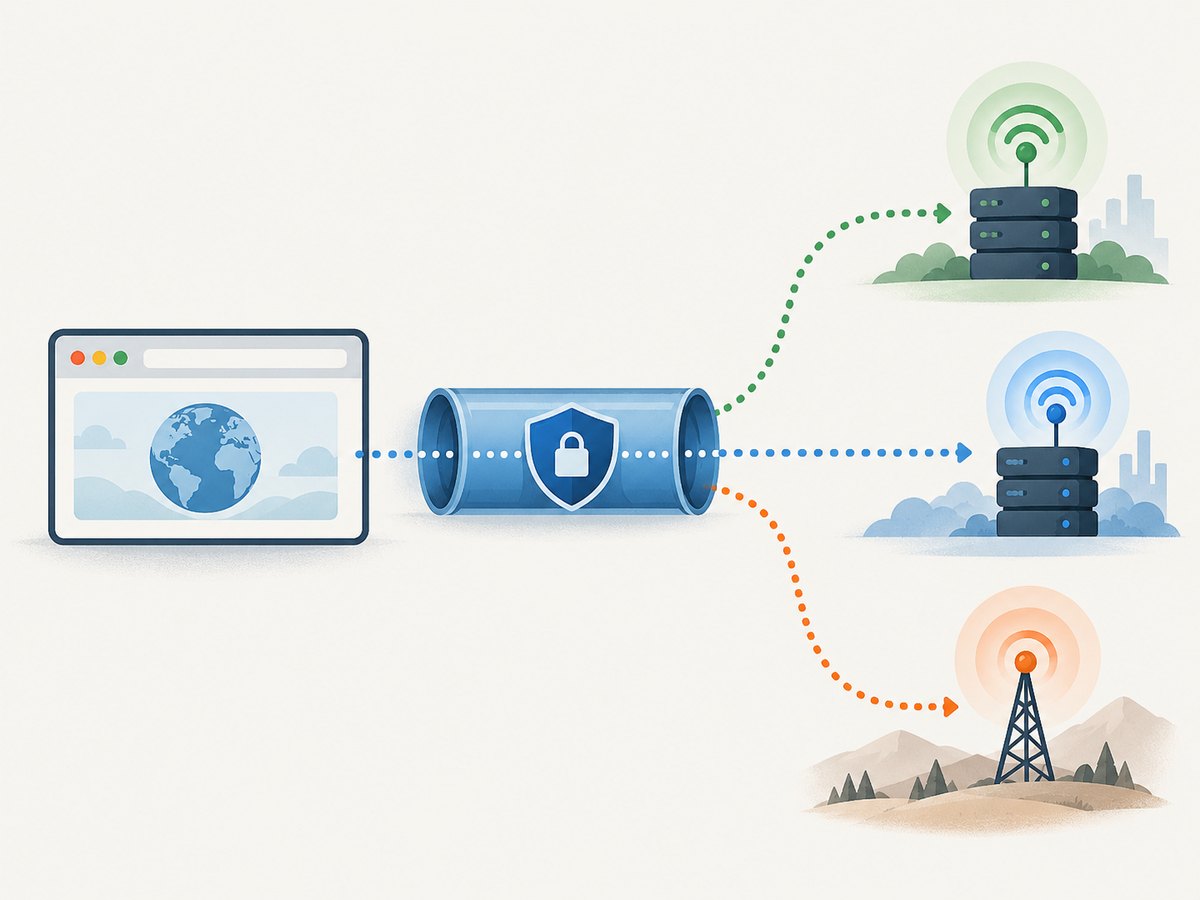
For a normal HTTP request, your server sees a source IP (or the address of a trusted reverse proxy). When a VPN is active, that address is generally the VPN’s exit server. IP geolocation and reputation data therefore describe the anonymizer host rather than the end user. MaxMind documents separate classifications for anonymous VPNs, hosting providers, public proxies, residential proxies and Tor exit nodes, along with provider and network recency fields (MaxMind IP Risk documentation).
Some VPN ranges are registered to a cloud or hosting company. A database may label the address as a hosting provider instead of naming a VPN. That is useful evidence, but it is an inference rather than a definitive identification. Coverage changes as providers add addresses, retire servers or move infrastructure.
IP classification is also different from location inference. A site can learn location from DNS routing, browser permission APIs, cookies, cached data, WebRTC, or device location services even while the HTTP connection uses a VPN. Those signals answer “where might this browser or device be?” rather than “is this public IP listed as VPN infrastructure?”
How IP-based VPN detection works
- Resolve the connecting address. Use the address at the edge of your application after accounting for your trusted load balancer or CDN. Never accept an arbitrary
X-Forwarded-Forvalue from an untrusted client. - Look up the address. Query an IP intelligence API or local database. IPinfo’s privacy detection service covers VPN, proxy, Tor, relay and hosting-provider categories (IPinfo developer documentation).
- Store the complete response. Keep the category, provider or network name, last-seen information, lookup timestamp and the database version where available.
- Apply a policy for the use case. A streaming service might require a regional check; a login system might add step-up verification; a public website may simply measure the share of traffic from anonymized networks.
- Recheck when the decision matters. VPN exits rotate. Cache results for a short, documented period and perform a fresh lookup for sensitive actions.
Minimal decision model
Keep the raw classification separate from your decision. For example, is_anonymous_network can be true when the provider reports VPN, proxy, Tor or relay. A separate requires_review field can be set only after combining that result with failed authentication attempts, impossible travel, velocity and account context.
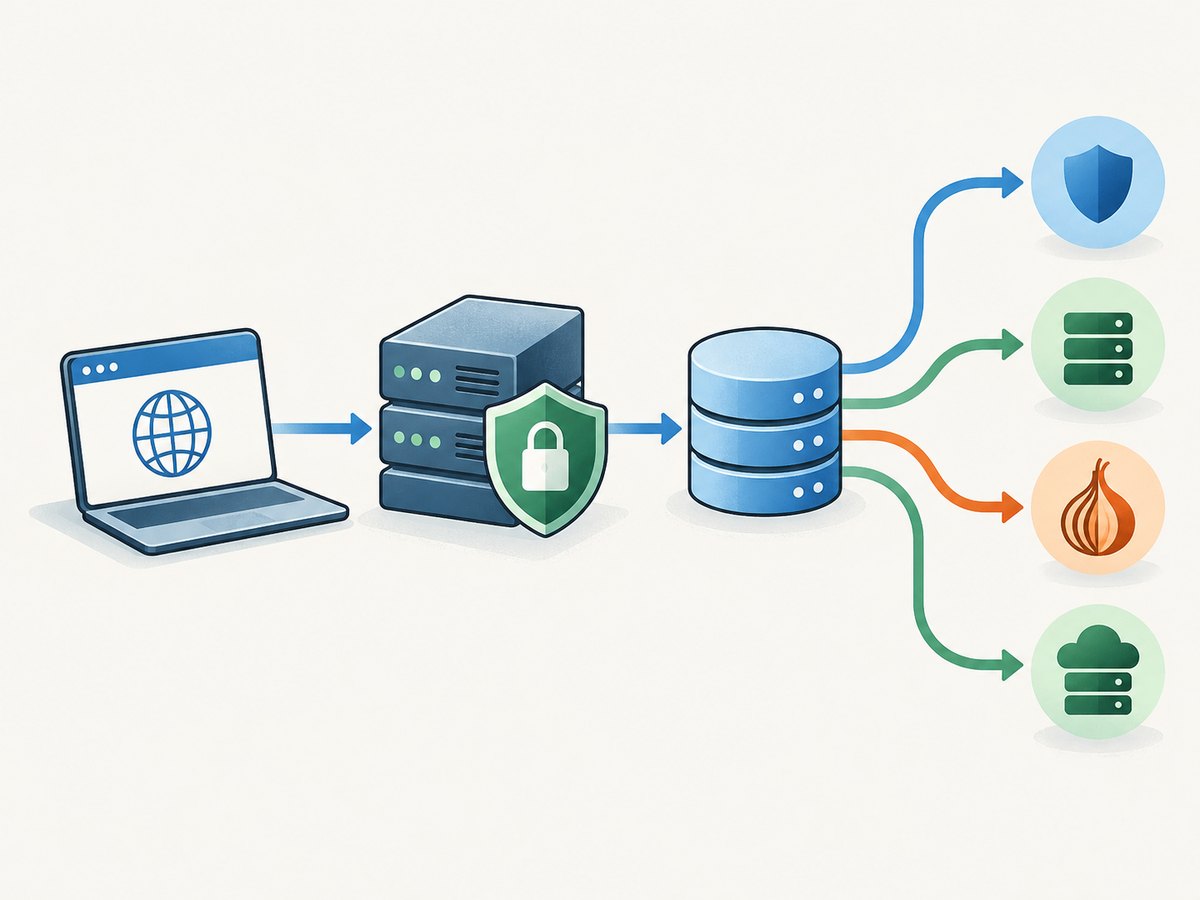
const classification = {
  category: "vpn",        // vpn, proxy, tor, relay, hosting, residential_proxy
  provider: "example",    // if supplied by the data provider
  observedAt: new Date().toISOString()
};

const requiresReview =
  ["vpn", "proxy", "tor", "relay"].includes(classification.category) &&
  failedLoginsInLastHour > 3;
Runnable examples
Python: call an IP intelligence API
The exact endpoint and response fields depend on your provider. The example below shows the integration shape: send the observed IP, inspect the provider’s privacy categories, and fail open if the lookup is unavailable.
import os
import requests

ip = "203.0.113.10"  # replace with the client IP from your trusted edge
url = "https://ipinfo.io/{}/privacy".format(ip)

try:
    response = requests.get(
        url,
        headers={"Authorization": "Bearer " + os.environ["IPINFO_TOKEN"]},
        timeout=3,
    )
    response.raise_for_status()
    data = response.json()
except (requests.RequestException, KeyError):
    data = {}

# Field names vary by plan and provider; inspect the documented response.
is_vpn = bool(data.get("vpn"))
is_proxy = bool(data.get("proxy"))
is_tor = bool(data.get("tor"))
is_hosting = bool(data.get("hosting"))

print({
    "ip": ip,
    "vpn": is_vpn,
    "proxy": is_proxy,
    "tor": is_tor,
    "hosting": is_hosting,
    "raw": data,
})
Node.js: classify an address with a timeout
const ip = '203.0.113.10';
const token = process.env.IPINFO_TOKEN;
const controller = new AbortController();
const timer = setTimeout(() => controller.abort(), 3000);

try {
  const res = await fetch(`https://ipinfo.io/${ip}/privacy`, {
    headers: { Authorization: `Bearer ${token}` },
    signal: controller.signal
  });

  if (!res.ok) throw new Error(`lookup failed: ${res.status}`);
  const data = await res.json();
  console.log({
    ip,
    vpn: Boolean(data.vpn),
    proxy: Boolean(data.proxy),
    tor: Boolean(data.tor),
    hosting: Boolean(data.hosting),
    raw: data
  });
} catch (error) {
  console.error('IP intelligence unavailable:', error.message);
} finally {
  clearTimeout(timer);
}
cURL: inspect a provider response
curl --fail --max-time 3 \
  -H "Authorization: Bearer $IPINFO_TOKEN" \
  "https://ipinfo.io/203.0.113.10/privacy"
Local database workflow
A local database is appropriate for high-volume or latency-sensitive traffic. Download updates according to the vendor’s license, load the database at process startup, and expose a small internal function such as classify(ip). Record the database release date with every decision. Do not assume a local file is complete: MaxMind says its VPN identification covers a subset of providers and may fall back to hosting-provider classification when a provider’s ranges are not registered under an associated name.
Browser and network signals beyond the IP
Use these checks only when they answer a clear product question and your privacy notice explains them.
| Signal | What it can indicate | Important limit |
|---|---|---|
| IP intelligence | Known VPN, proxy, Tor, relay or hosting network | Coverage differs; shared infrastructure creates false positives |
| DNS resolver and routing | Whether DNS follows a different path than expected | Does not prove the user’s public IP is a VPN |
| Browser geolocation | Location granted by the user or device | Permission is required and the result may be unavailable |
| Cookies and cached data | Previously selected region or account history | Can be stale, deleted or shared |
| WebRTC | Additional interface or public addresses in some configurations | Behavior depends on browser, VPN routing and STUN policy |
| Device location | Signals from the operating system | Requires permission and is distinct from IP classification |
RFC 8828 explains that WebRTC connectivity checks can expose addresses beyond the one visible to an HTTP server. In a split-tunnel setup, a browser may reveal both a VPN public address and an ISP public address. The RFC describes conditional behavior, not a guarantee that every browser or VPN leaks an ISP address.
Reliability, false positives and interpretation
- A VPN flag is not identity proof. It identifies an address or network category, not the person behind it.
- Hosting is a clue. Cloud servers support VPNs, private proxies, automation and ordinary applications. Treat hosting classification as indirect evidence.
- Residential proxies are difficult. Their addresses can resemble normal ISP customers, so a provider may miss them or classify them differently.
- Providers change. Refresh databases and avoid permanent account labels based on one observation.
- Privacy tools are not wrongdoing. MaxMind states that many VPN users are privacy-conscious users who are not necessarily engaged in malicious activity.
For access control, prefer graduated responses: allow the request, ask for an additional factor, limit automation, or send it to review. Reserve a hard block for a documented threat model, and provide an appeal path for legitimate users traveling or working remotely.
Implementation checklist
- Identify the trusted proxy chain and normalize the client IP.
- Select a provider that exposes the categories you need: VPN, proxy, Tor, hosting and, if relevant, residential proxy or relay.
- Set a lookup timeout and define behavior when the provider is down.
- Log category, provider, timestamp and database version without storing unnecessary personal data.
- Separate classification from enforcement in code and analytics.
- Test traffic from mobile ISPs, corporate networks, cloud hosts, residential proxies and common VPN exits.
- Measure false positives and false negatives for your own geography and user mix.
- Review retention, consent and regional privacy requirements with your legal team.
Troubleshooting common detection problems
The site still shows my real location while the VPN is connected
The site may be using browser permission data, cookies, cached region choices, DNS routing, WebRTC or device location. Check which signal produced the location result. A matching city does not prove that the public IP was classified as a VPN.
The IP is labeled “hosting,” not “VPN”
This commonly means the address belongs to infrastructure used by VPNs or private proxies, but the database cannot associate the range with a named VPN provider. Treat it as a lower-confidence clue and combine it with behavior and account context.
Legitimate users are blocked
Corporate gateways, universities, mobile carrier NAT and privacy services can share one address. Replace a hard block with step-up verification, rate limits or an appeal process. Keep separate metrics for VPN, proxy, Tor and hosting categories so you can tune policy.
Lookups make requests slow
Use a short timeout, cache results for a limited period, and move high-volume checks to a local database. Do not make the user’s page wait indefinitely for an intelligence vendor. Decide whether a failed lookup should allow, challenge or queue the request.
Results change between requests
Exit addresses rotate and databases are updated. Store the observation time and provider version, and avoid treating a previous classification as permanent. For high-risk actions, perform a fresh lookup immediately before the decision.
Performance, reliability and cost considerations
Remote API lookups add network latency and an external dependency. Set a strict deadline, reuse HTTP connections, and cache only as long as your risk model permits. Local databases reduce per-request latency and vendor call volume but require update jobs, disk space, licensing review and operational monitoring. Batch lookups can reduce overhead when processing logs, while real-time authentication decisions need a clear fallback.
Cost is driven by request volume, retention and the provider’s pricing model. Estimate peak traffic, not just monthly averages. Cache repeated addresses, but remember that long TTLs increase stale classifications. Keep raw responses only when they support an audit or security need.
Or skip the browser setup
If you need screenshots of pages while investigating location, consent behavior or regional variants, ScreenshotNeo captures the page through one API request. It accepts cookie and consent banners before capture and removes more than 60 known consent platforms, newsletter popups and chat widgets; each step can be disabled. Only clean shots are billed: bot checks, blank pages, timeouts, failed loads and cache hits cost nothing, and the response reports the result in X-Page-Verdict and X-Billed headers.
cURL:
curl -G "https://api.screenshotneo.com/v1/shot" -d access_key=YOUR_API_KEY --data-urlencode url=https://stripe.com -o shot.webpPython:
import requests
r = requests.get("https://api.screenshotneo.com/v1/shot", params={"access_key": "YOUR_API_KEY", "url": "https://stripe.com"}, timeout=90)
open("shot.webp", "wb").write(r.content)
Node.js:
const q = new URLSearchParams({ access_key: 'YOUR_API_KEY', url: 'https://stripe.com' });
const res = await fetch(`https://api.screenshotneo.com/v1/shot?${q}`);
See the ScreenshotNeo API documentation for options such as a full-page shot, CSS selector capture, custom headers and cookies, user-agent, timezone and geolocation, waits, blocked resources, custom JavaScript and CSS, dark mode, device presets, retina scale, PDF output, caching, signed links, asynchronous jobs, webhooks, bulk capture and usage reporting. ScreenshotNeo also provides an MCP server with take_screenshot, get_page_info and capture_pdf for Claude, Cursor and other MCP clients.
The Free plan includes 1,000 screenshots each month with no card. Paid plans start at $5 for 3,000 shots, and every feature is available on every plan. Create a free ScreenshotNeo account.
FAQ
Can a website know I am using a VPN with certainty?
No. It can classify the visible address using databases and infer other signals, but provider coverage and browser behavior are incomplete.
Does a VPN hide my IP from every website?
It normally changes the public address seen by the HTTP server to the VPN exit address. Other browser, DNS or device signals may still reveal different location information.
Is a hosting-provider IP always a VPN?
No. Hosting classification can be an indirect clue because VPNs and proxies often run on hosted infrastructure, but ordinary cloud services use the same networks.
Should I block all VPN users?
Usually not. Choose a response that matches your threat model, because legitimate travelers, remote workers and privacy-conscious users also use VPNs.
What should I store for an audit?
Store the observed address in accordance with your retention policy, the provider category, lookup time, provider or network metadata and database version. Avoid retaining fields you do not need.


