DevOps in 2026: Latest Trends and Vital Statistics
The 2026 DevOps picture: cloud-native growth, platform engineering, Kubernetes maturity, AI overlap, and the organizational practices behind reliable delivery.
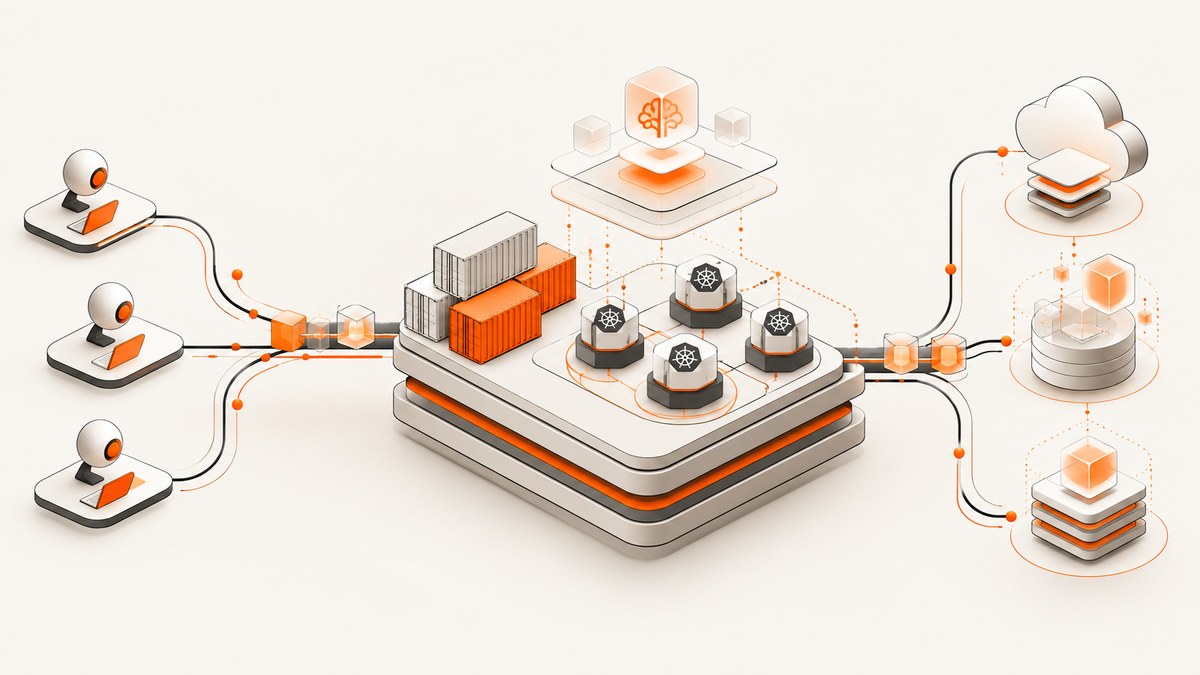
DevOps in 2026 is defined by standardization. Cloud-native development is larger, platform engineering is becoming a common way to expose infrastructure, Kubernetes is mature among container users, and AI development increasingly overlaps with cloud-native systems. The evidence also carries a warning: tools amplify the organization that adopts them. They do not repair unclear ownership, weak feedback loops, or unsafe release practices by themselves.
This article is a dated snapshot of evidence available in 2026. Each statistic below keeps its original population and survey date so you can use it in architecture reviews, platform plans, and engineering strategy without overstating what the research proves.
2026 statistics at a glance
| Statistic | What it measures | Source and date |
|---|---|---|
| 19.9 million cloud-native developers | Estimated global cloud-native developer community, about 39% of developers worldwide | CNCF and SlashData, Q1 2026 |
| 88% of backend developers | Work with at least one form of infrastructure standardization | CNCF and SlashData, 2026 |
| 7.3 million AI developers | Estimated overlap between AI developers and cloud-native practice | CNCF and SlashData, 2026 |
| 82% of container users | Run Kubernetes in production | CNCF Annual Cloud Native Survey, published 2026 |
| 32% hybrid cloud; 26% multi-cloud | Context figures for developers | CNCF and SlashData, Q3 2025 |
The 19.9 million estimate comes from research covering more than 12,500 developers in 100 countries. The same announcement compared it with 15.6 million in Q3 2025; preserve those dates when describing growth. The 88% figure rose from 80% six months earlier, while the share working without formalized DevOps or platform practices fell from 20% to 12%.
Trend 1: Platform engineering and infrastructure standardization
The strongest directly measured organizational shift is infrastructure standardization. CNCF and SlashData report that 88% of backend developers work with at least one standardized infrastructure approach. This does not mean that 88% of companies have a fully formed internal developer platform. It means developers report using some standardization, such as approved environments, reusable deployment paths, shared templates, managed services, or paved roads.
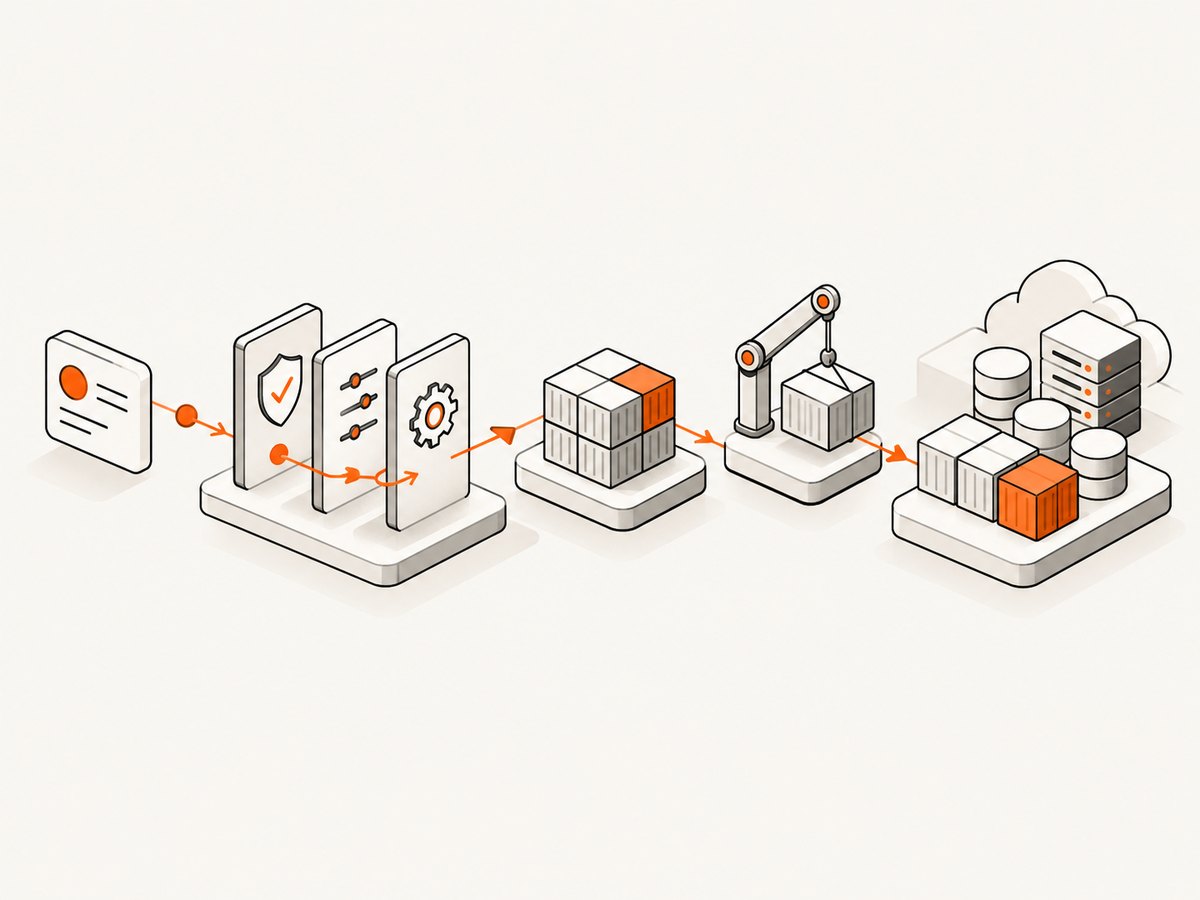
Platform engineering turns infrastructure capabilities into products for application teams. A platform team defines supported paths, automation, policy, and interfaces; application developers consume those capabilities through self-service workflows. The goal is a clearer boundary between operating infrastructure and shipping software.
What a useful platform provides
- A documented golden path: a supported way to create a service, deploy it, expose configuration, and observe it.
- Self-service operations: developers can request environments or resources without opening a ticket for every change.
- Guardrails: policy checks, identity controls, network defaults, and cost limits are applied consistently.
- Escape hatches: teams can leave the paved path when their workload requires it, with an explicit support model.
- Feedback: platform usage, failed deployments, and support requests are treated as product signals.
A practical adoption sequence
- Inventory the repeated work that slows application teams: environment creation, secrets, ingress, database provisioning, or release setup.
- Choose one high-volume workflow and define its supported inputs and outputs.
- Automate the workflow behind a versioned interface, such as a template, API, CLI, or pull request action.
- Add policy and observability without hiding failure details from developers.
- Measure usage and friction, then improve the interface before expanding its scope.
Do not select an internal developer platform because it is fashionable. Compare options by standardization level, developer self-service, workload requirements, production maturity, portability, and the amount of platform support your organization can provide.
Trend 2: Cloud-native development reaches a larger base
CNCF and SlashData estimate 19.9 million cloud-native developers in Q1 2026, approximately 39% of developers worldwide. That is an estimate of people participating in cloud-native development, not a count of companies, Kubernetes operators, or production services. The same source reported 15.6 million in Q3 2025, so the dates and methodology matter when you describe the change.
The research also estimates 7.3 million AI developers are cloud native. This describes an overlap between two developer populations. It does not show that every AI workload runs in Kubernetes, that cloud-native infrastructure is the cheapest option, or that a single architecture is suitable for model training, inference, data processing, and evaluation.
Questions to ask before moving an AI workload onto a platform
- Does the workload need burst capacity, accelerators, or long-running jobs?
- Which data must remain in a specific region or network boundary?
- How will model artifacts, feature data, and secrets be versioned?
- What is the rollback path when a model or dependency behaves incorrectly?
- Can the platform expose resource limits and cost signals to the team?
Trend 3: Kubernetes is mature among container users
The 2025 CNCF survey, published in 2026, reports that 82% of container users run Kubernetes in production. The denominator is essential: this is not 82% of all organizations or all developers. It indicates that Kubernetes is established infrastructure for teams already using containers.
Use the statistic as a maturity signal, not as an instruction to adopt Kubernetes. Kubernetes is a strong fit when you need a common control plane, workload scheduling, service discovery, declarative rollout, or portability across environments. It can be a poor fit when a managed runtime already satisfies the workload, the team cannot support cluster operations, or the application has little need for orchestration.
Kubernetes decision checklist
- Can the team operate upgrades, networking, identity, and incident response?
- Will the application benefit from declarative deployment and scheduling?
- Are portability and workload placement real requirements?
- Can developers use a platform abstraction instead of hand-authoring every manifest?
- Do you have a clear ownership model for clusters and namespaces?
Trend 4: AI changes delivery systems by amplification
DORA’s 2025 State of AI-assisted Software Development report describes AI primarily as an amplifier: it magnifies an organization’s existing strengths and weaknesses. The report summary emphasizes that the greatest returns come from improving the underlying organizational system rather than adopting tools alone.
For DevOps teams, that means AI-assisted code generation can increase throughput while also increasing review load, dependency churn, and the number of changes entering a pipeline. A team with reliable tests, small changes, clear ownership, and fast feedback can use AI more safely. A team with flaky tests and unclear release responsibility can produce failures faster.
Capabilities to strengthen before scaling AI assistance
- Fast feedback: keep build, test, security, and deployment feedback close to the change.
- Small batches: make changes easy to review and revert.
- Clear ownership: define who approves, deploys, and responds to each service.
- Useful telemetry: connect logs, metrics, traces, and deployment metadata.
- Safe automation: require approvals or policy checks for high-impact production actions.
Do not infer a productivity percentage or delivery improvement from the DORA summary. The retrieved evidence supports the organizational conclusion, not a universal effect size.
Trend 5: Hybrid and multi-cloud remain context, not a target
CNCF and SlashData reported hybrid-cloud use at 32% and multi-cloud use at 26% in Q3 2025. These are context figures, not refreshed 2026 rates. They also do not prove that spreading workloads across clouds reduces cost or improves resilience.
Choose a deployment model from workload and organizational requirements. Hybrid environments can follow data residency, latency, existing hardware, or migration constraints. Multi-cloud can address procurement, regional availability, or dependency concerns, but it adds identity, networking, observability, and operational complexity. Standardize the interfaces that truly need portability; avoid duplicating every platform component by default.
A 2026 DevOps operating model
The statistics become useful when converted into operating decisions. Use this sequence for a platform or delivery review:
- Map the delivery path. Document commit, build, test, artifact, deployment, verification, and rollback.
- Find the highest-friction handoff. Start with the step that creates the most waiting or repeated manual work.
- Define a supported interface. Expose the workflow through a template, API, CLI, or pipeline action with versioned inputs.
- Add policy at the boundary. Enforce identity, secrets, resource limits, and required checks where the change enters the platform.
- Make failure visible. Return actionable errors and preserve logs, events, and deployment metadata.
- Review outcomes monthly. Examine failed releases, rollback time, support demand, and platform adoption. The sources in this article do not provide 2026 benchmark values for deployment frequency, lead time, change failure rate, or recovery time, so establish your own baseline.
Capturing deployment and documentation evidence
Teams often need repeatable screenshots of release dashboards, runbooks, or status pages for change records. A browser script can do this, but it must handle navigation, waiting, authentication, viewport settings, and unwanted overlays.

DIY browser capture considerations
- Wait for a meaningful selector or network idle instead of sleeping for an arbitrary time.
- Set a fixed viewport and device scale so comparisons are stable.
- Authenticate with short-lived credentials and keep secrets out of logs.
- Hide cookie banners, chat widgets, and transient notifications before capture.
- Record the URL, commit or release identifier, timestamp, and capture result with the artifact.
Or skip the browser setup
ScreenshotNeo provides a GET-based screenshot API and an MCP server for AI agents. It accepts cookie and consent banners as a visitor and removes more than 60 known consent platforms, newsletter popups, and chat widgets before capture; each step can be turned off. Bot checks, CAPTCHAs, blank pages, timeouts, failed loads, and cache hits cost nothing, and the response identifies the result with X-Page-Verdict and X-Billed headers.
See the ScreenshotNeo API documentation for all options. The basic call is:
curl -G "https://api.screenshotneo.com/v1/shot" -d access_key=YOUR_API_KEY --data-urlencode url=https://stripe.com -o shot.webpPython
import requests

r = requests.get(
    "https://api.screenshotneo.com/v1/shot",
    params={"access_key": "YOUR_API_KEY", "url": "https://stripe.com"},
    timeout=90,
)
r.raise_for_status()
open("shot.webp", "wb").write(r.content)
Node.js
const q = new URLSearchParams({ access_key: 'YOUR_API_KEY', url: 'https://stripe.com' });
const res = await fetch(`https://api.screenshotneo.com/v1/shot?${q}`);
if (!res.ok) throw new Error(`Screenshot failed: ${res.status}`);
const buffer = Buffer.from(await res.arrayBuffer());
require('fs').writeFileSync('shot.webp', buffer);
Options useful for DevOps evidence
| Need | ScreenshotNeo option |
|---|---|
| Long dashboard or runbook | Full-page capture with lazy images loaded |
| One panel or release card | Capture one element by CSS selector |
| Consistent incident record | Device preset or custom viewport, retina scale, timezone |
| Dynamic status page | Wait for selector, delay, or network idle |
| Private dashboard | Custom headers, cookies, user agent, or Authorization |
| Clean comparison images | Hide selectors, custom CSS and JavaScript, dark mode |
| Archive or approval packet | PDF paper size, margins, landscape, and page ranges |
| Repeated captures | Chosen cache TTL, signed links, async jobs, signed webhooks, or bulk capture for up to 100 URLs |
An MCP server provides the tools take_screenshot, get_page_info, and capture_pdf to Claude, Cursor, and other MCP clients. ScreenshotNeo has 1,000 shots per month free with no card; paid plans start at $5 for 3,000 shots. Plans include every feature, and yearly billing provides two months free.
Create a free ScreenshotNeo account and start with 1,000 screenshots per month at no charge.
Troubleshooting DevOps implementations
“Our platform has templates, but developers bypass it”
The path may be slower than the manual route or may hide important controls. Measure time to first deploy, document supported exceptions, and improve the interface based on real support requests.
“Kubernetes increased operational work”
Recheck the workload and ownership model. Move cluster operations to a managed service or platform team where appropriate, and keep application teams on a simpler abstraction.
“AI-generated changes pass review but fail in production”
Increase automated coverage around critical behavior, require smaller changes, and add production verification and rollback steps. AI output still needs normal engineering controls.
“Screenshots show a cookie banner or chat bubble”
In a browser workflow, identify the overlay selector and dismiss or hide it after the page is ready. With ScreenshotNeo, consent handling and removal of known popups and chat widgets occur before capture; individual cleanup steps can be disabled when needed.
“A ScreenshotNeo request returns an unexpected result”
Check the HTTP status, response headers, and X-Page-Verdict. Bot checks, blank pages, timeouts, failed loads, and cache hits are identified and are not billed. For private pages, verify headers, cookies, authorization, and the target URL’s access policy.
Performance, reliability, and cost notes
- Performance: use caching with a TTL for unchanged pages, bulk capture for up to 100 URLs, and async jobs with signed webhooks when a pipeline should not wait on a screenshot.
- Reliability: persist the verdict and billing headers with the artifact. Treat a blank page or bot check as a distinct result rather than a valid screenshot.
- Security: keep API keys server-side, limit custom headers and cookies to the target request, and use signed links for public image tags.
- Cost: only clean shots are billed. Failed loads, timeouts, bot checks, blank pages, and cache hits cost nothing. The Free plan includes 1,000 shots monthly; Starter is $5 for 3,000, Growth $15 for 15,000, Pro $39 for 60,000, Scale $99 for 250,000, and Business $249 for 1,000,000.
FAQ
Does 19.9 million mean 19.9 million production systems?
No. It is an estimate of cloud-native developers, based on research across more than 12,500 developers in 100 countries.
Is 82% Kubernetes adoption measured across all companies?
No. The denominator is container users in the CNCF survey.
Does platform engineering require an internal developer platform?
No. Standardized infrastructure can exist through shared templates, managed services, reusable pipelines, or other interfaces without a single IDP architecture.
Does DORA report a universal AI productivity gain?
The cited summary supports an amplifier conclusion. It does not provide a universal productivity or delivery effect size.
Can ScreenshotNeo capture PDFs as well as images?
Yes. Its API supports PDF output with paper size, margins, landscape mode, and page ranges.


